-
-
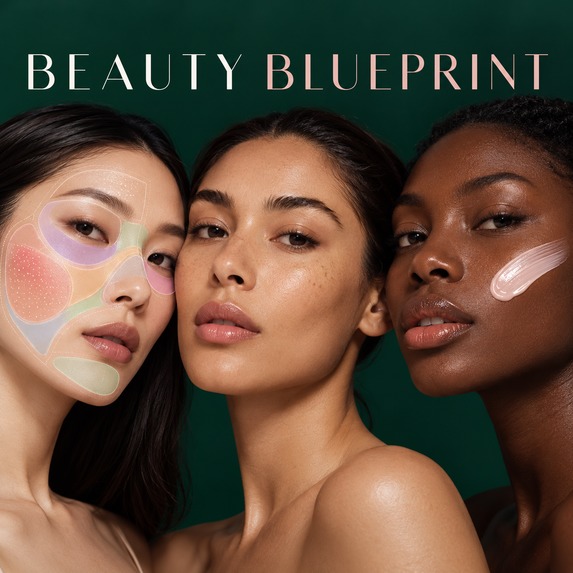
Beauty Blueprint Thumbnail
-
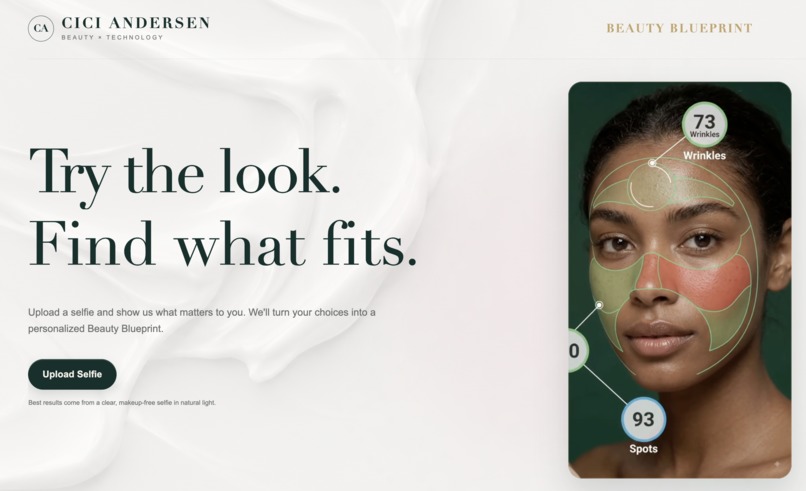
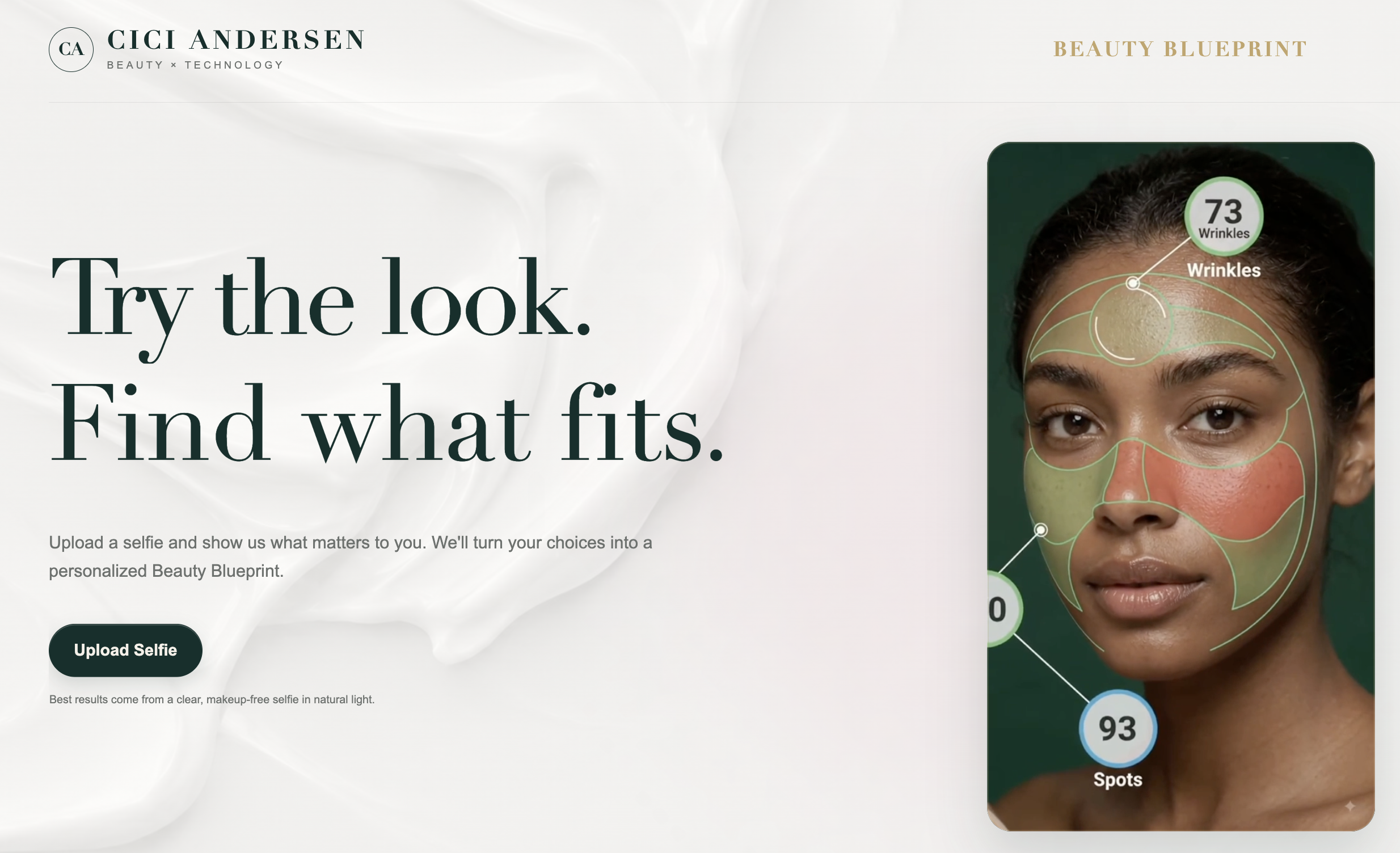
Page 1: Opening/ Splash page
-
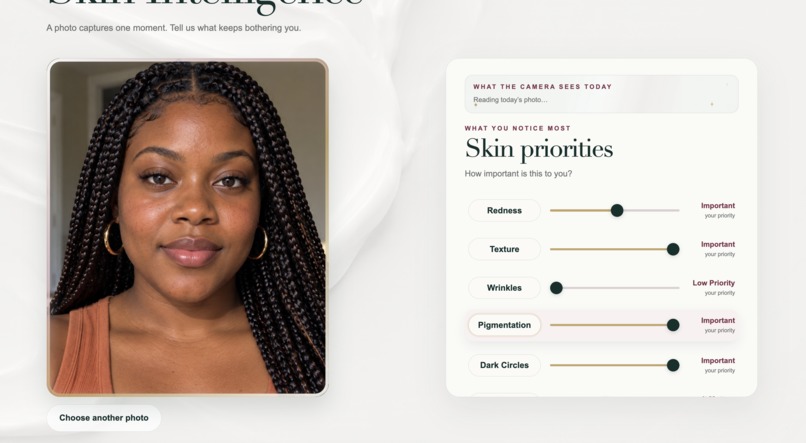
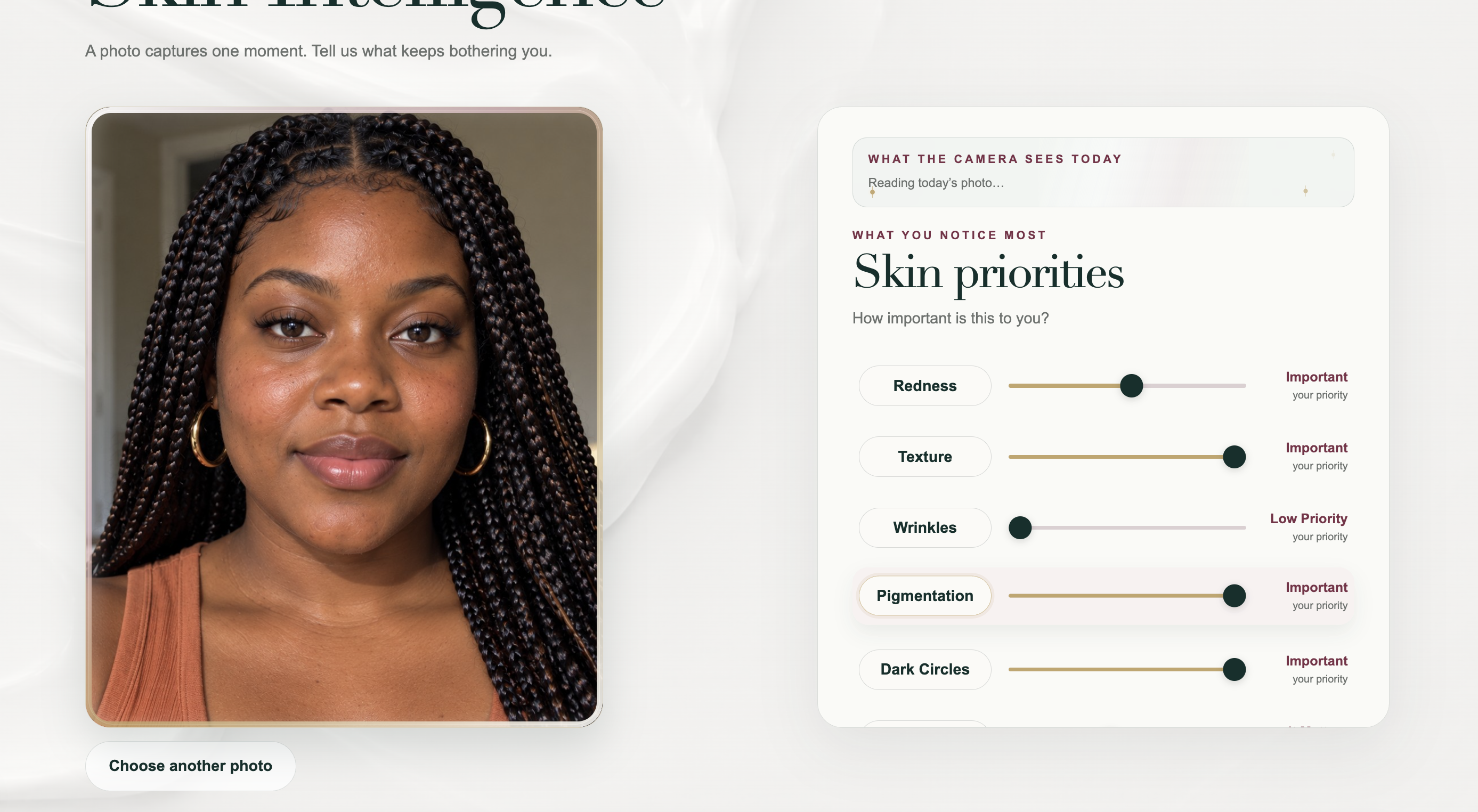
Page 2: Case Study 1- (UI) Import photo "Reading todays photo"
-
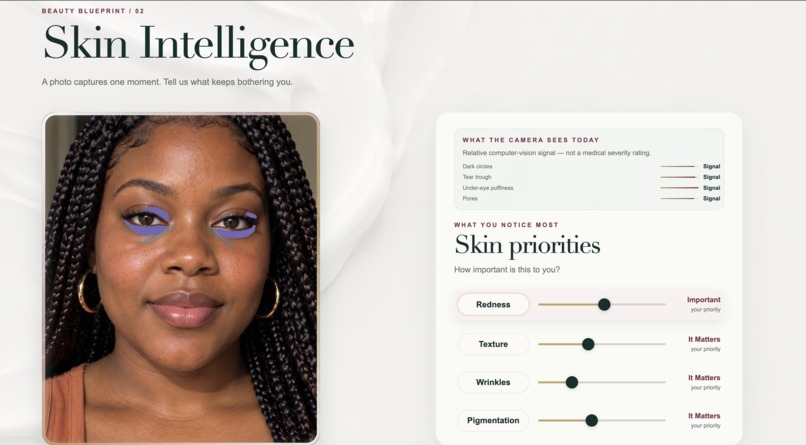
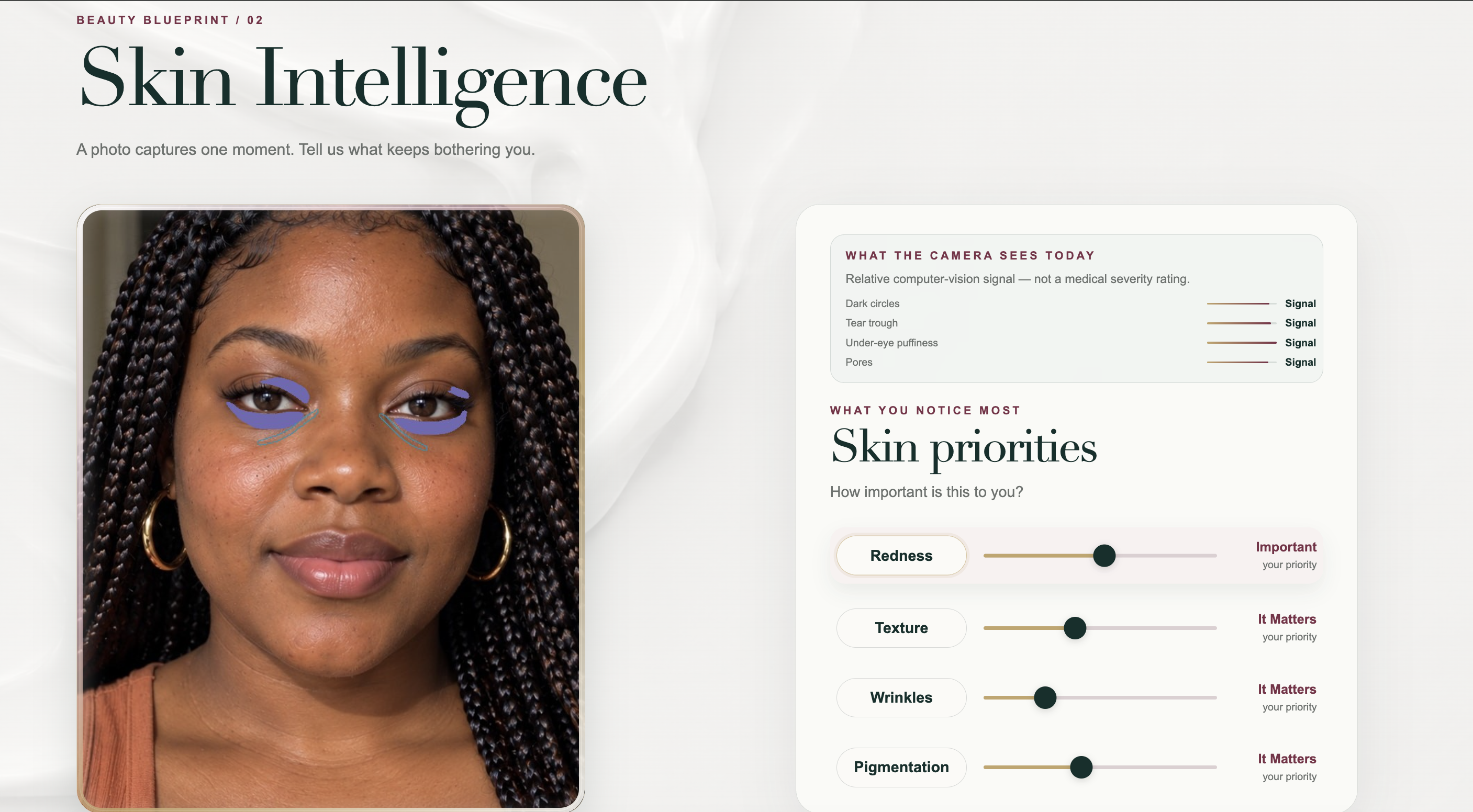
Page2: Case study 1- Ai analysis RESULTS + User preference input
-
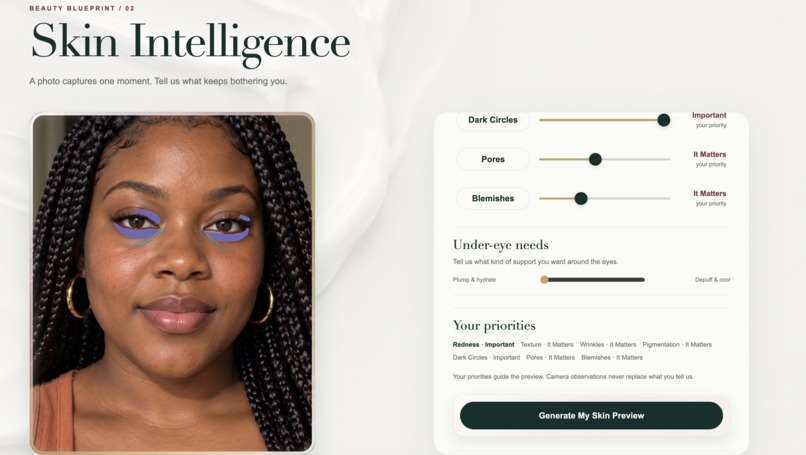
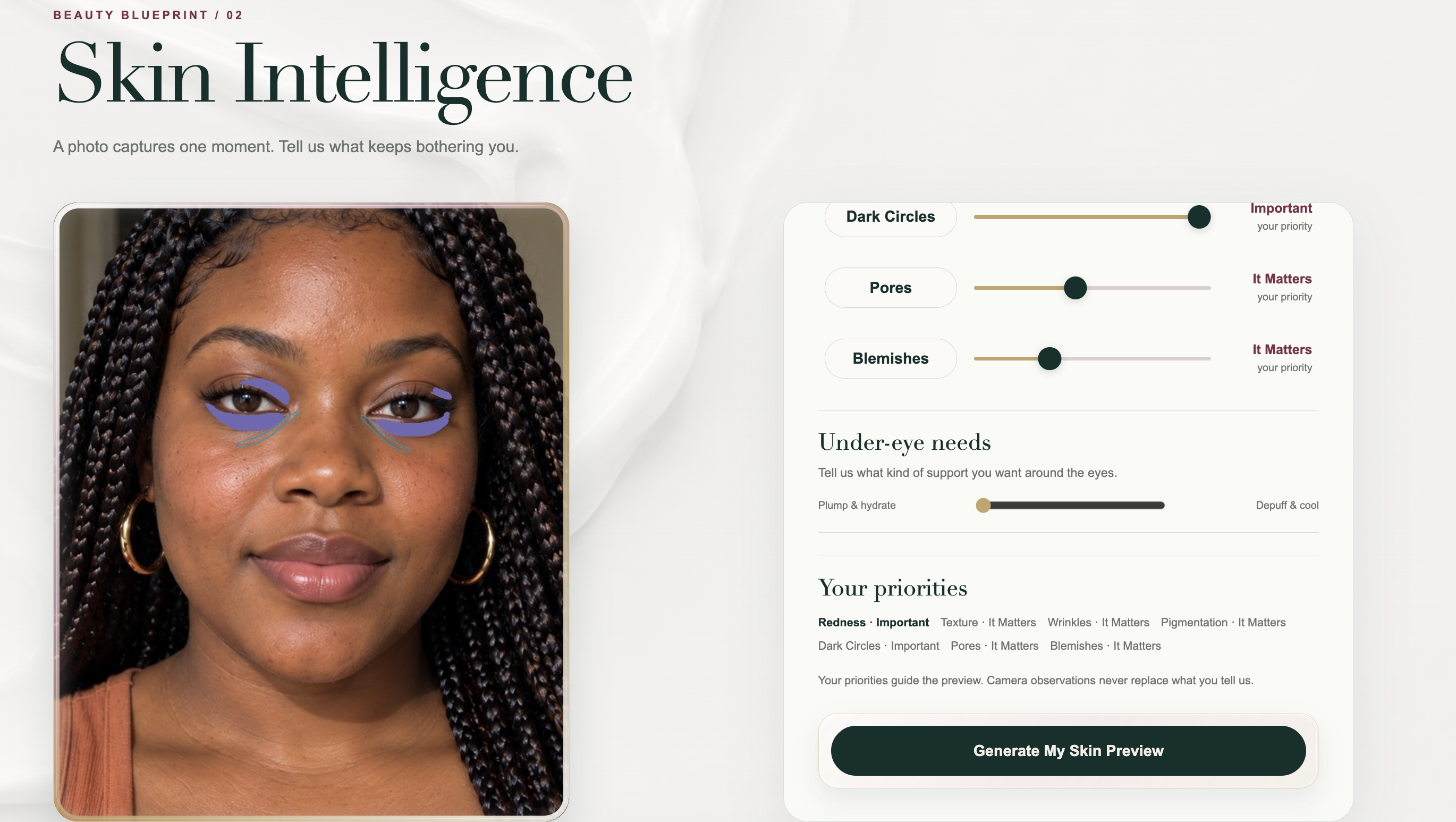
Page 2: Case Study 1- Under eye concerns/preferences slider
-
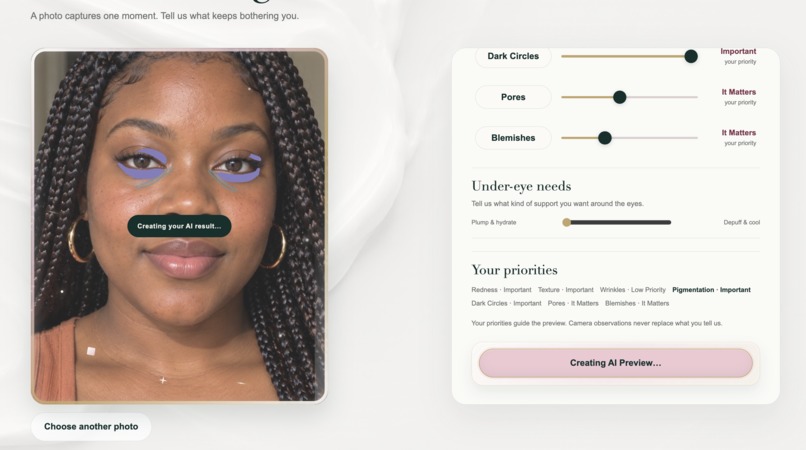
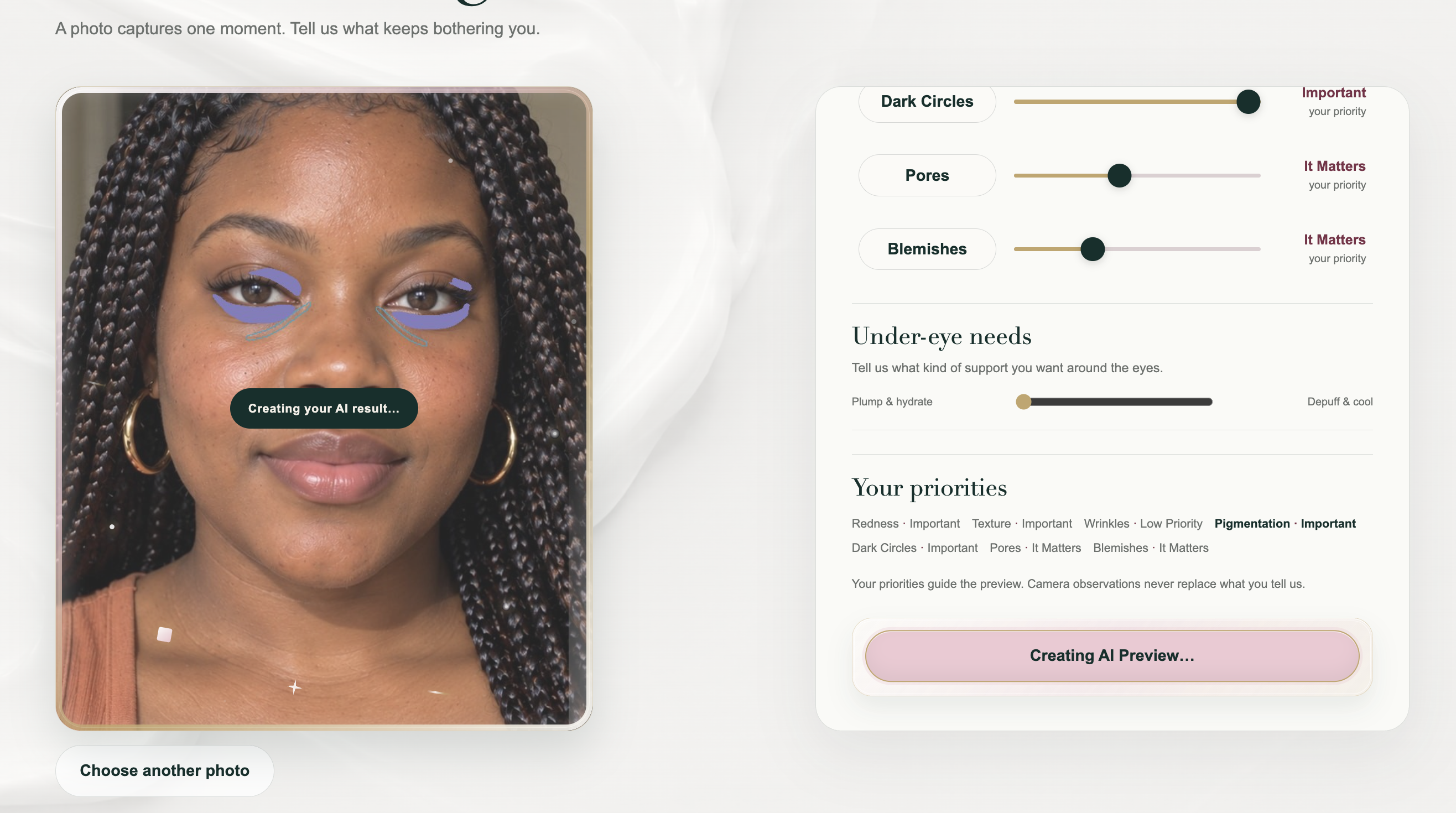
Page 2: Case study 1- Sparkle effect during generation
-
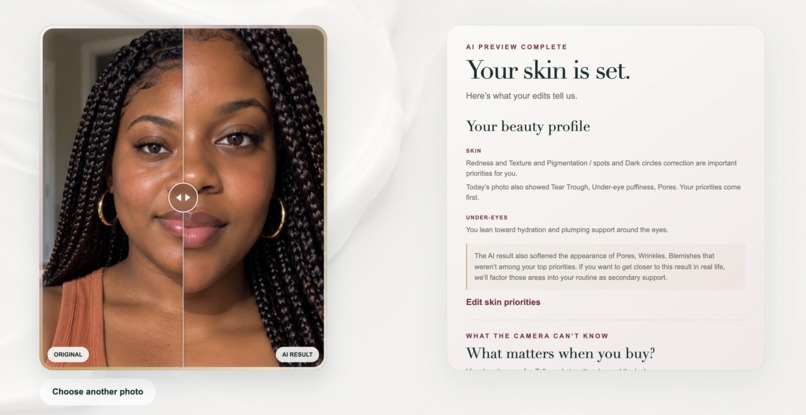
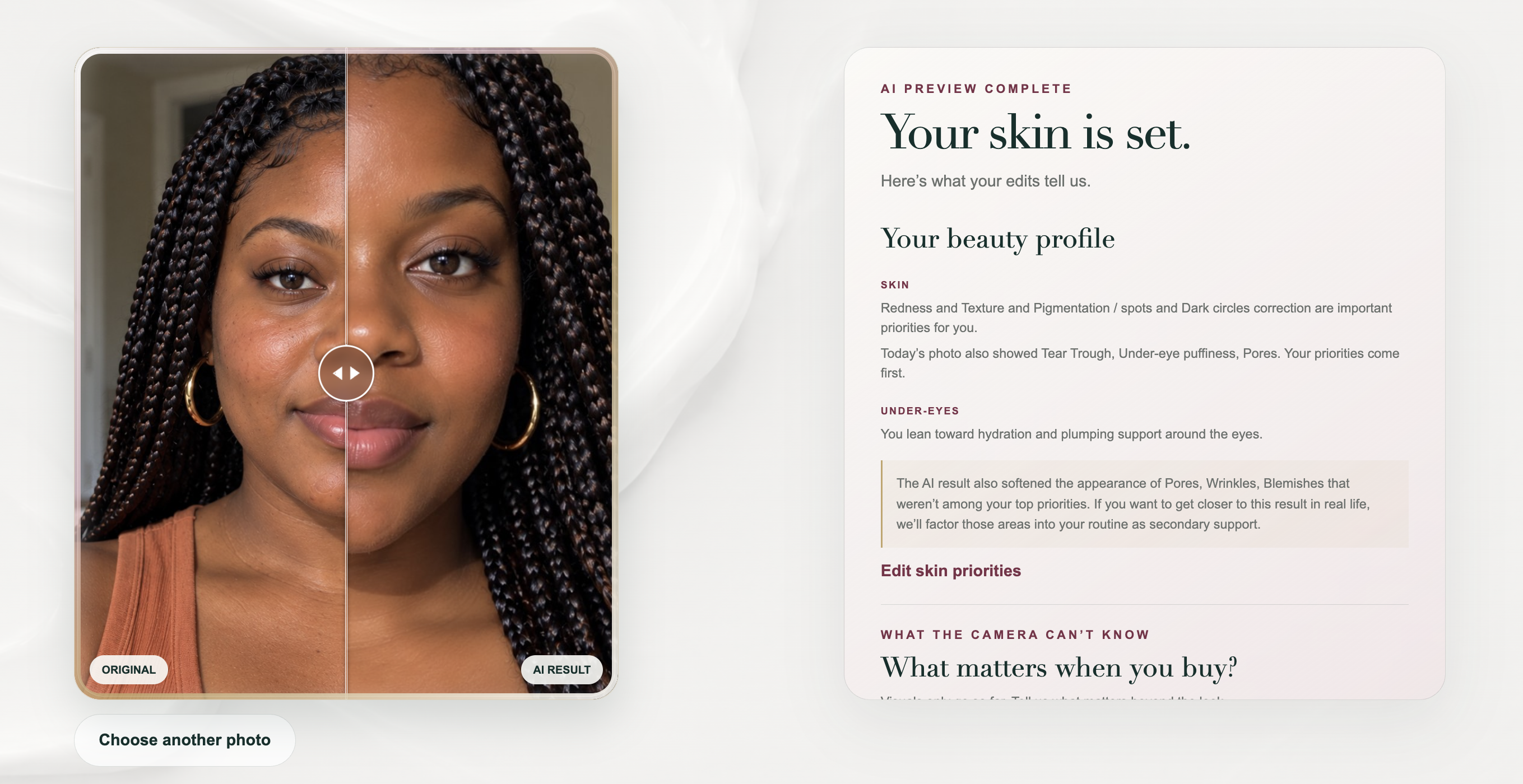
Page 2: Case study 1- Results explanation
-
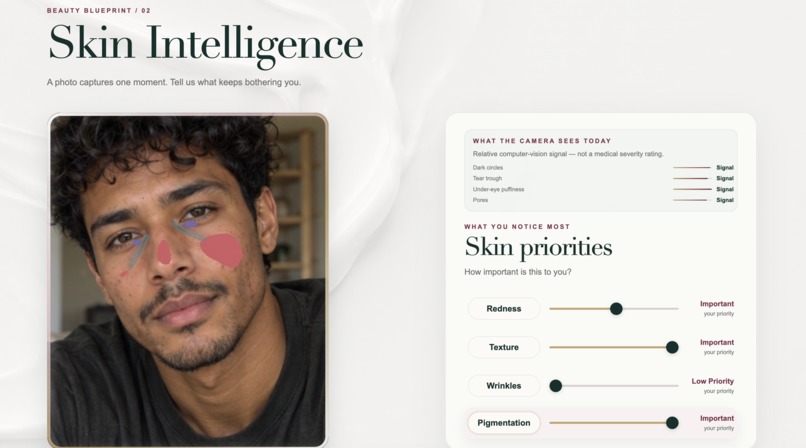
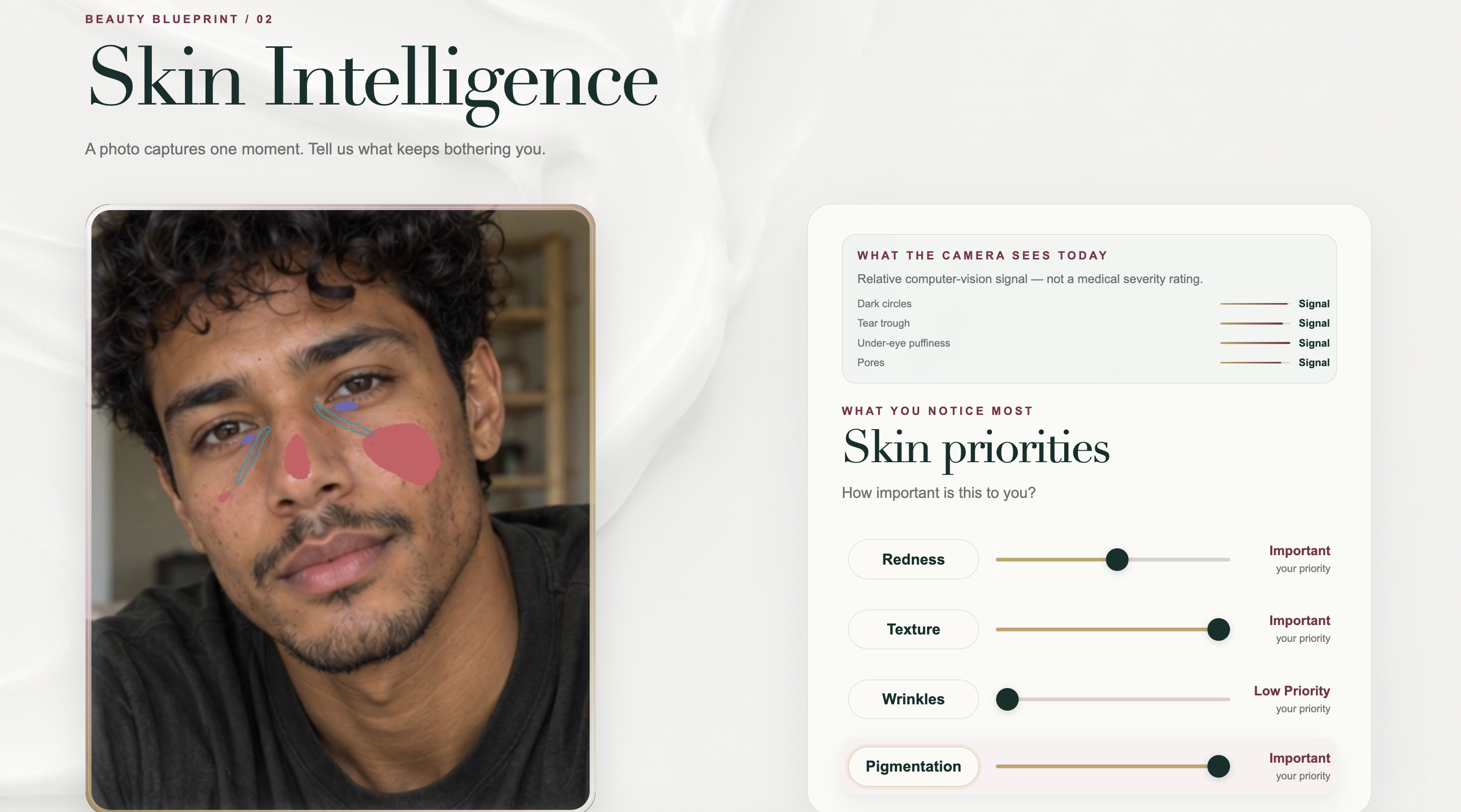
Page2: Case Study 2- Ai analysis results + User preference input
-
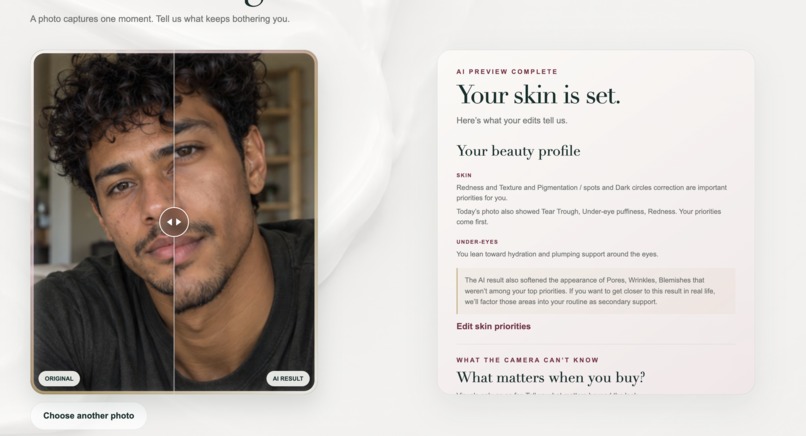
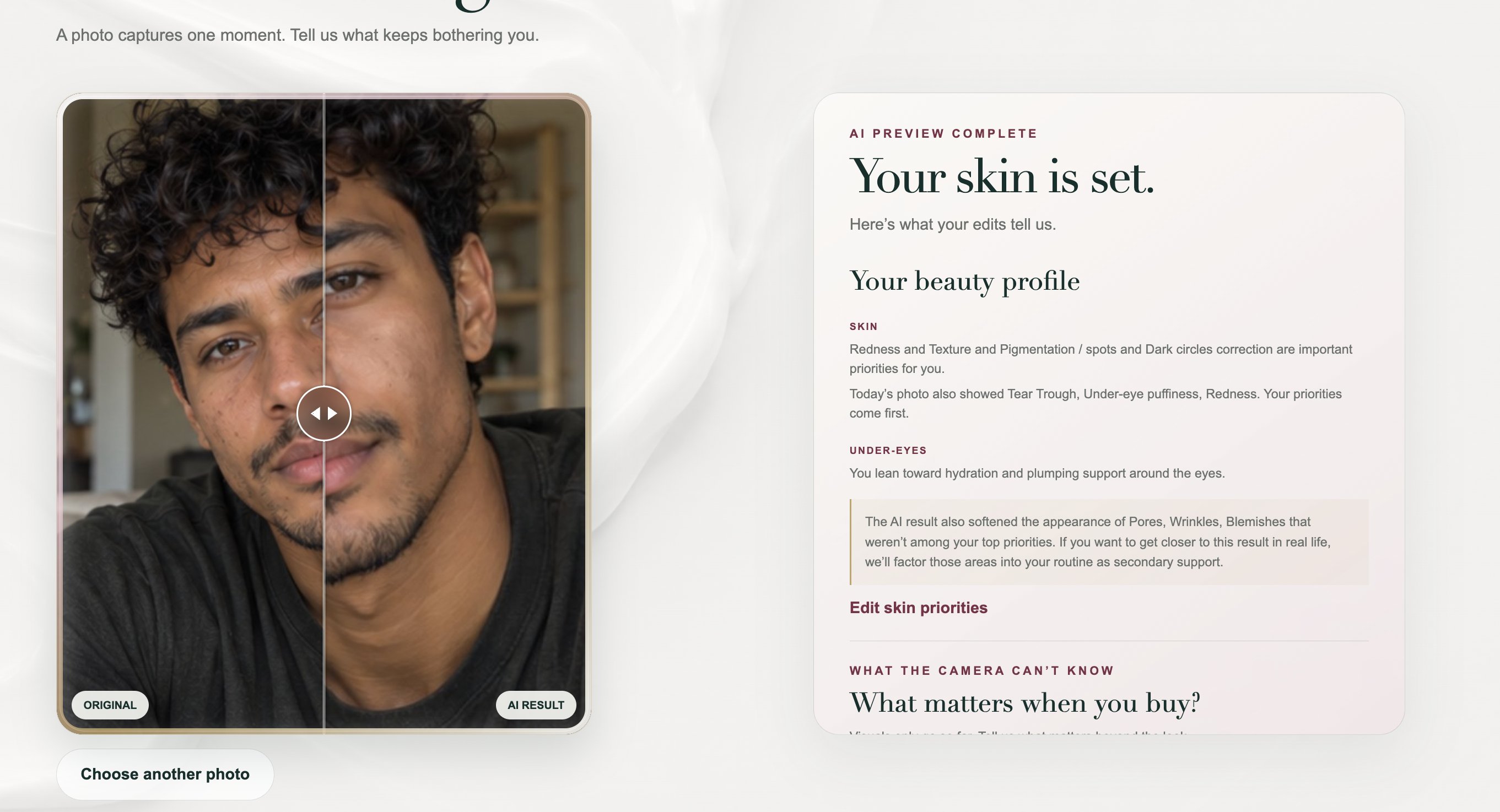
Page 2: Case Study 2- Results explanation
-
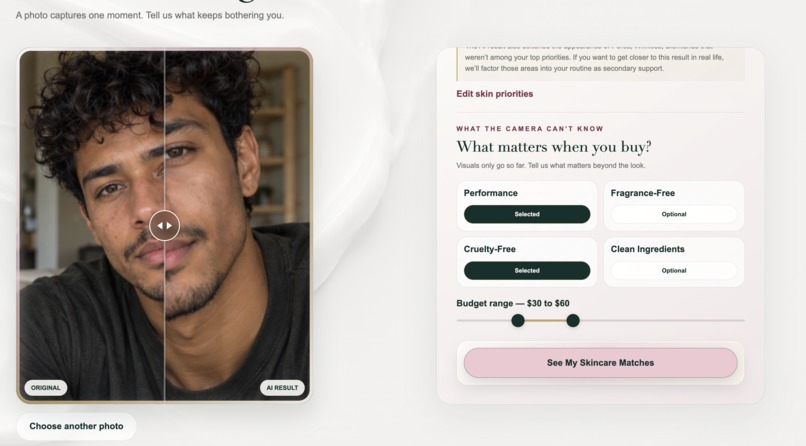
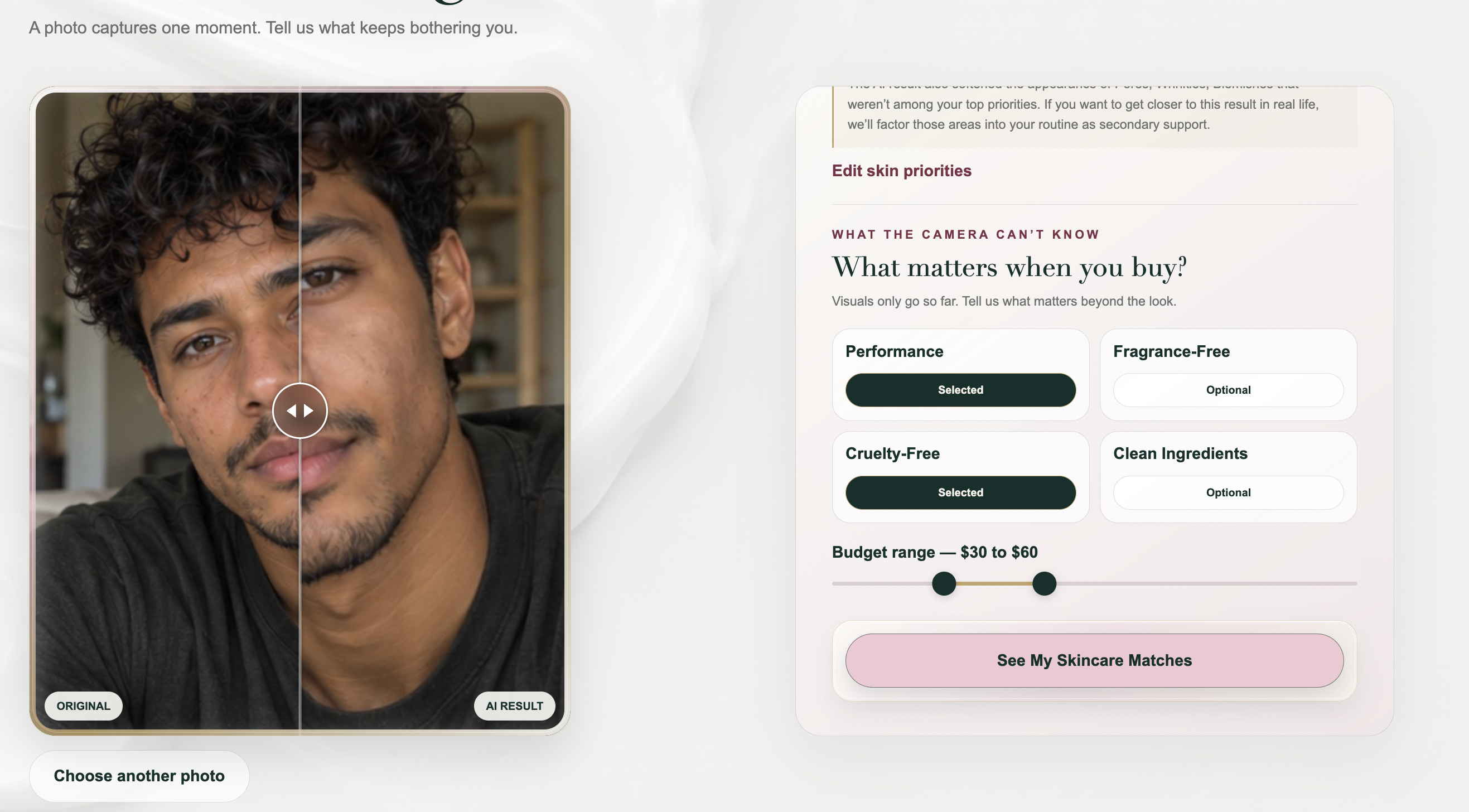
Page 2: Case study 2- Filters: common shopper requests (cruelty free, fragrance free...)
-
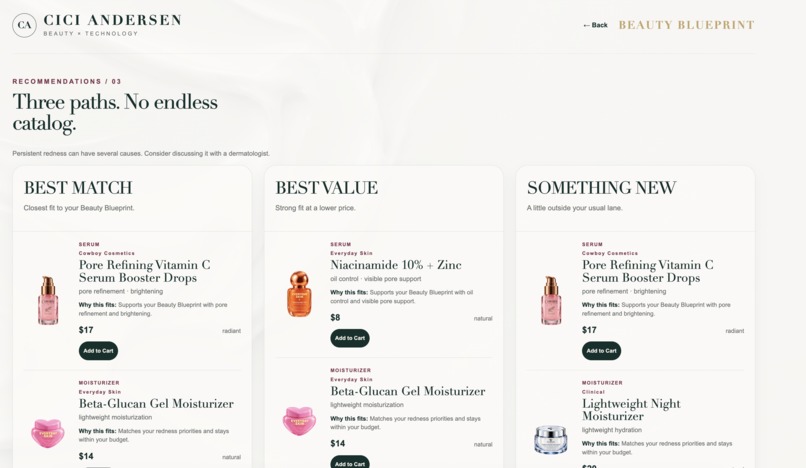
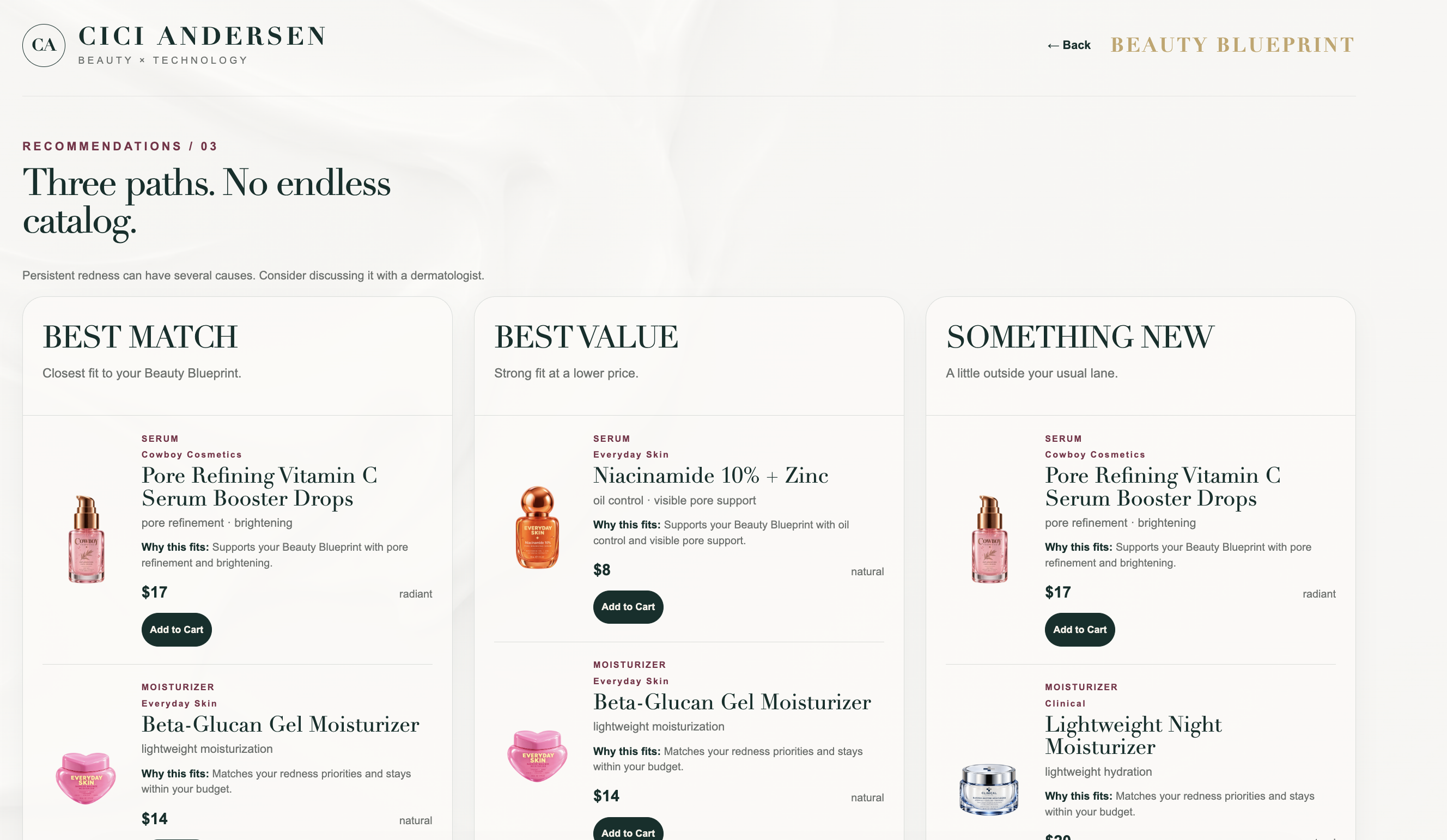
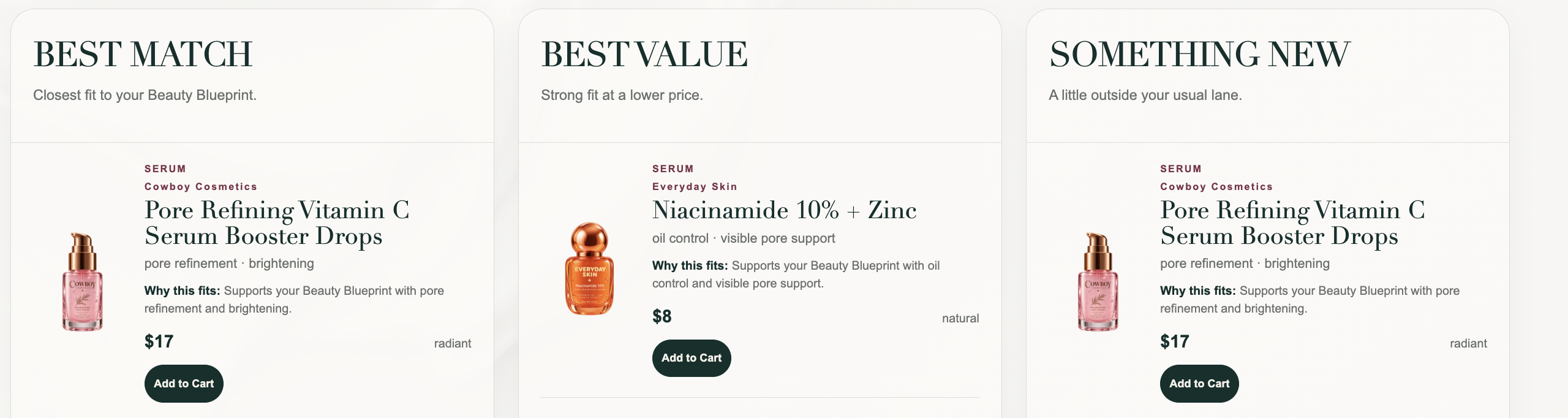
Page 3: Product Recommendation Page
-
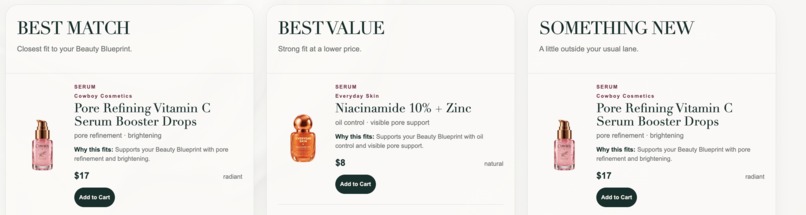
Product Categories
-
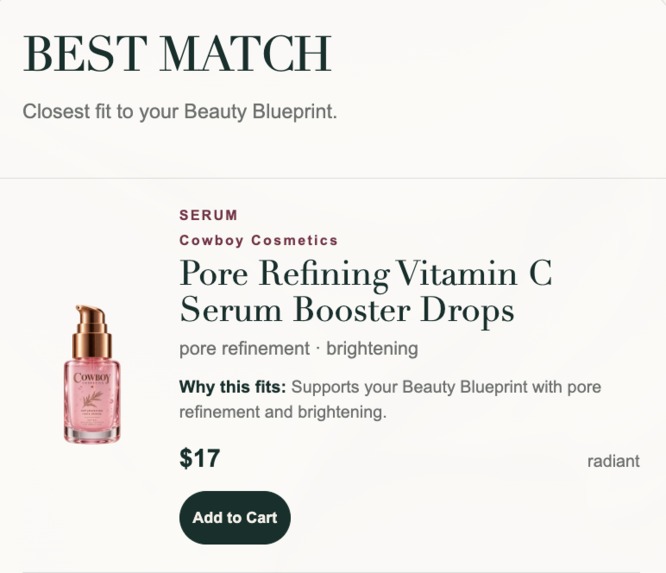
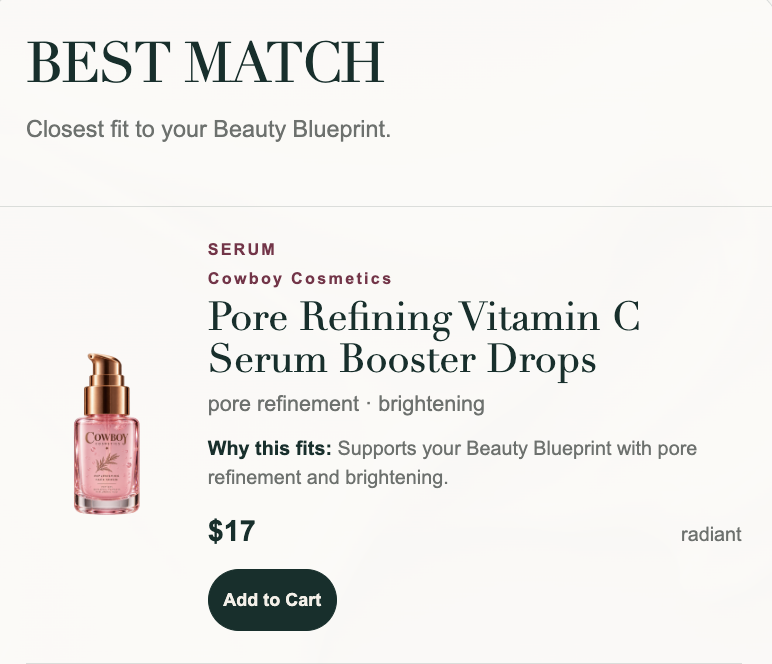
Closeup-Product Recommendation Breakdown
-

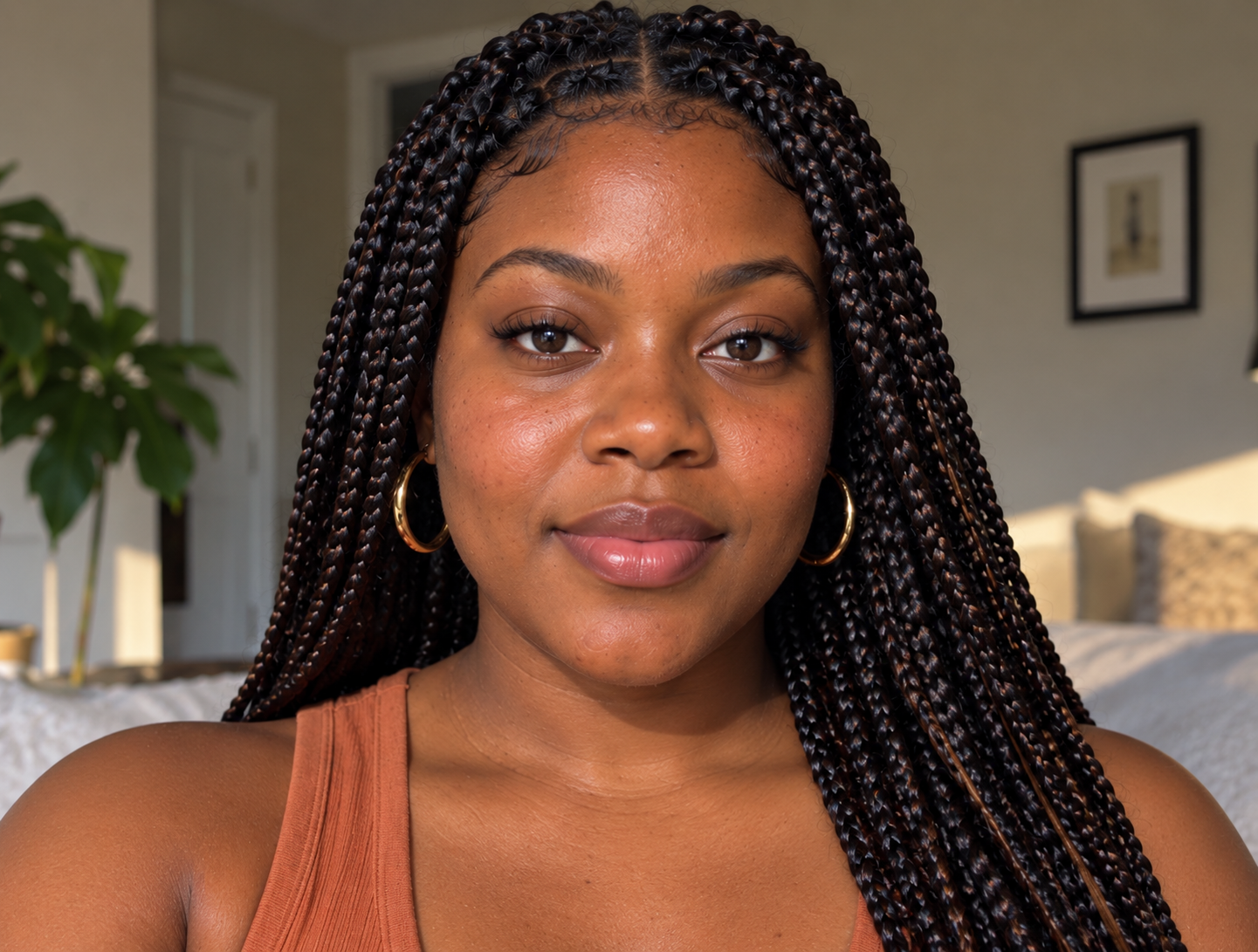
User test photo
-
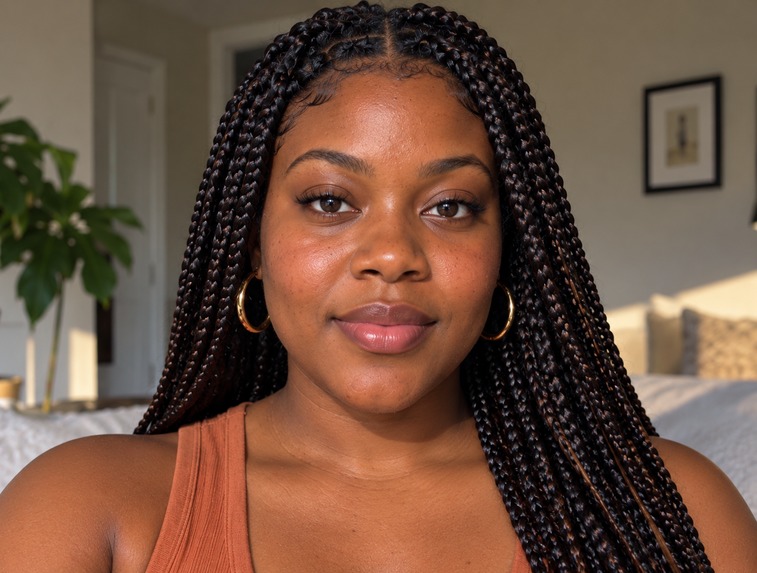
User test photo
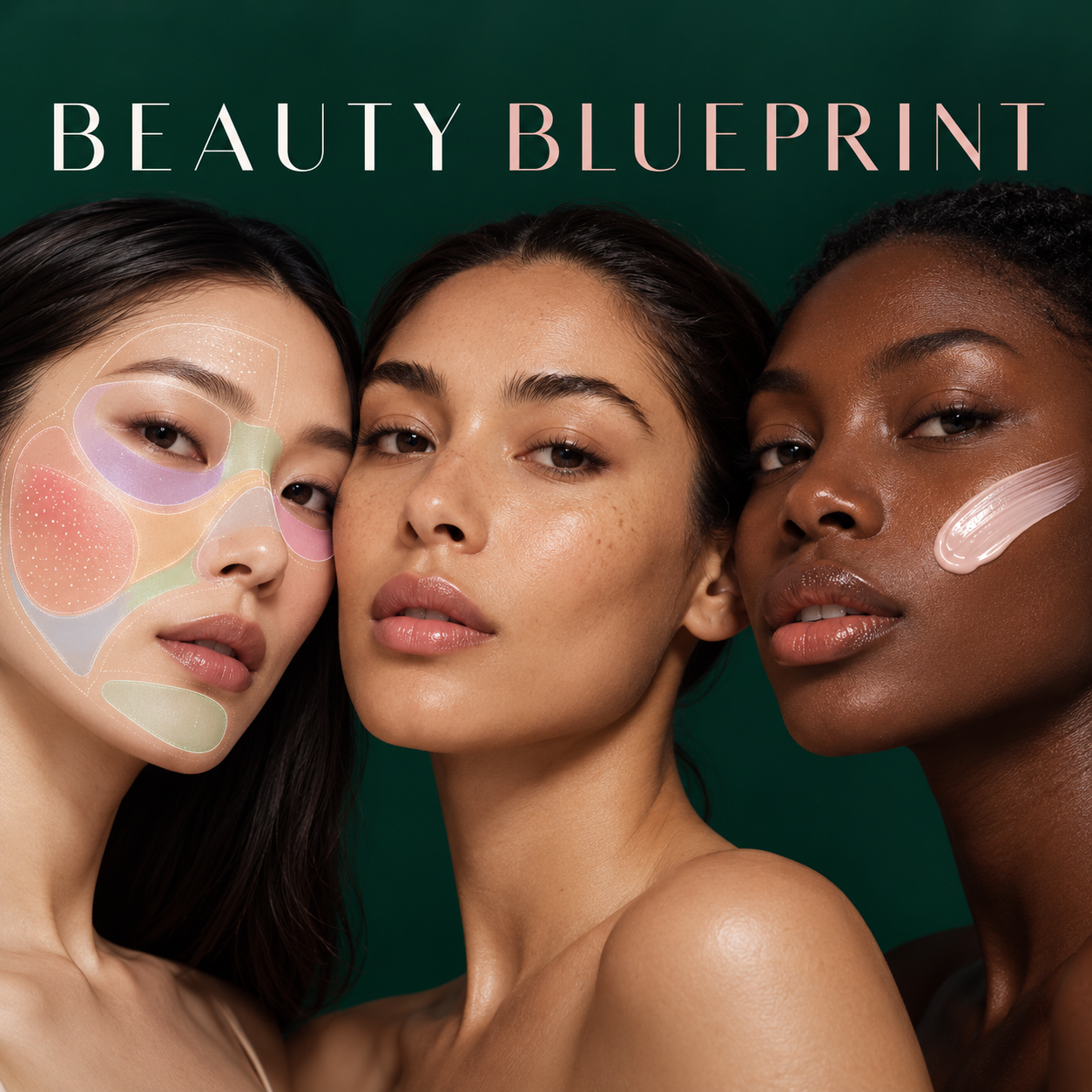

Inspiration
As a generation of AI-native users grows up, users may simply upload a photograph and let AI create a perfected version for them. That creates an interesting problem: you can see the result you want without understanding what changed to create it. I grew up learning beauty through magazines, celebrity culture, and perfected photographs. Like many people, I assumed that recreating a look was mostly about buying the same lipstick, foundation, hair color, or skincare products. After more than 20 years working in the beauty industry, I learned that the thing we think we want is often not the thing actually creating the look. A luminous complexion may not simply be “better skin.” It may come from reduced redness, softened texture, less visible pores, strategic radiance, or changes in contrast and color harmony. These are visual variables that beauty professionals and artists learn to recognize, but they are often invisible to the average consumer. Beauty Blueprint started as an attempt to make that visual language understandable.
What Beauty Blueprint Does
Beauty Blueprint combines computer vision with user intent. Perfect Corp's YouCam Skin Analysis identifies visible skin characteristics such as redness, pores, texture, pigmentation, blemishes, wrinkles, dark circles, and under-eye characteristics. But the computer does not get to decide what the user should care about. The user identifies which concerns matter most to them, defines their under-eye goal, selects product preferences, and sets a budget. Beauty Blueprint then combines those inputs to create explainable recommendations across three paths:
- Best Match — the strongest overall fit
- Best Value — a strong fit at a lower price
- Something New — an adjacent or discovery-based recommendation that introduces something the user may not have considered YouCam Skin Simulation adds another layer by allowing users to preview changes to selected skin characteristics before moving into recommendations. The goal is not to tell someone what is wrong with their face. It is to help them understand what visual changes are contributing to the result they are trying to achieve, and translate those insights into practical beauty choices. # Mission Beauty Blueprint helps close the gap by translating the kinds of visual differences that separate an unedited image from a perfected one into understandable, actionable information. Those differences may include redness, texture, pores, radiance, and eventually broader concepts such as contrast and color harmony. The product is built around a simple philosophy: The camera observes. The customer decides. Beauty Blueprint translates. Computer vision should provide information, not define a person's beauty goals. # How I Built It Beauty Blueprint was built as a working web application around Perfect Corp's YouCam APIs. YouCam Skin Analysis and Skin Simulation provide the computer-vision capabilities, while Beauty Blueprint adds the user-intent and decision layer around them. The experience begins with a selfie upload. The image is prepared and sent through YouCam Skin Analysis, and the interface then separates two ideas: What the camera sees today and What the user notices most. That distinction became central to the project. The recommendation system combines user-selected priorities, relative computer-vision findings, under-eye goals, product preferences, and budget constraints. Each recommendation includes a Why this fits explanation, and the three recommendation paths are designed to serve different purposes rather than simply presenting reordered versions of the same products. The product catalog contains fictional skincare and complexion brands created specifically for the prototype so the experience could resemble a real beauty retailer without depending on existing brand identities. The application was built in Next.js and TypeScript, with the YouCam services integrated through server-side API routes. # What I Learned A major lesson was that translating raw API output into a consumer experience requires much more than simply connecting an endpoint. The user should understand why a product was chosen—whether the recommendation came from their priorities, their budget, a computer-vision observation, or a specific preference. While building the experience, image preparation, failure handling, mobile layouts, visual overlays, recommendation logic, and graceful fallbacks all became essential parts of making the technology feel usable. I also learned that the most useful experience is not necessarily the one that gives the computer the most authority. Computer vision can provide valuable information, but the user still needs to remain in control of what matters to them. # Challenges One of the biggest technical challenges was image reliability. Skin analysis and simulation depend heavily on image framing, resolution, face position, and the way the image is prepared before it reaches the API. Images that appeared perfectly usable to a person could still fail because the face was too small, too close to an edge, or because a crop reduced the usable resolution. I built separate preprocessing strategies for Skin Analysis and Skin Simulation and added safer error handling so users would not become trapped if an analysis or simulation failed. Another challenge was translating the returned skin data into a visual overlay that felt informative without looking clinical, alarming, or misleading. I also had to think carefully about how much authority to give the computer. Because this is beauty, not medical diagnosis, the interface deliberately describes the camera output as a relative computer-vision signal, rather than presenting it as medical severity or objective truth. Finally, recommendation diversity was more complex than simply ranking products by score. Best Match, Best Value, and Something New needed to serve genuinely different purposes rather than becoming three shuffled versions of the same recommendations. # Why This Matters There is a big difference between saying “you have redness, therefore buy this” and saying “the camera is detecting a redness signal; does that matter to you?” This app is designed around the second model. Beauty technology does not have to replace human expertise. I see Beauty Blueprint as a tool that can help a customer arrive at checkout, the beauty counter, esthetician, hairstylist, dermatologist, or makeup artist with a better understanding of what they are trying to achieve. Instead of asking, “Why don't I look like this reference image?” they might be able to say, “I think what I actually like is the lower contrast, softer redness, more luminous finish, and less visible texture. How can I achieve that with my own features?” That creates a more useful conversation between the customer, technology, and the beauty professional, and it can help move the role of beauty retail away from simply selling products and toward interpretation, guidance, and expertise. # What's Next Beauty Blueprint is one example of how I see tools like the YouCam APIs helping bridge the gap between visual knowledge and the goals consumers are trying to describe. The same underlying approach could eventually extend beyond skincare into makeup, hair color, and even fashion retail—anywhere a person can see the outcome they want but may not yet have the language to explain why it works.
Built With
- next.js
- radix
- react
- tailwind
- typescript
- vercel
- zustand

Log in or sign up for Devpost to join the conversation.