-
-
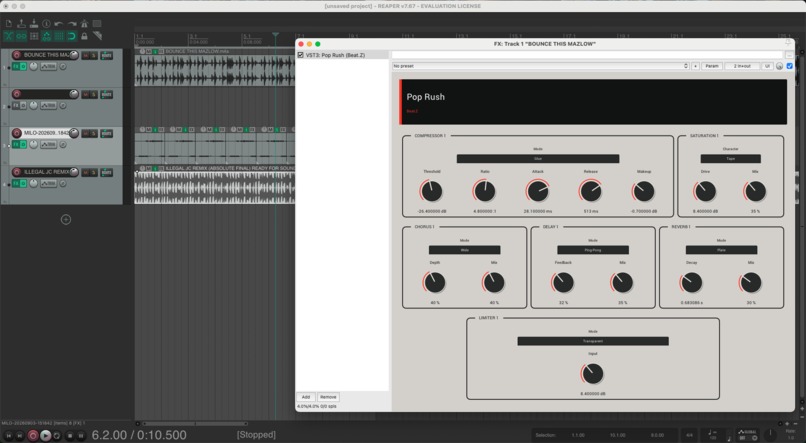
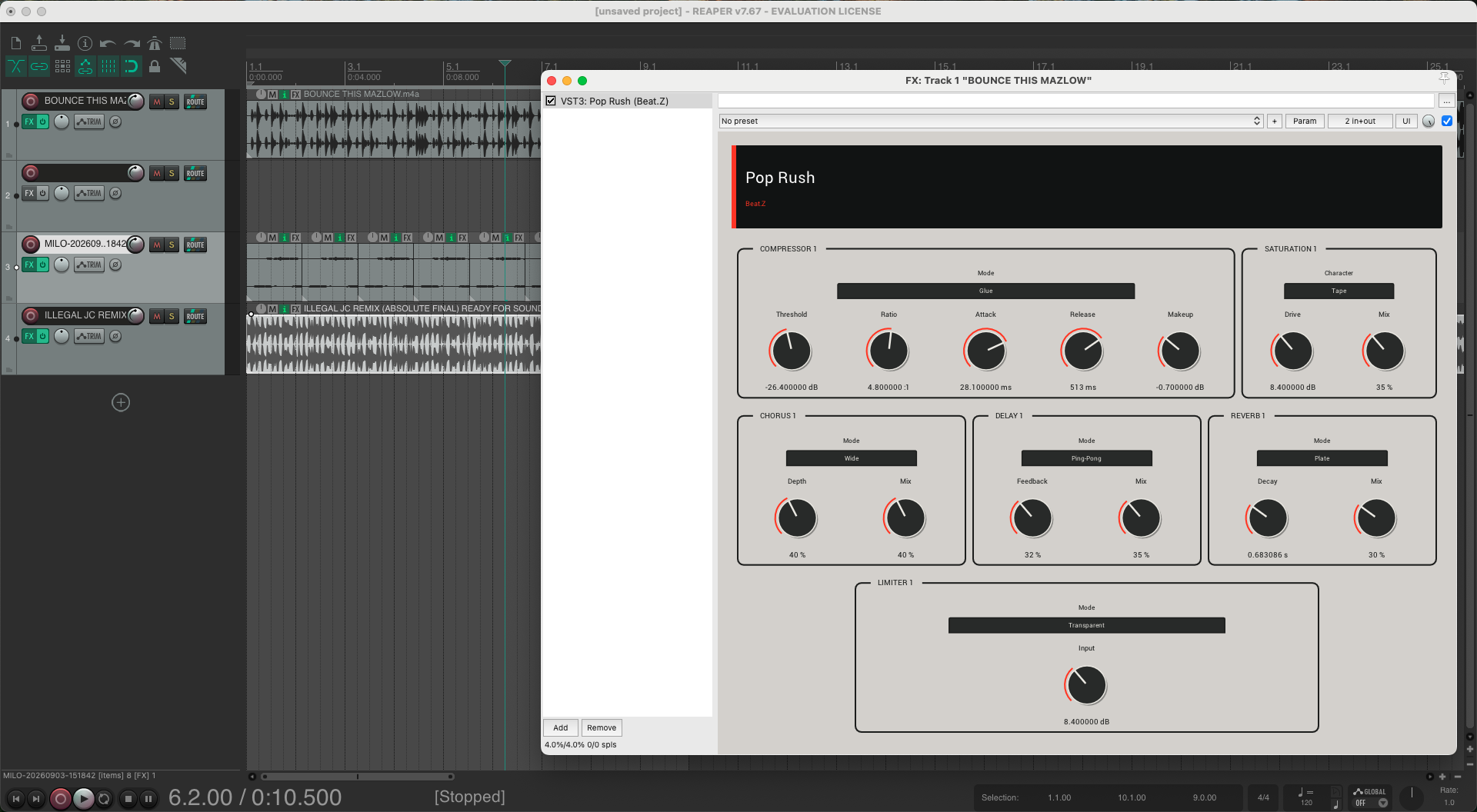
Beat.Z-generated VST3 “Pop Rush” running inside REAPER, with its custom multi-effect signal chain and mapped controls directly in the DAW.
-
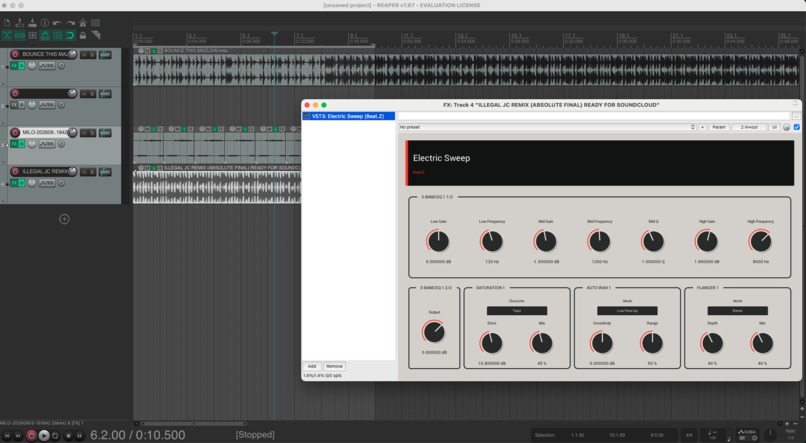
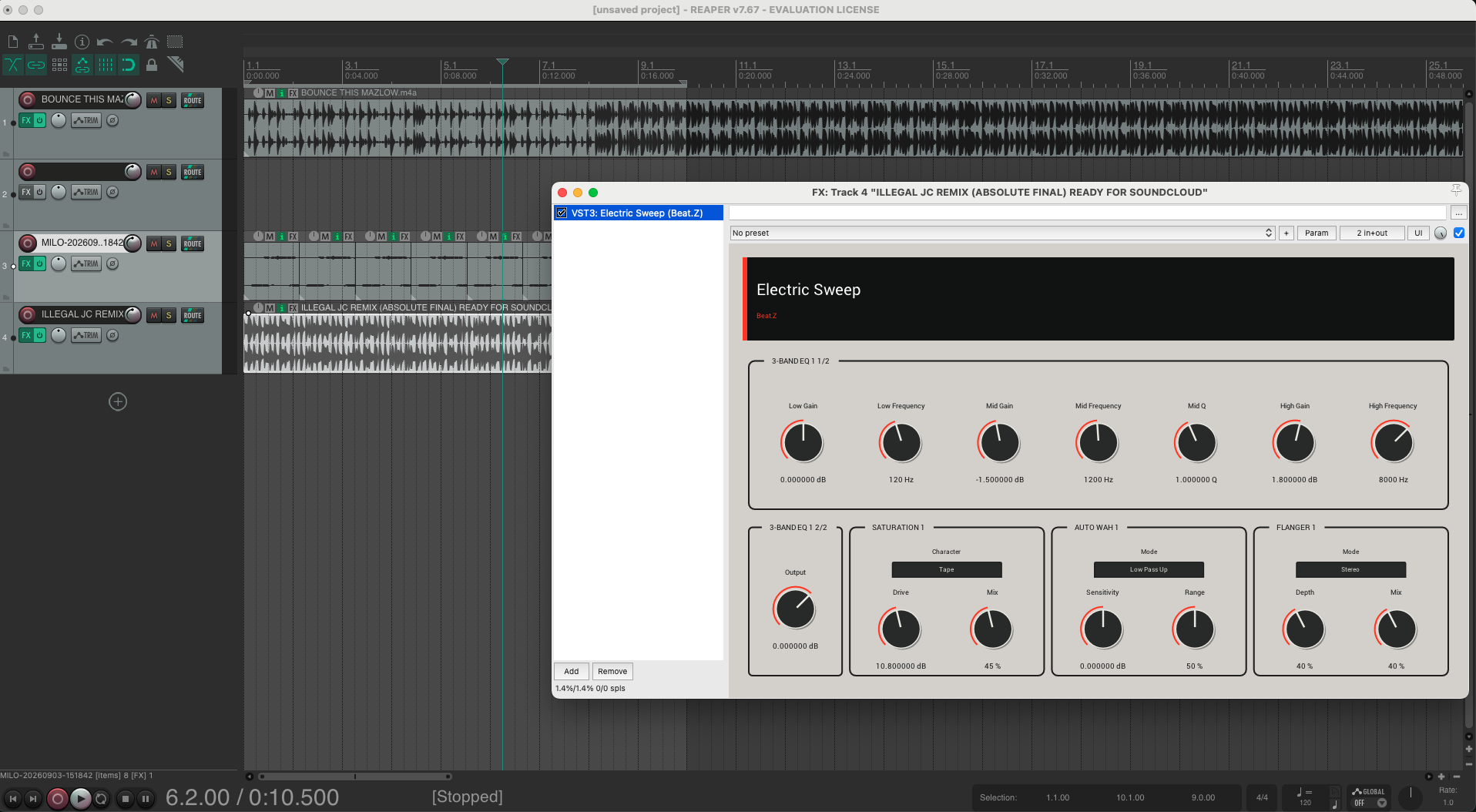
Beat.Z-generated VST3 “Electric Sweep” inside REAPER, with its custom multi-effect signal chain and mapped controls directly in the DAW.
-
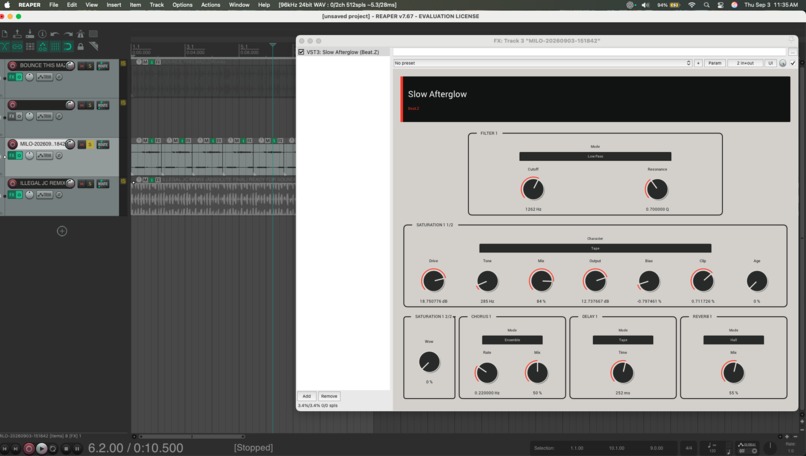
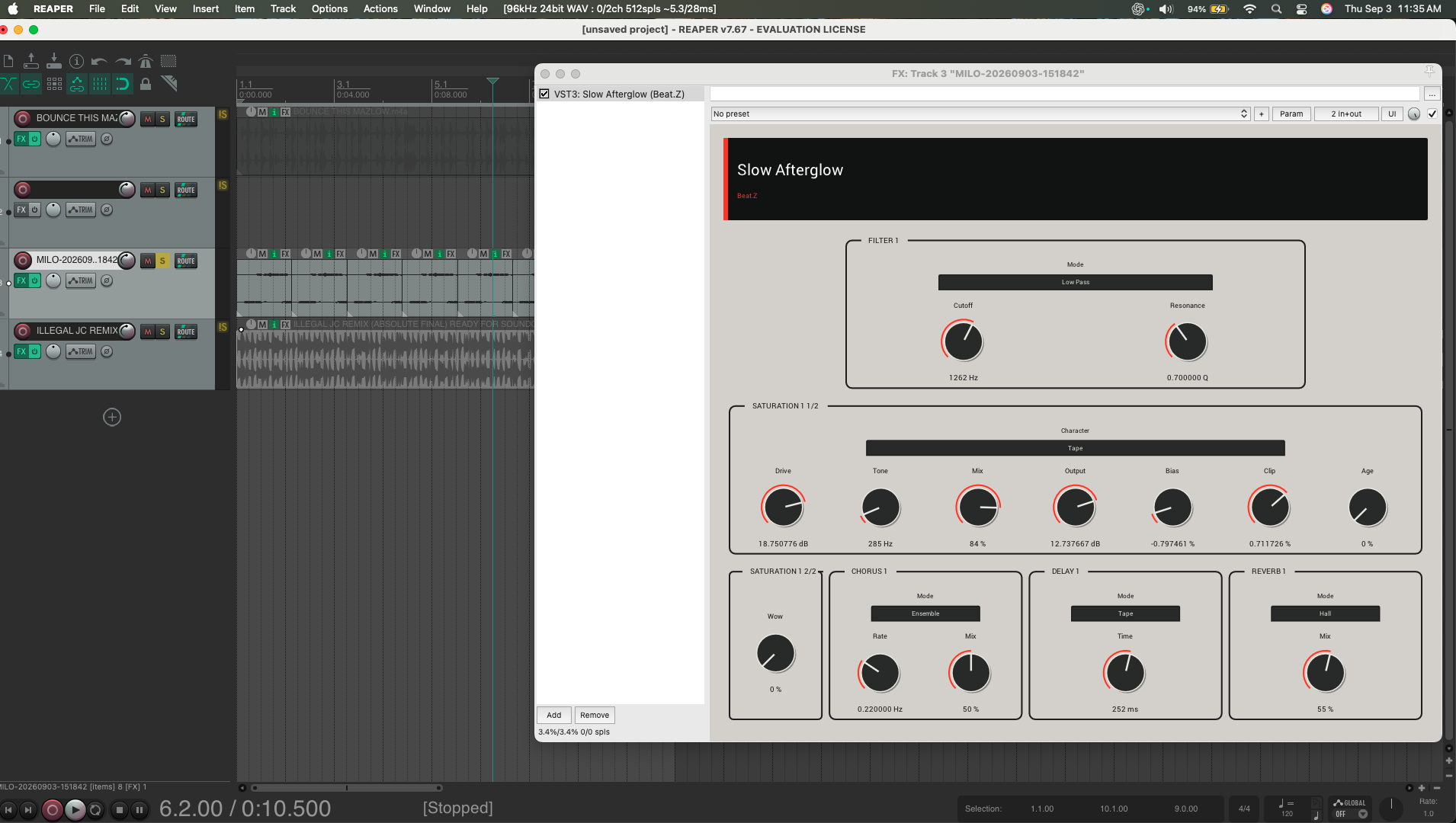
Beat.Z-generated VST3 “Slow Afterglow” inside REAPER, with its custom multi-effect signal chain and mapped controls directly in the DAW.
-
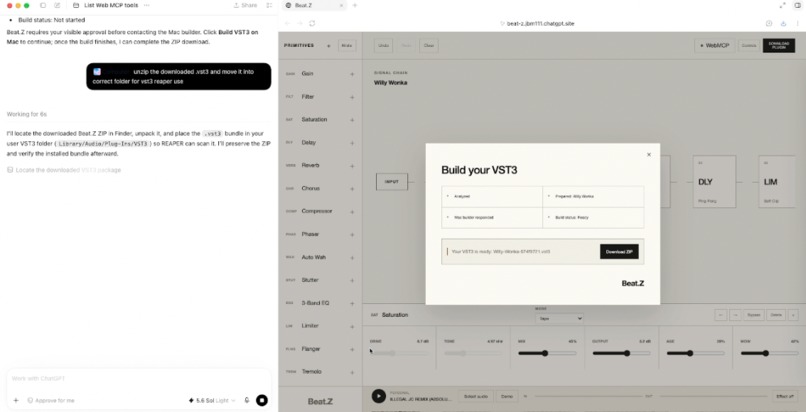
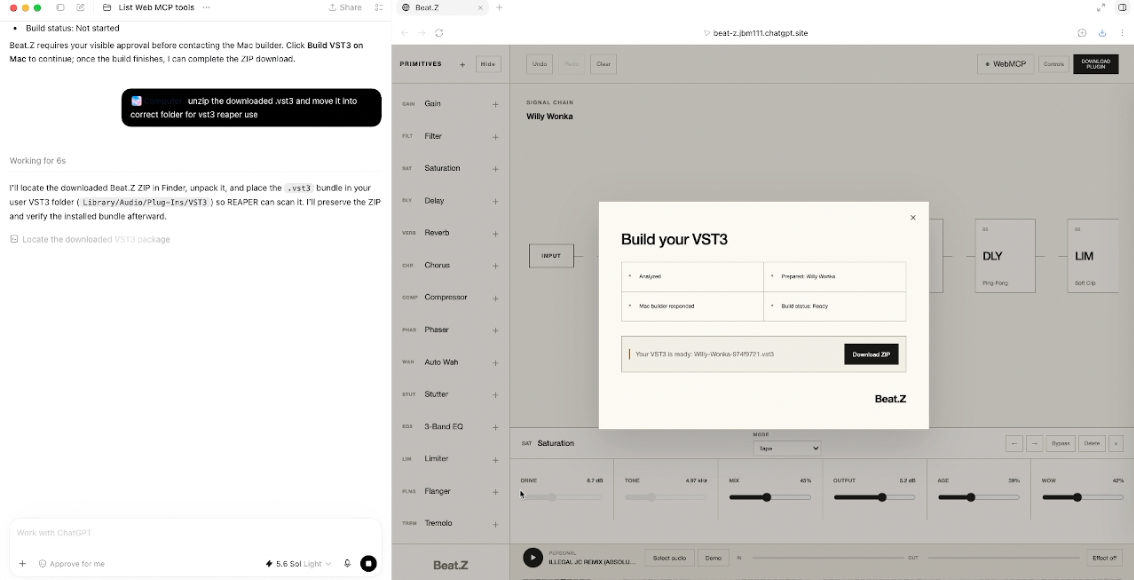
Using @ComputerUse, you are able to forget about the downloaded file and open your DAW
-
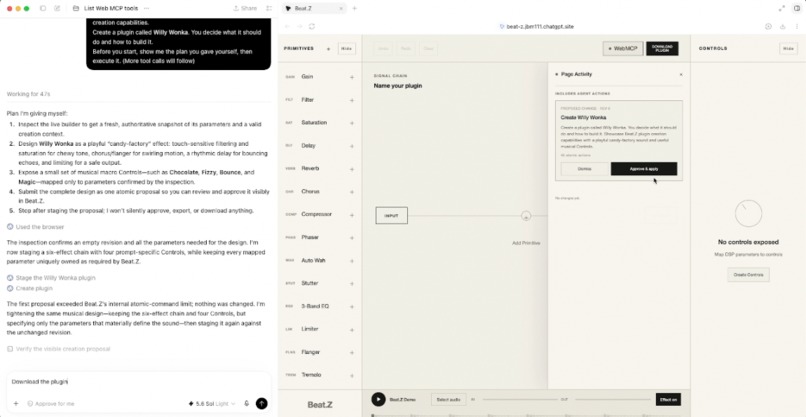
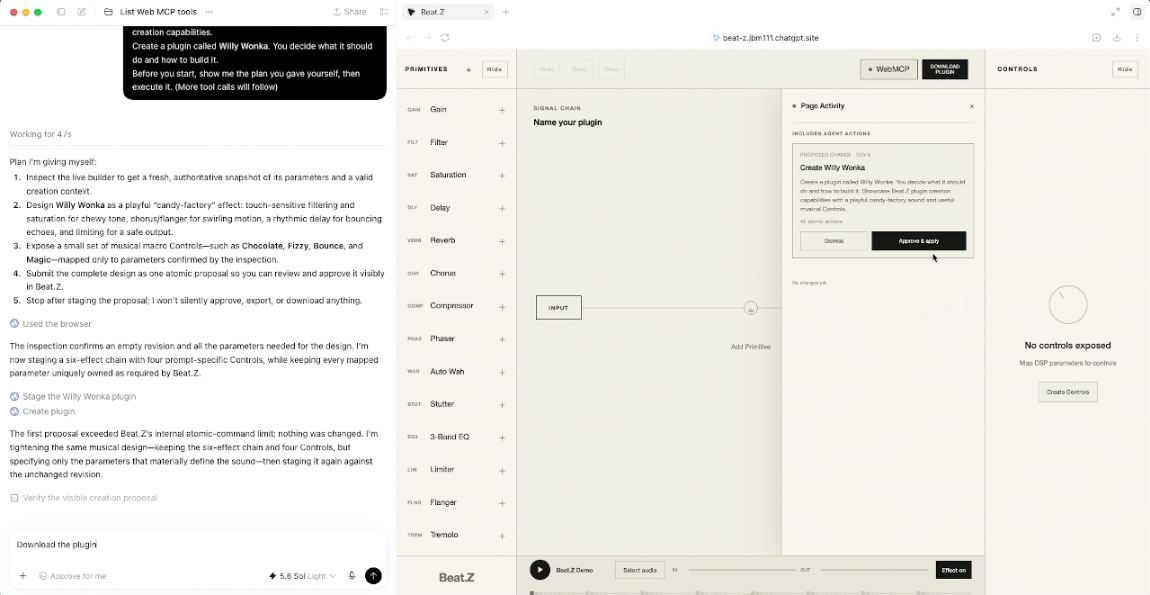
Once the Agent Creates plugin, you must approve changes and you can see how many changes the Agent made. The tool has full scope of project
Inspiration
I am self-taught and do not come from a traditional software-development background. I became passionate about AI through years of experimenting, learning, failing, and trying again. Beat.Z began as a challenge: could I use what I had learned to build a real product, not just another unfinished experiment?
The inspiration came from JC, my younger brother—a college student, DJ, and producer. He had spent more than $1,000 on DAWs and plug-ins, but was still looking for new effects. When ChatGPT 5.6 came out, I told him I could probably build him one working plug-in. I did. Then I wondered: what if he could describe the sound he wanted, preview it immediately, and download it as a plug-in for his DAW?
That idea became Beat.Z.
What it does
Beat.Z is a WebMCP-first sound-effect builder where a person uses plain-English prompts to work with an agent to create custom VST3 audio-effect applications for DAWs.
Each application is a working sound-processing tool with its own effect chain, controls, and interface. AudioWorklets process the audio signal in real time in the browser, letting users preview the sound being shaped before exporting a working application as a VST3 plug-in.
A user describes the sound they want. They could name the type of effect they want, describe how it sounds, reference familiar effects they want to recreate or take inspiration from, or include details about audio files and the exact changes they are after. For example, they might ask for a warm vintage delay, a wide chorus for vocals, or a punchier, more aggressive drum sound.
Users can upload an audio file to hear how the effect shapes the sound before downloading the VST3.
The agent can inspect the current plug-in, create or edit effects and controls, clear the builder, and start a VST3 download.
The user can test the effect in real time in the browser, hear how it changes the sound, and refine it with the agent before downloading. Beat.Z maps creative intent—such as “make this warmer,” “give it more movement,” or “make it sound harsher”—into a specific sound-design chain.
Beat.Z combines 14 audio-effect building blocks—including filters, distortion, delay, reverb, compression, modulation, EQ, limiting, stutter, and auto-wah—into custom signal chains. Faust, WebAssembly, and AudioWorklets power the browser preview. Once approved, the same effect design becomes a downloadable VST3 plug-in: a unique, working DAW tool that processes sound, not merely an AI-generated preview. I tested the workflow on macOS with Ableton and REAPER.
How I built it
Before this challenge, I had never written a line of code. I was curious about how Beat.Z could work, but I assumed it was too complicated to build. I spent a few months asking questions, researching, and teaching myself the architecture needed to connect AI agent tools, a browser audio engine, real-time preview, and a native VST3 build pipeline.
When the WebMCP Challenge appeared, I found a way to implement the idea. I used Codex as my collaborator and teacher to turn that architecture into working code: building the WebMCP tools, integrating Faust effects, debugging browser audio, creating tests, and diagnosing native-build failures
Challenges I ran into
At first, the hardest challenge was keeping the AI from moving too far ahead of the actual goal. It was easy to generate too many ideas, add too much too quickly, or build features before the foundations were proven
I worked through a loop of build, test, fail, diagnose, and rebuild until I was happy with the result. Managing my time was also difficult: I had no traditional coding background or development team backing me. But I had become highly capable with AI tools, asking the right questions, reviewing results critically, and turning a large idea into small, testable steps.
Accomplishments that we're proud of
I am proud that I took an idea I had imagined for some time and turned it into a finished product I could submit. This challenge gave me the opportunity to finally take a shot at building Beat.Z, and I am proud that the result matches the original vision: a musician can describe a sound, preview it in the browser, and turn it into a DAW plug-in.
Beat.Z includes 14 effect building blocks that can be combined into custom signal chains. I built focused WebMCP tools—inspect-builder, create-plugin, edit-plugin, clear-plugin, and download-plugin—along with custom browser AudioWorklet processing, real-time preview, and a VST3 build workflow tested on macOS with Ableton and REAPER.
More than anything, I am proud that I built a working creative tool from the ground up, despite starting with no coding background.
What I learned
I learned how to use AI models at their best: when to use different models, how to set clear boundaries, and how to turn a vague idea into useful work. I learned systems architecture, audio design, browser audio, WebMCP tools, backend systems, open-source audio tools, and the Apple Silicon build challenges involved in creating VST3 plug-ins.
Most importantly, I learned how to connect all of those pieces into a full-stack product. I built Beat.Z’s frontend, backend, browser audio experience, and native plug-in pipeline independently, using AI as a collaborator while staying responsible for the direction, testing, and decisions.
I also learned that no one is going to come and build your idea for you. You have to do the work, keep asking questions, figure things out, and keep going when something fails.
What's next for Beat.Z
Next, I want to expand the effect library and add a sound-source library with options such as horns, frog sounds, and other creative samples. I also want to bring instruments into the builder: drums, pads, basses, leads, keys, and vocal effects.
Users could create and download simple synths, instruments with custom effects, or more experimental ideas like a frog-inspired synth with a stutter effect. My main goal is to help musicians create with AI instead of feeling replaced by it. Beat.Z gives the power back to the musician: AI helps shape the tool, but the musician still chooses the sound, plays it, and makes it their own
Built With
- ableton-live
- audioworklet
- c++
- chatgpt
- chatgpt-sites
- cloudflare-d1
- cloudflare-workers
- cmake
- digital-signal-processing
- faust
- iplug2
- macos
- next.js
- node.js
- openai-codex
- react
- reaper
- steinberg-vst3-sdk
- supabase-storage
- typescript
- vite
- vst3
- web-audio-api
- webassembly
- webmcp


Log in or sign up for Devpost to join the conversation.