-
-
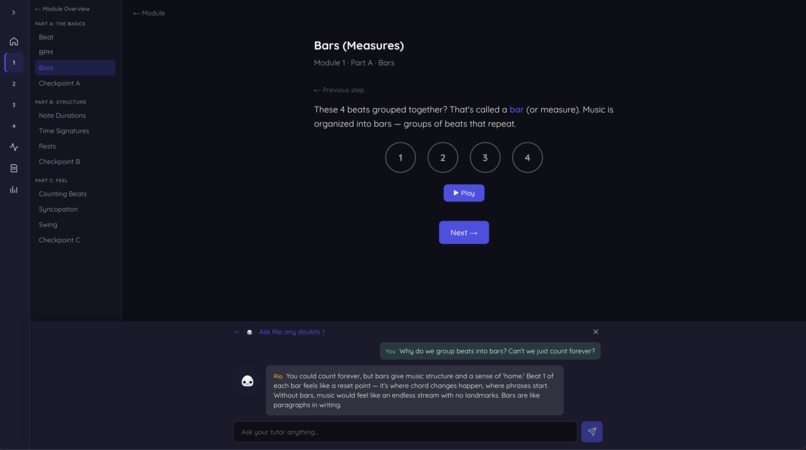
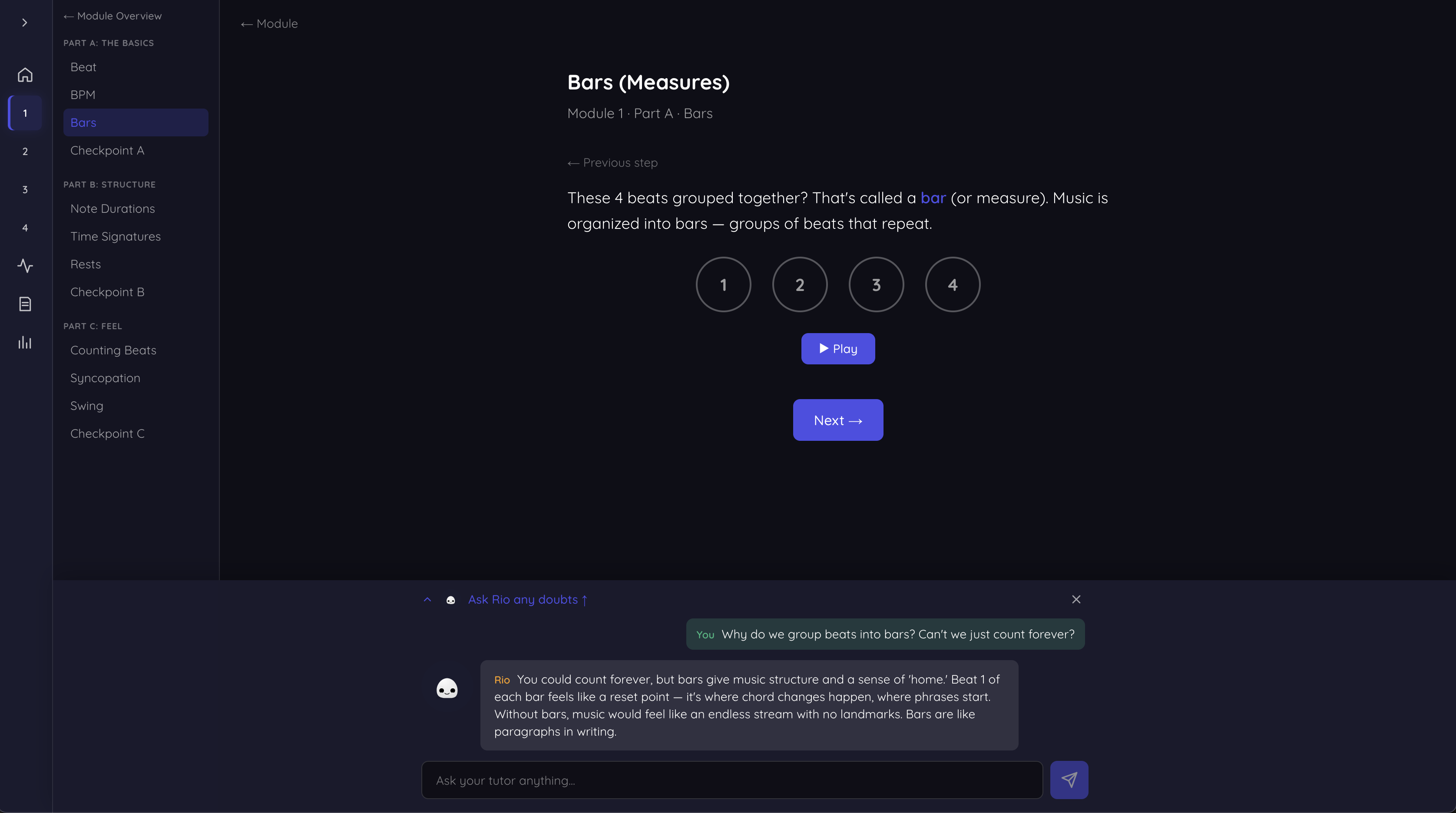
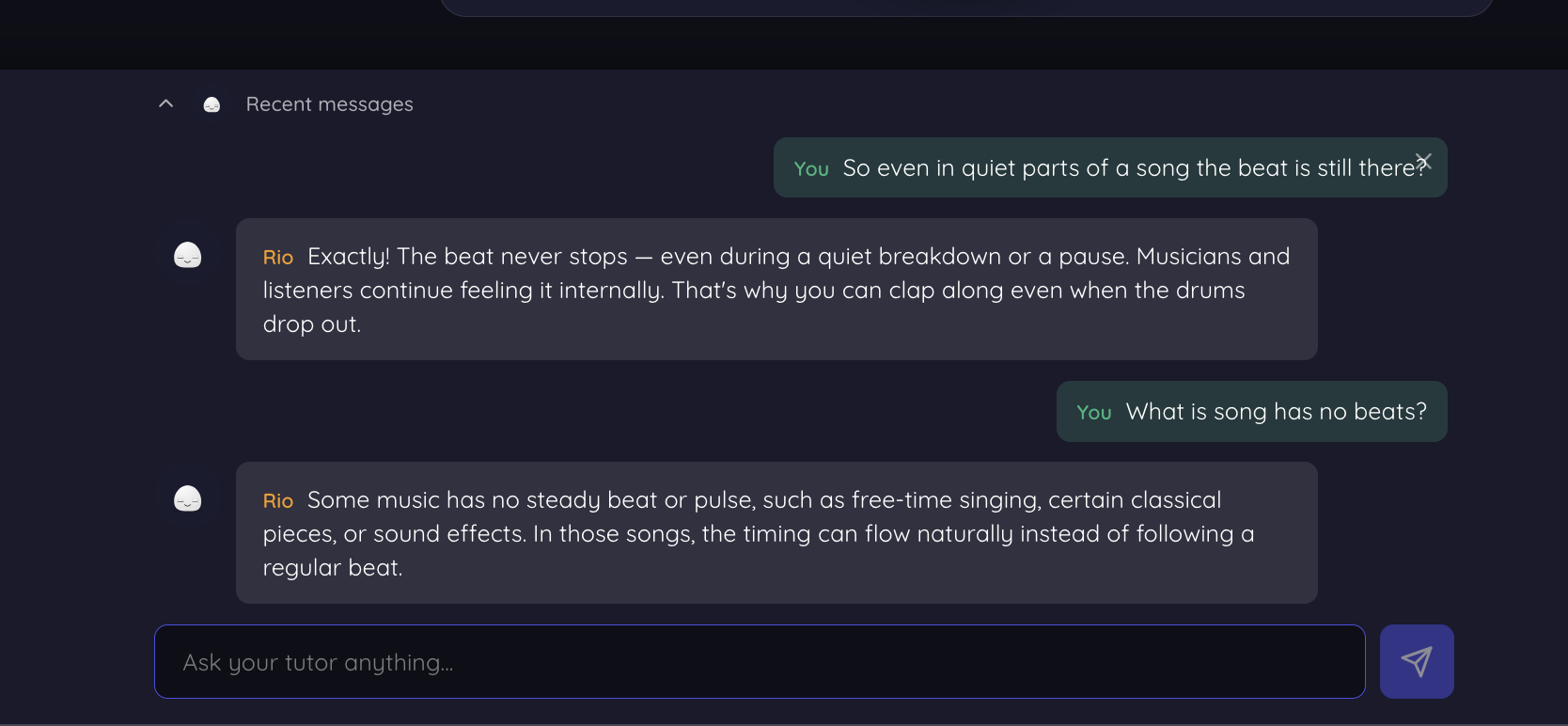
Rio, AI Tutor with GPT 5.6 | Music Theory of Bars with Rio | Rio knows what you are seeing and can answer specific questions
-
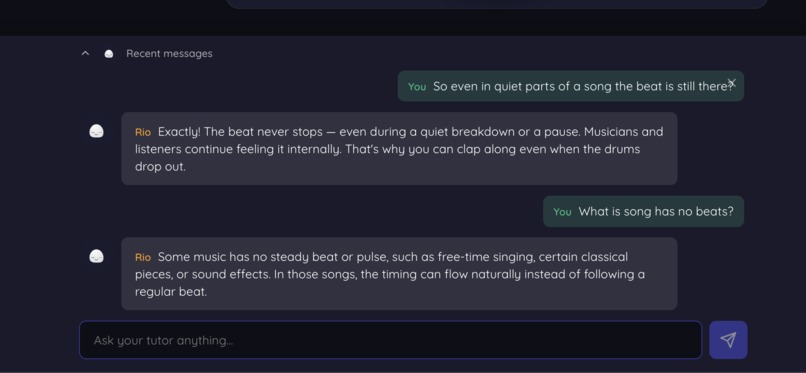
Interaction with Rio
-
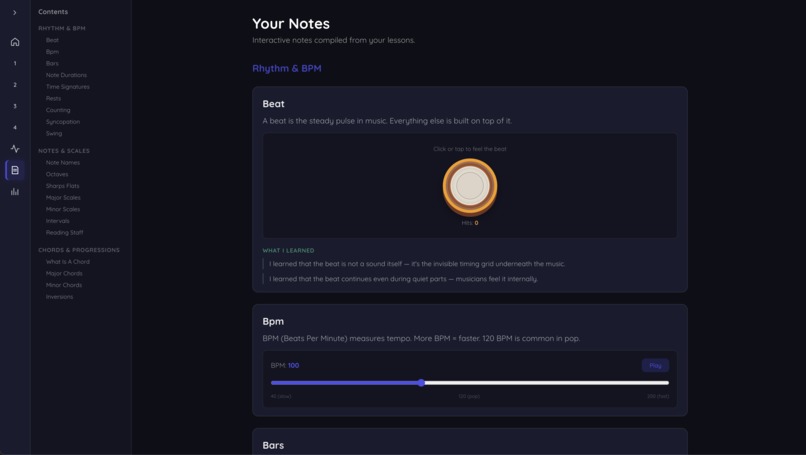
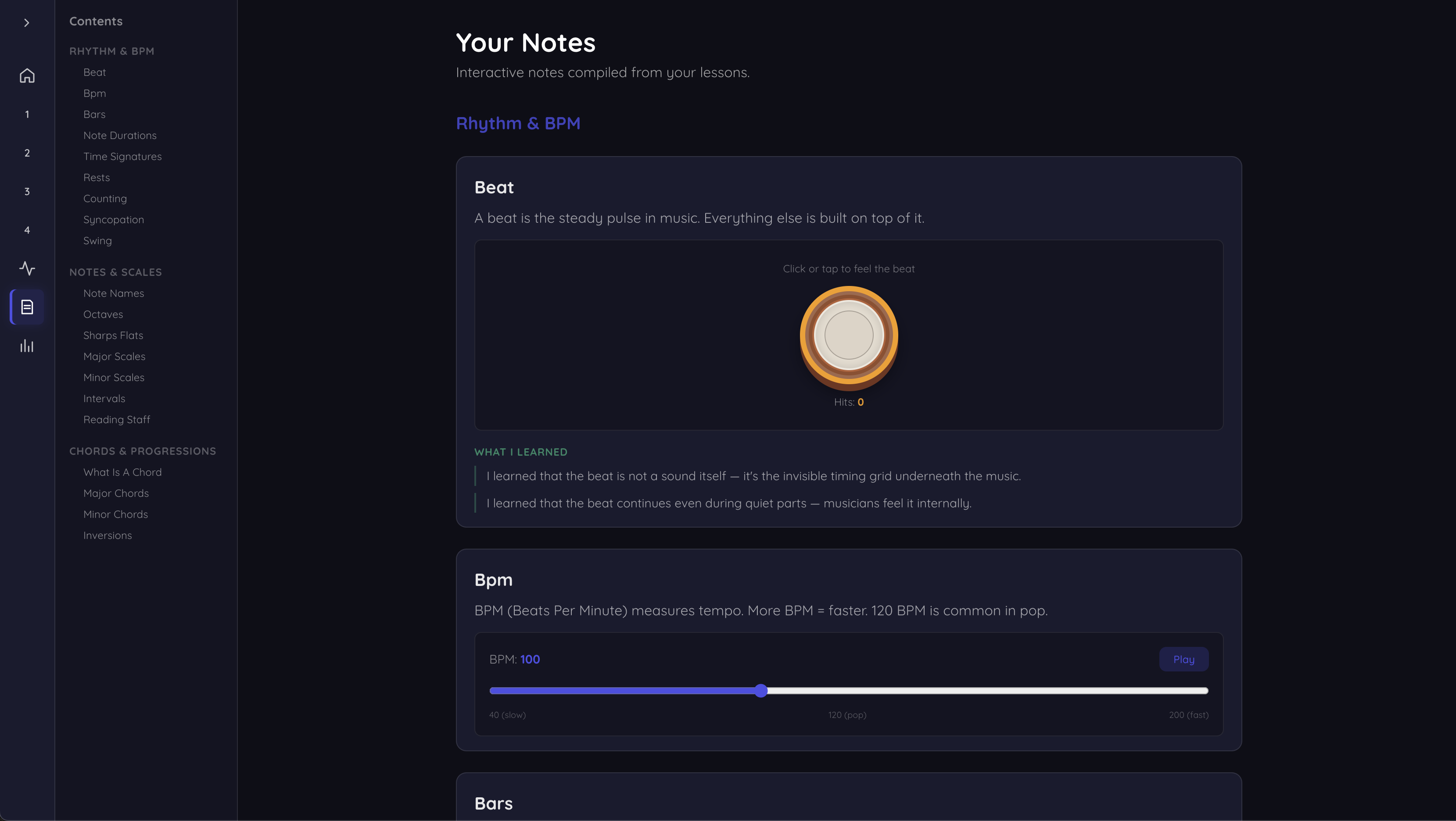
GPT 5.6 creates study notes for students as they learn each topic. Includes theory, their doubts, and exercises.
-
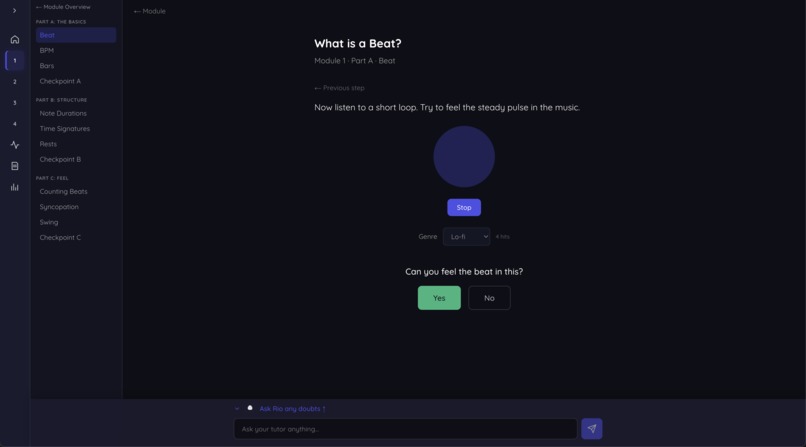
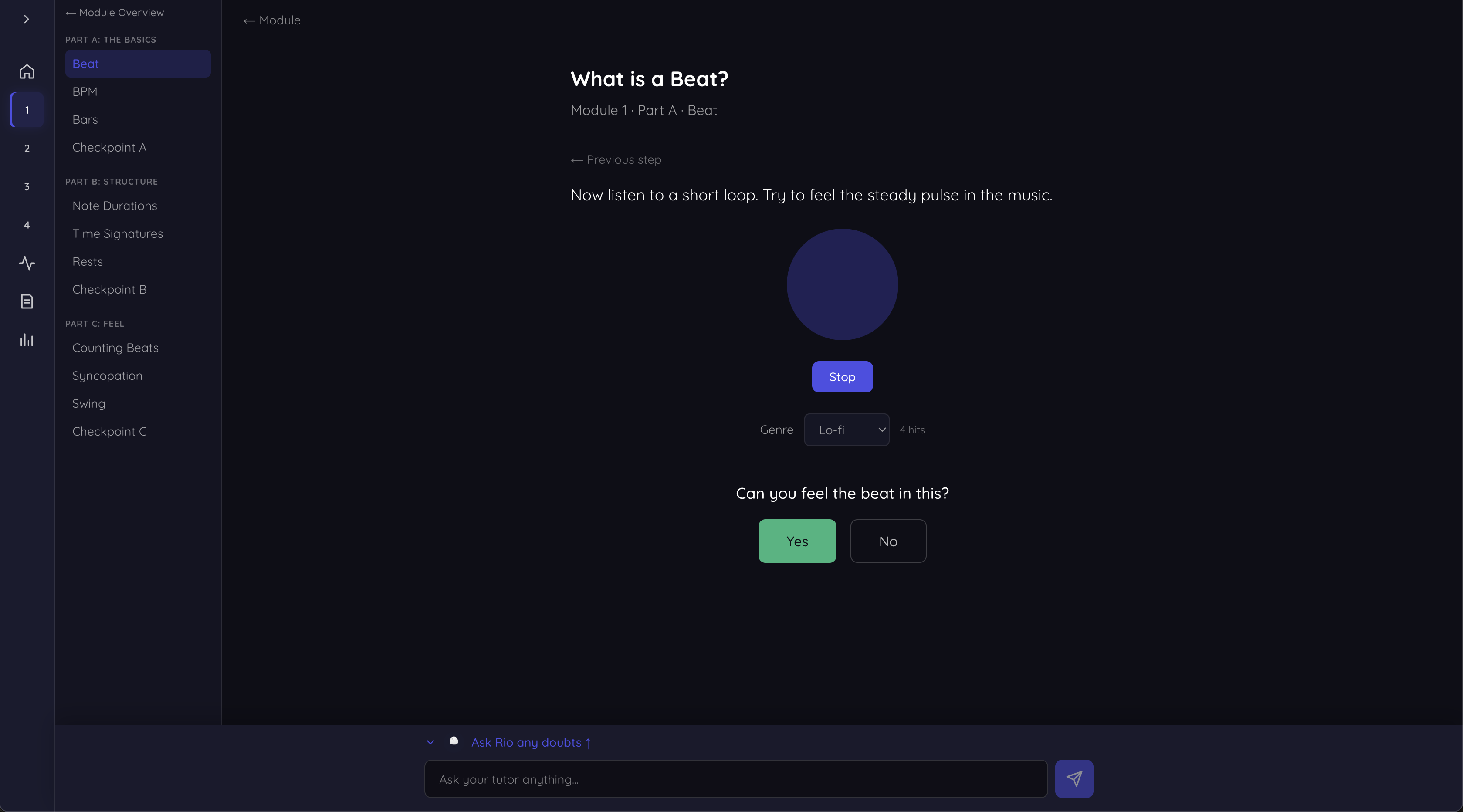
GPT 5.6 generates Genre specific beats each time new genre is selected
-
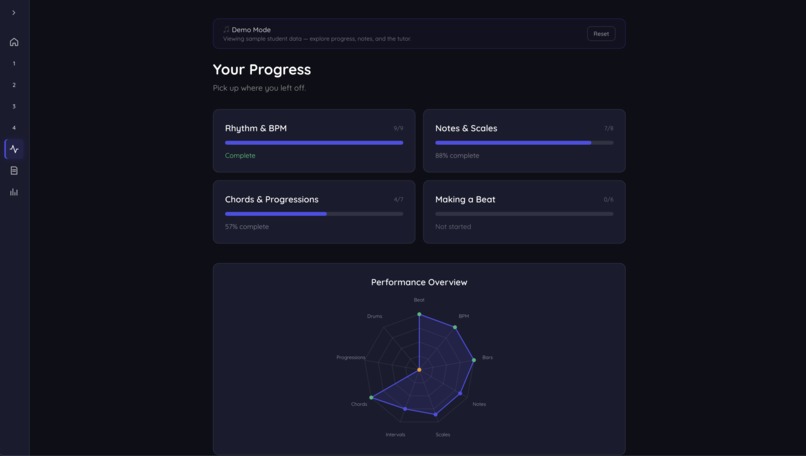
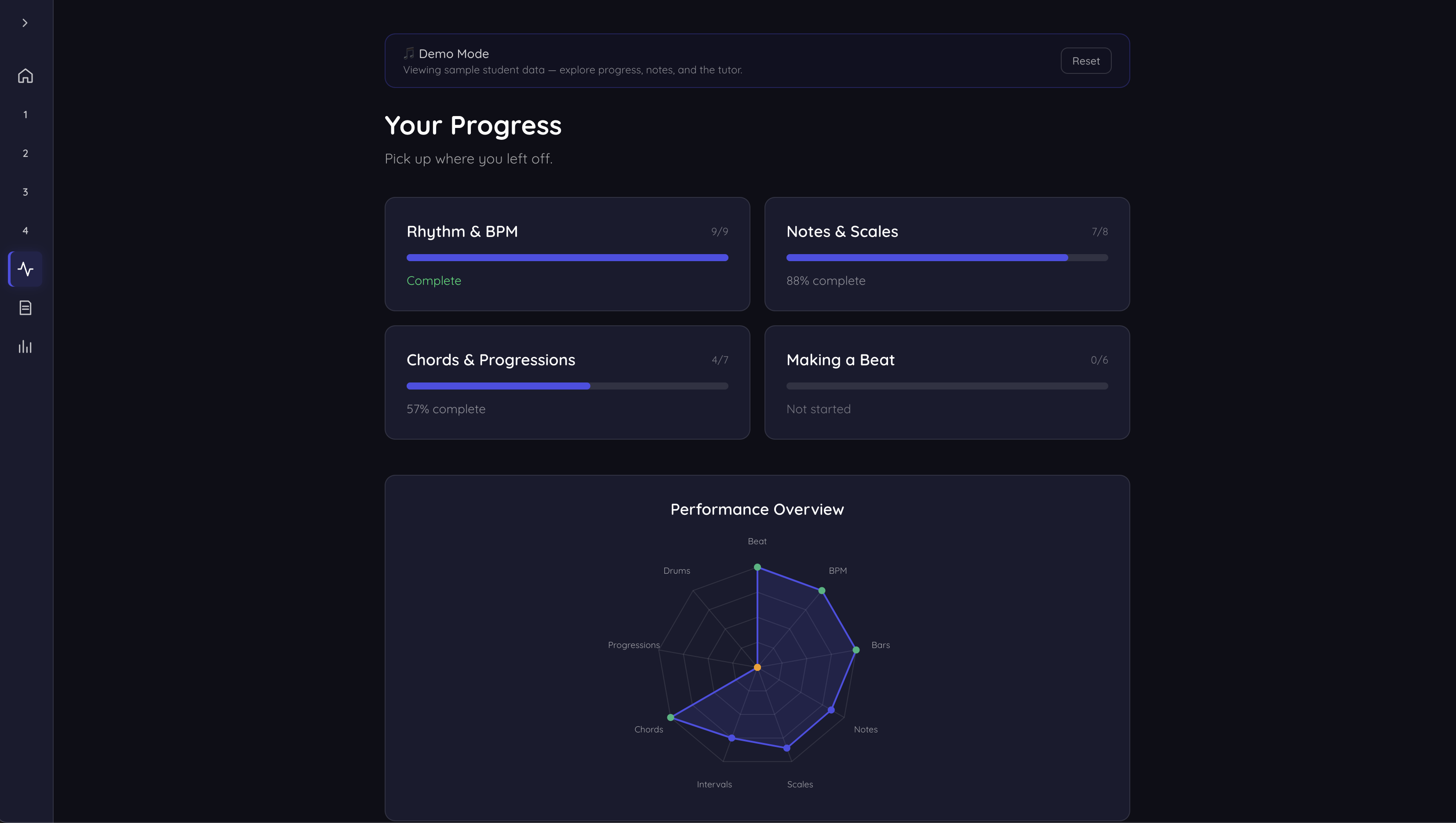
GPT 5.6 helps in creation of progress report
-
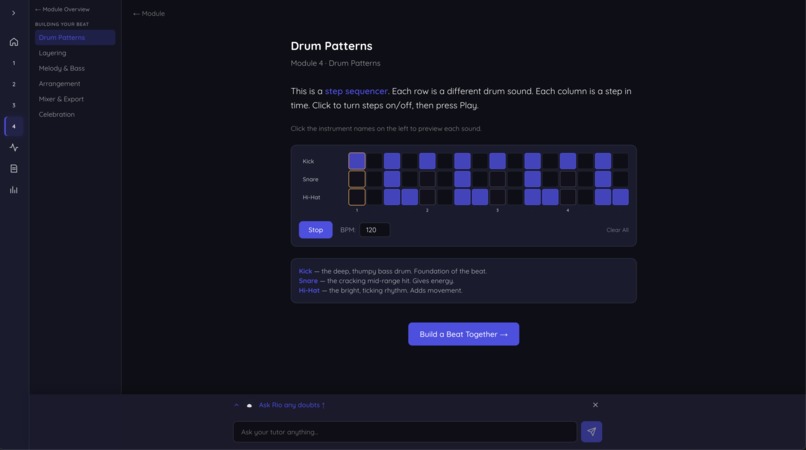
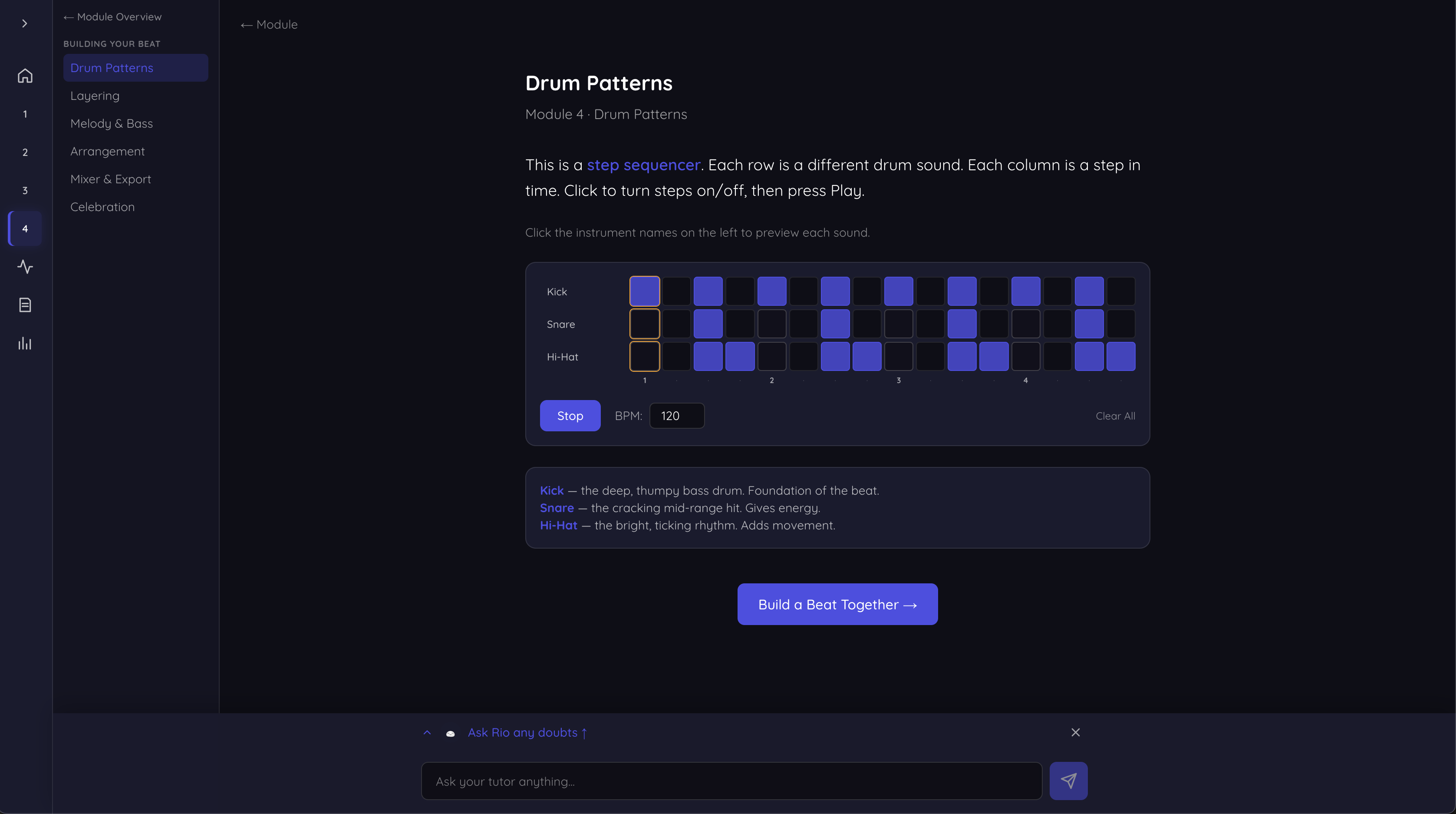
Exercise to create your own drum pattern
-
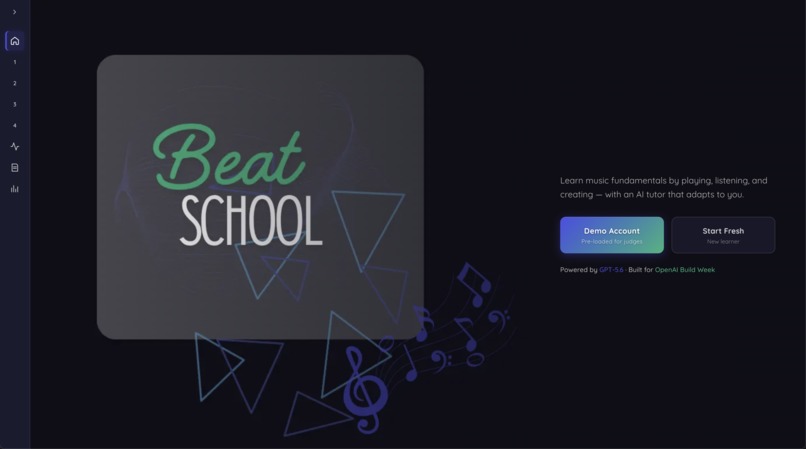
Landing Page
Inspiration
I wanted to learn music production but every resource I found was either too theoretical (textbooks about scales) or too advanced (jump straight into a DAW). There was no middle ground that teaches you what a beat actually is, lets you feel it in your hands, and gradually builds up to making your own music — all while adapting to how fast you learn. That's what I built.
What it does
Beat School is an interactive music learning app for complete beginners. It doesn't just explain music theory — it makes you play, listen, identify, and create.
4 modules take you from knowing nothing to producing your own beat:
- Rhythm & BPM — Tap snare drums, feel tempo changes, identify time signatures by ear
- Notes & Scales — Play a virtual piano, train your ears across 20+ exercises, build scales step by step
- Chords & Progressions — Build chords, hear how progressions create mood, compose your own 4-chord loop
- Making a Beat — Layer drums, bass, and melody on a step sequencer and piano roll, arrange sections, mix, and export
GPT-5.6 powers an AI layer that makes the learning personalized: it generates quizzes targeting your weak spots, extracts your confusions from tutor conversations, evaluates your written answers, and compiles personal study notes from everything you did.
How we built it
The app is Next.js + TypeScript + Tailwind with Tone.js for audio. All instruments (piano, step sequencer, piano roll, staff notation) are custom React components playing real samples.
We built the theory app first — theory, practice, audio, and UI working standalone. Then we used Codex to add the AI intelligence layer on top.
How Codex and GPT-5.6 were used
Codex built the entire adaptive AI system. Specifically:
Checkpoint Quiz Generation (
/api/checkpoint) — Codex designed a system prompt that takes the student's exercise scores, their genuine doubts (extracted from tutor chat), and allowed question types. GPT-5.6 generates a full 6-12 question paper focused on weak areas. Mostly multiple choice, with 1-2 free-text questions that require real understanding.Answer Evaluation (
/api/checkpoint/evaluate) — For free-text answers, Codex built an endpoint where GPT-5.6 evaluates the student's response against a rubric. Returns a score (correct/partial/wrong) with friendly feedback explaining what was good or missing.Doubt Extraction (
/api/extract-doubts) — When a student leaves a topic, Codex wired GPT-5.6 to scan their tutor conversation and identify genuine confusions. It ignores filler like "okay" or "thanks" and extracts only real questions. These doubts feed into the next checkpoint's question generation.Note Compilation (
/api/compile-notes) — On topic completion, Codex has GPT-5.6 structure the theory, extracted doubts, and exercises into personal study notes. Doubts become "things I learned" statements. Everything goes into an editable notes page.Pattern Generation (
/api/generate-pattern) — Codex connected GPT-5.6 to generate Tone.js-compatible rhythm patterns by genre. When a student picks "Hip-hop" in the beat exercise, GPT creates a rhythmically appropriate pattern instead of playing the same loop every time.Wiring — Codex also handled connecting all endpoints into the UI: checkpoint pages call the API with fallbacks to hardcoded questions, doubt extraction fires on navigation, notes compile on completion. Each was a separate task visible in the git history.
Accomplishments
- A complete 4-module learning experience with 30+ interactive exercises that actually play audio
- GPT-5.6 integration, an intelligence layer that adapts content based on how the student performs
- Checkpoint quizzes that are different for every student depending on what confused them
- A step sequencer and piano roll that let beginners create actual music
Challenges
- Making synthesized audio feel good. Tone.js synths sound robotic. We switched to real piano samples (Salamander Grand Piano from CDN) and real drum kit samples, which made a huge difference.
- Keeping GPT-5.6 outputs valid. JSON from language models isn't always clean. We added response_format constraints, markdown fence stripping, and strict validation before rendering anything.
- Credit management in Codex. As a first-time user, I had to figure out how to get the best results with the credits available. Using
.codexignoreto exclude heavy directories (node_modules, lesson pages, instrument components) kept Codex's context small and focused, which meant faster results and fewer wasted credits. Each task only saw the files it needed to modify. - Making ear training actually work in a browser. Audio timing in web apps is tricky — Tone.js Transport handles scheduling properly, but getting visuals synced to audio took iteration.
What we learned
- Music education has a clear gap between "read theory" and "make music." The interactive middle ground is where learning actually happens.
- GPT works best in apps when it has structured output constraints and clear rubrics — not open-ended generation.
- Codex is most valuable for system design work (prompt engineering, integration logic) rather than simple scaffolding.
- Building the app first and adding AI second is a better workflow than trying to do both simultaneously. The AI layer needs something to plug into.
What's next
- More instruments and sound packs for a richer audio experience
- Showcase page where students share beats they made with the community
- Voice-counted tutorials using OpenAI TTS
- Prerequisite-aware adaptive pacing — GPT recommends refreshers based on weak foundations
- Mobile-friendly design for learning on the go
Built With
- codex
- gpt5.6
- next.js
- tone.js

Log in or sign up for Devpost to join the conversation.