-
-
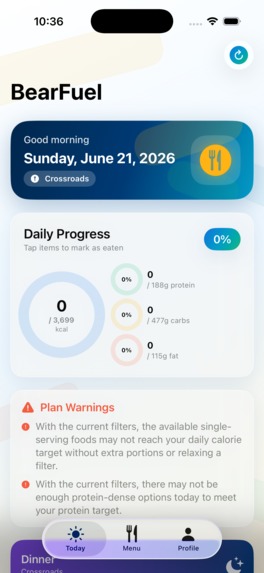
Food suggestion/Macros
-
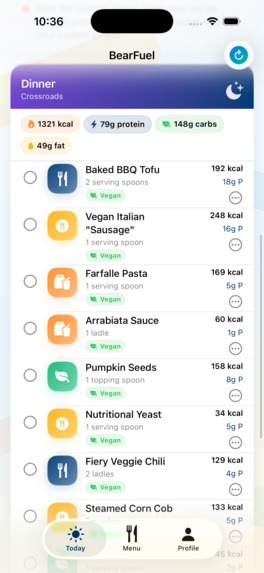
Food Suggestion
-
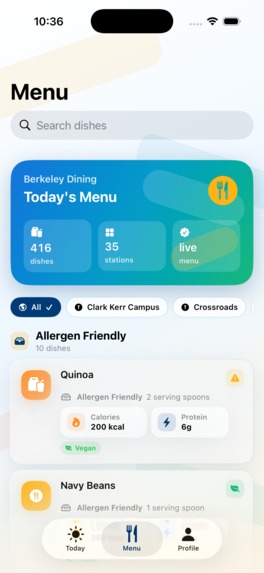
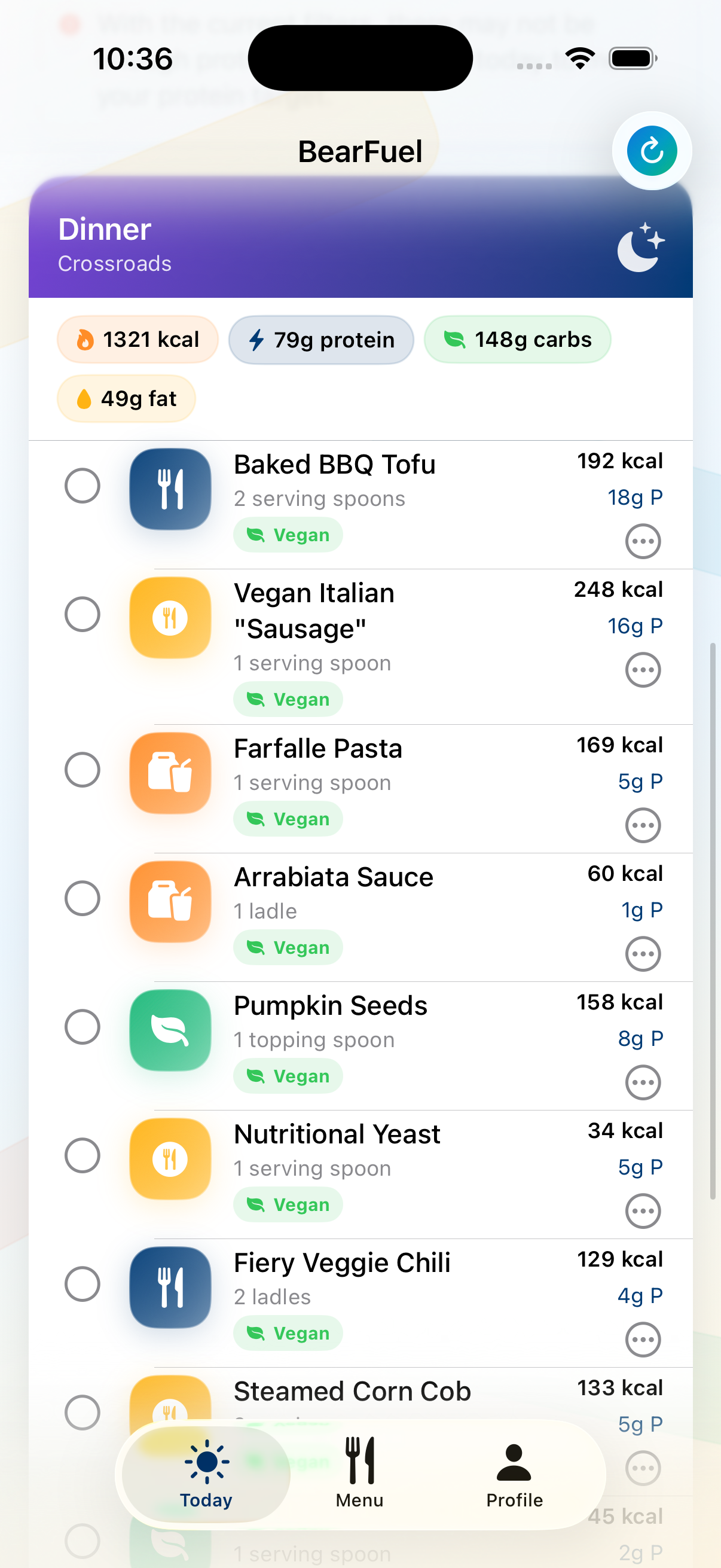
Today's menu
-
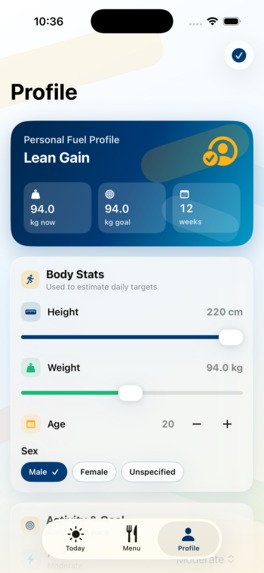
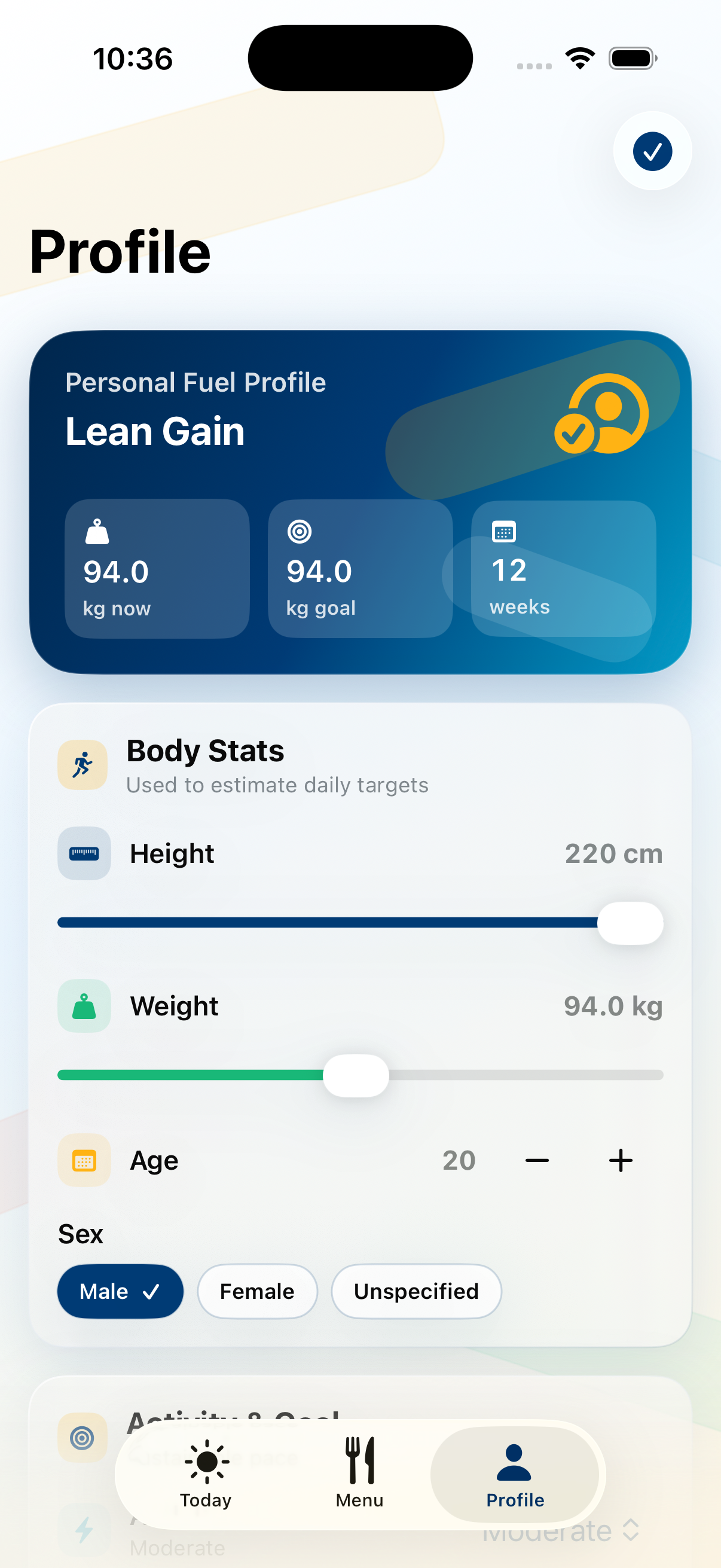
Personal profile
-
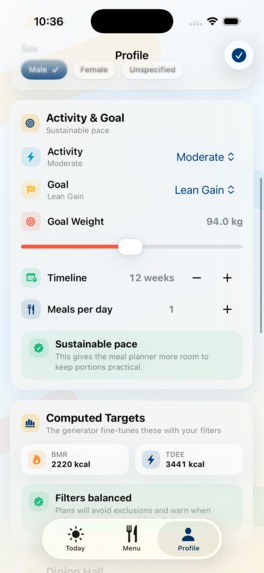
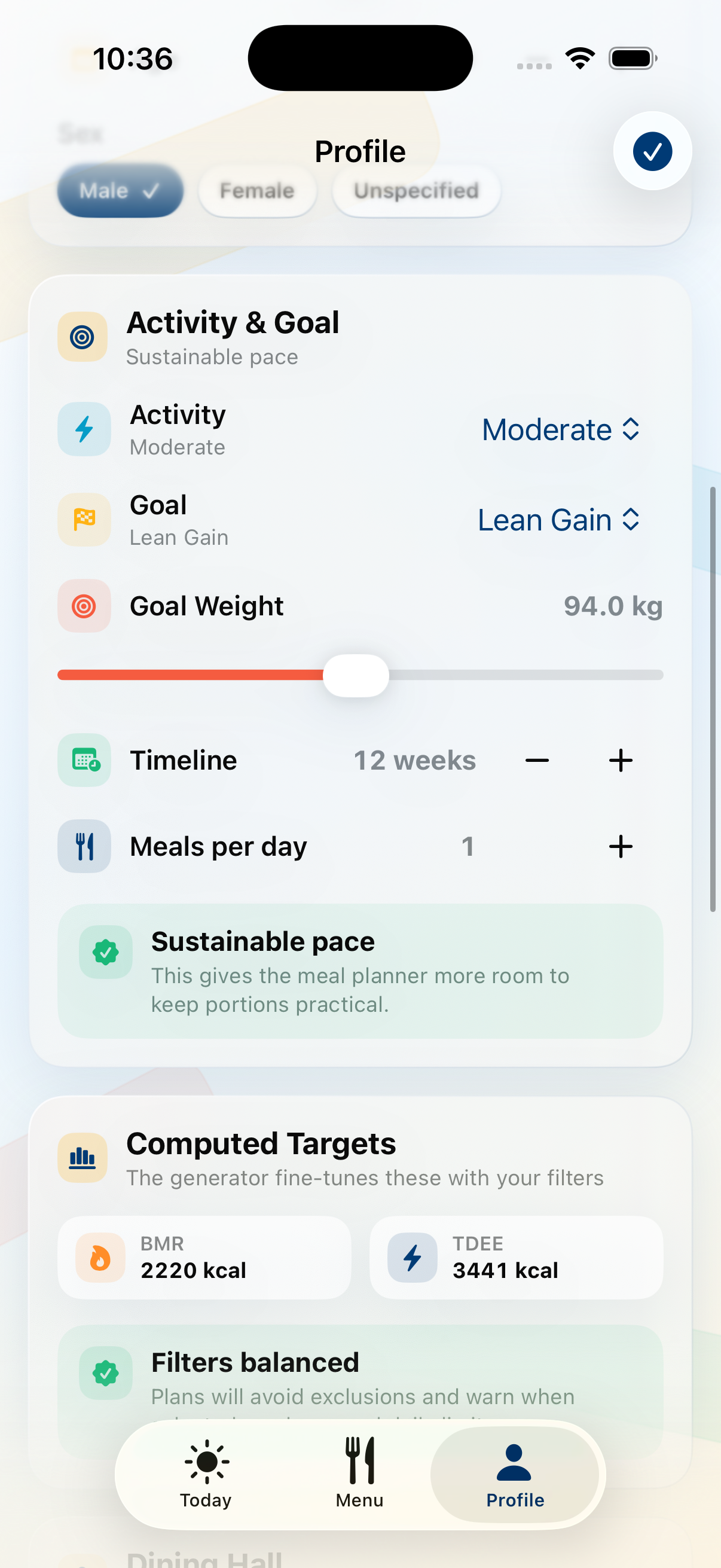
Personal goals
-
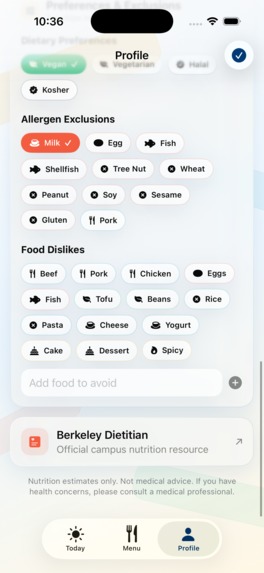
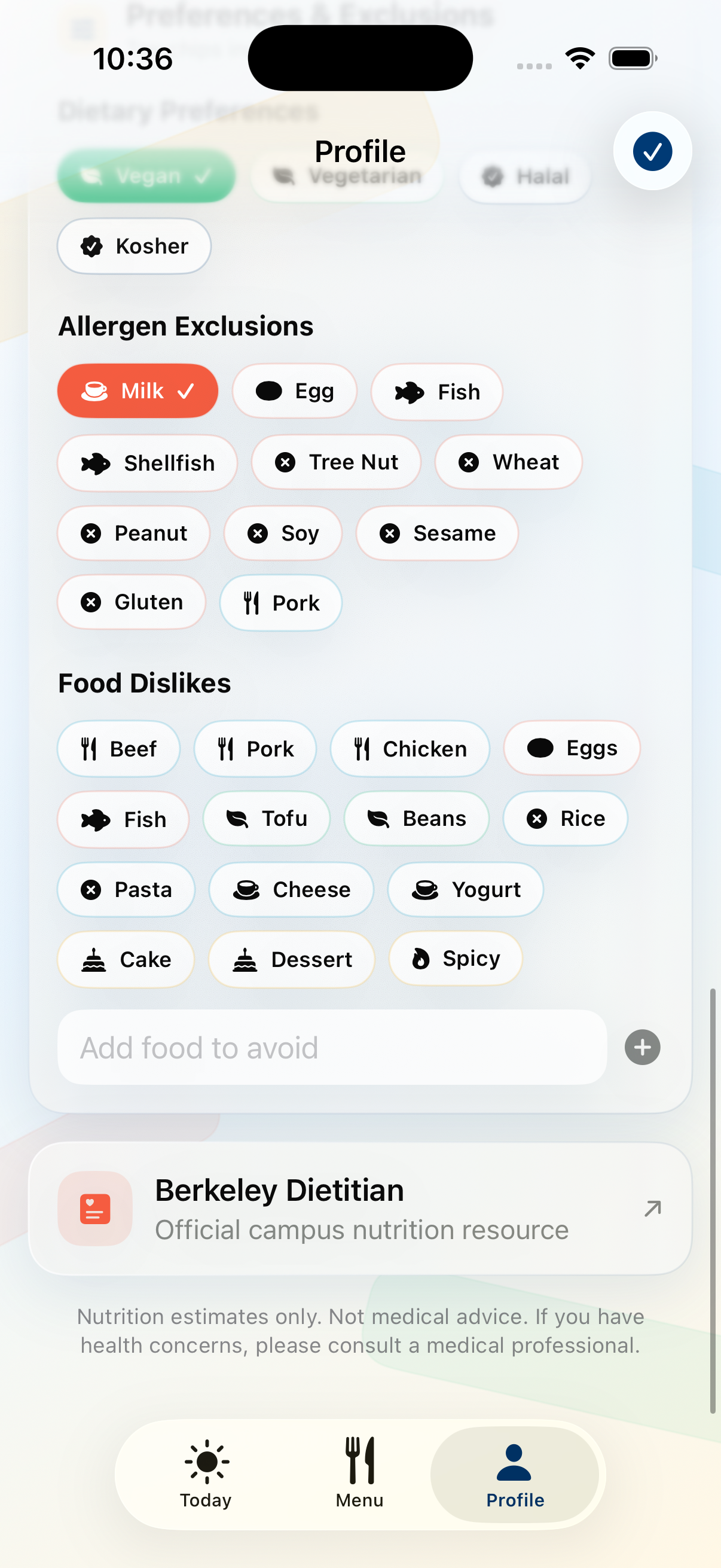
Personal food preferences
-
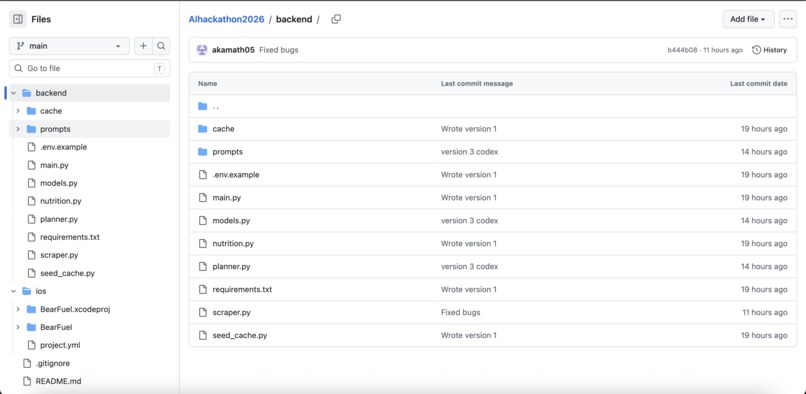
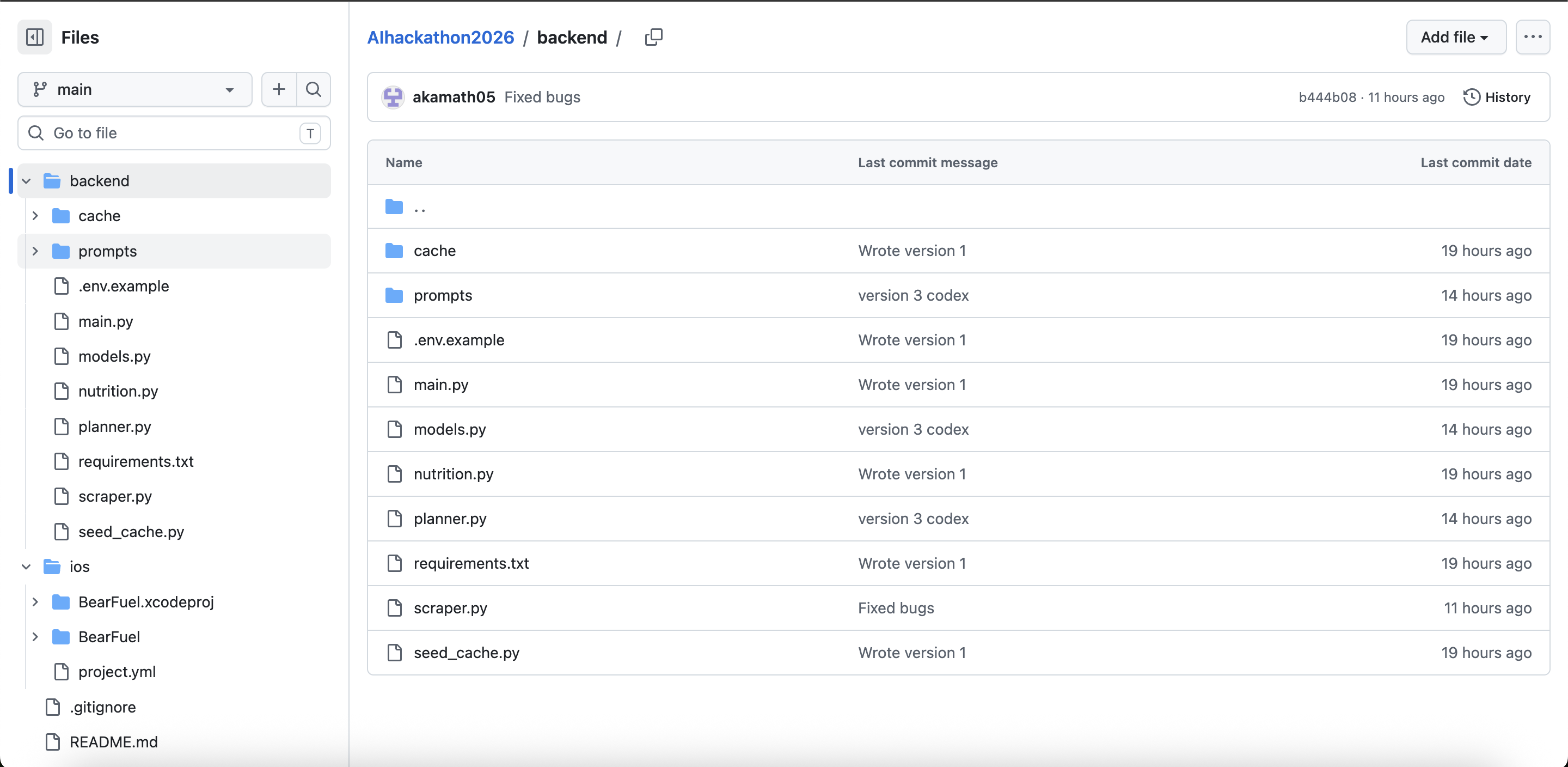
Github Repo
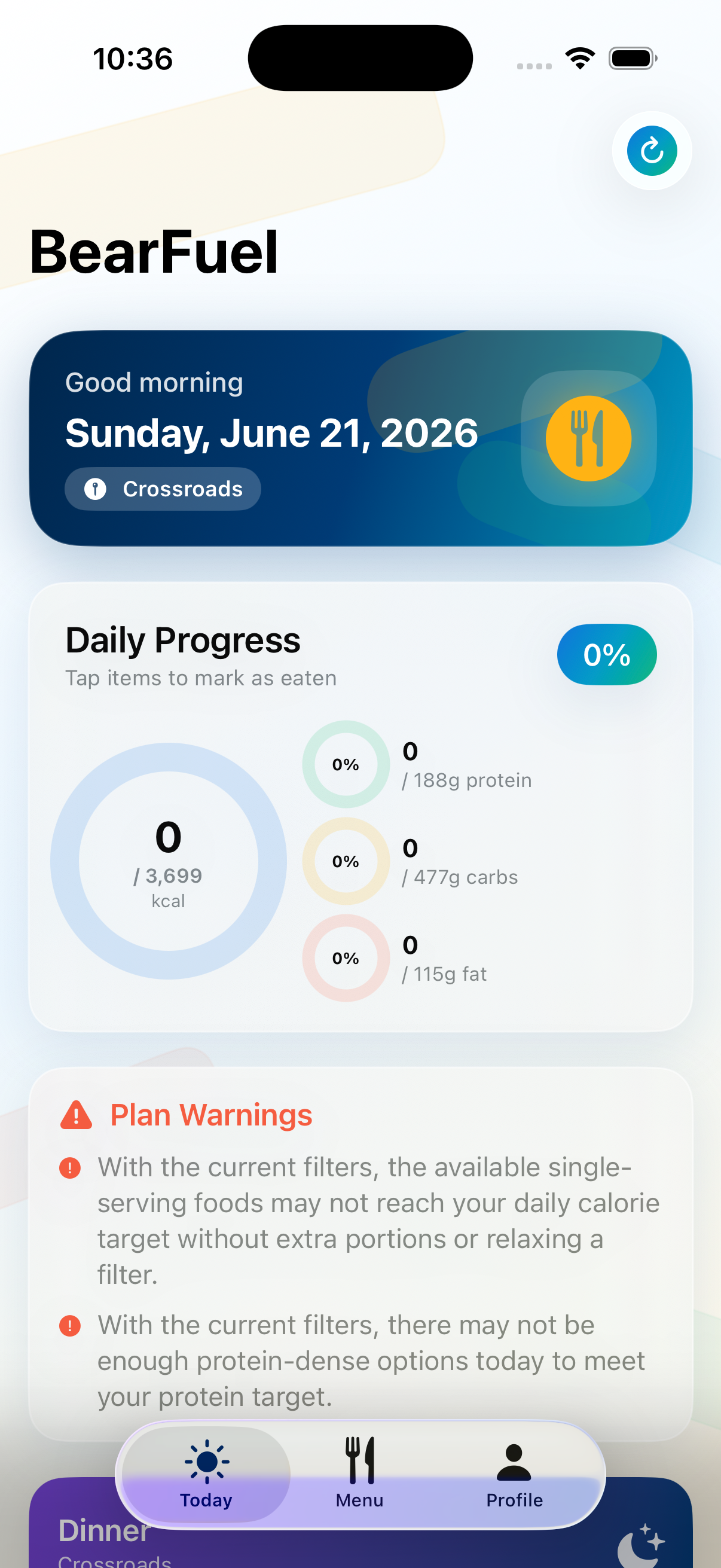
BearFuel
Inspiration
Most Berkeley freshmen show up in the same spot. They are living on their own for the first time, eating most of their meals on a dining plan, and walking past a free gym on the way to class. It is a great time to build healthy habits, but it is also really easy to drift. Some people gain weight without noticing. Some get run down and sick. Some lose weight without meaning to.
The hard part is not logging food. Plenty of apps already do that. The hard part is making a decision in the moment.
You are standing in Crossroads with a tray. You want to eat better, get a little leaner, put on muscle, or just feel better, but you do not know which of the twenty things in front of you actually helps with that. Normal nutrition apps cannot help because they do not know what Berkeley is serving today.
That gap between a health goal and the actual dining hall tray is what BearFuel is built for.
What it does
BearFuel helps Berkeley students decide what to eat from the dining halls based on their personal goals.
A student enters basic information like height, weight, age, activity level, goal, number of meals per day, dietary restrictions, and allergens. BearFuel then:
- pulls the current UC Berkeley dining hall menu
- uses the real nutrition facts for each dish
- calculates personal calorie and protein targets
- builds a meal-by-meal plan using only dishes being served that day
- respects dietary restrictions and allergens
- gives macro totals and a short reason for each meal
The goal is simple: answer the question, “What should I put on my tray?”
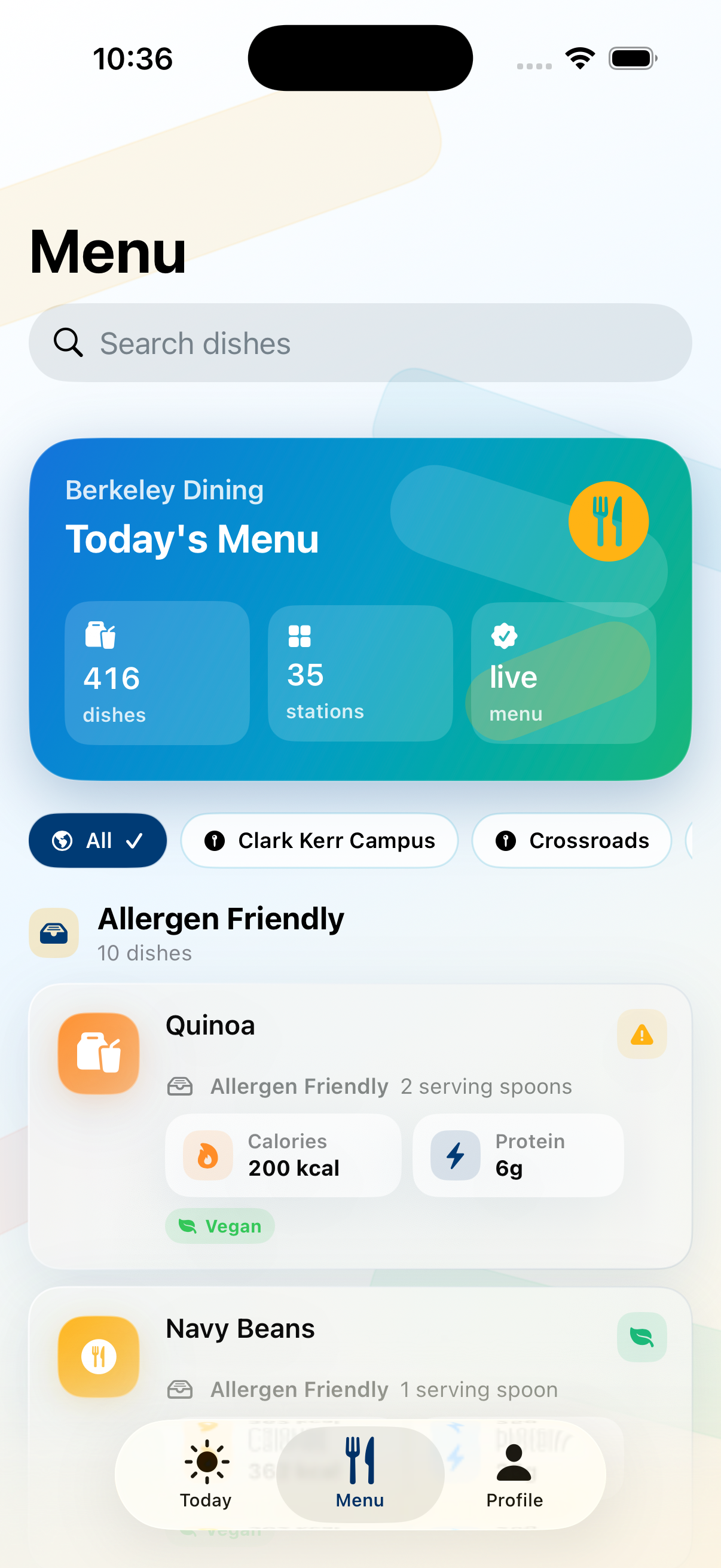
Students can also browse the full menu, see nutrition for every item, and open a dish detail page for more information.
BearFuel is not trying to be another tracker. It is meant to give students a useful answer before they eat.
How we built it
BearFuel has three main parts:
- SwiftUI iOS app
The app is built with SwiftUI using an MVVM structure for iOS 17. It includes onboarding, a Today screen with macro rings, a searchable menu browser, and dish detail pages. We used a Berkeley blue and gold visual style and included dark mode support.
- Python and FastAPI backend
The backend scrapes and normalizes Berkeley dining hall menus, stores cached menu data by date, calls Claude, and returns clean JSON to the app. The Anthropic API key stays on the server and never reaches the client.
- Claude as the meal planning engine
Claude takes the available dishes and builds a plan that fits the user’s goal. We use structured JSON output so the backend can validate the result instead of trusting freeform text.
We split the responsibilities carefully. Python handles the safety-critical math and guardrails. Claude handles the flexible part: choosing real dishes from the menu and putting them together into meals.
For calorie targets, we use the Mifflin-St Jeor equation:
BMR = 10w + 6.25h - 5a + s

s = +5 for male
s = -161 for female

TDEE = BMR × activity factor
From there, the backend applies the user’s goal, calorie floors, and deficit caps. Those rules are enforced in code, not left to the model.
Claude only selects meals after the targets and constraints have already been calculated. The backend then checks the model’s totals and can retry or fall back if the plan does not meet the requirements.
Challenges we ran into
The biggest challenge was getting real nutrition data.
At first, the public Berkeley dining page looked like it only showed dish names, allergens, dietary tags, and carbon ratings. We could not find calories, protein, carbs, or fat anywhere on the main page. For a while, we thought we would have to estimate nutrition with AI, which would have made the app much less trustworthy.
Then we noticed that clicking on a dish opens a popup with full nutrition facts. It had calories, protein, carbs, fat, sodium, fiber, and other USDA-style information. That was exactly what we needed.
The next challenge was figuring out where the popup data came from.
We expected an AJAX request or a hidden WordPress endpoint. We opened the Network tab, clicked a dish, and saw nothing. No request at all.
That ended up being the key insight. The nutrition data was already inside the page HTML when it loaded. The site was just hiding and showing it with JavaScript.
That changed our whole approach. We did not need to reverse engineer an API. We needed to scrape the raw HTML without cleaning away the hidden blocks.
This also led to one of the funniest bugs of the project. The nutrition section used a misspelled CSS class: nutration-details. Our selector kept failing because we were spelling “nutrition” correctly.
Other challenges included:
- making sure macro totals were accurate
- validating Claude’s arithmetic in code
- re-prompting when the model returned an invalid plan
- building calorie guardrails that avoid unsafe recommendations
- writing the app in a way that feels supportive instead of guilt-based
Accomplishments we are proud of
Real nutrition data
BearFuel does not guess macros. Every calorie and protein number comes from Berkeley’s own dining data. That makes the recommendations much more defensible.
Useful AI with real constraints
Claude is not just writing a paragraph of advice. It is choosing from the actual dishes available today and building a plan around hard nutrition targets, dietary restrictions, and allergens.
Safety built in from the start
The backend enforces calorie floors, deficit caps, and goal limits. The app also uses supportive language and points students toward campus nutrition resources when appropriate.
A demo that can survive spotty data
Menus are cached by date, and the app has graceful fallbacks. The demo does not depend on the dining site working perfectly at that exact moment.
What we learned
We learned not to assume an API is missing just because it is not obvious. The data we needed was already on the page the whole time. We just had to inspect the raw HTML closely enough to find it.
We also learned that AI works best when it is given a narrow job. In BearFuel, code handles the math, safety rules, validation, and fallback behavior. Claude handles the part that is naturally fuzzy: turning a list of available dishes into a reasonable meal plan.
Structured outputs made a huge difference. Instead of treating the model response like a finished answer, we treat it like data that must pass checks before the user sees it.
We also learned that anything involving weight, food, and body composition needs careful wording. Small product choices matter. BearFuel is designed to help students build habits, not make them feel judged.
What is next
Weekly planning
Students should be able to plan across multiple days instead of only seeing today’s menu.
Swap a dish
If a student does not want one item, BearFuel should be able to replace it while keeping the meal close to the same targets.
Apple Health integration
Activity data could help targets adjust based on how much the student actually moved, trained, or lifted that day.
Dining hall notifications
BearFuel could send reminders around dining hall hours so students do not have to remember to check the app.
More campuses
Berkeley’s menu system is used in other places too, so the same approach could work at more universities with relatively small changes.
Habit tracking without guilt
Over time, students could see patterns in their eating habits without turning the app into a strict calorie tracker or a guilt machine.


Log in or sign up for Devpost to join the conversation.