-
-
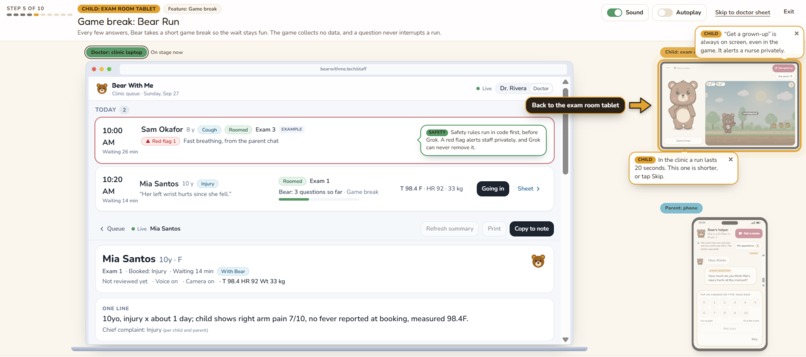
Demo View of Front Office
-
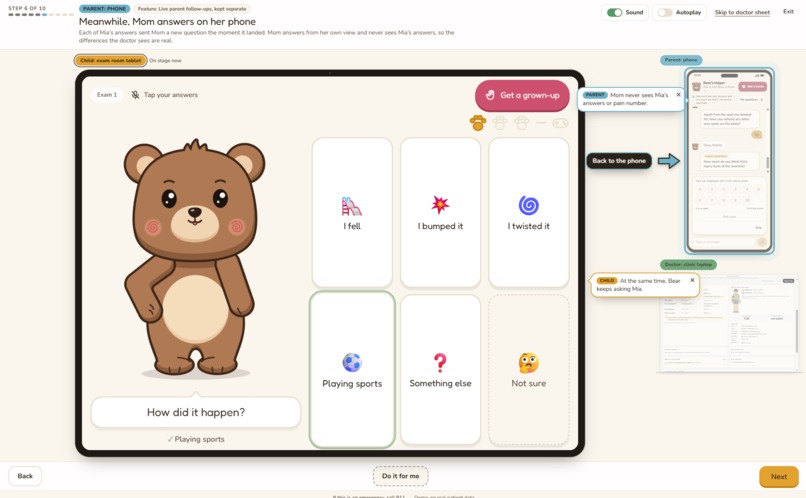
Demo View of Bear Helper with Child
-
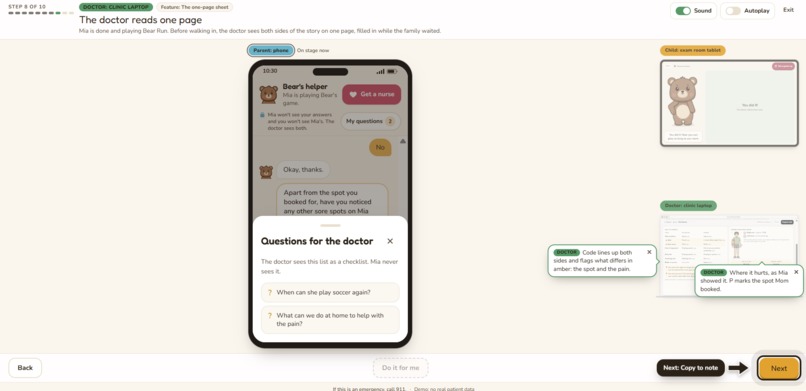
Demo View of Parent Phone
-
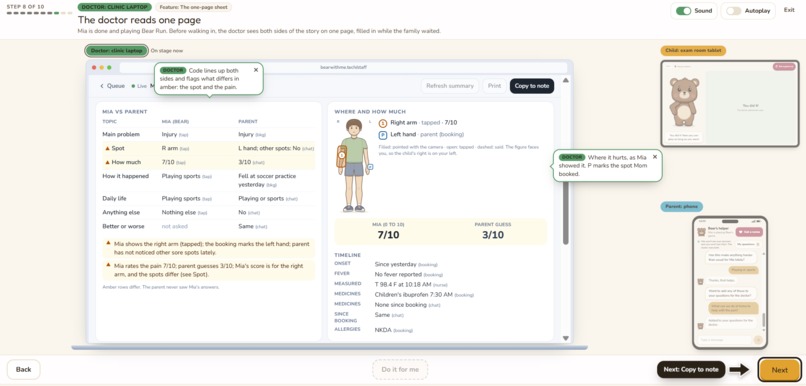
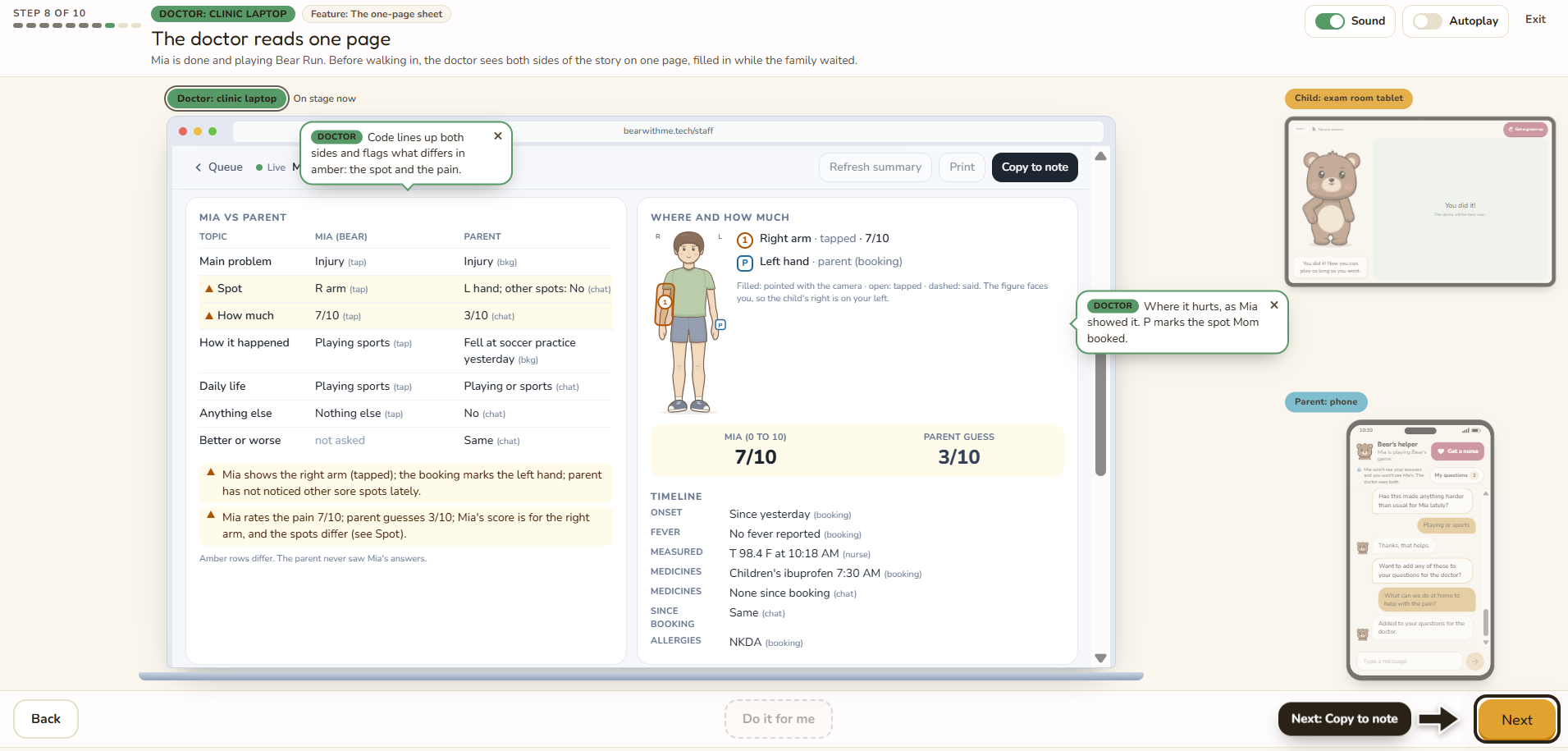
Demo View of Doctor
-
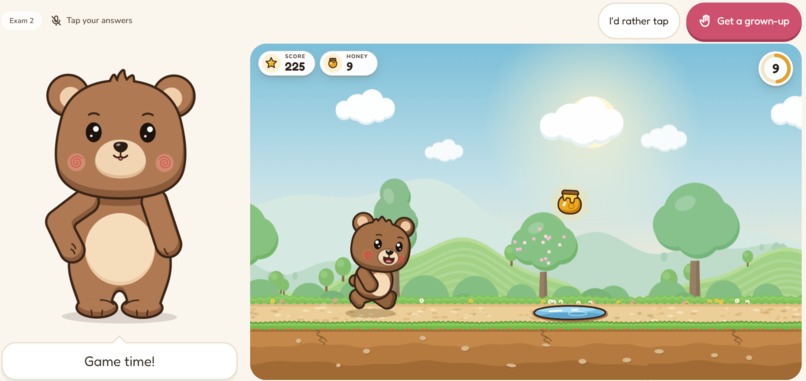
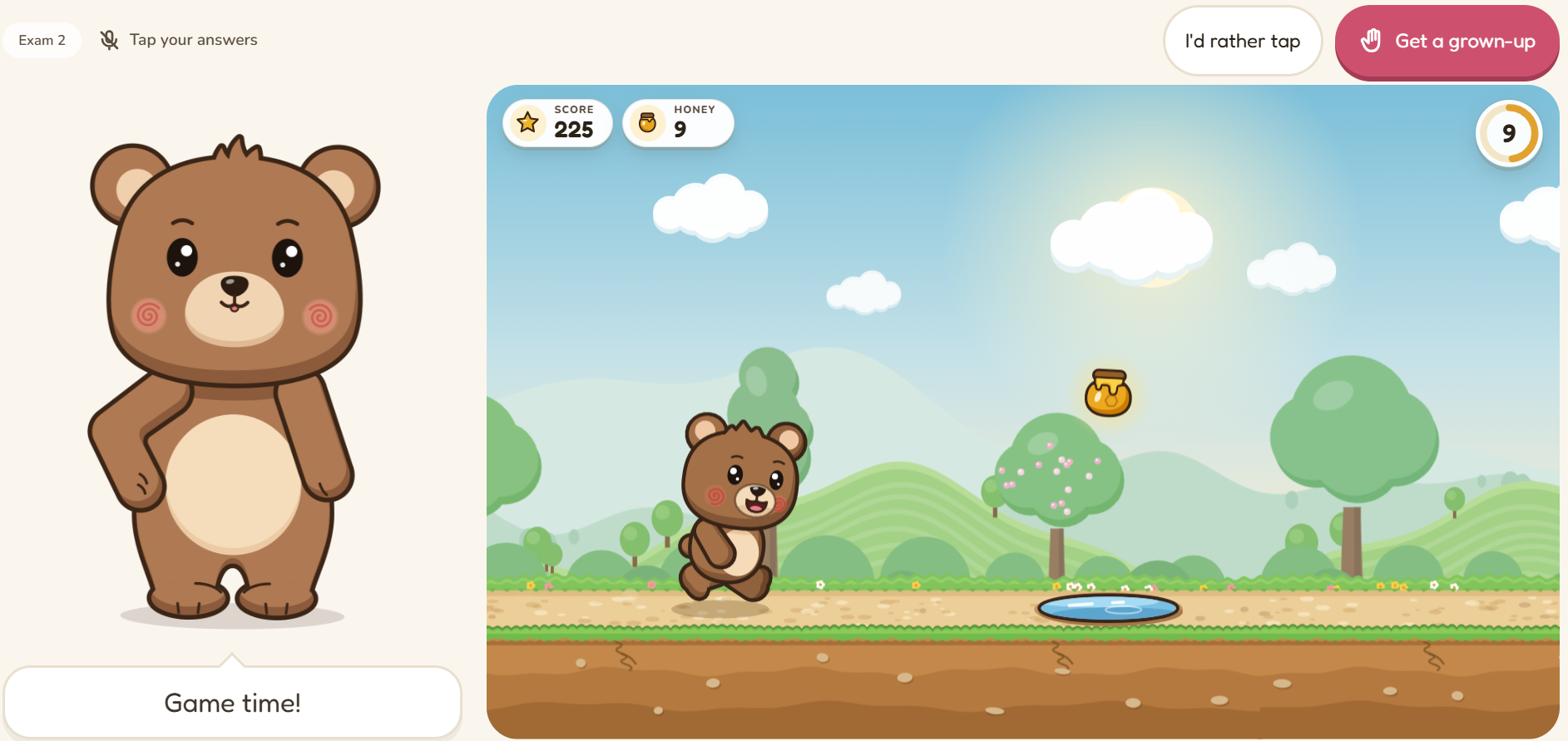
Interactive Game: Bear Run
-
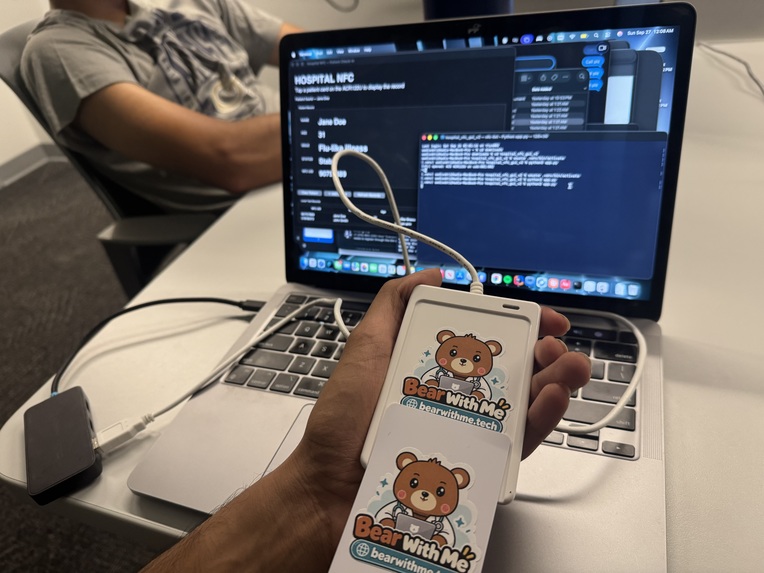
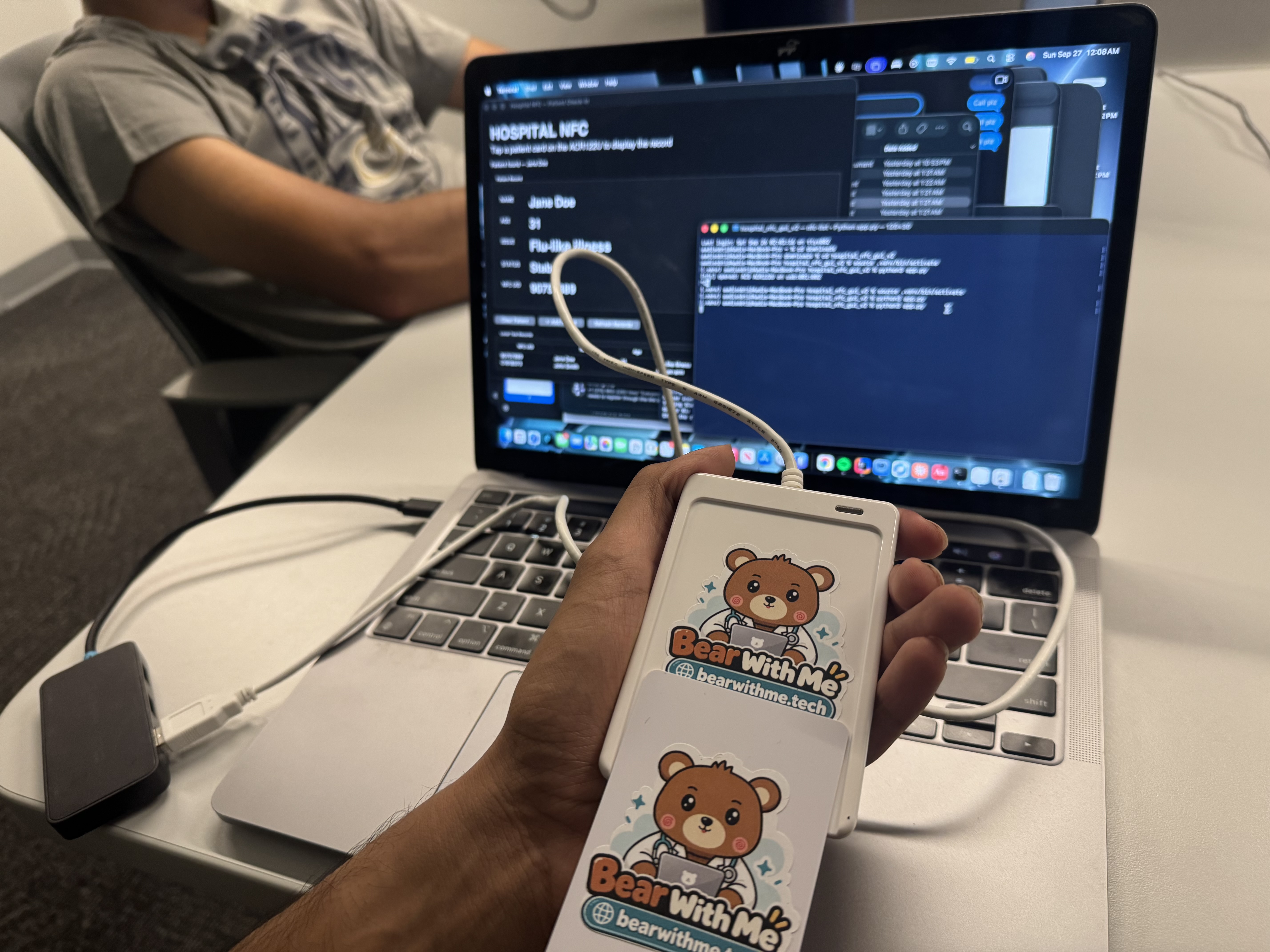
NFC Reader Build
-
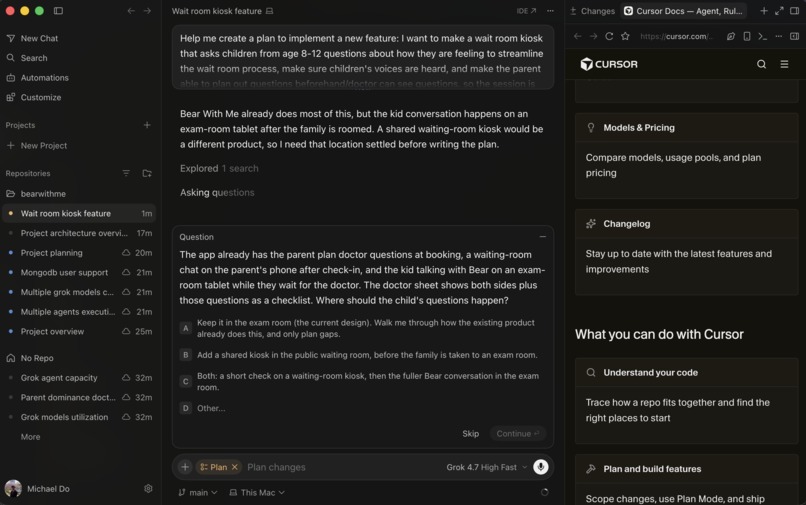
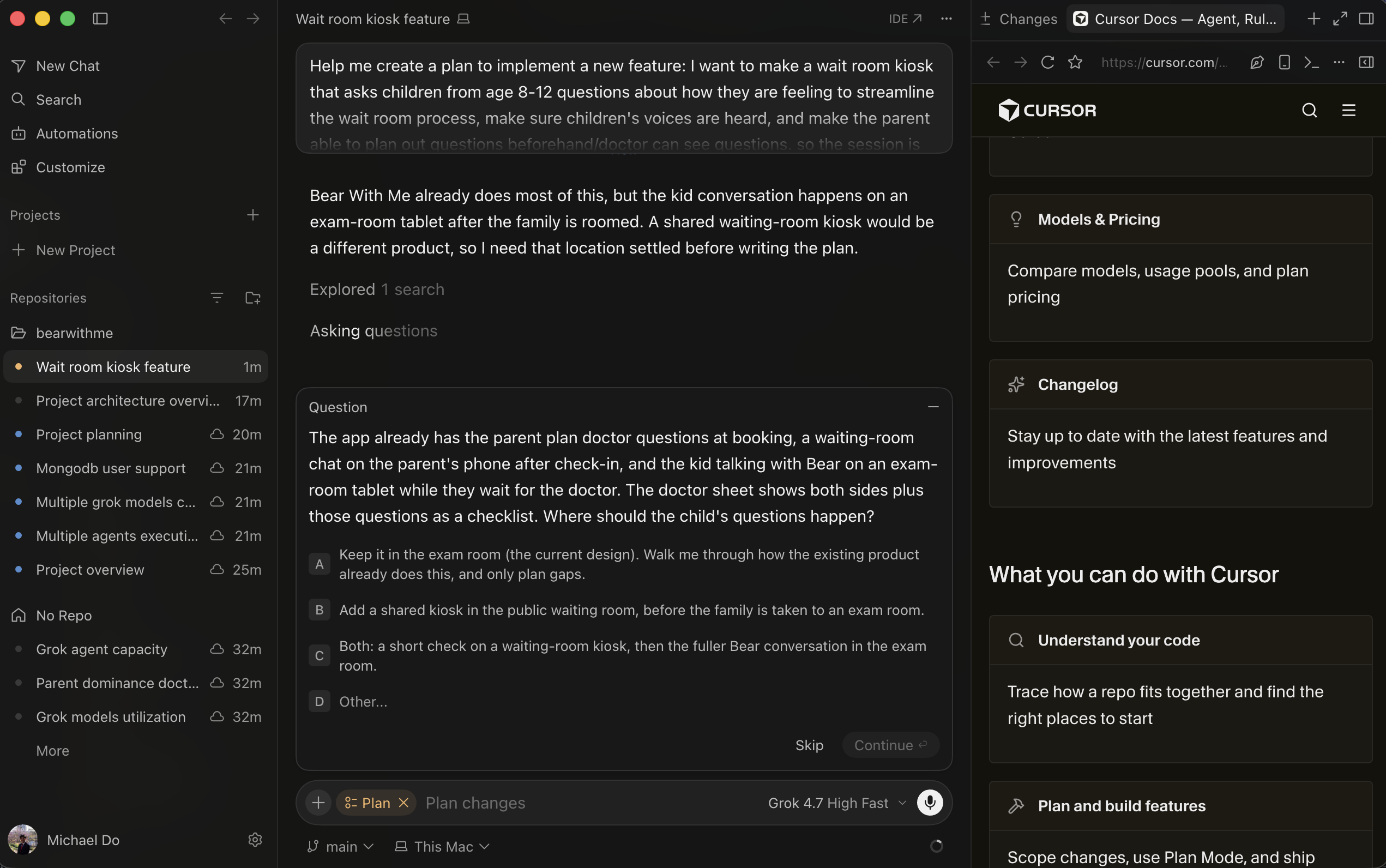
Cursor Utilization (1)
-
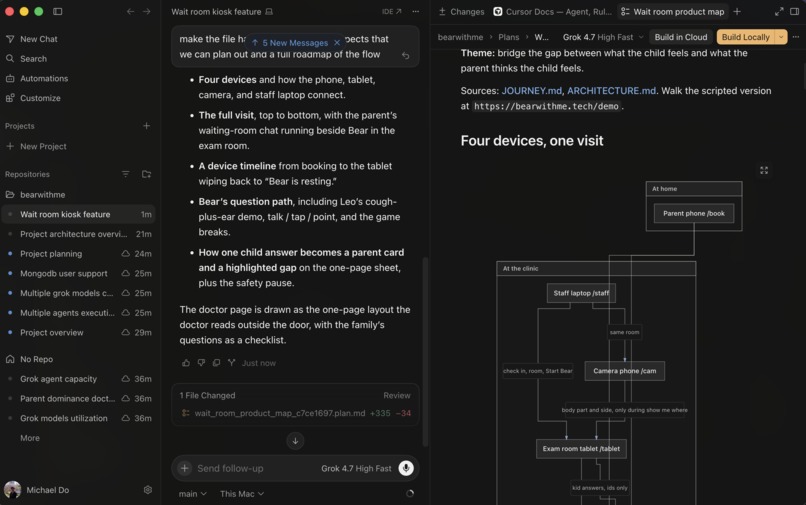
Cursor Utilization (2)
-
Cursor Utilization (3)
Inspiration
Bear With Me started from a memory that feels almost too common to question: sitting in a doctor's waiting room while a parent fills out paperwork and your anxiety climbs, with no real idea what is going to happen next.
For Kaden, that memory goes back to when he was three years old. An accident at the airport injured his finger badly enough to require surgery, followed by years of checkups. What stuck with him was not just the injury itself, but the feeling of being the child in the room while the adults explained what was wrong.
As kids, we all remembered that same pattern of waiting for what felt like forever and watching our parents do most of the talking once the doctor walked in. Sometimes their version was right. Sometimes it was not exactly how we felt. But as children, we rarely corrected them. We just wanted to go home.
It turns out we weren't alone. According to 50 years of studies, children account for only about 4 to 14 percent of the talk in their own medical visits (Jenkins, Ekberg, and Wang, 2024).
Bear With Me was built around turning that overlooked time into something meaningful. We wanted to give the child a voice, preserve the parent's perspective, and help the doctor walk in with a clearer picture of both parties.
What it does
Bear With Me is a kid-first intake system for pediatric visits that turns the exam room wait into intake. It connects three experiences:
Child Tablet: Bear Companion
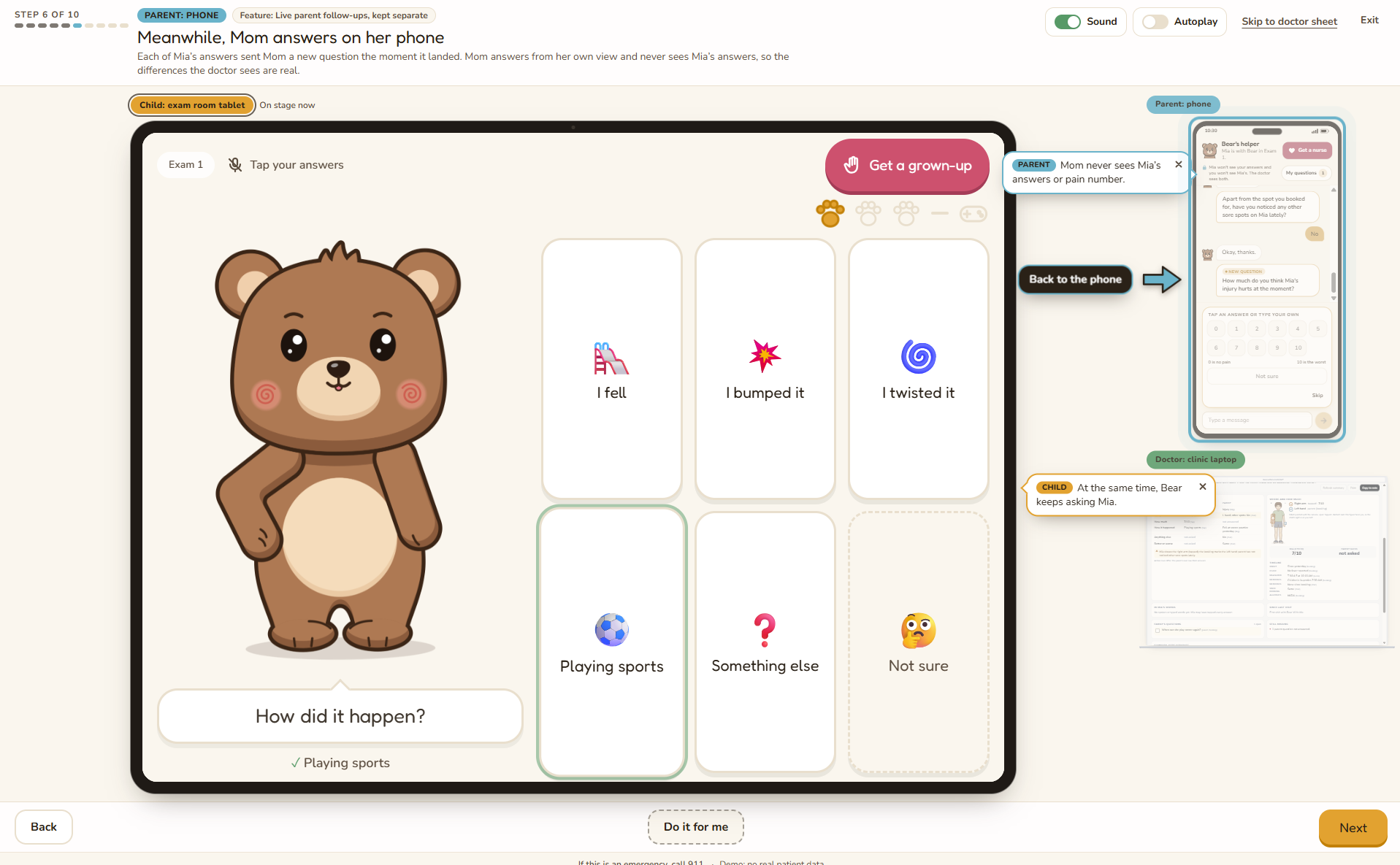
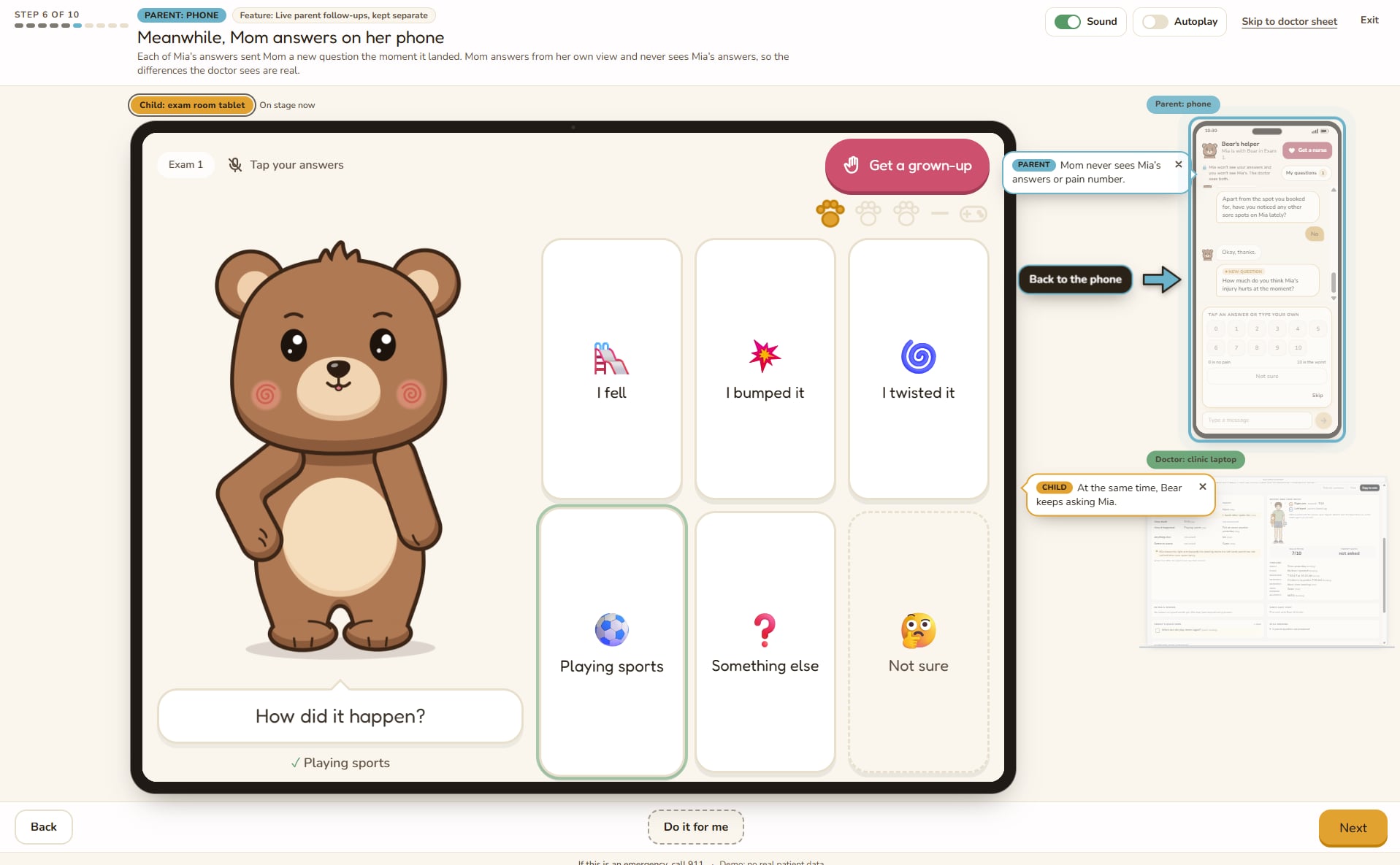
The first experience is on a tablet that is given to the child while they are waiting in the pediatric office via an NFC reader that matches the child to the tablet. On the tablet, a Grok-powered virtual bear asks the child seven to nine short questions that adapt to each prior answer, starting by checking the parent's reason in the kid's own words. Kids answer by talking, tapping picture cards, or pointing at where it hurts, which a mounted computer-vision camera in the room picks up. Our camera is directly connected to the child's tablet, so when prompted, the child is able to physically show any medical issues they are facing.
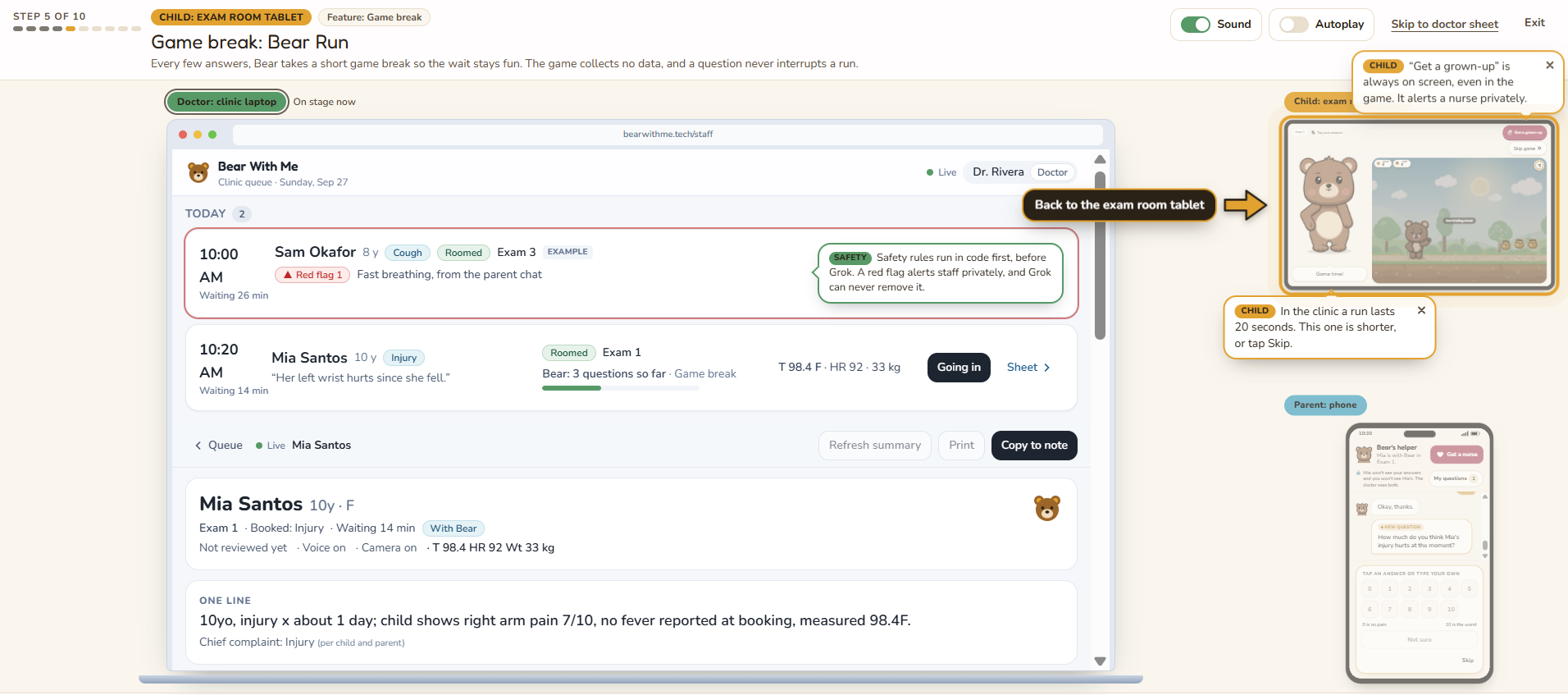
To prevent the child from becoming bored, the system will allow the child to play Bear Run, a quick run game, after answering three questions. However, if a child ever responds to a question with a concerning answer or simply feels uncomfortable, then they can click the "Get a grown-up" button in the top corner of their screen. This button will immediately alert staff.
Parent Phone: Bear's Helper
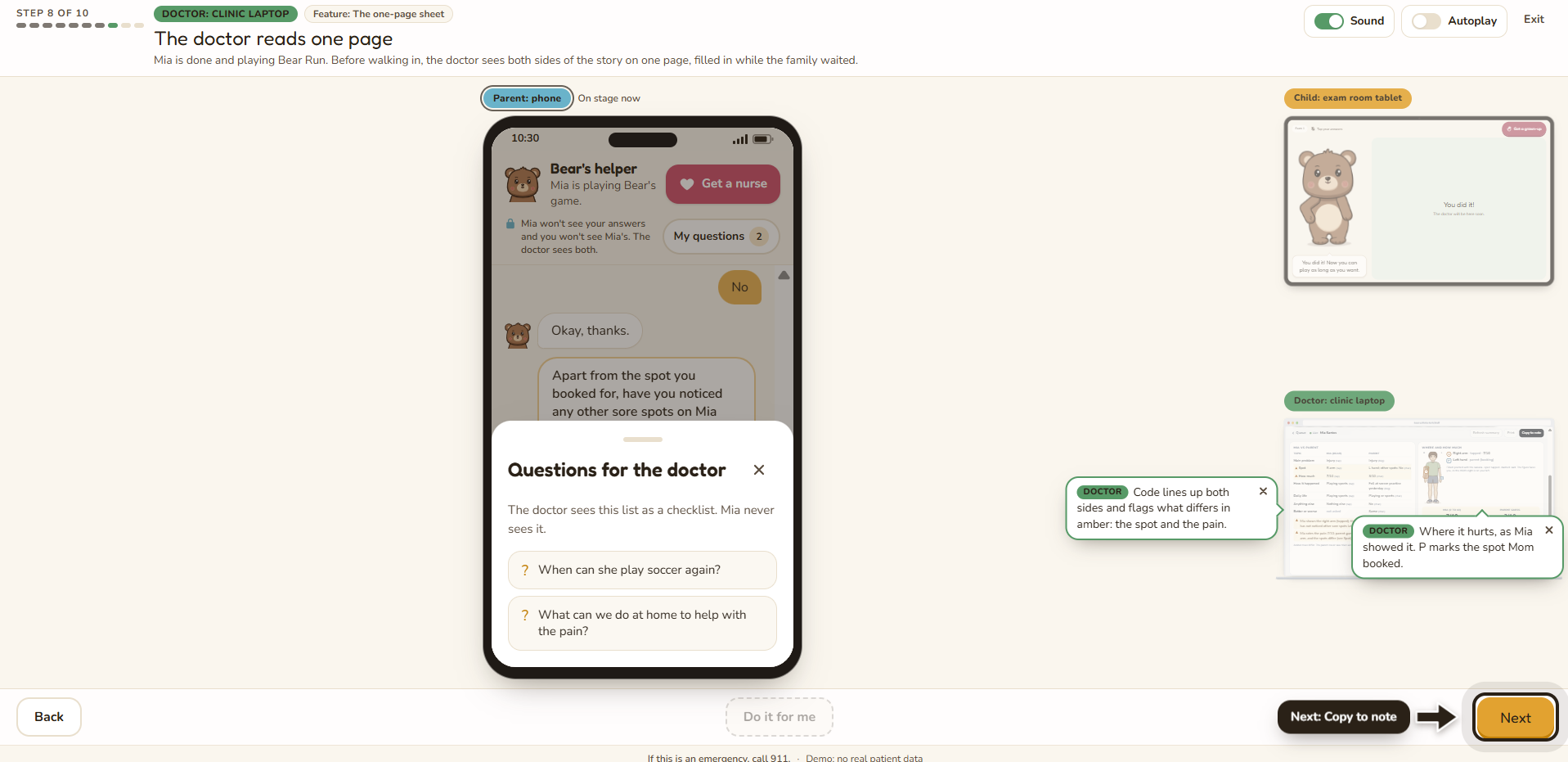
The second device connected to the system is the parent's phone. This is called Bear's Helper, and it is a real-time chat that serves as a second perspective for the child's medical situation. When the parent books the appointment from home, they receive a link that connects them with their child's personal Bear's Helper. As the kid answers questions on their tablet, the parent gets follow-up questions in real time that are worded so the parent never learns what the kid said. This provides healthcare professionals with two honest, independent views of the same problem.
Staff Portal: Doctor Brief
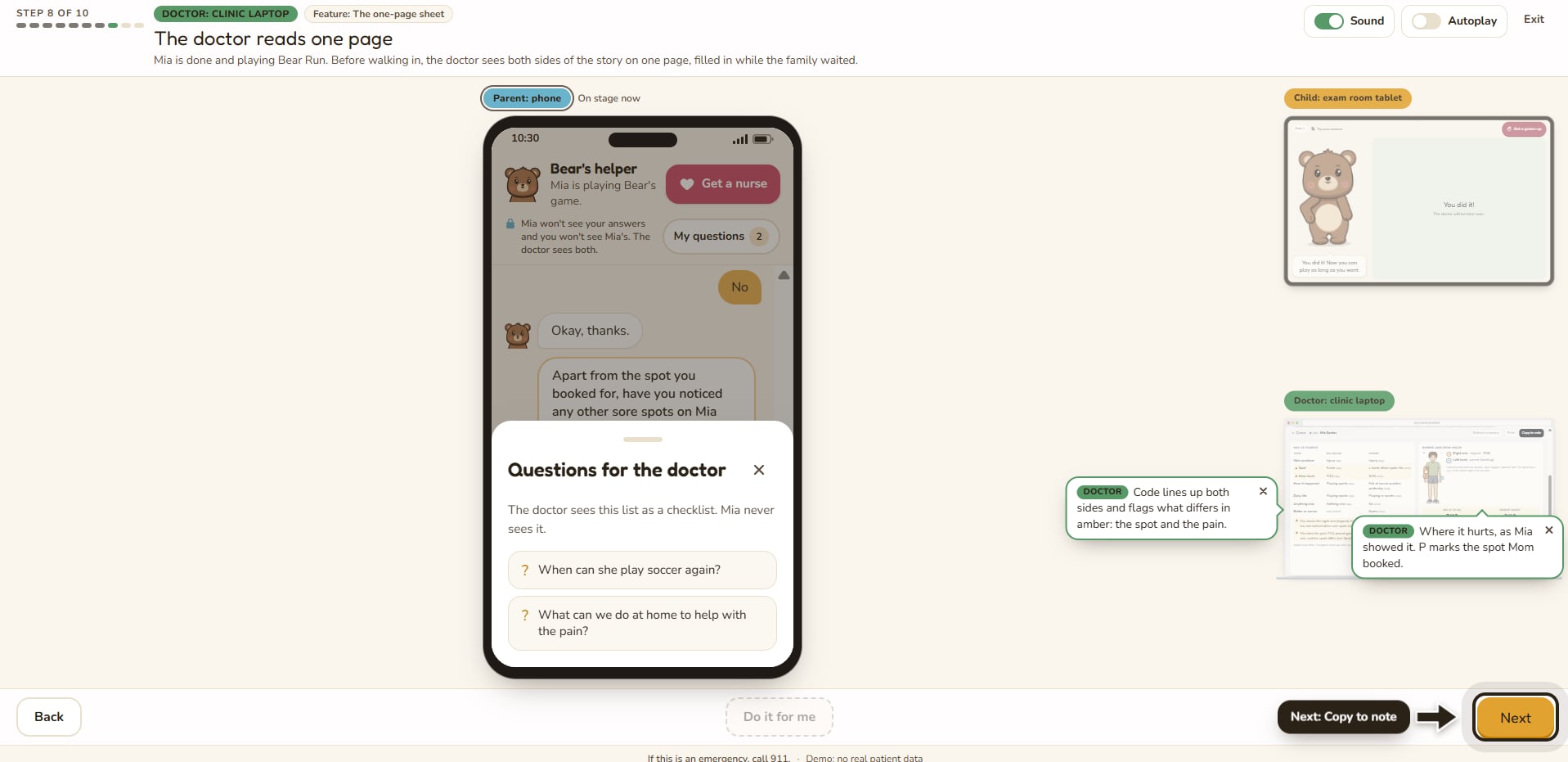
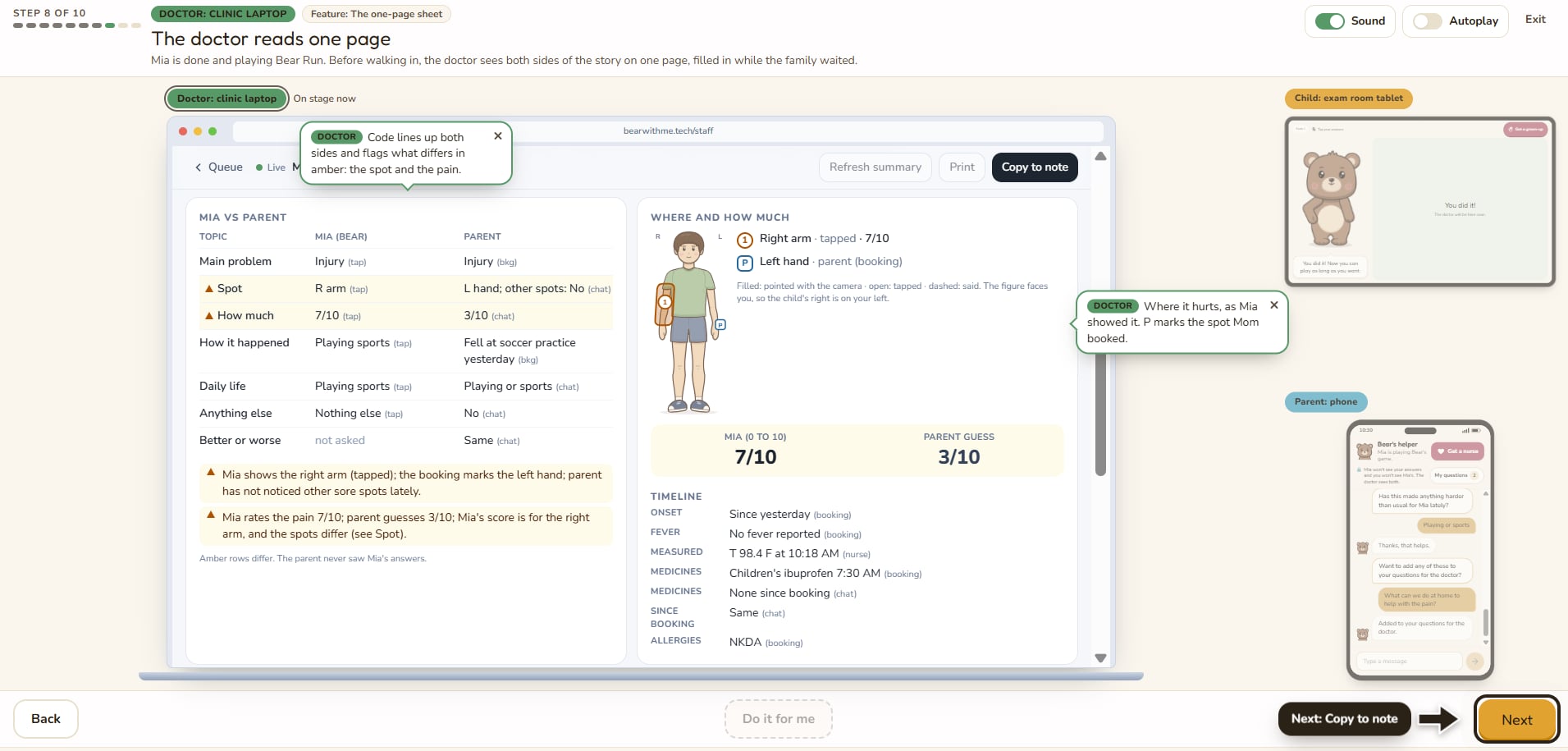
The third side of our application is the staff portal, where medical staff can see patient briefs being filled out in real-time. This platform shows which patients are currently interacting with the tablet, their data, and any safety alerts. Each brief lines up the child's and the parent's answers side by side, flags where they differ, shows a body map of where the patient feels pain, and creates a checklist of the family's questions. Thus, once the doctor walks in, they already have the patient's whole story.
How we built it
Bear With Me is a Next.js app hosted on Vercel, built in Cursor’s IDE Desktop app, and deployed at bearwithme.tech, running four devices connected to a real-time Supabase database:
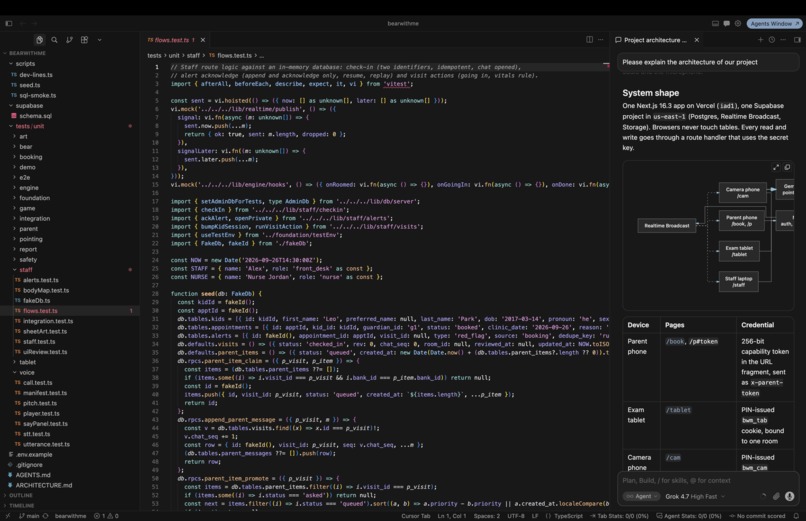
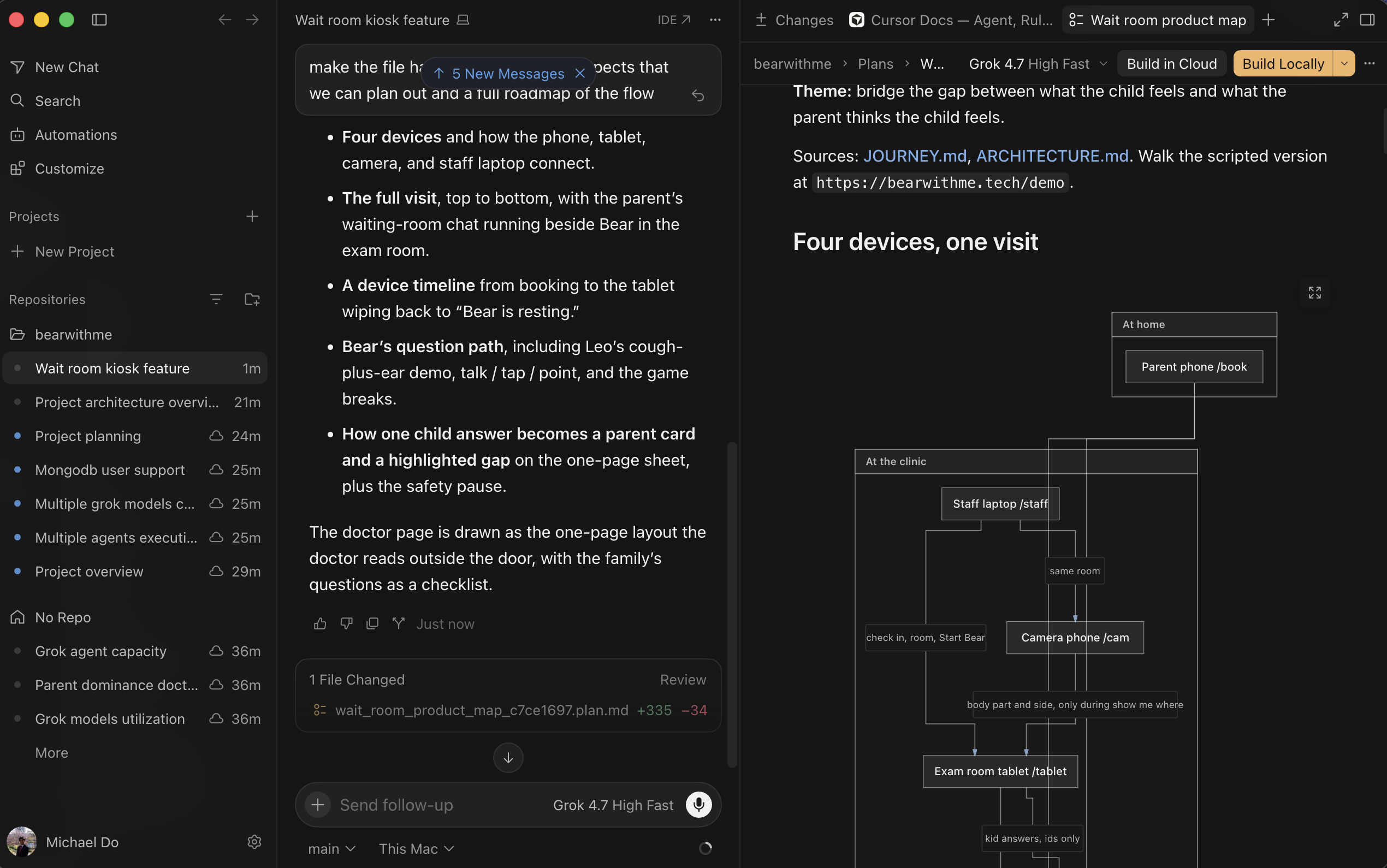
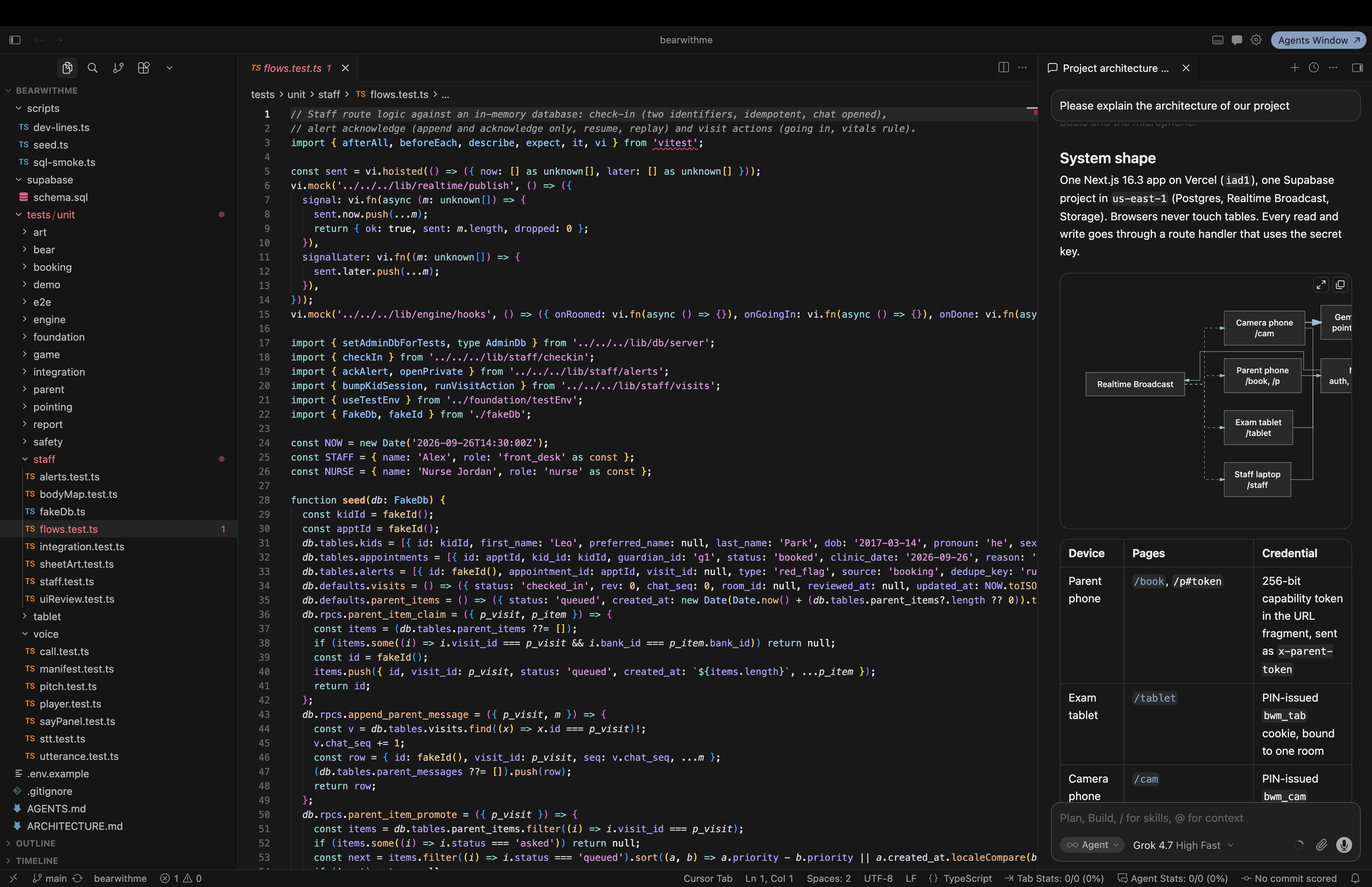
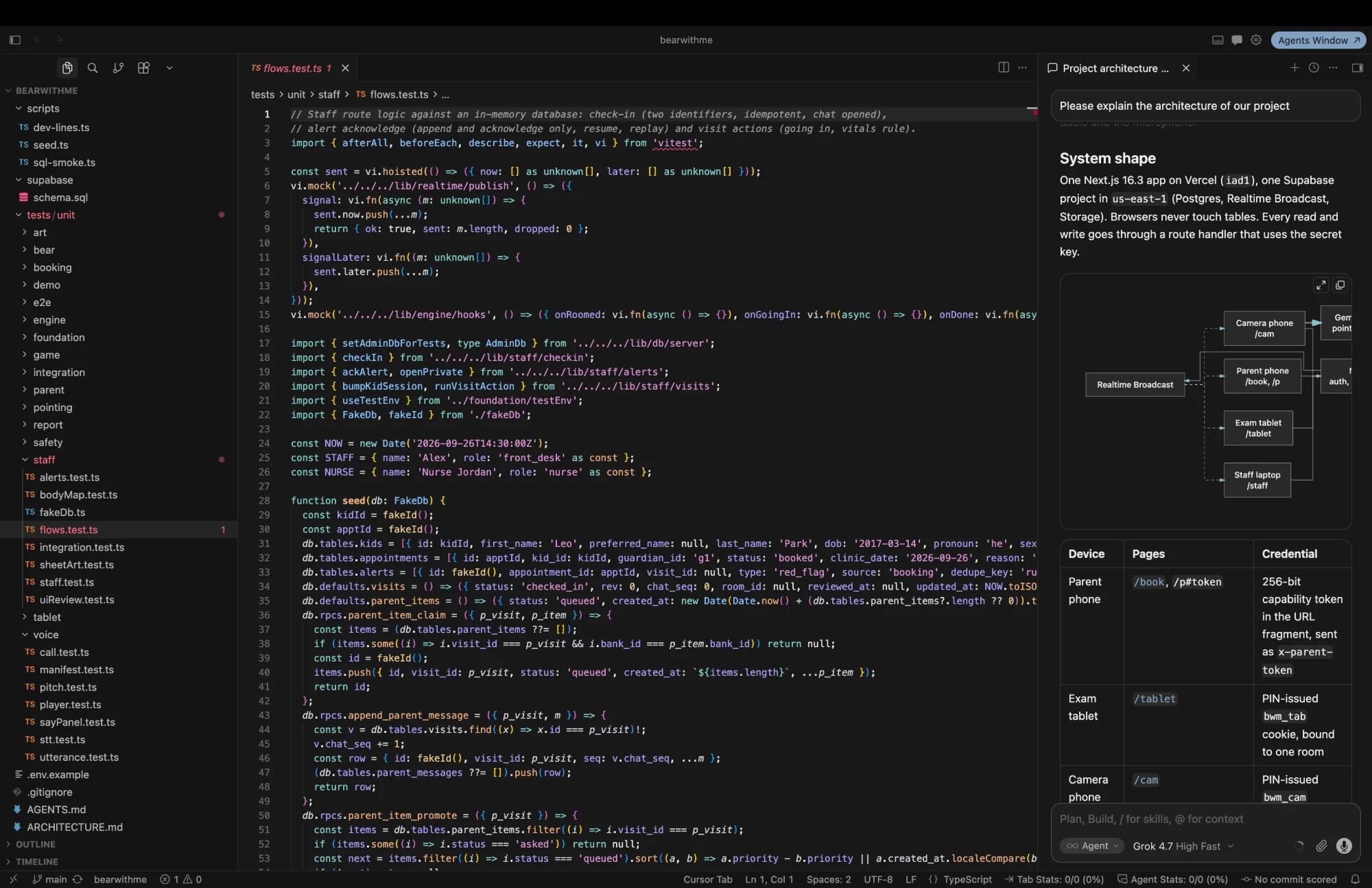
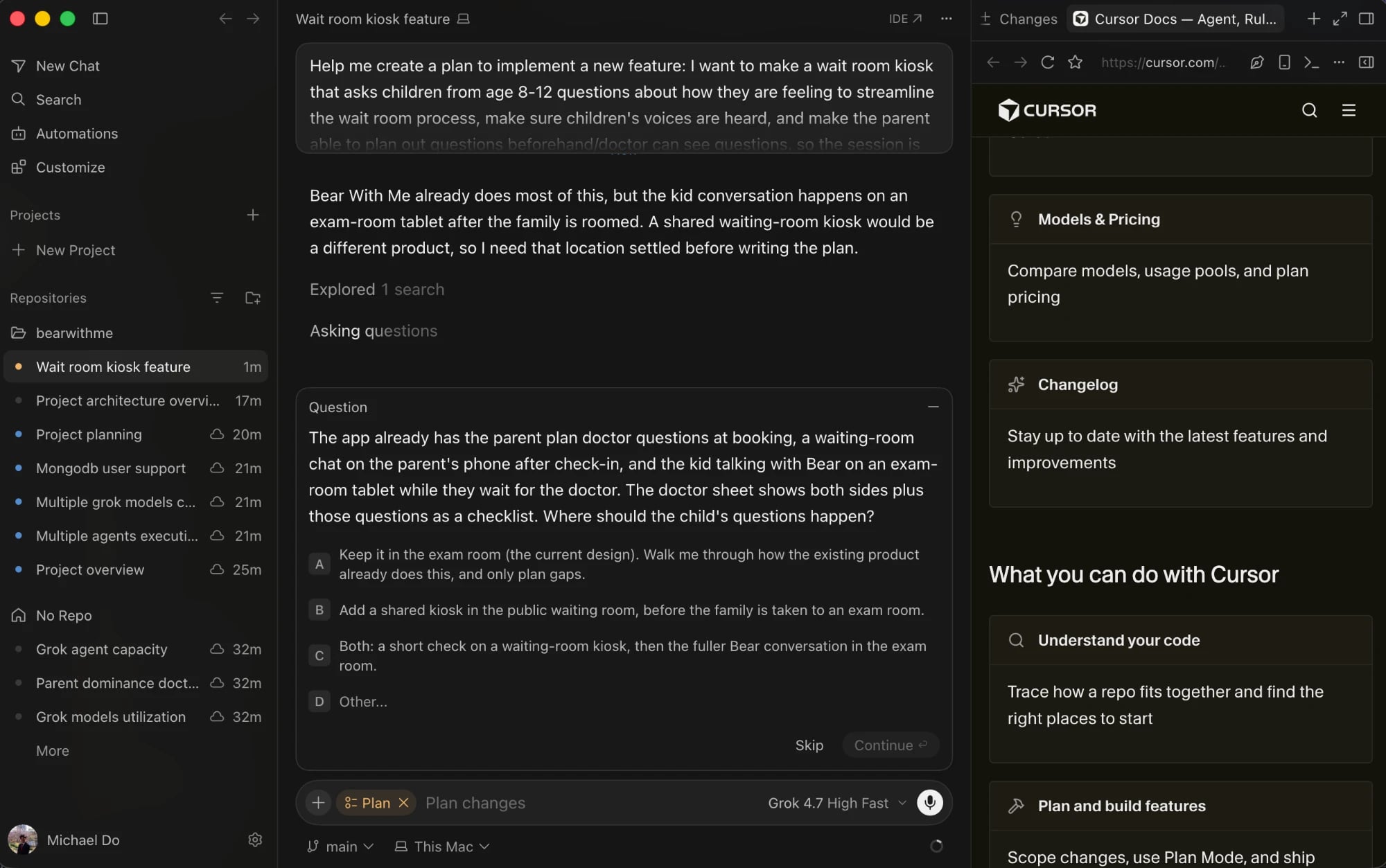
Cursor: When planning Bear With Me, we utilized Cursor Agents to visualize the architecture of our application and the pipeline in which the data would flow from the user to the Grok-powered backend and back to the user. This visualization allowed us to identify gaps in our code. We also used Cursor to trace end-to-end flows, like following a child’s answer from the tablet to the parent follow-up and doctor summary. That made it easier to catch missing states and inconsistent schemas before integration.
Voice and language (Grok): Grok Voice speech-to-text transcribes every answer that the child gives. Grok's structured outputs (Grok-4.3) understand what the kid meant in their own words, map it to the right answer, and ask, "Did I get that right?" when unsure. Bear's voice is Grok text-to-speech, pre-generated for instant playback and pitch-lifted in the browser so Bear sounds kid-friendly. On-device voice detection opens the mic after each question and lets the kid interrupt.
The parent's side (Grok): Grok reads the parent's typed replies and rewords each follow-up question naturally. A validator checks every question so its wording can never leak the child's answer. Grok also utilizes the family’s responses to write a brief summary for the pediatrician.
Real-time sync (Supabase): Our Supabase Postgres database spans 18 tables, and every write goes through our server. Supabase Realtime pings each device the moment something changes, and the device fetches only what it's authorized to see, so a kid's answer becomes a parent question about a second later.
Computer vision: We used a kinematic chain to map the limbs and body of the children. We then compared the placement of the fingertips in relation to the rest of the kinematic chain to find out where the child is pointing to on their body. Additionally, we used the same kinematic chain to check if the children had a full range of motion in their joints. Throughout the process, we tackled noise such as small movements of arms and resting positions to ensure that our computer vision model works accurately and effectively.
NFC Reader: Patients tap their NFC card on a USB reader at the front desk, and their record instantly appears on the staff dashboard. The patient’s data is then automatically synced to a tablet before it is handed to the child. The card only holds an ID, not personal information, and lookups require a staff login. These security measures ensure that data is kept confidential while making check-in quicker.
Challenges we ran into
One challenge was getting four devices to work together. At first, the doctor's screen only updated on refresh, so we rebuilt it on Supabase Realtime, and now, every device syncs within about a second.
Another challenge was optimizing Bear's voice. Bear was slow to respond at first, taking about five seconds per answer. However, once we turned off Grok's extended reasoning, Bear’s response time decreased to under a second. Additionally, every default Grok voice sounded like an adult, so we tuned the pitch until Bear sounded kid-friendly. This change helped to foster an environment where kids feel comfortable opening up and expressing how they are feeling.
The final major issue we faced was the data logic behind the doctor's sheet. Each visit creates scattered data that contains information from the booking, the kid's answers, and the parent's chat. So, in order to turn that fragmented information into something useful for the doctor, we automated the process of matching answers on the same topic, flagging where the kid and parent disagree, and fitting everything onto one clean page.
Accomplishments that we're proud of
- Built Bear: a kid-friendly talking bear powered by Grok that understands kids' answers, replies in under a second, and becomes the character kids play as in a quick game between questions.
- Connected four devices into one live system, with the tablet, camera, parent's phone, and doctor's dashboard all syncing within about a second on our own domain.
- Created a novel way to hear both sides of the story, where the kid and parent answer separately and the doctor sees exactly where they disagree.
- Built safety into the application from the start. If a kid or parent says something worrying, like trouble breathing or being hurt by someone, our code catches it and alerts a healthcare professional.
- Made the whole platform simple to test out with a guided demo at bearwithme.tech/demo.
What we learned
First, healthcare is complex. A clinic is not just a doctor and a patient. There's check-in, safety rules, and medical records, and a tool has to fit into all of it to get used. With more time, we'd have gotten feedback from real clinicians and families, and we appreciated the Impiricus team's input this weekend.
Second, designing for kids drastically changes engineering. In our case, an app can work perfectly and still fail if children don't want to use it. Bear's tone, the wording of each question, the animations, and the game mattered as much as the code. Speed did too, so we cut Grok's extended reasoning to get replies under a second and let kids interrupt Bear mid-sentence.
What's next for Bear With Me
Our first step is getting feedback on the whole product from pediatricians, nurses, and parents so we can fine-tune it before anyone uses it. From there, we want to pitch Bear With Me to pediatric practices and children's hospitals like Children's Healthcare of Atlanta and test it in visits with busy doctors, anxious kids, and stressed parents.
Down the line, we want to add more languages for families who don't speak English at home and send the Doctor Brief straight into chart systems like Epic instead of copy-and-paste. Our goal is simple: make sure every child feels heard when it comes to their health.
Built With
- cursor
- get-tech
- grok
- grok-tts
- grok-voice
- html5
- nextjs
- node.js
- onnx-runtime-web
- opencv
- postgresql
- react
- silero-vad
- supabase
- supabase-realtime
- tailwindcss
- typescript
- vercel
- vitest
- web-audio-api
- xai
- zod


Log in or sign up for Devpost to join the conversation.