-
-
Beanjamin, the BeanThere Mascot!
-

1024x1024 uncropped app icon of Beanjamin, the mascot of BeanThere.
-
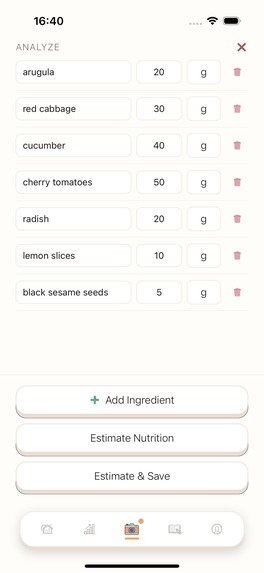
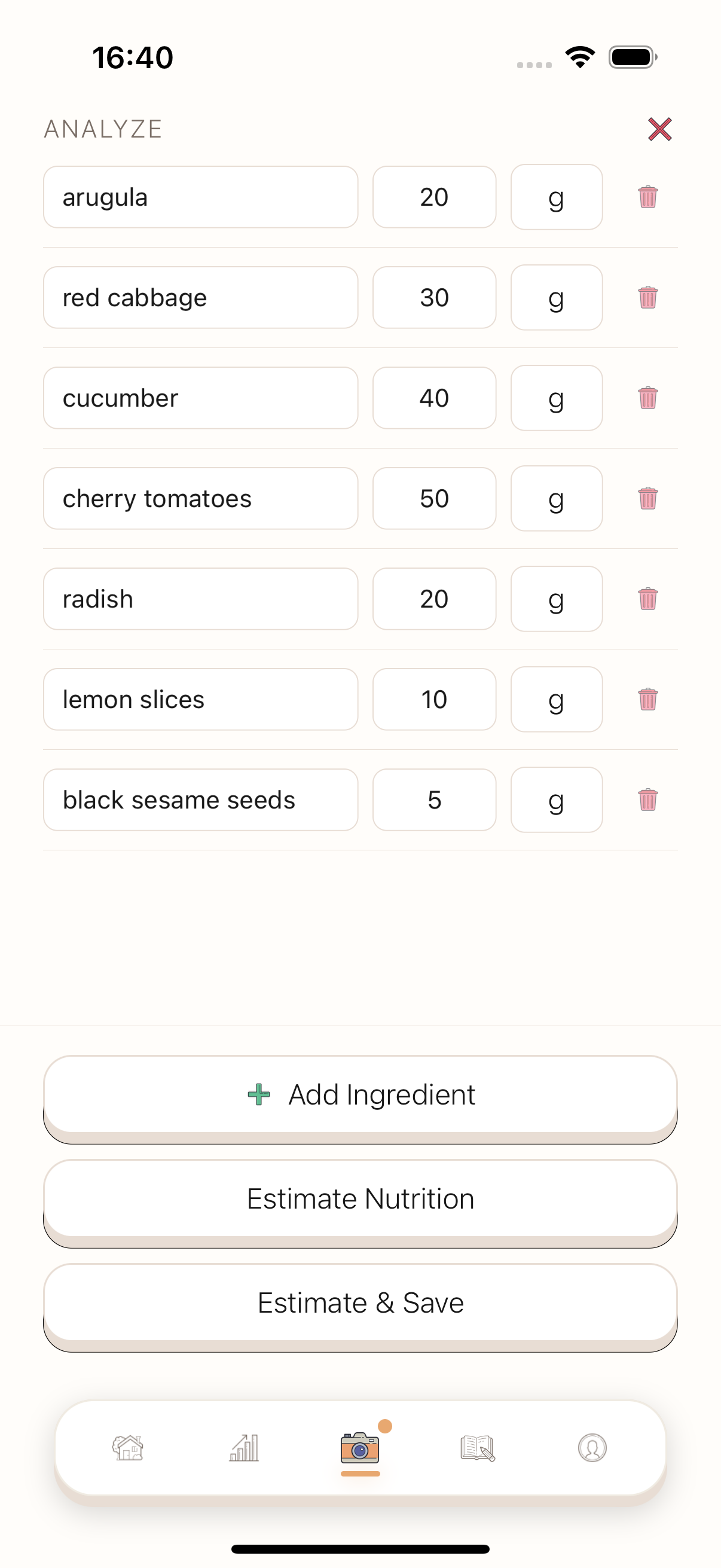
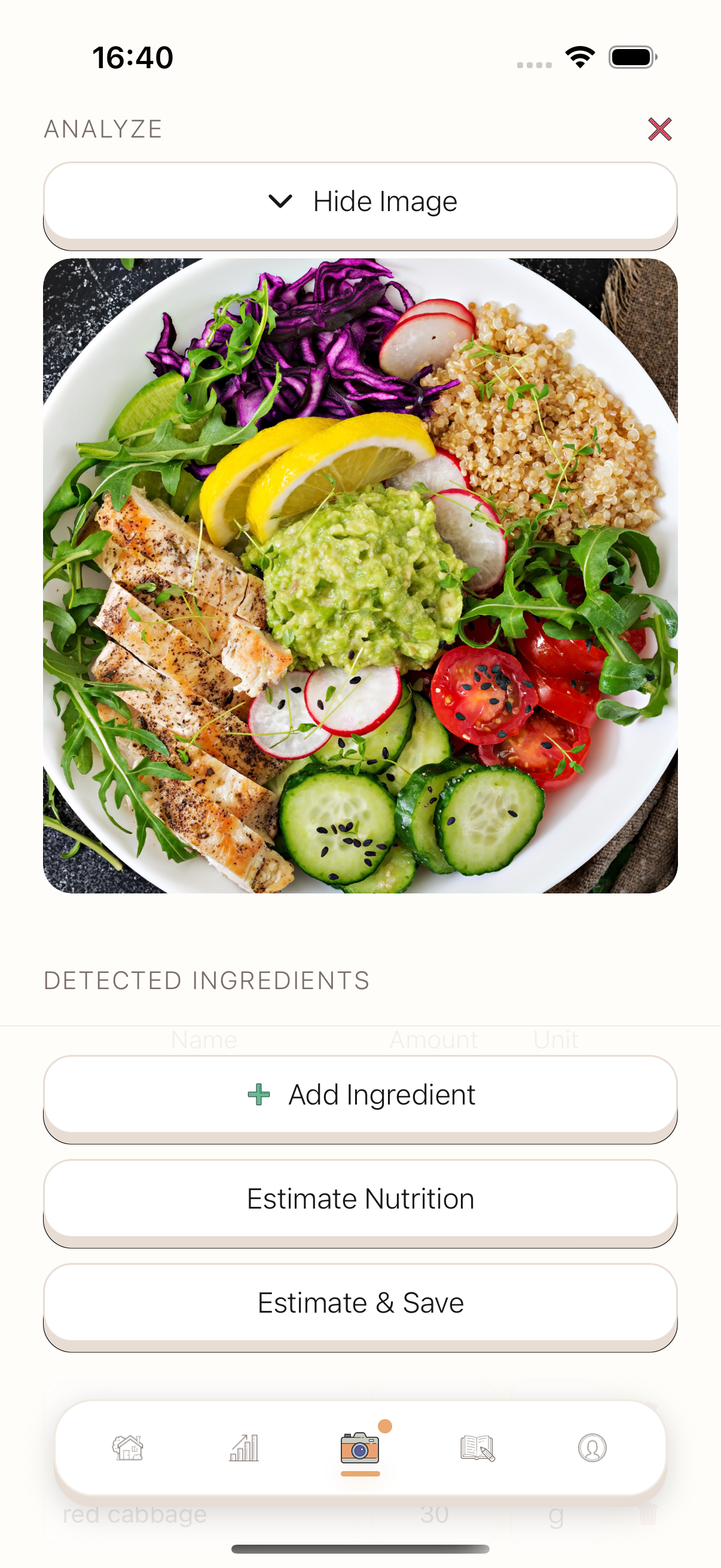
Editable breakdown of ingredients found from your pictures.
-
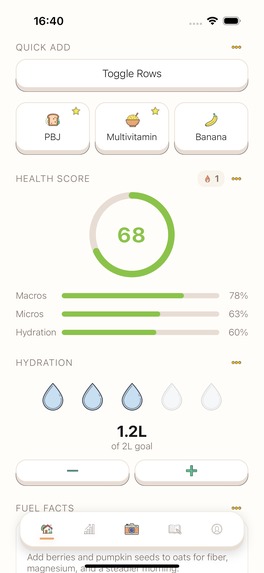
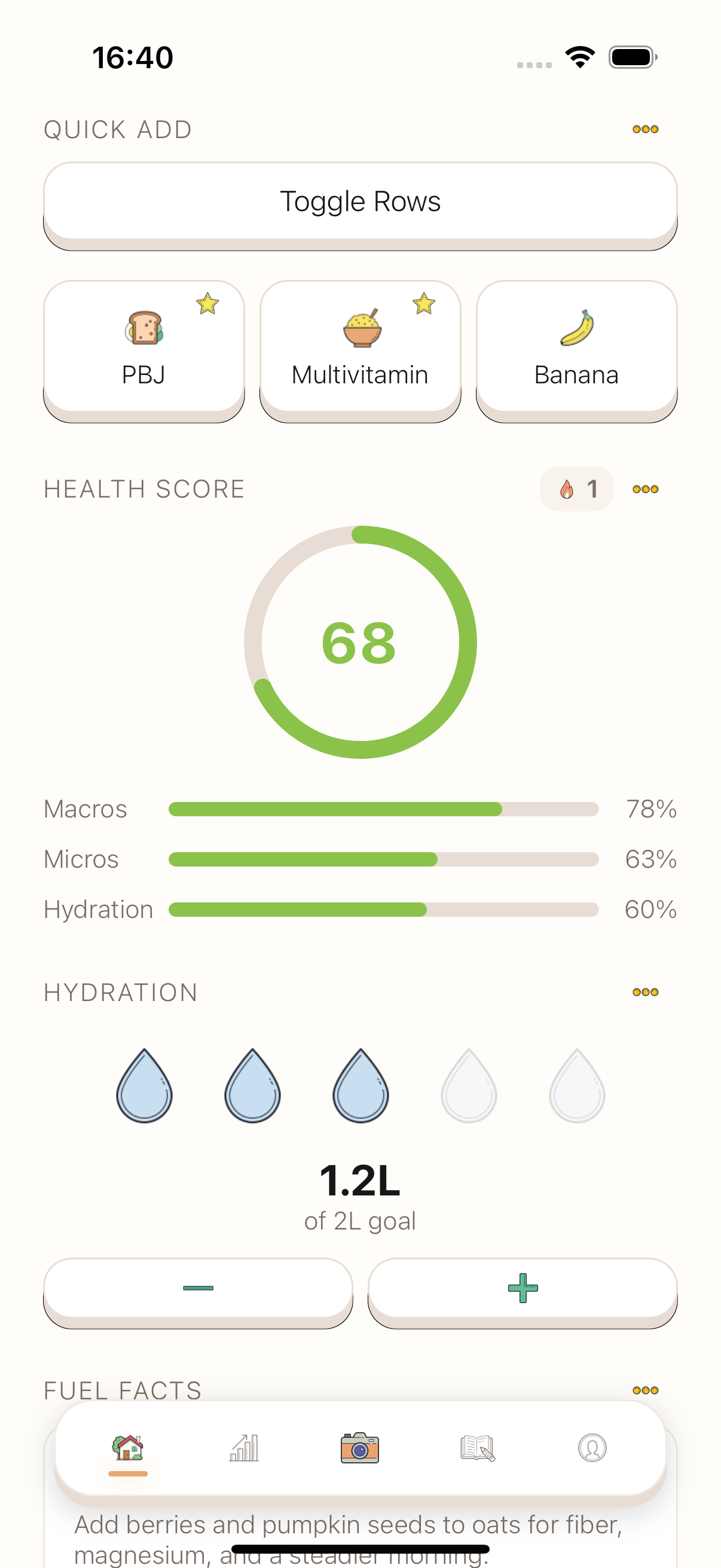
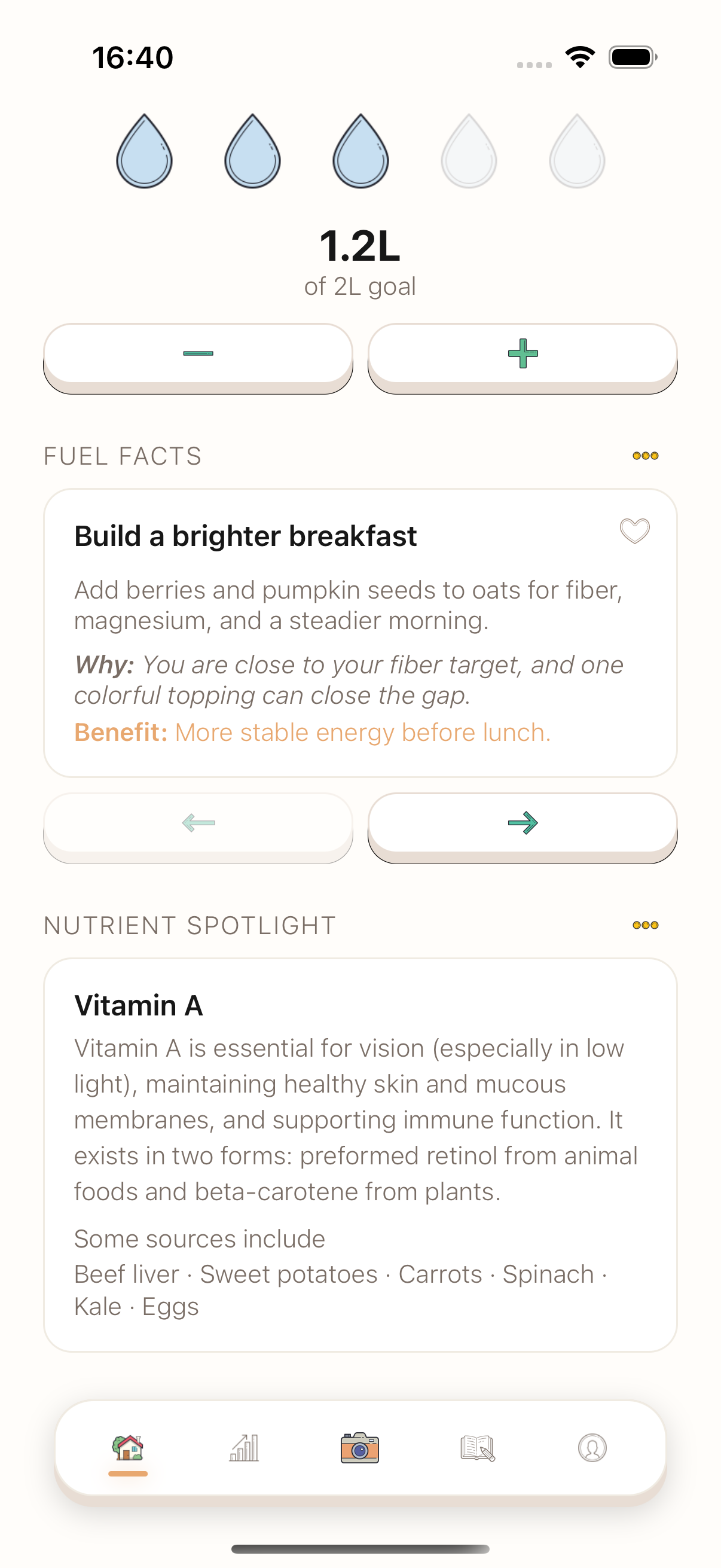
Home screen, featuring healthscore, quick add templates, hydration tracker, personalized ai tips and a nutrient library
-
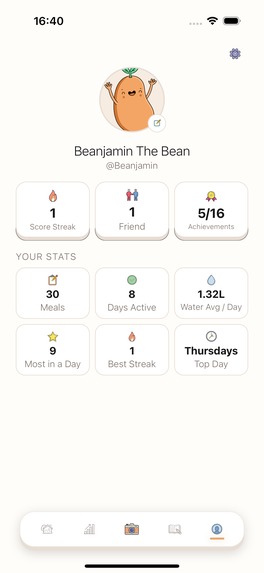
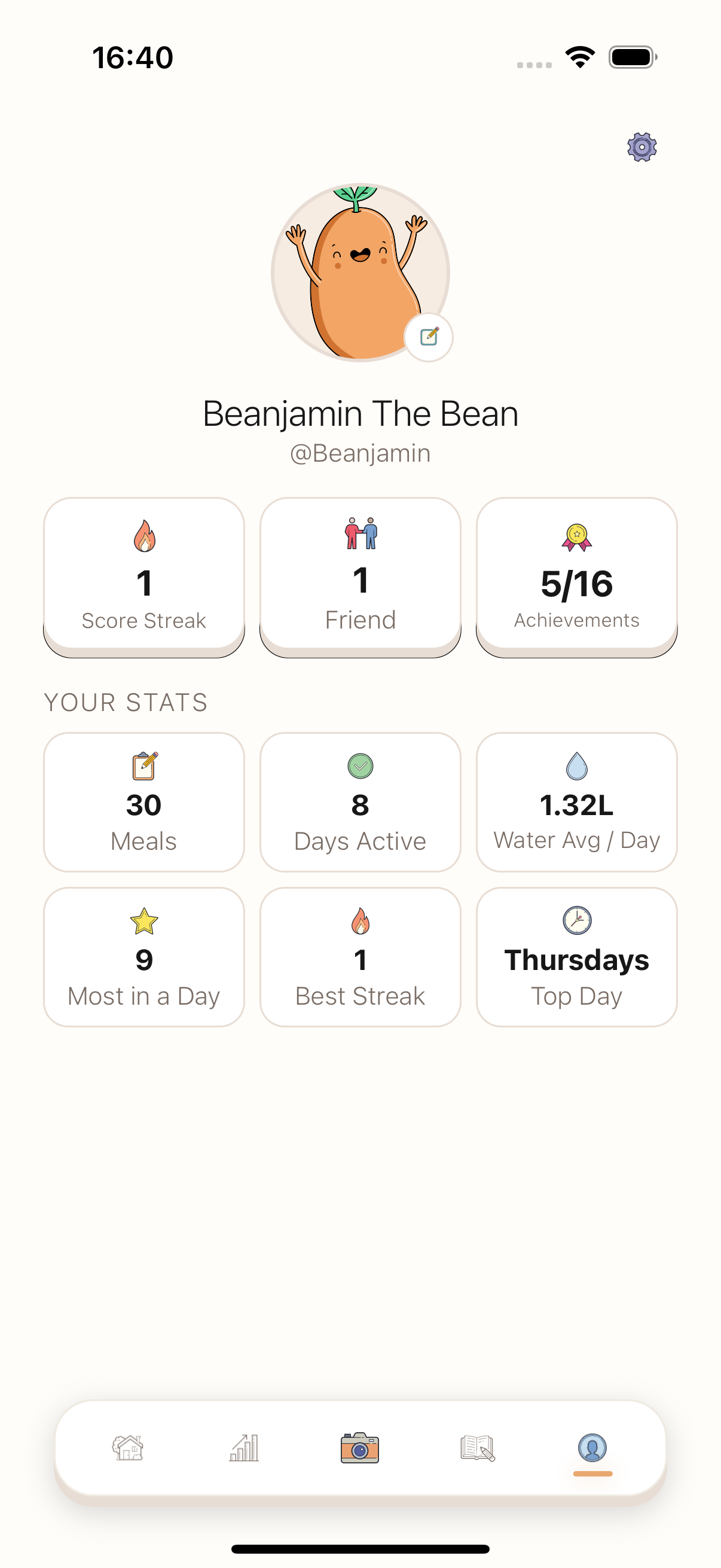
Profile screen main page, access user settings, see your achievements, friends, streaks, and quick stats.
-
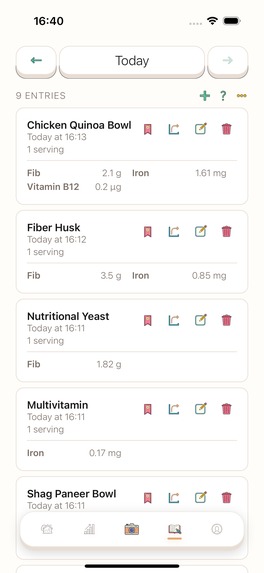
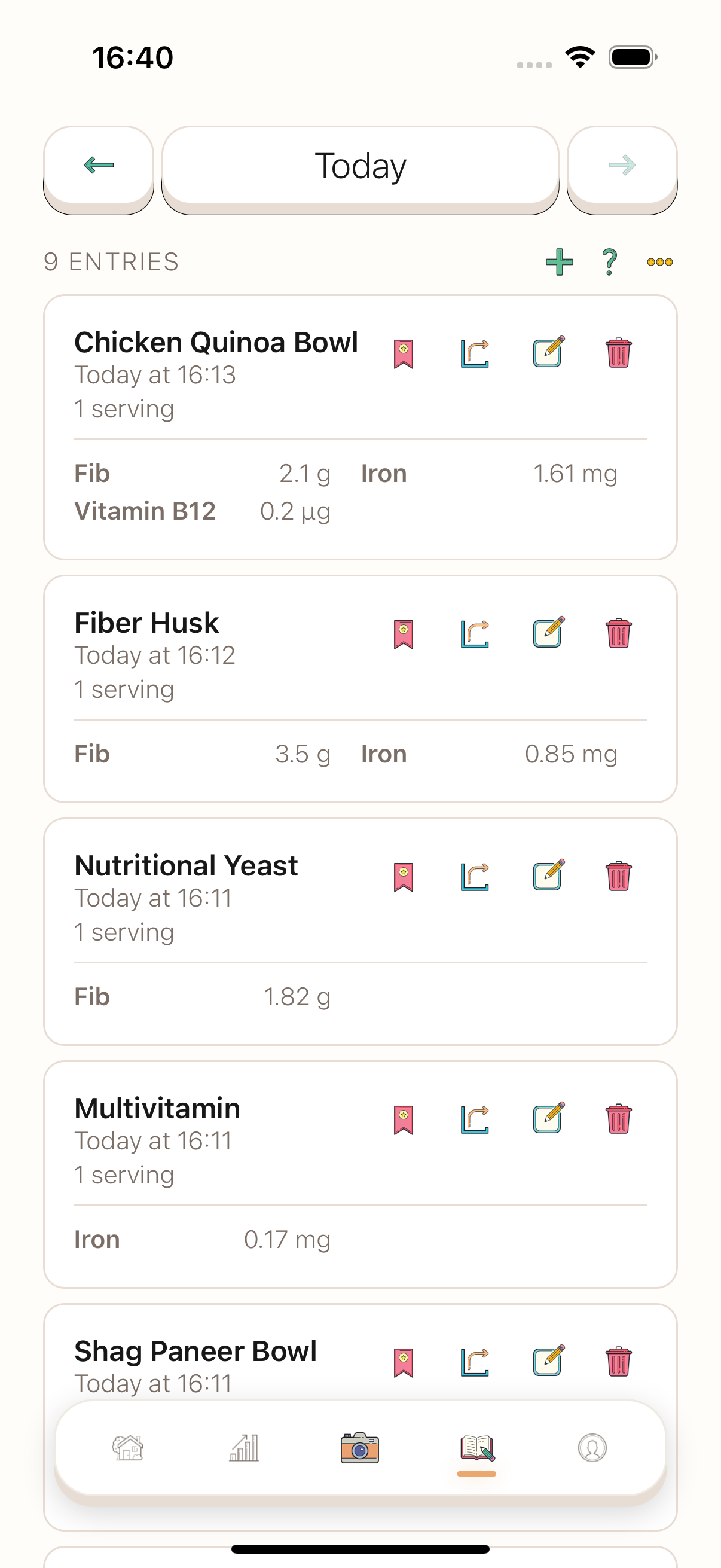
History screen, showing the meals you have registered for any given date. Easily templatized, shared, duplicated, edited or removed.
-
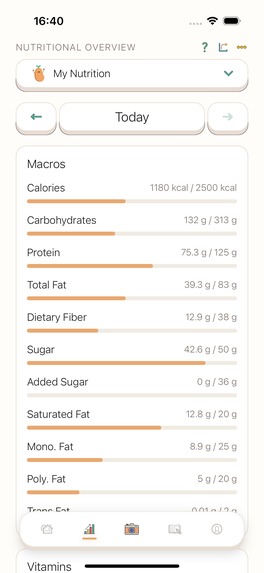
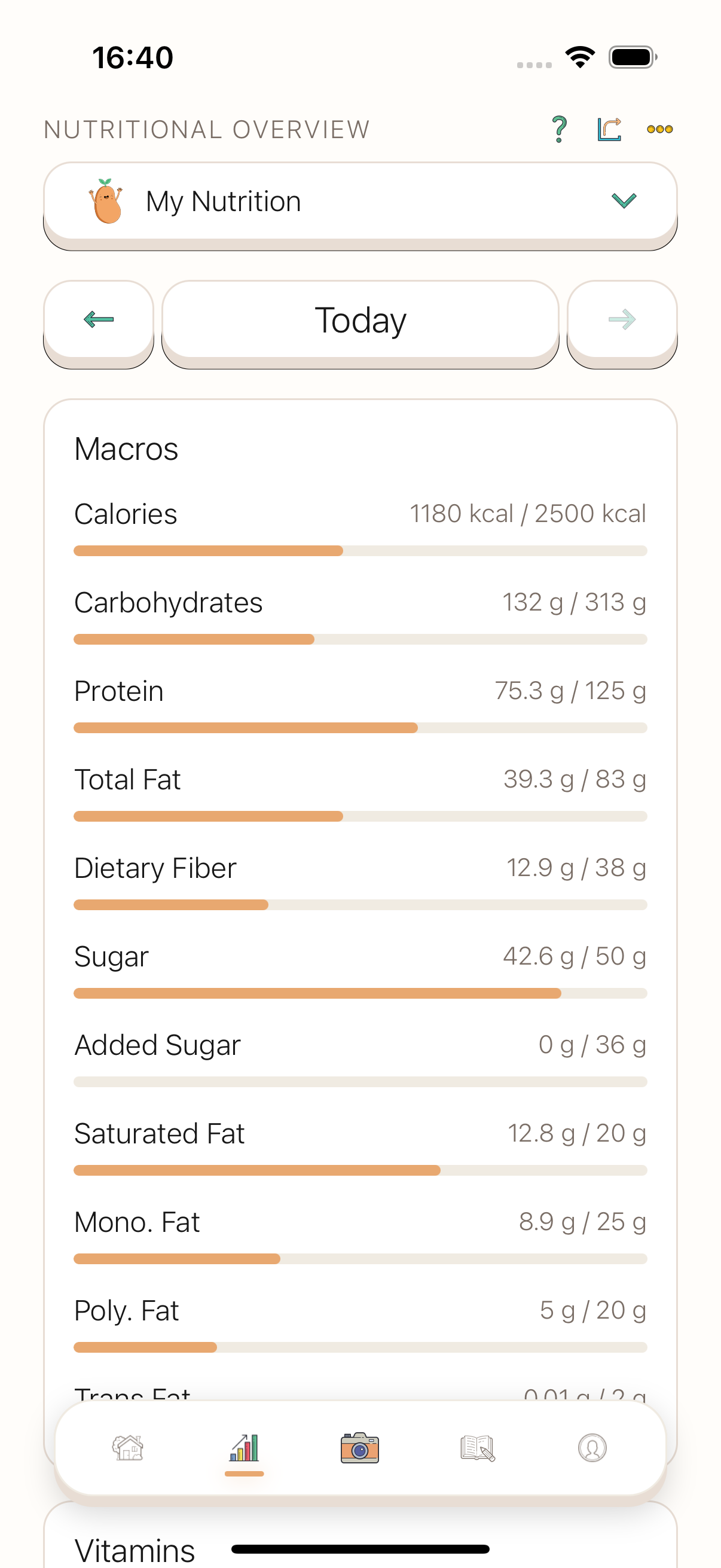
Progress screen showing your total intakes for any date and date range. Fully customizable to display however you want!
-
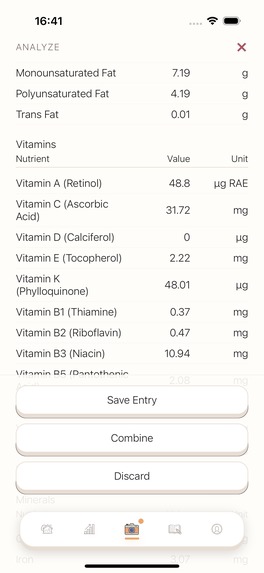
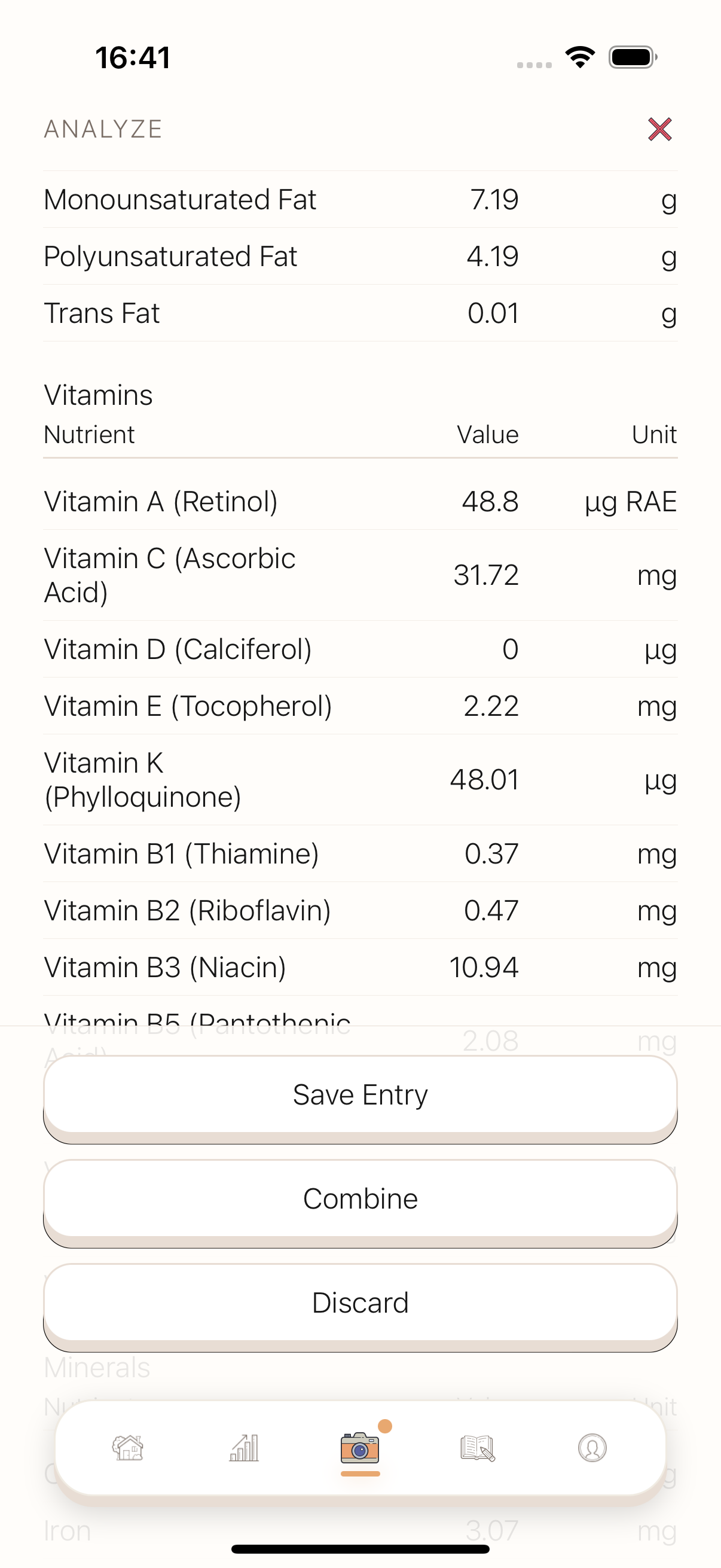
Detailed nutritional breakdown backed with data from the USDA Food Data Central.
-
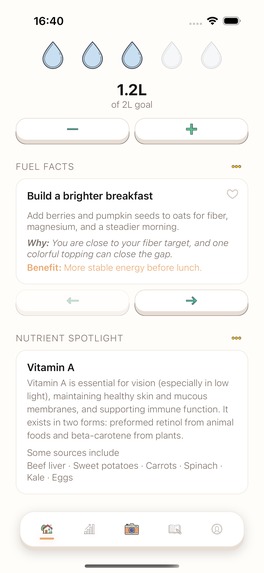
Bottom half of the home screen, showcasing the personalized ai tips and nutrition library.
-
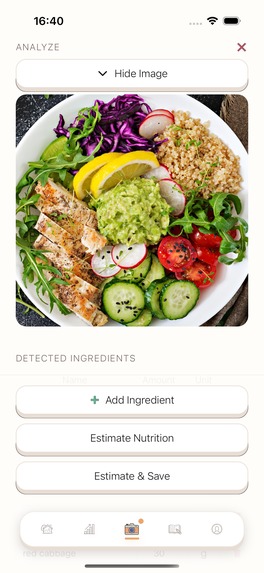
Take a picture of your food, labels, ingredients lists or manually enter and watch the app go to work.

Inspiration
Every calorie counter treats nutrition like a single number, but a calorie isn't a nutrient. Two meals with identical calorie counts can leave you iron-deficient or overflowing with sodium, and none of the popular trackers surface that. Logging was also part of the problem: typing in every ingredient after a meal is tedious enough that most people give up within a week.
I wanted an app that (1) treats nutrition holistically, going far beyond calories and macros into the vitamins and minerals that actually determine how you feel, and (2) makes logging effortless, ideally as easy as taking a photo. That became BeanThere.
What it does
BeanThere turns a photo into a complete nutritional picture:
- Snap a meal, a nutrition label, or an ingredients list (or type ingredients directly), and BeanThere's AI identifies the food and portions in seconds.
- Every entry is cross-referenced against the USDA FoodData Central database for verified values, with AI filling in any gaps.
- Instead of stopping at calories and macros, BeanThere tracks 41 essential nutrients, including vitamins, minerals, fats, and more, so you can see exactly where you're falling short, from iron to fiber to omega-3.
- A fully customizable dashboard lets you pick which nutrients matter to you, view any date range, and rearrange widgets to match how you think about your diet.
- AI Health Tips are generated weekly, tailored to your age, gender, and dietary restrictions, calling out where you're on track, falling short, or missing a nutrient entirely.
- Quick Adds turn meals you eat often into one-tap buttons, so repeat logging takes seconds.
- A lightweight friends system lets you share progress and stay accountable, with privacy controls, blocking, and reporting built in from day one.
How I built it
BeanThere is a three-part system:
- Mobile app: React Native + Expo (dev build, not Expo Go, since it depends on native modules like Skia for the dashboard visuals and Reanimated for gestures).
- Backend: An Express API (
nutrition-api) that owns all OpenAI calls and Supabase access, so API keys never touch the client. - Database & auth: Supabase (Postgres) for entries, profiles, templates, achievements, and friend graphs.
The core pipeline starts with a lightweight classifier step: every photo is scored for type (label vs. plate) and complexity, with a confidence value attached. That confidence/complexity pair decides which model actually does the heavy lifting: a simple label or plate routes to a cheap, fast model, while a visually complex or ambiguous plate (think a loaded buffet dish or a composite meal) gets escalated to a stronger vision model. That routing is what keeps accuracy high on hard cases without paying premium-model cost on every single scan.
For plates specifically, the vision pass doesn't just name ingredients, it also outputs a USDA FDC search key for each one: a normalized search name, a cooking state (raw/cooked/dried/etc.), and a small set of "verify" words that must literally appear in whatever FDC record gets picked. A batch AI scorer then ranks the USDA candidates for every ingredient at once, checks the verify words as a hard gate, and produces a confidence score plus a gram estimate. High-confidence matches pull real per-100g USDA values and scale them to the estimated grams; low-confidence or unmatched ingredients fall back to an LLM gap-fill instead of silently accepting a bad guess. Matches and nutrient lookups are cached (in-memory plus a Supabase-backed persistent layer with a 30-day TTL) so repeat ingredients resolve almost instantly and I stay well under USDA's API rate limits.
On top of that pipeline I layered a customizable progress dashboard (drag-and-drop widgets backed by a layout manager), a template/quick-add system for repeat meals, an achievement engine that reacts to logging behavior, and a weekly AI tips generator that reads a user's recent nutrition history and produces personalized, non-generic insights.
Challenges I ran into
- Model routing for vision accuracy vs. cost: A single "one model for every photo" approach either overspent on simple scans or under-delivered on hard ones. Building a classifier that scores confidence and complexity, then routes between a cheap model, a mid-tier model, and a stronger model for genuinely hard cases (composite dishes, buffet-style plates, low-light or cluttered photos), was the difference between a demo that only worked on clean test photos and one that holds up on messy real-world meals.
- Wiring in USDA FoodData Central without it grabbing the wrong match: The USDA search API is keyword-based, not semantic, so "potato" can just as easily return potato starch or potato chips as a plain potato. I had to design a verify-word gate (specific words a match is required to contain), a cooking-state matcher, and confidence scoring so the pipeline rejects a plausible-looking wrong match instead of confidently returning bad numbers. Getting those keyword and confidence rules right, and building a clean fallback to LLM estimation when nothing clears the bar, took a lot of iteration against real ingredient names.
- Caching FDC lookups for speed and quota: USDA's API has rate limits, and re-searching the same ingredients over and over is wasteful. I added a two-tier cache (in-memory for hot paths, Supabase-backed so it survives restarts) with a 30-day TTL, which cut both latency and the number of live API calls dramatically on repeat ingredients.
- Normalizing messy AI output into a rigid schema: LLMs don't reliably emit exact JSON shapes on the first try. I had to build strict parsing, key-name fallback handling (camelCase vs. snake_case), and explicit error codes (
NOT_FOOD_IMAGE,LABEL_TOO_UNCLEAR, etc.) so the app can show a helpful message instead of a crash whenever a photo isn't usable. - Designing for restraint: It was tempting to just show one calorie number like every other app. Committing to 41 nutrients meant every screen, from the dashboard to AI tips, had to be built to stay usable under that much information density instead of overwhelming people.
What I learned
- Nutrition tracking is a data-normalization problem as much as a UI problem: the hardest work is making three very different input paths (label scan, plate photo, manual entry) converge on one trustworthy schema.
- Confidence-based routing beats a single fixed model, both for choosing which vision model handles a photo and for deciding whether a USDA match is trustworthy enough to use as-is or needs an LLM to fill the gap.
- Good error states are a feature, not a fallback. Telling someone "this photo is too blurry to read" instead of silently failing is often the difference between a user retrying and a user giving up.
What's next
The next focus is less about new functionality and more about getting BeanThere in front of real users: launching properly, marketing it, and growing an active user base. I'm also planning some polish work, like adding loading-state animations, to make the day-to-day experience feel more finished.
Built With
- android
- computer-vision
- expo-router
- expo.io
- express.js
- gpt-4o
- i18next
- ios
- nextjs
- node.js
- openai
- postgresql
- railway
- react
- react-native
- react-native-reanimated
- react-native-skia
- revenuecat
- supabase
- tailwindcss
- typescript
- usda-fooddata-central
- vercel
- vitest


Log in or sign up for Devpost to join the conversation.