-
-
Logo
-
Title
-
Our robot!
-
Media Pipe Landmarker
-
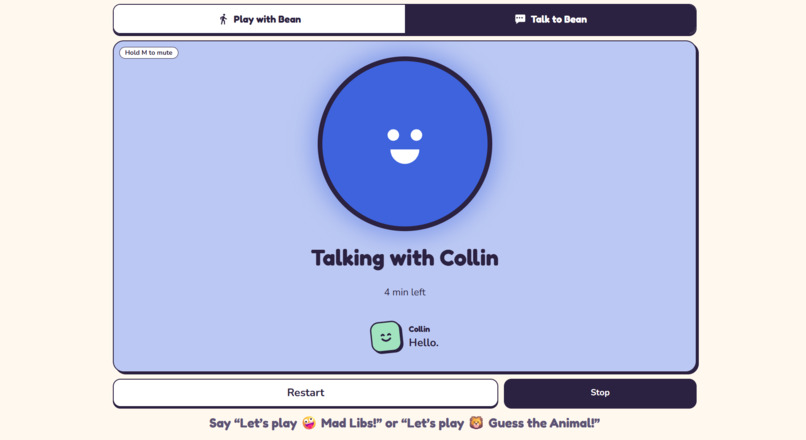
Talk To Bean
-
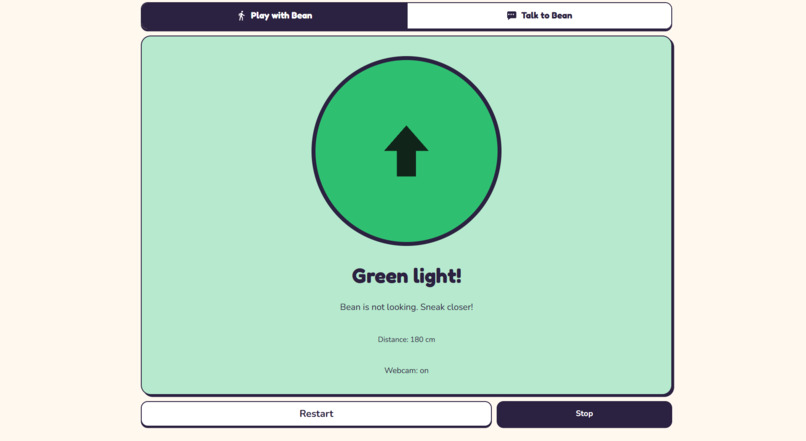
Play With Bean

Inspiration
Red Light, Green Light is one of the first games kids play together, and it is mostly a running game. Kids who use a wheelchair or a walker, crawl or roll, or tire quickly often end up watching it instead of playing.
Lots of kids are sidelined from moving, from talking, or from both:
- Moving: in the UK, only 26% of young disabled people can always join in PE or school sport, against 38% of their non-disabled peers (Play, Move, Belong, Activity Alliance and partners, 2025).
- Talking: in the US, nearly 1 in 12 children aged 3 to 17 had a voice, speech, language or swallowing disorder in the past year, and only 55% of them got treatment (NIDCD, 2012 National Health Interview Survey).
Bean is a playful robot friend that gives sidelined kids a chance to move and talk, making physical games accessible while helping children practise speech as part of the fun. It is built for families and special education classrooms. It offers a game that counts every way of moving toward the robot and fits in a 1 m lane in a living room or a corner of a classroom. Siblings, parents and classmates play together: the sensor watches whoever is closest, and a catch sends the whole group back.
The game itself doesn't need speed. It rewards stopping when you should and moving when you can. We wanted a version where the watcher is fair, patient and always willing to play: a small robot that turns its head, looks, and catches anyone it sees moving, whether they walk, crawl or roll.
Bean is a play and practice tool. It can support the practice a family or teacher is already doing, but it is not a treatment.
What it does
Bean is a playful robot friend on wheels with two games: Red Light, Green Light to move, and Talk to Bean to talk. In Red Light, Green Light, a kid or a small group starts at a taped line about 1 m away and sneaks toward Bean.
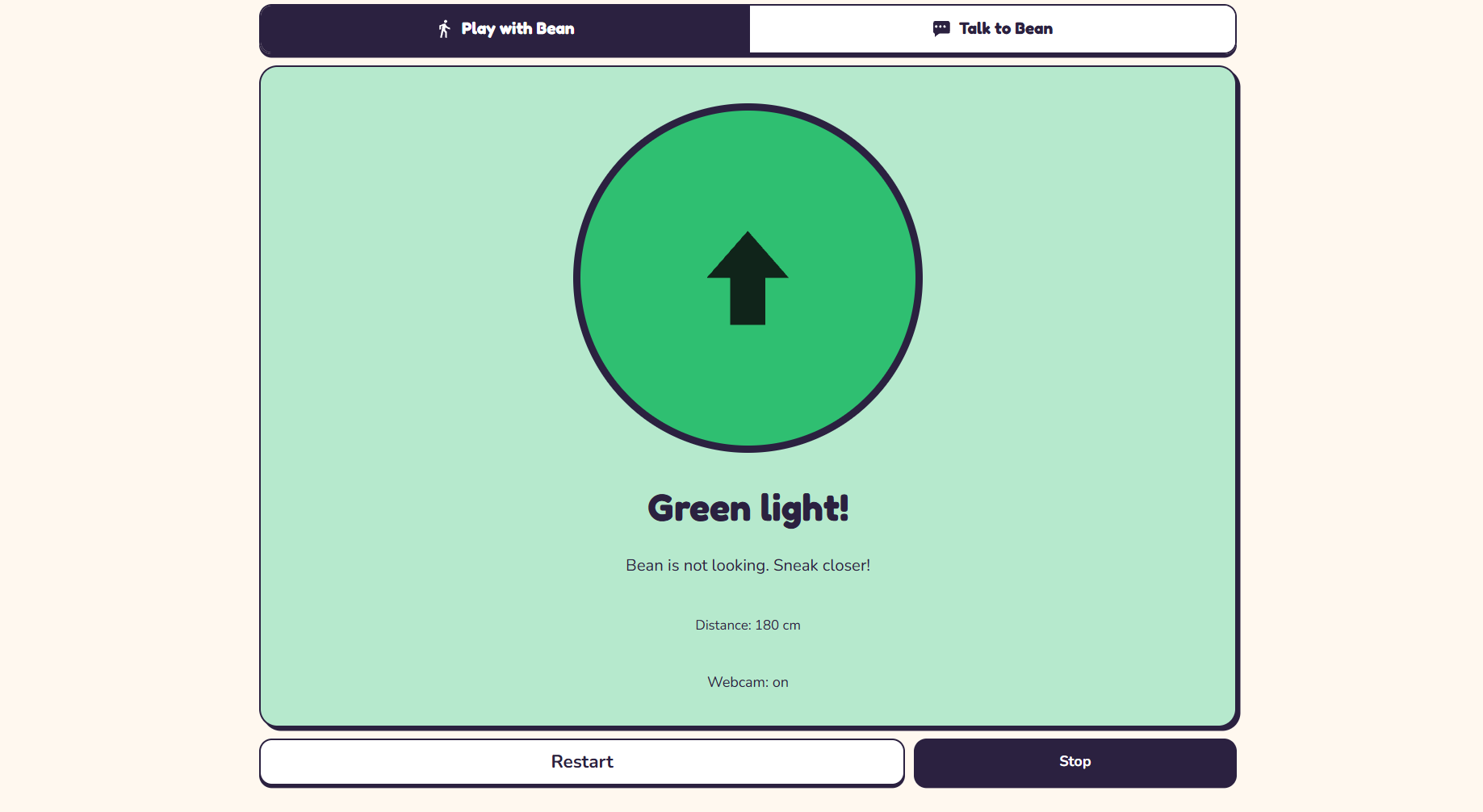
- Green light: Bean turns its head away, its light goes green and music plays.
- Red light: Bean turns back, its light goes red, the music stops and Bean says "Red light! Hmm... I'm watchinggg". If the kid moves closer, Bean says "You moved!!" and the game is over. If they hold still, Bean teases "Heyy... Did you just move?" or "You're sneaky!", or "You're almost here!" when they are close.
- Win: reach Bean while it is looking (closer than 12 cm) and Bean says "You got me! You win!".
A parent or teacher runs the game from a laptop, or from a phone as a remote, so they can stay in the lane with the kids. They can:
- Pick a game. Red Light, Green Light, or Talk to Bean, a turn-taking conversation game.
- Set the pace. How long Green lasts, how long Bean stares, and how much wiggle room the kid gets before being caught.
- Choose how Bean watches. The car's distance sensor, or a webcam, which can also catch sideways moves the sensor can't see (tuned on our webcam practice page, not yet played in a game with the car).
- See progress. Rounds and wins, and turns taken in Talk to Bean, saved on the device. Times caught are counted but not shown, so the screen stays encouraging.
Every change shows as full-screen colour with a word and an icon, plays a sound or Bean's voice, and moves Bean's head and light, so no single sense is needed and colour is never the only cue. A phone running the app also vibrates on Green, Red and a win.
How we built it
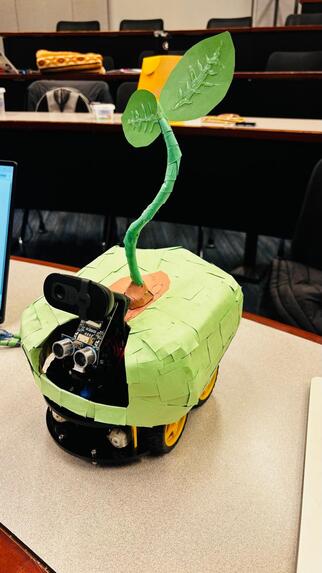
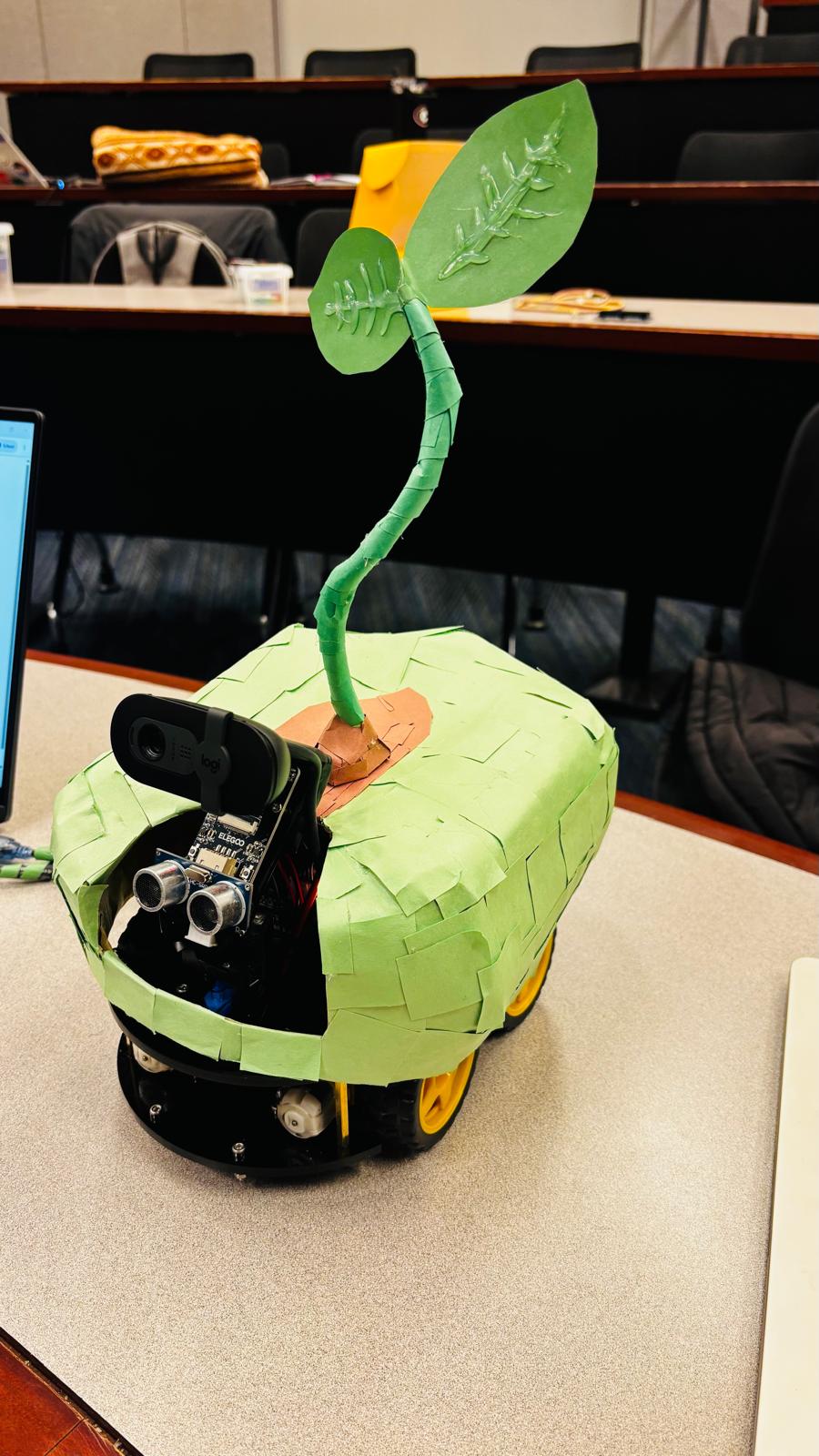
The car. An ELEGOO Smart Robot Car V4.0 (Arduino Uno, TB6612 motor shield, an ultrasonic distance sensor on a servo "head", and an RGB LED). We use ELEGOO's own firmware, so we wrote no Arduino code: the laptop sends the firmware's JSON commands over USB (turn head, read distance, set light) using the Web Serial API in Chrome or Edge. Bean turns its head instead of driving, so the car stays put and a cable is fine.
Catching movement. During Red, the app waits 1 s for the head to settle and the kid to stop, then reads the distance about every 100 to 200 ms. The sensor reports 150 cm when it hears no echo, so 0s and 150s are dropped. With readings \(d_1, \dots, d_n\), the kid is caught when
$$\text{median}(d_1, d_2, d_3) - \text{median}(d_{n-2}, d_{n-1}, d_n) > 15\ \text{cm}$$
Fewer than four good readings never counts as moving: standing still must never be caught.
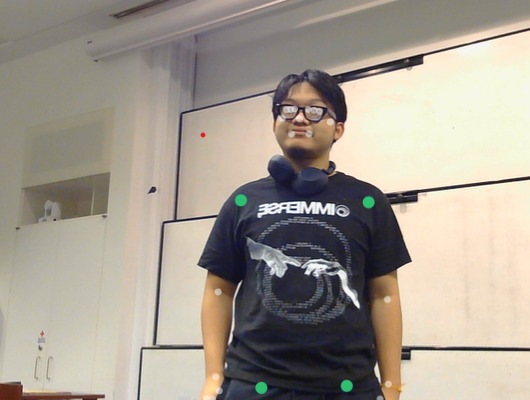
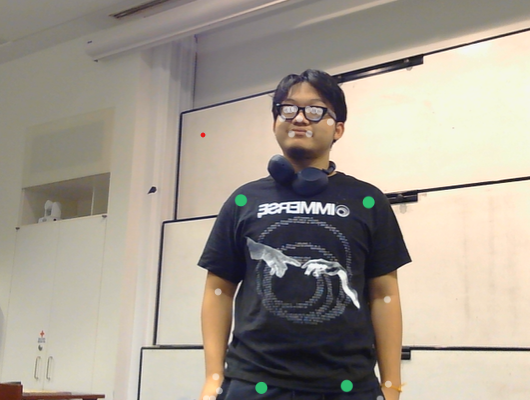
The webcam watcher. MediaPipe Pose Landmarker finds 33 body points about 10 times a second during Red, in the browser on the laptop. During Red, Bean compares the shoulders, hips, knees and ankles with where they were in the first frames, as a share of the kid's torso length, so one setting works near and far. Hands and head never count, because some kids can't hold them still. If the camera can't see the kid, that Red light falls back to the distance sensor, so stepping out of the picture never escapes being caught. Frames are never recorded or sent anywhere. The model ships with the app, so it works fully offline; when online, the MediaPipe library may send anonymous usage stats (not images) to Google.
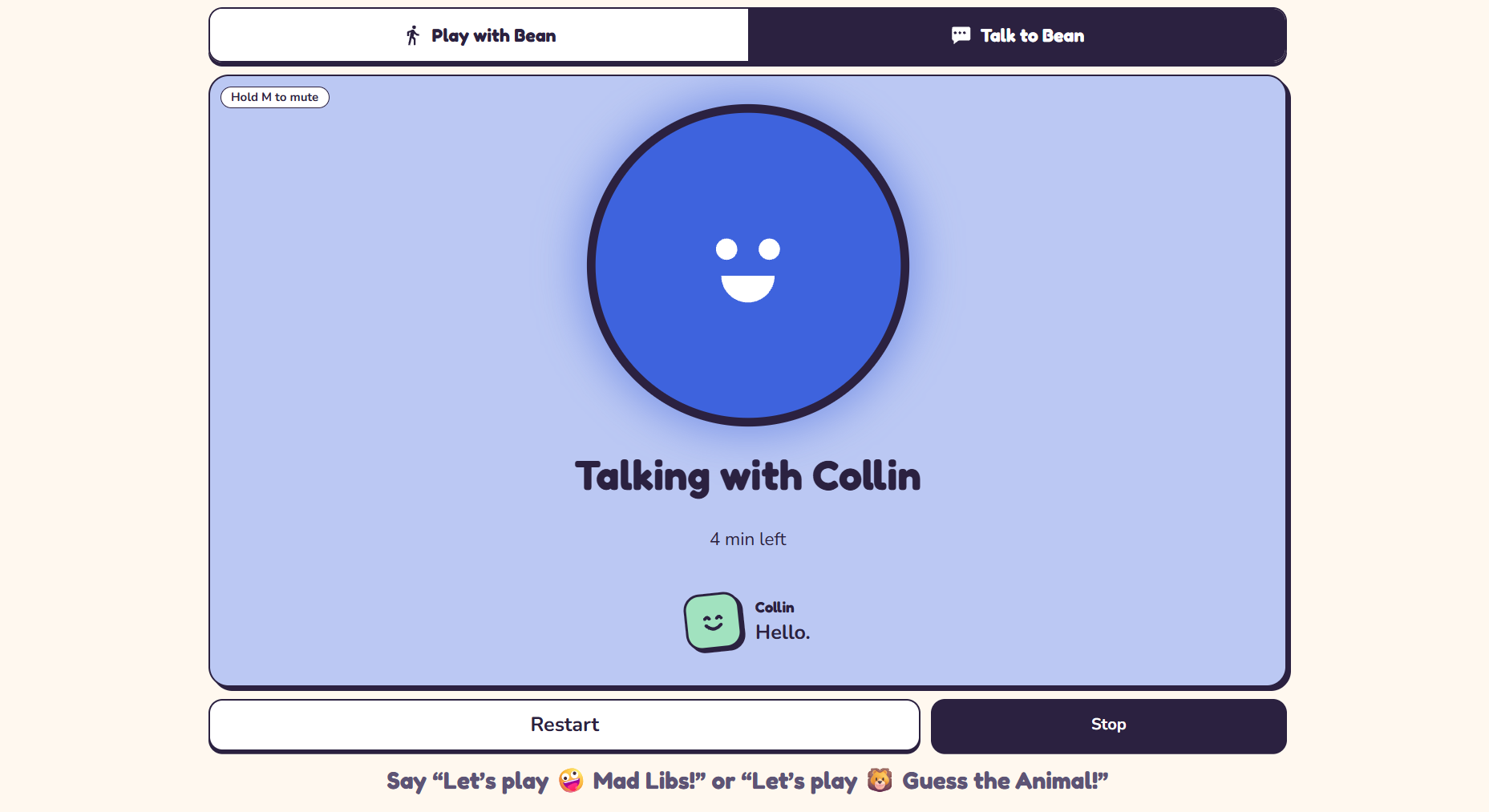
Speech. Talk to Bean runs short scripted conversations (greetings, questions, asking for a turn) and listens for the kid's turn with the browser's speech recognition. An optional AI chat mode, off by default, has Gemini write Bean's next line through our local server; the key stays on the server, and with no key, no internet or no reply in 3 s Bean carries on with its script. Bean speaks in its own ElevenLabs voice: the server turns each line into speech with ElevenLabs' low-latency Flash model, the app keeps every line it has fetched, and the game's cues are fetched at Start so "Red light!" is never late. With no key or no internet, the browser's voice takes over.
The app. One web page in plain TypeScript with no build step and no npm runtime dependencies; the only third-party code is Google's MediaPipe, copied into the app so it works offline. A small Node server strips the types as it serves each file. The game logic is pure functions, and 70 tests cover it, the robot link, speech, storage and the server, and every screen works against a pretend robot (a distance slider), so app work never waited for the car.
The phone remote. A phone can't plug into the car, so the laptop stays next to Bean and relays the game. The laptop shows an address and a 6-digit code; a phone with the code mirrors the game within half a second and sends its button presses back.
Challenges we ran into
- The car heard nothing. The shield has a switch that hands the serial line to the camera board. On "cam", the cable reached nothing. On "upload", it worked.
- "No echo" looked like movement. The firmware sends 150 cm when it hears nothing. Replaying 50 readings of a still scene as 43 Red lights, the old rule (150s kept, 6 cm wiggle room) caught nobody 9 times. Dropping the 150s and using 15 cm gave 0.
- A short, narrow sensor. The ultrasonic sensor reads a person reliably only to about 1 m, and at 40 cm it loses a person one shoe width off the middle. We shortened the lane to 1 m and tape it about shoulder-wide.
- Sideways moves are invisible to it. That is why we added the webcam. Mounted on the car, the camera saw only legs as a person came close and lost them in about half the test rounds, so we moved it behind the car, raised and looking down the lane.
- Speech recognition is known to be weak on young kids' voices. A Good try button is always on screen while Bean listens, so a grown-up can move the game on.
- Small hardware surprises. Opening the serial port resets the Arduino, so the app waits 2 s before the first command. The light can take up to 600 ms to answer over the cable, so the app waits 800 ms.
Accomplishments that we're proud of
- A full round on the real car, from Connect by cable to "You got me!", on ELEGOO's stock firmware with no Arduino code of our own (a hand stood in for the kid).
- Pull the cable mid-game and the screen says the robot was lost, the game keeps going on the pretend robot, and Connect by cable plus picking the port brings the car back.
- Webcam frames never leave the laptop, and progress is saved only in the browser. Speech recognition in Chrome or Edge sends the kid's voice to the browser maker's servers; AI chat, which is off by default and says so on its label, also sends the kid's words to Gemini. With an ElevenLabs key set, the lines Bean says, including the kid's first name, go to ElevenLabs to be spoken.
The rules never ask for speed, so a kid can walk, crawl or roll, and the signals reach a kid who can't see the screen or can't hear the music.
What we learned
The sensor sets the rules. We tuned the game to what the hardware actually reports. The 1 m lane, the 15 cm wiggle room and the dropped 150s all came from readings off the real car, not from the datasheet.
Never punish standing still. When the sensor isn't sure, Bean doesn't catch. A false catch feels unfair to a kid who held perfectly still, and that hurts more than a missed one.
Build against a fake first. The pretend robot let the app, the games and the phone remote get built and tested before anyone had the car on a desk.
What's next for Bean
- A proper rehearsal on the lane. Our first timed test gave 1 false catch in 20 still Red lights; the goal is 0. Catching a moving kid still needs the same check over many real rounds.
- Play with families and in special education classrooms, and change the pace, scripts and signals based on what they tell us.
- Custom firmware so Bean can spin its whole body with the gyro and stream distance readings without being asked.
- More conversation scripts for Talk to Bean.
