Inspiration
Music is a quintessential part of society, and as any concert-goer would attest, pairing music with lights and pyrotechnics makes the experience of listening to the music all the more enjoyable. Granting the player power over the lights not only enhances their music experience, but also gives them a way to participate in creating the experience for others.
What it does
Rhythm games today such as Dance Dance Revolution, Guitar Hero, and others, while not as popular as they were in the past, are still instantly recognizable and a staple in gaming and music culture. This project takes an electronic song and challenges the player to break infrared beams at correct times so that lights ignite to the beat of the song. Other lights which are preprogrammed light up to the beat of the song automatically. The chosen song for this project is One Two by Kairo Kingdom.
How we built it
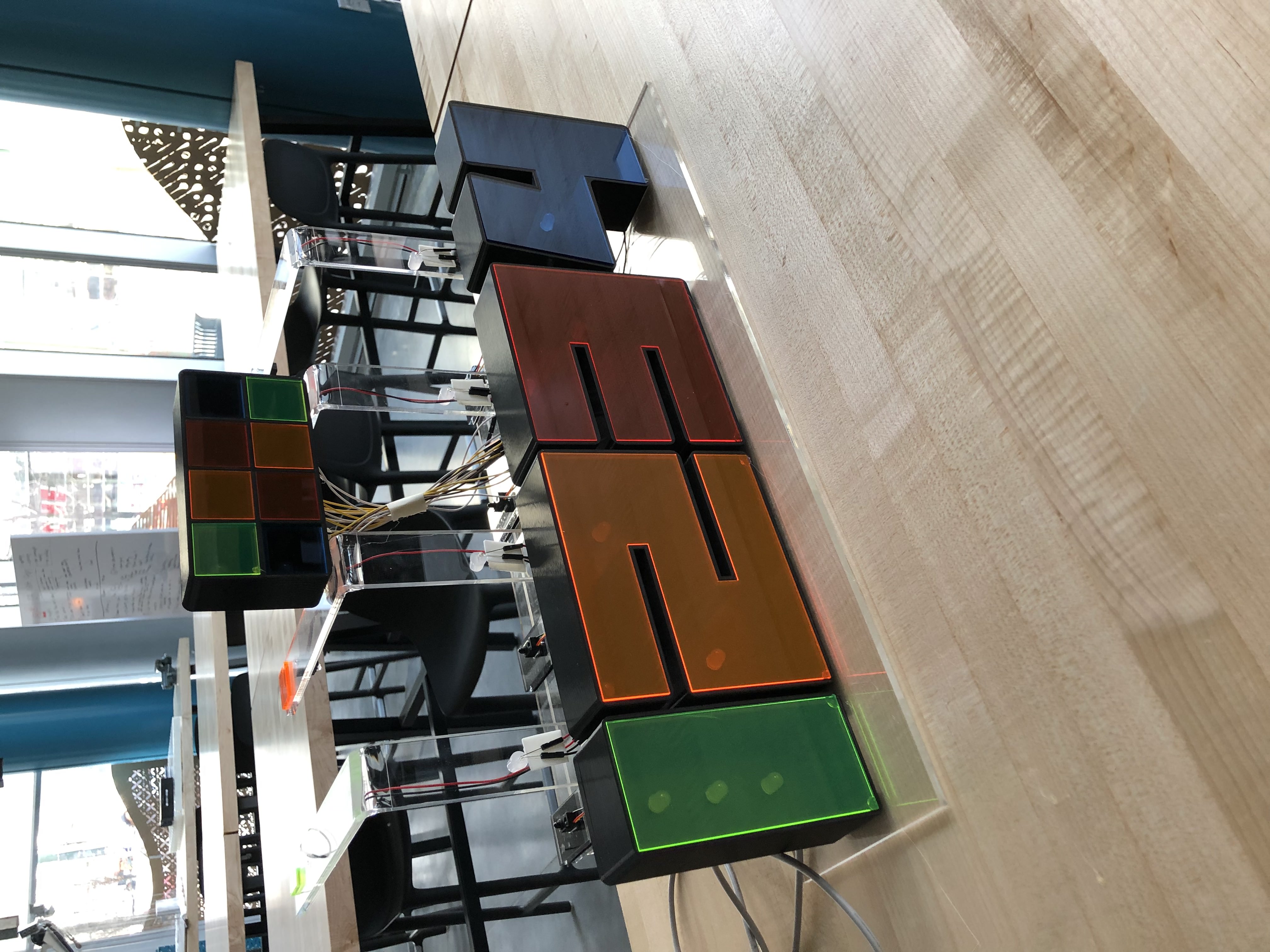
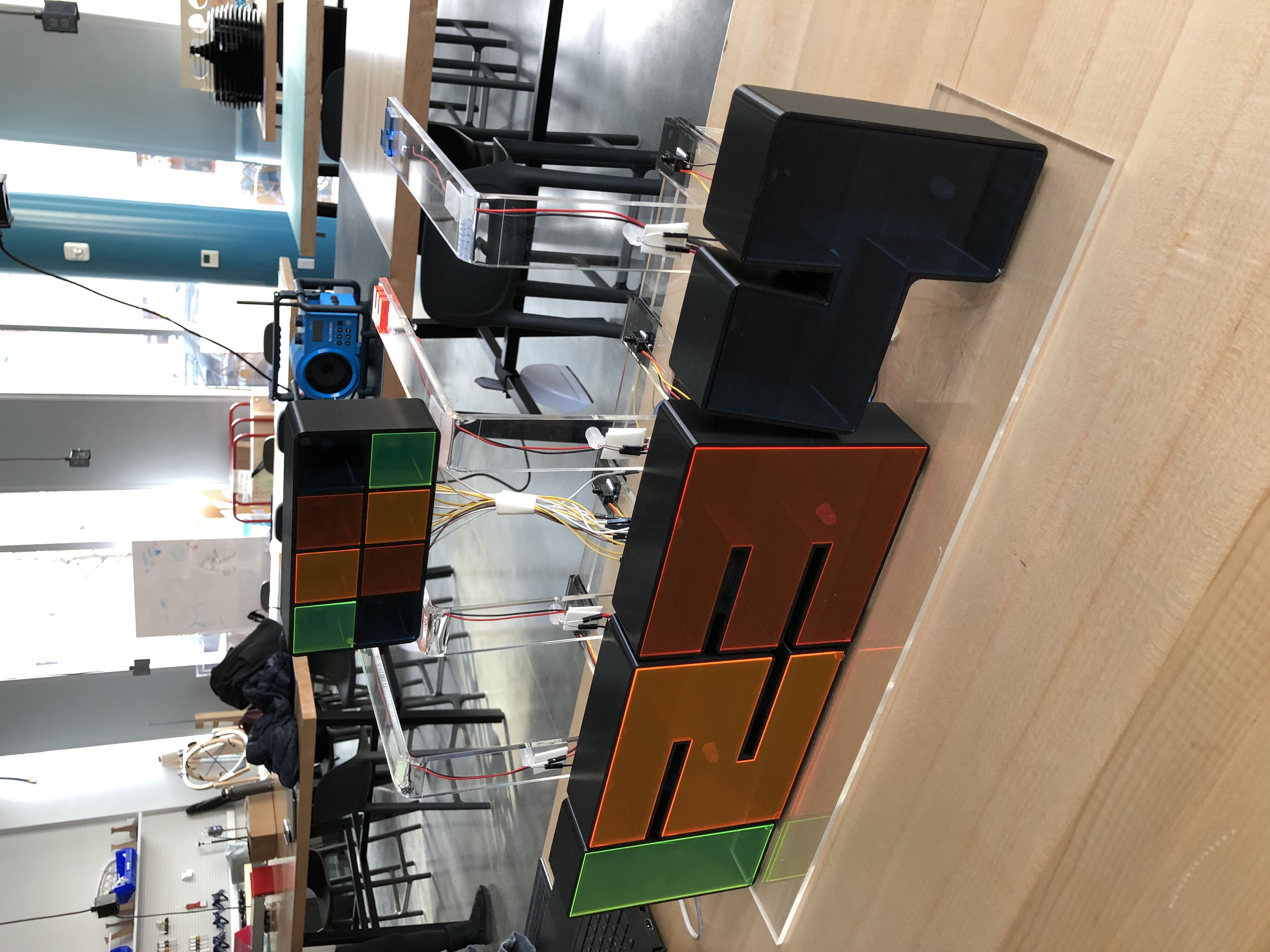
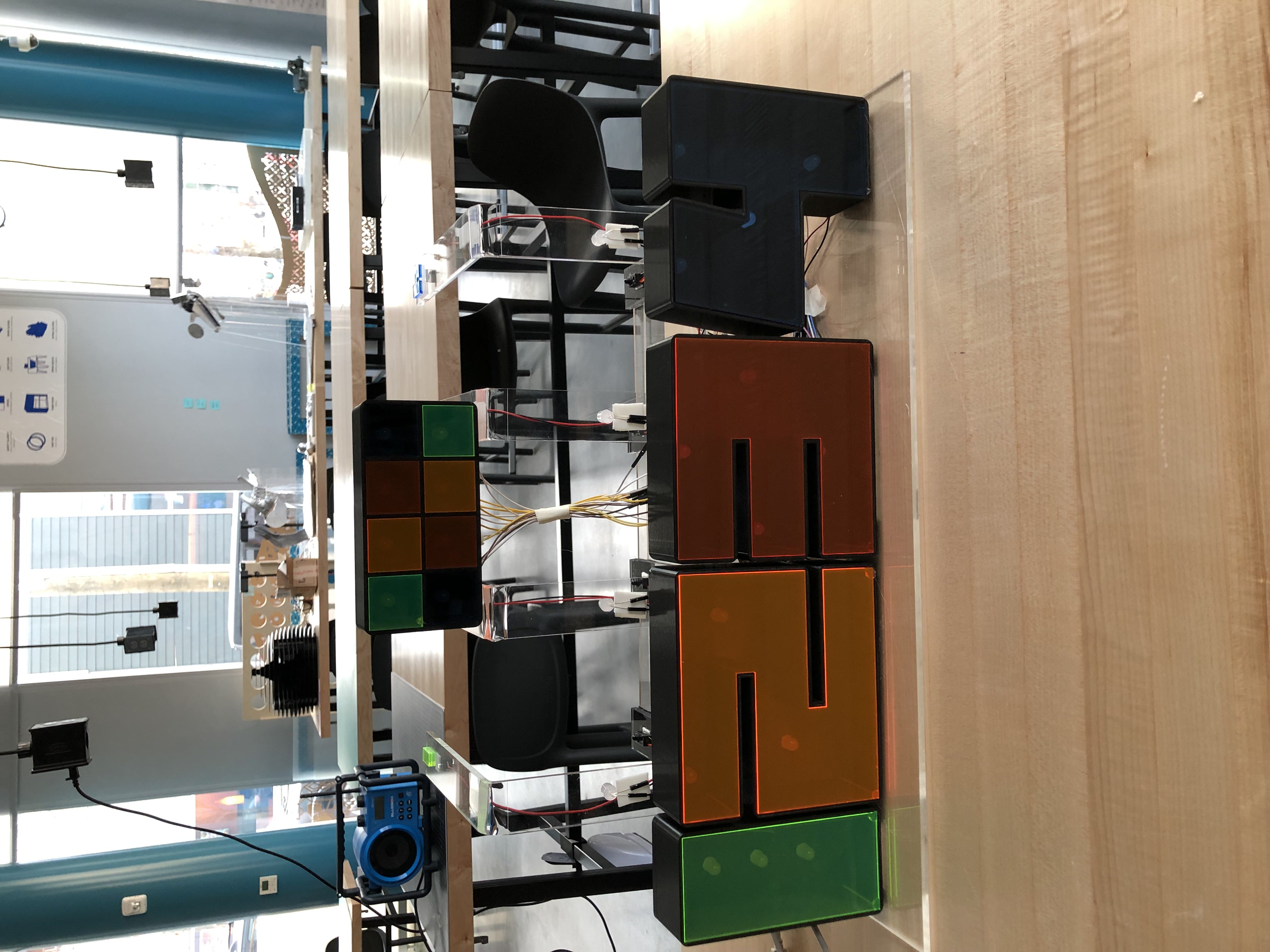
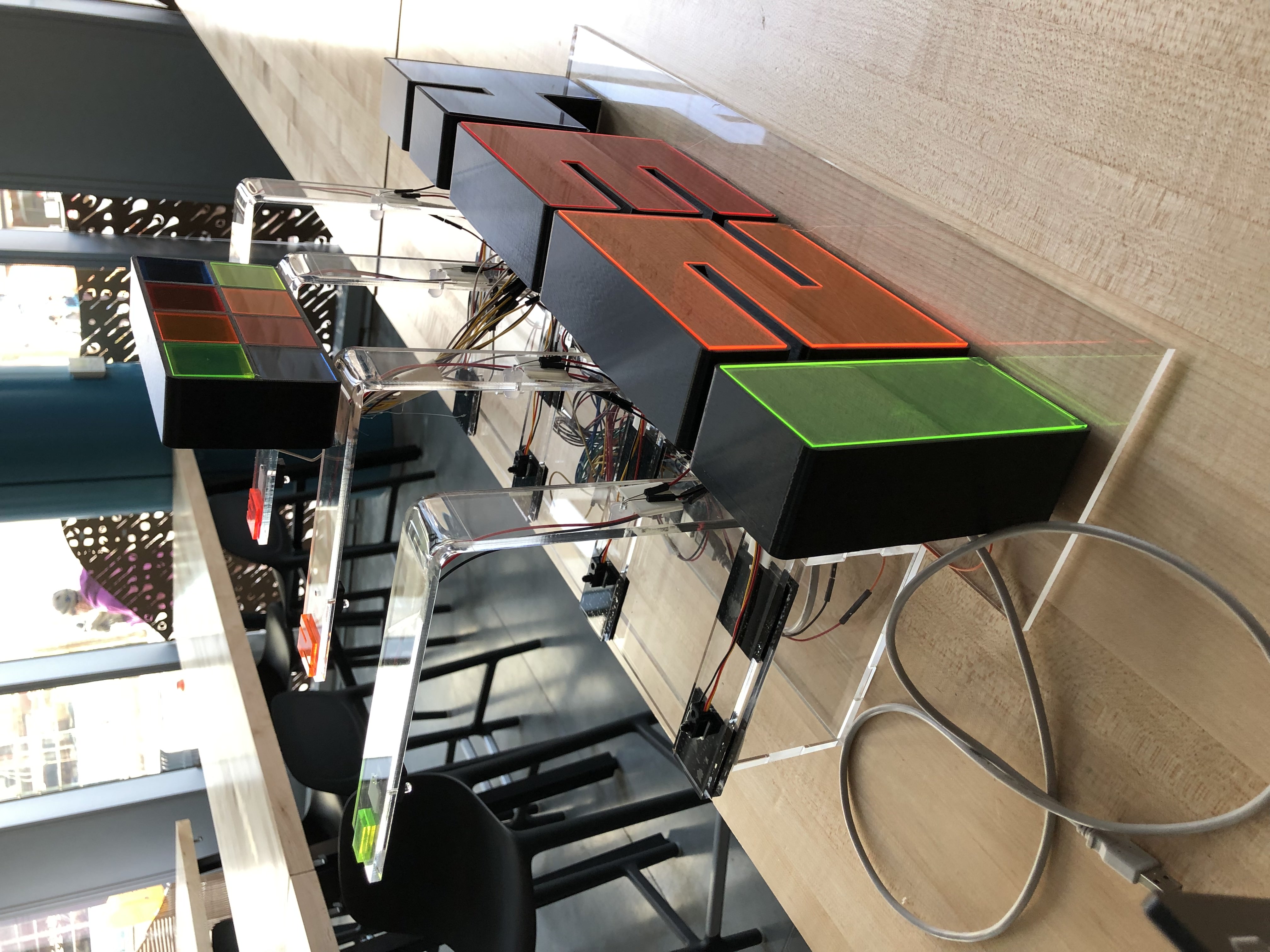
I first created a small-scale version of the project. It included one beam-break sensor wired to an LED and four other LEDs which would serve as the automatic lights. My first objective was to create a rig which could be used to reliably hold the emitter and receiver of the infrared sensor. I laser-cut a basic rig out of MDF which could accomplish this. I then wired the sensor and all LEDs and began to program the passive lights. To ensure that these lights flash to the beat of the song, I used an output compare interrupt and experimented until I found an OCRNA value and timer pre-scale combination which consistently tracks a BPM of 110 (the BPM of the chosen song). Specifically, the interrupt triggers 22 times per beat, allowing for lights to also flash between beats. I then tested that the beam break sensor could trigger its dedicated LED without impacting the timing of the automatic lights and found that the two operated independently of one another. I was then ready to scale up. The final project contains eight passive lights, four infrared sensors each of which triggers three or four lights, and four indicator lights which signal the player to break a beam. In total, this adds up to 27 lights and 4 sensors. At first, I was using the Arduino Uno. I quickly realized that the Uno did not have enough digital ports to run this system as even lights which flash simultaneously require their own digital port (the ports have a recommended maximum current draw of 20 mA, and the current draw of each LED used is 20 mA). A shift register can sometimes be used in such situations to artificially increase the amount of digital ports available. However, while I was able to program a shift register properly in the Arduino IDE, I was unable to replicate this functionality using embedded C. Rather than scaling down my project significantly, I decided to use the Arduino Mega at the recommendation of a TA. I first studied the datasheet of the Mega and found that it was very similar to the Uno and that much of my work could be transferred directly. I then allocated digital ports of the Mega to the lights and sensors needed for my project and wired them all accordingly using breadboards. Next, I designed and manufactured the case of the project and the rigs which would hold the four infrared beam break sensors. This time, I opted for clear acrylic so that the lights from the project would refract. I also designed and 3D printed cages which would hold passive lights and the lights which activate when the beams are broken. I cut the covers of these cages out of colored acrylic so that when the lights shine through, each cage would be unique and appealing. When programming, I took the following approach: My initialize function has the initialization of all input and output ports needed, the clock and Timer1 setup, and the interrupt activation. In addition, it contains a sequence of lights which queue the player to begin playing the song on an external speaker so that it lines up perfectly with the program. Once the sequence is completed, the game begins. My interrupt contains the establishment of the OCR1A value and a series of if statements which instruct the game on which lights to turn on and which to turn off at each beat. Each if statement manipulates the passive lights, the indicator lights, and the score. All passive lights are wired through register L so changing these lights is as simple as one line of binary code. The active lights are changed one line at a time for the sake of sanity. Then, an if statement whose condition is if the beam was broken decides if a point is awarded. If a point is awarded, “GOOD!” is printed to the data visualizer. I decided not to print the current score at each beat as it is more fun to be in suspense until the end of the game. Two variables are initialized earlier in the program: beat_count1 and count_count. Both of these variables are incremented by one each time the interrupt triggers. Values of beat_count1 at multiples of 22 are used to time the if statements. The variable count_count is used to set beat_count1 to certain values so that certain light patterns can be repeated (this is useful since some parts of the song repeat so the same code can be used). At the end of the song, all four indicator lights activate indicating a Game Over. A game over message and the player’s score is printed to the data visualizer. The main portion of the code contains a while(1) loop which activates the corresponding active lights when the player breaks a beam. It also resets the counters which are used to debounce the infrared sensors to prevent multiple points from being awarded for a single beat. Finally, the corresponding indicator light of the beam which is broken is extinguished so that the player knows that a point has been awarded. I then transferred all wiring from the breadboards into the acrylic casing.
Challenges we ran into
While I am glad that I was able to experiment with the shift register early on, I would have liked to use it to activate some of my lights in the final project. I am grateful that the Arduino Mega was able to support my project appropriately. I would have also liked to incorporate an ultrasonic sensor with color-changing LEDs so that LED colors could be set to the user’s preference. However, I decided that I would prefer to focus on game operation and quality and that the colored acrylic cages and clear acrylic case would create a good enough aesthetic. If I were to redo the programming of the game, I would create a function instead of repeating the if statement in the interrupt several times.
Accomplishments that we're proud of
The result of this project is a game which is fun and genuinely challenging. The lights and sensors work entirely as intended. When the music starts, the player must break the beams as indicated by the indicator lights. The passive lights and beam breaks are all timed to the beat of the music. The game is also aesthetically pleasing. It is constructed entirely of clear and colored acrylic.
What we learned
From this project, I reviewed the concepts of GPIO pins, timers, and interrupts. Overall, the construction of the game and the programming of the lights and scoring went well. I am proud of the appearance of the game and of its smooth operation. I feel that I gained confidence when it comes to electronics projects and I hope to do more such projects in the future.
What's next for Beam Break Rhythm Fun!
A next step for this project would be to include more song options. It is worth mentioning that by changing the OCRNA value to match the BPM of a new song (linearly scale from the formula OCRNA/BPM = 1550/110), the project could match its beat. However, the current chart of the beam breaks is related to the chosen song for the project. Randomizing this order or somehow matching it to a chosen song would be a challenging but rewarding endeavor.


Log in or sign up for Devpost to join the conversation.