-
-
Initial page.
-
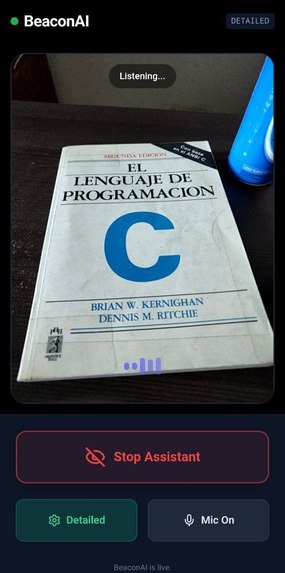
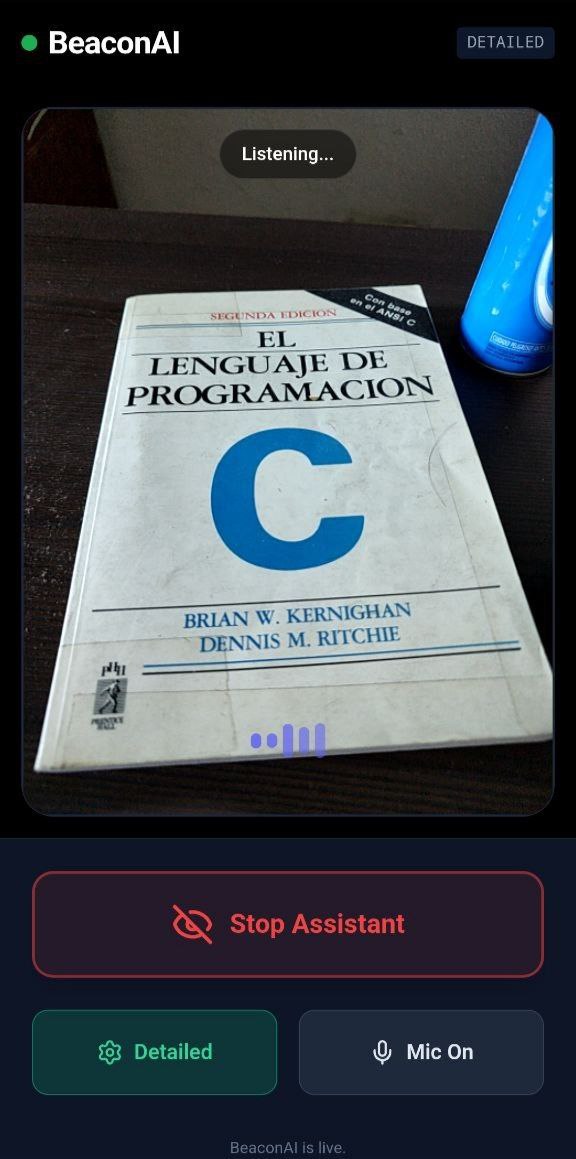
WorkingUI.
Inspiration
I have always been fascinated by how technology can act as an equalizer. After seeing the recent advancements in multimodal AI, I realized that for the visually impaired, the "missing link" wasn't just data, but real-time spatial context. Traditional screen readers tell you what’s on a screen, but I wanted to build something that tells you what’s in the room—an intelligent "co-pilot" that doesn't just describe a scene, but understands the safety and navigational needs of the person holding the camera.
What it does
BeaconAI is a hands-free, real-time vision assistant. It uses a live video and audio stream to "see" and "hear" alongside the user. Navigation: It uses a "Clock Face" orientation method (e.g., "Obstacle at 2 o'clock") to give precise directions. Dual Modes: I implemented "Detailed Mode" for exploration and "Simple Mode" for high-speed safety alerts. Contextual Intelligence: It can read signs, find specific objects like keys or doorways, and even describe the social atmosphere of a room.
How we built it
Using a modern, low-latency stack designed for real-time performance: Frontend: React with Tailwind CSS for a high-contrast, accessible UI. AI Brain: I integrated the Google Gemini Live API, specifically the gemini-2.5-flash-native-audio-preview model, to handle the heavy lifting of multimodal reasoning. Audio Pipeline: I used the Web Audio API to process raw PCM data (16kHz input/24kHz output), ensuring a natural, "barge-in" capable conversation. Visuals: The app extracts video frames via the Canvas API and streams them as a sequence to provide the AI with its "eyes."
Challenges we ran into
The biggest technical hurdle was the Browser Permission Loop. Browsers are designed to block camera/mic access unless there is a clear "User Activation." I also struggled with Audio Sample Rate Mismatches. Gemini expects 16kHz audio but returns 24kHz. I had to write custom utility functions to handle the Float32-to-Int16 conversions and byte-order management manually to ensure the AI's voice didn't sound distorted.
Accomplishments that we're proud of
I am incredibly proud of the Zero-Latency Feel. By optimizing the frame-capture rate and the WebSocket connection, I managed to get the AI to respond to environmental changes almost instantly. I’m also proud of the Accessibility-First Design: I implemented custom Web Speech API narrations that guide a blind user through the browser's system permission prompts—a moment where most apps usually fail for VoiceOver users.
What we learned
That building for accessibility requires a completely different mindset. It's not about "how it looks," but "how it feels" to someone who can't see the screen. I deeply explored the Web Audio API and learned how to manage bi-directional WebSocket streams—a major step up from standard REST API calls. I also learned how to "prompt" an AI for spatial reasoning, which is much harder than standard text-based prompting.
What's next for beaconsai
Wearable Integration: I want to port this to smart glasses so the user's hands are truly free. Edge Processing: Moving some of the hazard detection to the device to ensure safety even with poor internet. Indoor Mapping: Integrating with indoor beacons to help users navigate complex buildings like malls or hospitals.

Log in or sign up for Devpost to join the conversation.