-
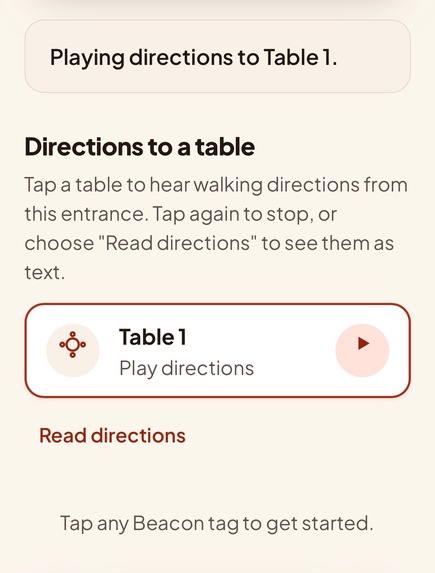
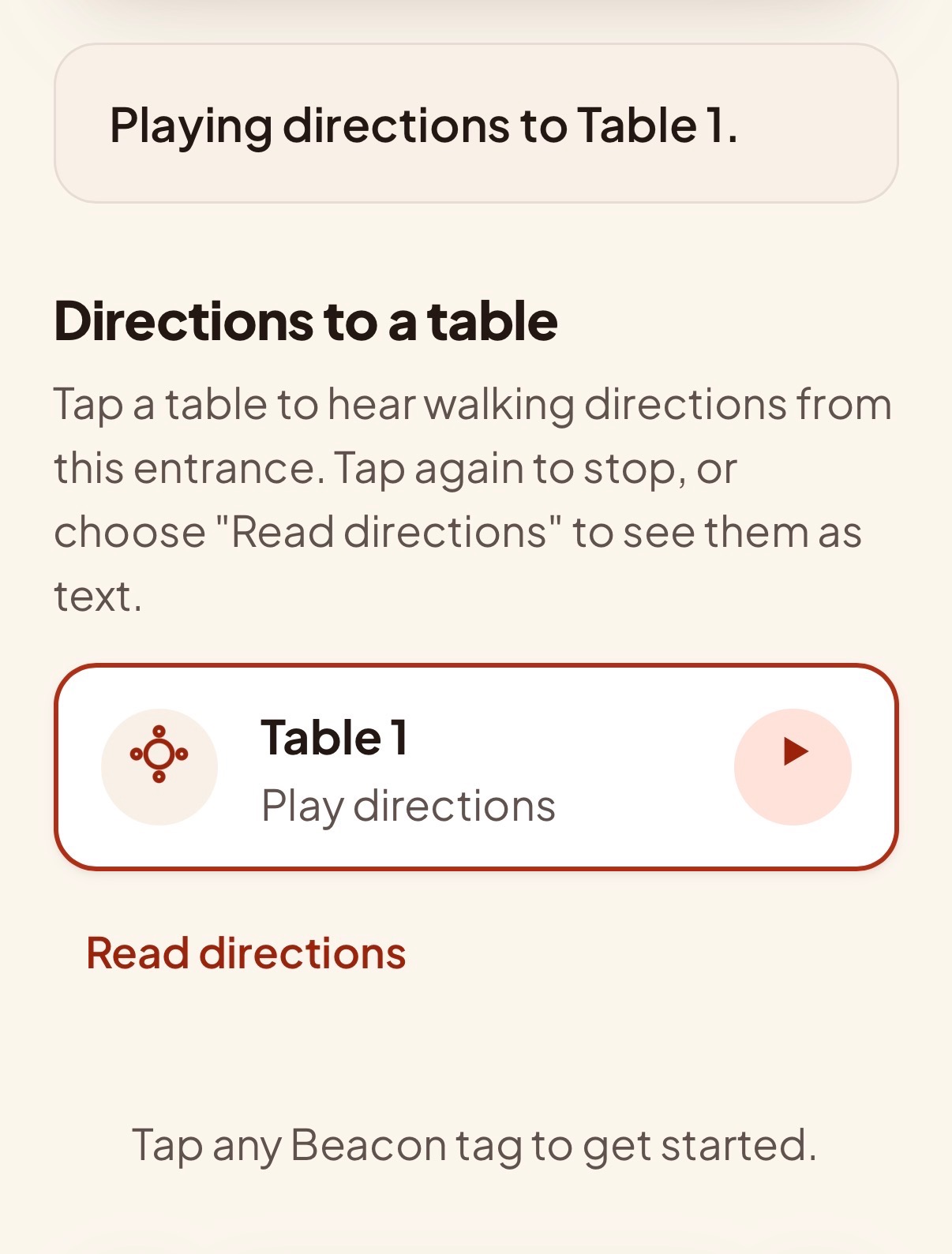
Text-to-Speech Directions or On-Screen Directions
-
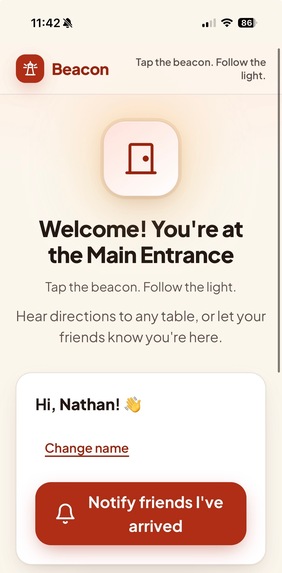
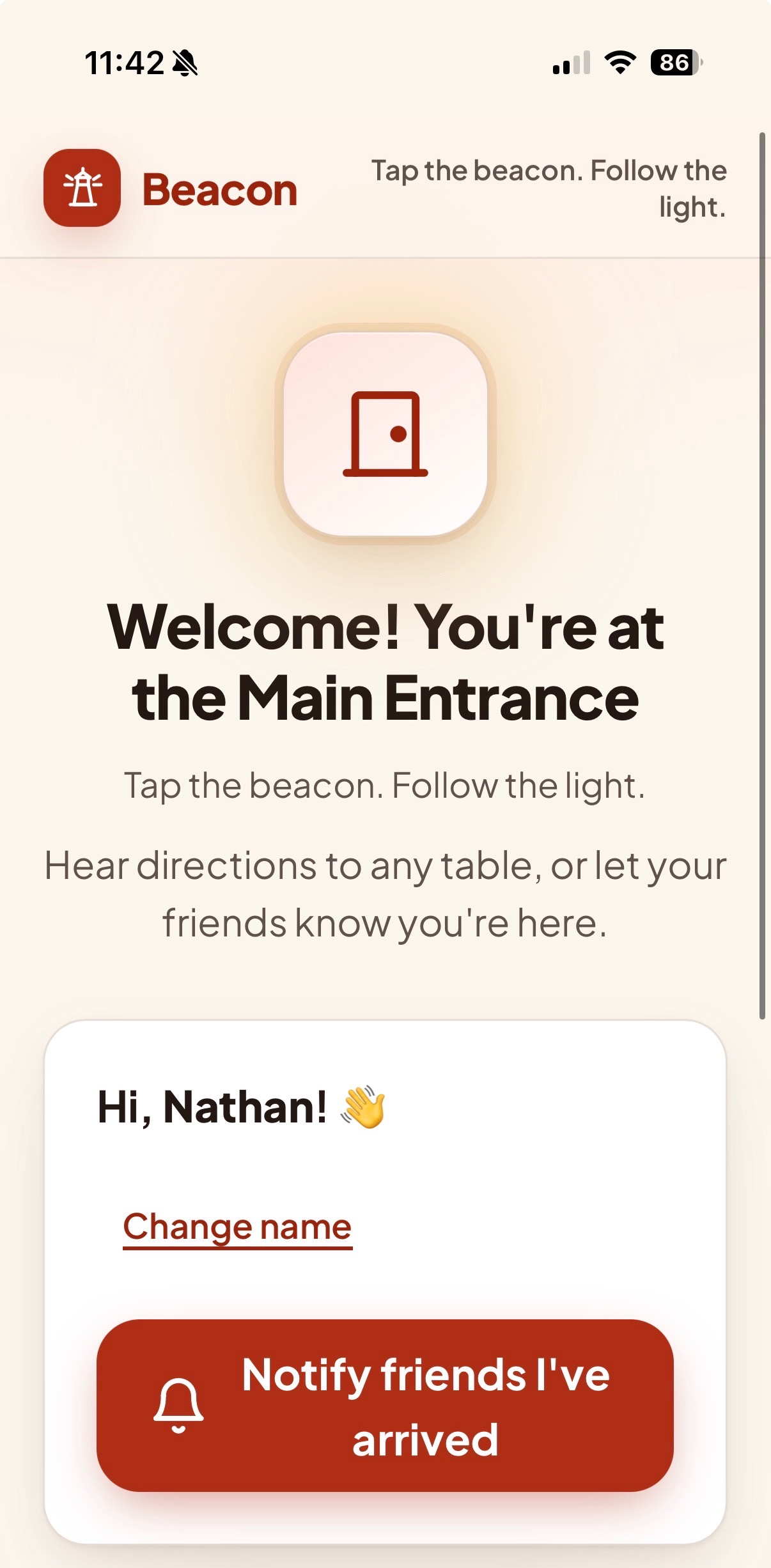
UI Overview at Arrival to Entrance of building with Notification Setting
-
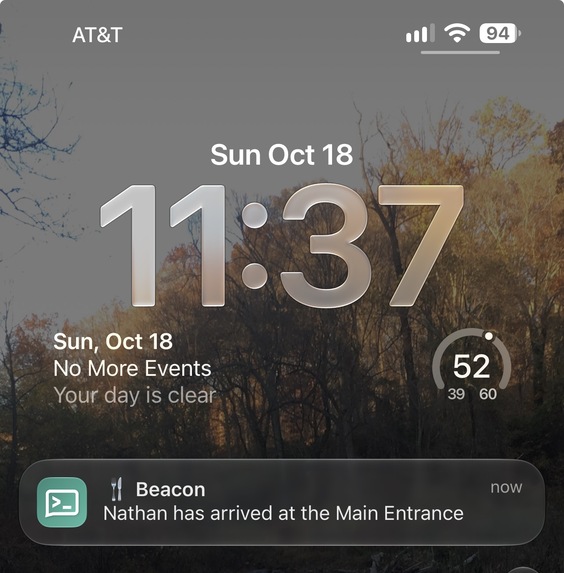
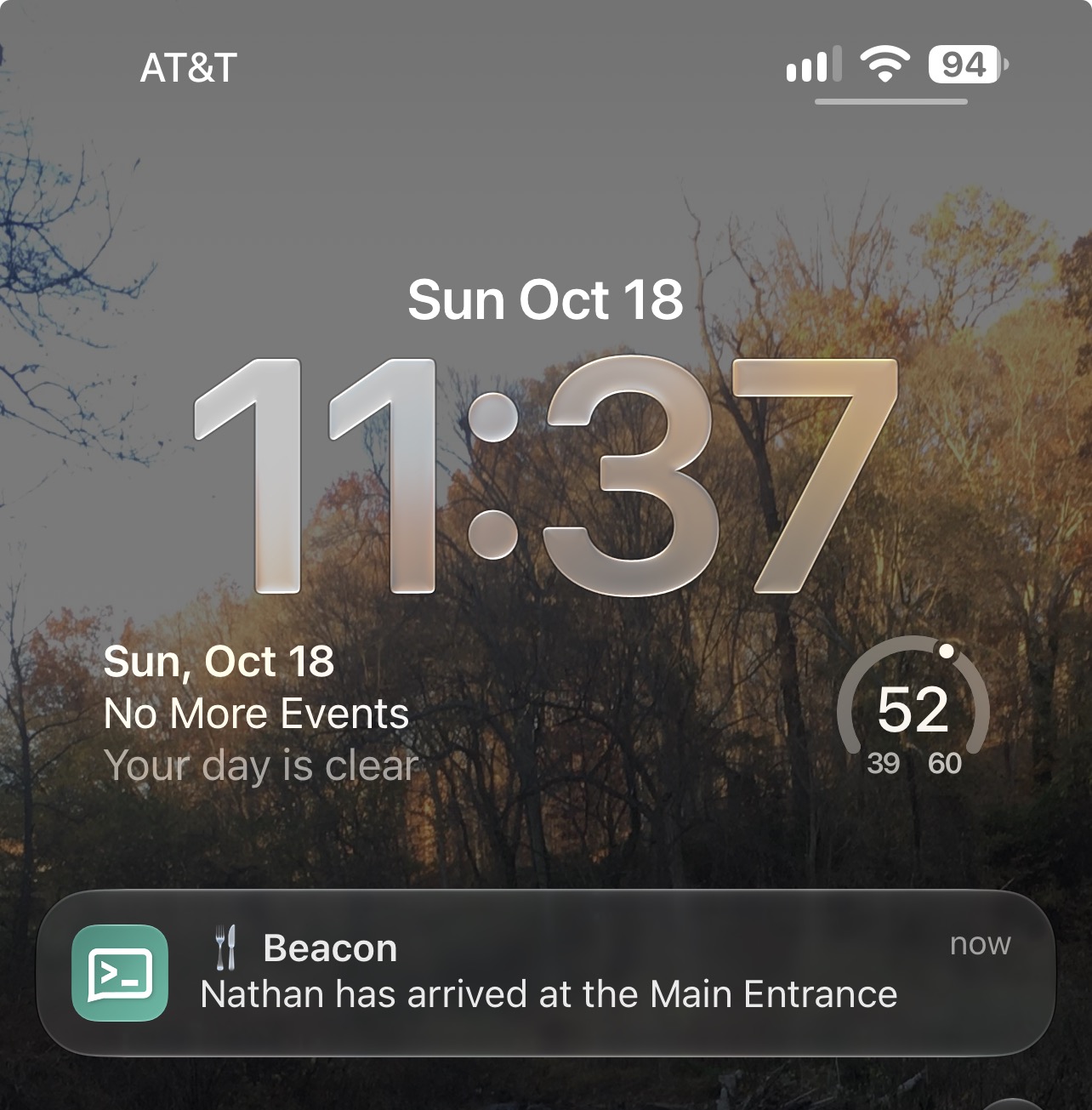
Notification of Friends Arrival to Main Entrance
-
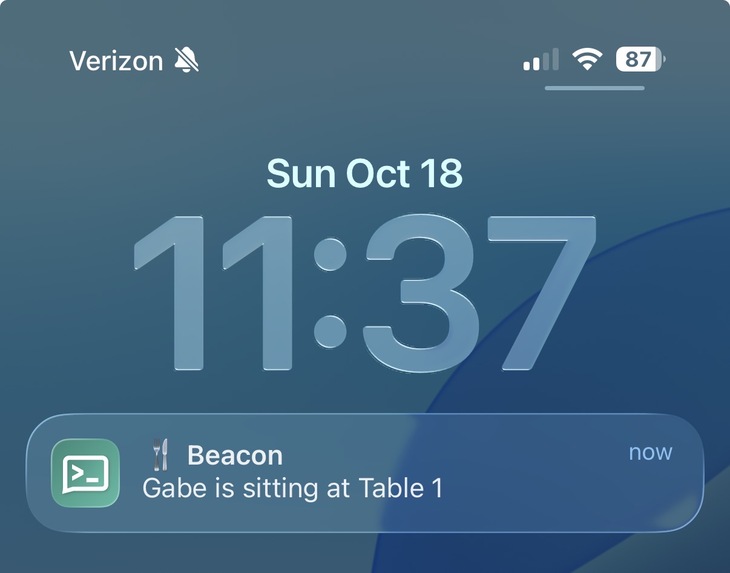
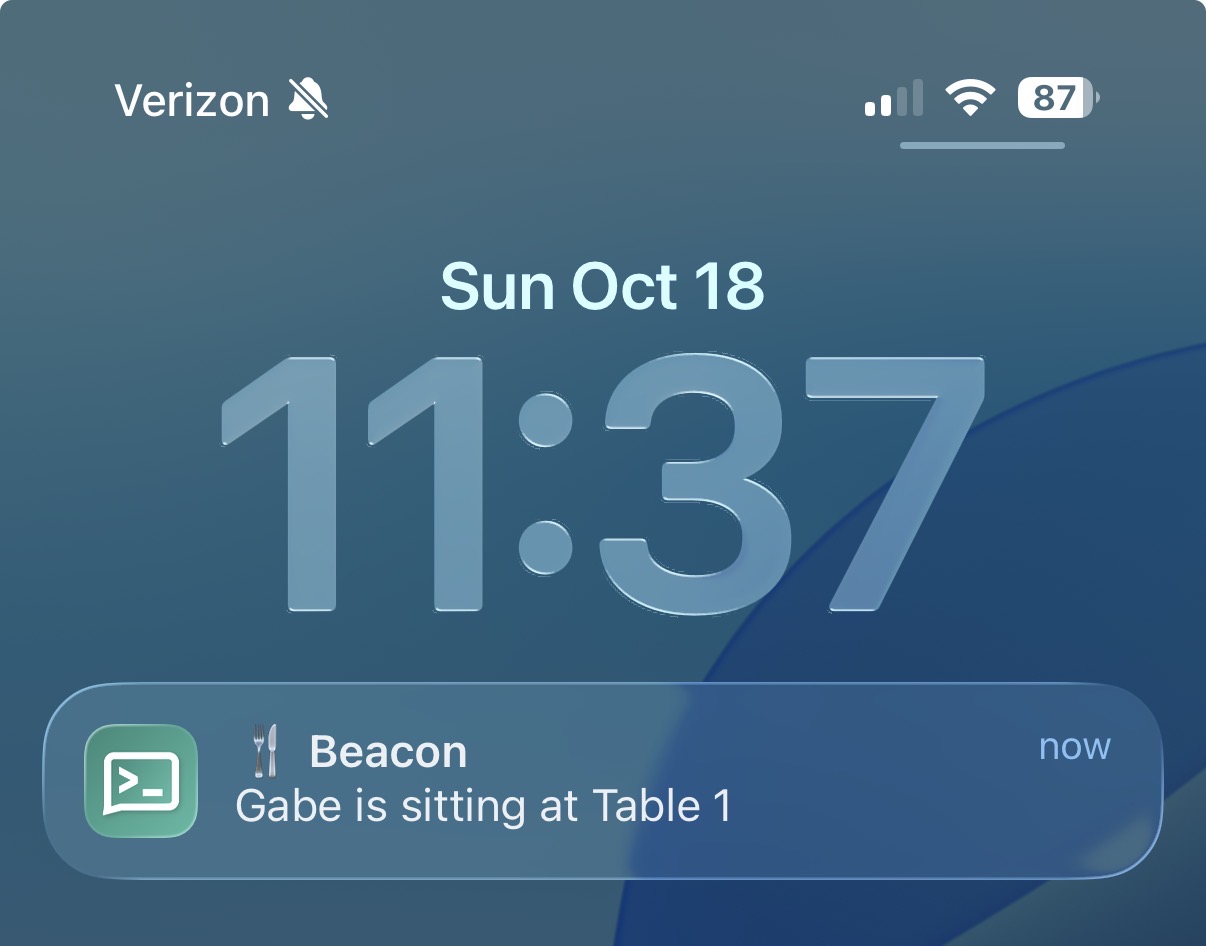
Notification of Friends Arrival to Table 1
Beacon
Tap the beacon. Follow the light.
Inspiration
At most times, the dining hall is the loudest and most crowded place on campus. For most of us, the hardest part is finding where our friends are sitting. For blind and low-vision students, it's harder: finding any table means asking a stranger or wandering until you bump into something. We wanted one tap of a phone to answer two questions: "where are my friends?" and "how do I get to that table?"
What it does
Beacon puts small NFC tags around a dining hall. Tapping one with a phone opens a web page. There's no app to install.
- Table tags: let your friends find you. The first time, Beacon asks for your name. After that, one tap on Notify my friends sends a push notification to everyone in your group: "Alex is at Table 1." A 5-minute cooldown stops repeat taps from spamming the group.
- Entrance tags: walking directions to any table. The entrance page lists every table. Tap one to hear spoken step-by-step directions from the door, tap again to stop, or open Read directions to see them as text. The directions are written for blind and low-vision users. They use landmarks you can feel or hear (walls, counters, doors, pillars), left and right turns, and rough step counts, never colors or anything only visible by sight.
How we built it
- Frontend: plain HTML, CSS and JavaScript, with no framework and no build step. One
index.htmlserves every tag; the?loc=part of the URL written to the NFC tag decides whether the page shows a table, the entrance, or an unknown tag. - Notifications: ntfy.sh. The page sends a simple HTTP POST to a private, randomly named topic, and friends subscribe to it in the free ntfy app.
- Directions pipeline: a small Node.js script sends the floor plan image to Google Gemini, which writes accessible, non-visual walking directions from the entrance to each table. People review and edit the text, then ElevenLabs turns it into natural-sounding speech. The MP3s and text are generated ahead of time, so tapping a tag needs no API keys and doesn't wait on an AI service.
- Design: we used Lovable to explore the visual design (a warm "guiding light" theme with an amber halo and a slow glowing ring on the table that's playing), then ported its design tokens into our plain CSS.
- Hosting: a static site on GitHub Pages, so the NFC tags can point to a real HTTPS URL.
Accessibility
Accessibility was a requirement from the start:
- Big visible text for low vision users
- Thick, high-visibility focus outlines for keyboard and switch users
- Status messages announced to screen readers, and play/stop state exposed to assistive tech
- Every audio direction also available as text
Challenges we ran into
- AI can misread a floor plan. Gemini sometimes miscounts steps or swaps left and right, and a wrong direction is worse than none for someone who can't see. So the pipeline has a review step: the generated text is saved to a file so people can check and fix it (ideally by walking the route), and a
--from-textflag rebuilds only the audio from the edited text. - Writing directions without vision. "Walk past the red counter" means nothing to a blind user. Getting the prompt to stick to touch and sound landmarks took several rounds of iteration.
- NFC + URLs quirks. Some hosts redirect
index.htmland drop the?loc=query string, which broke tags in testing. We now write the tag URLs withoutindex.html. - No-backend notifications. We wanted group alerts without running a server or making accounts. ntfy gave us push notifications from a single
fetch()call.
Accomplishments that we're proud of
- A complete tap-to-result experience with no account to create
- An AI pipeline that turns a floor-plan image into spoken, accessibility-focused directions, with a human checking the text before anyone relies on it
- A design that's polished and meets the accessibility requirements above
- A small codebase anyone can deploy for free: add a table by adding one line to
locations.js
What we learned
- Writing directions for non-visual navigation is its own skill. Landmarks, turns and distances matter far more than anything you can only see.
- Generative AI is most useful here as a first draft that people review, not as the final authority.
- Simple, standard tools (static HTML, NFC URLs, HTTP push) go a long way at a hackathon.
What's next for Beacon
- Directions between any two points, not just from the entrance
- Testing with blind and low-vision students, and refining the directions with their feedback
- Directions in more languages (our ElevenLabs voice model is already multilingual)
- A simple setup tool so dining-hall staff can upload a floor plan and print tags themselves
- Optional live seat availability per table
Built With
- claude
- css
- elevenlabs-api
- github
- google-gemini-api
- html
- javascript
- loveable
- nfc-tags
- node.js
- ntfy.sh
- svg

Log in or sign up for Devpost to join the conversation.