Inspiration
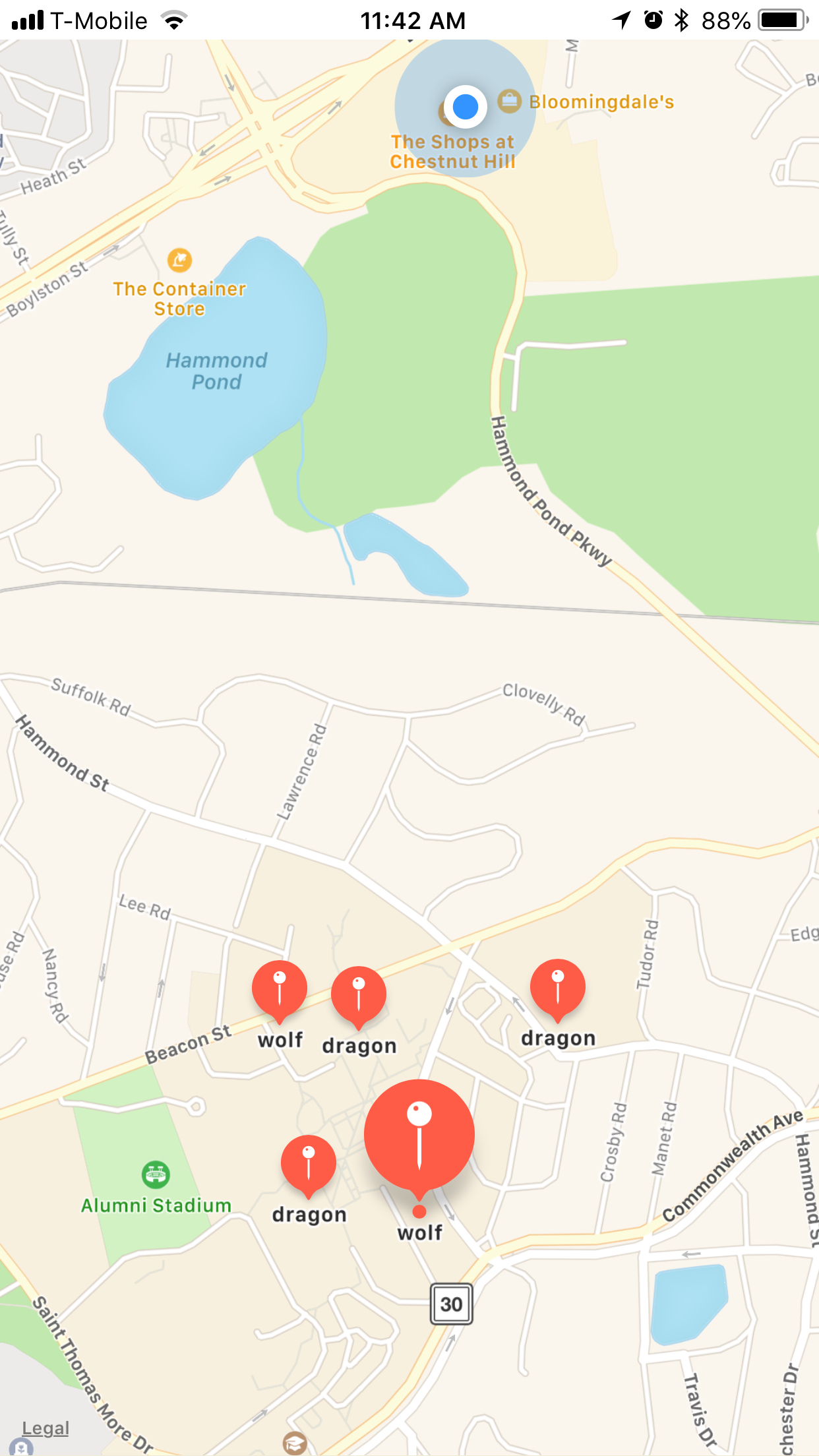
I always found it amusing how phones can use their current location for a variety of applications. I made it a goal of mine to learn how to use these features within iPhone and that was exactly what I did at this Hackathon. I dedicated 24 hours to reading articles and building a variety of apps that worked with the mapView and AR. The idea here was to make an app that would allow people to take a virtual guide with them anywhere they went. The maps are sprinkled with virtual checkpoints, once the user is within a 50 feet radius of the checkpoint they will be able to access the AR package for that checkpoint.
What it does
This app allows people to travel a virtual map with digital checkpoints, the checkpoints represent relevant places in real life or they can be in completely random places as an easter egg. Once the person is within range of the checkpoint they can interact with the AR package customized for that location.
How I built it
This app was built using xCode, Swift, and scnkit.
Challenges I ran into
managing the [.dae] files and learning how to set up images within the camera view.
Accomplishments that I'm proud of
understanding how to work with mapview and using the iPhones current location.
What I learned
I learned how to use the AR kit.
What's next for BCTourGuide
Real tours throughout campus.


Log in or sign up for Devpost to join the conversation.