-
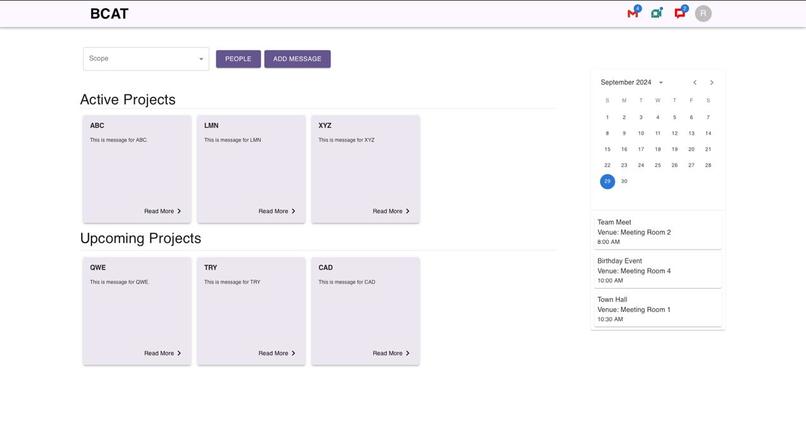
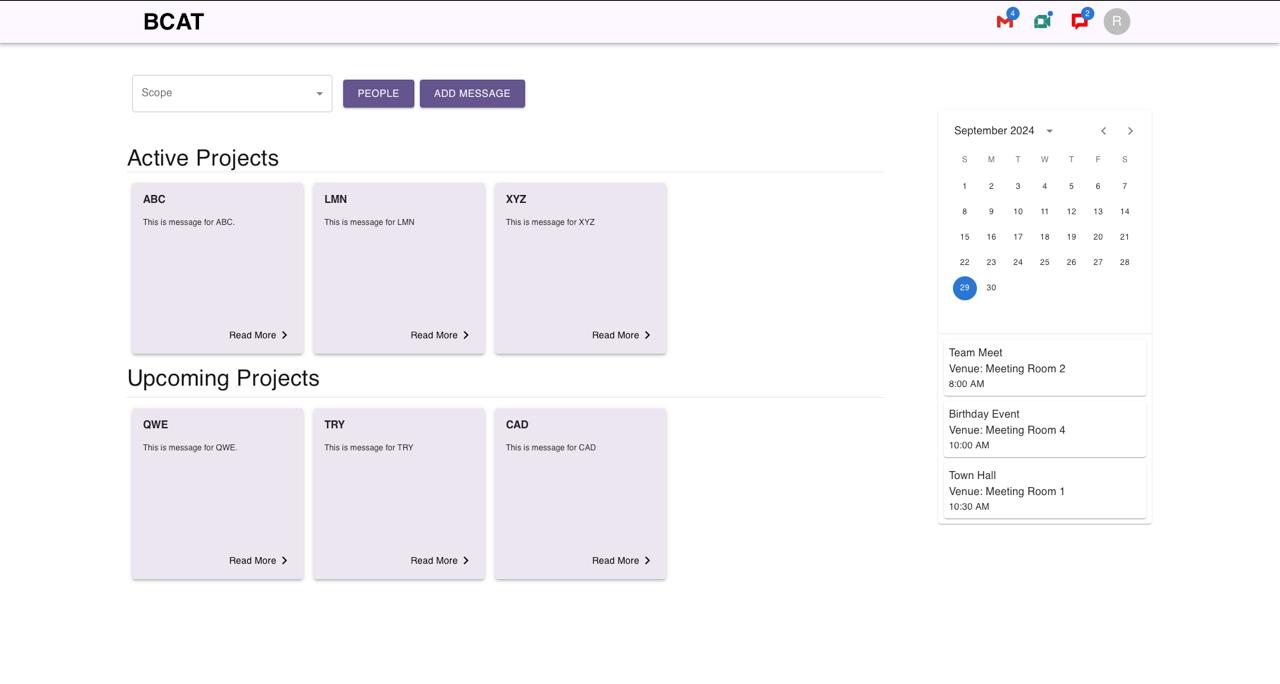
Home page of dashboard
-
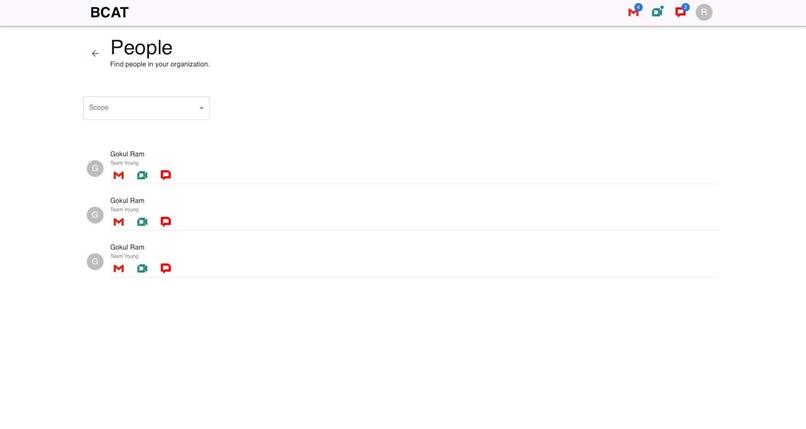
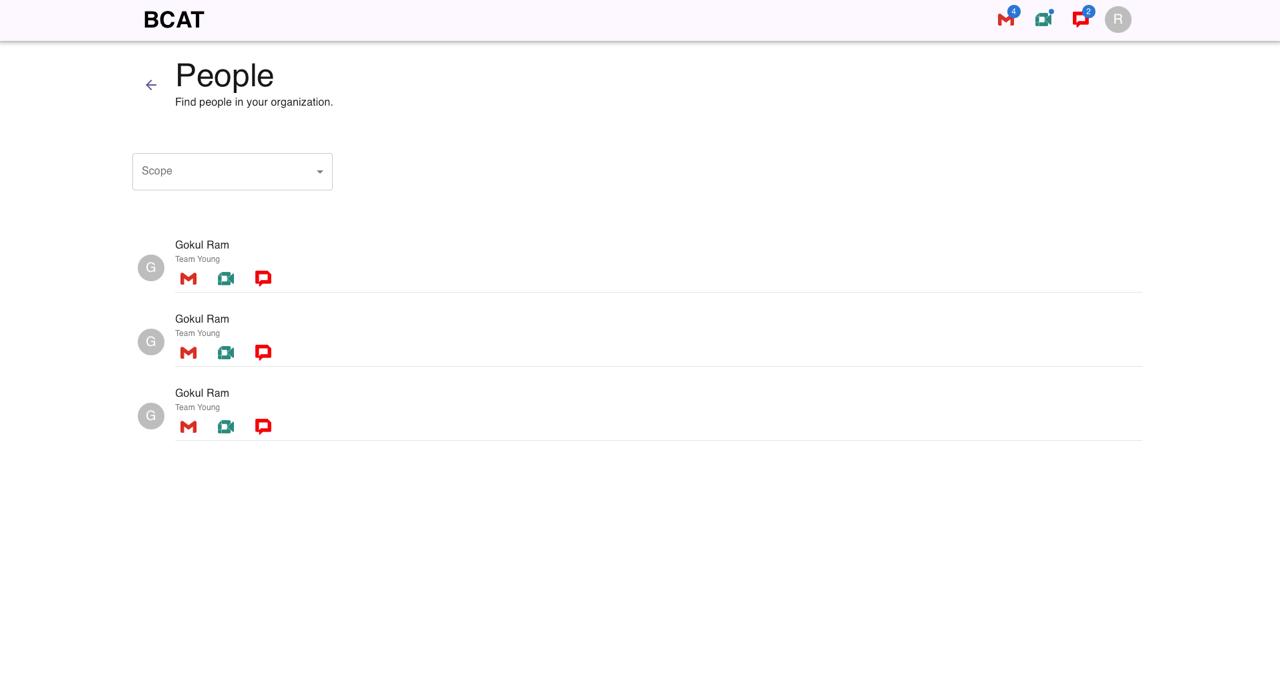
People Page
-
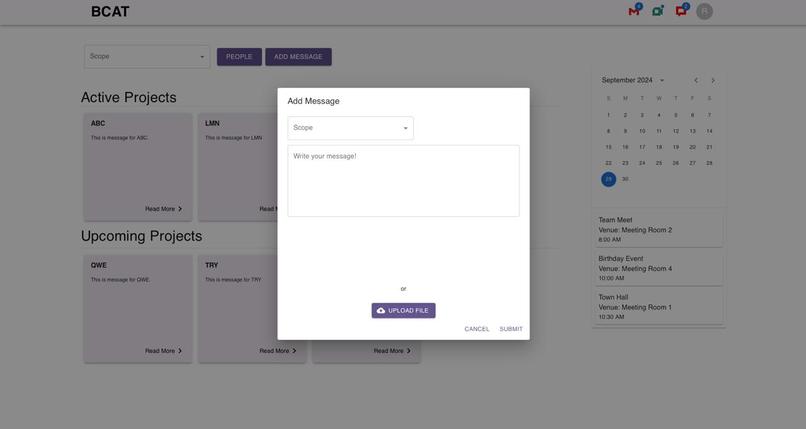
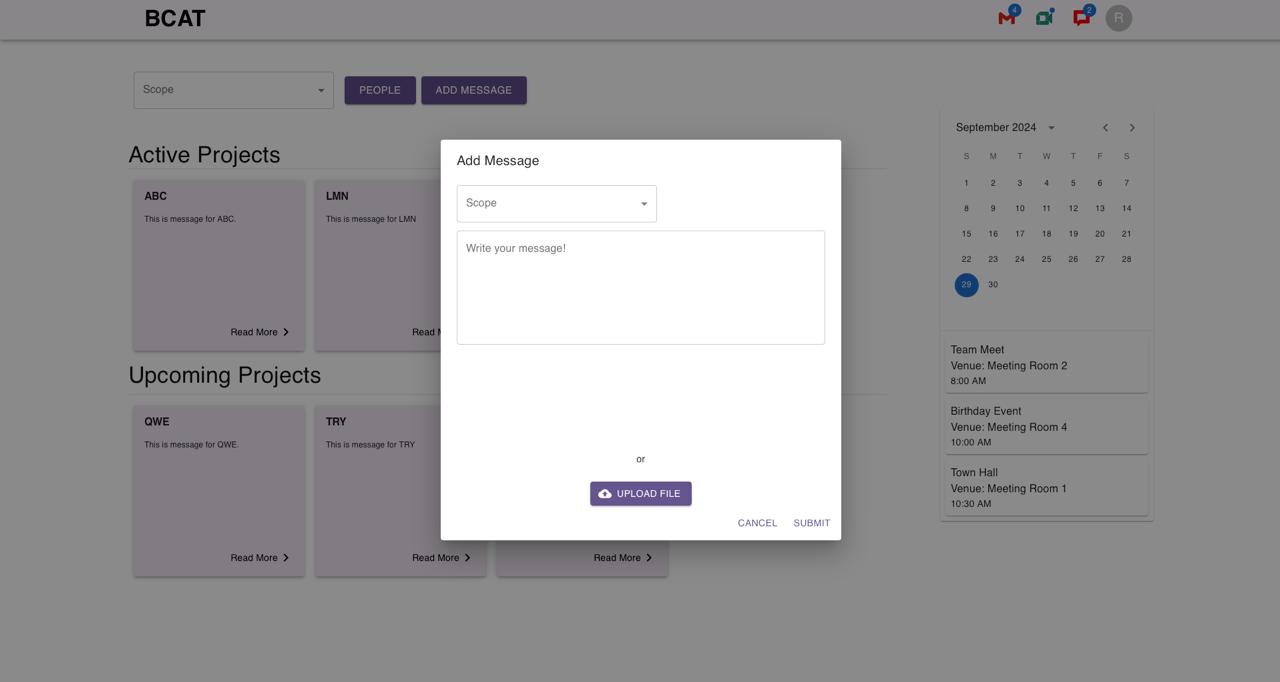
Message pop up to add event/message
-
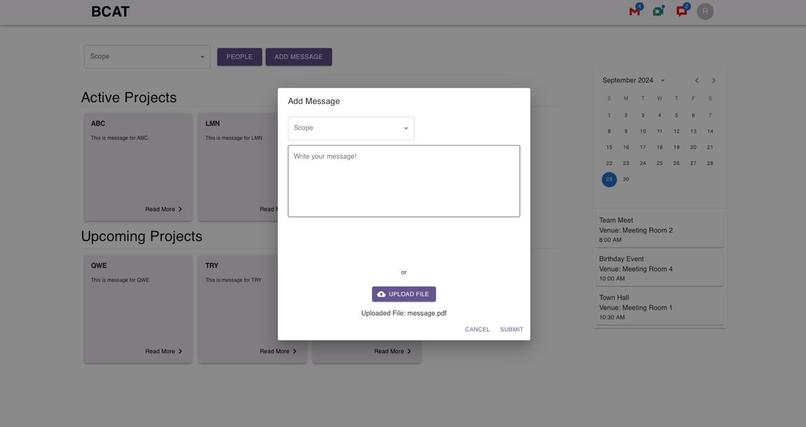
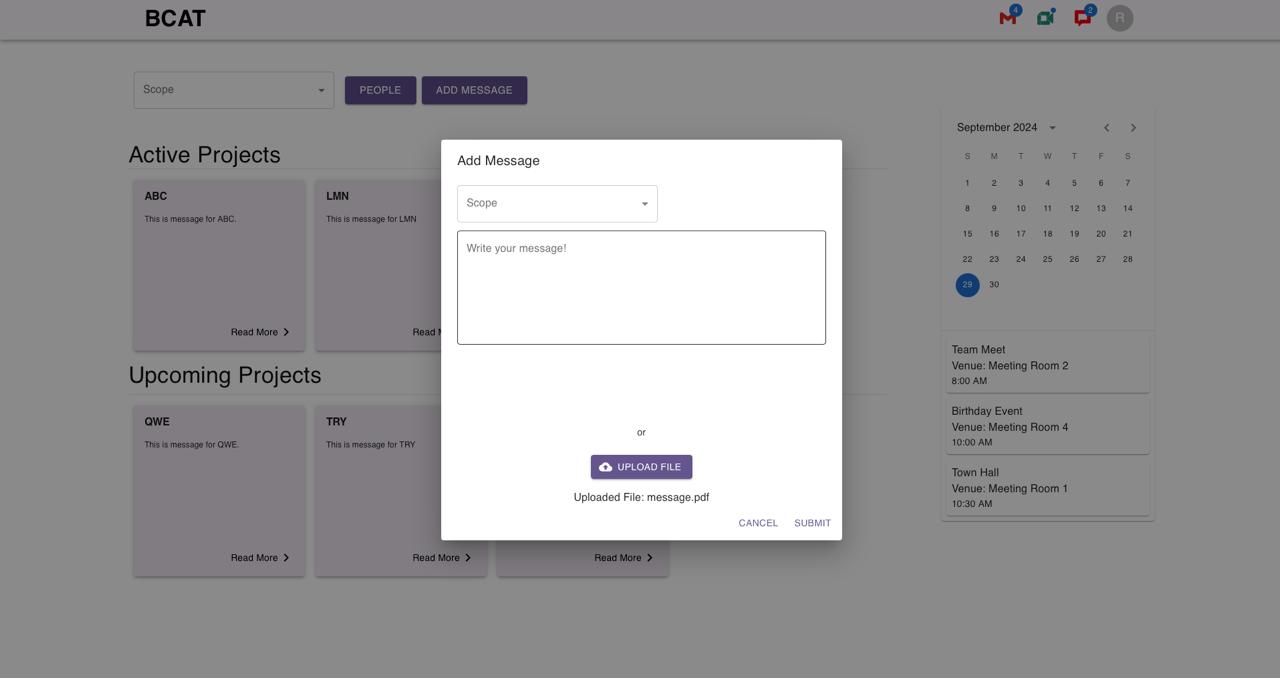
Message/event pop up with file uploaded
-
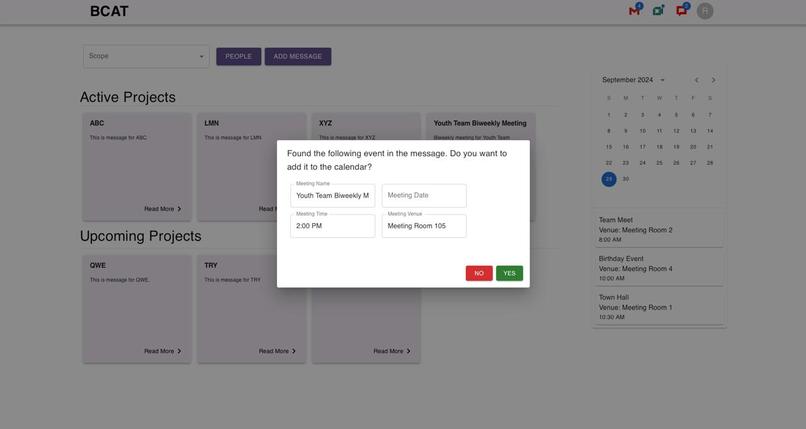
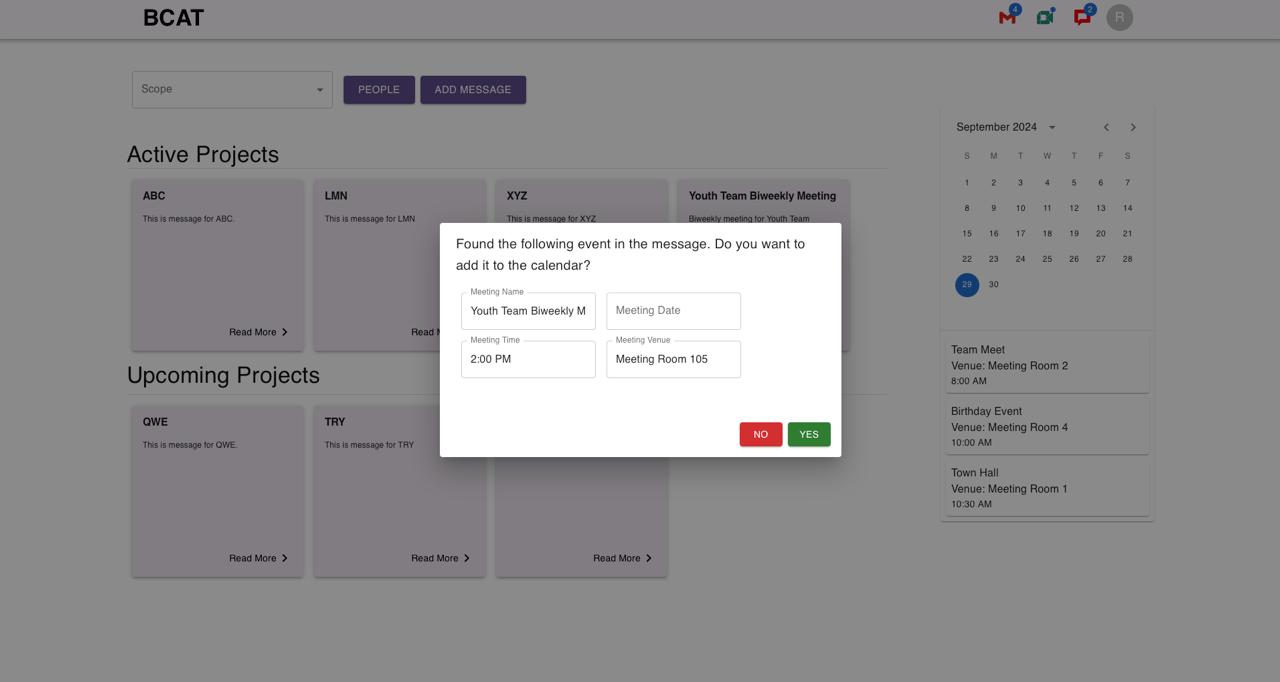
Capturing event details from uploaded pdf
-
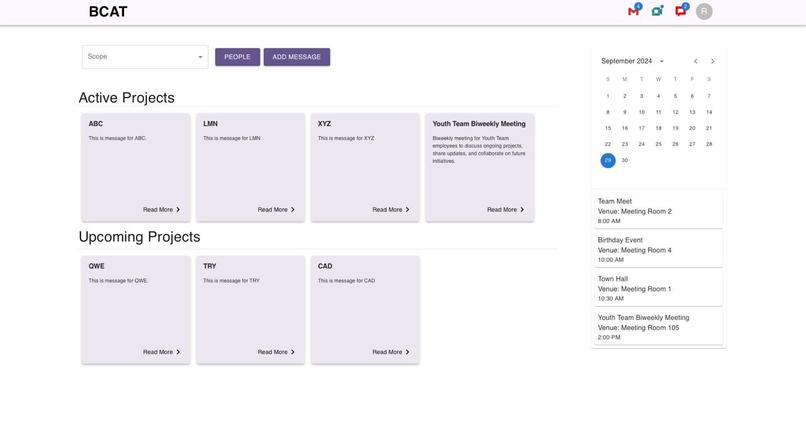
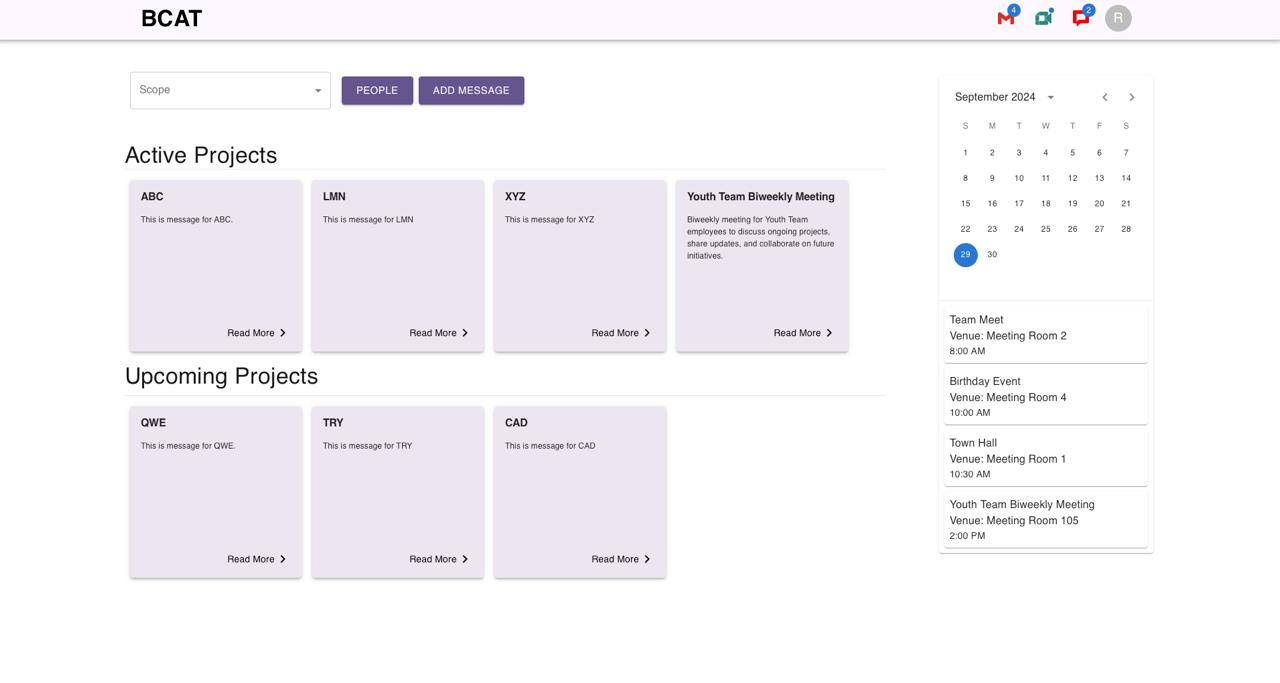
Successfully adding events to calendar and updating events
Here's the whole story
We wanted to do a project that could benefit organization in large scale, which led us to choose BCAT as our problem statement and come up with a innovative and scalable idea. BCAT(Buffalo Center for Arts and Technology) recently moved to their new office where their teams(Youth and Adult) and services are put in different floors leading to a risk of departmental isolations and reduced collaboration between teams. Due to this their work was less efficient and more tiring. Previously they didn't have this problem of collaboration or siloing since all the teams were in the same floor. So BCAT wanted a innovative solution that could bridge the gap between teams in different floor and bring back the same collaborative environment they had previously.
Inspiration
Our inspiration came from the growing need for better communication and collaboration tools within organizations as they expand and teams become more distributed. We wanted to address the problem of departmental siloing that often emerge when teams are separated. We were inspired by how other top-tech companies have intentionally designed their workspaces and processes to foster cross-functional interactions and spontaneous collaboration. Additionally, with the rise of remote work and hybrid environments, we saw this as an opportunity to build a virtual solution that leverages AI to replicate these interactions and break down barriers between teams. The idea was to create a digital workspace that not only connects employees but also actively promotes knowledge sharing and transparency, making it easier for everyone to work together towards a common goal. This vision inspired us to build an AI-powered platform that enhances communication and helps employees stay connected, no matter where they are.
What it does
To address this problem, we developed an AI powered collaboration hub integrated to the Google Workspace.
Each employee will have their own homepage or dashboard.
They will have quick access to their google chat, google meet and google mail. These icons will let them know how many unread notification they have.
They will be a scope button that lets them choose the view for organization wide board, or team specific board.
There is a button to add resource, ideas and updates. On clicking a button, a pop-up opens, where the user can type their ideas or upload a pdf file. The document will be stored in Gdrive and the GenAI will parse the text/pdf and generate a summary of it to display in the board. If GenAI finds a meeting invite, it will prompt the user to add it to the google calendar for all the recepients.
There is a button called People to find the people in the organization. The people page will display a list of employees along with the link to their google mail, google meet and google chat webpages. The users can search based on the scope - global or team specific. The employee details are fetched from the Google workspace only.
The board has 2 panes: One for the active projects and announcements. The another for upcoming projects. Both of them display a carrousel of cards display the title and summary generated by the GenAI and a "Read More" link to the document in the Google Drive.
On the right side of the page, there is a calendar synced in real-time with the google calendar of the employee in google workspace.
The google meet AI generated summaries should also be stored in google drive and a short meeting minutes will be displayed on the board automatically.
The system will also generate weekly insights and display on the board to keep track of the progress and departmental activities.
How we built it
We build the project using multiple technologies to ensure a seamless collaborative experience for all the employees in the organization. For the backend, we used Python with Flask as the core programming language to handle data processing like PDFs and text. We used Llama in combination with Langchain library to structure our model interactions, enabling advanced Natural language understanding and context generation. With the help of RAG(Retrieval Augmented Generation the AI could pull important documents or information from the knowledge base to precise and context-aware responses. For the frontend, we developed a highly interactive user interface using React, a popular JavaScript library. React enabled us to build a responsive and user-friendly dashboard where employees can engage with the AI tools, view shared content, and collaborate effortlessly
Challenges we ran into
We faced several challenges during the course of this project.
- The first challenge we had was to come up with a solution that could be user-friendly and easy to use by all the employees at BCAT since many aren't well versed with latest technologies.
- The Second challenge was to come up with a design idea that could address all the collaborative challenges BCAT was facing. The design should address all key challenges as well as be made user-friendly
- The Third challenge we faced was solving bugs during the implementation of our project. One such problem we had was when parsing PDF from UI to LLM in backend, we weren't able to get the correct parsed PDF to be fed in Llama model resulting in a lot of errors.
Accomplishments that we're proud of
We successfully designed and implemented a core part of our idea, transforming it into an end-to-end, user-consumable product. As a team of just 2 members we’re proud of the significant progress we made in such a short duration during this project, turning our concept into a scalable solution that users can interact with and benefit from.
What we learned
- Time Management
- Effective Brainstorming
- Requirement gathering from BCAT
- Generative AI such as Llama for solving organizational problems
- Developing a Full-stack AI product
What's next for BCAT - The 2 AI Geeks
Next we are planning to expand the dashboard's capabilities by integrating with popular tools and platforms used within the organization (e.g., project management software, calendars, communication apps) to create a unified workflow. This would further streamline processes and enhance collaboration. Also we plan to create a mobile version of the dashboard to ensure that employees can stay connected and engaged while on the go. This would enhance accessibility and encourage continuous collaboration, regardless of location and last but not the least introducing advanced analytics features to track collaboration metrics, team engagement, and project outcomes

Log in or sign up for Devpost to join the conversation.