-
-
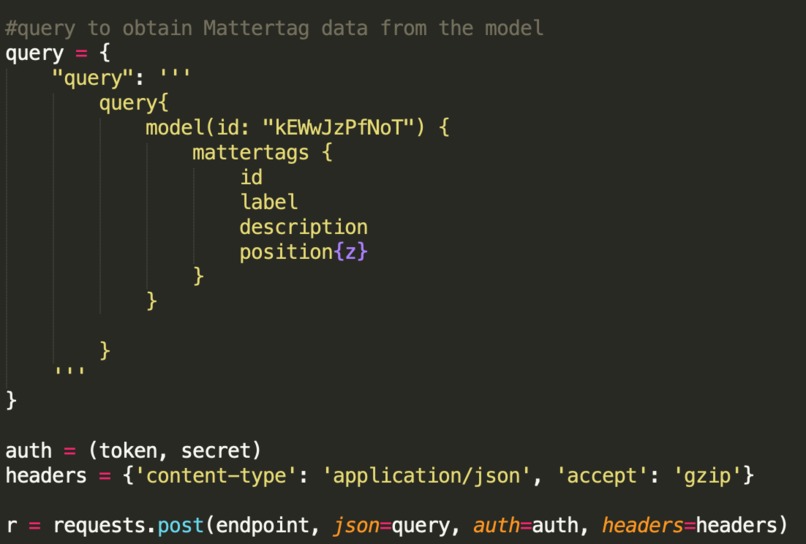
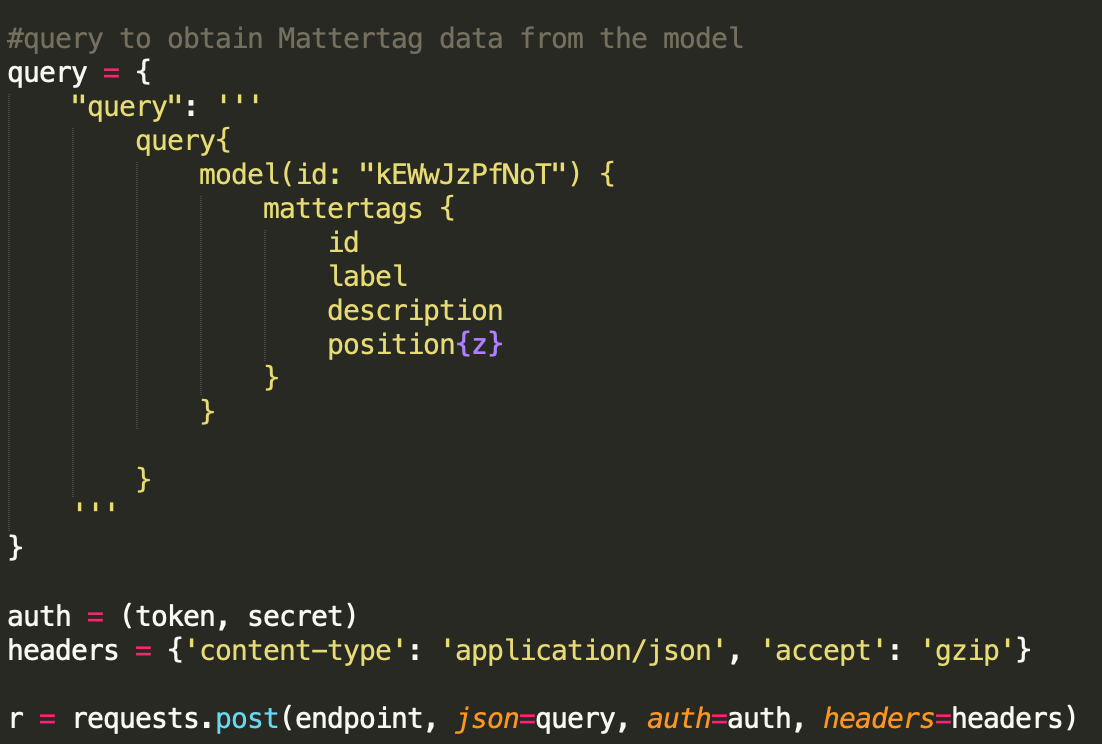
query for 3D scan Mattertags
-
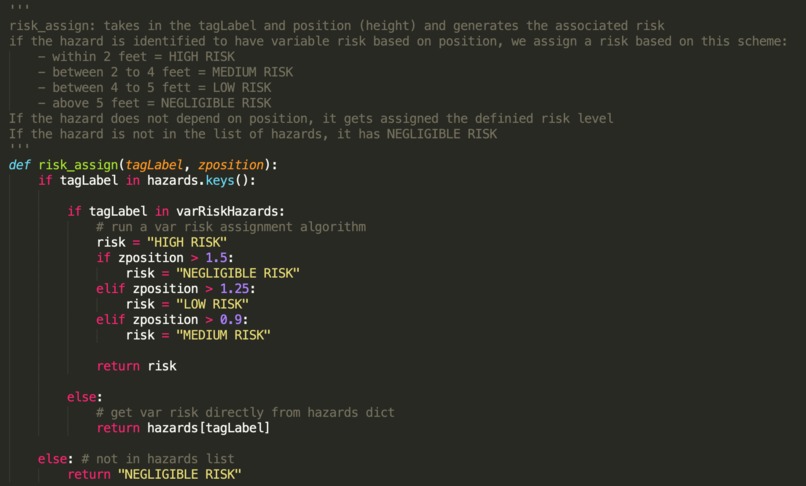
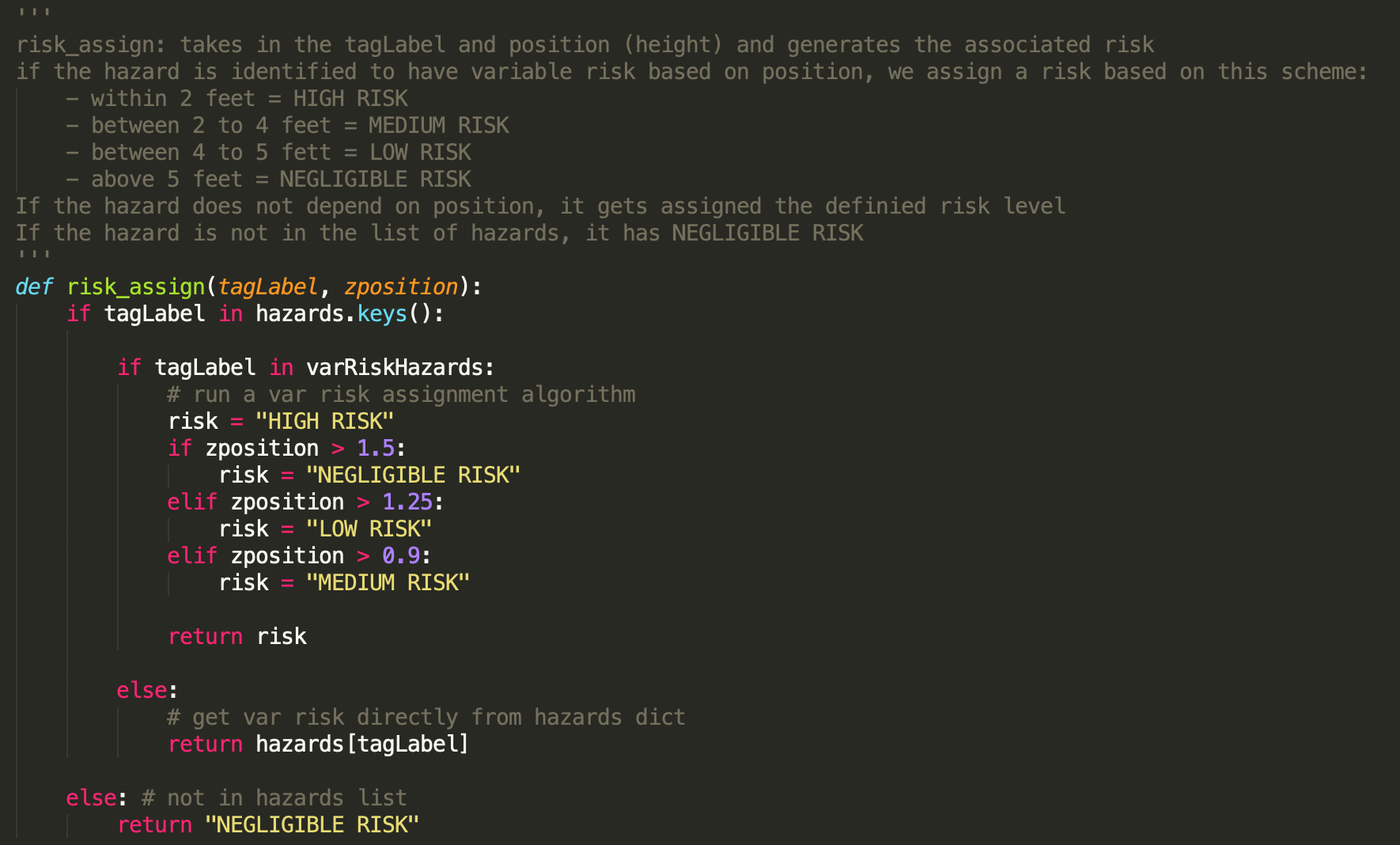
risk_assign function
-
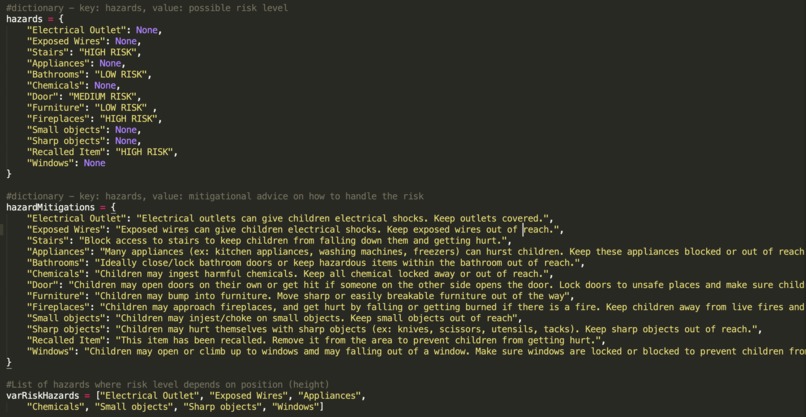
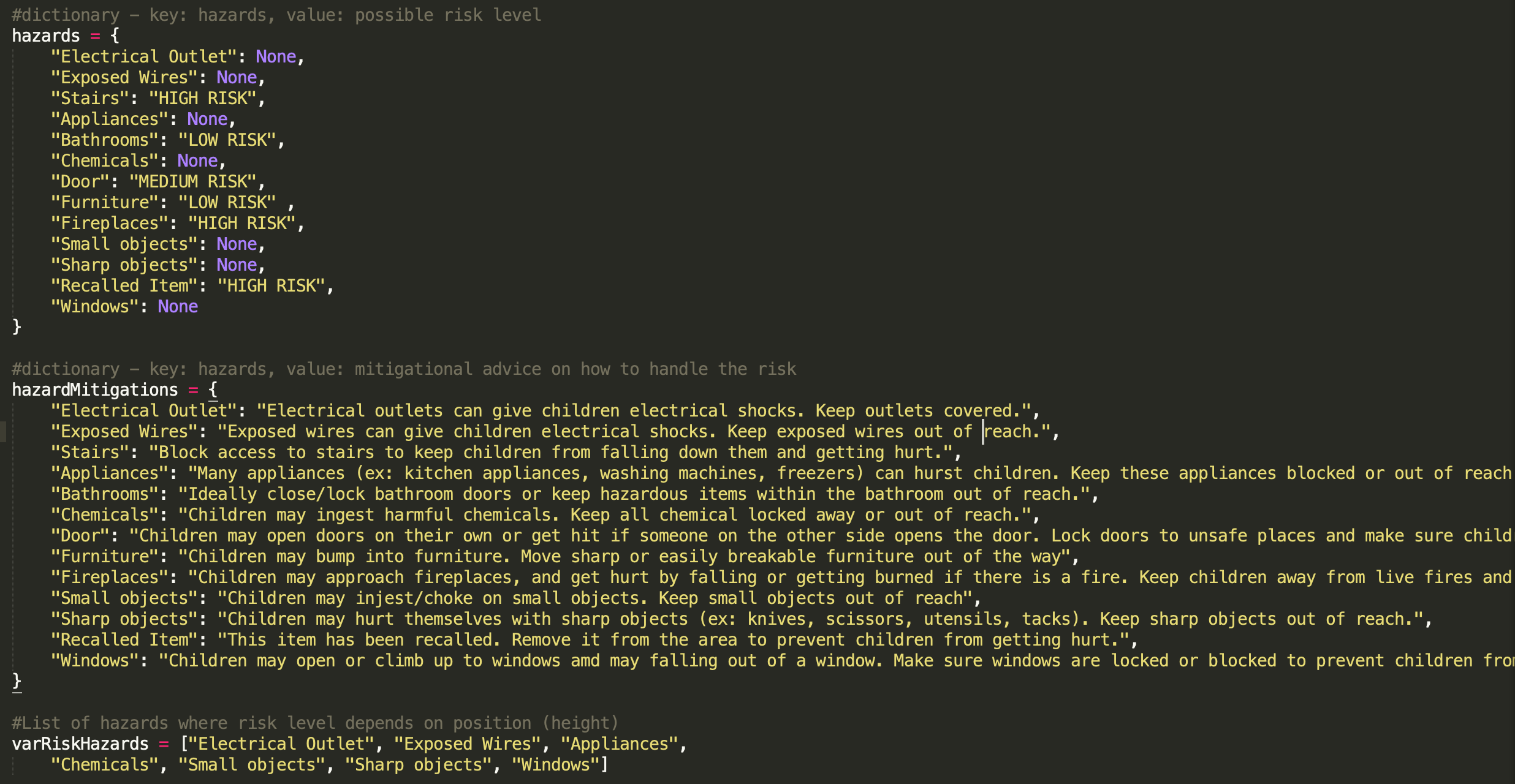
Hazard dictionaries
-
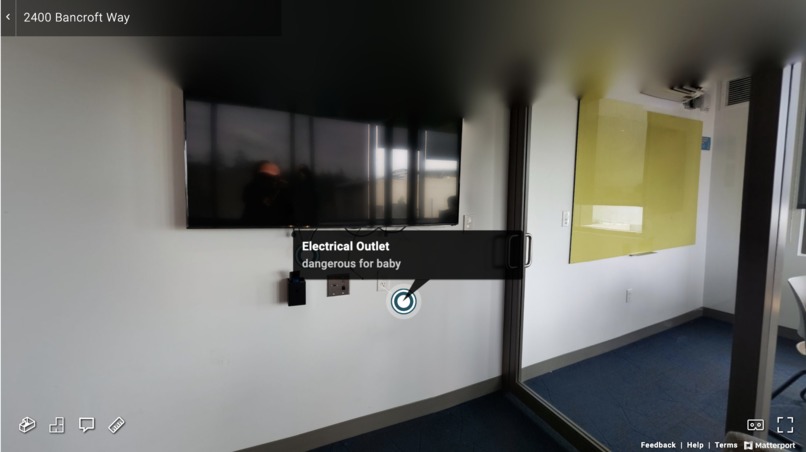
Input Matterport Scan
-
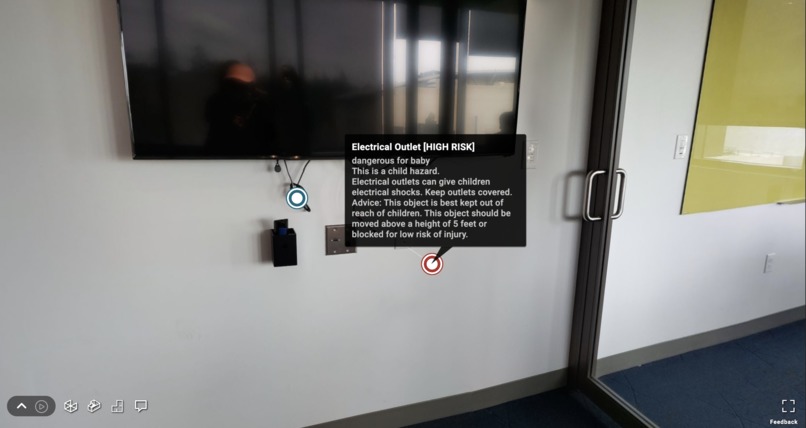
Output Matterport Scan
Inspiration
Babies love to explore! Whether it is crawling under couches or climbing on top of chairs, every item in a room offers a new adventure. However, as any concerned parent can tell you, every item in a room can also be a hazard that can severely harm a baby. Our research shows that 3.5 million young children a year go to emergency rooms for injuries that commonly happen in homes. When trying to prevent these issues, parents may be at a loss when it comes to baby-proofing rooms in their home to keep their little ones safe. We decided to create a solution that would make the baby-proofing process easier!
What it does
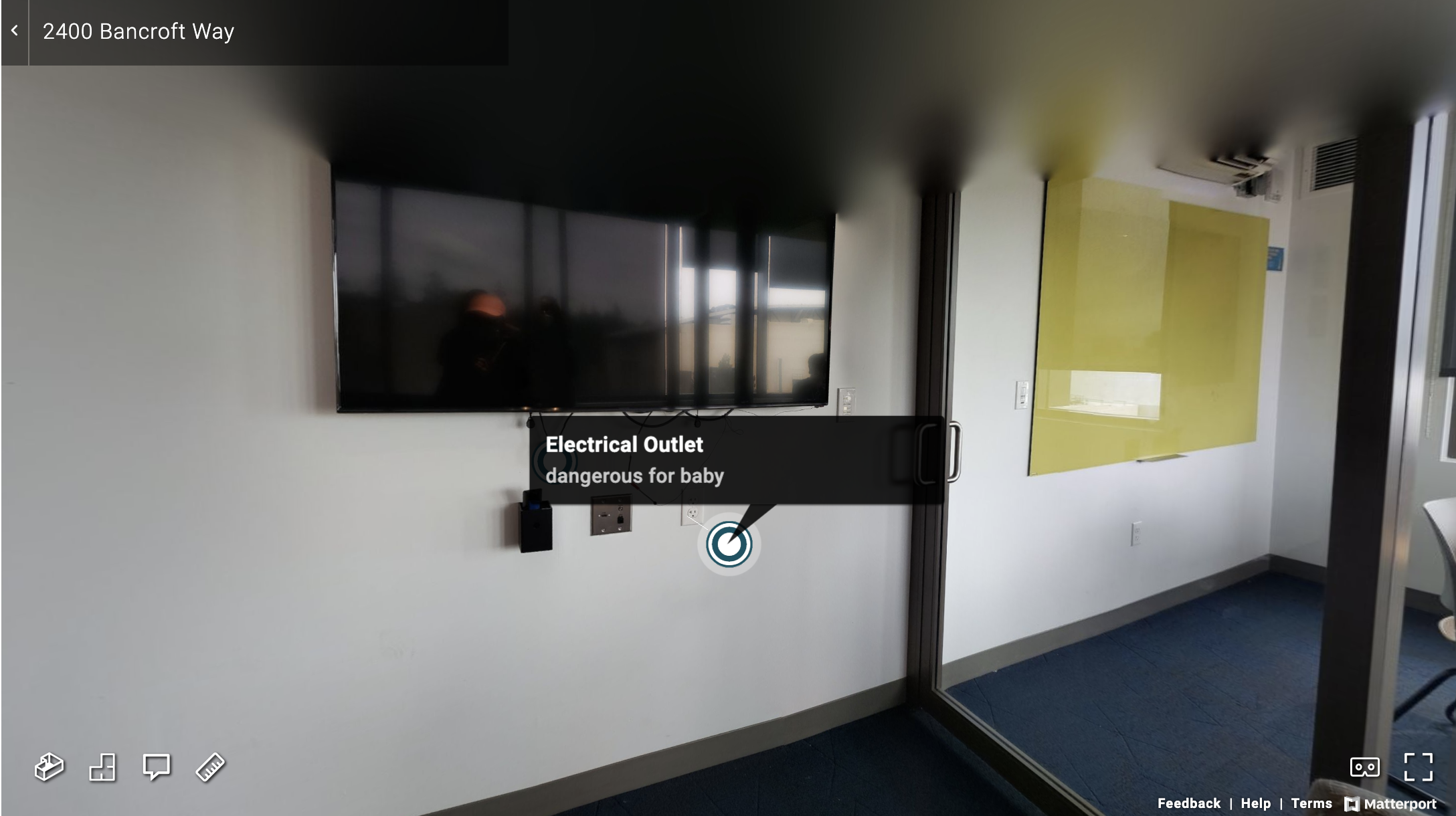
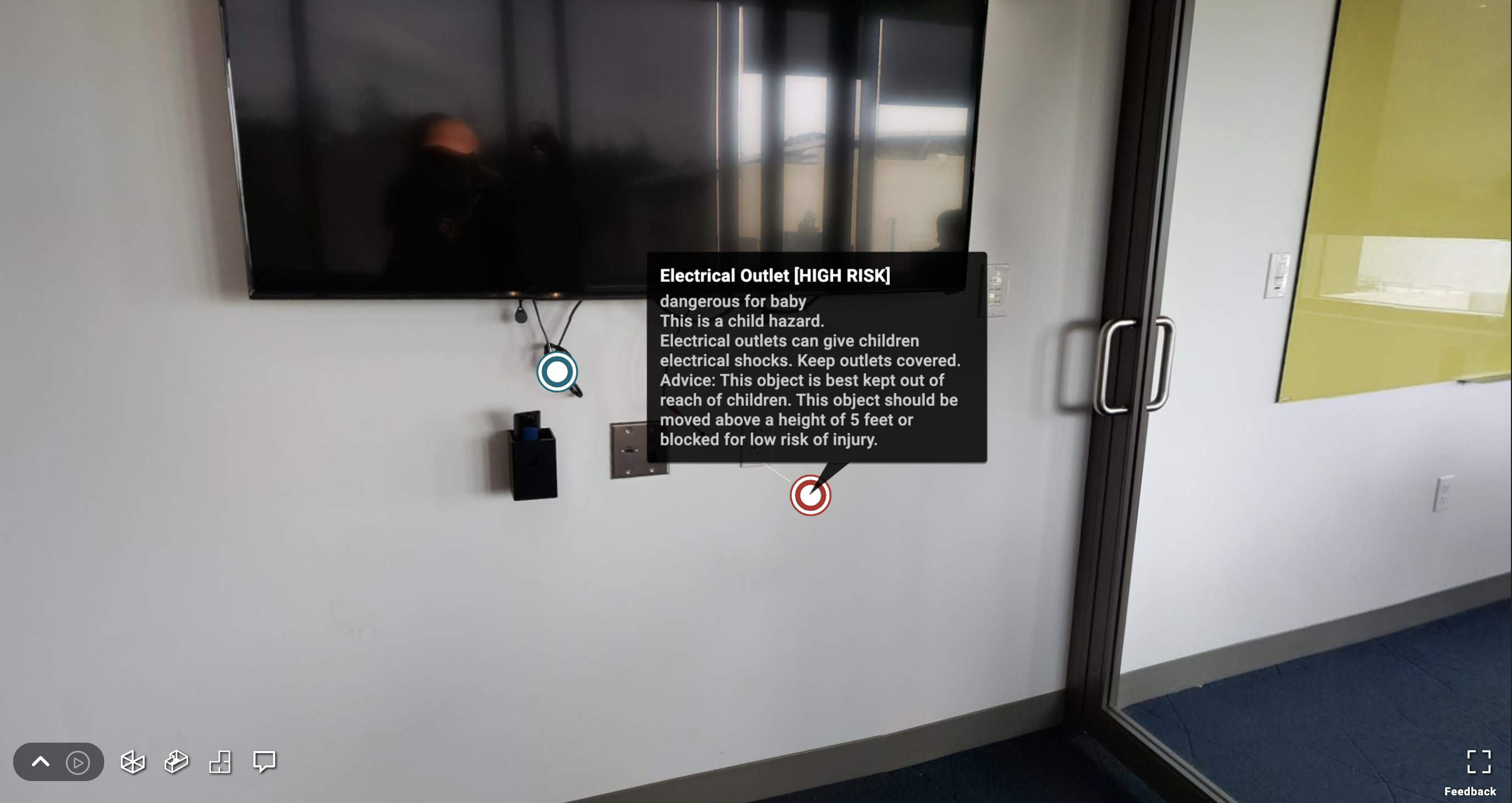
This program utilizes Matterport’s 3D capture abilities. The user will first start by taking a 3D scan of the room they want to baby-proof. Then, using Matterport, they will be able to add tags (called Mattertags) to label areas they feel are dangerous to their scan. Using the scan’s ID, our program will assess the tags as high-risk, medium-risk, or low-risk and tags will be color coded (yellow for lower risk and red for higher risk) to inform parents which areas need attention.
How we built it
First, we took a 3D scan of a room in our own apartments. Then, we uploaded the 3D scan to our Matterport accounts for processing. After uploading the image, we added Mattertags to identify areas we thought were hazards. Using the Matterport API, we accessed the Mattertags’ ID, label name, description, and z-coordinate position by running our python file on the terminal. In Python we created two hard-coded dictionaries. For the first dictionary the keys were the common hazards we were looking out for (eg. furniture, sharp objects), and the values were the risk level (high-risk, medium-risk, low-risk, None).
The second dictionary maps the hazard to mitigational advice, that informs parents how to handle the hazard. If the Mattertag label maps to hazard that has a risk that varies by height (if it should ideally be out of a baby’s reach), then the risk is classified by the z position (height) of the hazard in the room. A method will color code the Mattertag labels (as mentioned above) in the 3D scan so that parents can see which hazards are the highest risk and most dangerous to their children.
Challenges we ran into
Initially we struggled to use the API and work with GraphiQL. We also had some trouble determining what items would be classified as high-risk, medium-risk, and low-risk, since these were arbitrary and varied based on who we asked.
Accomplishments that we're proud of
We struggled a lot with getting Matterport’s API to work. We were pleasantly surprised that after a lengthy session of debugging, we were able to solve many of these issues and see the data values we wanted! We are also very proud of how quickly we were able to pick up on the GraphiQL syntax and add our own functions.
What we learned
We learned how to use Matterport’s capture app, how to work with Matterport’s API and use the Python requests library. In addition we learned about the JSON format, and we were able to experiment with GraphiQL.
What's next
In the future, we would create a machine learning algorithm that uses a large data set of different images that are marked with Mattertags. Then, a user would take a scan of the room they want to baby-proof with Matterport, and input it directly into our program. Our program would use the algorithm to return the image with accurately color coded labels to see which areas are at high risk for injury for their children.
Another thing we wanted to change was to make this web-based or in the form of a mobile app. Right now our program is terminal based and that isn’t very intuitive for parents with no coding experience to use.

Log in or sign up for Devpost to join the conversation.