-
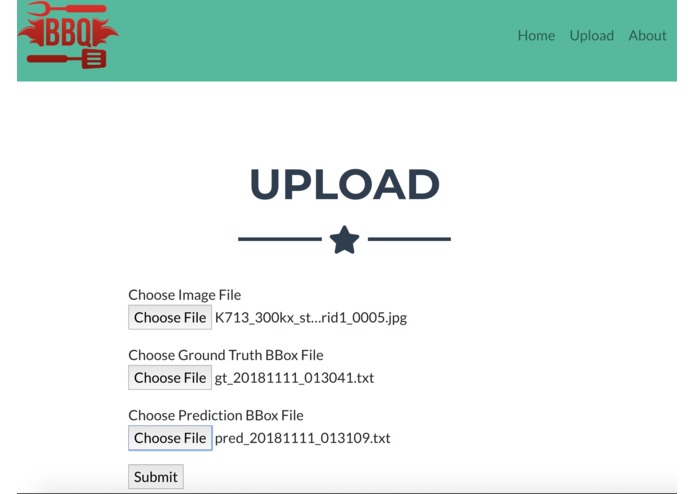
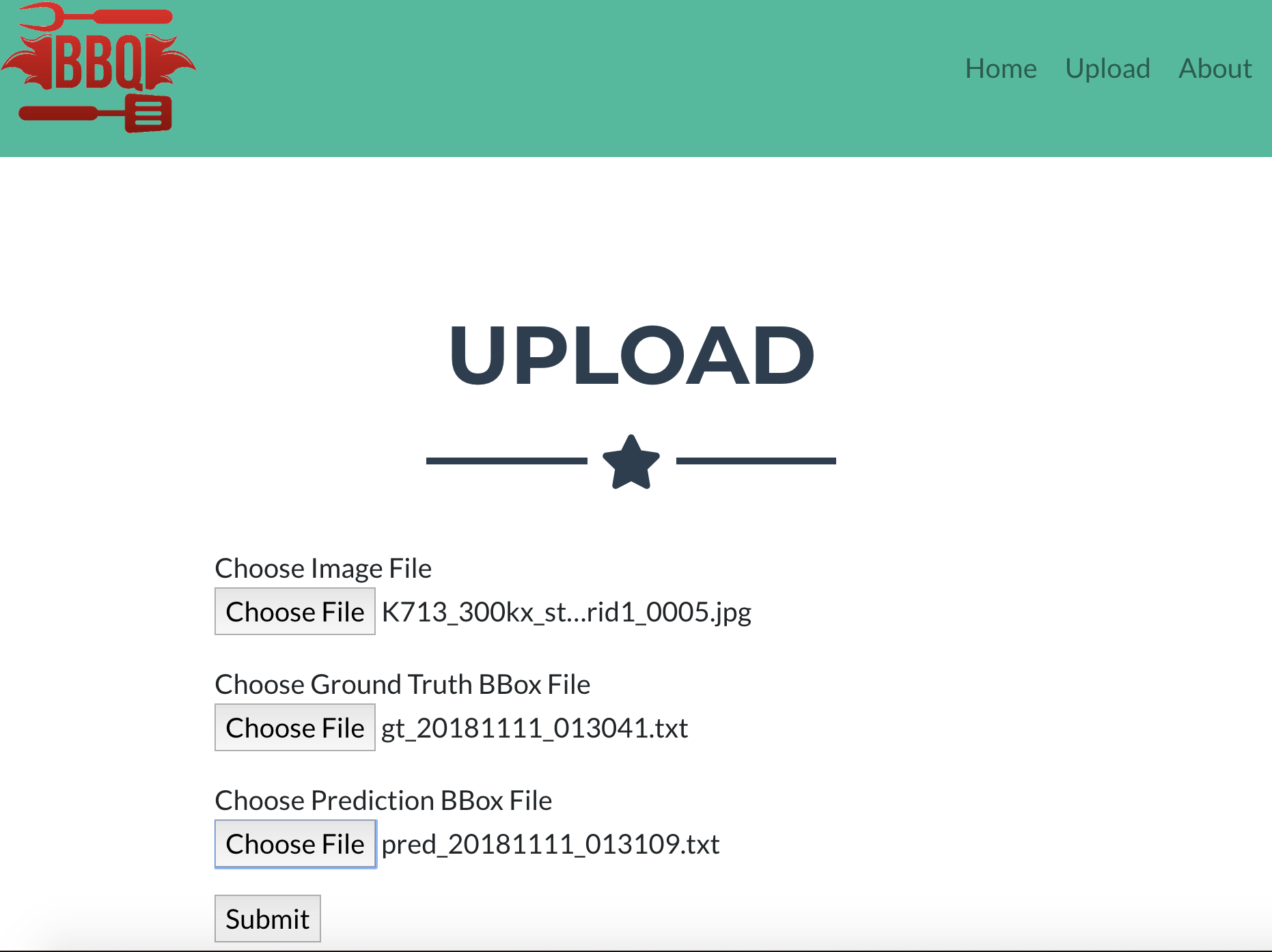
submit 3 files
-
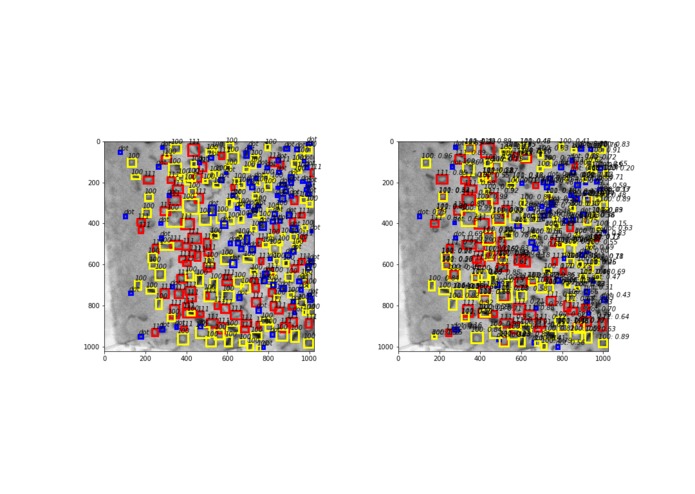
hard to debug
-
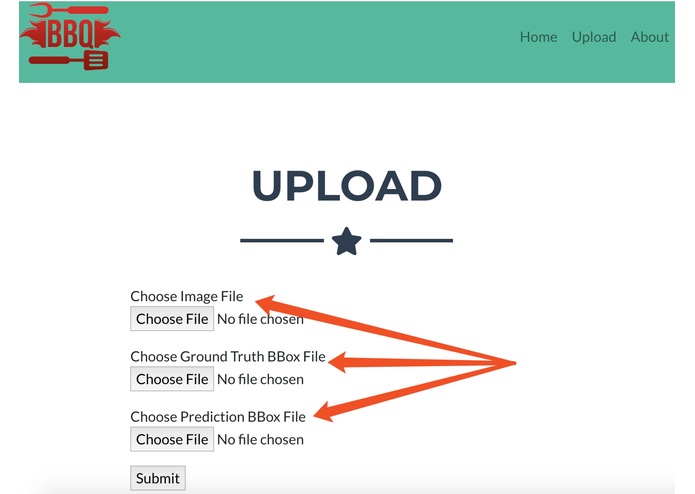
choose files
-
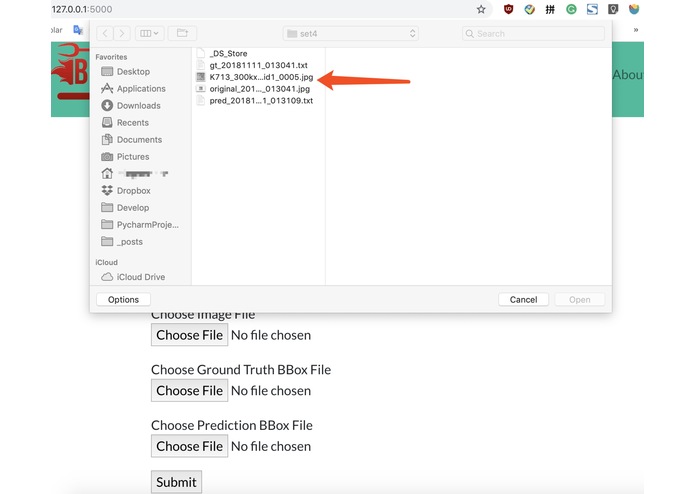
choose files2
-
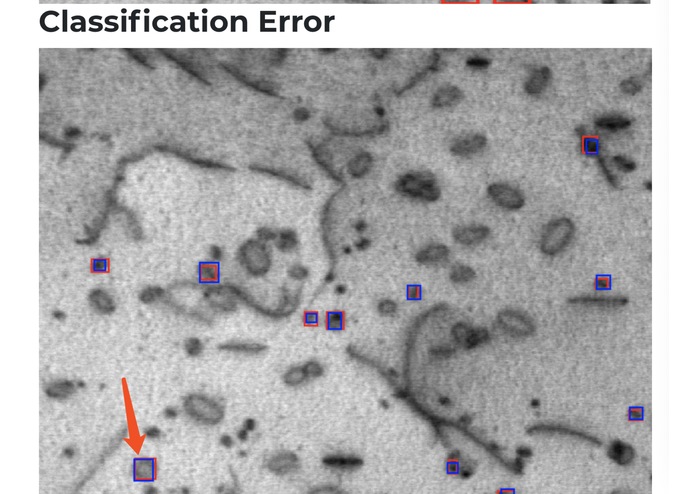
we want to check the classification error of this pointed one
-
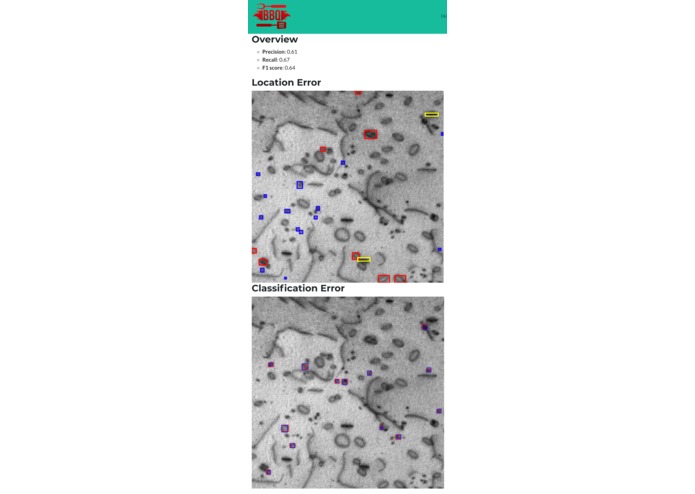
overall summary of 2 types of errors
-
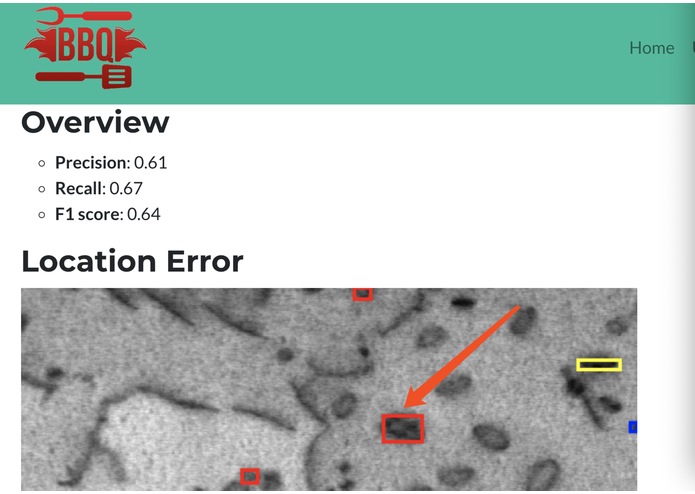
we want to check the location error of this pointed one
-
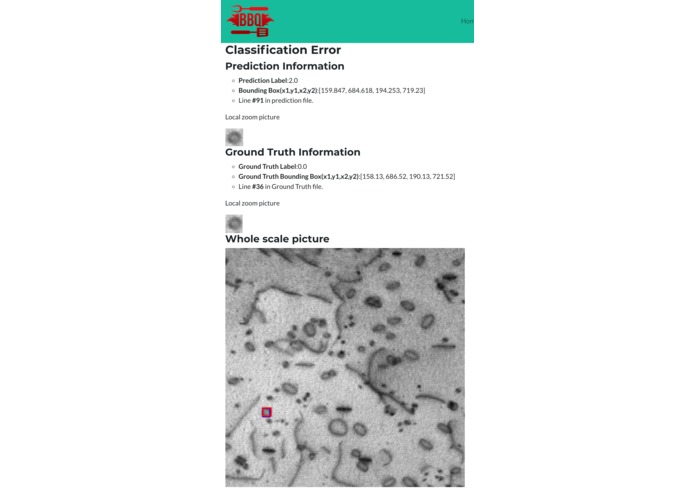
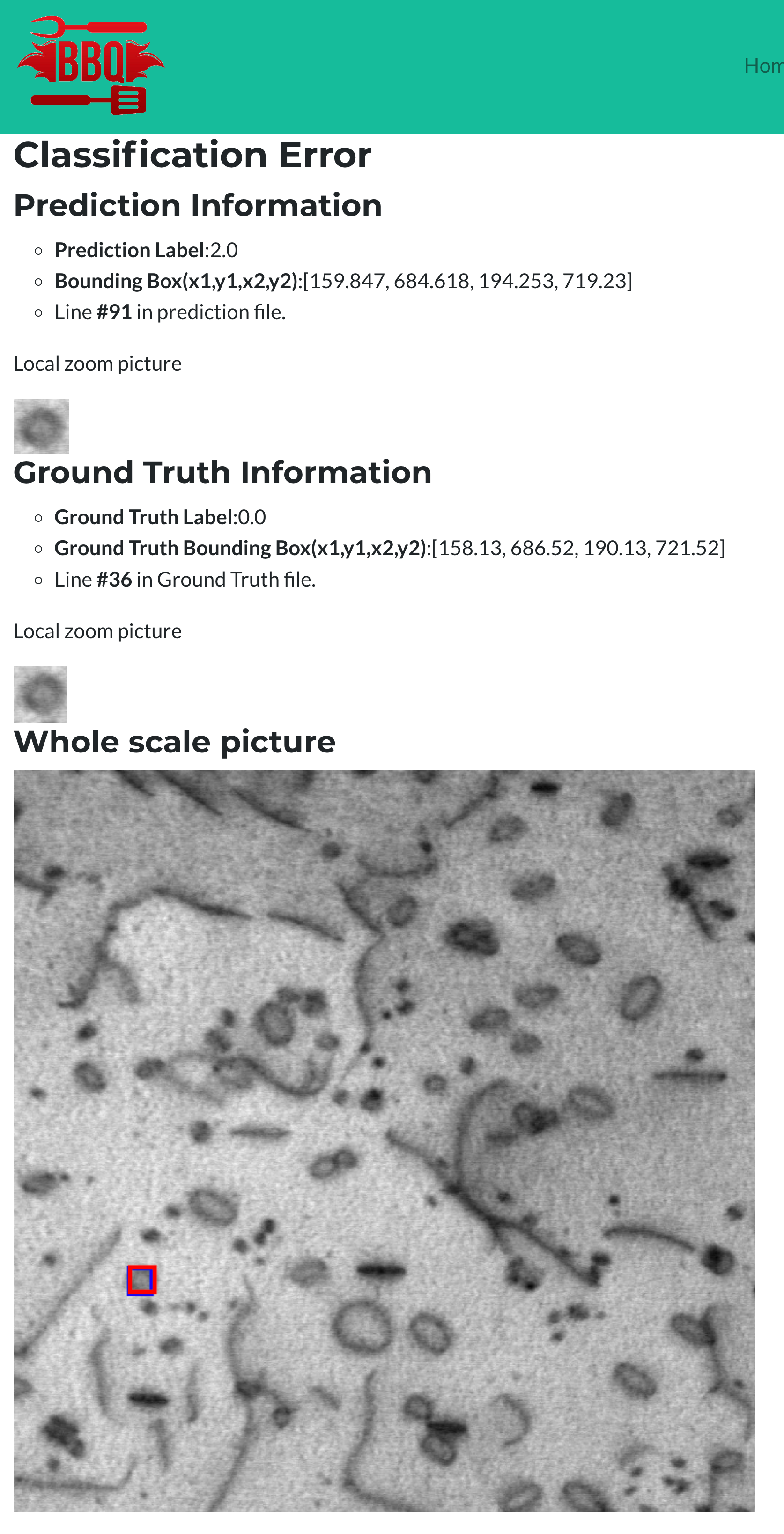
detailed information for classification error of this pointed one
-
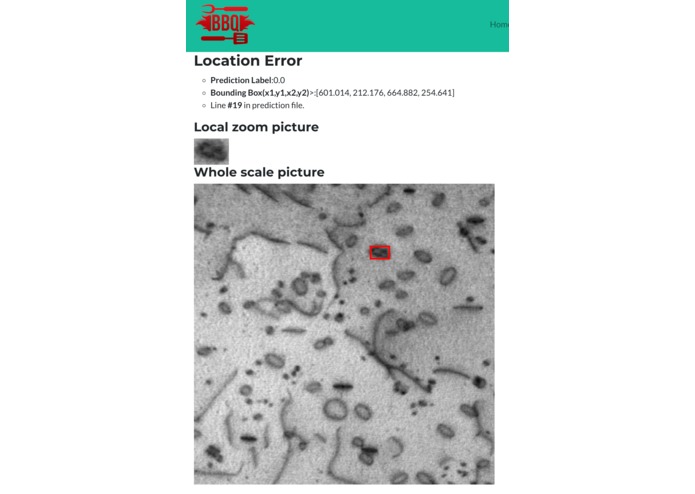
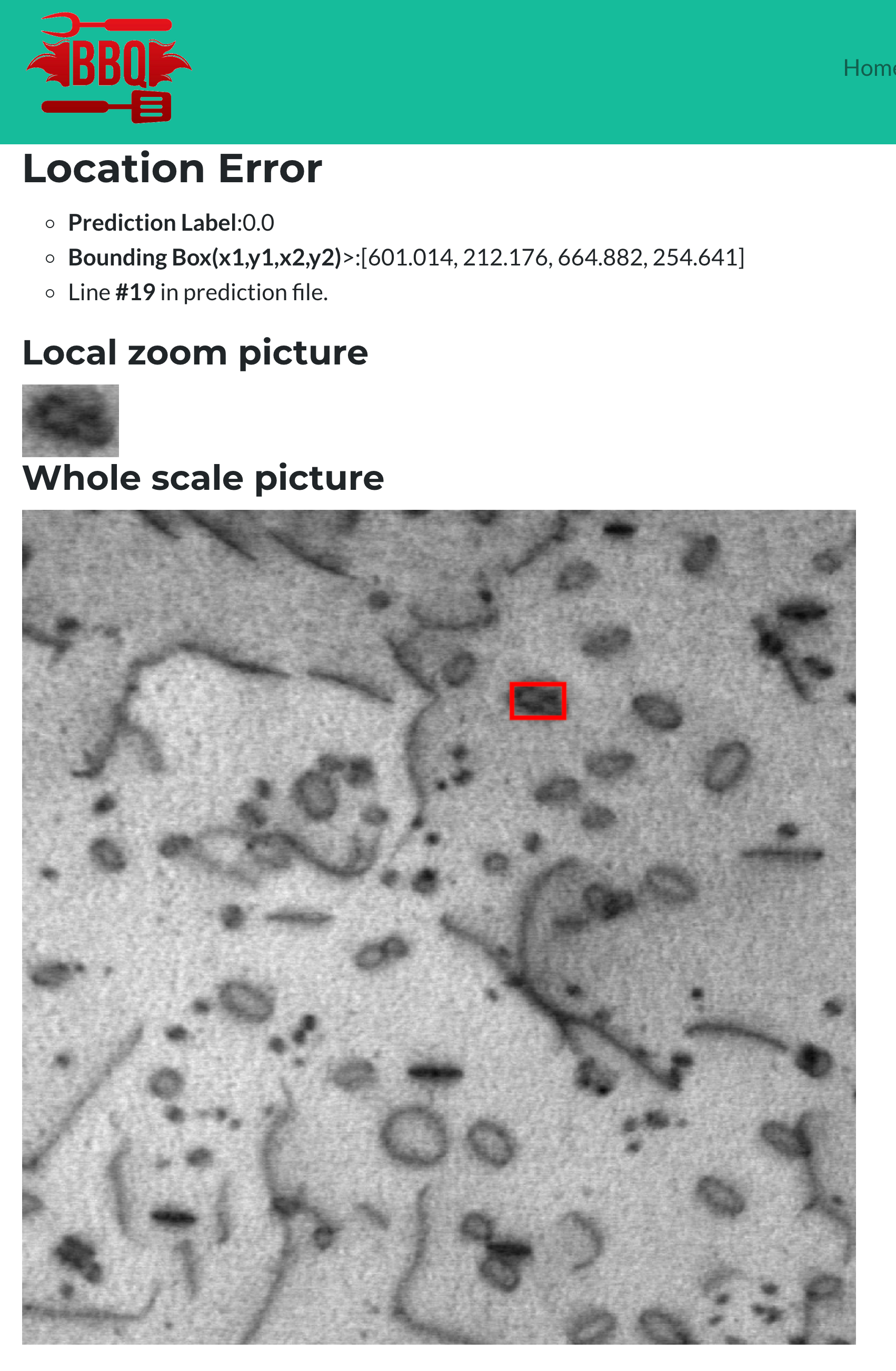
detailed information for locatio error of this pointed one
Inspiration
In the object detection task using bounding boxes, people want to know both the location and category of object. So typically two types of error involved here. However, although there are many annotation tools, there are few tools that can help people track where their object detection algorithm fails. Is it because of the poor performance of location regressor or it is due to the failure of the classifier.
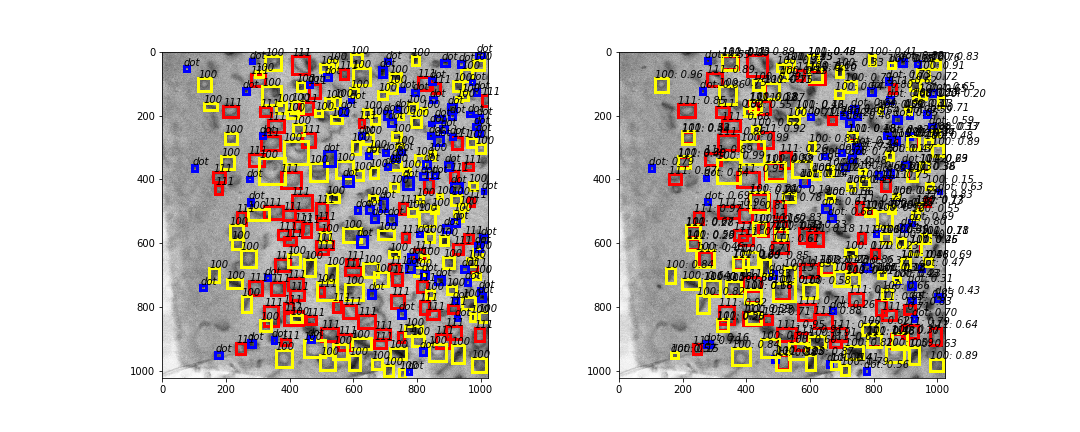
Things become worse when you have to prepare labels for domain science dataset instead of using high-quality dataset like MS COCO or ImageNet. For example, we are working on an AI project that uses object detection program for STEM() images of metallic material. We want to study the number of different kinds of defects which are important for the performance of the material. However, Faster R-CNN algorithm achieves poor performance and it is very hard to understand why and identify the bugs never to say improve the performance. A typical pair of ground truth image and the predicted image is shown below.

What it does
So we plan to create a web service that can developer debug their object detection models especially when the ground truth labeling contains error.
Step by step usage
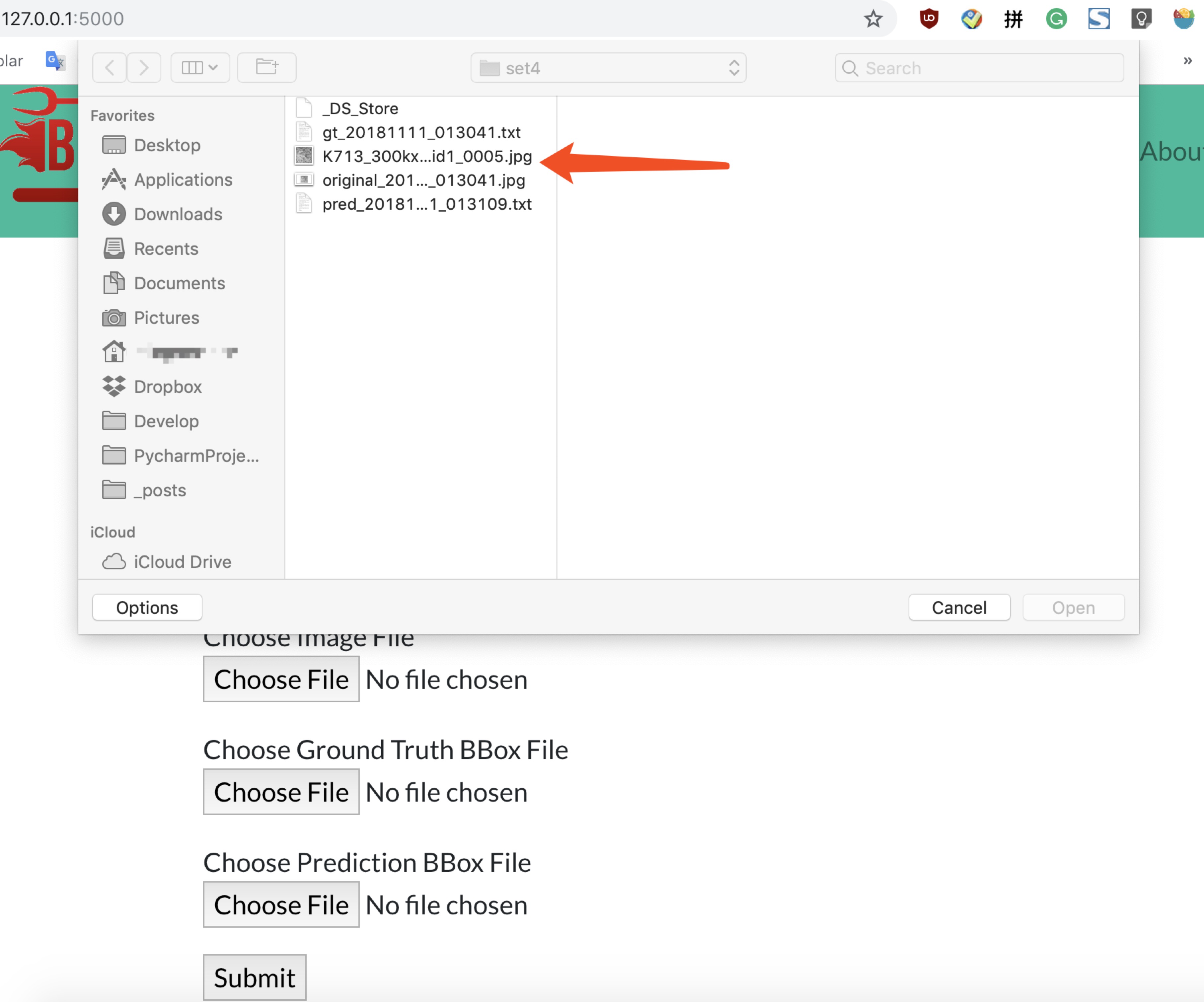
Step 1 : upload files
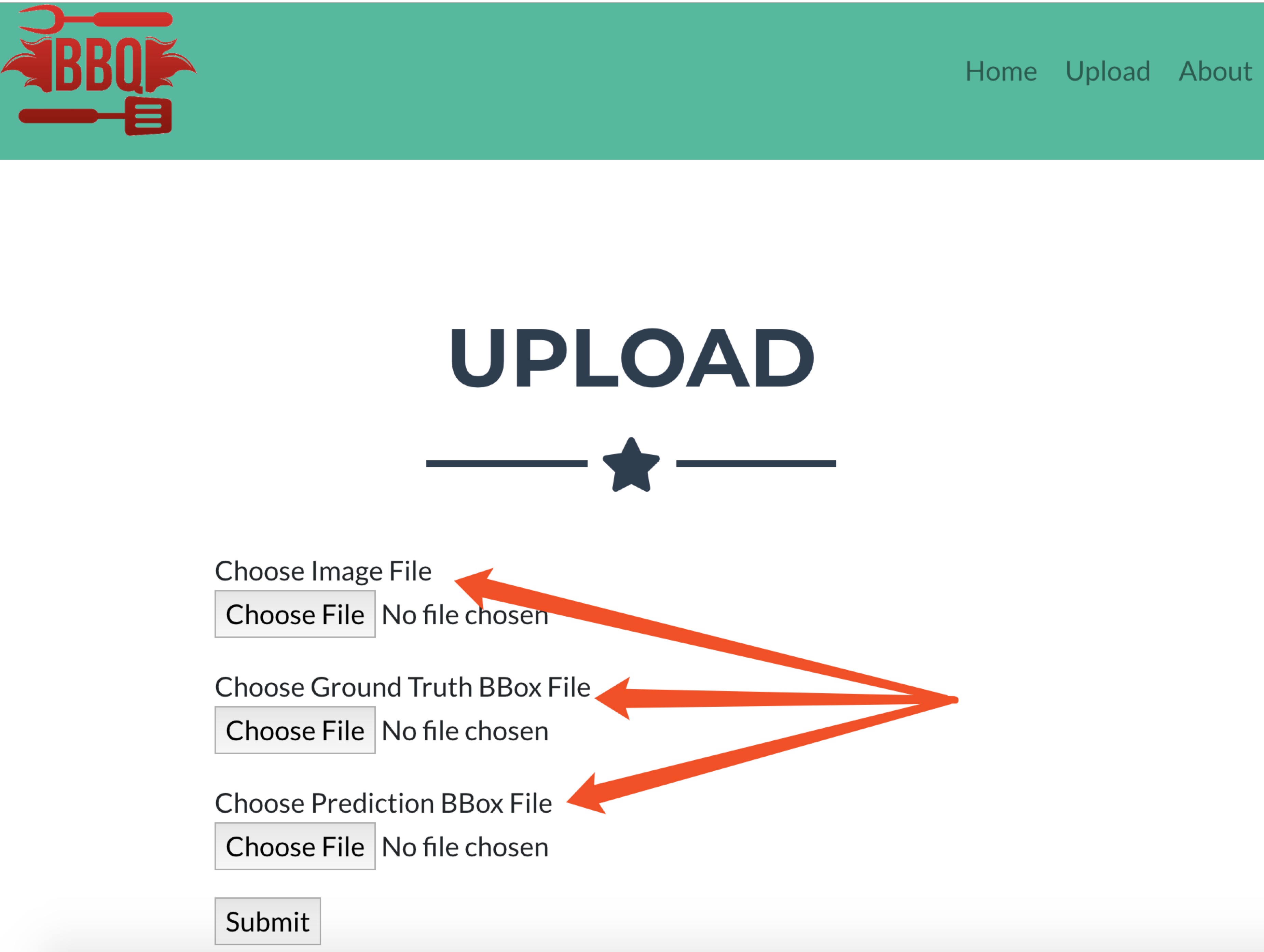
the user inputs the image for detection and the ground truth bounding box txt file and the prediction bounding box txt file. The bounding box should follow the following format
[label, x1, y1, x2, y2]
Where the label is the label of object contained in the bounding box and (x1,y1) is the top left corner of the bounding box and (x2,y2) is the right bottom corner of the bounding box.
Check the following figure for more information


After all files are selected, you can click the Submit to submit all 3 files

Step 2 : check overall results
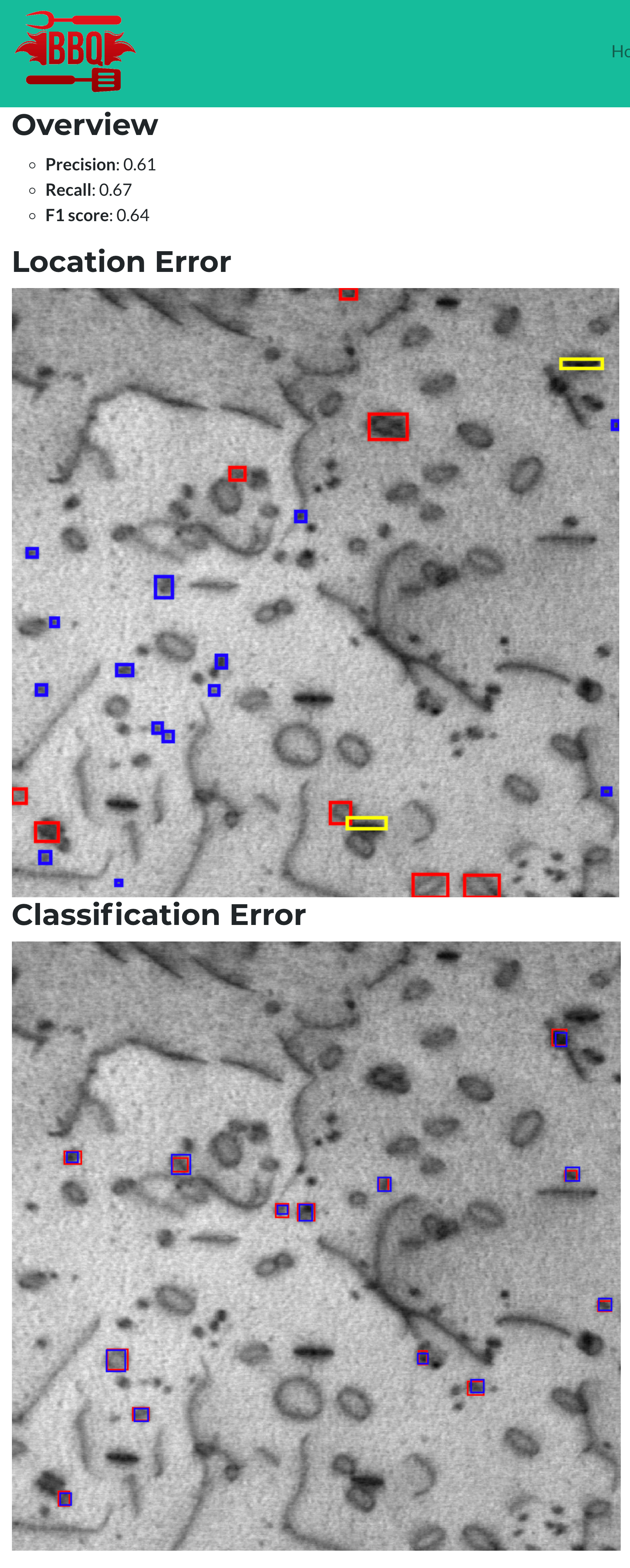
Then the website will show all the mismatched predicted bounding boxes and for different types of error, it will display them differently:

- location error
- classification error
In the above summary figure, the website only plots the wrong predictions and all color bounding box on the web page can be clicked which will bring you to a more detailed information web page.
Step 3 : Check location error
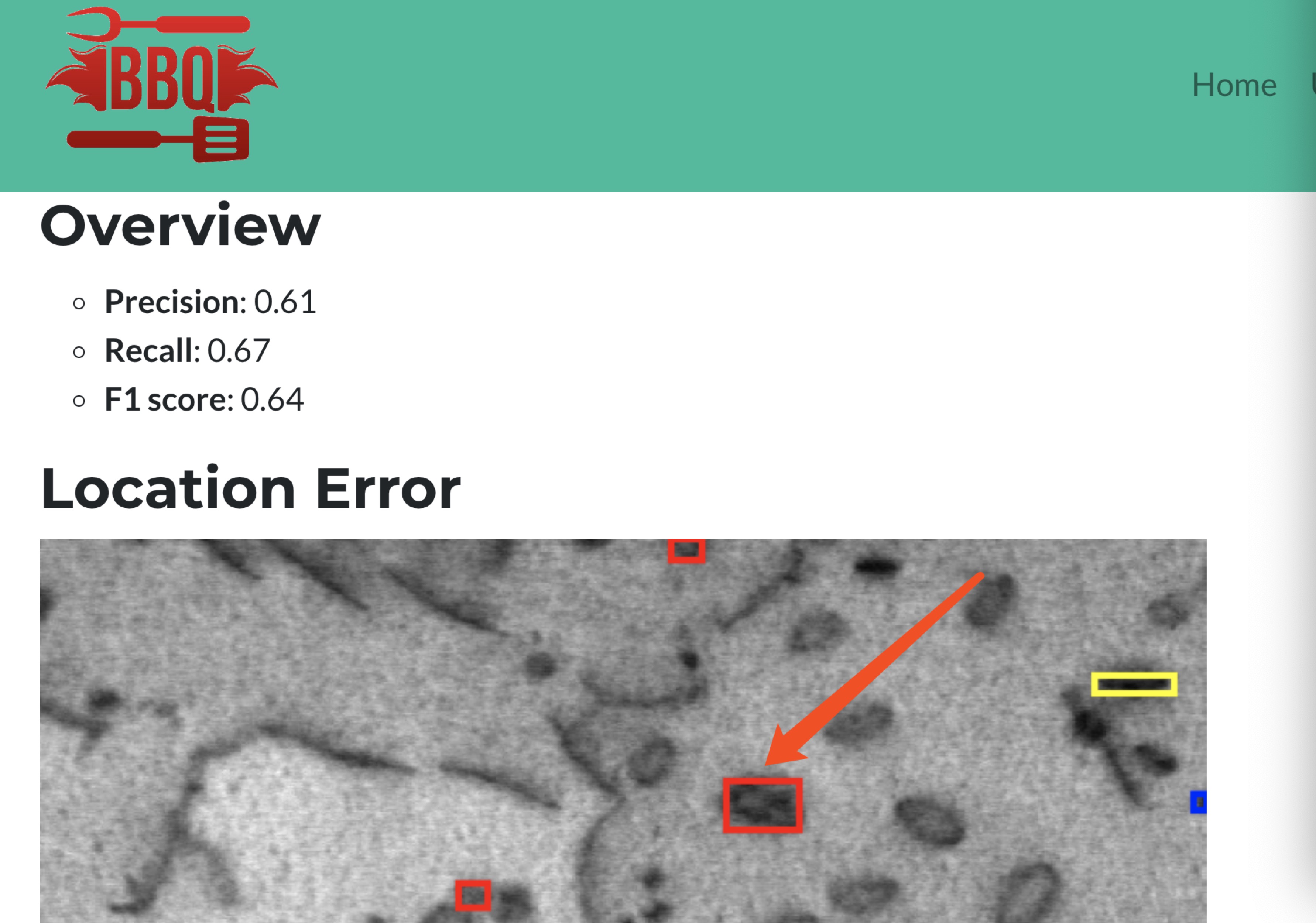
Say if we want to check the location as pointed in the following figure, you can directly click it.

which will bring you to another web page as shown below,

location error means that the object detection model predicts the wrong location of an object. The model thinks there is an object but according to ground truth label, it is background. So we have to check why the model thinks a background area is an object. And because the ground truth data set may contain error, so it can also be that ground truth labeling misses a potential object.
With the given information, you can easily identify which type of reason for the error and modify correspondingly.
Step 4 : Check classification error
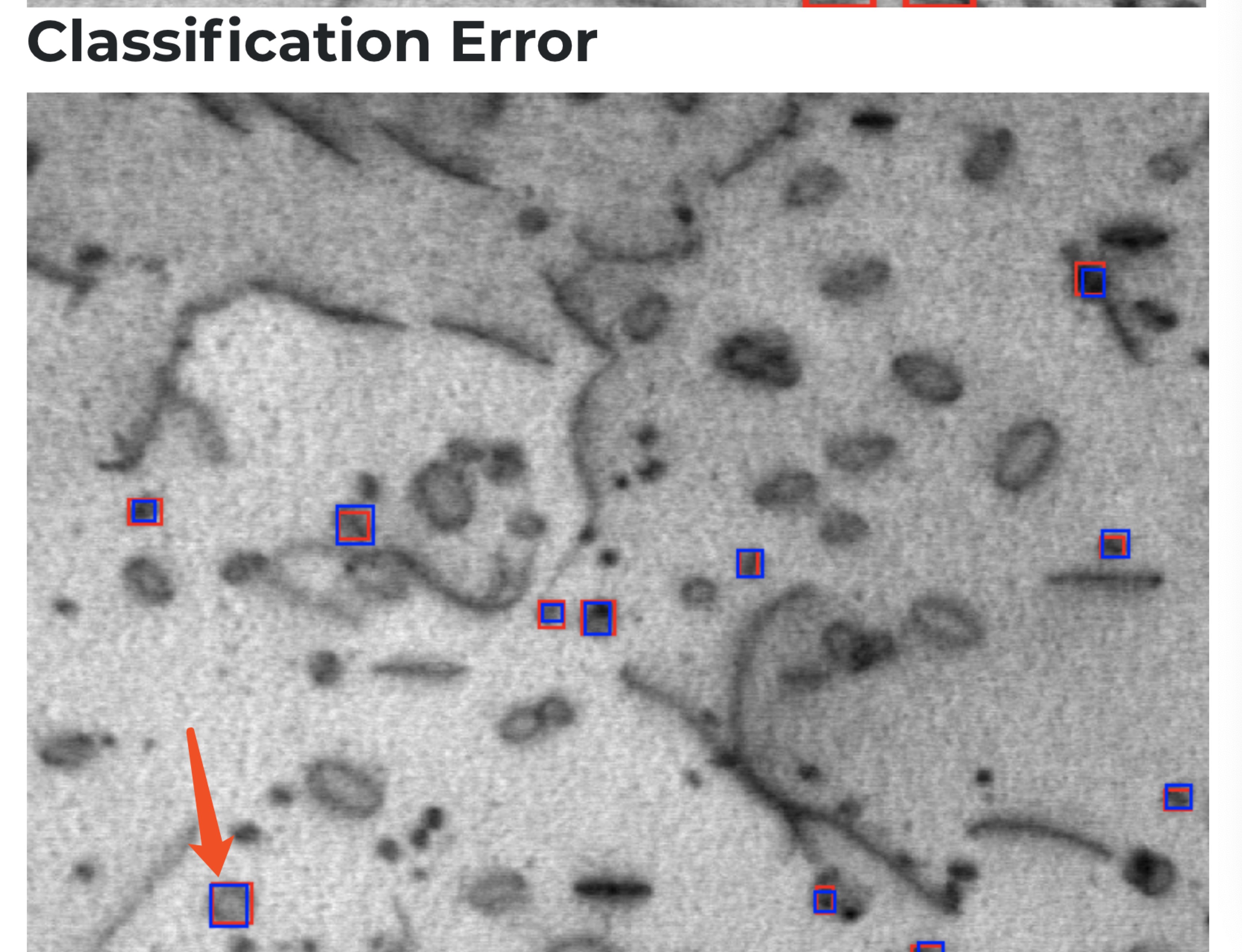
Classification error means the model detects the region of interest but the classifier fails to classify the region of interest into the correct category which means you may need a stronger classifier.
Say we want to check the classification error that is pointed by the red arrow in the following figure,

You can click either red for prediction bounding box or blue ground truth bounding box.
Then the website will bring you to the more detailed information page as shown below,

How we built it
We use Python 3 with Flask as our backend engine to build the website and Bootstrap as our frontend framework for UI.
Challenges we ran into
We don't have much experience in web development. First, we find it difficult to use CSS to customize our web page. Then we run into some trouble when trying to make the image map interactive.
Accomplishments that we're proud of
We build a tool that is very easy to use and can make the complicated debugging process much easier.
What we learned
Mostly web development, including HTML, CSS, JavaScript, Flask(python), etc. As we mentioned, both team members don't know how to do web development before. This project gave us some experience in both front-end and back-end.
What's next for BBQ
BBQ acts as an online tool for object detection debugging. For future work, we plan to add a model deployment module to BBQ, where users can upload their model to the web service and the other users can use them to detect image online.


Log in or sign up for Devpost to join the conversation.