-
-
BayFlow OpenAI Build Week English Demo
Inspiration
Factory layout decisions are often made from drawings, spreadsheets, and verbal experience. Those tools describe dimensions, but they do not make it easy to test how people, materials, forklifts, cranes, doors, safety zones, and production equipment interact in the same space.
BayFlow started with a real production question: can three fixed assembly bays safely support six generator sets per day while people, tools, and lifting equipment move between them? The goal was to turn local measurements, annotated factory photos, operator knowledge, and production constraints into an interactive model that manufacturing teams can explore together.
What it does
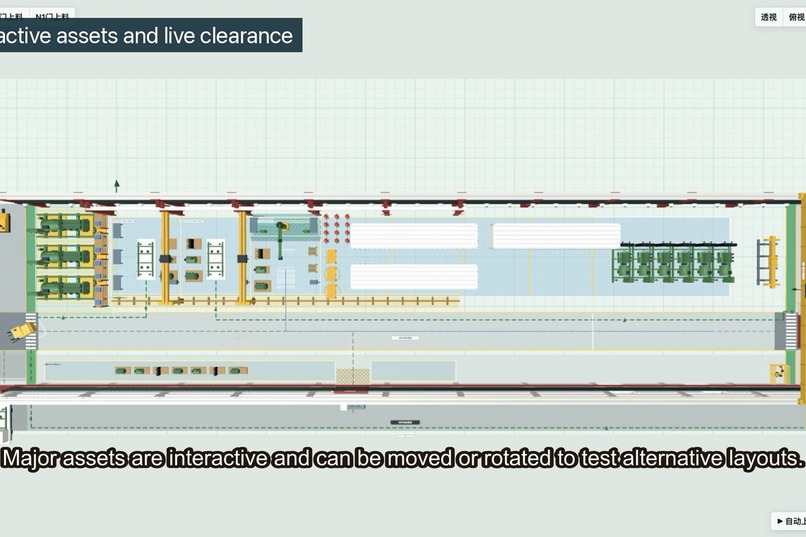
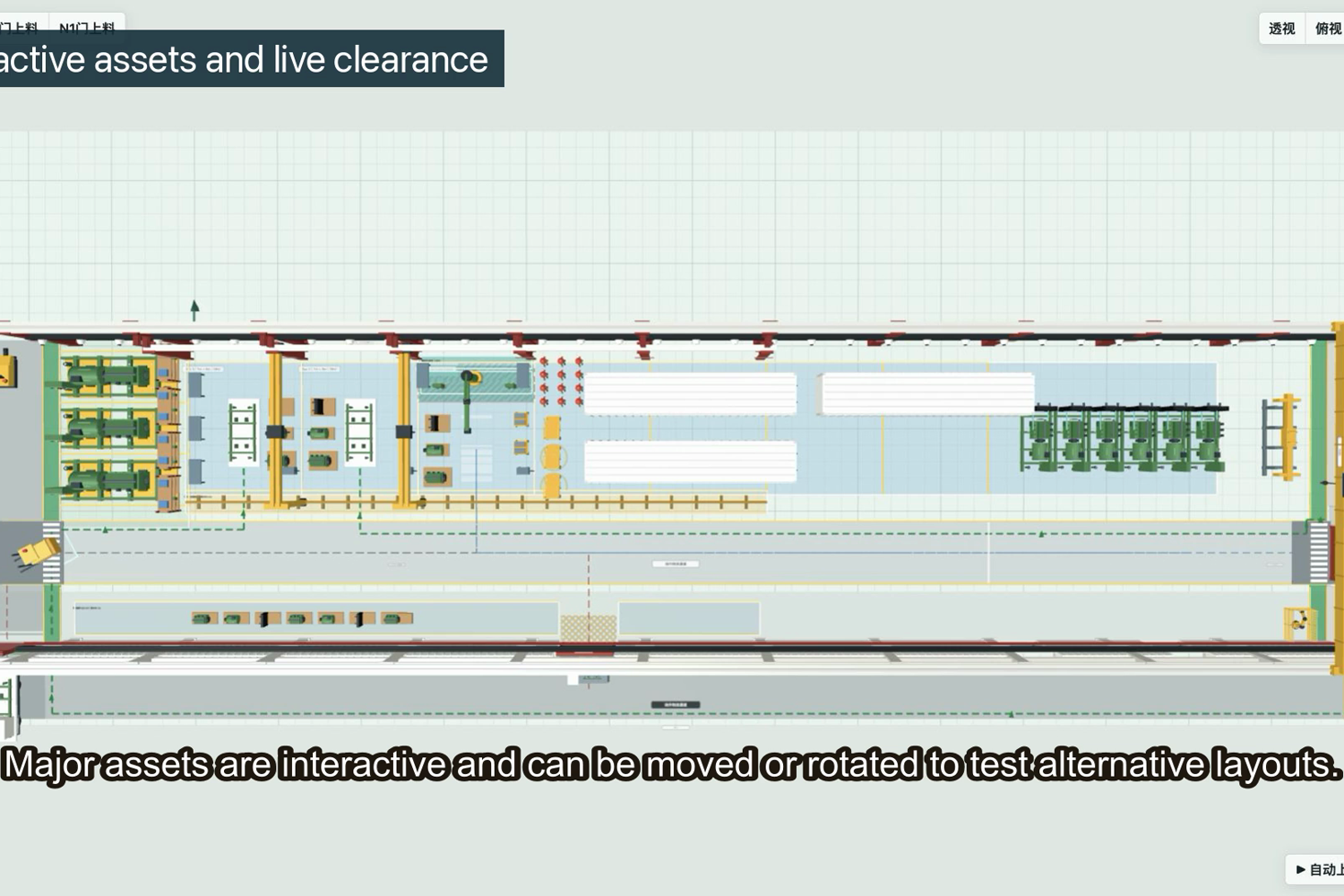
BayFlow is an interactive browser-based 3D factory digital twin. Users can:
- Switch between perspective and top-down planning views.
- Hide walls and reset the complete layout to a validated baseline.
- Drag and rotate generator components, people, racks, ladders, tables, containers, trucks, and material-handling equipment.
- Assemble engines, alternators, radiators, and control cabinets onto generator bases.
- Simulate forklift loading through multiple logistics doors.
- Operate semi-gantry, 20-ton, and 32-ton cranes with trolley, hook, lifting-beam, sling, and release logic.
- Explore shipping and receiving workflows through the W6 logistics door.
- Move a MasterMover and automatically couple it to a generator set.
- View live clearance measurements to nearby objects and bay boundaries while equipment is moved.
- Track usable assembly area as large objects enter or leave the production zone.
- Evaluate escape routes, pedestrian separation, guarded equipment, crane coverage, and logistics conflicts before changing the physical factory.
How we built it
The project was built through an iterative collaboration with OpenAI Codex. I supplied factory knowledge, measurements, annotated photos, equipment dimensions, workflow rules, and continuous visual feedback. Codex translated that information into a working Three.js application, adjusted the geometry and interaction model, packaged offline Windows 10 releases, and helped test each revision in the browser.
The application uses JavaScript, Three.js, HTML, and CSS. Models are generated procedurally so the project can run as a lightweight offline package without downloading external 3D assets. The coordinate system represents real-world meters, allowing measured factory dimensions and equipment footprints to remain consistent across the scene.
Interaction logic goes beyond simple visualization. Objects have operational roles, assembly relationships, movement constraints, snap and release behavior, collision-aware zones, and real-time clearance feedback. The result is closer to an interactive engineering sand table than a static rendering.
Challenges
The hardest challenge was translating partial, imperfect field information into one coherent coordinate system. Measurements were collected with an iOS measuring app and photos covered only local areas. We had to reconcile those observations with column numbering, crane spans, door positions, safety lanes, racks, and bay boundaries.
Another challenge was balancing realism with usability. A fully detailed factory model can quickly become visually overwhelming. We progressively removed unnecessary labels and shadows, added selective visibility controls, simplified the interface, and displayed measurements only when they are relevant to the current operation.
The logistics and lifting workflows also required careful state design. A forklift must carry a base in the correct orientation, doors must respond to vehicle movement, cranes must couple and release lifting equipment in a believable sequence, and floor-area calculations must update when equipment moves across planning boundaries.
Accomplishments that we are proud of
- Converted a real production area into an interactive, measured 3D planning environment.
- Preserved domain-specific manufacturing knowledge across more than ninety iterative revisions.
- Created an offline Windows 10 package suitable for factory-floor review without a cloud dependency.
- Added live clearance and usable-area feedback so the model supports decisions, not only presentations.
- Demonstrated how a manufacturing specialist and an AI coding agent can rapidly co-create a specialized industrial tool.
What we learned
The most important lesson is that AI-assisted development works especially well when domain experts can interact with a working model early. Every visual revision exposed assumptions that would have remained hidden in a written specification. Codex shortened the distance between a factory observation and a testable software behavior, while the operator remained responsible for the production logic and safety context.
What's next for BayFlow
Next, we plan to calibrate additional field dimensions, add formal safety-rule checks, store multiple layout scenarios, compare production schedules, and connect the spatial model to labor and tool-capacity analysis. The long-term vision is a practical digital workspace where manufacturing teams can test a change together before moving a single machine on the factory floor.
Built With
- three-js

Log in or sign up for Devpost to join the conversation.