-
-
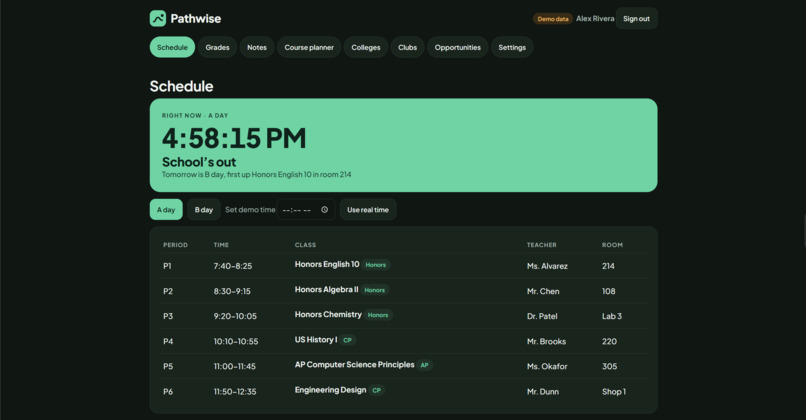
Main Page
-
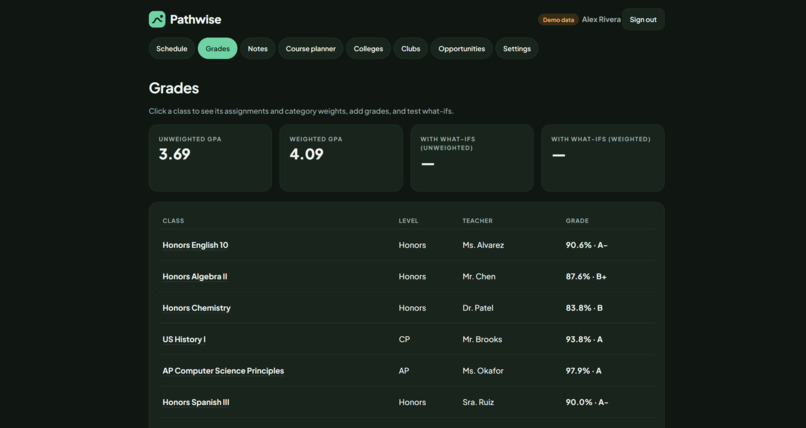
Grade Page
-
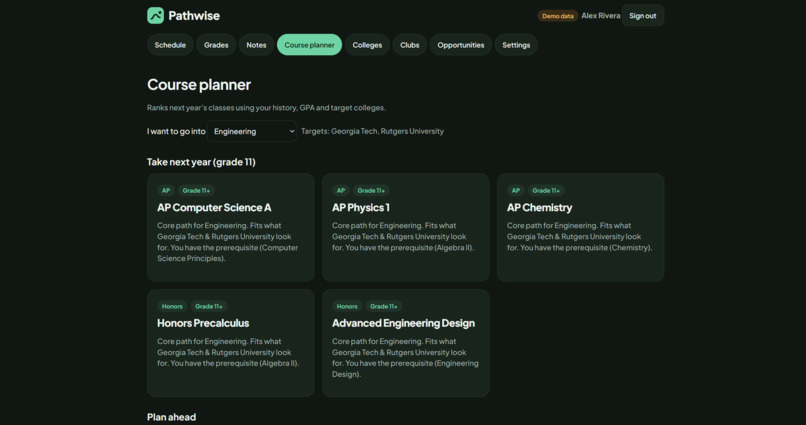
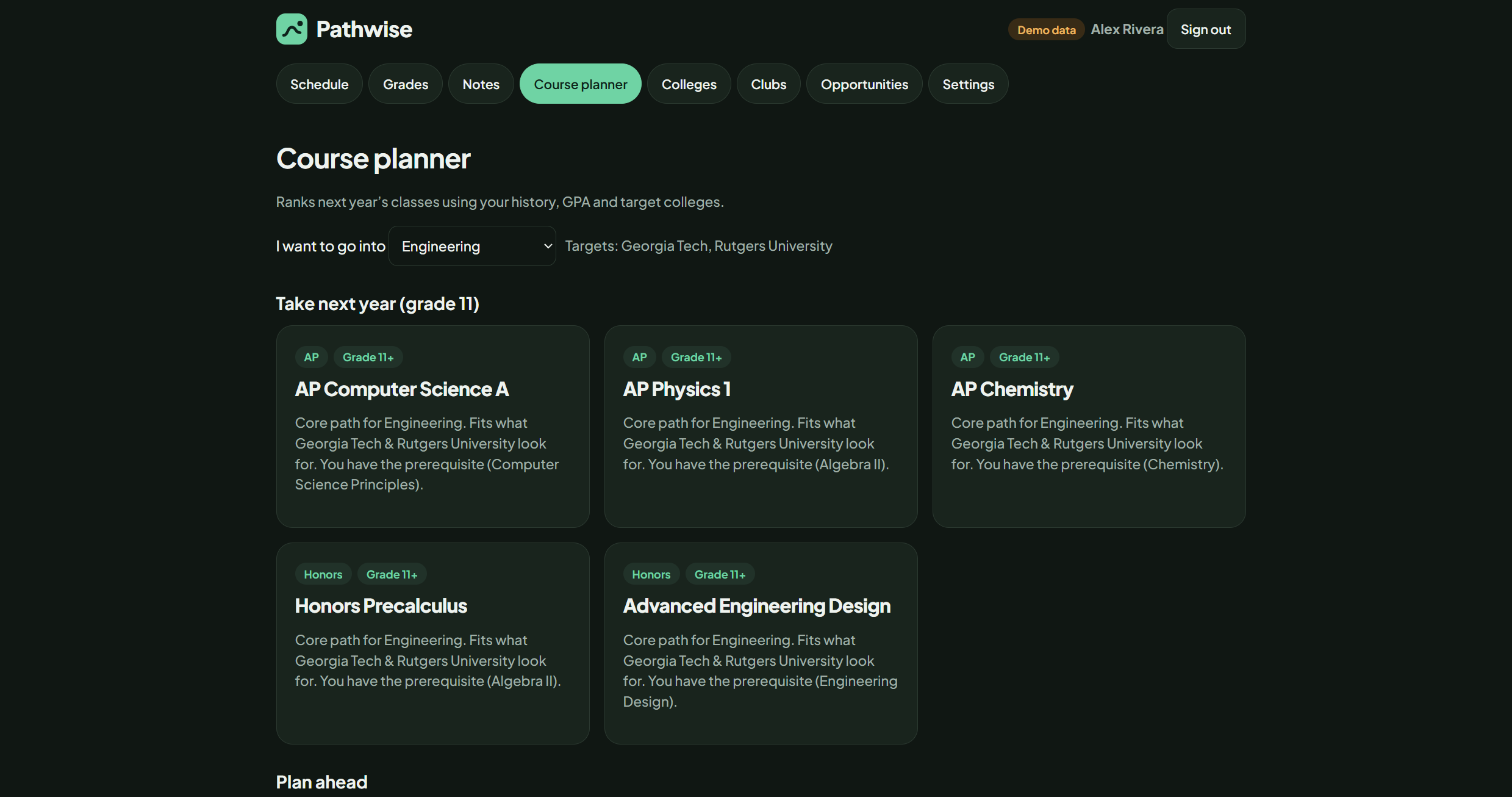
Course Planner Page
-
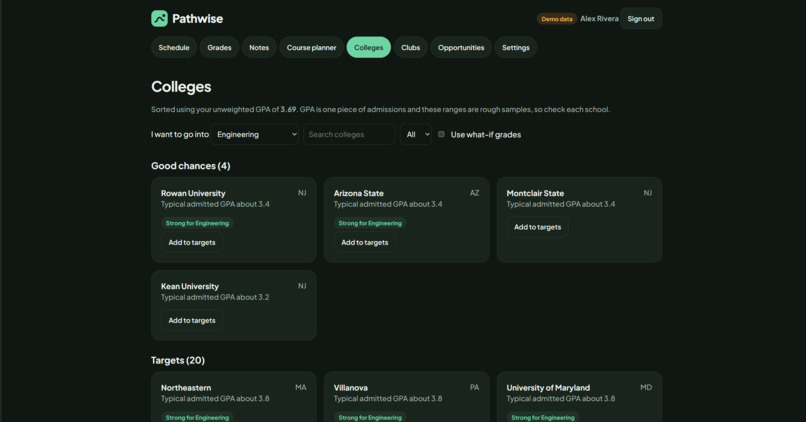
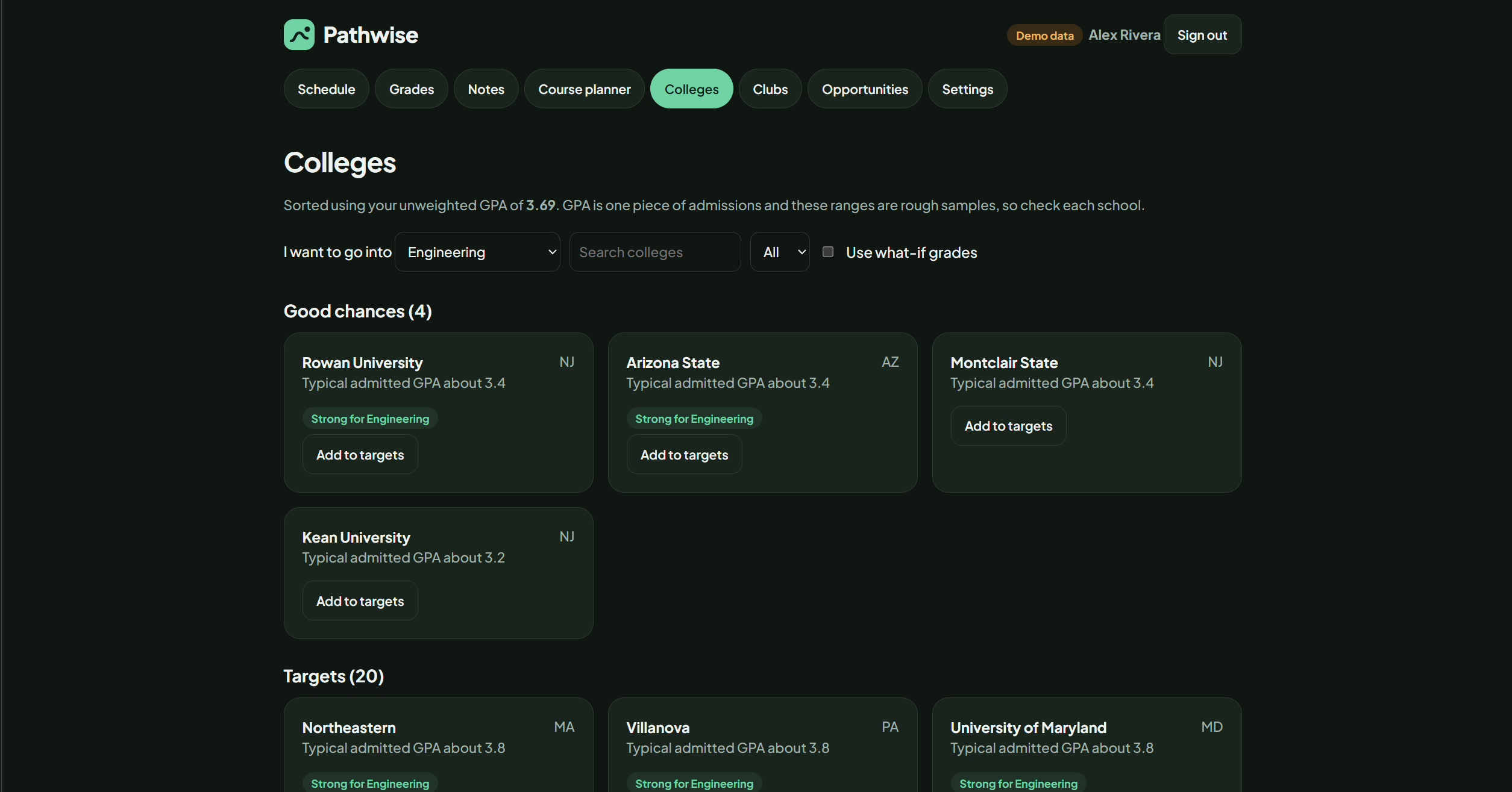
College Choice Page
-
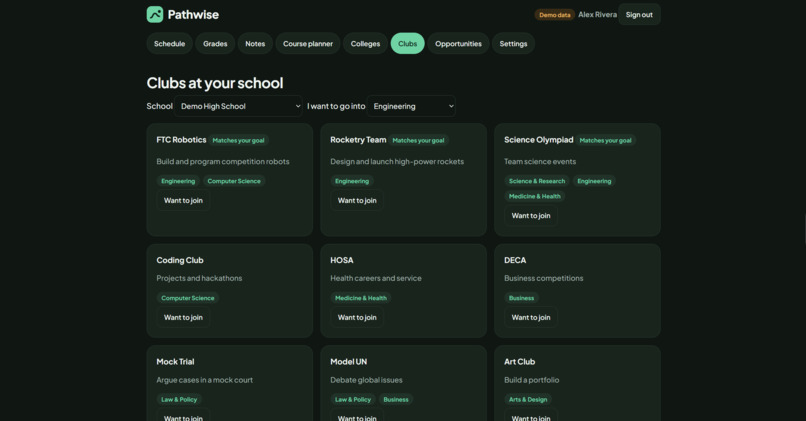
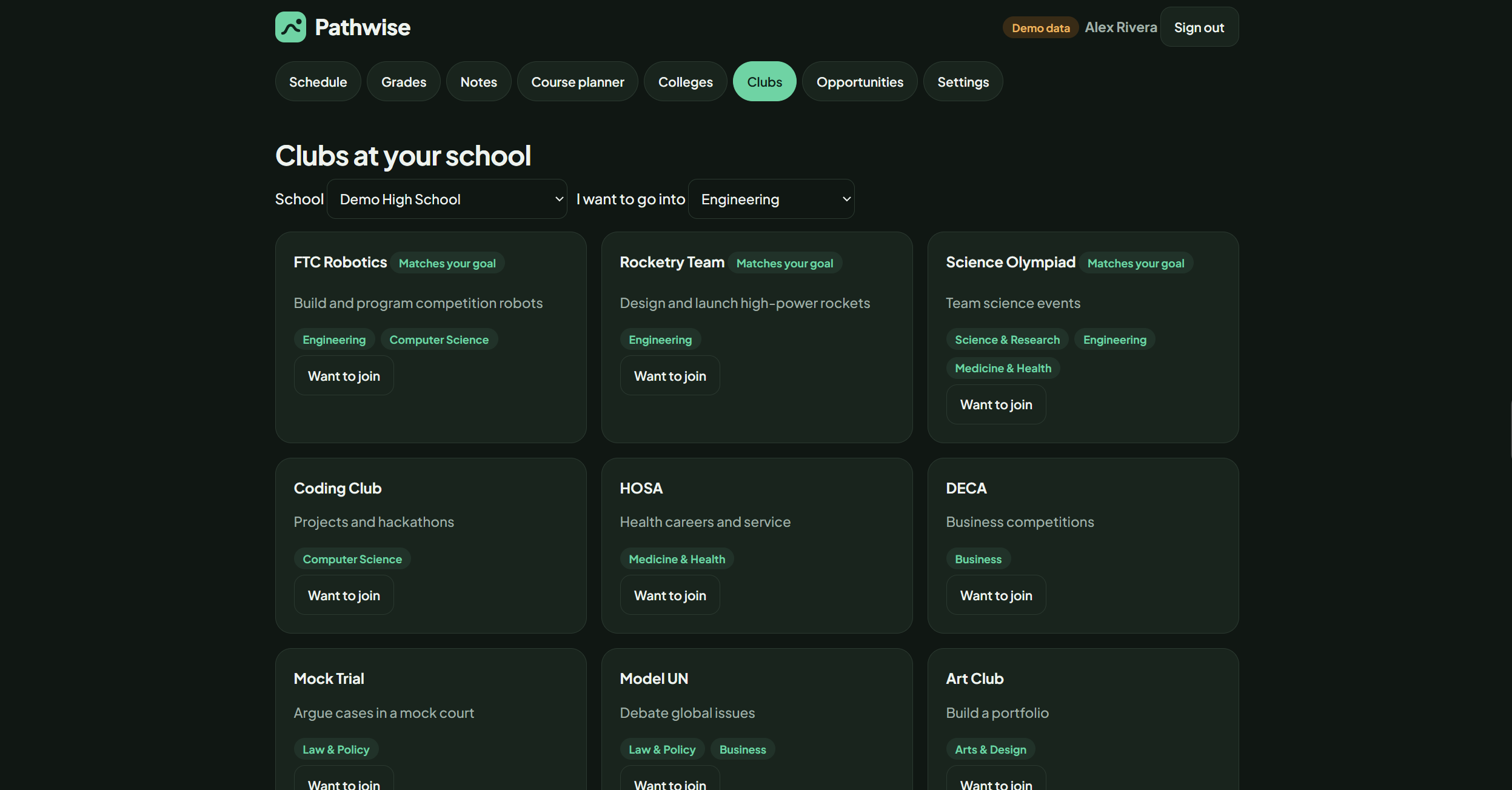
Club Page
-
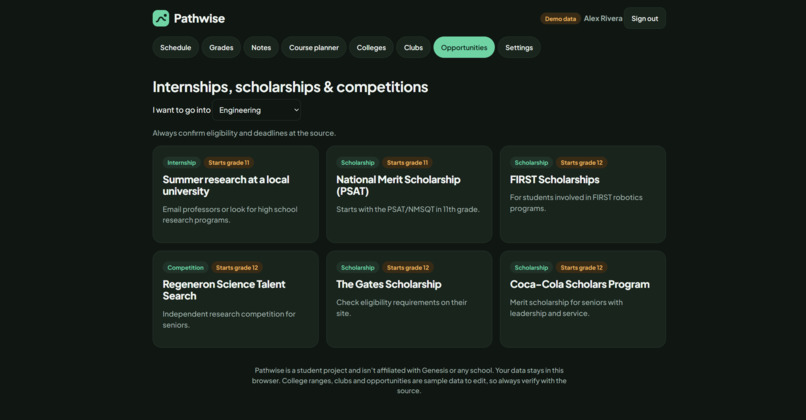
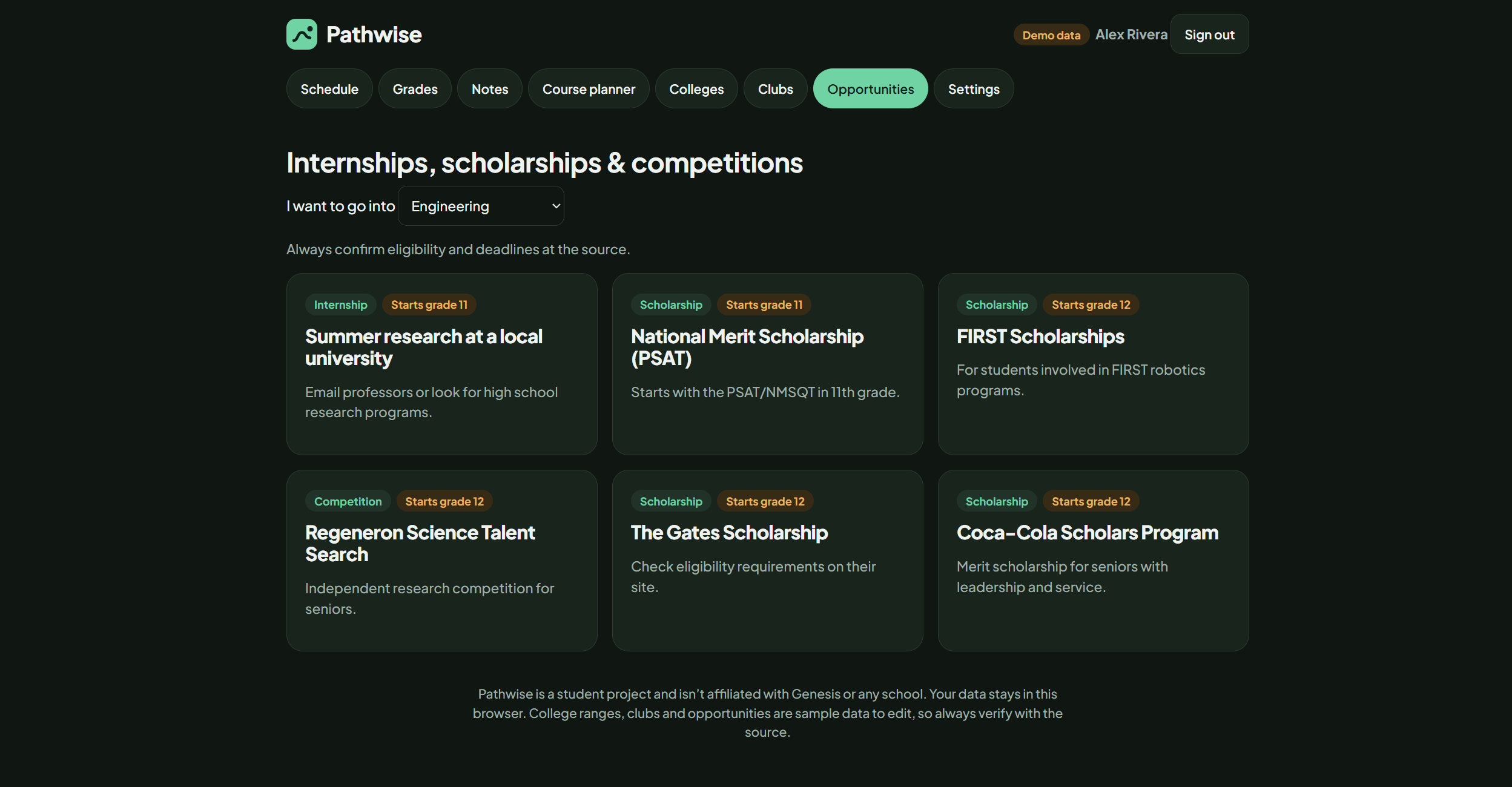
Opportunities Page
Inspiration
At my school, everybody wants to know their schedule, grades, and GPA. I wanted to build a website that puts all of this in one place instead of making students check different places for everything. I also wanted to help students think beyond their current classes by exploring courses for next year, discovering opportunities, and figuring out how to reach their future goals.
What it does
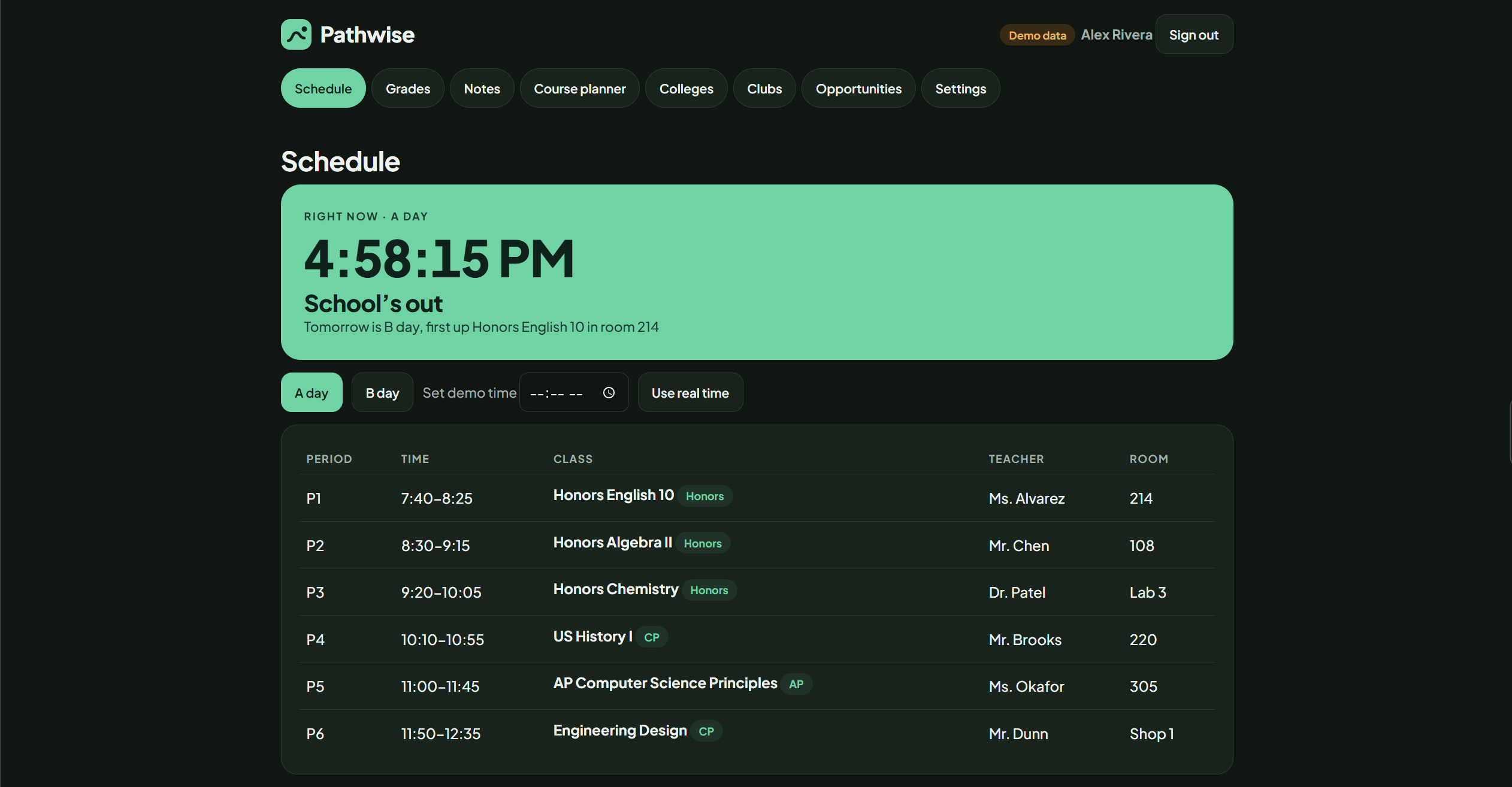
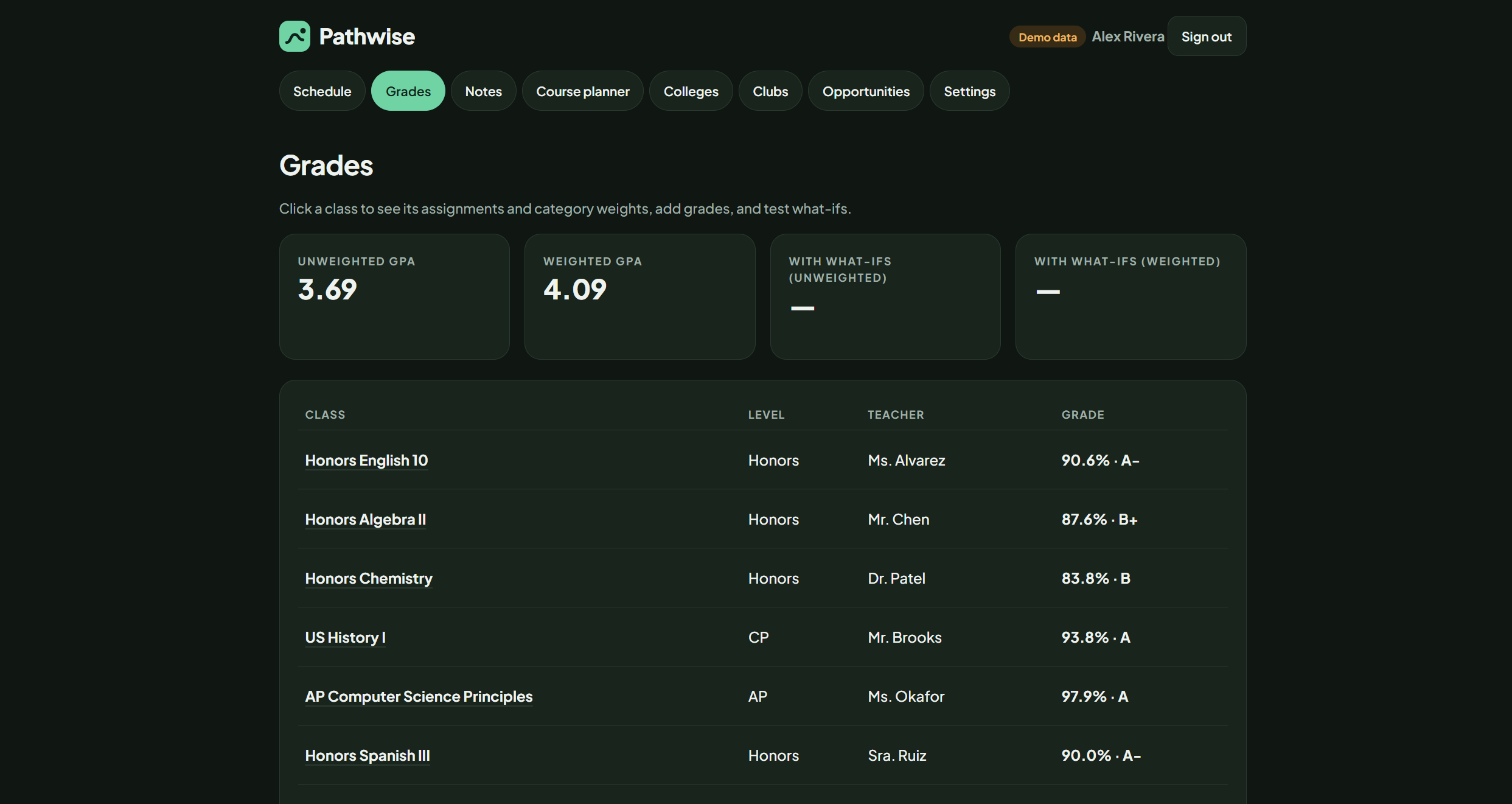
Pathwise is an all-in-one student dashboard that connects to Genesis to retrieve real student grades and schedule information. Students can view their classes and grades, check their GPA, and explore their schedule by A day or B day to see which classes they have on each rotation. The schedule also displays class periods, times, teachers, and rooms when that information is available.
Pathwise includes a grade calculator that lets students experiment with hypothetical assignment scores and see how those scores could affect their grades. Students can also explore courses based on their interests and goals, plan what they might take next year, discover colleges and school clubs, and find scholarships and internships.
The website also includes personal notes and planning tools to help students organize their goals and keep track of what they want to accomplish. The goal is to bring academic planning, daily schedules, and future opportunities together in one place.
How I built it
I built Pathwise using HTML, CSS, and JavaScript, with a backend integration for retrieving student information from Genesis. The website is organized into different sections, including the schedule, grades, GPA, notes, course planning, colleges, clubs, and opportunities.
One of the most important parts was connecting Genesis so students could see their actual information rather than relying only on sample data. I also worked on parsing the schedule information returned by Genesis and separating A-day and B-day classes so the schedule is more useful for a real school day. The schedule view uses available class details, such as periods, start and end times, teachers, and rooms.
Another major feature is the grade calculator. It uses assignment scores and category weights to estimate grades and supports hypothetical assignments, allowing students to experiment with different scores without confusing those predictions with their actual grades.
This is an example of the grade calculation logic:
function gradeOf(k, wi) {
    if (!k.cats || !k.cats.some(c => c.items.length))
        return +k.g;

    let t = 0, sw = 0;

    k.cats.forEach(c => {
        const it = c.items.filter(i => wi || !i.h);
        const m = it.reduce((a, i) => a + +i.m, 0);

        if (m > 0) {
            t += c.w * it.reduce((a, i) => a + +i.s, 0) / m;
            sw += +c.w;
        }
    });

    return sw ? 100 * t / sw : +k.g;
}
The function calculates a grade from assignment scores and category weights. It can include hypothetical assignments for what-if calculations, helping students understand how future scores might affect their results.
Challenges I faced
One of the biggest challenges was bringing so many features together while keeping the website easy to navigate. Connecting Genesis was especially challenging because grades and schedule information do not necessarily come back in the same format. I had to work through how to retrieve the schedule, parse the returned HTML, identify class periods and times, and avoid showing A-day and B-day classes as if they all happened on the same day.
Another challenge was making the grade calculator flexible enough to handle category weights and hypothetical assignments while keeping the student's actual grades separate from their what-if scenarios. I wanted Pathwise to be useful with real information, not just look like a dashboard filled with sample data.
What I learned
I learned how to build a website with multiple interactive features and connect them through a shared interface. I learned that integrating with an existing school system can be more complicated than displaying information because the data needs to be retrieved, interpreted, and presented correctly.
I also learned how useful it is to build technology around a problem I see at my own school. Pathwise started with a simple idea: make it easier for students to understand their schedules and grades. It has grown into a broader tool for academic planning, exploring future classes, and discovering opportunities beyond school.
Built With
- claude
- github
- vercel

Log in or sign up for Devpost to join the conversation.