-
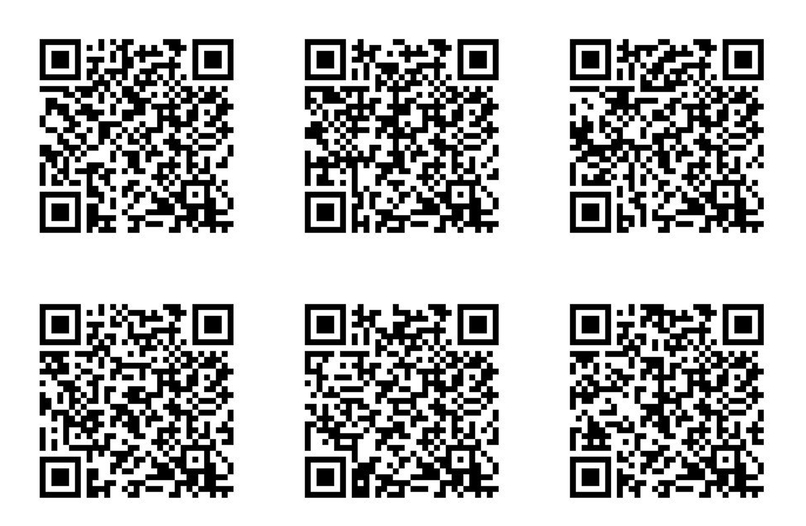
These QR codes can be scanned with a phone, and they open the webpage and useful information on the specific battery they represent.
Inspiration
My main inspiration for a solution was caused by the amount people who don't recycle their batteries because they often don't know that you even have to recycle, or don't know what they would even do to recycle the battery. However, when these batteries are improperly disposed of, they can often have a negative effect on the environment, leaching chemicals into water. My other problem identified was that it is difficult to find general information about a battery because it the physical battery label itself often don't have all of the information. This can make it a pain for people to have to search up basic information about that battery such as voltage, mAh, or recyclability (which are all important things for electronic hobbyists and every day people). Additionally, devices such as portable chargers or laptops have a battery enclosed inside them, but often don't show you how or if you need to recycle, which ultimately causes the lack of knowledge to every day people that these batteries need to be recycled and disposed of properly. Ultimately, my project needed to make it easier for people to know to recycle batteries, as well as making it easier for people to very quickly have access to a batteries information.
What it does
Two Functions: (Function 1) Users can use the webpage to find general information about a battery type they want to search up including its name, composition, recyclability, hazards, voltage, capacity, and any tips about that battery type. Mainly, this information tells them if they need to recycle the battery, or how they can dispose of the battery. Then, if needed, the user can scroll down and use the "Where" feature to find a location near them to recycle the batteries. There is also a "Why" feature that discusses the importance of recycling batteries, and why people should take the time to go and recycle. (Function 2) A specialized QR code is placed on a battery (ideally this would be during production, but in this case a QR code is just added to a battery). When scanned, the webpage opens up and displays specific information about that battery as listed above. This makes it easy for people to find general information about the battery in seconds!
How we built it
To build my project, I had to use chatGPT to guide me through what the steps were. I had zero previous knowledge on how to build a webpage, so I had to watch YouTube videos to understand what I was trying to achieve. After understanding what to do, I had to learn how to use git hub and vs code. I then had chatGPT write the code, and help me debug when the web page wasn't working like it should. I spent a lot of time deciding what features would be best, and then making progress in implementing them. After hours of adjusting the code, my webpage finally worked and I was beyond happy!
Challenges we ran into
- The main challenge I had was knowing how and where to start. I had my idea, but I didn't know how to implement it. This is my first ever hackathon, and I have no substantial coding experience. Learning how to use git hub and VS code was a big struggle at first. I didn't know what a frontend or backend was, so I had to spend a lot of time learning what I was actually going to do. However, after researching all of these new things, I was able to apply them and create a cohesive project which I am very proud of!
- Another main challenge that I ran into was when I lost sight of the main function of the project. I had been so focused on adding a specific feature, that I forgot the actual problem my project was trying to solve. It wasn't until I had a user try my webpage that I realized scanning the QR code THROUGH the webpage was a bad idea (you get so caught up in implementing your feature that sometimes you just forget the functionality of what you need to make). Ultimately, having multiple users test out my webpage, I was able to determine what characteristics were best for my project, and what were not.
- A more niche challenge that I had was that I could not for the life of me figure out how to open the webpage on my phone. It took forever but I was so happy when I finally understood how to do it (thank you niche youTube video for helping me).
Accomplishments that we're proud of
- I am majorly proud of teaching myself HTML, CSS, VS Code, git hub, how to code the backend and frontend, and how to integrate a QR code into my design, all in 24 hours! These are all things I did not know how to do before this weekend (or what most of them even are for that matter), so I am very proud of myself for learning a bunch of new skills!
- I'm also proud of myself for working through the challenges that I faced, even when I felt like the project would never work. There were times I was feeling hopeless, so I'm glad I persevered and solved the issues.
- I'm majorly proud that I have a final working project that actually solves a problem and that people actually might find useful!
What we learned
- I learned a bunch of new software skills that I did not know before!
- I learned how to be adaptable to new situations and how learn new things in a short period of time. It was difficult, but in the end I was able to overcome the challenges and learn a bunch of new things.
- I learned that I don't have to have strong foundations in something to solve a problem. Even though I had zero knowledge, I was still able to problem solve and create a cohesive project. Being a quick and adaptive learner is an invaluable skill!
- I learned that constantly going back to the goal of your project will ensure that you stay on task. My engineering perspective definitely kicks in, and I think understanding the actual purpose of your project helps ensure that you don't waste time on something that is unnecessary or irrelevant.
- I learned that checking in on the needs of your stakeholder is so important! Not just at the beginning, but throughout the project to ensure that your product aligns with their needs.
- I also learned not to have an embarrassing username on git hub and not know how to change it (I truly tried).
What's next for Battery Recycling Webpage With QR Code Batteries
- Next, my goal would be to add more battery types into my webpage. A lot of my code relied on manual input, so I would've like to make it easier to insert new battery types, but I didn't have enough time. So, in the future, I'd like it to be easy to insert more battery types maybe even more information about the batteries.
- I would also like to try adding QR codes to real batteries, and store that batteries information on my webpage. I'd like to see how the idea works in real life, and if it makes it easier for people to recycle or get battery information.
- Of course I'd also like to make my webpage more user friendly by accounting for misspellings or anything like that. My webpage is super super basic, so I'd like if someone with more experience could help me turn it into an actual sustainable web page that is very user friendly.
- I would like to make the location function more specific. Right now it just directs a user to a google maps webpage, so in the future I'd like to make that feature actually locate where a person is, and tell them what facilities are nearby.
- In the future, it may be worth thinking about integrating this webpage with an AI tool to help visually identify batteries. This way, a user could take a picture of the unknown battery, so then AI can identify it, and state it's key features and how it needs to be recycled. I am still unsure of this idea, because I think QR codes create a more sustainable practice rather than AI, because QR codes don't have an environmental impact. However, QR codes are not the standard on every battery, so an AI function would be ideal for identifying ALL batteries, not just ones with a QR code link to my webpage. Ultimately, there are many factors to think about, but there are definitely different routes this project could take in the future!
Built With
- css
- github
- html
- html5-qrcode
- javascript


Log in or sign up for Devpost to join the conversation.