-
-

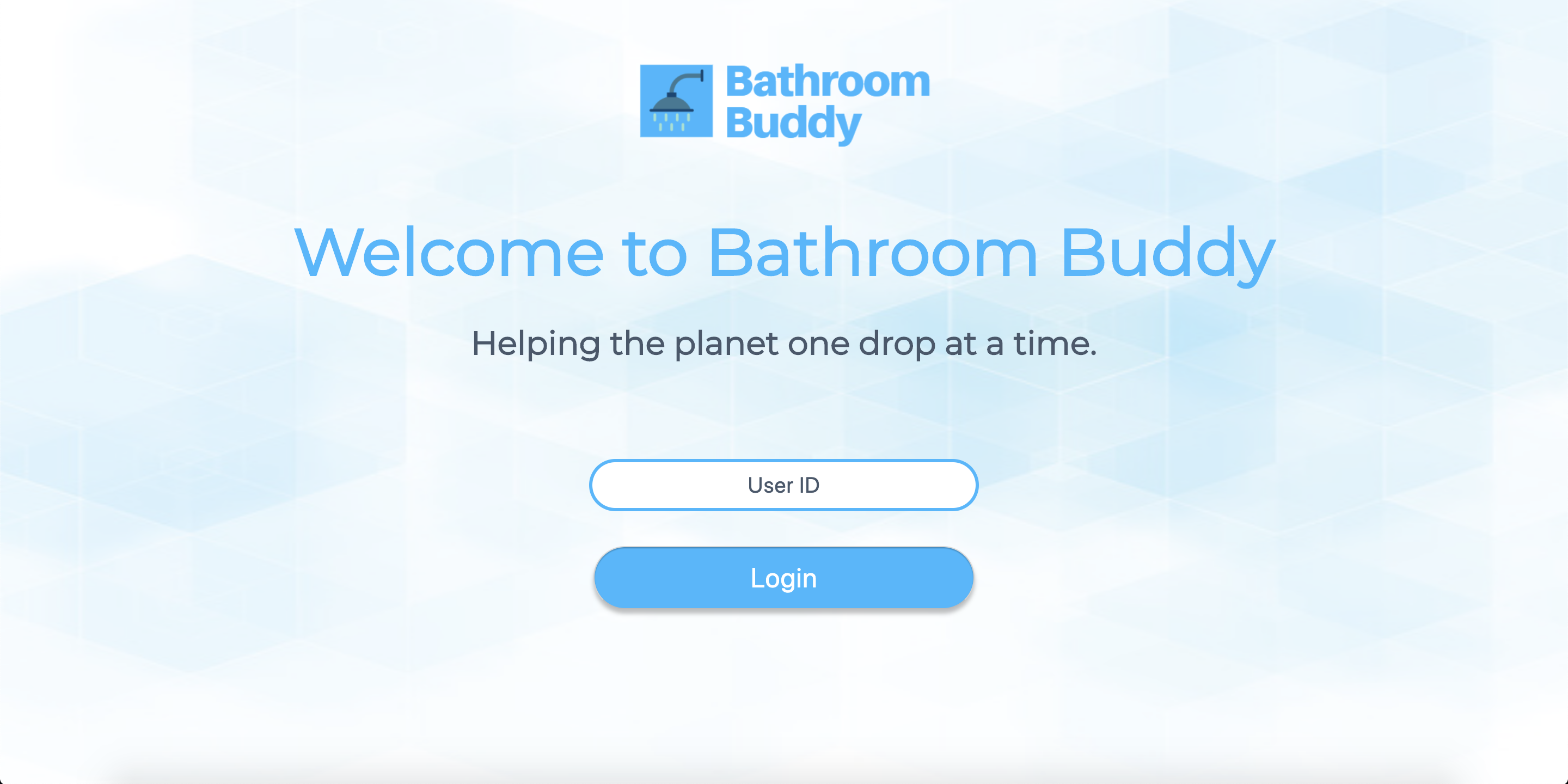
Welcome to Bathroom Buddy!
-
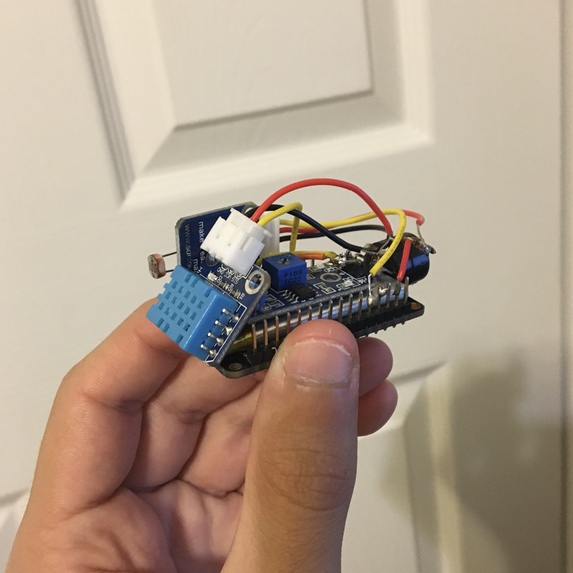
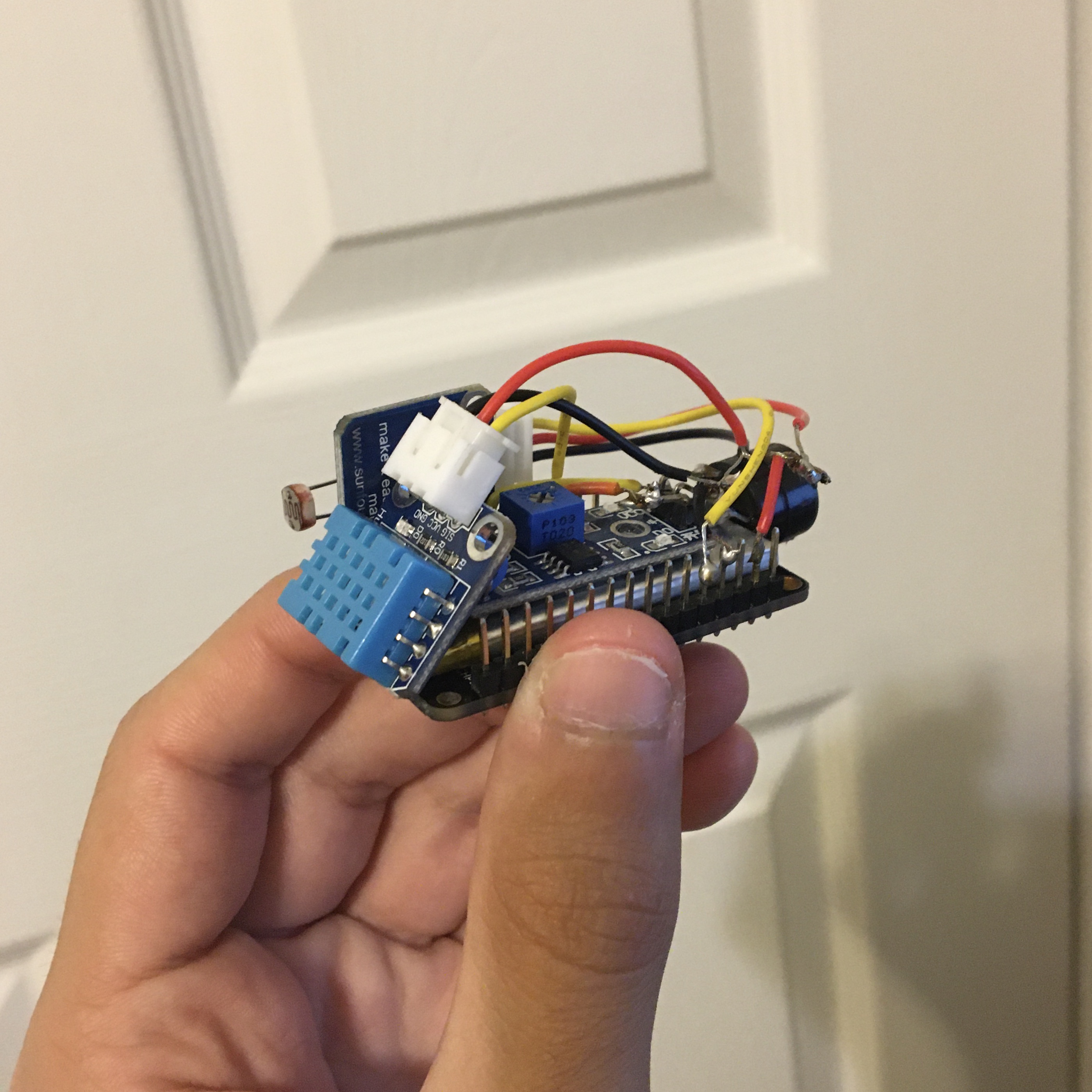
This is our hardware device that uploads its data to Firebase where we then retrieve the info to display on our dashboard.
-
Main/Welcome Screen for Bathroom Buddy
-
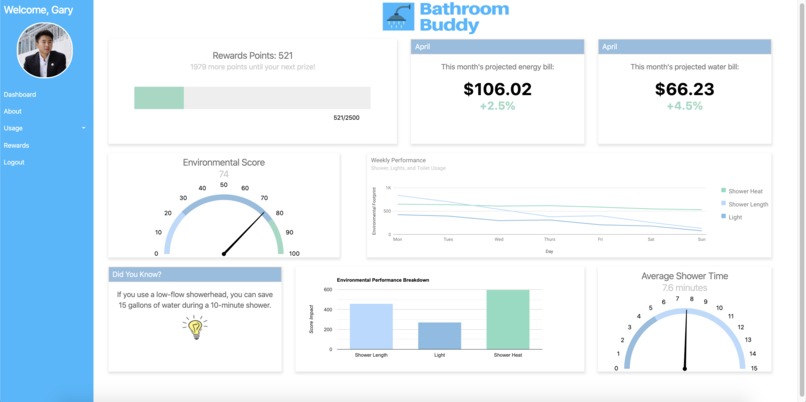
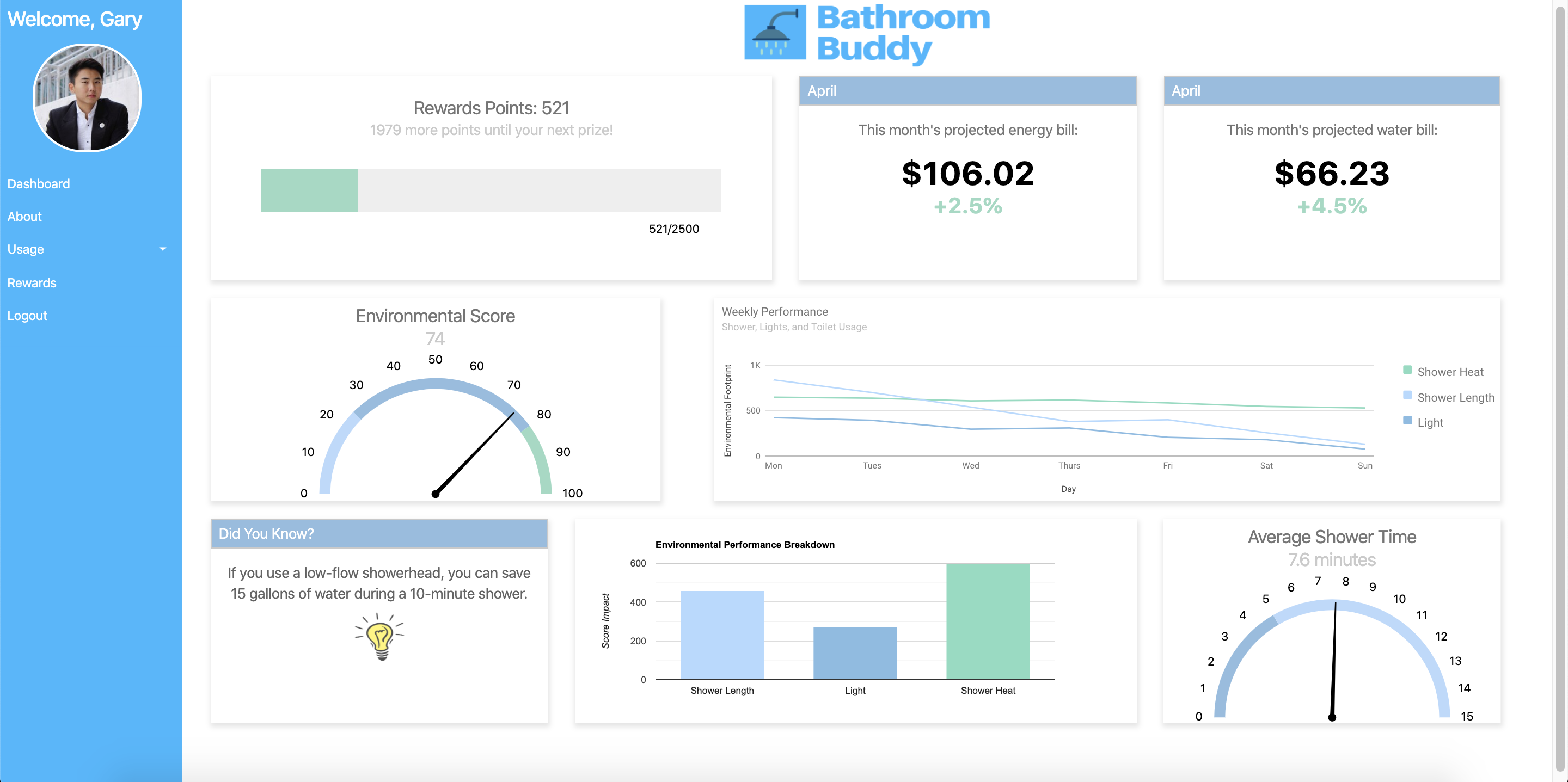
After logging in, you get access to your data that's pulled from our hardware device.
-
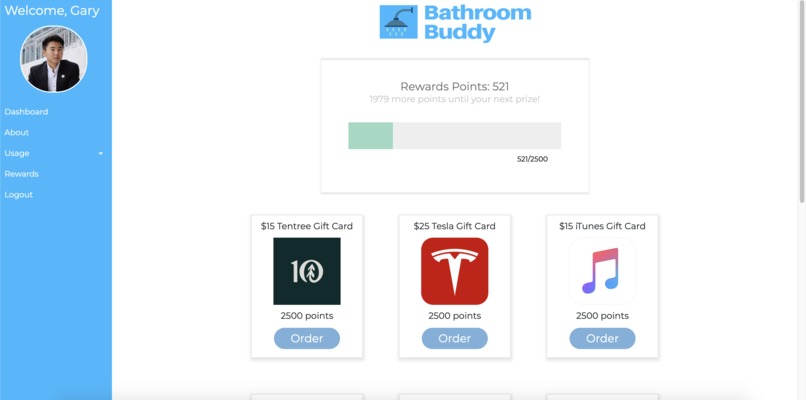
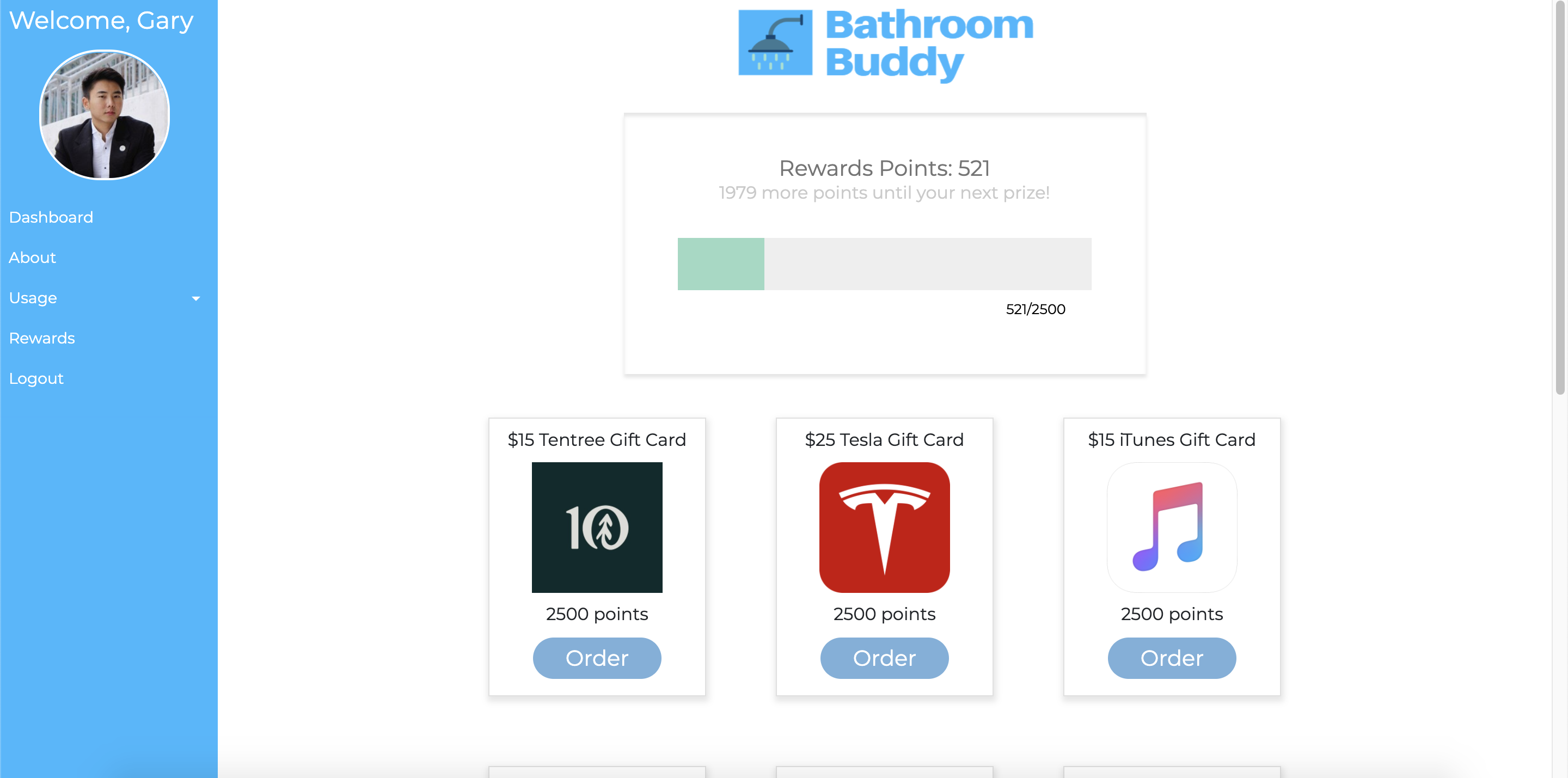
If you obtain enough reward points based off your environmental score, you can trade them for gift cards.
-
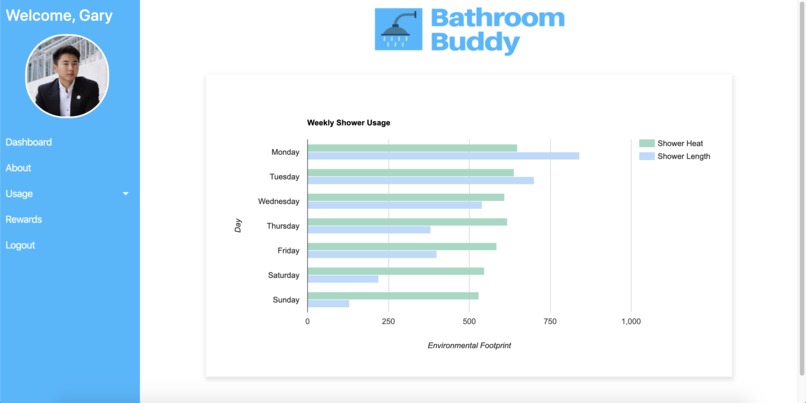
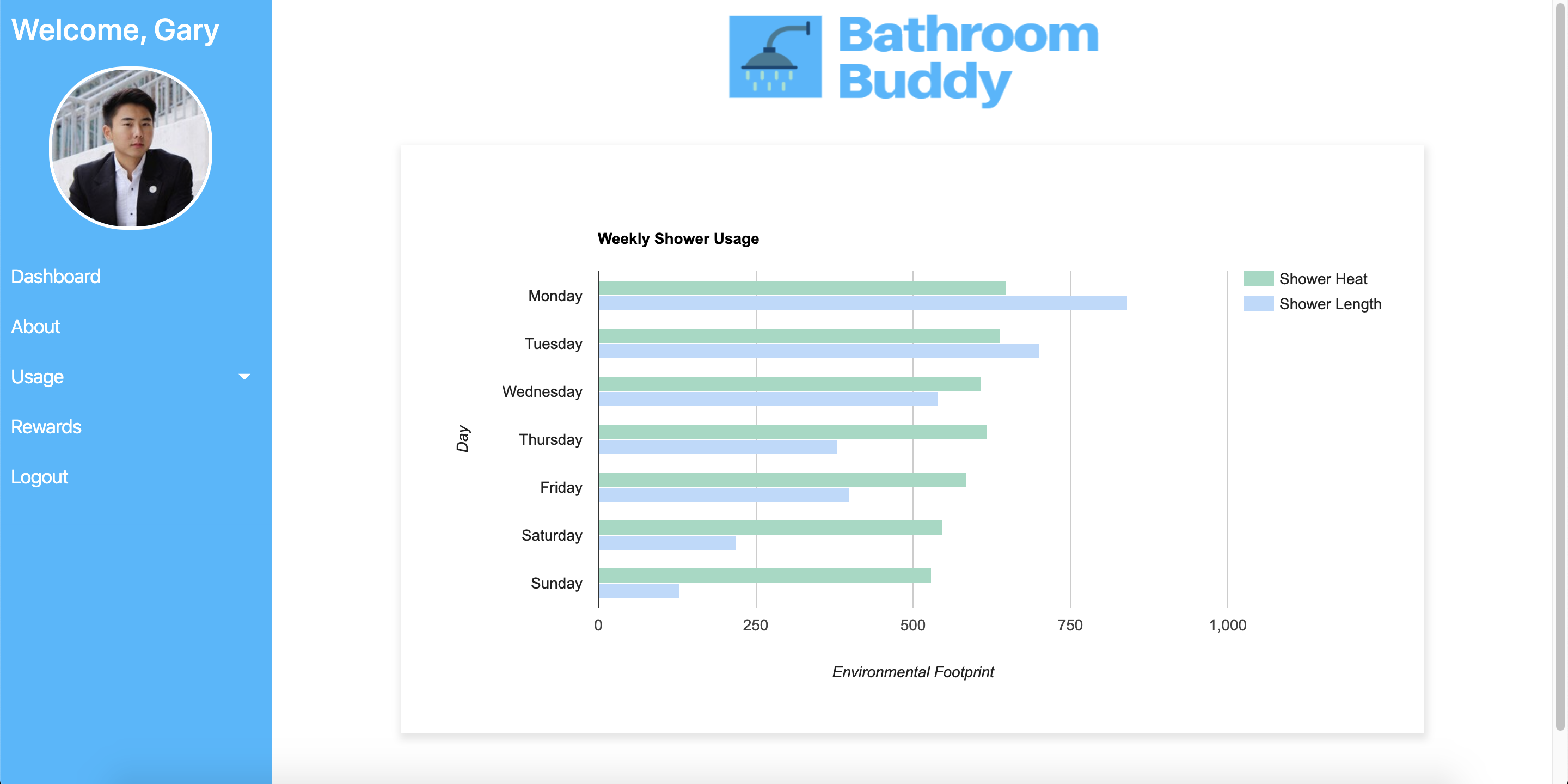
Displays your weekly shower usage with shower heat index and shower length.
-
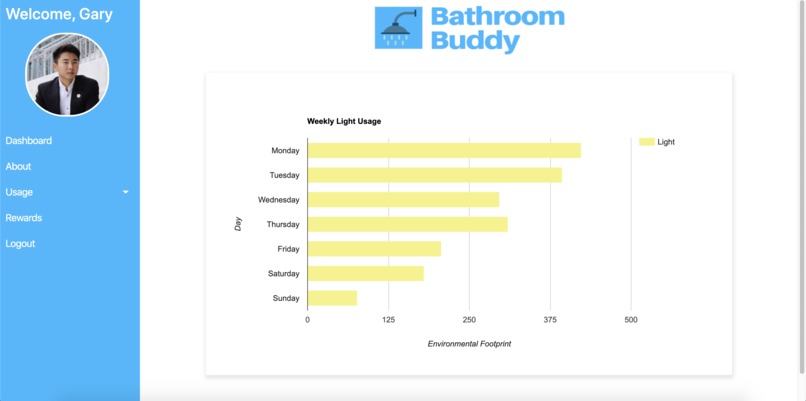
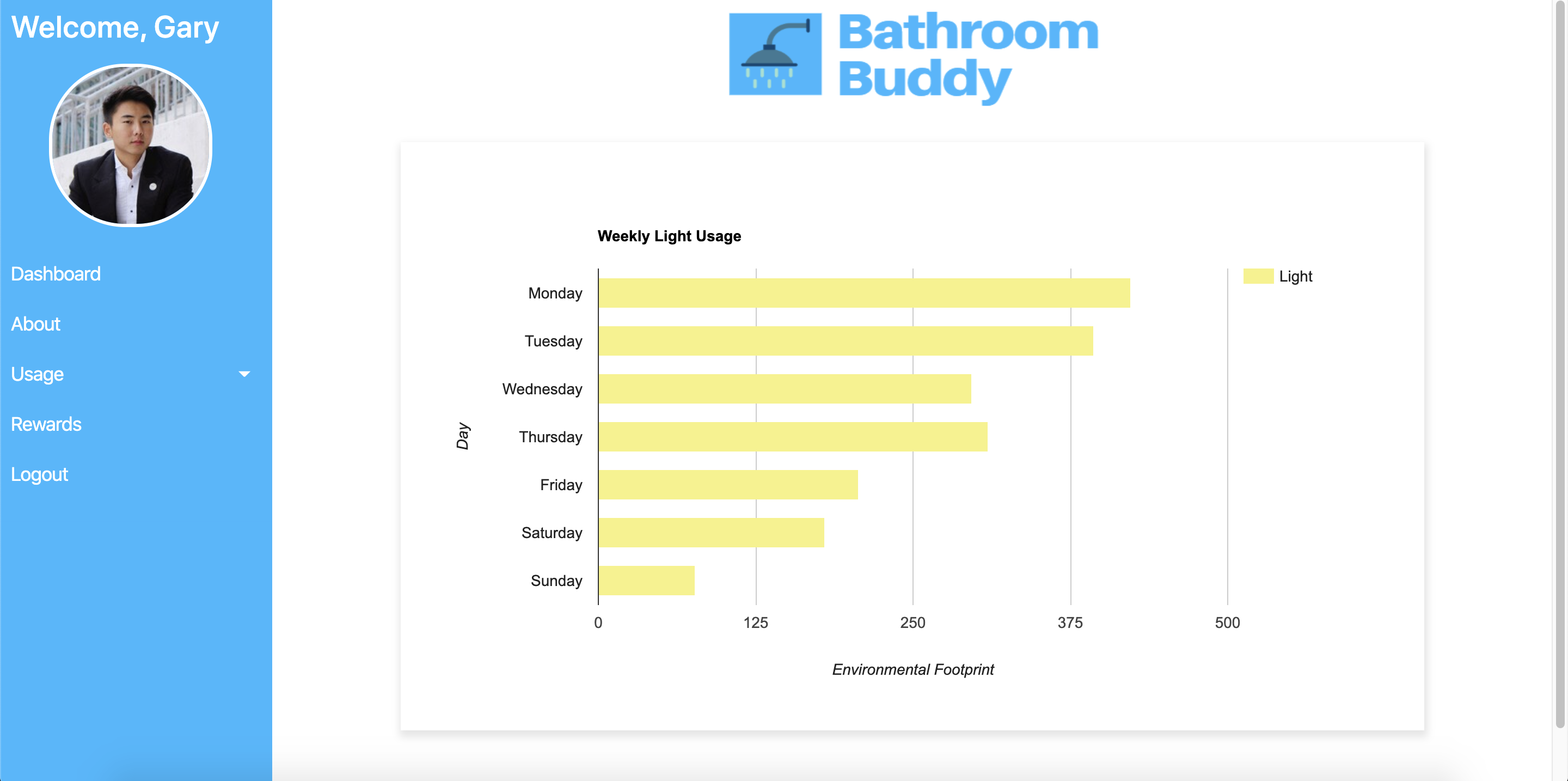
Displays your weekly light usage.
-
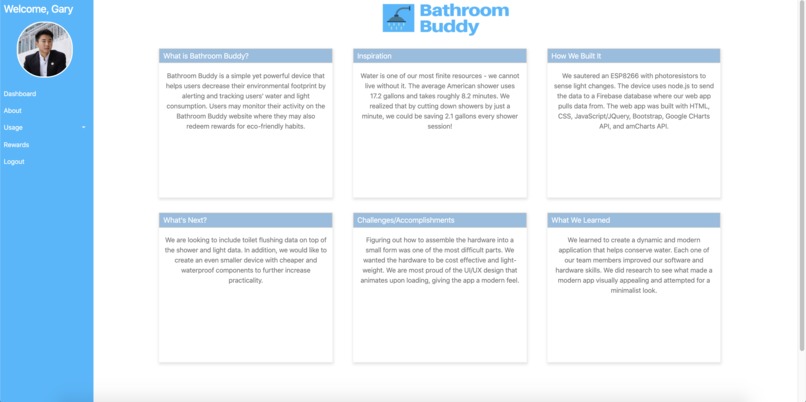
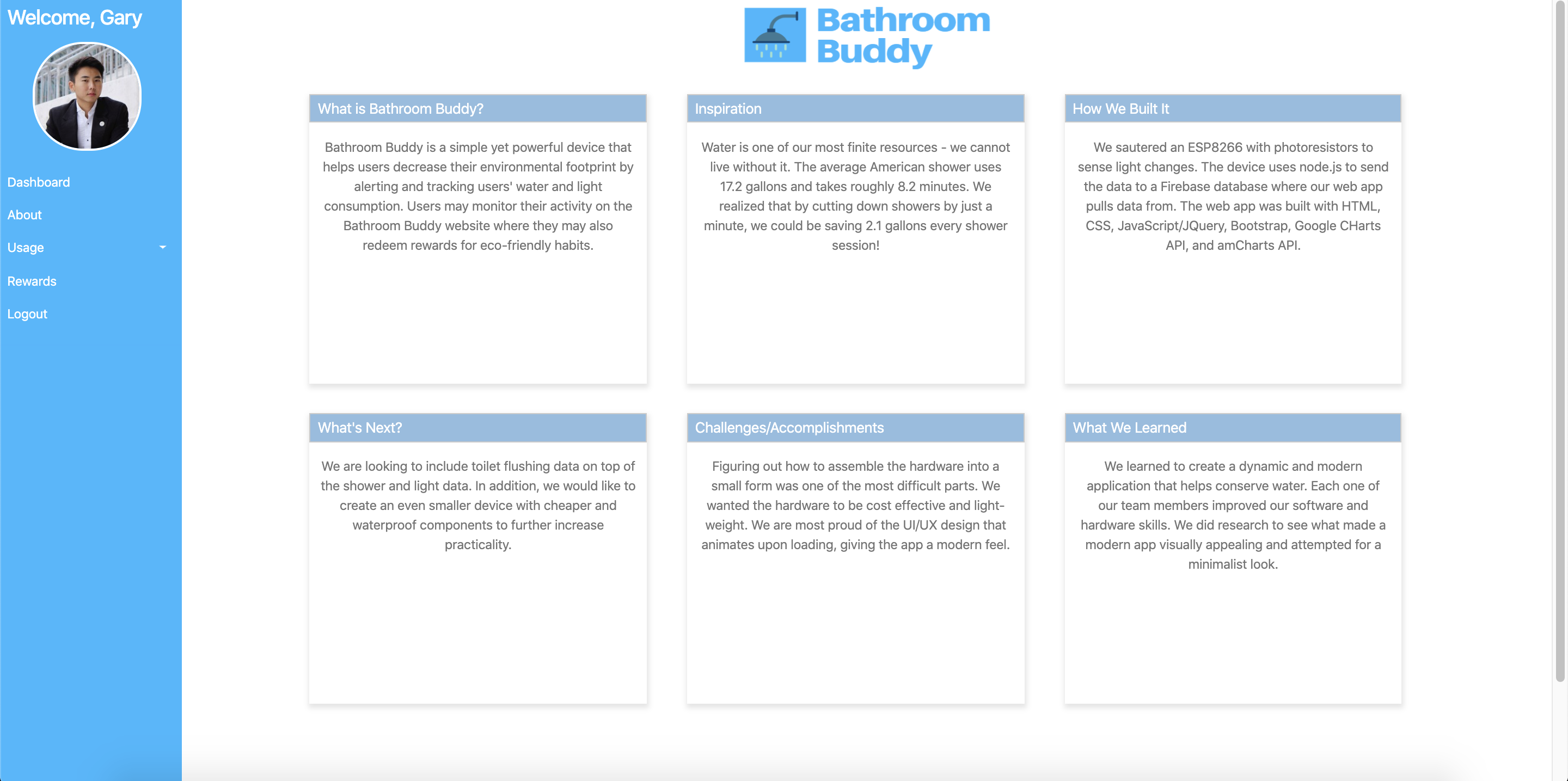
About Page
-

Inspiration
Water and energy are vital resources that we cannot live without. The average American shower uses 17.2 gallons and takes roughly 8.2 minutes. We realized that by cutting down showers by just a minute, we could be saving 2.1 gallons and more than 20 watts every shower session!
What it does
Bathroom Buddy is an inexpensive yet powerful device that helps users decrease their environmental footprint by alerting and tracking users' water and light consumption. Users may monitor their activity on the Bathroom Buddy website where they may also redeem rewards for eco-friendly habits. This rewards system gamifies being environmentally aware, allowing Bathroom Buddy to grow it's platform and incentivize eco-friendly behavior.
How we built it
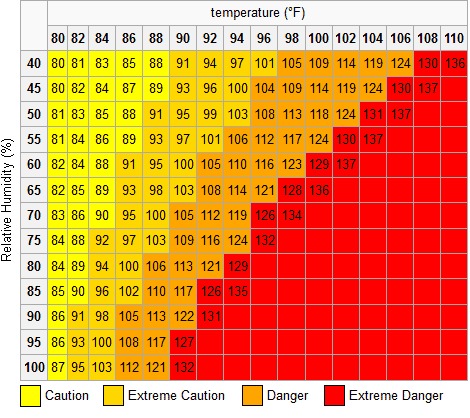
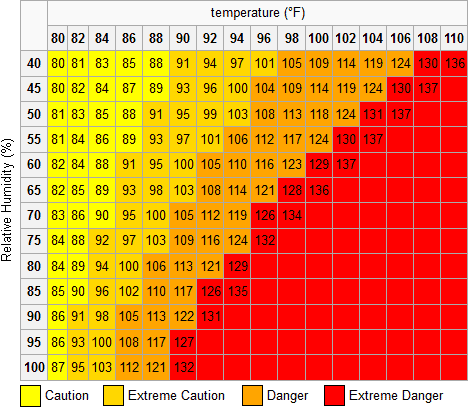
Hardware: We soldered an ESP8266 with a photo-resistor, humidity and temperature sensor, a piezo buzzer, and a rechargeable li-poly battery to sense light and shower events. C code was flashed on the board that includes custom calibration, wifi sync, timestamp collection, and heat index and light calculation software.
Backend: The device sends data to the realtime database. The backend, built with node.js, restructures the data to correctly fit in the database. The Firebase database is where our web app pulls data from.
Frontend: The web app was built with HTML, CSS, JavaScript/jQuery, Bootstrap, Google Charts API, and amCharts API. A user logs in and is presented with their custom dashboard. Other pages include rewards, about, and individual shower and light data.
Challenges we ran into
Figuring out how to assemble the hardware into a small form-factor was one of the most difficult parts. We wanted the hardware to be cost-effective and light-weight. It was also difficult to make the UI since none of us have worked extensively in UI development before. All the chart APIs were brand-new to us.
Accomplishments that we are proud of
We are most proud of our device since we were able to make it very small and affordable, further increasing its practicality. We are also proud of the UI/UX design that animates upon loading, giving the app a modern feel. In addition, we are very pleased that we were able to interface the hardware and software in a way of utilizing cloud technology.
What we learned
Through our research for this project, we learned a lot about conserving water and energy and the grand scale of this problem in the world. Our eyes were open to a lot of society's shortcomings, which allowed us to come up with this device. On the hardware side, we learned how to interface a humiture and photoresistor sensor with a microcontroller. We also learned how to poll wifi networks, web-scrape a public IP address and timestamp. On the software end, we learned how to format data with chart APIs and animate charts with JavaScript.
We also learned to create a dynamic and modern application that helps conserve water. Each one of our team members improved our software and hardware skills. We did research to see what made a modern app visually appealing and attempted for a minimalist yet modern look.
What's next for Bathroom Buddy?
We are looking to include toilet flushing data on top of the shower and light data. In order to do this, we will use a microphone sensor with sound recognition software to understand when a toilet is being flushed. In addition, we would like to create an even smaller device with cheaper components to further increase practicality.
How to run the web app
Go to https://magiusdarrigo.github.io/BathroomBuddy/ or simply clone the GitHub repo below and open the index.html file in a browser(preferably Chrome). A user ID you can test would be raspgary.





Log in or sign up for Devpost to join the conversation.