-
-

Website
-
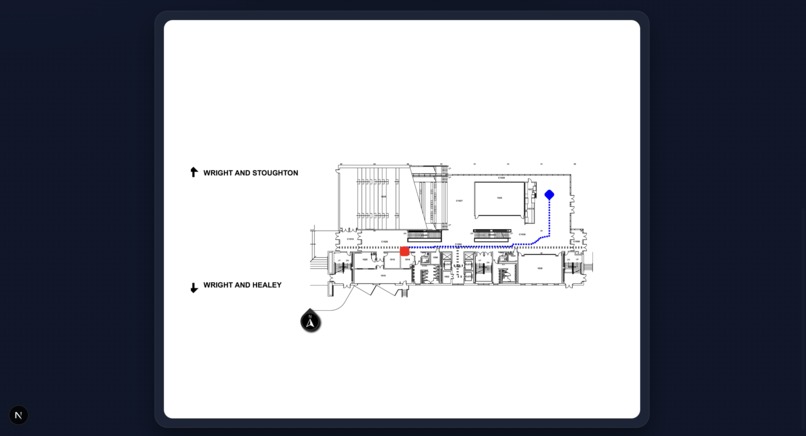
Sample Output

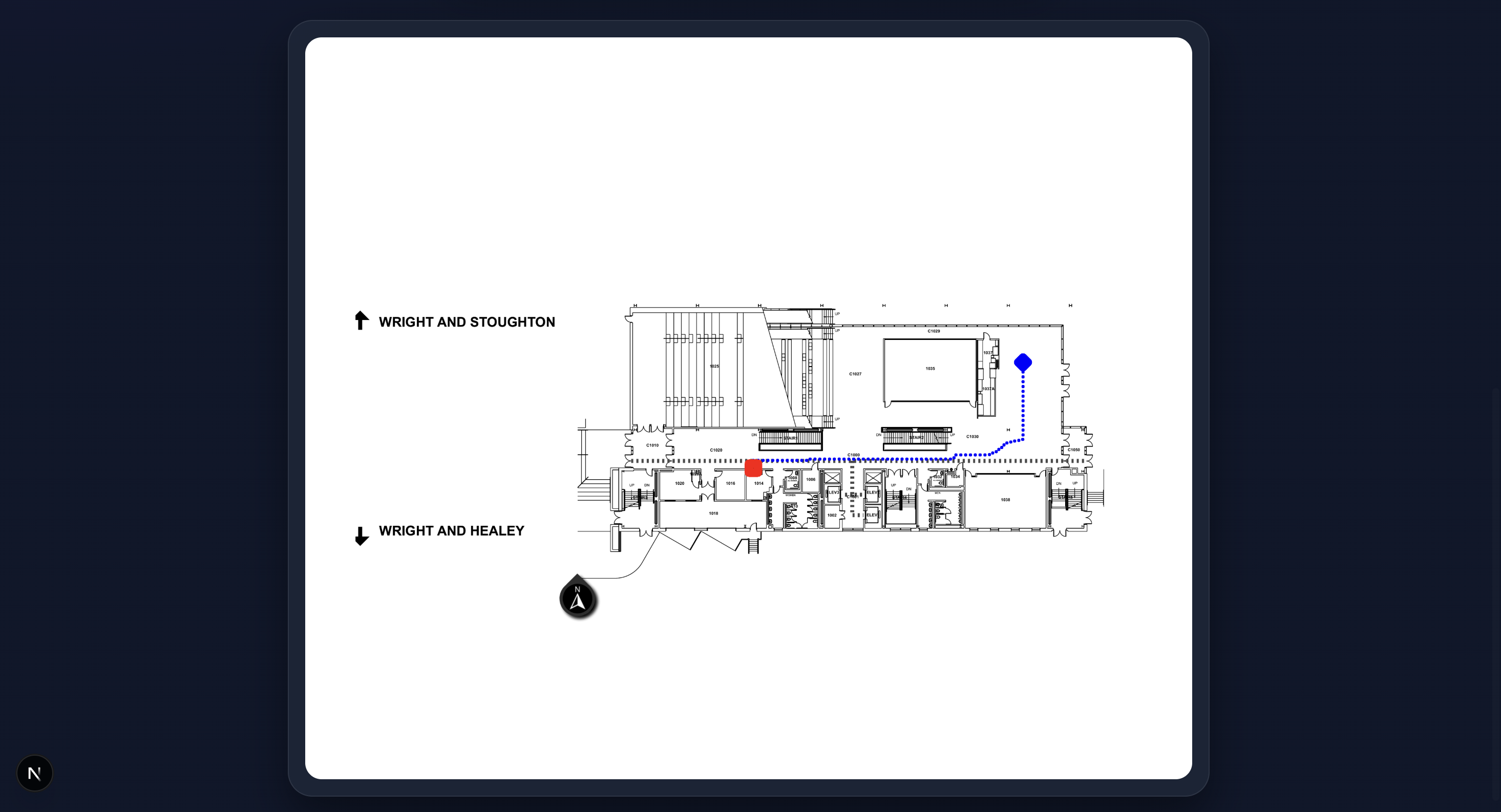
This project was developed during HackIllinois 2026. Below is the story of how we turned static, "leaky" architectural drawings into a dynamic, weighted navigation system.
Inspiration
Navigating complex university buildings or large hospitals is a universal frustration. While GPS works outdoors, indoor navigation remains a "black box." Most existing solutions rely on manual "node-and-edge" mapping—painstakingly drawing paths over an image by hand. We wanted to build an autonomous engine that could take a raw PNG of a floor plan and instantly understand where the walls are, where the doors sit, and how to stay centered in a hallway without being told.
How We Built It
The project is built on a custom computer vision pipeline using Python, OpenCV, and the A* (A-Star) Pathfinding algorithm.
1. The Computer Vision Pipeline
We transformed the image through several stages to make it "readable" for an AI:
- Morphological Reconstruction: Floor plans often use double-lines for walls. We used a
MORPH_CLOSEoperation to bridge these gaps into solid structural blocks. - Door Removal: Using a Hough Circle Transform, we identified the quarter-circle arcs representing door swings and "nuked" them from the wall mask, effectively opening every room for navigation.
- Exterior Isolation: We used a Flood Fill algorithm from the image corners to identify the "outside" world, separating it from the building's interior.
2. The Weighting Physics
To ensure the path didn't just scrape against walls, we implemented a Non-Linear Distance Transform. We calculated the Euclidean distance $d$ from every floor pixel to the nearest wall. We then assigned a traversal cost $W$ using an exponential decay function:
$$W = \max(1, (d_{max} - d)^3)$$
This makes the center of a hallway "mathematically cheaper" than the edges, forcing the A* algorithm to find the safest, most centered path.
What We Learned
We learned that Geometry is messy. A line that looks like a wall to a human might have a 1-pixel gap that causes a pathfinding algorithm to "leak" out of the building. We learned the importance of robustness over precision—sometimes blurring an image or using a "thick crayon" (large kernels) to close gaps is better than trying to be pixel-perfect.
Challenges We Faced
- The "Leaky" Building: Early versions saw the path "exit" through windows or thin gaps in the drawing. We solved this by creating a "Leaktight Hull"—a temporary, ultra-thick version of the walls used only to define the building's boundary.
- Contextual Noise: Room numbers and text labels were originally seen as "islands" of walls. We had to implement Connected Components Analysis to filter out small objects based on their surface area.
- User Error: If a user clicks a wall, the algorithm fails. We built a Snap-to-Floor system that calculates the nearest valid coordinate using the distance formula:
$$dist = \sqrt{(x_2 - x_1)^2 + (y_2 - y_1)^2}$$
and teleports the start/end points to the nearest walkable pixel.
Built With
- nextjs
- python


Log in or sign up for Devpost to join the conversation.