-
-

-
-
-
-
-
-
-
borderless
-
Watch1
-
Watch3
-
Watch2

Inspiration
Buying a used EV comes down to a question nobody can answer from the outside: how much of the battery is still there? It is the most expensive part of the car and the only part you cannot look at.
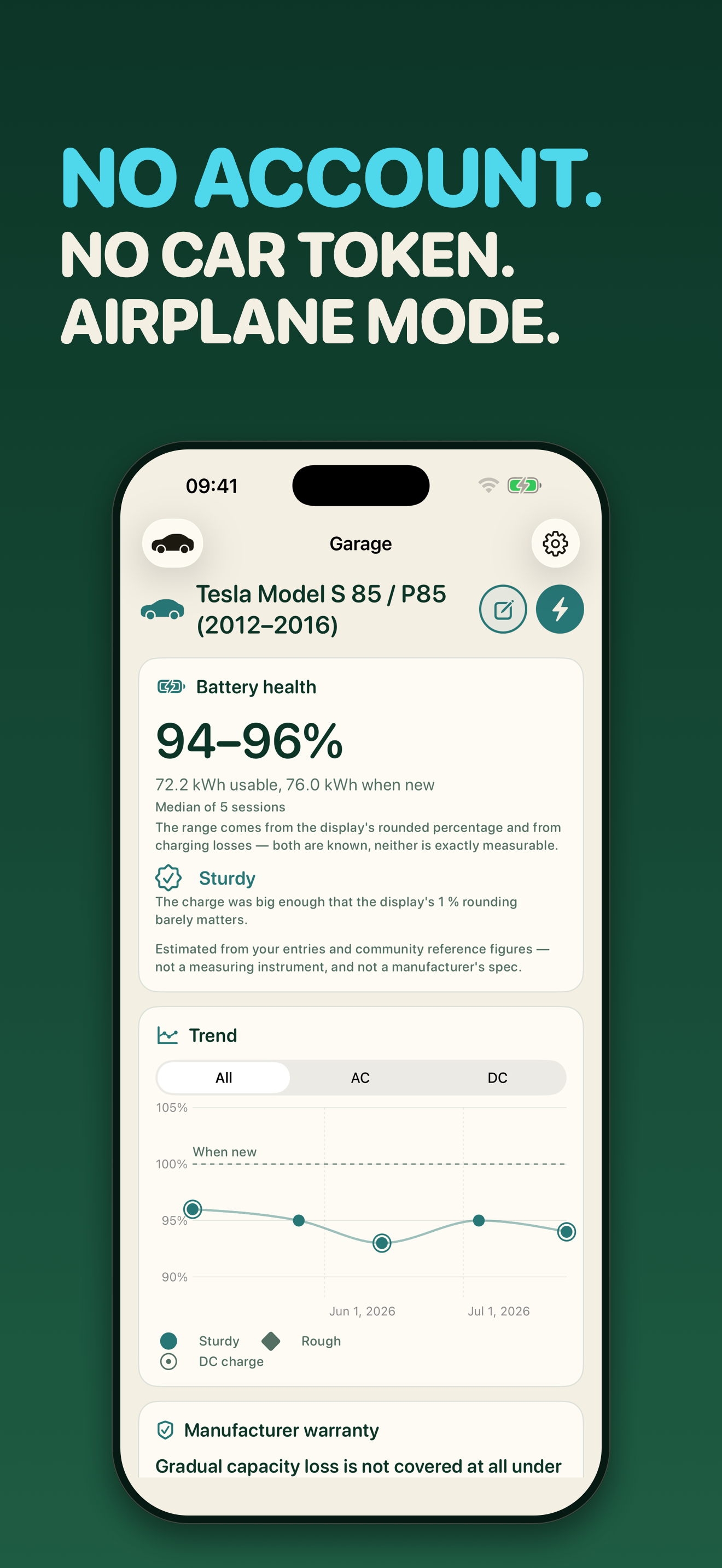
The apps that do answer it want the login to your car, and then hold a token that reads your location, your trips and your charges for as long as you leave it there. We went and measured the category on the day BatCap went live: six competitors on the obvious search, every one of them wanting a vehicle account in somebody else's cloud. But the numbers you actually need are already in front of you at every charge — the level before, the level after, and the kilowatt hours that went in. That is arithmetic, and arithmetic does not need a server.
The second half of the story is where the app is used. It is used standing at a charging column, in the cold, with a cable in one hand, which is why 1.5 put the recorder on a wrist.
What it does
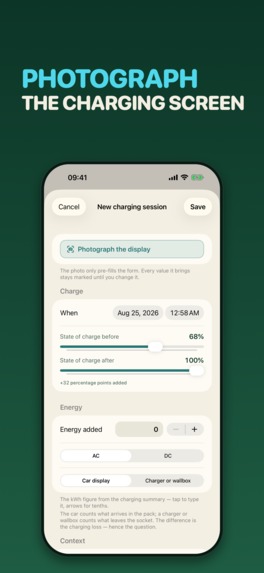
You log a charge: one big slider for the state of charge, a stepper for the kWh, a tap for AC or DC. It takes a few seconds and works with cold hands at a charging column. From that, BatCap estimates the usable capacity still in the pack.
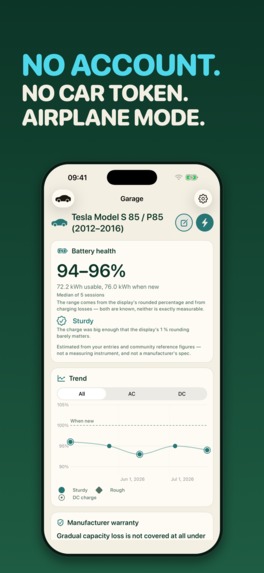
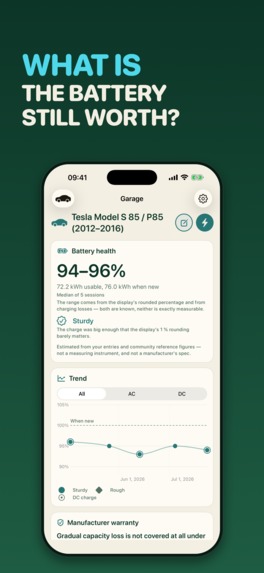
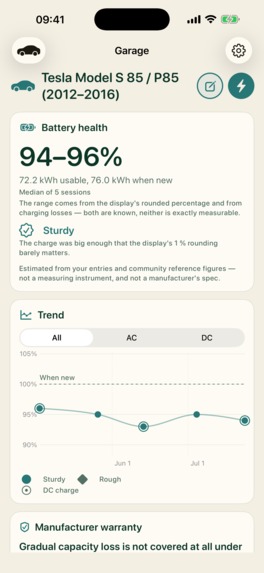
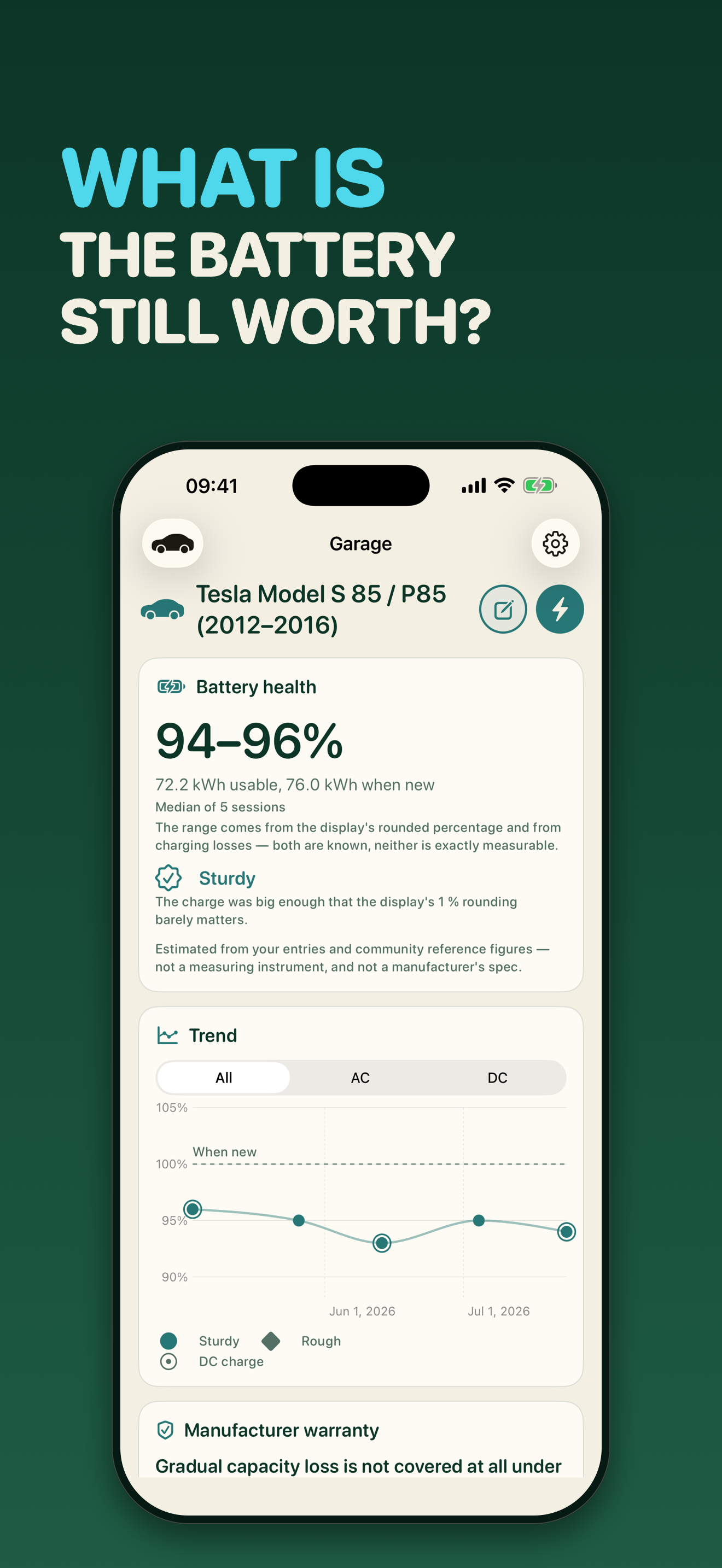
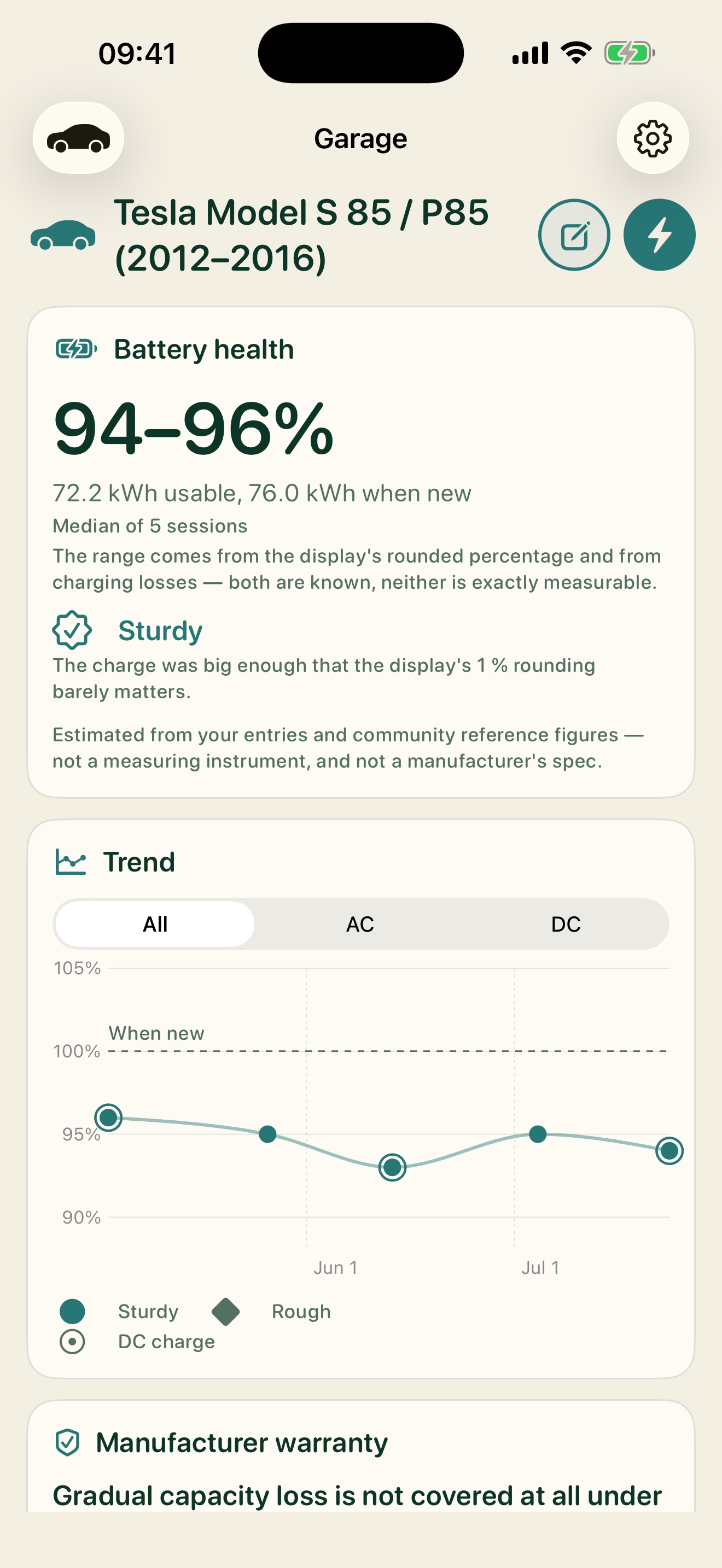
The headline is deliberately not that estimate. A single charge swings with temperature, with how full the pack was, and with how the car's display rounded — so the big number is the median of your last five estimates, and the chart shows all of them against the capacity the pack had when it was new. Read the trend, not the reading. That is the whole editorial line of the app.
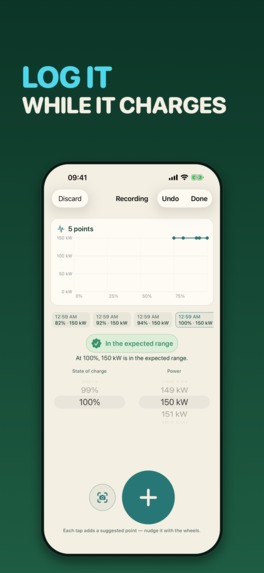
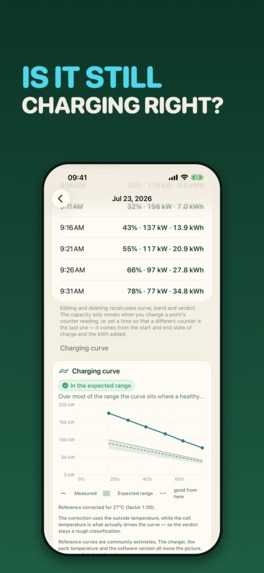
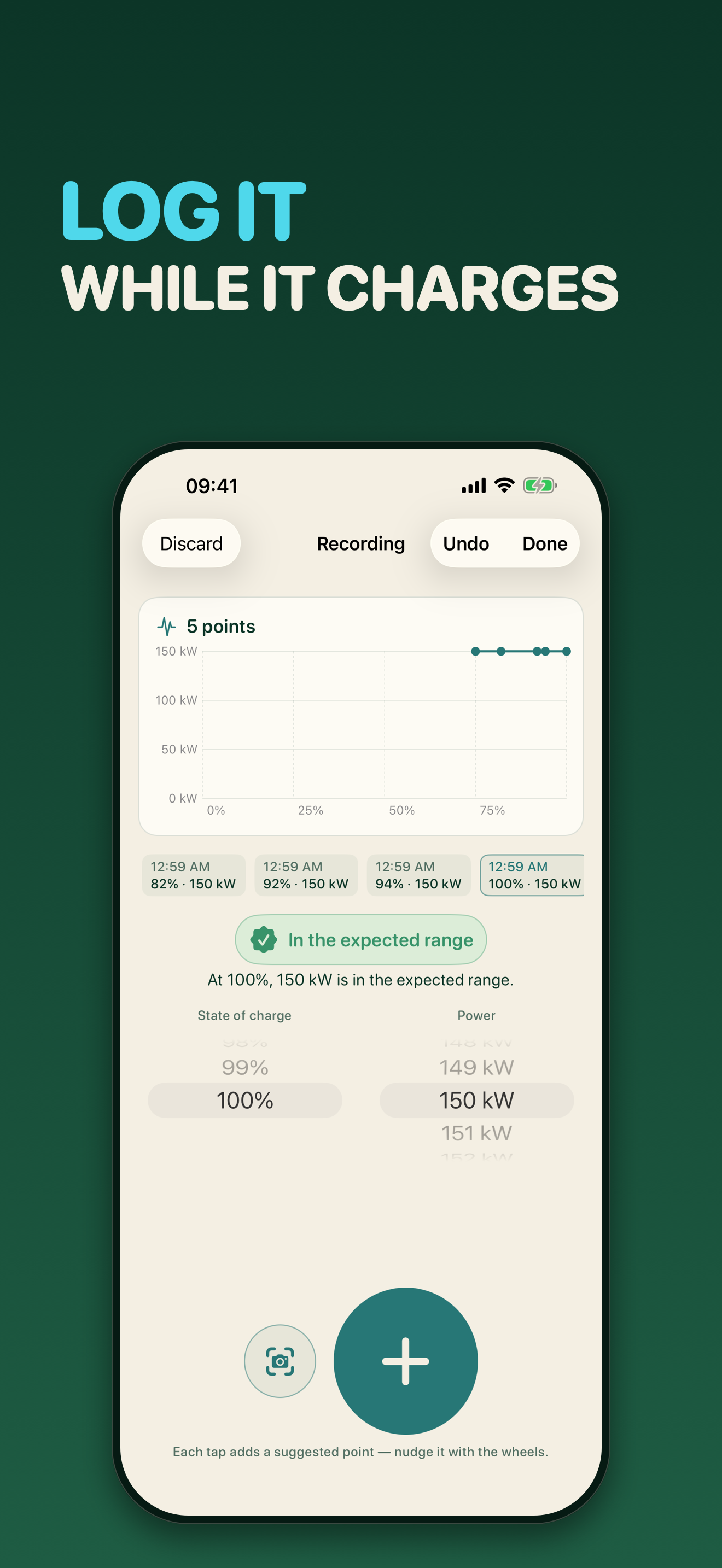
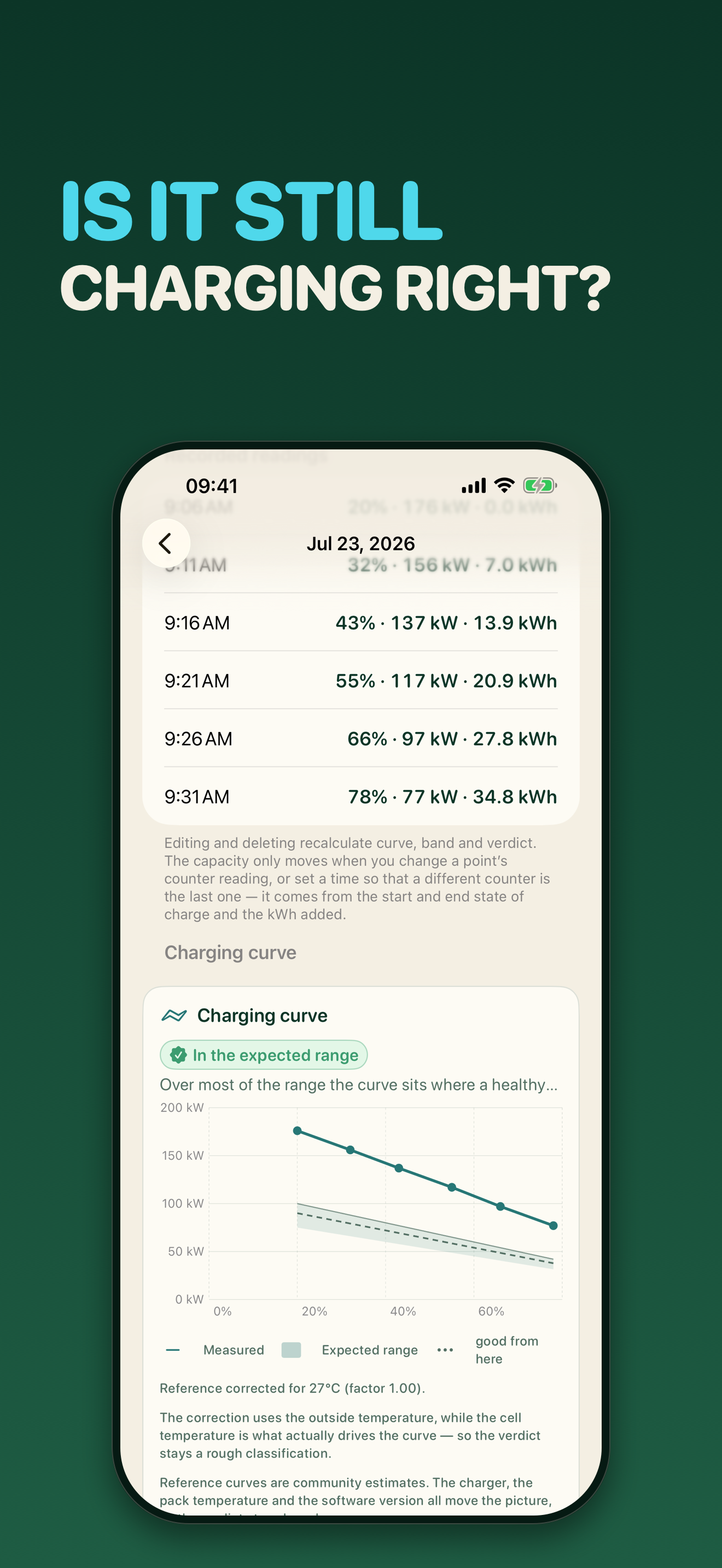
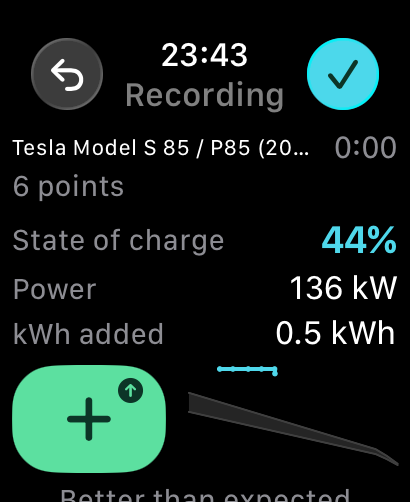
On a fast charge you can record the curve: a tap every few minutes while the car charges, with a Live Activity on the lock screen and in the Dynamic Island carrying the vehicle, the last fixed point, the point count and the running time. Each point now carries three values on three drum wheels, the state of charge, the power and the charged kWh, because the counter on the column is the one figure people always want to keep. BatCap compares the shape you recorded against a reference curve for your model, corrected for the outside temperature, and the verdict stays qualitative. Since 1.5 there are four verdicts rather than three: a point at more than 1.1 times the corrected reference now reads "better than expected" instead of being folded into "in the expected range", because a range without a ceiling is not a range. 94 EVs from 17 makes ship as presets, from BYD to VW; anything else you add by hand with its net capacity.
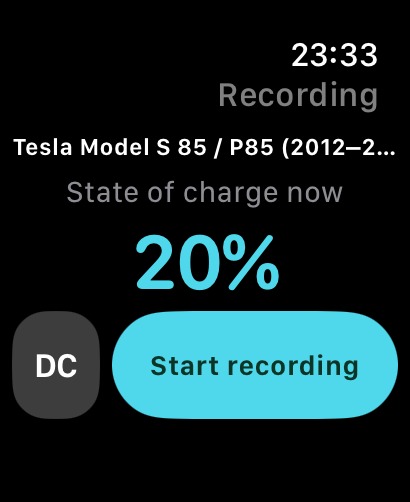
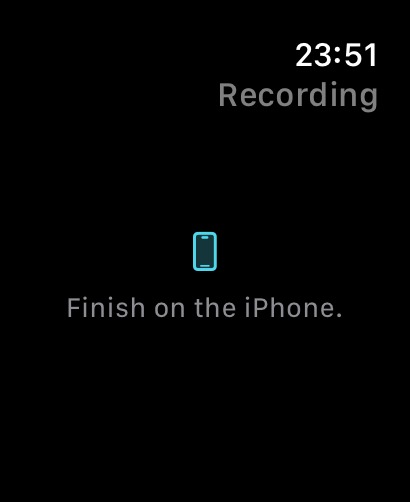
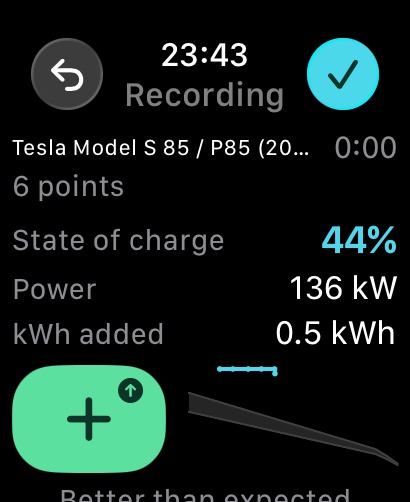
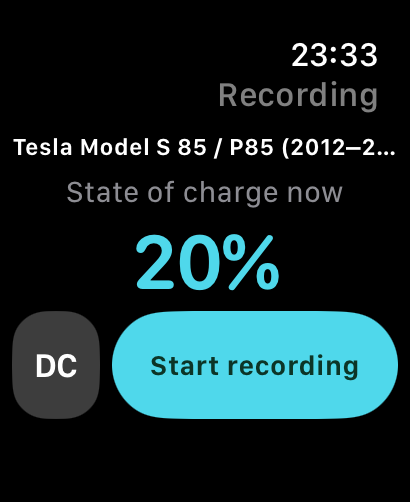
On the Apple Watch (new in 1.5), the same recording, from the wrist. The phone leads and the watch is a second remote control for it, never a second truth: you tap Start, the Digital Crown sets the level, the power and the charged kWh, a tap moves the crown to the next value, and + commits a point. The + is coloured by the verdict for the value under the crown and stamped with a silhouette, with the live charging curve drawn beside it against the same corridor the phone draws, so the answer to "is it charging as it should" is on the button and on the plot next to it rather than one scroll away. Finish ends the recording and the closing form opens on the iPhone, where the figures are confirmed before anything is saved. The watch shows no charging location, no state-of-health estimate and no verdict about your car; the only judgement on it is about the value currently under its own crown, standing on the corridor it was judged against. Without a watch nothing is missing: every recording can be started, logged and finished on the iPhone alone.
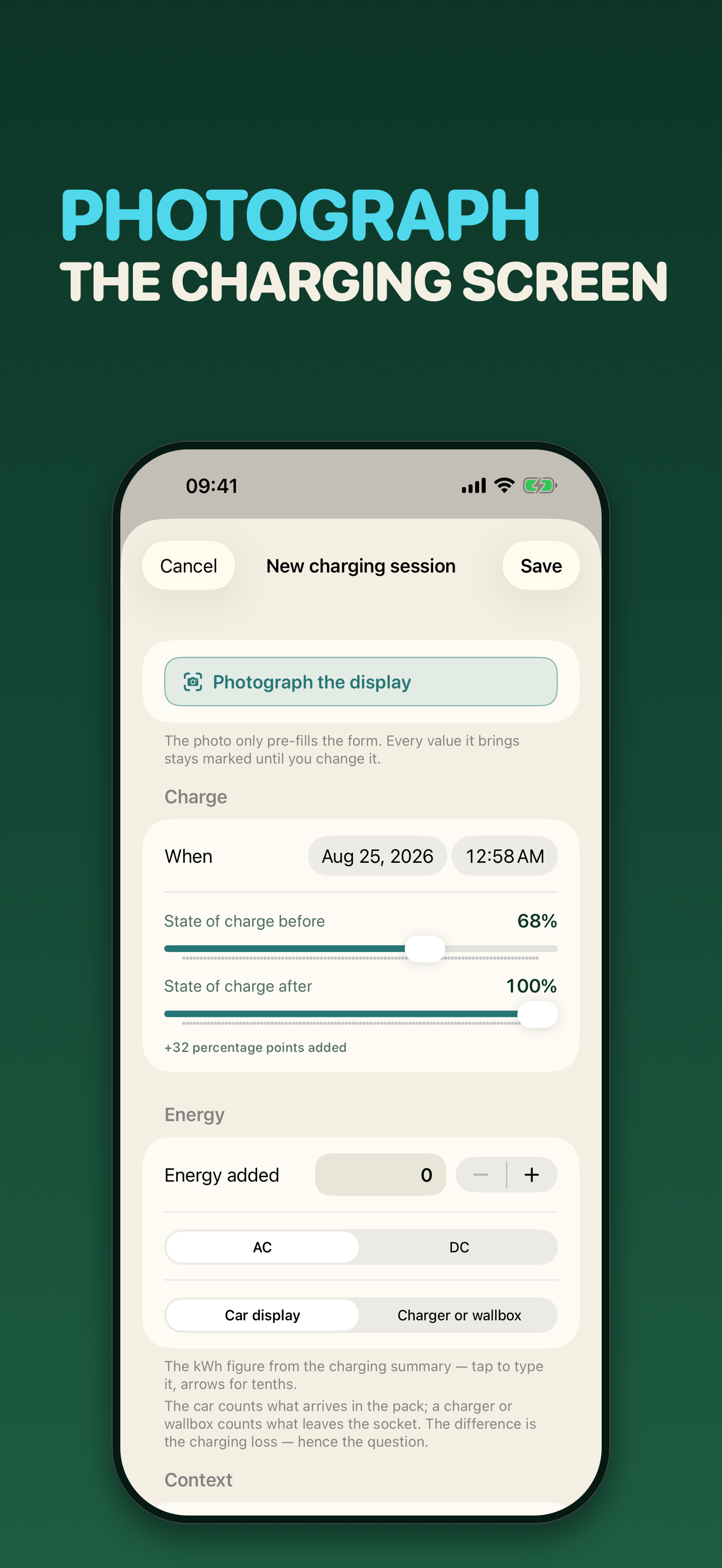
If your iPhone has Apple Intelligence, you can photograph the car's charging display instead of typing, and the on-device model fills the figures into the form. Every value it fills in is labelled as an AI suggestion until you confirm or change it — a model reading a bright screen through a windscreen gets things wrong. Nothing is ever saved except through the form. On an iPhone without Apple Intelligence the camera button is simply not there and nothing else changes: typing the numbers in is the full app, not a fallback.
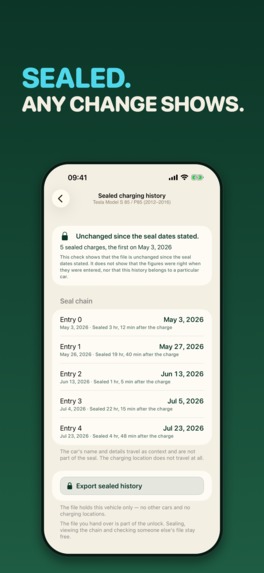
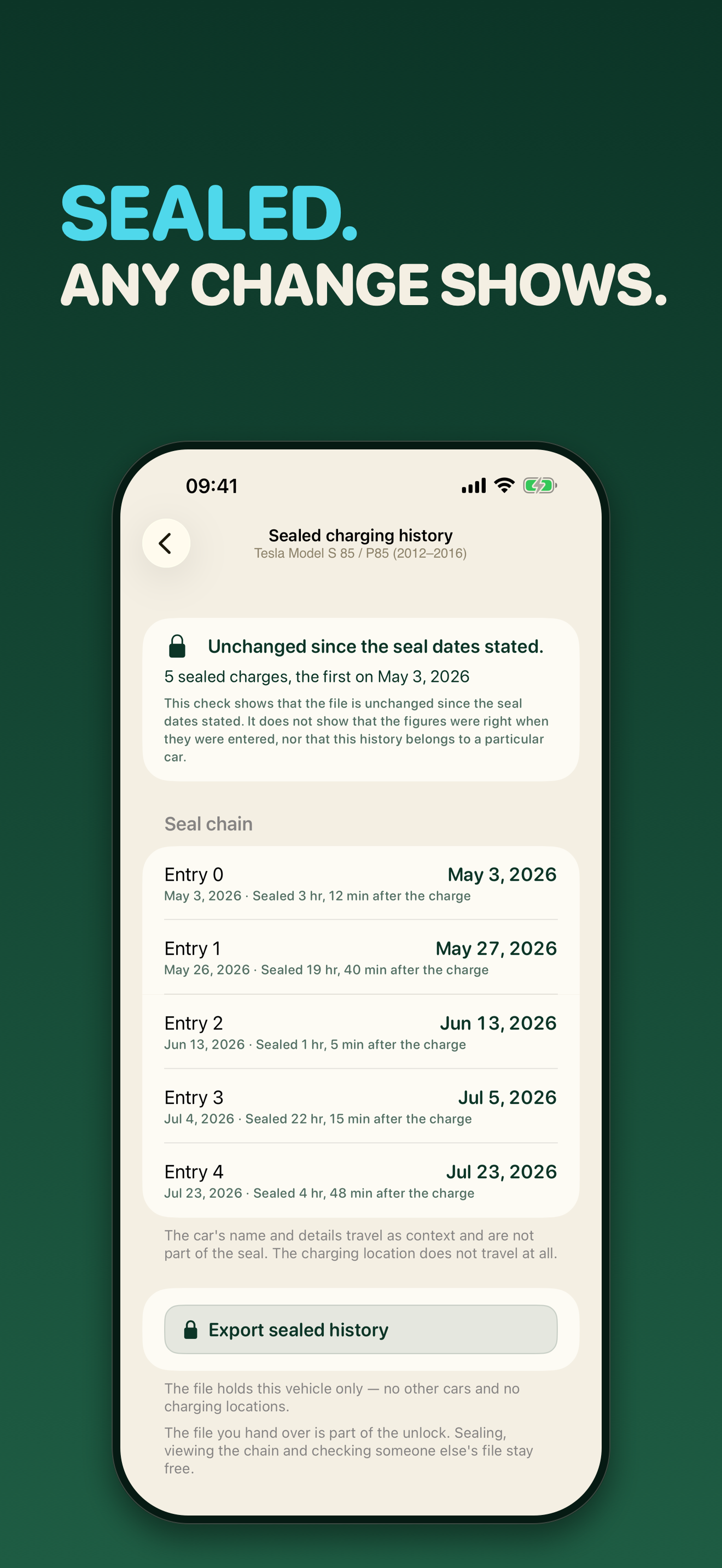
And then the part built for the handover. Any charge can be sealed: it can no longer be edited, and it takes its time from an independent time server — only a checksum leaves the phone, no reading and no charging location. Each seal carries the fingerprint of the one before it, so any later change to an earlier charge breaks everything after it. Beside every entry stands how soon after the charge it was sealed; that is printed, never graded. The check says exactly this much: unchanged since the seal dates stated. Not that the figures were right when they were entered, and not that this history belongs to a particular car. The buyer checks the file for free and offline, and can take the vehicle, chain and all, into their own BatCap. The optional one-time unlock adds the two documents of a handover, a printable battery report with a QR fingerprint and the sealed history as a file; every measurement stays free.
The app speaks four languages, German, Spanish, English and French, and the three language questions are kept apart on purpose. The interface follows the system language and can be switched per app through Apple's own language page. The input language is detected, never assumed: the text recognition on the photo path runs with all four languages configured at once, so a French charging display read on a German phone is an ordinary case rather than an edge case. And the instructions the on-device model reads are versioned template files per language rather than string literals. There is no output-language setting, and that is a decision rather than an omission: the output of the photo path is four numbers, so there is no prose whose language anyone could want to pick.
No account, no vehicle token, no analytics, no ads, no sync. In airplane mode everything the app measures still works, on the phone and on the watch: the bridge between them is WatchConnectivity, a system service, with no background mode and no network of our own. The one measurement step that does need a network is sealing a charge, because a timestamp has to come from somewhere else: that is a single request, made only when you tap Seal, carrying only a hash. The app says so rather than letting you discover it. Its other three connections are optional and all off the measuring path: the store for purchases, our own site when you tap to refresh the vehicle catalogue, and a small file listing our other apps, which also feeds the "there is a new version" card in the garage. None of them carries a reading. There is no Freshlab server your charging log sits on, because there is no charging log anywhere but this iPhone.
How we built it
Swift 6 with strict concurrency, SwiftUI, SwiftData, Swift Charts, deployment targets iOS 26 and watchOS 26, project defined in XcodeGen. One upload now carries four signed bundles: the app, its widget extension, the watch app under Watch/, and the watch complication in that app's own PlugIns/. Text recognition runs on Apple's Vision framework with all four languages configured simultaneously, and the reading of the charging display goes through Apple's on-device language model with guided generation — a @Generable struct, never free-text parsing, and the prompt templates are versioned files rather than string literals. The capacity engine itself is deterministic and unit-tested: median window, efficiency band, resampling, the temperature factor, the plausibility guards. 1,564 automated tests at 1.5.
The seal is RFC 3161 with the DER encoder written by hand rather than taken as a dependency, so the request is byte-identical to what openssl ts -query produces; the reply is checked against a root certificate compiled into the app, and the per-vehicle chain is signed with a Secure Enclave P-256 key whose identifier is part of the hash — which is why swapping phones produces a printed boundary in the chain rather than a silent break. What gets hashed is a canonical text form you can re-derive with a text editor and shasum.
The watch was a modelling job before it was a watch app. Until 1.4 an entire recording lived as view state inside the recording screen, and a screen is exactly what a recording started from a wrist does not have. So the recording became an object owned by the app environment, with a deliberately small remote-control surface: start, resume, set the pre-selection, commit, undo, finish, discard, and nothing else. Everything a human does in front of a screen, the camera, the correction sheet, the confirm-before-discard, has no wire to it at all. A second start is refused by name rather than replacing the first, because a running recording is evidence.
The bridge itself is two shapes, not one. Phone to watch is a picture, sent with updateApplicationContext whenever the committed points, the pre-selection or the running state change, and sent as "nothing is running" when nothing is: the system keeps exactly one, and a stale picture is never the newest statement. Watch to phone is five commands, sent as messages while the phone is reachable and queued as user info when it is not, each one answered with a verdict and a fresh picture. Two rules in that protocol are data structures rather than conventions: every command carries an id and is executed at most once, because WatchConnectivity delivers at least once and two deliveries of one commit would be two points in a charging curve; and the only way to build a commit is a queue call that puts the pre-selection in front of it, so the phone can never commit wheels from some earlier minute.
The paired simulator found the bug that testing on one device cannot. A counter alone does not answer "is this picture newer": restart the phone app, the counter starts at one again, and a watch that only compares counters discards every picture of the new run and shows the old one forever. The failure is silent, because a frozen watch looks exactly like a phone with nothing to say. The fix is a run identifier alongside the counter, and it is pinned by a test. The same simulator round caught a second silent one: a scene tint under watchOS 26 paints both the background of a toolbar button and, by inheritance, its glyph, so two buttons were plain cyan discs with their icons drawn in their own background colour, contrast 1.00:1. Every button on that watch now names ground and ink rather than inheriting either.
RevenueCat has powered every purchase since 1.3: the three supporter purchases and the lifetime unlock, four products, one SDK, pinned to an exact version rather than a range. Since 01.09.2026 it is reached through our shared package rather than declared per app: the SDK-neutral half of the purchase layer and the RevenueCat half are two chassis products, and each app links the second one and keeps only its own key and product configuration. It is linked into the app target only, because a widget extension and a watch app have no business knowing a payment system exists. There is no RevenueCat paywall UI; the supporter section and the unlock surface are our own. A build with no key falls back to StoreKit 2 completely, and that fallback is load-bearing rather than decorative: if the keyless path went dark, the unlock would read "not entitled" and write that through to its cache, which would take the battery report away from somebody who paid for it. A missing build setting must never be able to do that, so three things count as no key: missing, empty, and the unsubstituted $(BATCAP_REVENUECAT_KEY) that would look plausible to the SDK.
For the same reason the entitlement check is a union, never an and — RevenueCat or StoreKit is enough, and the RevenueCat side has three equivalent sources, the third of which is derived from the receipt itself and needs no dashboard object at all, so a build that ships before anybody creates the entitlement still honours every purchase. Refusing an unlock somebody owns costs them the document they bought; granting one wrongly costs us a PDF, and the rules are written from that asymmetry. Entitlement updates listen to two streams rather than one, because this unlock carries a promise the others do not: it can be given away with an App Store offer code, the app carries a "redeem code" row in its settings for exactly that, and somebody who has just redeemed a code is the least forgiving audience for a locked screen.
Privacy kept literally, not approximately: no app user ID, automatic device identifier collection off, diagnostics off, the SDK cache in its own suite. The privacy label stays "Purchases, not linked to you", and the rest of the app remains "Data Not Collected".
Challenges we ran into
One click burned three product identifiers, permanently. The three supporter purchases were deleted in App Store Connect by accident. Creating them again with the same identifiers answers 409 — "This product ID has already been used" — and there is no undelete, not in the web UI and not in the API; the deleted products sit on in the account, invisible to the current endpoint, holding their identifiers and their reference names forever. So the purchases had to move to new identifiers, a new build was due because the old ones were compiled in, and the submission already in flight had to be withdrawn. The rule we now carry across the whole portfolio is one line: never delete an in-app purchase — take it out of sale, which is reversible. A product identifier is as permanent as a bundle identifier, and nothing in the interface warns you.
The app was approved, live, and buyable by nobody. 1.0 sat at READY_FOR_SALE and could not be found in any storefront, because no availability had ever been set under Pricing and Availability. Two failed store lookups should have sent us to that page; instead an hour went into assuming that distribution takes a while. A no-show in the public store is a reason to go and look, not a clock to let run down — and "approved" turned out not to be the same claim as "on sale". While we were there, a second one-line trap: a version submitted as 1.0.1 with a binary still carrying marketing version 1.0.0 is rejected in a minute, by no human, with no message. TestFlight had never cared about that number across twenty-four builds.
An AC charge takes hours, and iOS takes the app. A developer charging at home reported that a long recording had simply vanished: the fixed points lived in view state, the app was backgrounded for hours, and the system reclaimed it. The fix that mattered was deciding where the recovered draft should not live. Not as a fifth SwiftData model — it would sit in the same store the garage, the trend, the chain, the backup and the printed report all read, and every one of them would have to learn to ignore it. One forgotten predicate and half a recording becomes a line in a PDF that somebody sells a car with. So the draft is a plain file in Application Support, outside the store entirely, rewritten synchronously on every fixed point: 0.37 ms measured for a fifty-point recording, against a 120 Hz frame budget of 8.3 ms. On the next launch a resume card sits first on the garage screen — the only thing there that expires, because the car is on the cable right now and every minute without it is curve that never gets recorded.
A wheel that read 68 % wrote 7 %. Opening the recorder showed both drum wheels parked on row zero while the values behind them were 68 % and 150 kW. It looked cosmetic and it was not: a detent is reported from where the window actually is, so one flick of a wheel that displayed 68 wrote 7 into the recording. The cause was a race, not a lazy list. The screen builds its wheels against a placeholder, fills the real values in the same layout pass in which the scroll view first lays itself out, and a scroll position written there is discarded; worse, it is discarded permanently, because the stored position then agrees with the value and every later attempt sees nothing to do. Programmatic movement now goes through a scroll proxy, imperative rather than diffing, precisely because an imperative scroll cannot be swallowed by "the value is already equal". The obvious suspect, a lazy stack that had not built row 68 of 101 yet, was tested and cleared. The test that pins it performs a turn and asserts what got written, rather than reading the value back, because the value was right the whole time.
Two true numbers on one photograph. At a real Supercharger the app read a finished charge as 122 % state of health. The photo showed two kWh figures and both were honest: the car's own panel said +44 kWh, measured at the battery, and the charger's panel said 47.198 kWh, measured at the cable and therefore three to seven per cent higher. The model picked the bigger one. An earlier run had done the same kind of thing with temperature — a Tesla charging screen carries the weather in the status bar and the cabin setting further down, and the model returned 16 °C, which was neither, and quietly tipped the curve correction onto its cold branch. Both fixes were the same shape and neither was a longer prompt: one positive @Guide clause naming where on the screen the number lives, added to the schema, with no counter-examples and no example figures — a small model anchors on whatever you show it, including the thing you told it to avoid. Every field in the schema is optional too, because a required field is a field the model will fill whether the answer is there or not. That real charge also gave us the only field measurement we have of our own efficiency constant: 44 / 47.198 = 0.932, inside the band the app already assumed.
And the review request came anyway. We submitted 1.0 with all eight review questions answered in advance and a screen recording attached, and got the standard "Guideline 2.1 — Information Needed" eight hours later regardless. The likely trigger was the recording: it was recycled field footage, so it did not start from the home screen, showed no purchase flow and no permission dialog — exactly the three things Apple asks for. Recordings for review are shot to a script on a freshly installed build now. Our reply also had to be rewritten to fit: the field takes 4,000 characters and the first draft was 5,918. The lesson carried into 1.5 as a checklist item of its own: fetch the review note live from App Store Connect before editing it. The note hanging on the version was inherited from 1.3 and had gone stale in three places, one of which said "StoreKit 2, no third-party purchase SDK" while the binary linked RevenueCat. A reviewer who reads that and then sees a purchase SDK has been told something untrue by us, on our own form.
Accomplishments that we're proud of
The sealed charging history, and how carefully it declines to overclaim. The credibility of the thing is not the signature — it is the timing. A signature proves bytes have not changed since they were signed; it never proves they were true when they were signed, and signed nonsense is nonsense with a signature. What a forger cannot go back and do is the time. So a seal that went on twenty minutes after the charge is a different statement from one that went on three weeks later, and the app prints that latency beside every entry and never grades it — no score, no traffic light, no green tick. The verification screen states the boundary in full, both halves: not that the figures were right when they were entered, and not that this history belongs to a particular car. A half-clause would be no clause. A test suite holds a banned-word list — certified, authentic, guaranteed, genuine, proof of, in all four languages — over the strings that actually carry the claim: the two chain verdicts, the boundary sentence, and every string on the adoption path. The copy cannot quietly drift into a claim the cryptography does not support. And nothing is ever re-signed when a buyer adopts a vehicle: their first own charge is signed by their own key, and the chain prints the boundary at exactly that point.
A second device that never becomes a second opinion. The watch app is the piece we are proudest of as engineering, and its best property is what it refuses. It cannot discard a recording, because discarding is the one irreversible action of this feature and its confirmation belongs in front of a screen that shows what would be lost. It cannot resume one either, for the same reason. Its commands never name a vehicle; the name on the watch face is the phone's own label, mirrored, and the phone resolves the vehicle once, so "whose numbers are these" has exactly one answer. It shows no charging location, and there is no shape in the payload that could hold a coordinate, which is pinned against the bytes rather than promised in prose. The complication lives behind an app group that is watchOS-only, holds the mirror and never the recording, and is deleted when the charge ends. Not one string of that watch is written twice: six new catalogue keys and no more, because almost everything a wrist says here is already the vocabulary of the recorder. The charging curve on the watch is the phone's own plotting code compiled into the watch bundle rather than a forked copy, and the verdict ladder is one definition read by three surfaces.
Alongside it, the app is willing to say less than it could. Below ten points of state-of-charge difference it returns no estimate at all rather than a bad one. It shows a range instead of a single figure, because the display's rounding and the charging losses are both known and neither is exactly knowable. It refuses colour whenever its own range straddles the threshold, because a red light out of an uncertain estimate can cost thousands in a negotiation. And a pack reading above 100 % is reported as it stands, with a note, rather than quietly capped. The fourth verdict of 1.5 comes from the same instinct in reverse: "better than expected" starts at 1.1 times the corrected reference and not at 1.0, because a threshold sitting on the nose would hand out praise for rounding noise and the word would then be worth nothing.
Every AI-read value is marked as a suggestion per field, not per screen, and loses the mark the moment you edit it (EU AI Act Art. 50) — while the calculated figures carry no AI label at all, because they are arithmetic, and saying so is the more honest of the two. A privacy label that truthfully reads "Data Not Collected". A charging location that is read from the photo's own EXIF, shown before it is saved and removable afterwards — the app never asks for location permission at all. And a store description that names the paid document out loud instead of claiming there is no paywall.
What we learned
Some identifiers are forever, and the interface that destroys them looks like any other delete button. A status is not a fact: READY_FOR_SALE was true and the app was still unbuyable. Copy has to be re-read against the code after every release rather than against memory — our own airplane-mode promise was accurate the day it was written and wrong one release later, the moment sealing needed a network, and we found it by reading the description next to the source. The same class of drift bit the review note in 1.5, one release after a purchase SDK was linked. Losing something a user deliberately fixed is data loss even when the thing was never a finished document. And porting a payment integration into a third app is where the real question surfaces: not "does it work", but "what happens to a paying customer when a build setting is missing". The answer to that question is why the layer now lives in one shared package instead of three copies.
Two devices taught us a rule we now state before writing any code for them: decide which one is the truth, and make the other one physically unable to disagree. The watch holds no recording of its own, only a picture of the phone's, and every command it can send is a verb the phone already had. That also means every hard problem moves to the phone side, where it can have a test: "the phone refuses a second start and says so" is a unit test rather than two simulators and a hope. The gestures had to agree too. Level and charged kWh rise during a charge while power falls, so three ascending wheels asked one hand at a column to scroll two ways; the power wheel now runs from its ceiling downwards, and the same swipe moves all three the way the charge actually goes.
The one we keep coming back to, though, is about honesty as an engineering decision rather than a tone of voice. We could have shipped a lookup table of efficiency factors by charger power and model and produced a tidier single number. We shipped a band instead, because the band tells the truth about what we do not know, and a table would have dressed guessing up as precision. The same instinct withdrew a reference curve rather than keep a flattering one: a curve that cannot fail is worse than no curve, because it reads every healthy car as good news.
What's next for BatCap: EV Battery Health
The watch has open questions that only hardware answers, and we would rather name them than imply they are closed. Whether a recording started on the wrist keeps the iOS app awake long enough to answer every time is the honest one: it is right in the paired simulator, where there is neither sleep nor a radio link. Whether a command tapped out of range really arrives when the phone comes back is the same kind of question. Whether the crown, with gloves on, selects the value you meant is the third. And the complication has never been photographed on a real watch face: the simulator cannot switch faces, so the third watch screenshot in the store is the handover screen instead, and whether the complication is placeable and legible in all three families is untested. It also does not yet show elapsed time, which its payload already carries.
Beyond the wrist: a curve-overlay view that puts several fast charges on top of each other, behind the same unlock rather than a second product. Refilling the reference curve we withdrew, which left Germany's best-selling BEV with none; honestly, that needs a real measured series per pack rather than another plausible-looking number, so it may stay empty for a while. A deterministic reading path for the charging display, which would open the photo shortcut on iPhones without Apple Intelligence. And bringing the shared chassis to watchOS: today the watch app links no chassis product at all, so the two things it needs from there, the accent colour as a number and the words of the app, come from BatCap's own files.
Built With
- activitykit
- app-intents
- apple-foundation-models
- revenuecat
- storekit
- swift
- swift-charts
- swiftdata
- swiftui
- vision
- watchconnectivity
- watchos
- widgetkit
- xcodegen

Log in or sign up for Devpost to join the conversation.