-
-
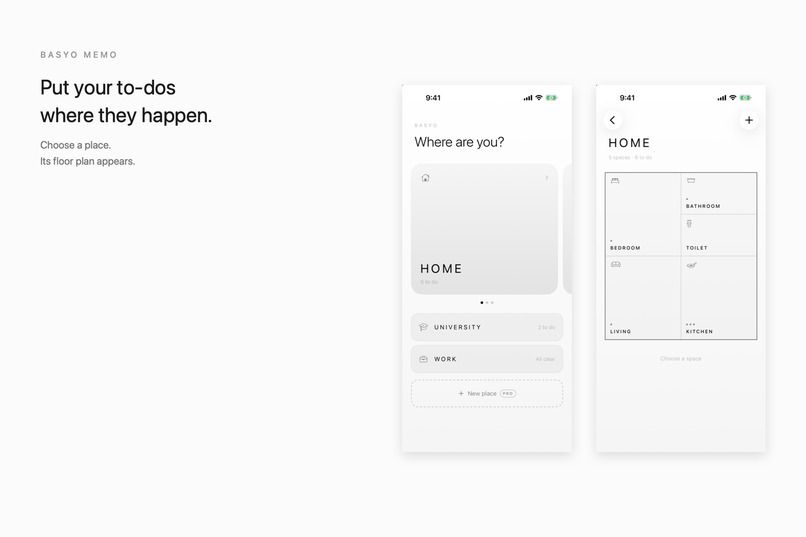
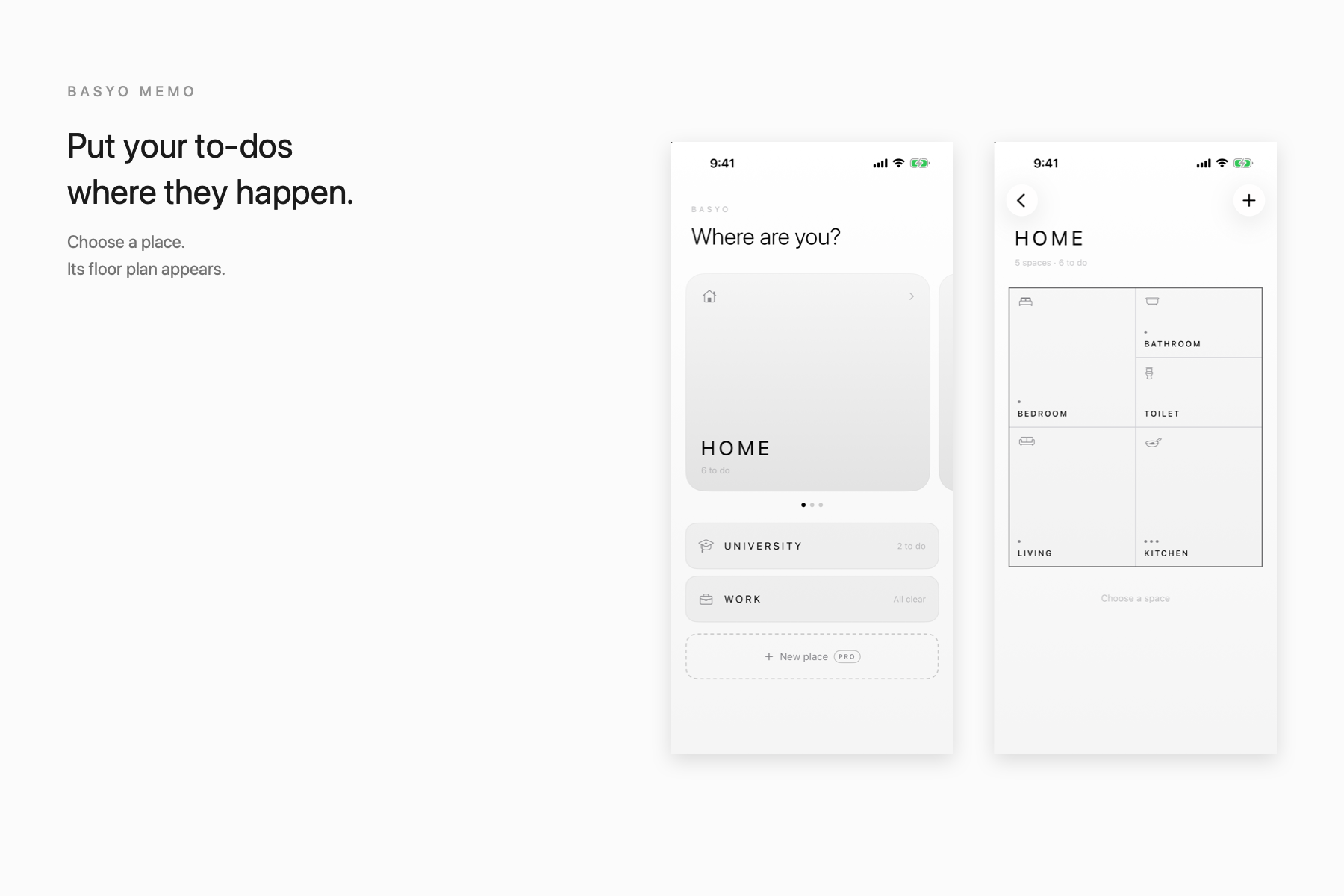
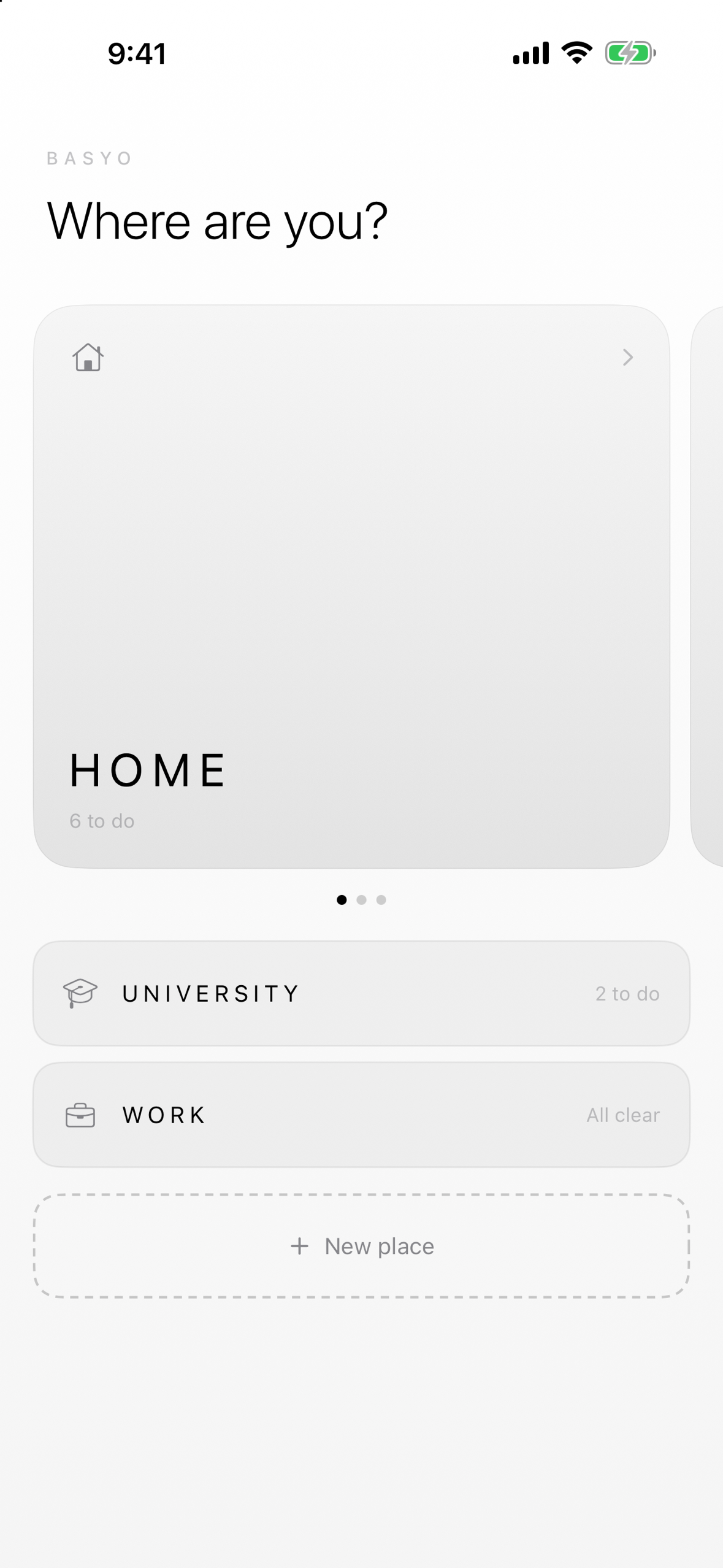
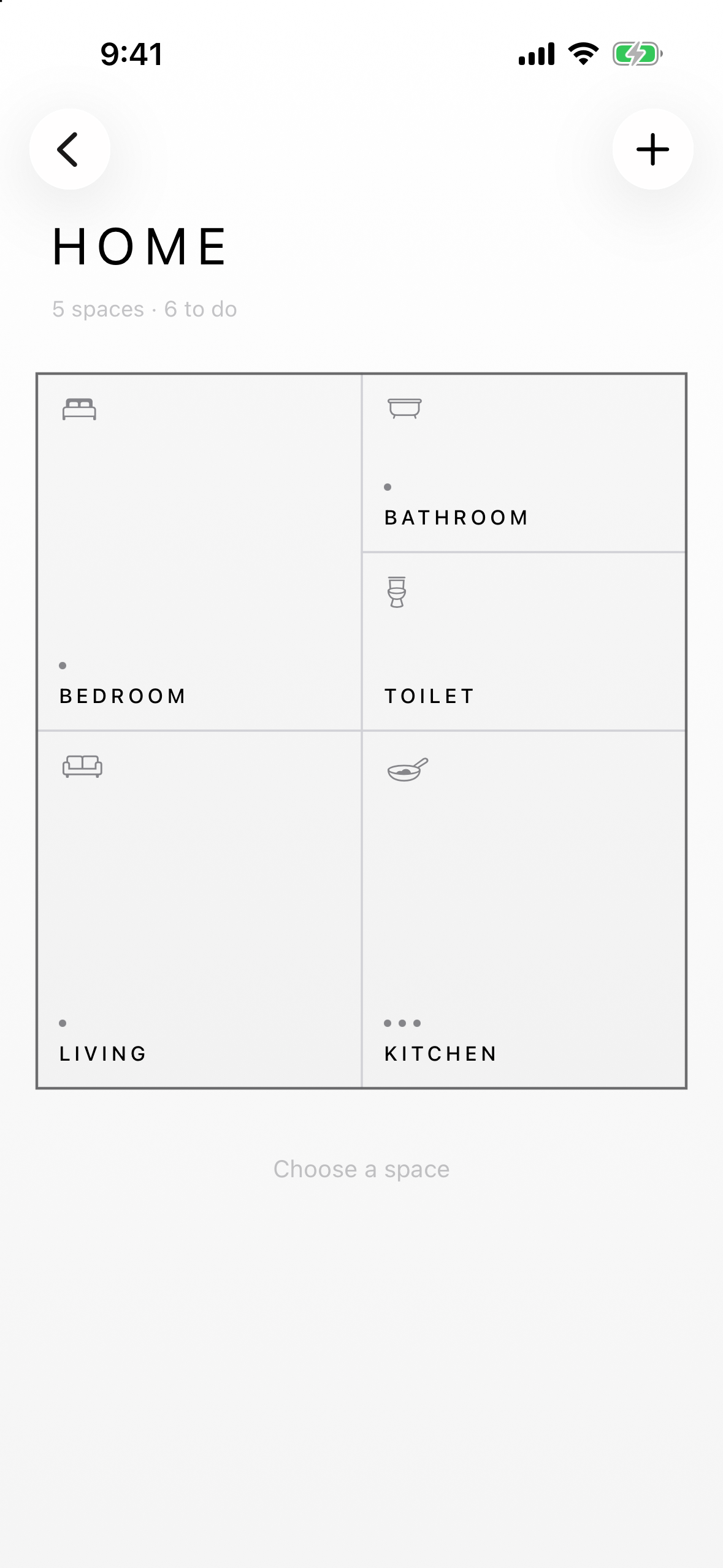
Choose where you are — each place opens into its own floor plan.
-
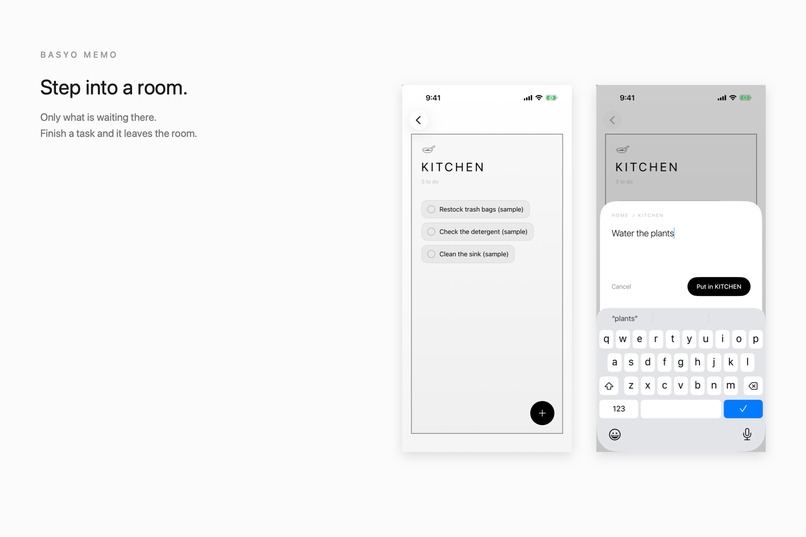
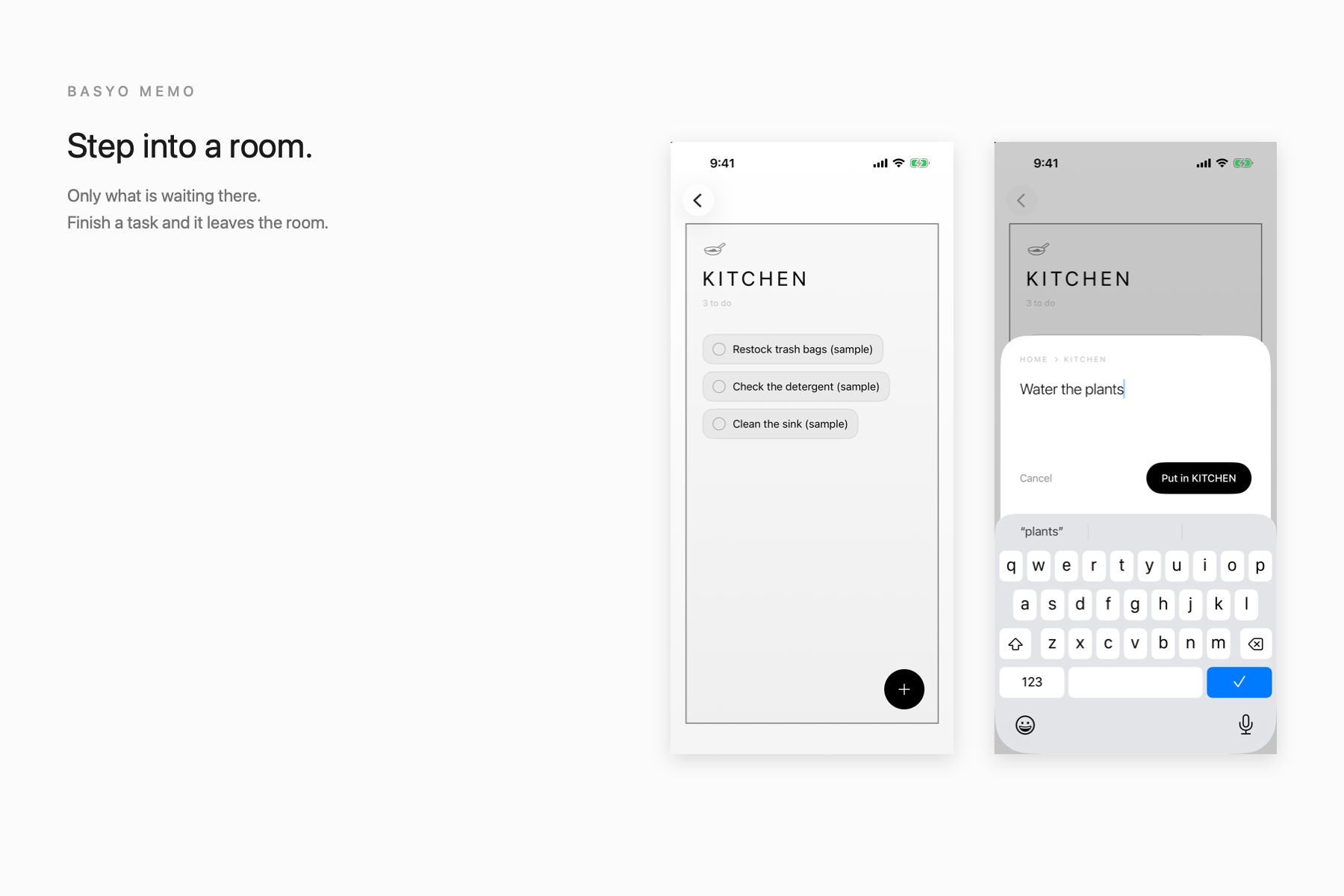
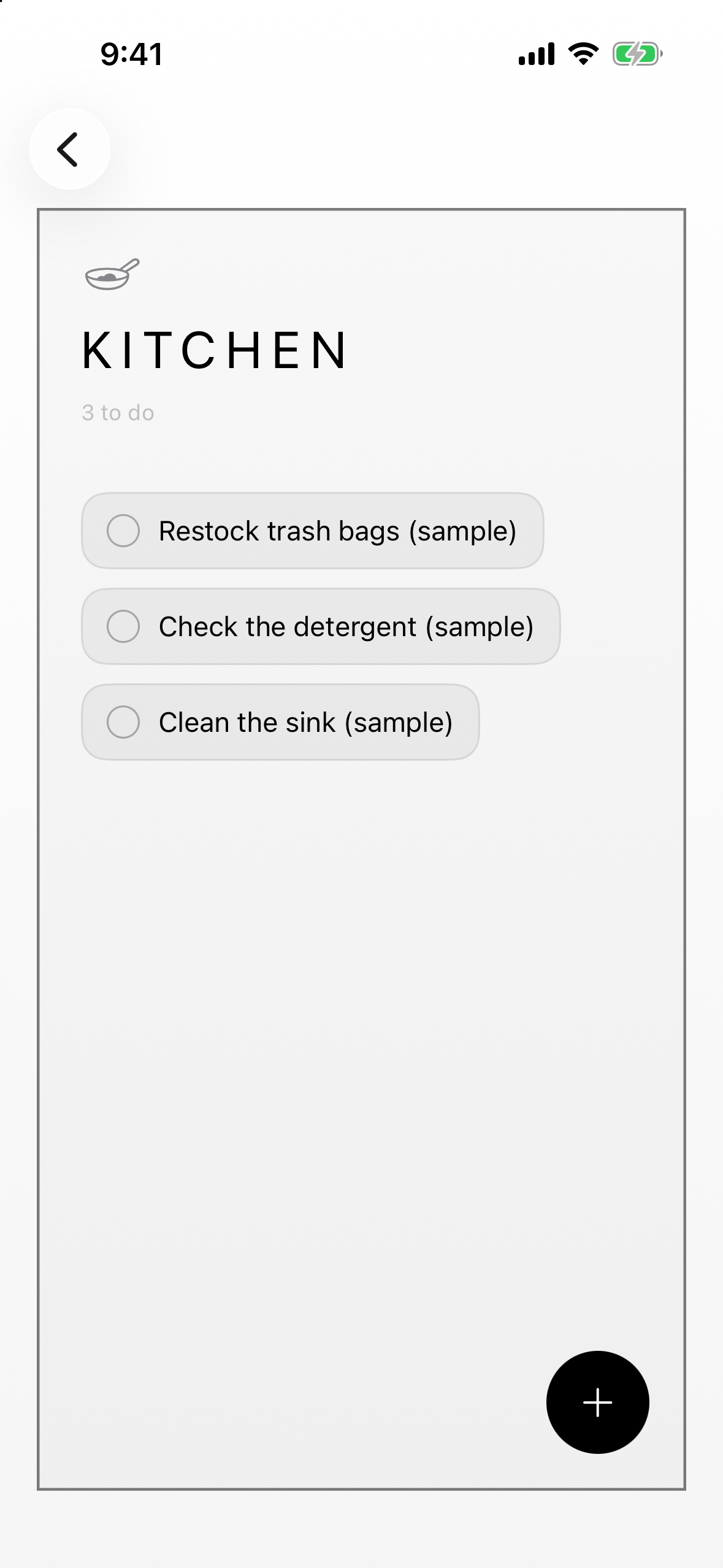
Step into a room and only that room's tasks are waiting for you.
-
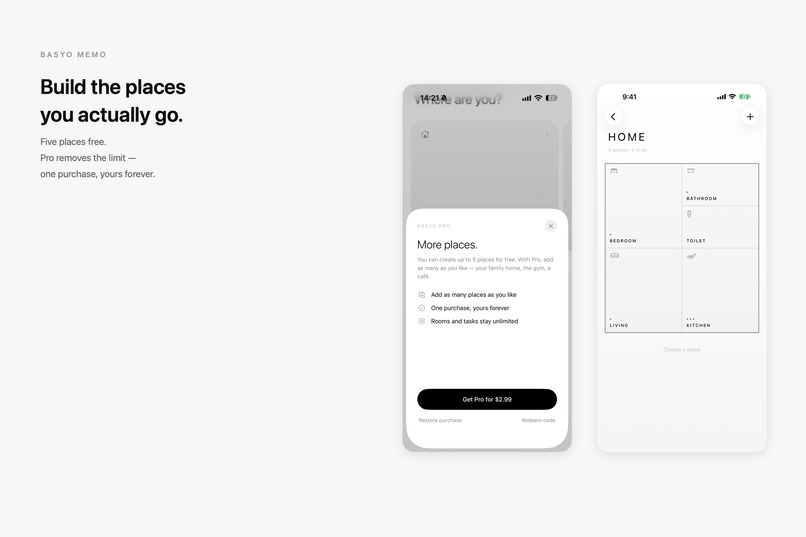
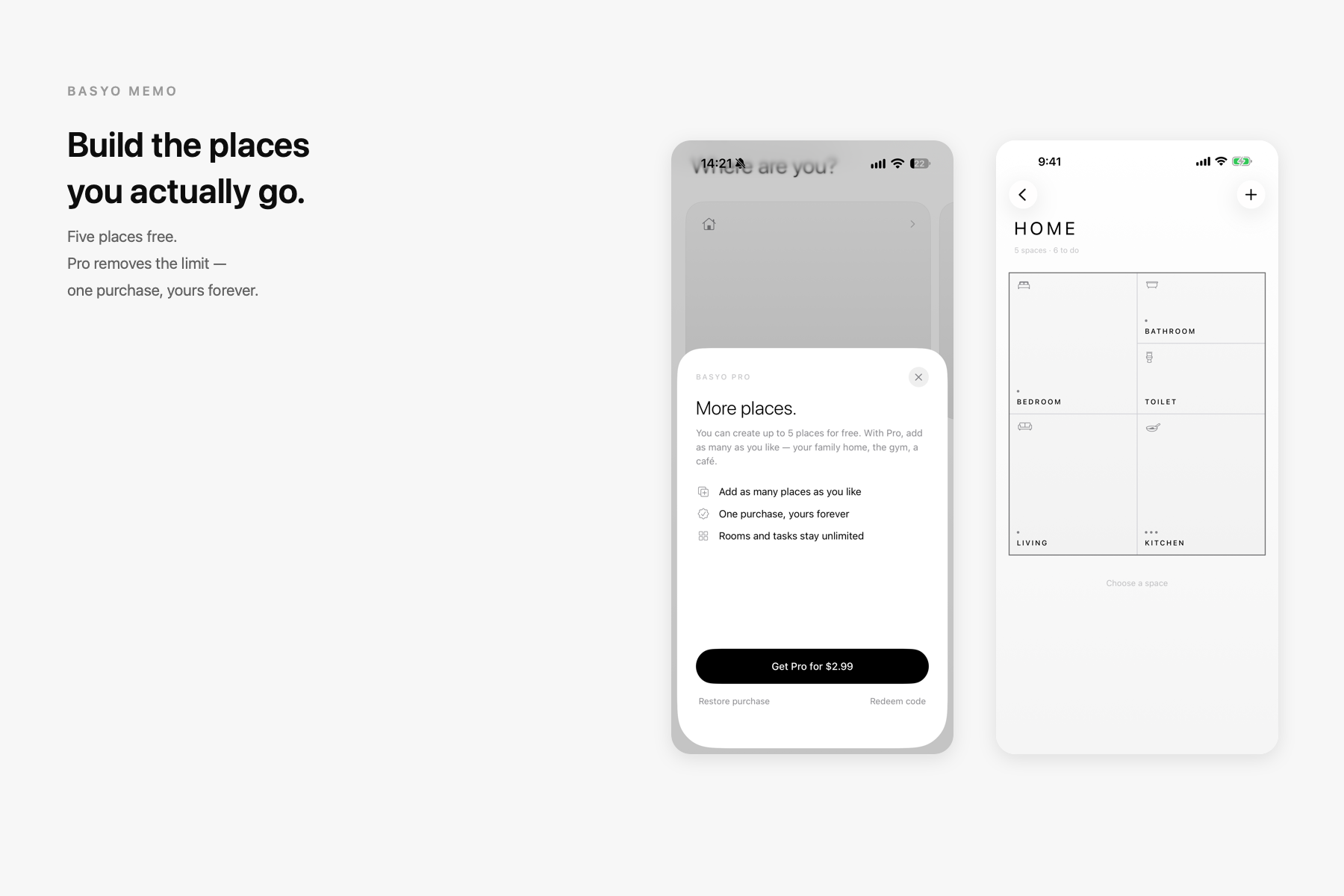
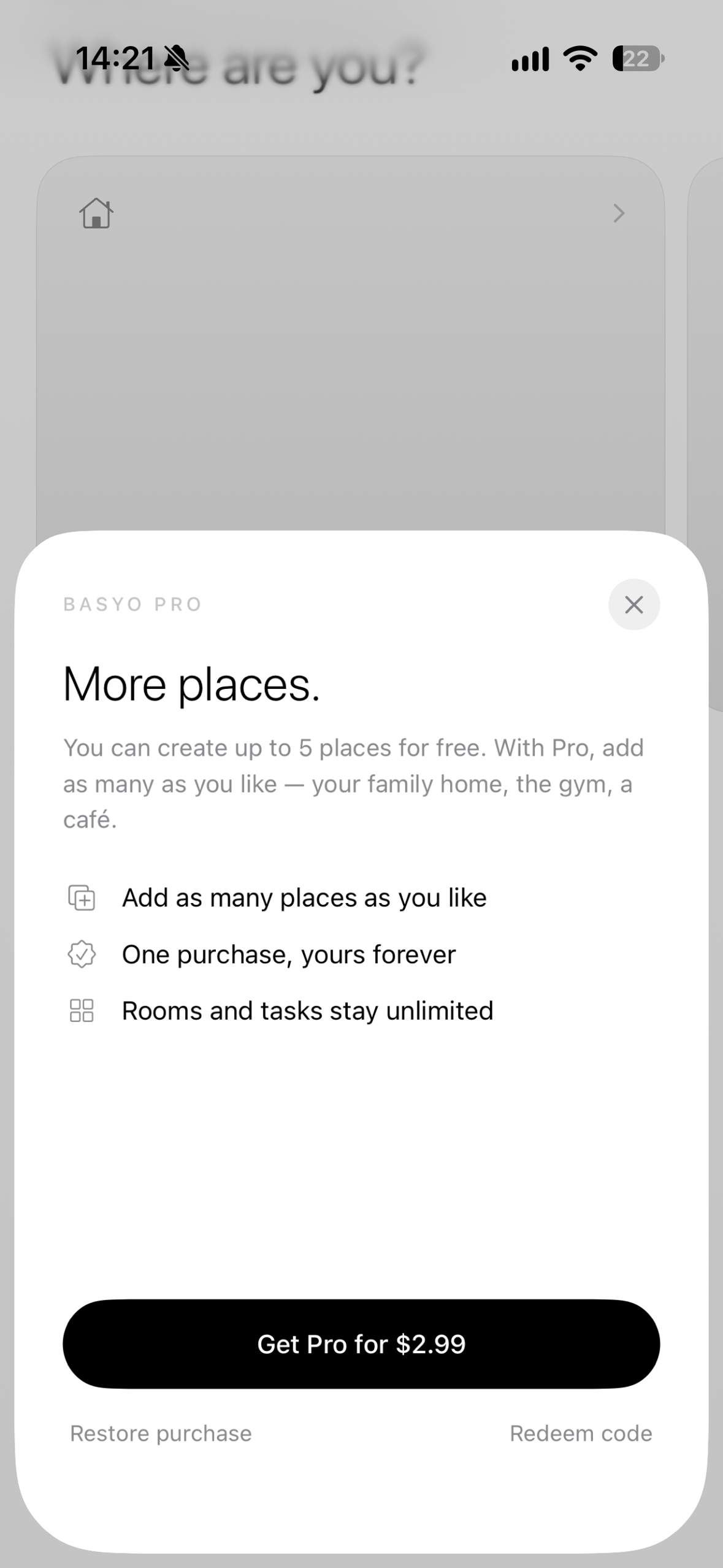
Five places are free. One purchase unlocks as many as you like.
-

App icon
-
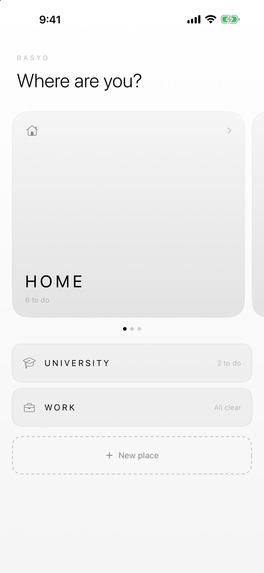
Choose where you are — places, not a list.
-
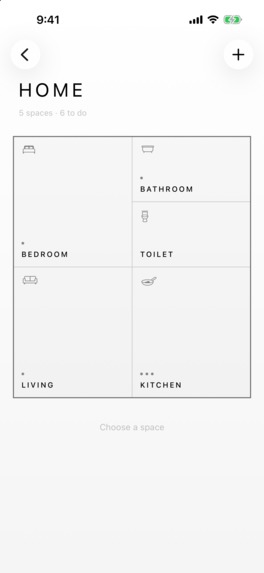
A place opens as a floor plan. Dots show what is waiting.
-
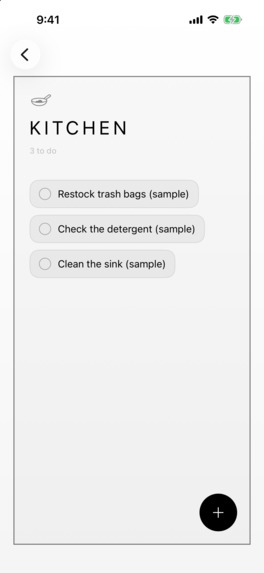
Step into a room and see only the tasks waiting there.
-
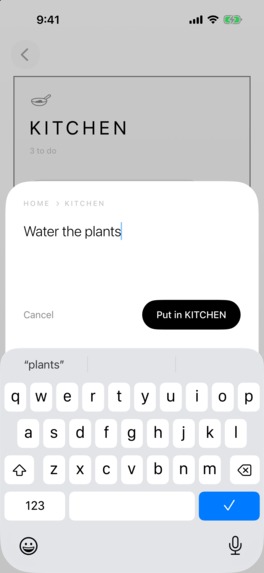
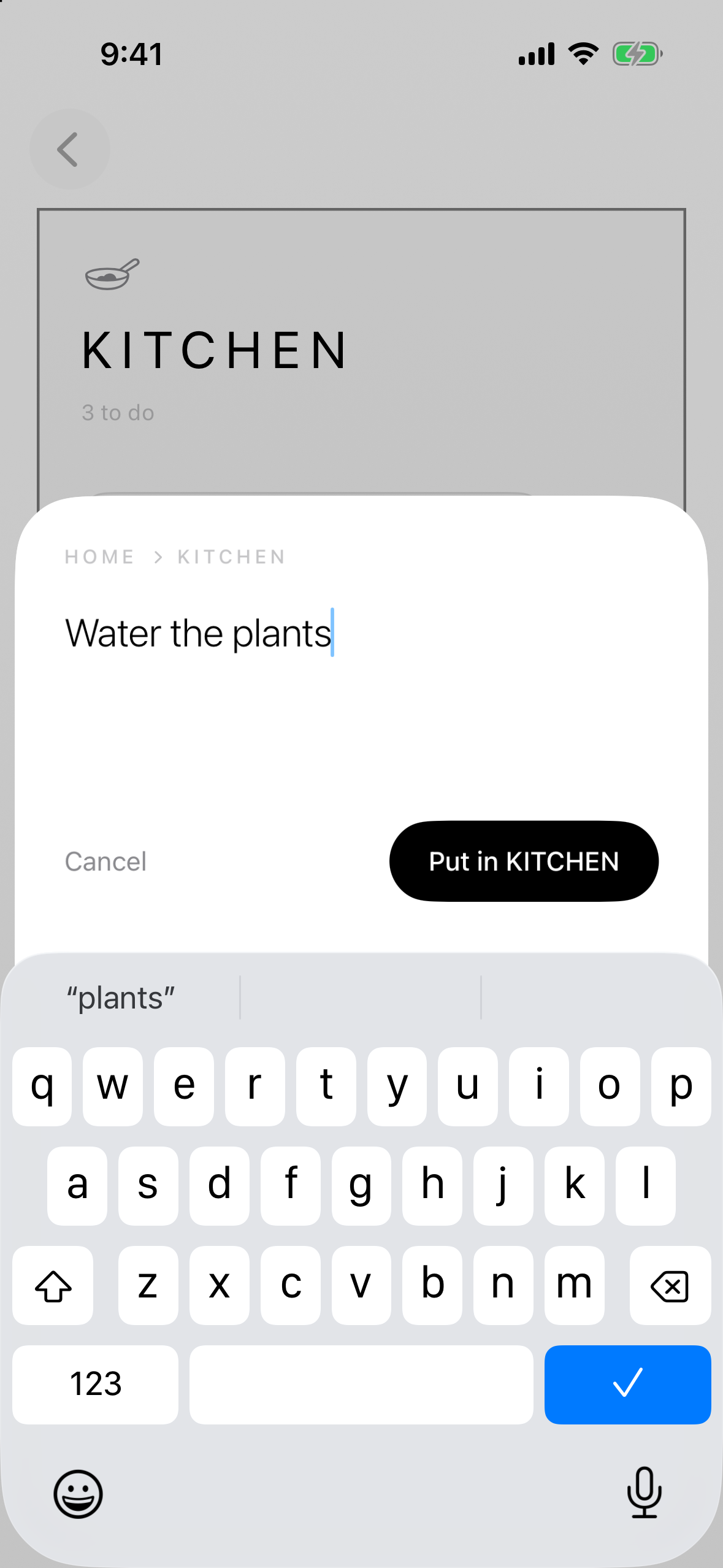
New tasks go straight into the room you are standing in.
-
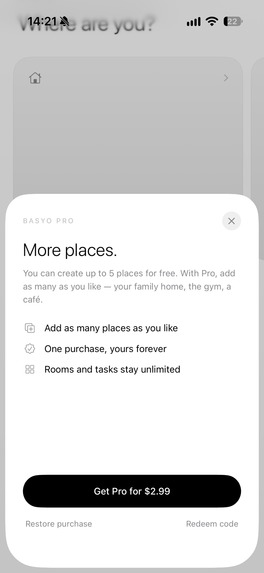
Five places are free. Basyo Pro removes the limit.

Inspiration
Every to-do app I tried gave me the same thing: one long vertical list. "Restock trash bags", "Check the detergent", "Return the library book" — all stacked on top of each other, even though they happen in completely different places.
But that is not how I remember my own tasks. I remember them as places. The kitchen is where the trash bags are. The bathroom is where the shampoo runs out. A list flattens that. I wanted the place itself to be the interface.
What it does
Basyo Memo organizes tasks in three layers: Place → Space → Task.
- Pick a place — home, campus, work — and its floor plan appears.
- Tap a room and you see only what is waiting in that room.
- Finish a task and it leaves the room. The space gets quieter.
- Dots in each room show what is still waiting, so one glance tells you where things are piling up.
- Build your own floor plan: add rooms in three sizes and they pack themselves in.
- Everything stays on the device. No account, no cloud, works offline.
How I built it
- SwiftUI and SwiftData on iOS 26, built entirely with Apple's own frameworks.
- The floor plan is not stored as coordinates. Each room only knows its size (small, medium, large) and the order it was added. The layout is computed every time by packing rooms into a two-column grid, so a broken layout cannot exist.
- The house keeps a fixed outer wall and squeezes rooms as they are added, then grows downward once rooms hit a minimum readable height.
- Navigation uses SwiftUI's zoom transitions, so pressing a place expands it into its floor plan, and a room expands into its tasks — you feel like you are moving inward rather than switching screens.
- RevenueCat powers a single non-consumable purchase that lifts the limit of five places.
- Localized into English, Japanese and Traditional Chinese.
Challenges I ran into
- Making a floor plan feel like a home, not a grid of tiles. The answer was to give rooms different sizes, draw shared walls instead of gaps, and put the room name at the bottom so the eye travels into the room.
- Adding rooms without ever breaking the layout. I prototyped the packing rules before writing any Swift, then kept the rule "positions are computed, never stored".
- Keeping the app readable on the smallest supported iPhone. Narrow rooms now drop their icon automatically instead of shrinking their name.
Accomplishments that I'm proud of
Completing a task does not just check a box — it removes an object from a room, and the room visibly gets cleaner. The feeling of tidying a space, inside a to-do app.
What I learned
This was my first iOS app and my first App Store submission. I learned SwiftUI and SwiftData by building one screen at a time, confirming each on a simulator before moving on. I also learned how much of shipping is not code: privacy manifests, store metadata, localization, purchase configuration, review notes.
What's next for Basyo Memo
- Rearranging rooms by dragging, and editing a room's name, size and icon.
- Floor plan templates so a new place starts closer to a real home.
- Completed-task history, so you can look back at what a place has been through.
- Users can upload their favorite pictures and add them to their rooms.
- Share the room to friend and decorate together.


Log in or sign up for Devpost to join the conversation.