Inspiration
As a UMD student and basketball fan, I wanted a faster way to identify the most exciting and competitive matchups on the schedule. Instead of manually analyzing stats or guessing which games would be the most engaging, I was inspired to build a tool that highlights these games automatically. The goal was simple: make it easy to instantly spot the most interesting games to watch.
What it does
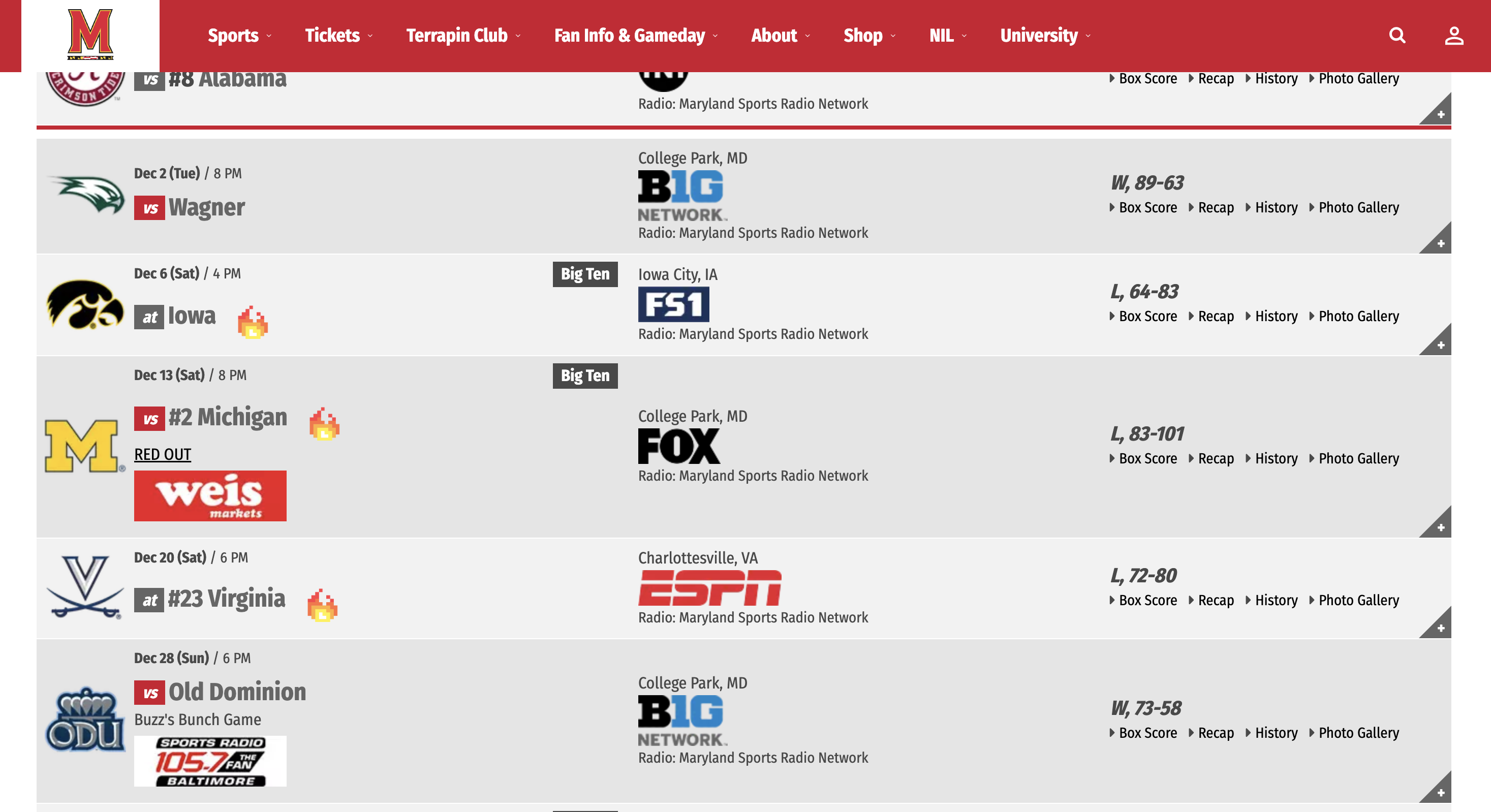
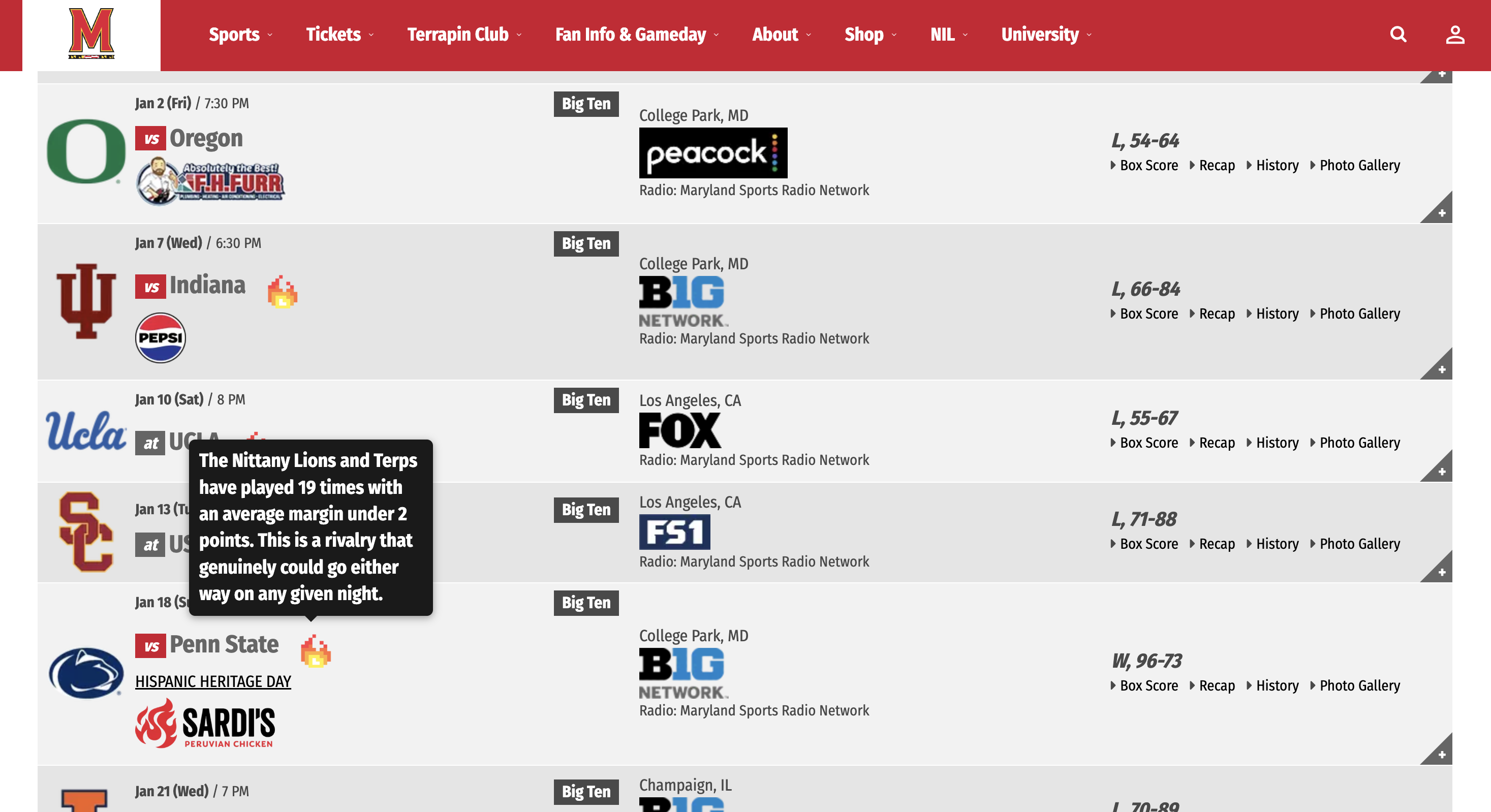
The Basketball Recommender Extension enhances the UMD basketball schedule by adding a visual indicator (🔥) next to opponents that are likely to produce exciting matchups.
These recommendations are based on historical performance, including how often the teams have played and how close those games have been.
When a user hovers over the icon, a tooltip appears explaining why the matchup is considered competitive, giving both quick insight and deeper context.
How we built it
We built this project as a Chrome extension using:
JavaScript (ES Modules) for logic and data handling Chrome Extension Manifest V3 for browser integration Content Scripts to dynamically modify the schedule webpage A local stats dataset to store historical matchup information
The core logic uses:
We also implemented:
We built this project as a Chrome extension using JavaScript for the logic and Chrome Extension Manifest V3 for browser integration. A content script is injected directly into the UMD basketball schedule page, allowing us to modify the page in real time. We also created a local dataset containing historical matchup statistics, which is used to determine which games are likely to be the most competitive.
The core logic is based on two simple factors: how often the teams have played each other and how close those games have been. We calculate the total number of games by adding wins and losses, and we mark a game as exciting if the teams have played at least three times and the average margin of those games is less than 8 points. This helps highlight matchups that have consistently been competitive.
To make the system reliable, we implemented team name normalization to handle differences in how schools are listed, such as abbreviations or alternate formats. Because the schedule page loads content dynamically, we used a MutationObserver to detect changes and ensure our enhancements are applied every time new content appears. Finally, we enhanced the user experience by adding animated fire icons next to qualifying matchups and including hover tooltips that explain why each game is considered
Accomplishments that we're proud of
Successfully built a fully working Chrome extension from scratch Integrated real data into a live website in real time Created a clean and intuitive UI that enhances user experience Designed a meaningful, data-driven metric to identify exciting matchups Added interactive tooltips that provide clear explanations to users What we learned
Through this project, we gained hands-on experience with:
Chrome extension architecture and permissions DOM manipulation on real production websites Handling asynchronous content with observers Structuring and using real-world datasets Translating data insights into user-friendly features
We also learned how important it is to handle edge cases, especially when working with inconsistent external data.
What's next for Basketball Recommender Extension
Future improvements include:
Adding multiple indicators (e.g., must-watch games, rivalry games) Allowing users to customize recommendation thresholds Improving tooltip design with richer UI components Expanding support to other teams or sports Incorporating live data or predictive models for even smarter recommendations
Built With
- javascript
- json
- python
- terpai

Log in or sign up for Devpost to join the conversation.