

🍀Basil Kitchen
Note App is ready for IOS App store!
Inspiration
We all do it. Scroll through TikTok at midnight, see a creamy garlic pasta that looks incredible, hit save, and tell ourselves "I'll make that this weekend." Then the weekend comes, and we order takeout. Again.
The numbers are brutal. The average person saves 277+ recipes across social media but cooks fewer than 5% of them. That's a graveyard of good intentions. And the friction is real: you can't copy ingredients from a 60 second video, you're missing one item and don't feel like going to the store, or the recipe just gets buried under 200 other saves you'll also never make.
When I saw Eitan Bernath's brief, "from saved recipe to dinner made," it hit personally. I had 150+ saved recipe videos across TikTok and YouTube. I cooked maybe four of them on rotation. The gap between "I saw this" and "it's on the table" isn't just annoying. It's a problem that affects millions of home cooks every day.
Basil Kitchen was born from a simple question: What if your phone could be as smart in the kitchen as you are in the rest of your life? I combined cutting edge AI (Google Gemini), a cross platform experience (React Native + Expo), and a focus on reducing waste and saving time to build the kitchen assistant I always wished I had.
What it does
Basil Kitchen is a full stack mobile cooking assistant that turns your kitchen into a connected, intelligent workspace, taking you from "I saw this recipe" to "it's on the table" in one app.
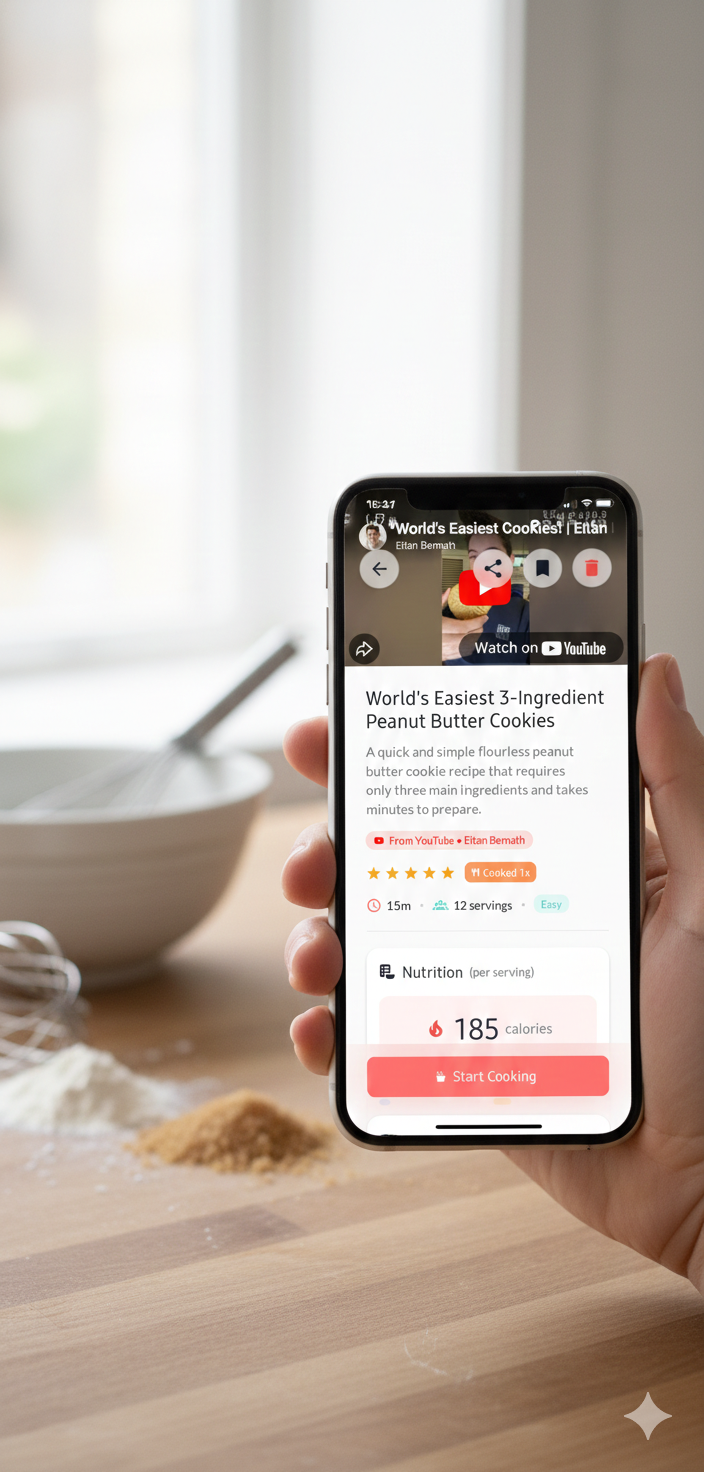
Recipe Intelligence: Import from Anywhere Paste a YouTube, TikTok, or Instagram video URL and our AI extracts the full recipe: title, ingredients with quantities, step by step instructions, even from messy transcripts. Share a recipe webpage URL and we parse it into a clean, structured recipe. Use your camera to scan a cookbook page or a handwritten recipe card and we digitize it in seconds. You can even share a URL from your browser directly into Basil Kitchen via share intent, no copy pasting needed. An in app browser lets you discover recipes on the web without leaving the app, with one tap extraction when we detect a recipe page.
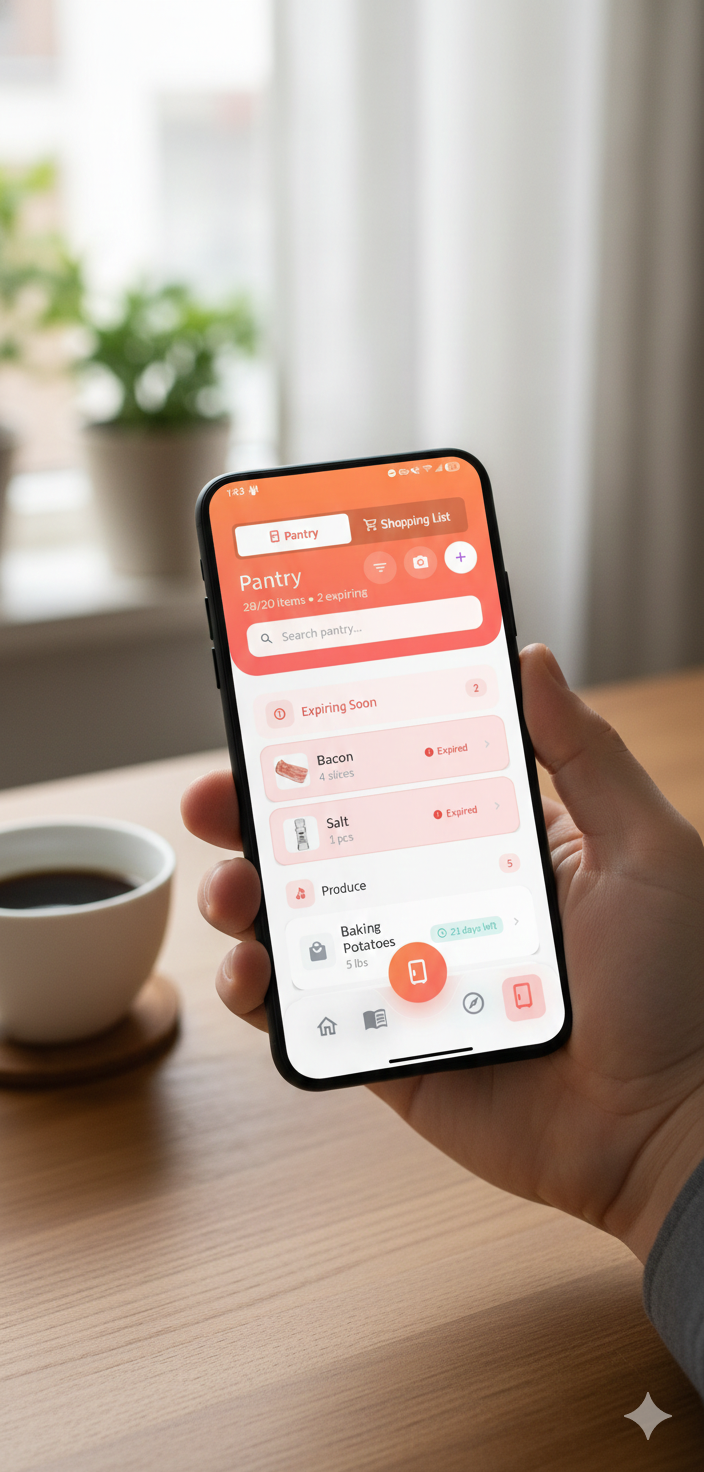
Smart Pantry & Shopping Track what you have at home with expiry dates and smart categories. Snap a photo of your grocery receipt and our AI parses it into pantry items with suggested categories and smart expiry estimates, no manual typing. When you want to cook something, tap "Add to Shopping List" and we calculate the difference: recipe needs 2 onions, you have 1, we add 1 onion. We handle unit conversions (500g vs 1 lb) and group items by aisle. Export your list as text to share with family.
AI Chef (Gemini Powered) Chef's Suggestions recommends recipes based on expiring pantry items so you use what you have before it goes bad. Ask Chef answers cooking questions mid recipe ("What's a substitute for buttermilk?" "How do I dice an onion?"). Get nutrition estimates from ingredients and smart substitution suggestions when you're missing something.
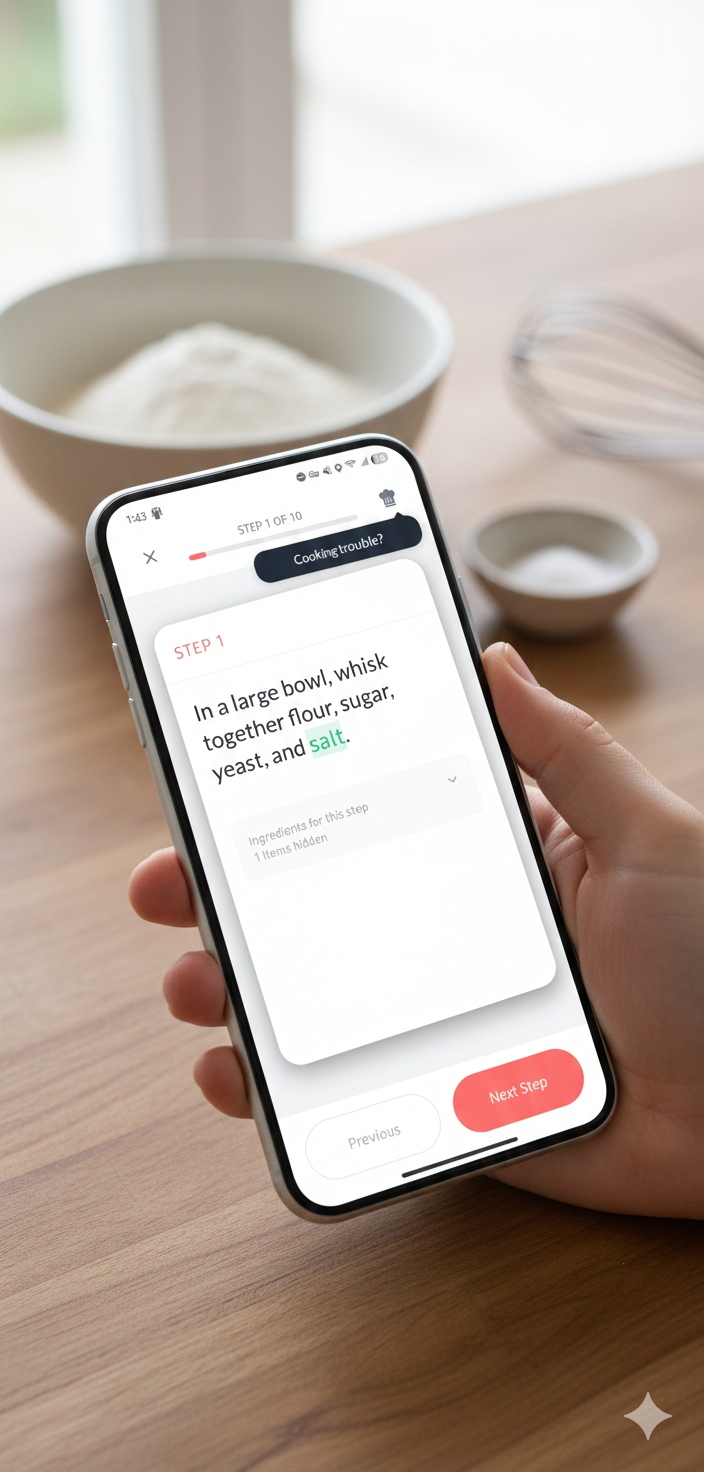
Cooking Mode: Designed for the Kitchen Full screen, step by step view that keeps your screen awake so it doesn't dim with messy hands. Integrated timers are parsed directly from recipe text. See "simmer for 10 minutes" and start a timer with one tap. Large tap targets, high contrast, no fiddly navigation.
Personalization & Engagement Rate recipes, add private notes, and track how many times you've made a dish. "I Made This" celebrates every cook. Unlock achievements (First Meal, Heating Up, Week Warrior, Master Chef) and build cooking streaks to stay motivated. Organize recipes into custom cookbooks, favorite them, and search by title, ingredient, cuisine, or difficulty. Share recipes as beautiful image cards with friends and family.
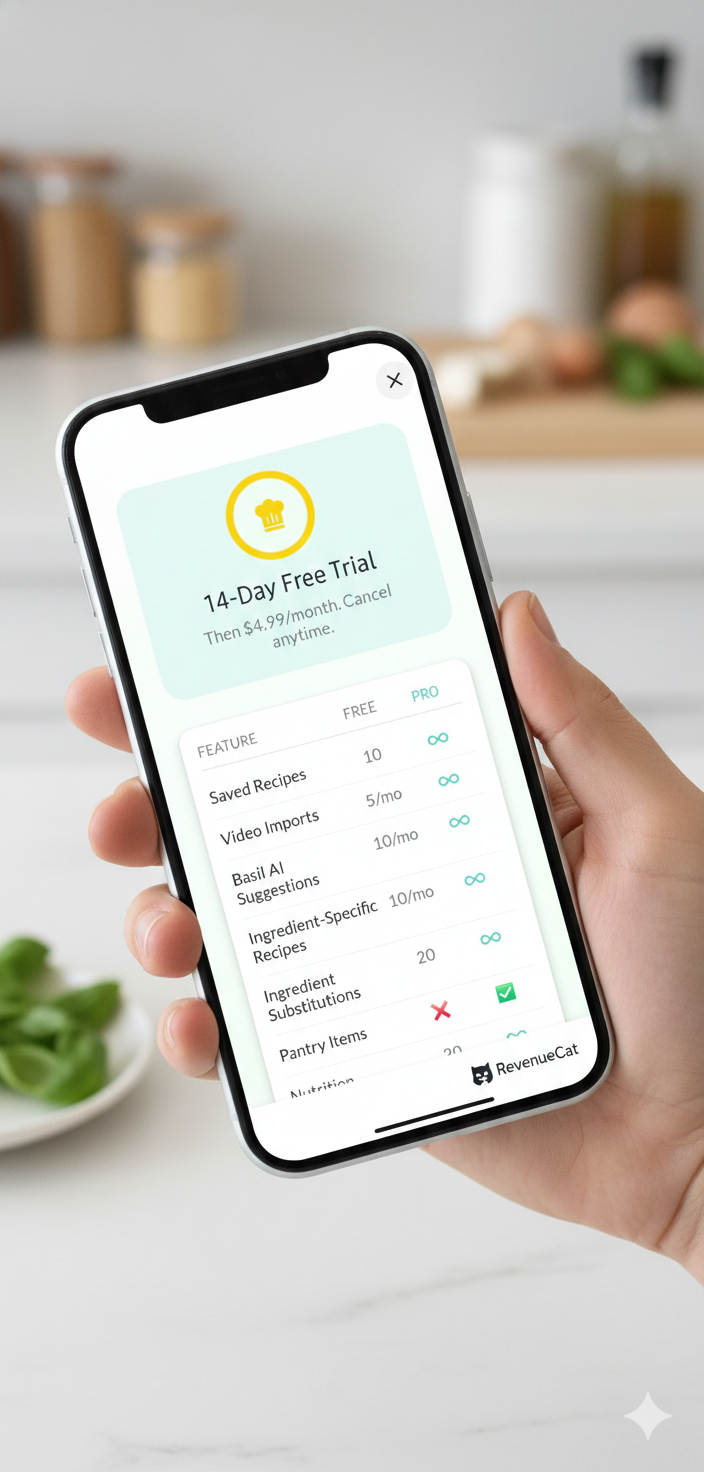
Freemium with RevenueCat The core experience is free. Basil Pro unlocks unlimited recipes, unlimited scans, and advanced AI features, with a polished paywall and 14 day free trial.
How we built it
Frontend: React Native with Expo SDK 52+ and TypeScript for a single codebase. Expo Router for file based navigation, React Native Paper for a consistent and accessible UI, React Native Reanimated and LinearGradient for smooth animations and the cooking mode experience.
Backend & Data: Supabase for auth (including Google/Apple Sign In), Postgres database with Row Level Security on every table, storage for feedback attachments and images, and Supabase Edge Functions (Deno) for all server side and AI logic.
AI Pipeline: Google Gemini (2.0 Flash and 3.0 Flash) via our own Edge Functions with a tiered model strategy. Premium (3.0 Flash) handles OCR heavy and creative tasks: receipt scanning, video recipe extraction, cookbook scanning, recipe from image. Standard (2.0 Flash) handles text parsing, Q&A, matching, and nutrition estimates. For video recipe extraction, we implemented a waterfall: first try to extract from description and captions with the cheaper model; only if data is incomplete do we call the premium model for visual analysis, cutting cost by 40 to 50 percent while keeping quality high.
Integrations: expo camera and expo image picker for receipt and cookbook scanning. expo share intent so users can share URLs from browsers directly into Basil Kitchen. expo notifications for expiry and cooking reminders. RevenueCat for subscriptions and paywall management.
DevOps: EAS (Expo Application Services) for builds and over the air updates. SQL migrations and typed database models for schema safety. Privacy policy and in app account deletion for store and GDPR style compliance.
Challenges we ran into
Making video recipe extraction reliable and affordable. Cooking videos often have noisy transcripts and incomplete descriptions. We solved this with a two pass waterfall: triage with a fast, cheap model using description and captions first; only when the recipe is genuinely incomplete do we call the premium multimodal model. That kept accuracy high while cutting costs significantly.
Receipt OCR that feels magical, not brittle. Receipts vary wildly in layout, font, and lighting. We dedicated Gemini 3.0 Flash to receipt scanning and tuned prompts for item names, quantities, and categories. We added smart expiry estimation and a review step so users can fix misreads before saving, making the feature feel reliable rather than frustrating.
Cross platform share and capture. Sharing recipes as image cards and receiving URLs from other apps required careful handling of react native share, expo share intent, and platform specific behavior. We built a share preview flow and a hidden "shareable card" view that gets captured and passed to the native share sheet so image and caption work together on both platforms.
Keeping cooking mode usable with messy hands. We needed a full screen, step through UI that doesn't dim or lock mid recipe. We combined keep awake behavior, large tap targets, and inline timers so users can start a timer directly from recipe text without leaving the screen. Getting timer parsing and step navigation right took several UX iterations.
Scaling AI usage without blowing the budget. With many AI features (extract, suggest, scan, ask, nutrition, substitutions), we centralized model assignment in a single config and used a clear premium vs standard tier so we could tune cost and quality per feature without rewriting every function.
Google Play Billing quirks. Subscription testing only works on signed APKs distributed through Play Console. Debug builds fail silently. RevenueCat credential activation takes up to 36 hours. Package name mismatches between Expo config and cached builds required prebuild clean to resolve. Each of these cost hours of debugging.
Accomplishments that we're proud of
Shipped a production quality app. Basil Kitchen is live on Google Play with a real backend, auth, payments, and privacy flows. Not a prototype, not a mockup.
Multimodal recipe ingestion from everywhere. Video URLs, webpage URLs, camera scans of cookbook pages, and share intents from other apps, all powered by one coherent extraction pipeline with a cost optimized model strategy.
Receipt to pantry in one tap. Going from a photo of a crumpled grocery receipt to a categorized, expiry aware digital pantry is a standout feature. The combination of camera UX, AI parsing, review step, and smart expiry estimation makes it feel seamless.
Waste reduction as a first class feature. Chef's Suggestions that prioritize expiring items and a shopping list that respects what you already have make "use it before it goes bad" a core behavior, not an afterthought.
Delight in the details. Achievements and cooking streaks, "I Made This" celebrations, shareable recipe cards, and a cooking mode that stays awake and parses timers from recipe text. We cared about the full journey from discovery to cleanup.
Clean, maintainable architecture. Typed API models, shared Gemini client, Row Level Security policies, centralized model config, and documented AI architecture. This codebase is ready to grow beyond the hackathon.
What we learned
Triage and upgrade for AI is a powerful pattern. Use a cheap model first; only call the expensive one when necessary. We saw 40 to 50 percent savings on video extraction without losing quality. This waterfall approach applies far beyond recipe apps.
Structured prompts and output schemas matter enormously. Small prompt changes and JSON output schemas dramatically improved extraction consistency for recipes, receipts, and nutrition estimates, and made integration with our database straightforward.
Share intents and native sharing are platform specific and quirky. Testing on both iOS and Android early saved us from last minute "share works on one OS only" bugs. This is an area where you can't just trust the docs.
"Hands free" isn't one setting. It's a combination. Keep awake behavior, timer parsing from natural language, large tap targets, and thoughtful UX copy all work together to make cooking mode actually usable at the stove.
Freemium limits need to be clear and fair. RevenueCat plus Supabase gave us a clean path to monetize without blocking core value for free users. The free tier is deliberately generous. Build the habit first, then convert.
The boring infrastructure is the important feature. Pantry tracking doesn't sound exciting next to AI video extraction, but it's the connective tissue that powers smart shopping lists, Cook Now suggestions, and waste reduction. The unsexy plumbing creates the real user value.
What's next for Basil Kitchen
Expand platforms. Finalize iOS App Store submission and polish the web build so Basil Kitchen is truly one app on every device.
Smarter pantry. Barcode scanning for packaged goods, push notification reminders for expiring items, and better category learning from user edits.
Social & discovery. Optional public cookbooks, "cook this tonight" challenges with friends, and lightweight meal planning with a weekly drag and drop view.
Voice in cooking mode. "Hey Basil, next step" and "Start a 15 minute timer" so users never touch the screen with dirty hands.
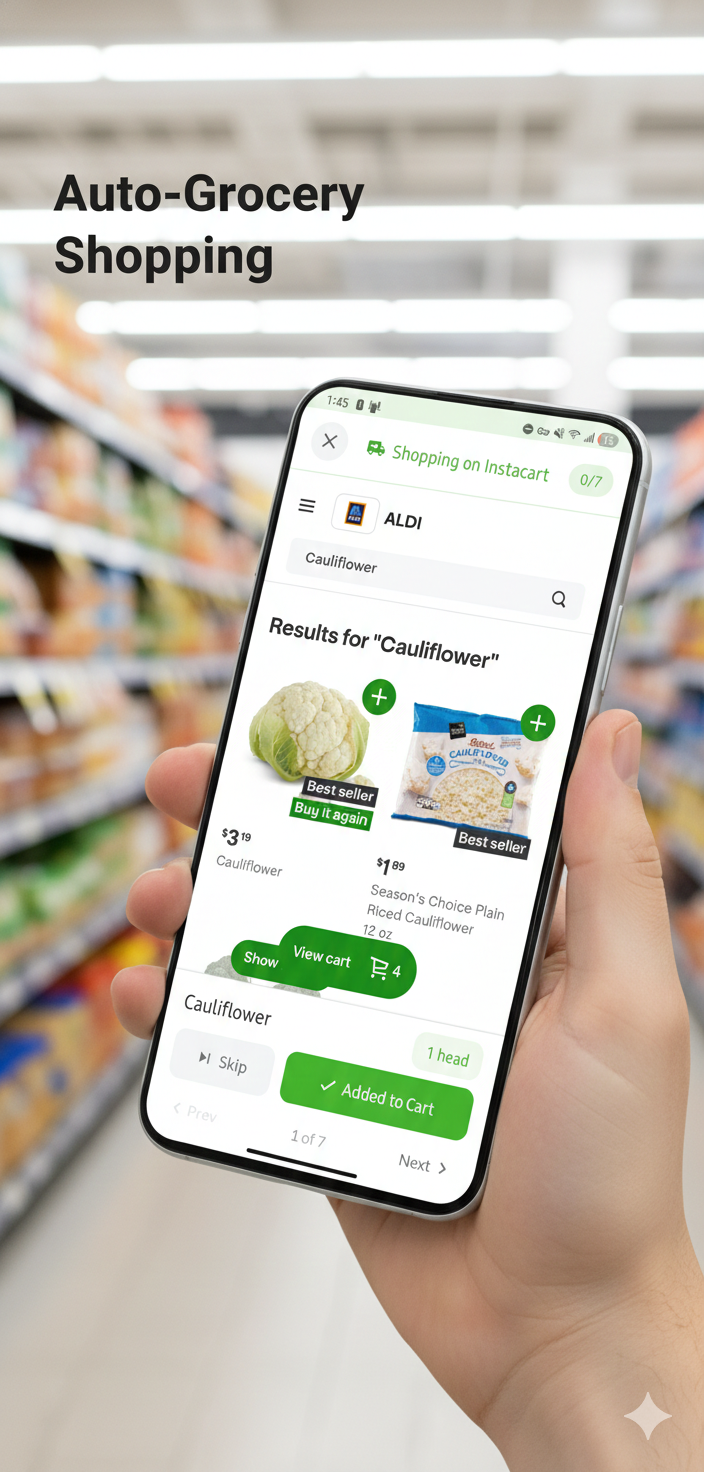
Deeper grocery integration. Broader Instacart and retailer list export, and where possible, price or availability hints to make the shopping list the single place to plan and shop.
Continuous AI improvement. A/B test prompts and model tiers, add feedback loops from "was this suggestion helpful?", and use that data to improve Chef's Suggestions and substitution quality over time.
The long term vision is simple: Basil Kitchen should be the only app you need between "I saw this recipe" and "it's on the table."


Log in or sign up for Devpost to join the conversation.