-
-
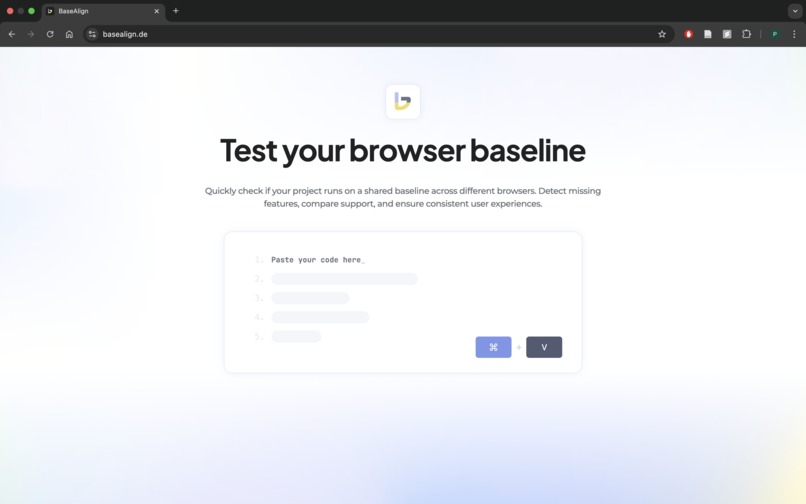
Landing Page
-
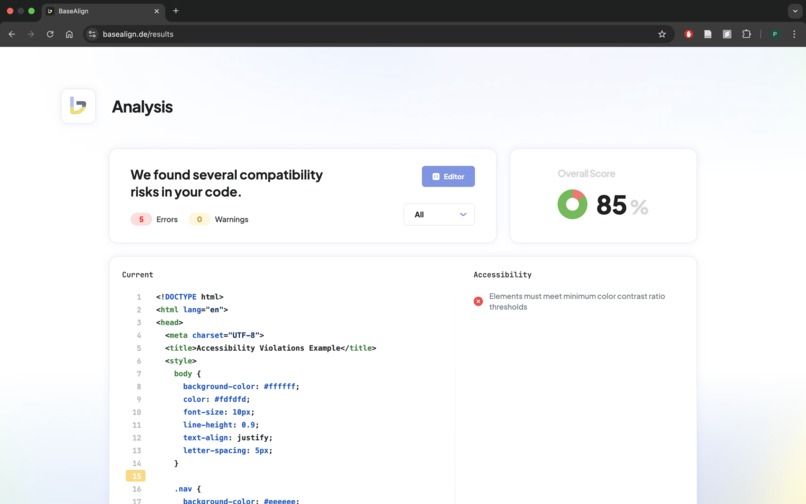
Analysis (Baseline & Accessibility)
-
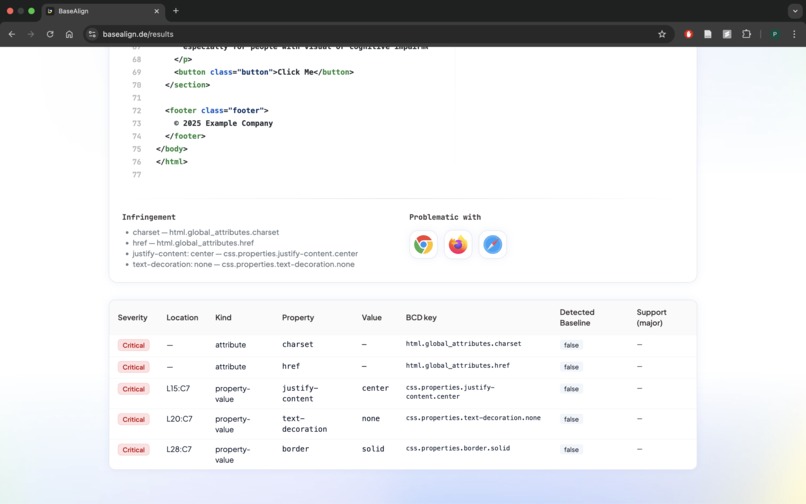
Baseline Issues Table
Inspiration
As web developers, we constantly face the question: “Can I safely use this feature in production?” Jumping between MDN, caniuse.com, and blog posts is time-consuming and error-prone. With the launch of Baseline, there is finally a single reference for features that are supported across all major browsers. We wanted to turn this into a frictionless developer tool that not only makes compatibility checks instant and effortless, but also delivers a smooth, enjoyable experience through high usability.
What it does
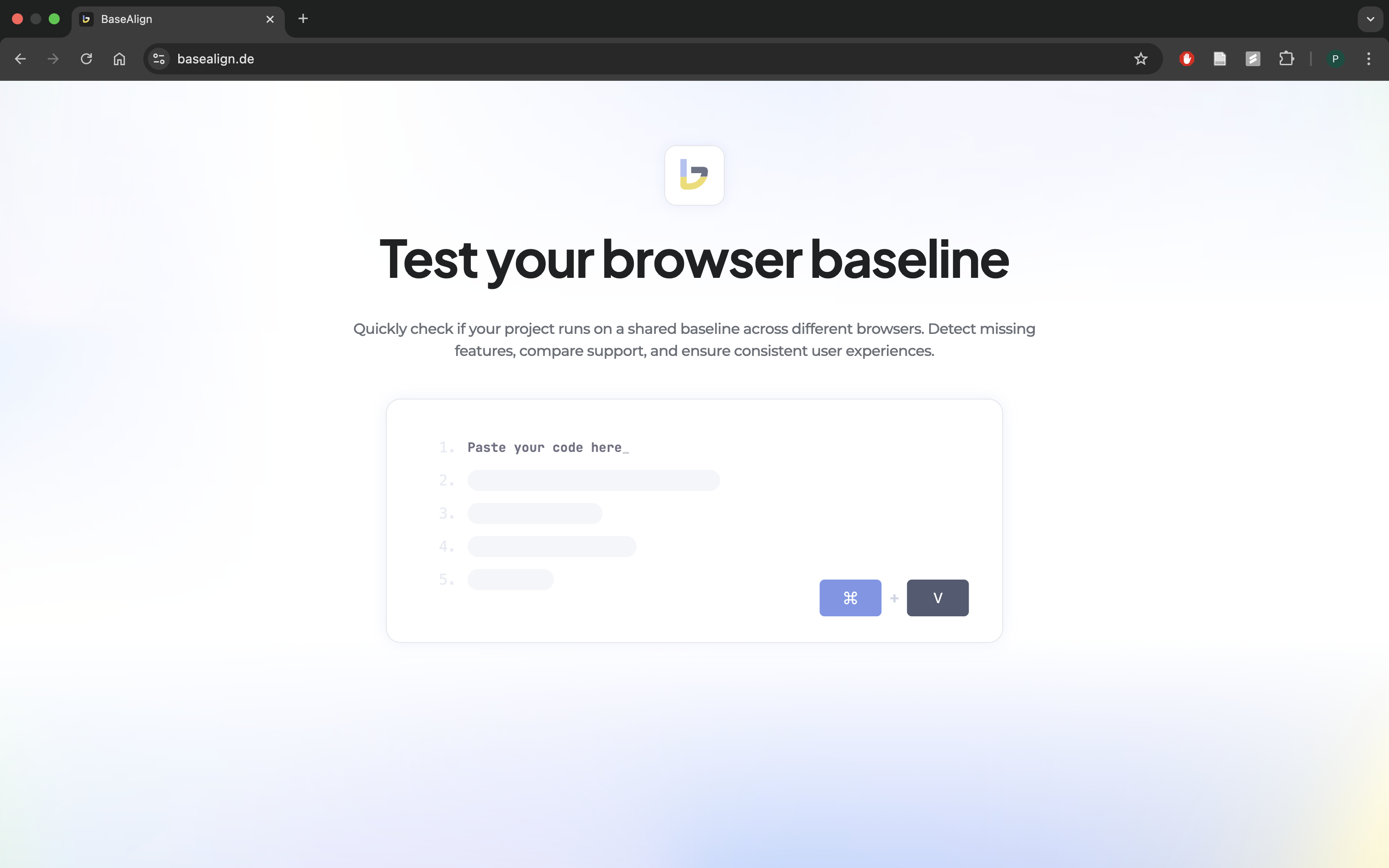
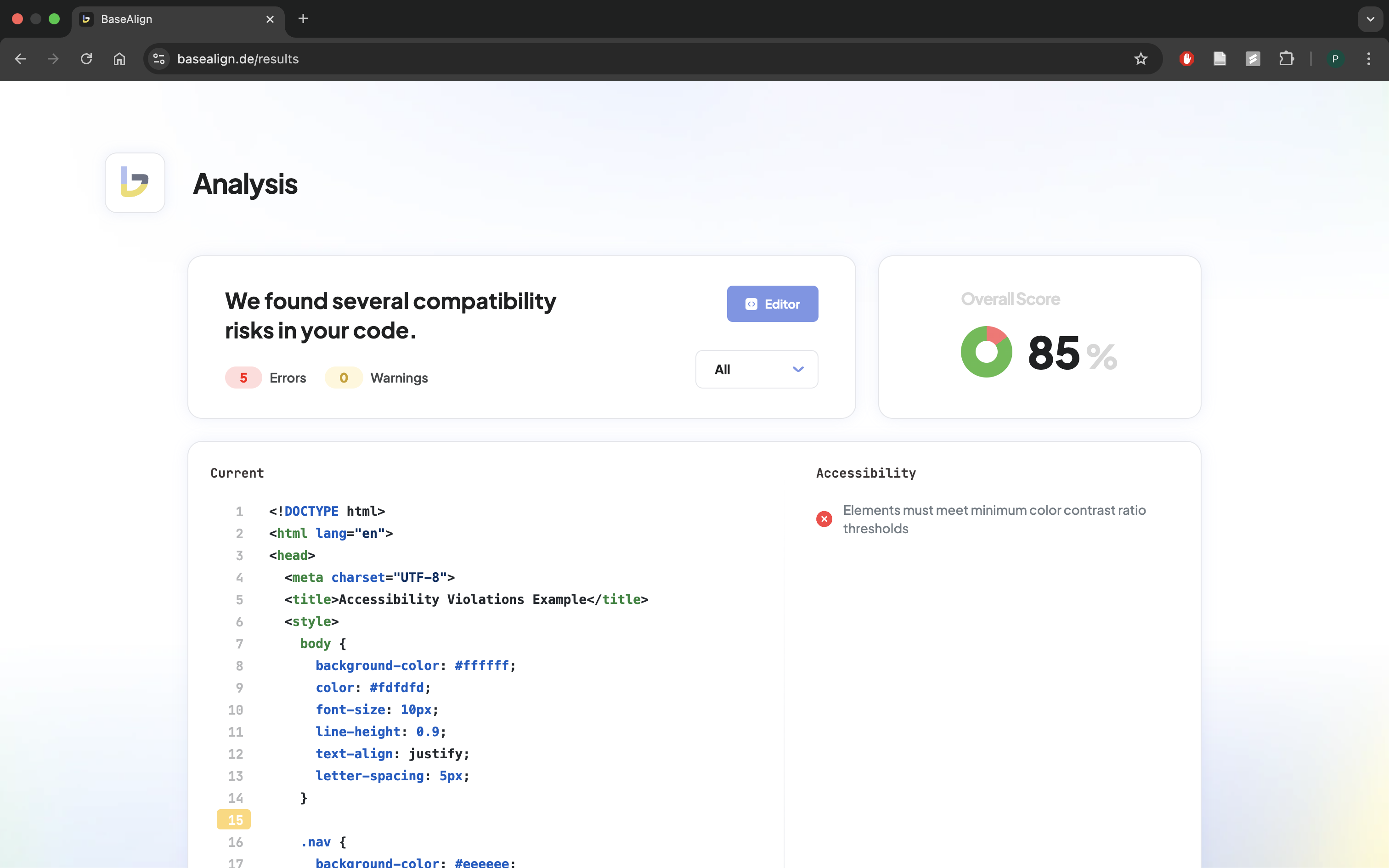
Basealign is a web application where developers can paste their code snippets (HTML, CSS, JavaScript, TypeScript, JSX/TSX) and instantly see:
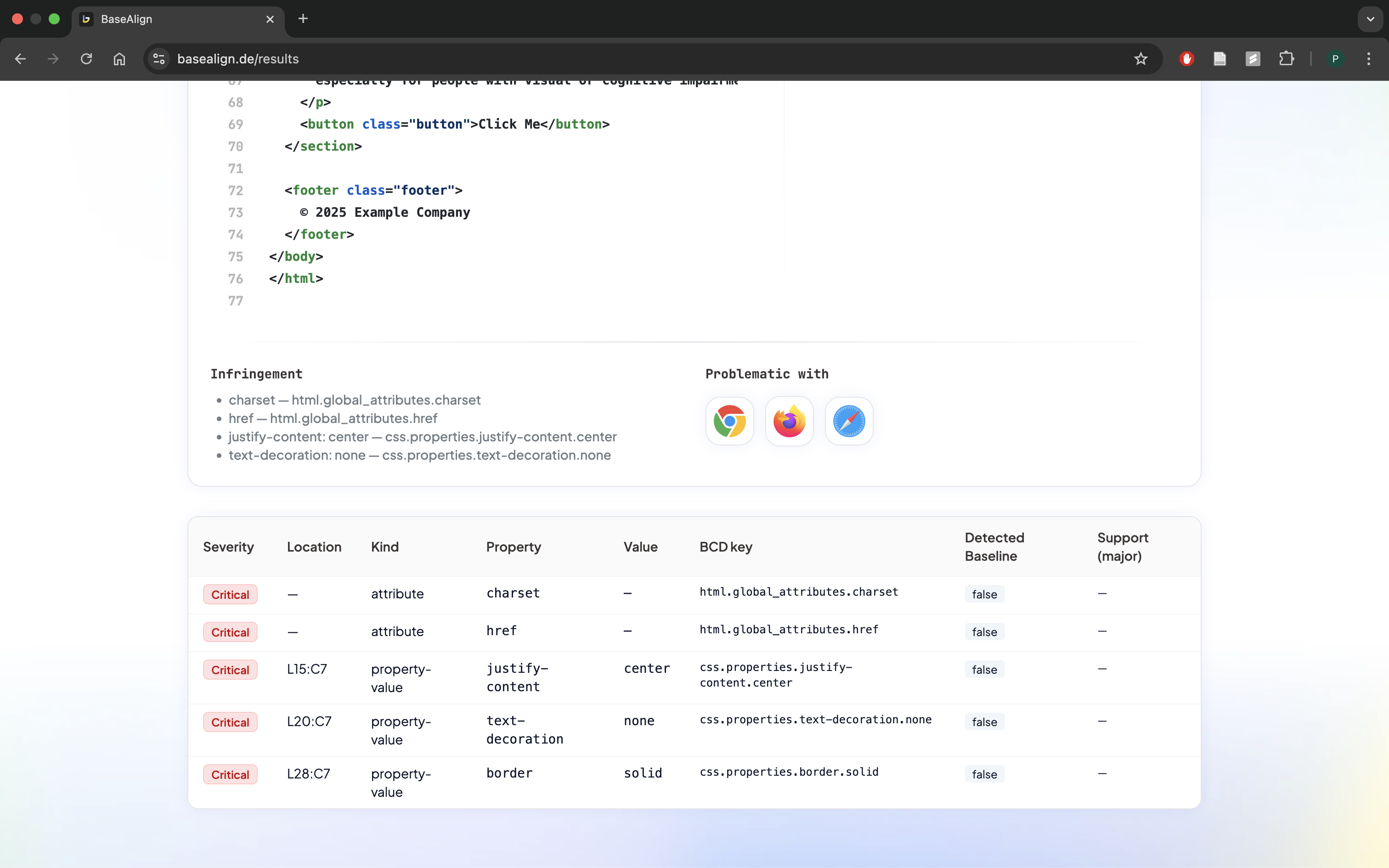
- Which features are detected in the code
- Whether they are part of Baseline (safe to use) or not
- Browser compatibility details for each feature
- Accessibility issues flagged via axe-core and custom heuristics
- Direct links to MDN documentation for further reference
Every interaction is designed for speed and clarity: quick snippet insertion, immediate analysis, clean result tables, and a UI that makes technical results easy to interpret.
How we built it
- Frontend: React + TypeScript with Monaco Editor for the code input field
- Parsing:
- HTML parsed using parse5
- CSS parsed using csstree
- JavaScript/TypeScript/JSX parsed using Babel Parser (
@babel/parser)
- Baseline Data: Pulled directly from the
web-featuresnpm package - Accessibility: Analyzed via axe-core
- Logic: Detected features are matched against the Baseline dataset and scored for severity
- Hosting: Deployed on a VPS with Nginx + Cloudflare SSL for reliable access
- Usability: Animations, transitions, and carefully tuned interaction flows make the app feel fast and intuitive
Challenges we ran into
- Parsing arbitrary user code across HTML, CSS, and JavaScript/TypeScript consistently was tricky.
- Mapping parsed features to the exact identifiers in the Baseline dataset required careful handling.
- Integrating accessibility checks without overwhelming the developer with false positives.
- Ensuring a seamless UX while juggling multiple parsers and datasets.
- Balancing rich technical detail with a clean, approachable interface.
- Integrating accessibility checks in a way that feels helpful, not overwhelming.
- Achieving instant results without slowing down the UI.
Accomplishments that we're proud of
- Built a tool that is not just functional, but highly usable: smooth animations, transitions, and a layout that guides developers naturally.
- Enabled one-click code analysis with immediate feedback.
- Combined Baseline compatibility checks with accessibility insights.
- Added an accessibility layer with axe-core, giving developers instant a11y insights.
- Designed a clean, developer-friendly UI with scorecards, issue tables, and browser badges.
- Proved that Baseline and accessibility data can be combined into a practical developer tool.
- Proved that developer tools can be both powerful and delightful to use.
What we learned
- How much developer adoption depends on usability – speed, clarity, and feedback loops matter as much as raw functionality.
- The structure and potential of the Baseline initiative and how valuable it can be for developer productivity.
- How to unify multiple parsers (parse5, csstree, Babel) into one analysis pipeline.
- How to extend compatibility checks with accessibility audits in a way developers actually want to use.
- The importance of smooth UX for surfacing dense technical data.
- The value of animations and micro-interactions to make technical data less intimidating.
What's next for Basealign
- Stronger parsing pipeline → extend support for more complex, real-world code snippets (nested HTML/CSS/JS, inline
<style>and<script>blocks, TypeScript/TSX). - Mixed content analysis → handle documents that combine multiple languages seamlessly, e.g. HTML + inline CSS + JSX in one snippet.
- More snippet sources → quick insertion of common web patterns, templates, and test cases to analyze instantly.
- Extended accessibility checks with separate scoring → instead of one overall accessibility score, break it down into dedicated categories for clearer insights:
- Contrast – evaluate text/background contrast ratios
- Font & Size – check minimum text size and font readability
- Headings & Structure – verify heading hierarchy and semantic layout
- Forms – ensure input fields have labels, placeholders, and accessible error messages
Try it out
👉 Live Demo: Basealign
👉 Source Code: GitHub Repository
Built With
- axe-core
- csstree
- framer-motion
- monacoeditor
- nginx
- parse5
- react
- tailwindcss
- typescript
- web-features


Log in or sign up for Devpost to join the conversation.