-
-
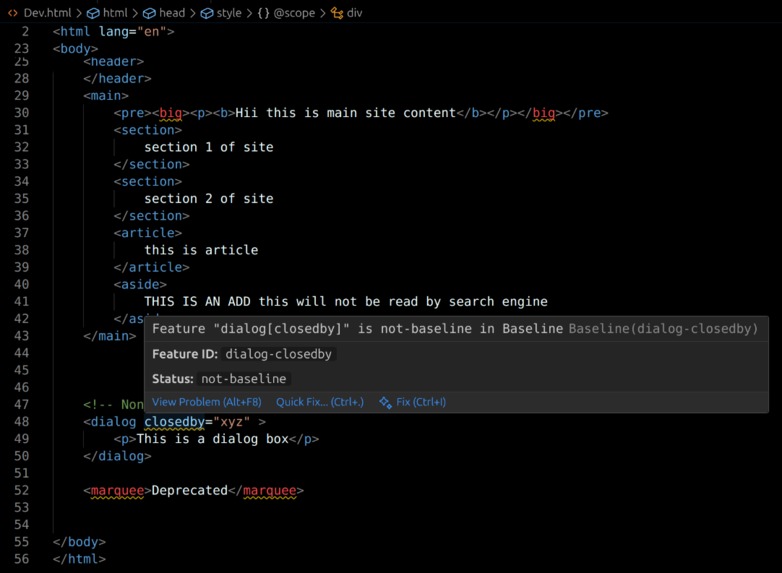
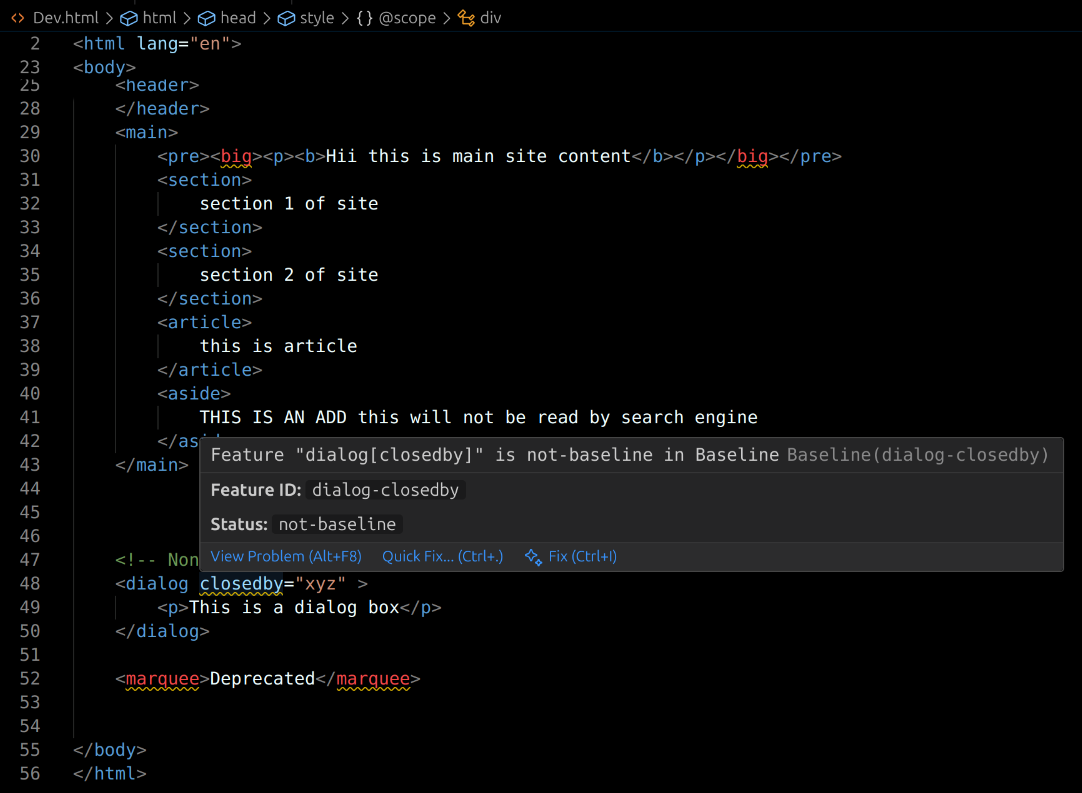
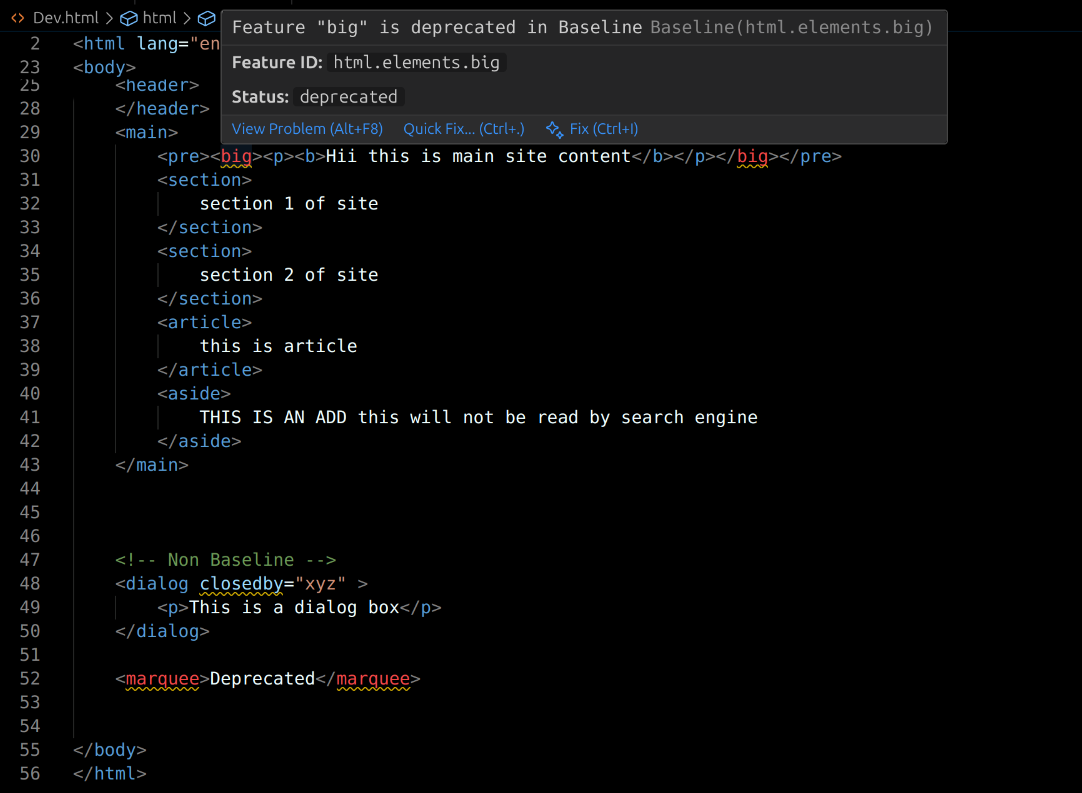
non baseline detection
-
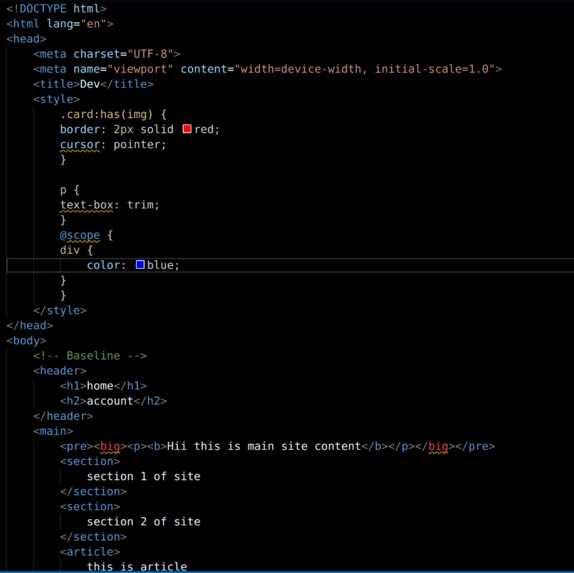
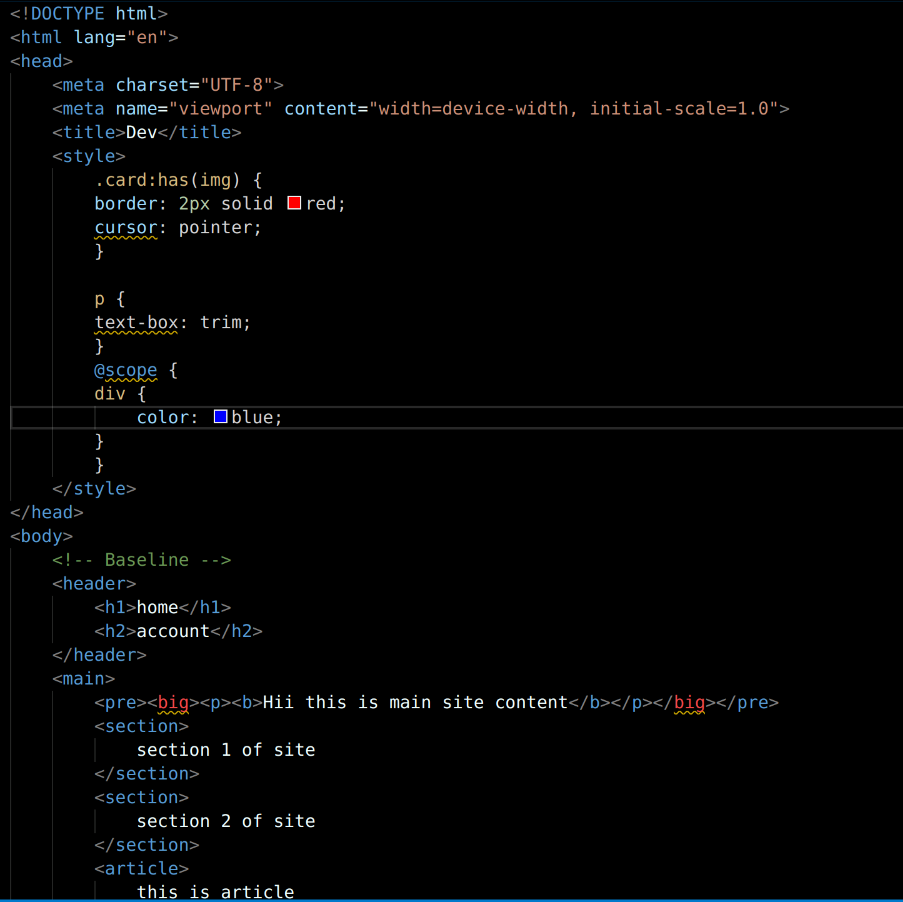
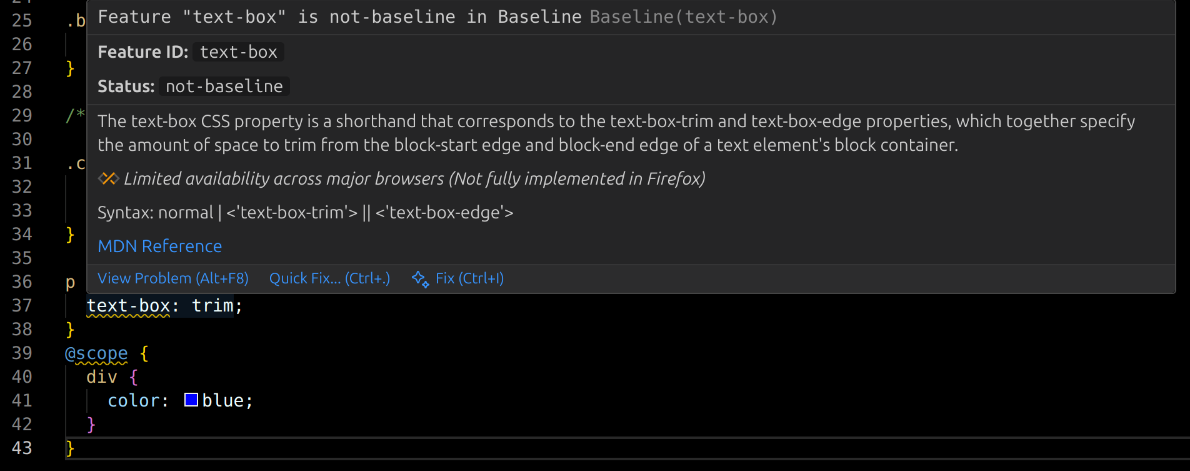
inline css detection
-
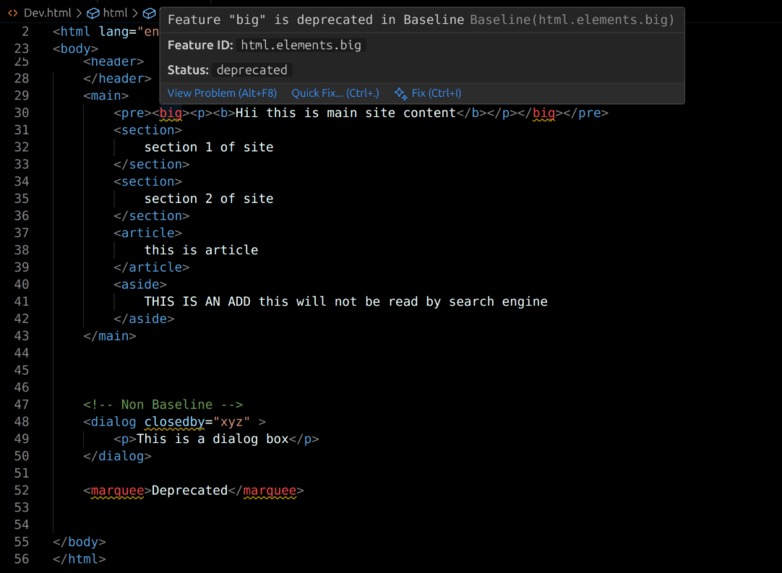
depreciated detection
-
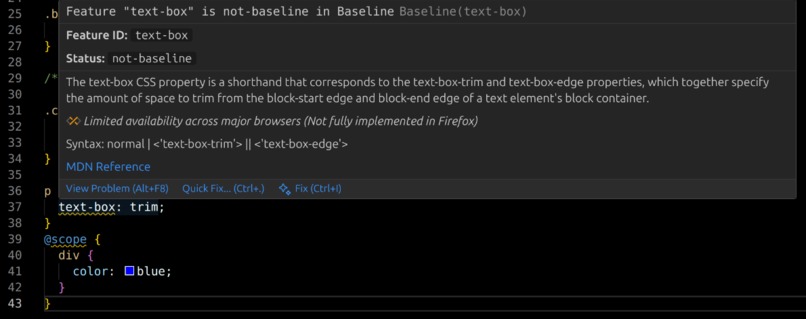
css file detection
-
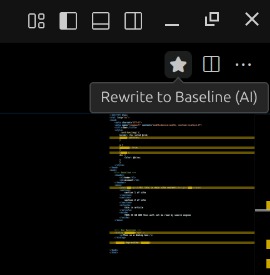
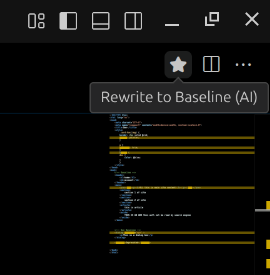
AI Rewrite Star Button
-
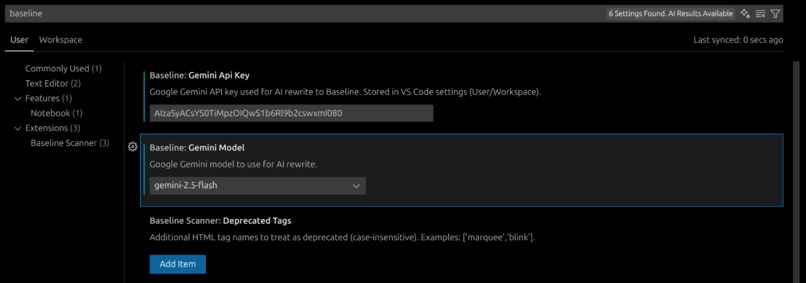
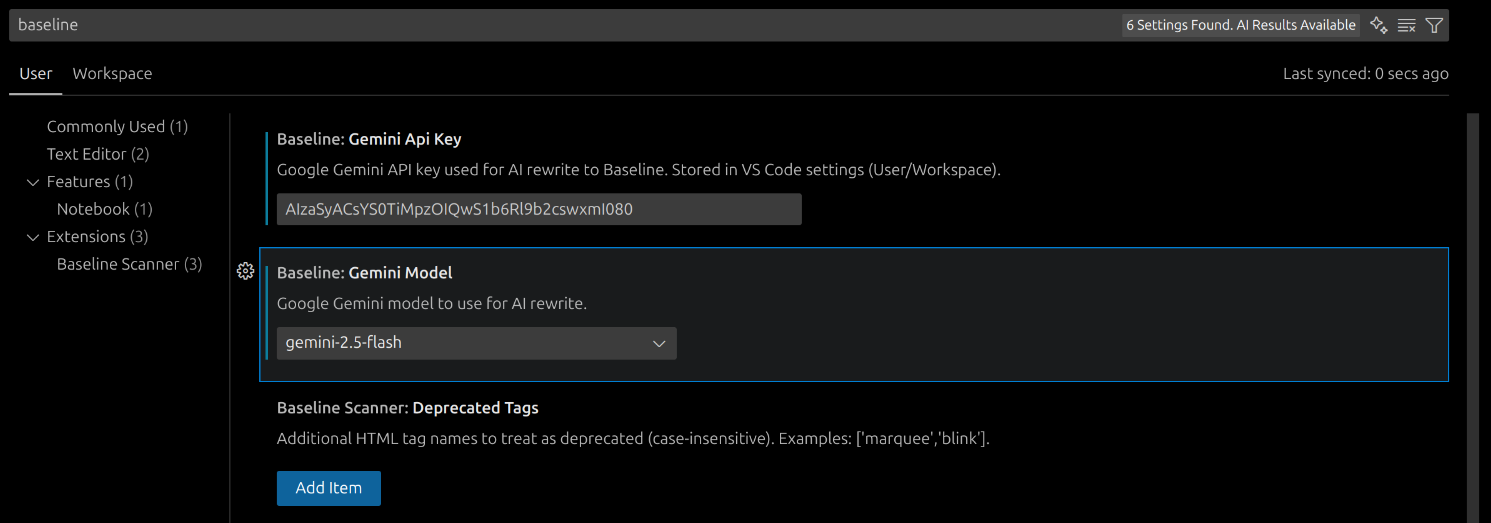
Extension Settings
About the project
Inspiration
Front-end teams often ship HTML/CSS that look great in one browser but break elsewhere. Tracking “Baseline” coverage across features means jumping between MDN and compat tables, then manually refactoring. I wanted a developer-first workflow inside VS Code that:
- Flags non‑Baseline features as I type.
- Tells me what’s wrong in-context.
- Offers a one‑click, whole‑file rewrite to a Baseline‑safe version, even when AI isn’t available.
That’s how Baseliner was born—an AI‑powered scanner and rewriter that lives where developers already are.
What I built
Baseliner is a VS Code extension that:
- Scans HTML/CSS (including CSS inside
<style>blocks) and underlines non‑Baseline or deprecated features. - Shows hover details with precise feature IDs and status.
- Provides a star button in the editor title bar and a status‑bar command to “Rewrite to Baseline (AI)”.
- Uses Google Gemini to regenerate the entire file as Baseline‑safe code; gracefully falls back to a deterministic local rewriter on quota/network failures.
- Ignores comments (HTML/CSS/SCSS/LESS) and masks
<style>blocks during HTML tag scans to avoid false positives like “” inside CSS comments. - Lets users configure their Gemini API key, model, and custom deprecated tags.
How I built it
- Scanning:
- I used the
web-featuresdataset to map tokens to feature IDs (HTML elements/attributes, CSS properties/at‑rules, value‑aware CSS likecursor: grab). - Implemented a lightweight tokenizer with position tracking. I preserve line offsets and compute (line, column) via binary search on precomputed line starts. If $p$ is an absolute character offset, I find the largest line start $L_i \le p$ in $O(\log n)$ and report column $p - L_i$.
- I used the
- CSS-in-HTML:
- Extracted
<style>blocks and scanned them as CSS, remapping their local offsets back to the HTML document’s absolute positions.
- Extracted
- Comment handling:
- Masked HTML comments
<!-- ... -->and CSS/SCSS/LESS comments/* ... */+// ...with spaces (not newlines) to keep diagnostics aligned while preventing false positives. - Additionally masked the entire
<style>body with spaces for the HTML tag scan, so pseudo‑tags in CSS comments aren’t seen as HTML.
- Masked HTML comments
- AI rewrite:
- Integrated
@google/generative-aiwith configurable model (e.g.,gemini-2.5-pro,gemini-2.5-flash). - Crafted a strict prompt and capture protocol: the model must return code only between markers
<<<BEGIN>>> ... <<<END>>>. I also strip code fences as a fallback. - On 429/“quota exceeded,” I show an info toast with a “Learn more” link to rate-limits and fall back to the local rewriter automatically.
- Integrated
- Fallback rewriter:
- Deterministic, comment‑free transformations:
<big>→<span class="u-big">with.u-big { font-size: larger; }injected once.- Remove
<marquee>tags but keep content. - Remove
dialog[closedby]. - CSS:
:has(...)→ parent utility class (e.g.,.has-img),@scope→ unwrapped with:where(.scope-root)prefix,text-box: trim→ supported truncation CSS, and cursor value fallbacks (e.g.,grab→move).
- VS Code UX:
- Diagnostics + Hover Provider, Commands, Status Bar, and an Editor Title bar star icon button.
Challenges
- Avoiding false positives:
- Tokens in comments or in
<style>blocks masquerading as HTML tags required careful masking to preserve positions while preventing matches.
- Tokens in comments or in
- Heuristics vs. real parsing:
- A full CSS/HTML parser is heavy; I balanced speed and accuracy with token heuristics and value‑aware checks (e.g.,
tag:attr:value,css.properties.prop:value).
- A full CSS/HTML parser is heavy; I balanced speed and accuracy with token heuristics and value‑aware checks (e.g.,
- AI reliability:
- Initial AI outputs sometimes included explanations or minimal changes. Strict markers (
<<<BEGIN>>>/<<<END>>>) and instruction tuning (“avoid comments”) improved adherence. - Quota errors (HTTP 429) needed a clean UX: an info message, docs link, and automatic fallback.
- Initial AI outputs sometimes included explanations or minimal changes. Strict markers (
- Developer experience:
- Ensuring changes are easy to trigger (status bar + star icon) and quick to verify (rescans after apply).
What I learned
- Prompt engineering for code rewriting:
- Output contracts (markers, “no commentary”) matter as much as the transformation instructions.
- Robustness > perfection:
- A reliable local fallback that makes safe, deterministic edits beats a flaky AI path—developers appreciate never being blocked.
- Tokenization + offset mapping:
- Preserving source layout while masking content is key to accurate diagnostics. Small implementation details (like spacing vs. deleting) pay off.
- Product polish in VS Code:
- Little touches (editor title button, quota toast, model picker) make features discoverable and the tool feel “native”.
A tiny metric (for fun)
Given $N$ total detected tokens and $B$ flagged as non‑Baseline/deprecated, a rough “Baseline compliance score” for a file can be defined as: $$ \text{Compliance} = 1 - \frac{B}{\max(N, 1)} $$ It’s not part of the extension UI (yet), but it helped me think about incremental improvements.
What’s next
- Diff preview before applying AI/fallback changes.
- Optional stripping of AI comments post‑generation (for teams that prefer zero commentary).
- Deeper parsing for tricky CSS edge cases.
- Quick fixes/code actions for common patterns (e.g., one‑click convert
:hasto class strategy).
If you need this trimmed for a strict character limit or tailored to a specific form field, tell me the limit/fields and I’ll compress it appropriately.
Built With
- gemini
- github
- npm
- typescript
- vs-code-api
- web-features

Log in or sign up for Devpost to join the conversation.