-
-
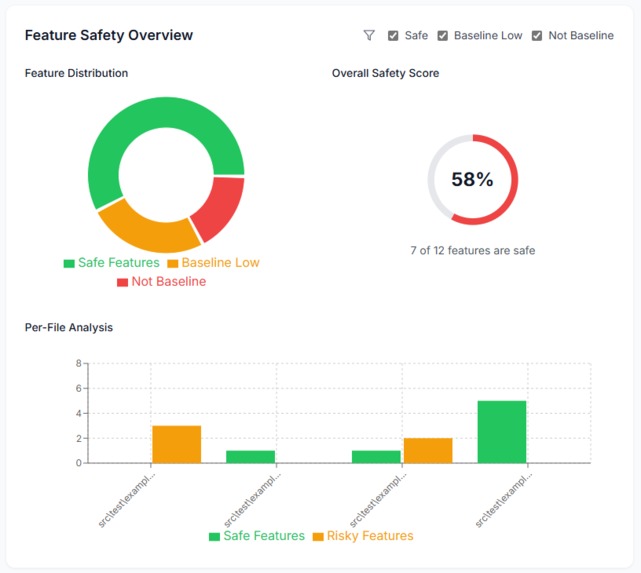
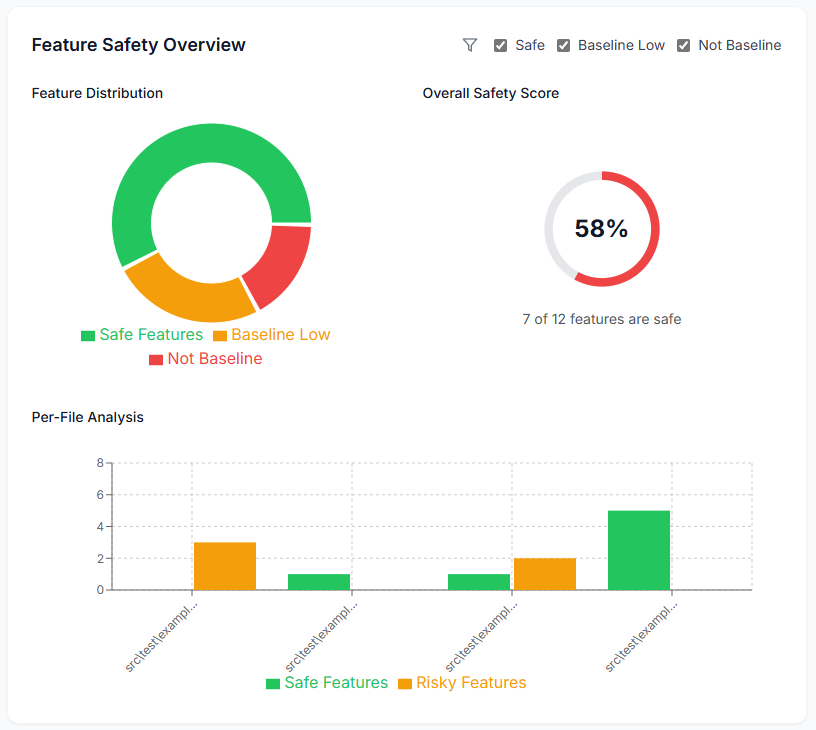
Dashboard overview of analyzed project's baseline score!
-
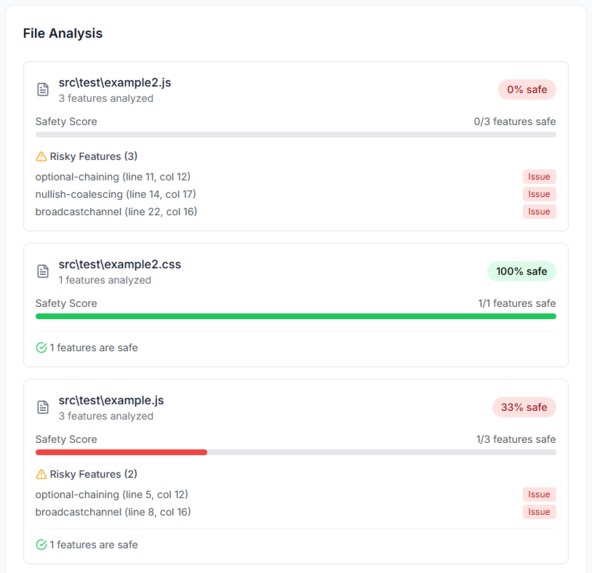
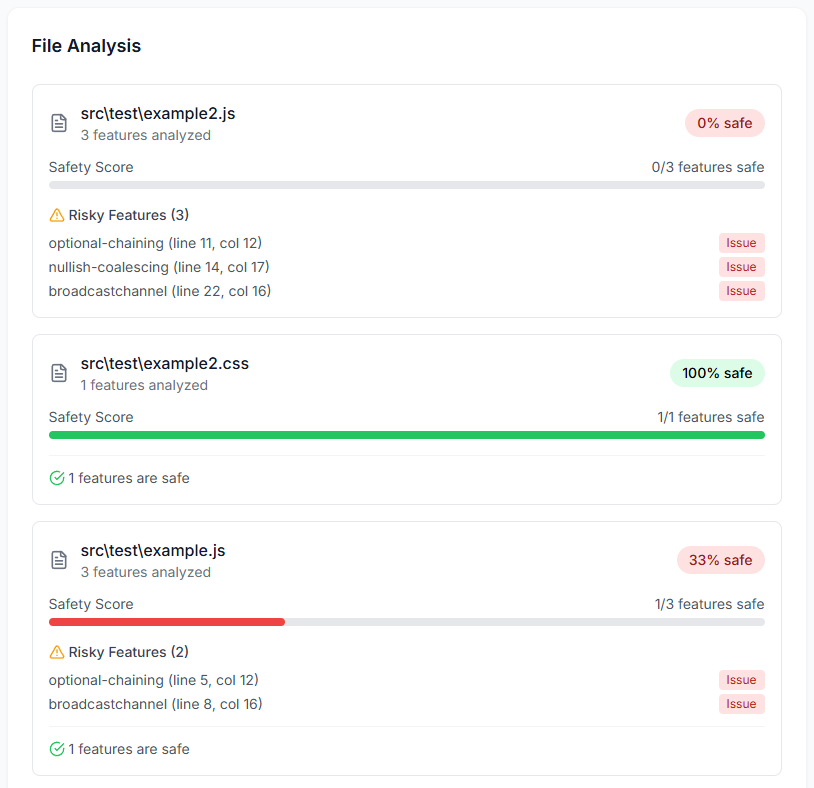
Detailed analysis per file with line and column of potential non-baseline feature!
-
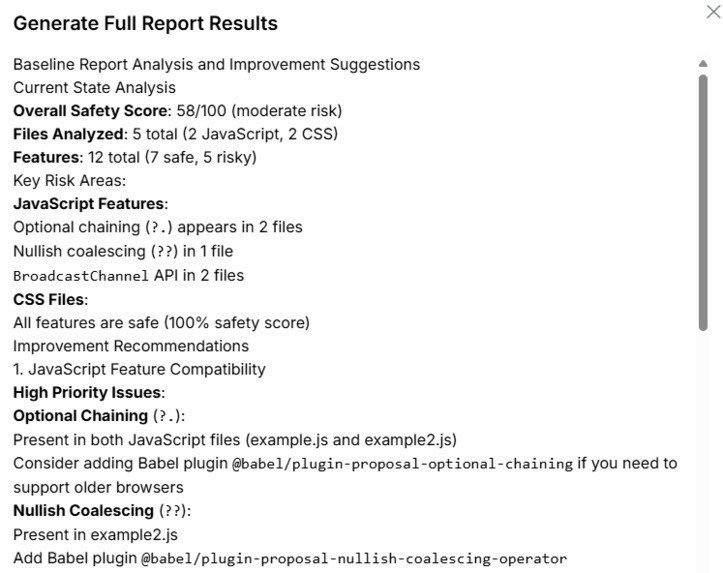
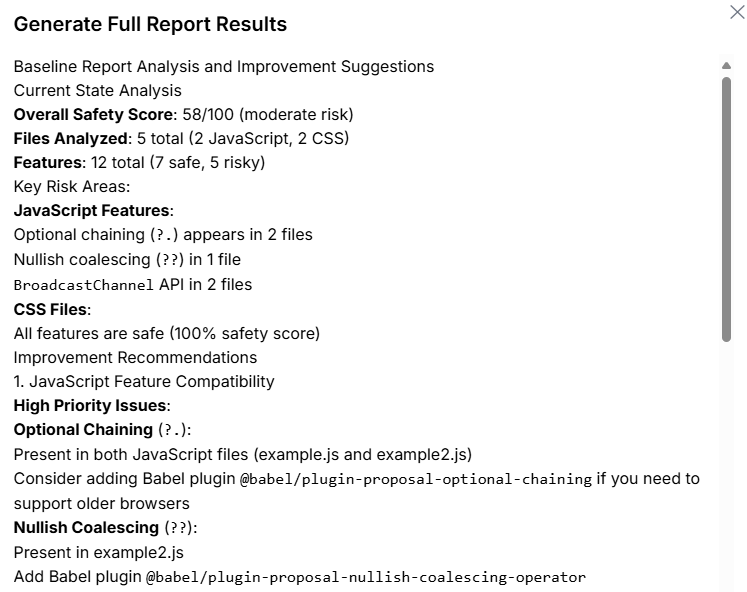
AI analysis for further enhancements to code!
Baseline Toolkit
Inspiration
The Baseline Toolkit was inspired by the growing need for automated feature compatibility analysis in modern web projects. With JavaScript, HTML, and CSS evolving rapidly, developers often struggle to determine which features are safe to use across environments and which might introduce risks. My goal was to create a unified solution that could scan codebases, identify risky features, and provide actionable insights, all while integrating AI-powered quick actions for faster analysis.
What it does
Baseline Toolkit provides a comprehensive analysis of web feature compatibility:
- Total Files Analysis: Scans all files in a project and evaluates feature usage.
- Safety Score: Computes a quantitative measure of project safety based on feature compatibility.
- Feature Categorization: Identifies
Safe Features,Risky Features, and features that areBaseline-safe. - Per-File Analysis: Detailed breakdown of feature safety per file, including which features are risky.
- Quick Actions: AI-assisted recommendations for further insights and suggestions to improvement code for more baseline compatibility.
- Dashboard & UI: Interactive visualization of overall safety, feature distribution, and per-file insights.
The toolkit is designed to automate and simplify compatibility analysis, reducing manual effort and preventing runtime issues in production.
How I built it
The project is organized into multiple components, all leveraging a core detection engine:
Core Package
- Contains the baseline detection logic for HTML, CSS, JavaScript, and other web technologies.
- Provides APIs for analyzing files and calculating safety scores.
- Serves as the single source of truth for all components.
CLI Component
- Allows developers to quickly test and scan projects from the command line.
- Uses the Core package to provide immediate feedback on feature safety.
Dashboard Component
- A React-based UI to visualize the analysis results.
- Displays metrics like
Total Files,Safety Score,Safe Features,Risky Features, and feature distribution charts. - Integrates with AI-generated Quick Actions for actionable insights.
Extension Component (in development - next release)
- Browser/IDE extensions to provide live feedback while coding.
- Alerts developers when risky features are used and suggests safer alternatives.
- Automatically updates dashboard based on code changes.
- Real-time linting.
AI Integration
- Uses the
deepseek/DeepSeek-V3-0324model to generate quick actions and summarize reports. - Enhances usability by providing automated recommendations and guidance.
- Uses the
The architecture ensures reusability, with the Core package being the foundation for all other components.
Challenges I ran into
- Complexity of feature detection: Accounting for subtle variations in HTML, CSS, and JS syntax required a robust parser and thorough baseline definitions.
- AI integration: Ensuring the DeepSeek model provided reliable and actionable suggestions while maintaining performance.
- Cross-component consistency: Keeping the Core package as the single source of truth while integrating CLI, Dashboard, and Extension components was challenging.
- Visualization: Designing intuitive charts and dashboards to represent feature safety clearly to users.
Accomplishments that I'm proud of
- Developed a fully modular toolkit that can be extended for multiple environments.
- Achieved real-time AI-assisted recommendations integrated directly into the UI.
- Built rich per-file analysis and global safety metrics, enabling developers to prioritize fixes effectively.
- Successfully combined CLI, Dashboard, Extension, and Core components under one coherent architecture.
What I learned
- Modular design allows scalable and maintainable development, especially for multi-component projects.
- Combining AI with static analysis can provide valuable contextual insights.
- Visualization plays a key role in making technical data accessible and actionable.
- Effective monorepo organization simplifies sharing core logic across multiple tools.
What's next for Baseline Toolkit
- Enhanced AI guidance: Fine-tune the DeepSeek model for more precise recommendations and explanations.
- Support for more web features: Expand baseline detection to newer JavaScript APIs, CSS properties, and HTML elements.
- Improved extension functionality: Provide live coding hints and risk alerts directly in editors like VSCode.
- Automated CI/CD integration: Enable baseline scans to run automatically on pull requests and code merges.
- User feedback loop: Collect insights from users to refine risk scoring and reporting.
Built With
- compute-baseline
- css
- deepseek
- html
- javascript
- node.js
- pnpm
- react
- typescript
- vercel
- vite
- web-features

Log in or sign up for Devpost to join the conversation.