-
-
Basline App Icon
-
Baseline Product Image
-
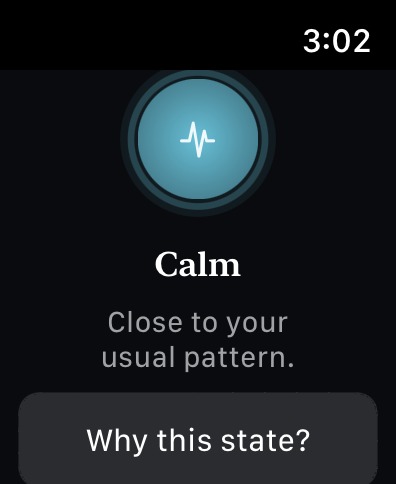
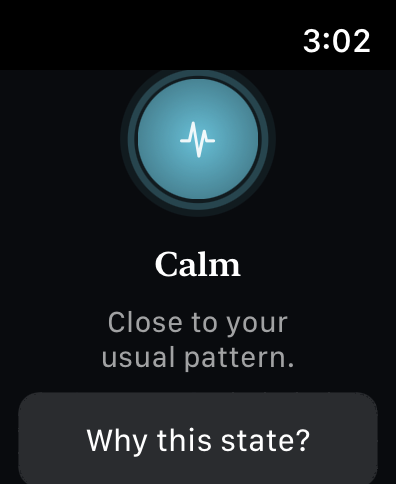
Calm State - Watch
-
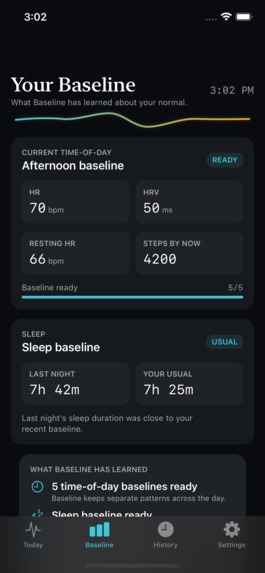
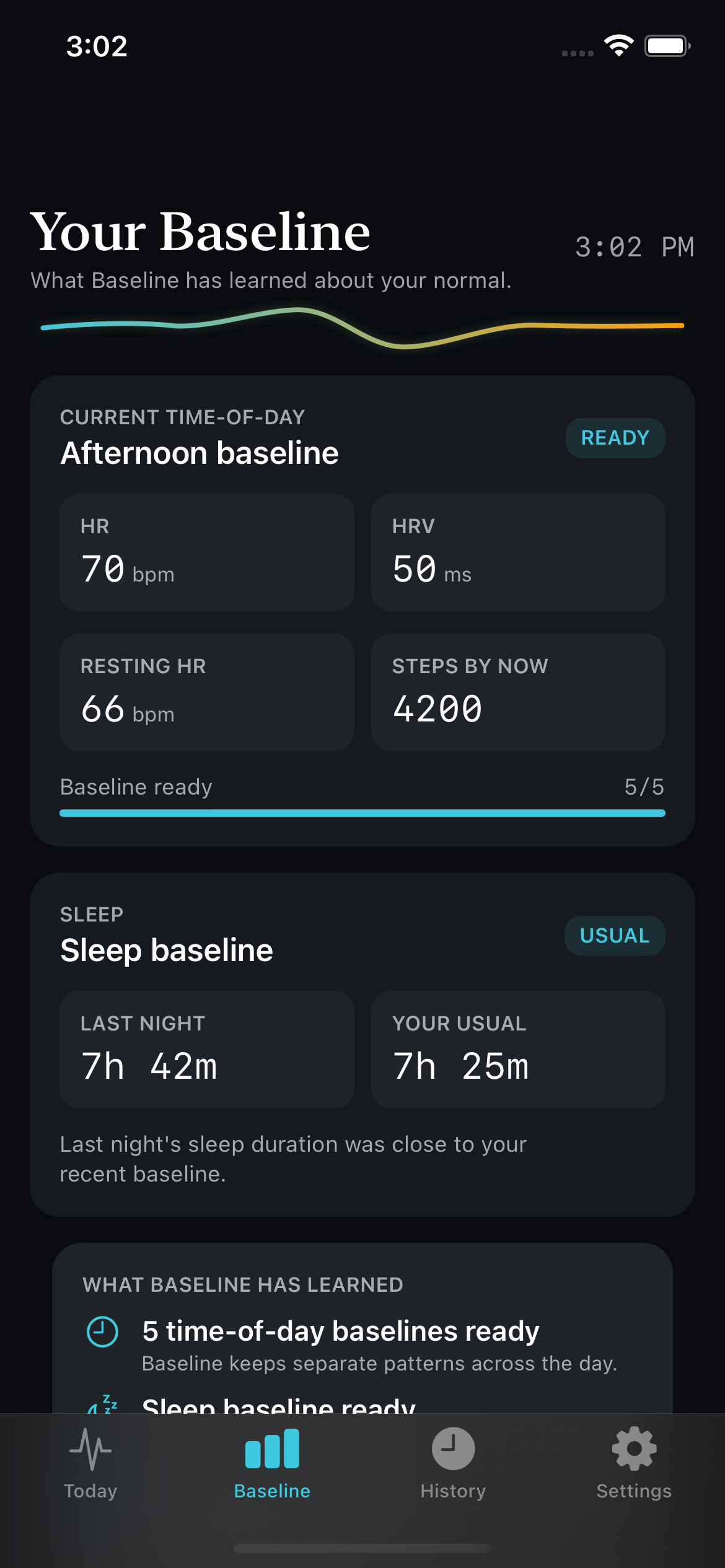
Simulated Baseline Info - Phone
-
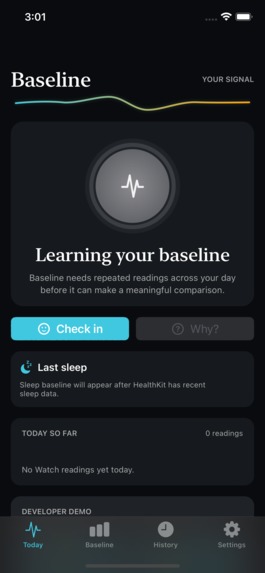
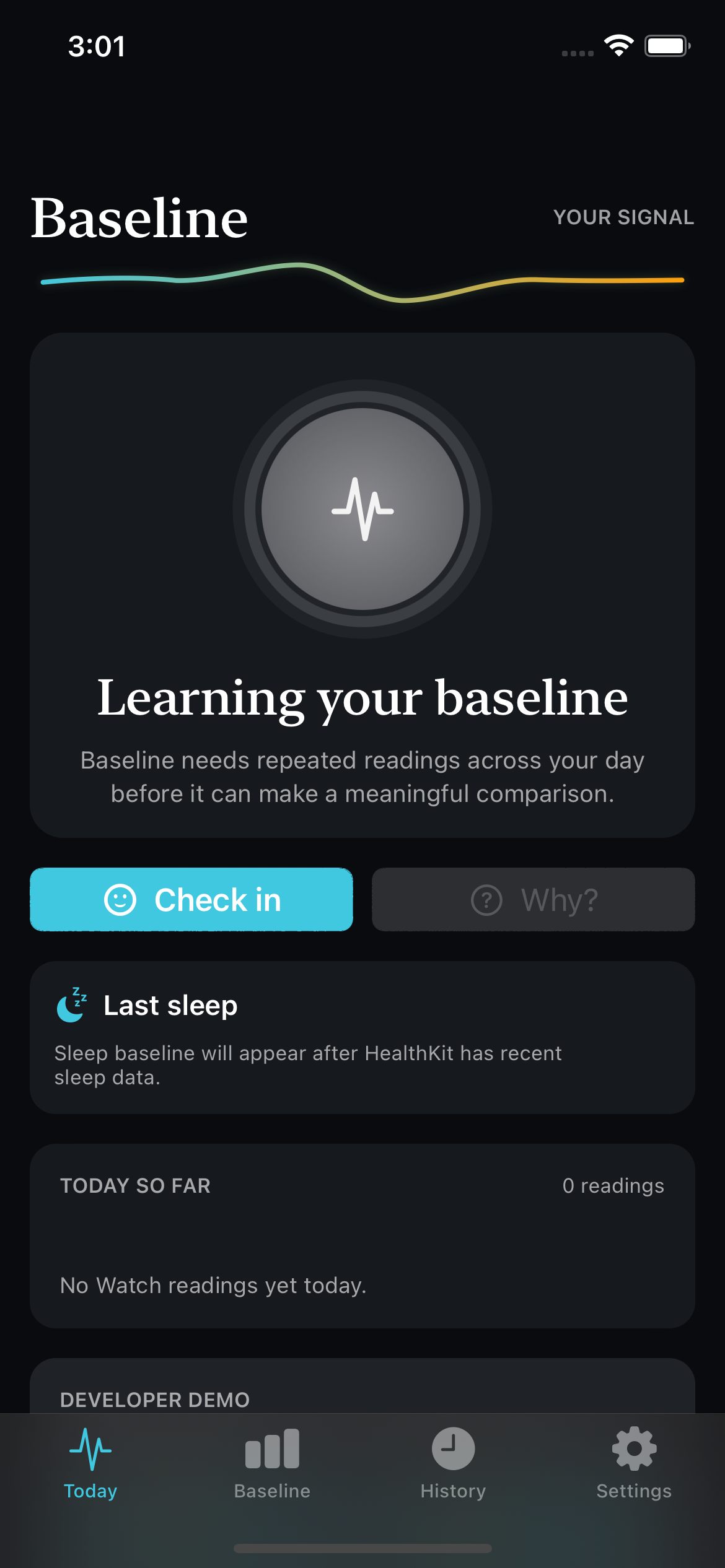
Learning State - Phone
-
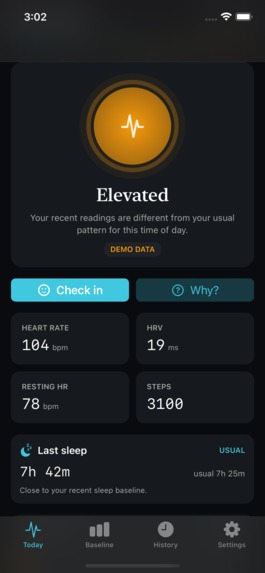
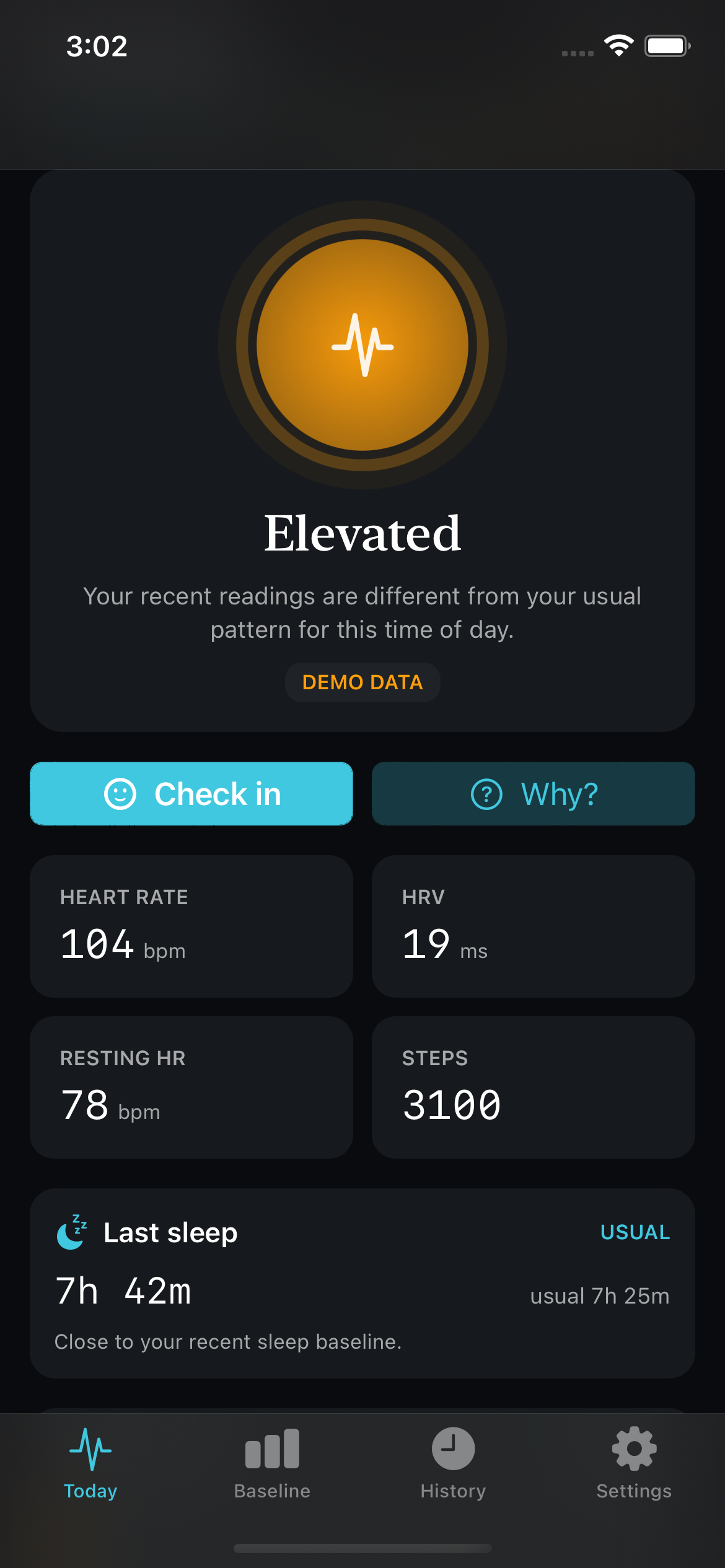
Elevated State - Phone
Description
Baseline is a watchOS and matching iPhone application made for the CSGirlies Hackathon. This app is used for health monitoring by keeping track of a user's personal baseline using heart rate, HRV, resting heart rate, activity/steps, and sleep duration. When current readings differ from the user's typical pattern, it can alert you to check-in on the app and offers a 2 minute breathing break.
Core Idea
Instead of comparing your personal measurements against the universal normal, it learns each user's own normal patterns at different times of the day.
It can then notice when their current pattern differs from their usual, ask them how they are feeling and then personalize how sensitive those detections should be. Regular readings allow the baseline to gradually adapt over time, while check-ins help personalize how sensitive the app should be when identifying unusual patterns.
Inspiration
The inspiration for this project was from people I know who have heart conditions making their heart rate naturally elevated as well as myself getting low amounts of sleep on the reg. Making a monitoring app that points out anomalies compared to the universal definition of normal would cause a lot of notifications for people like this. It would be annoying and/or discouraging to always be getting notifications on your phone telling you that your heart rate is too high or you need to be getting more sleep.
Deviations from a person's own normal may be more meaningful than repeatedly comparing them against a general population standard.
How It Works
1. Collecting Health Data
The Apple Watch reads the metrics Baseline needs through HealthKit. The user must first grant permission before the app can access this health data.
2. Learning a Personal Baseline
The day is divided into six 4-hour periods, and each time period learns its own normal values. Baseline needs several readings before it can confidently determine whether something is a meaningful deviation. This is why when first using the app the user begins in the Learning state.
The baseline is not permanent after the initial readings. It gradually updates over time as more regular readings are collected.
3. Detecting Changes
Baseline detects changes by comparing the user's current measurements against their own baseline for that time period.
Each metric is compared with the user's usual value, and those differences are combined into an overall deviation score. This helps determine whether the user's current state is Calm or Elevated.
4. Check-ins & Personalization
There are two different ways Baseline adapts over time:
- Baseline adaptation: Regular health readings continuously update the user's personal baseline, allowing it to change over time instead of being permanently based on the first readings collected.
- Check-in personalization: Check-ins adjust how sensitive Elevated detection is. The user's feedback helps Baseline learn whether it should be slightly more or less sensitive when deciding that a current pattern is different from their usual baseline.
5. Sleep Baseline
Sleep duration is handled separately from the physiological deviation score. Baseline compares the user's most recent sleep duration against their recent nights to determine whether it was higher, lower, or close to their personal sleep baseline.
Features
- Personal Time of Day Baselines: six separate baseline periods throughout the day rather than an entire day average
- Multiple Health Metrics: compares heart rate, heart rate variability, resting heart rate, activity/step data, and sleep duration to typical levels
- Calm | Elevated | Learning States: simple UI to show current physiological pattern
- Why This State?: shows which measurements are usual, lower or elevated in comparison to the user's usual pattern and provides possible explanation for why (not an actual diagnosis, potential reasoning)
- Check-ins: asks user to check-in with how they are feeling (good, okay, stressed, tired or sick)
- Pattern Analysis: after enough user check-ins, the app finds associations between health metrics and specific feelings. For example, the app may notice that higher HR combined with lower HRV often aligns with the user reporting that they feel stressed
- Weekly Analysis: shows the different state proportions, check-ins, resets, and sleep history for the week
- 2 Minute Reset: breathing exercise that shows before/after heart rate allowing user to see the difference the breathing reset has made
- Notifications: notifies the user when Baseline notices a meaningful difference between current level and user's normal
Privacy & Security
Baseline doesn't use an external database or backend server. Learned baselines, processed readings, check-ins, reset sessions and sleep history are stored locally on the user's devices. The app does not upload the user's full HealthKit history to an external service. Keeping this information local reduces the amount of sensitive health information being sent to or stored on external services. Additionally, no account is required to use the app, meaning there is no cloud profile holding the health information.
The Watch only accesses the user's health data (HealthKit) after the user allows it. An authorization screen will pop up to ask for permission to access specific metrics the app uses when the app is first opened.
The user has the ability to delete Baseline's stored readings, baseline info, check-ins, reset sessions and sleep history.
How I Built It
I built Baseline in Xcode using Swift and SwiftUI for both the iPhone and Apple Watch interfaces. HealthKit is used on the Watch to access the health metrics needed for the personal baseline after the user gives permission. I created the baseline and detection logic in Swift, which separates readings by time of day and compares new readings to what has previously been learned for that period. WatchConnectivity is used to communicate between the Watch and iPhone, while UserNotifications handles alerts. Baseline stores its processed data locally rather than using an external backend.
Technologies Used
- Swift
- SwiftUI
- HealthKit
- WatchConnectivity
- UserNotifications
- Xcode
- watchOS / iOS
AI Usage
For this Hackathon I was working solo, so to avoid being overly stressed with the time constraint I used AI to help with implementation, debugging and brainstorming potential improvements. However, the concept and product direction were mine. I tested the output and decided what functionality/design changes should be made.
Demo / Limitations
Baseline is intended to learn from health data over time, but a 48-hour Hackathon isn't long enough to actually demonstrate days of learning. Therefore, a developer mode was created to simulate the different functions of the app. These developer controls are excluded from the release build of the app.
Challenges Faced
I haven't developed a phone or watch app before, so I struggled to find compatible development and testing tools to test my code. Especially since I have an older MacBook, so it doesn't run current versions of most apps. It was also easy to get discouraged when something wasn't working properly or there were bugs I couldn't figure out. Working solo also made this more challenging because I didn't have teammates to troubleshoot problems with or divide the workload between.
What I Learned
This project taught me a lot about developing for both iOS and watchOS, especially since I had never built a Phone or Watch app before. I learned how HealthKit permissions and health data queries work, how to communicate between an Apple Watch and iPhone using WatchConnectivity, how SwiftUI can be used across both platforms and how to use Xcode to test these types of applications. I also learned how difficult it can be to test an application designed to learn from data over multiple days while working within a 48-hour Hackathon. In this way, I needed to simulate data to demonstrate the app's actual features for the demo.


Log in or sign up for Devpost to join the conversation.