-
-
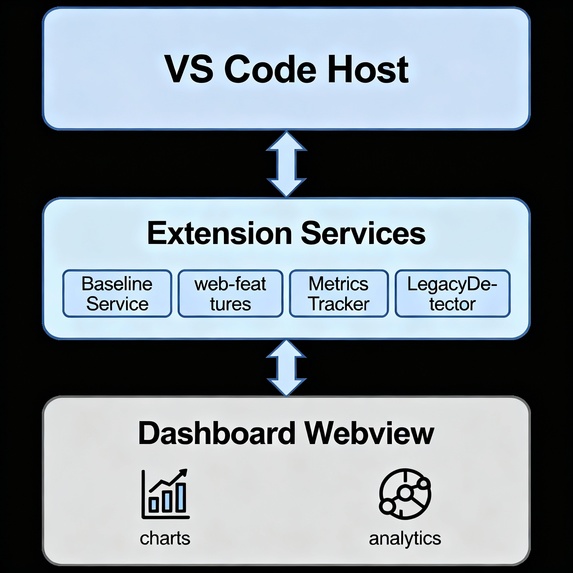
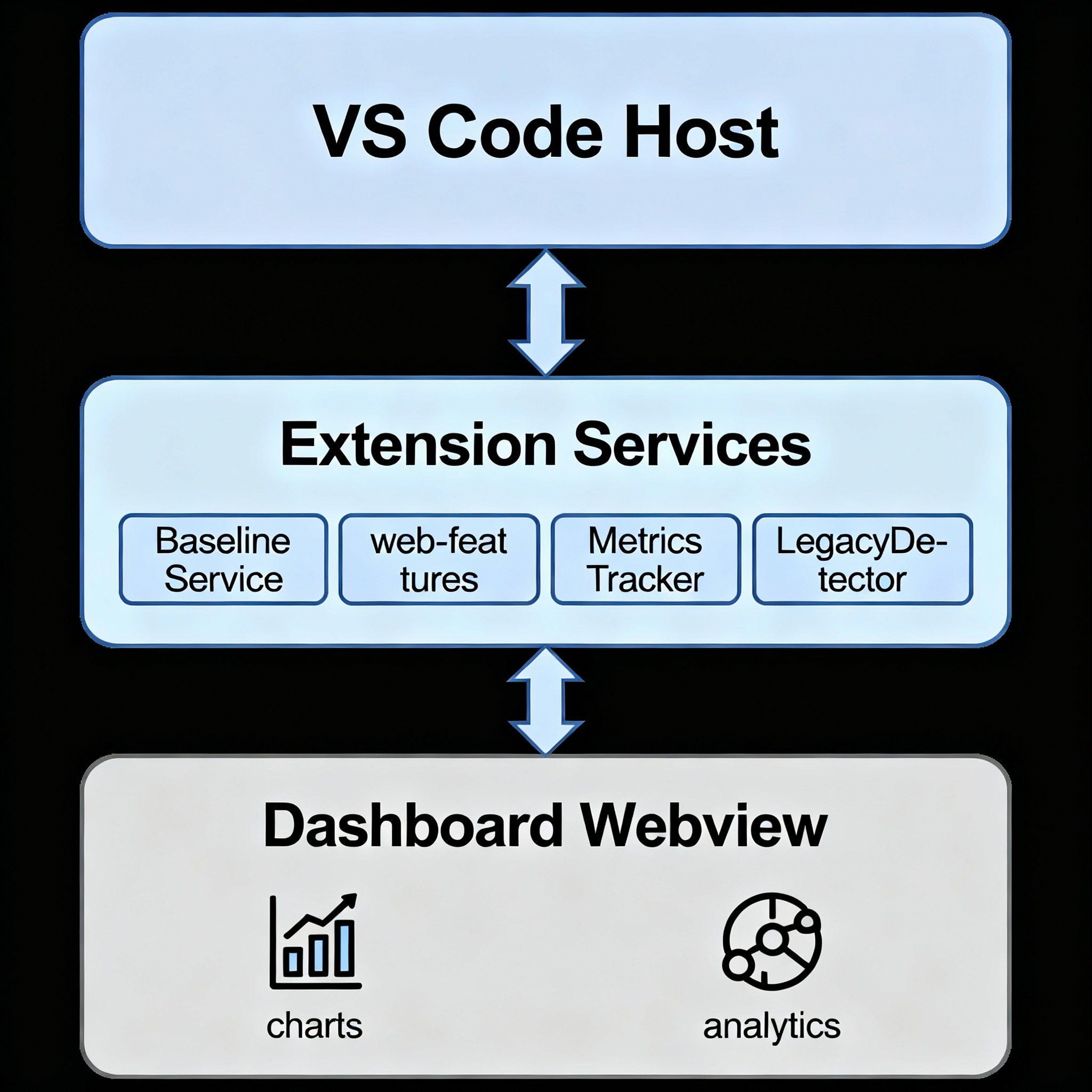
Solution Architecture
-
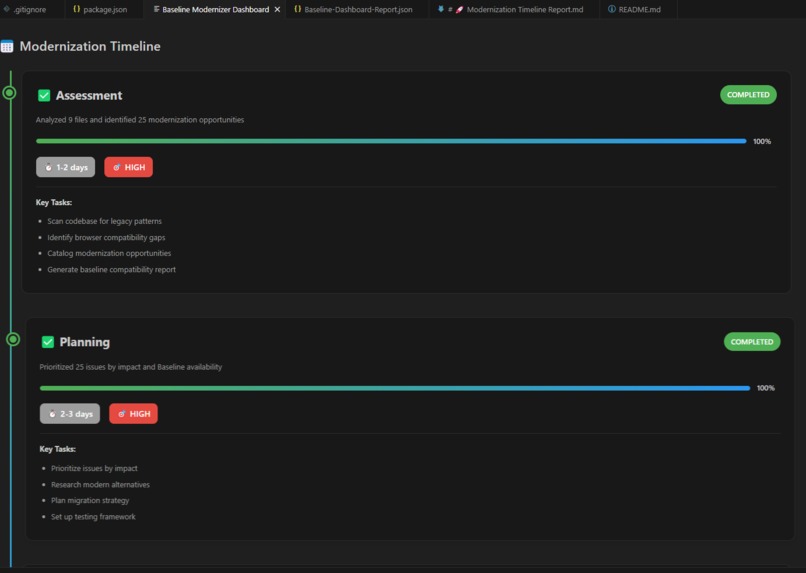
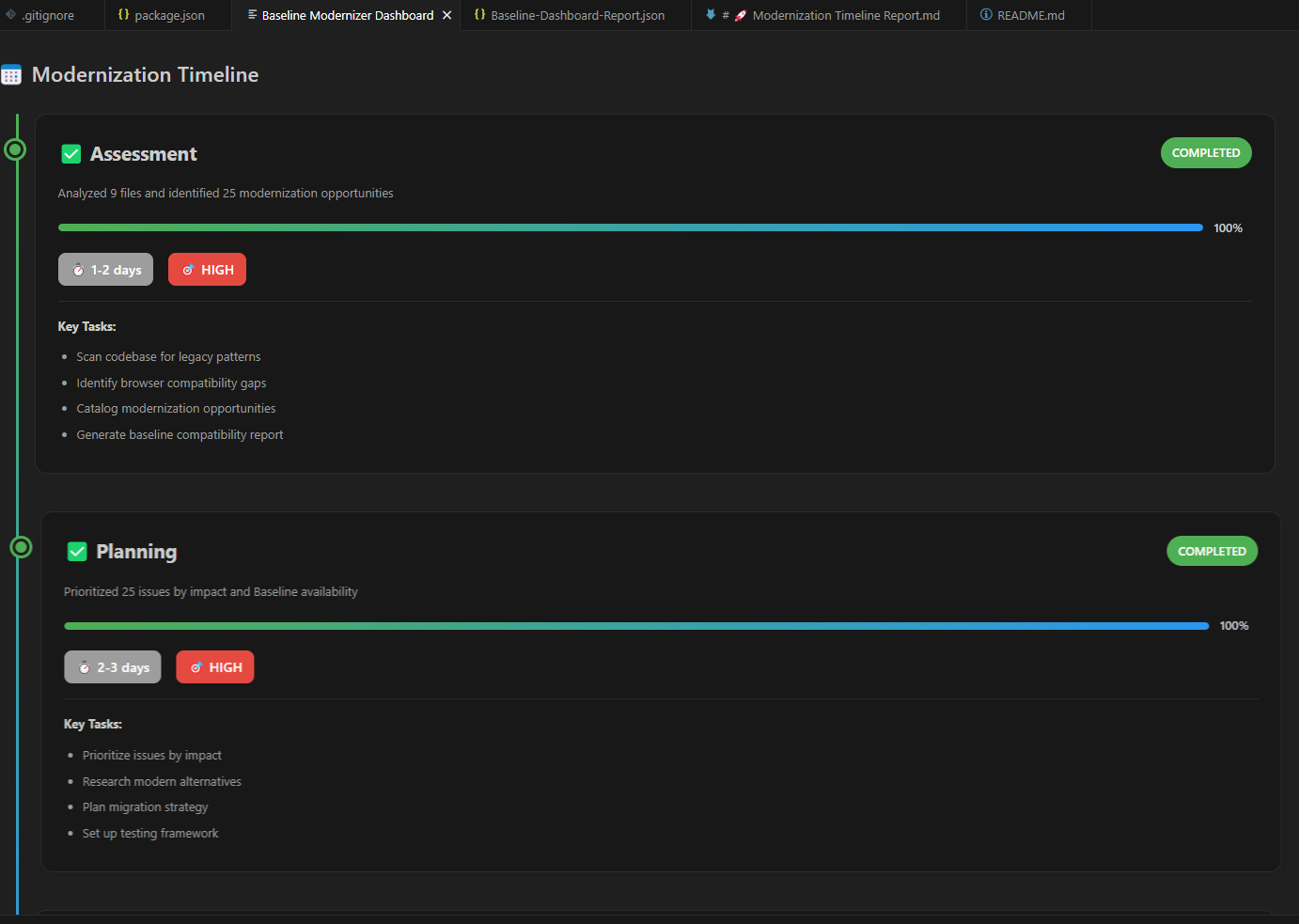
Baseline Dashboard
-
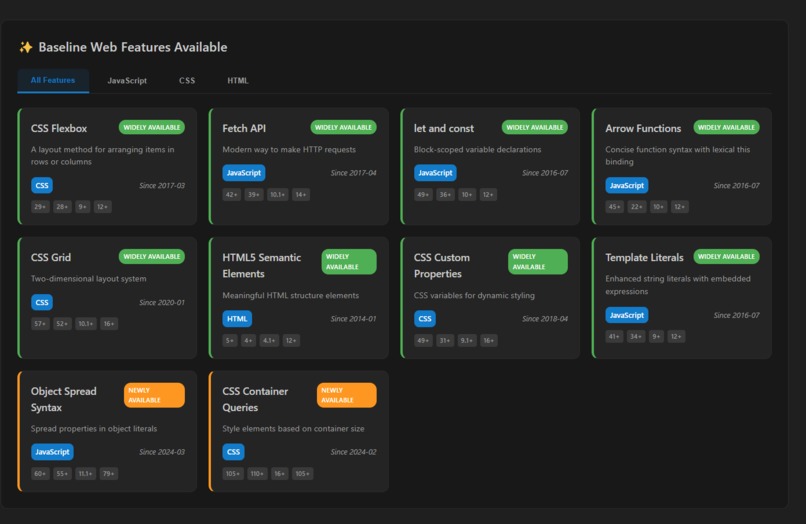
Baseline Dashboard
-
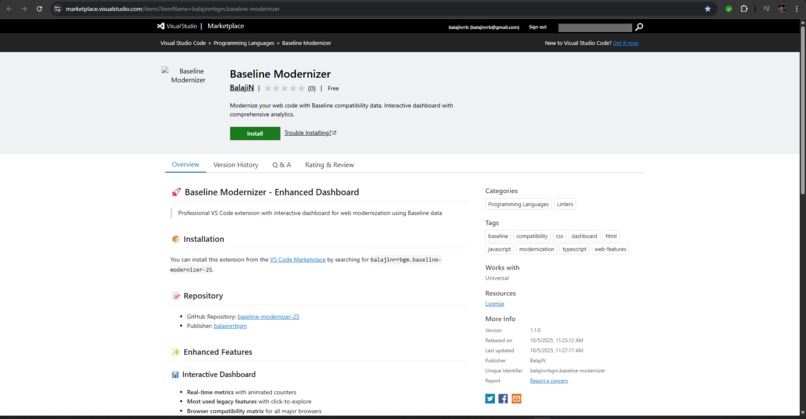
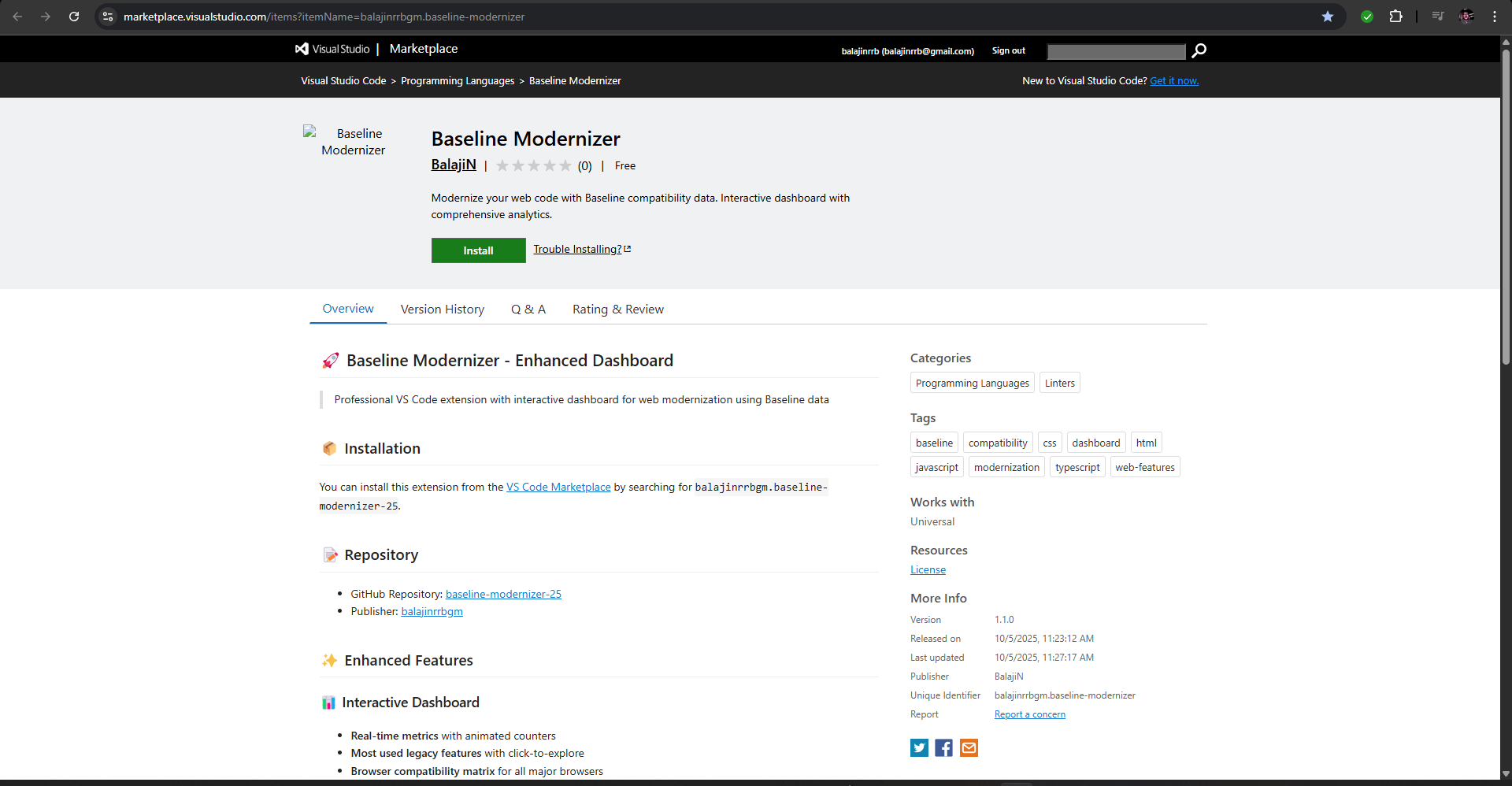
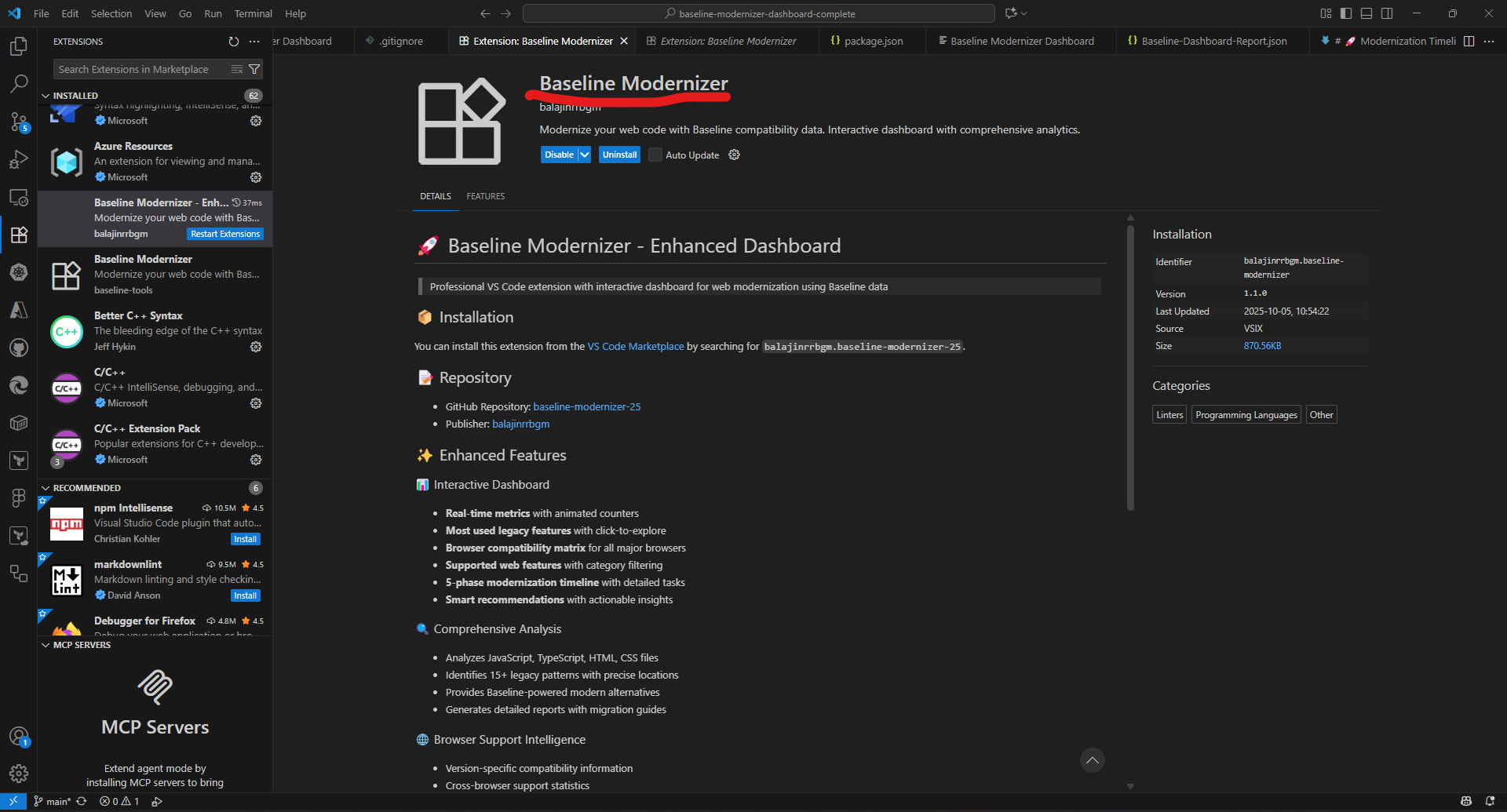
Extension in VS Code Marketplace
-
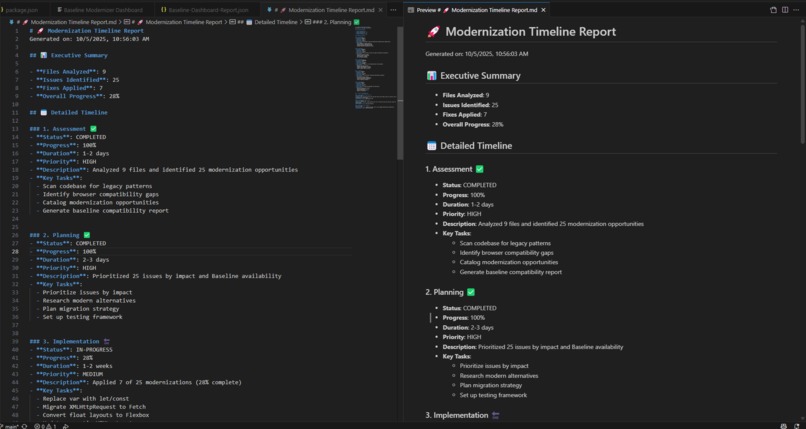
Baseline Document Generate
-
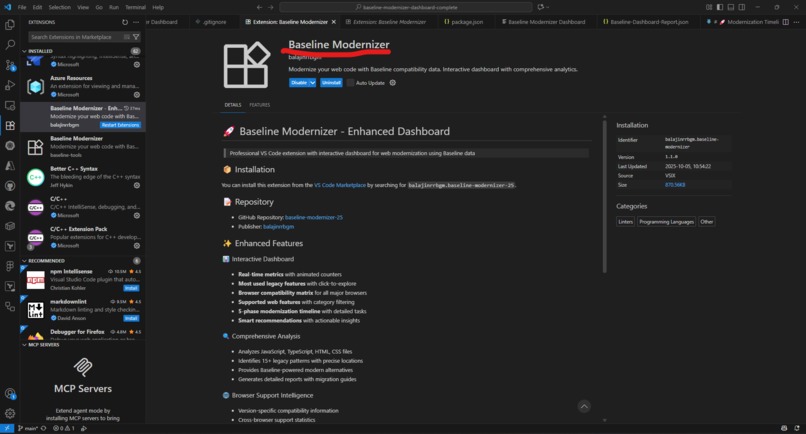
Extension installed
-
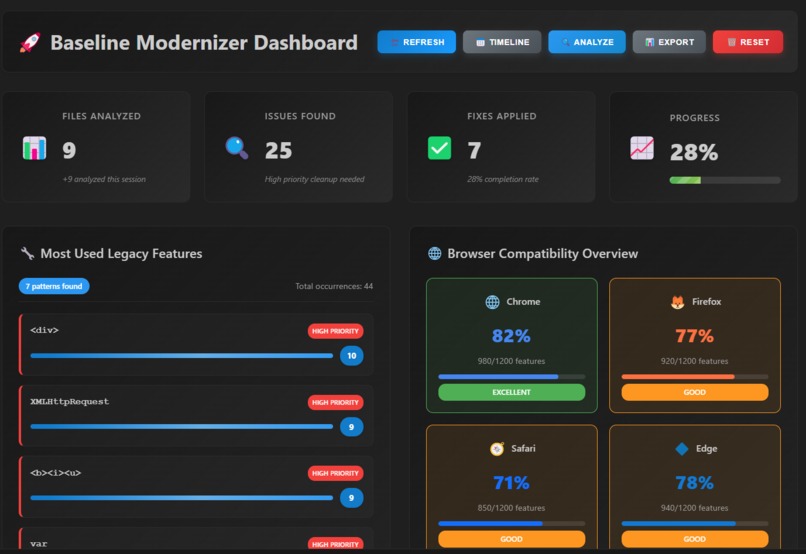
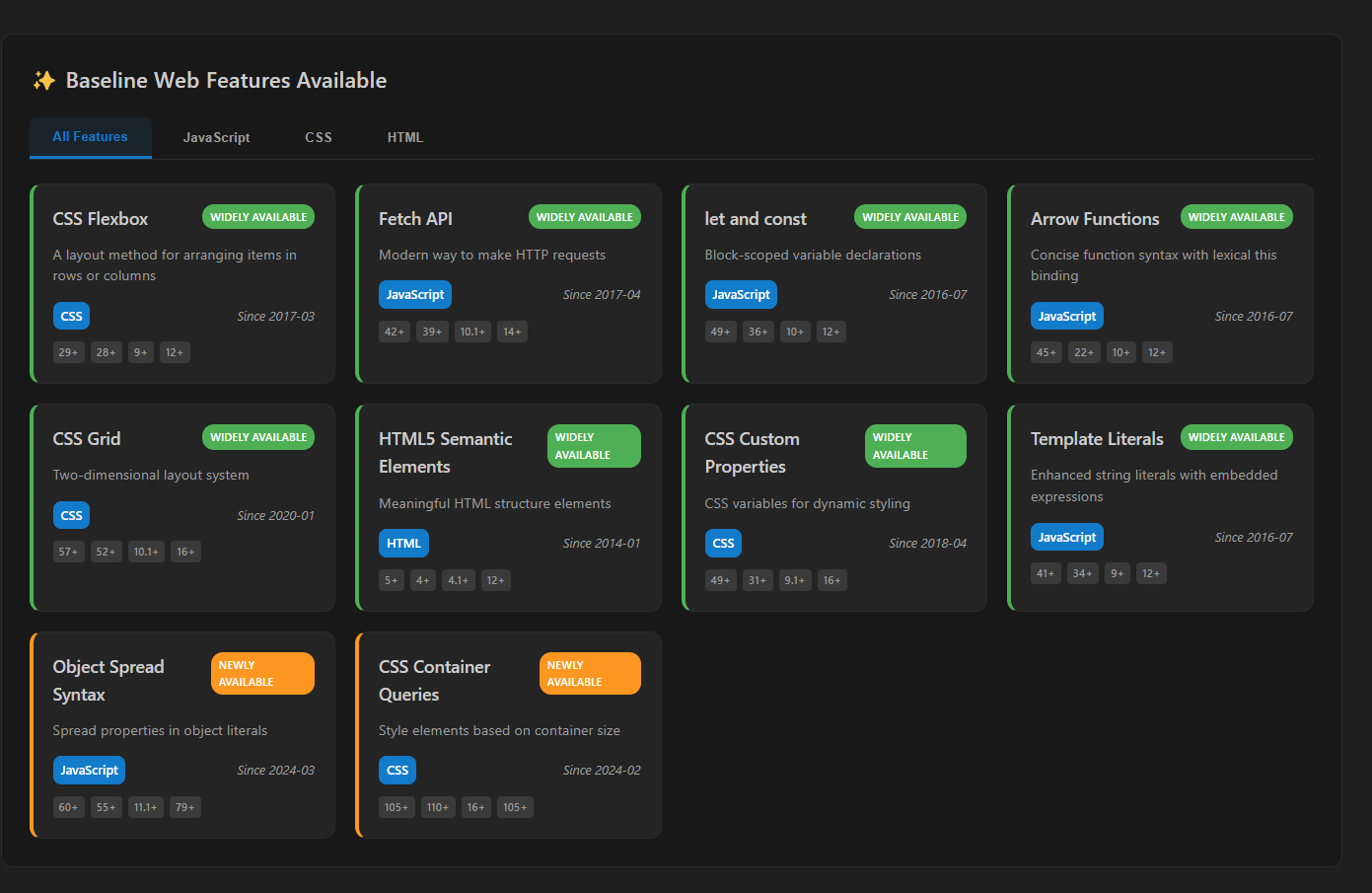
Baseline Dashboard
-
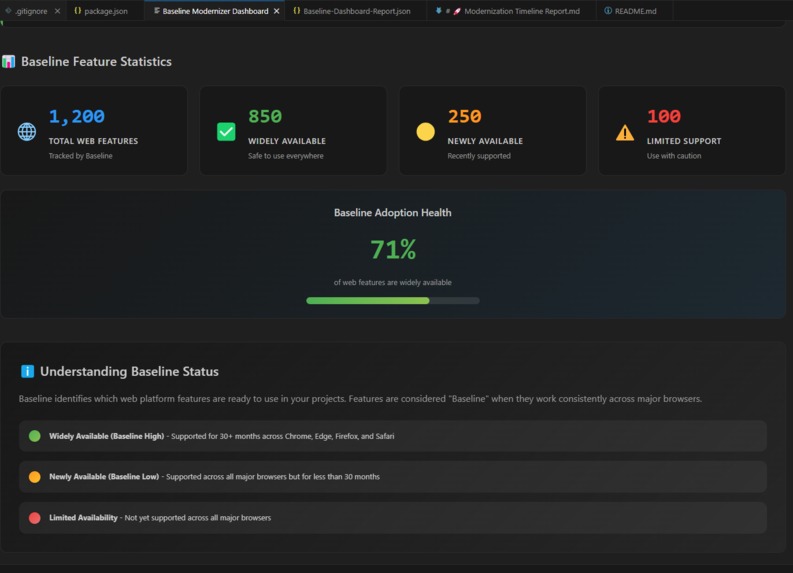
Baseline Dashboard
🚀 Baseline Modernizer
An intelligent VS Code Extension that helps developers modernize legacy web projects by detecting outdated patterns, analyzing browser compatibility, and guiding modernization through an interactive dashboard.
💡 Inspiration
Legacy web projects often rely on outdated APIs, deprecated features, and inconsistent browser behavior. While the Baseline initiative provides valuable compatibility data, developers lacked an integrated tool to analyze, visualize, and modernize legacy code efficiently. We were inspired to create a developer-friendly modernization assistant that not only detects legacy patterns but also guides teams through a structured modernization roadmap — making the migration from legacy to modern effortless and measurable.
⚙️ What It Does
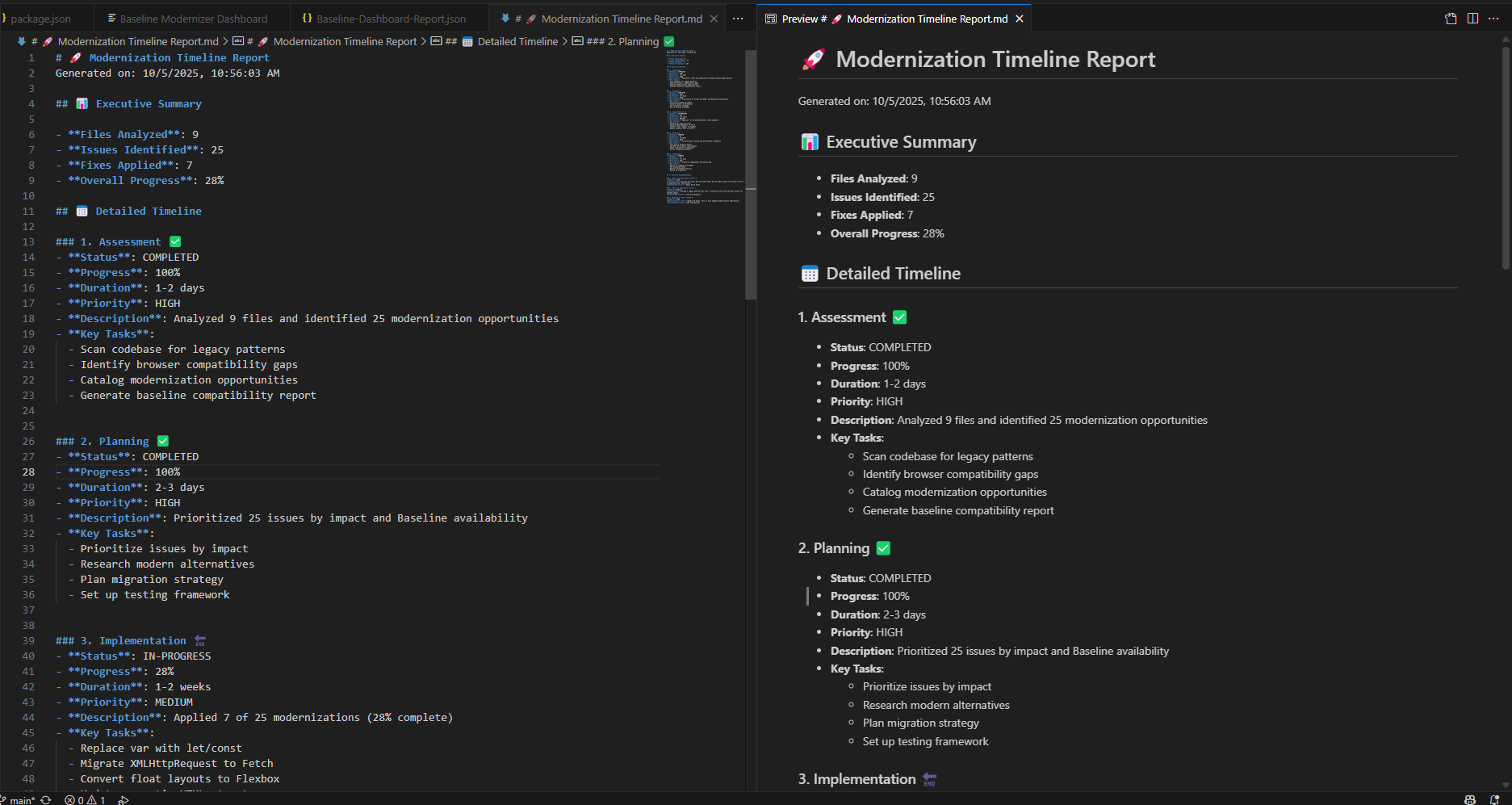
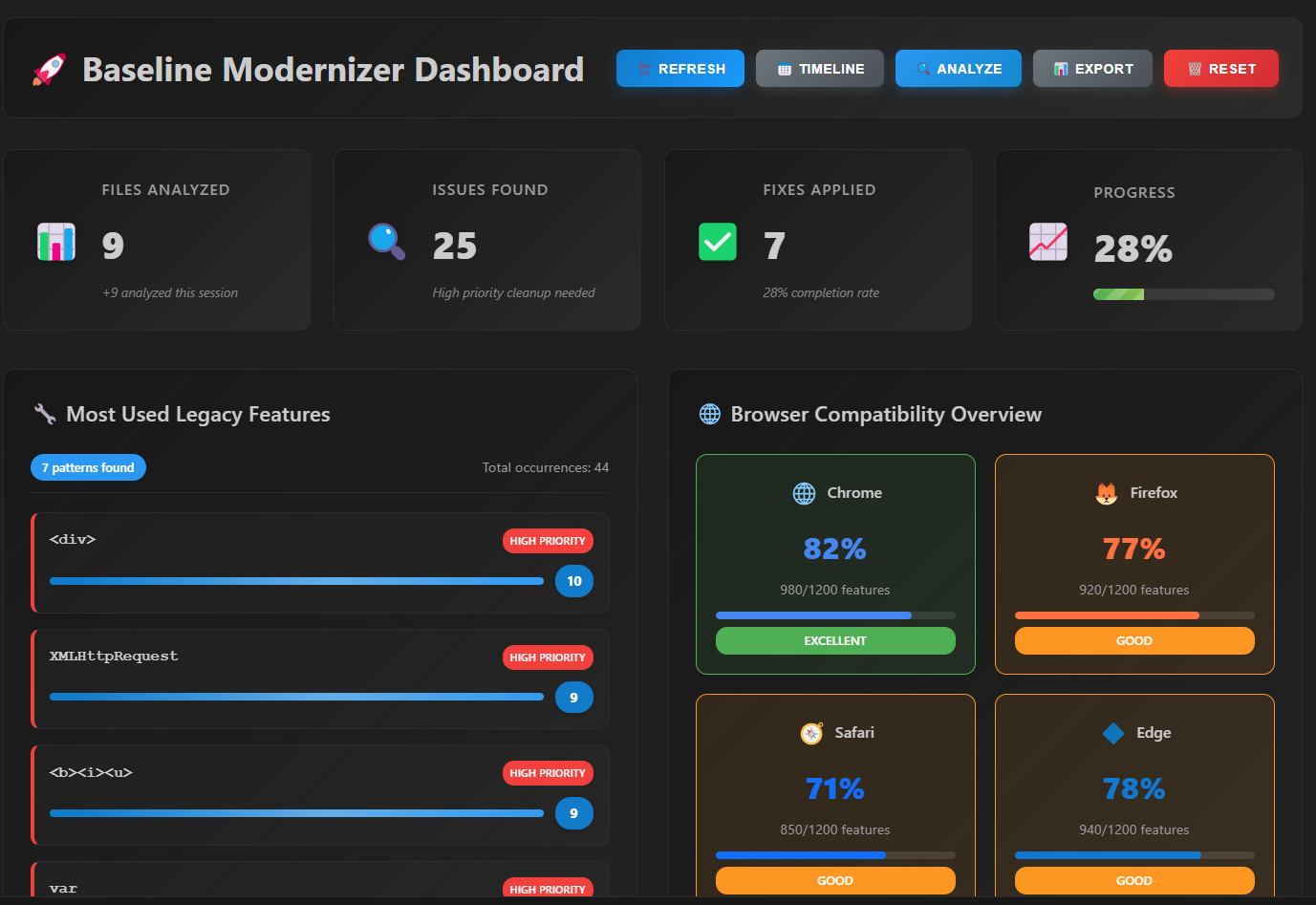
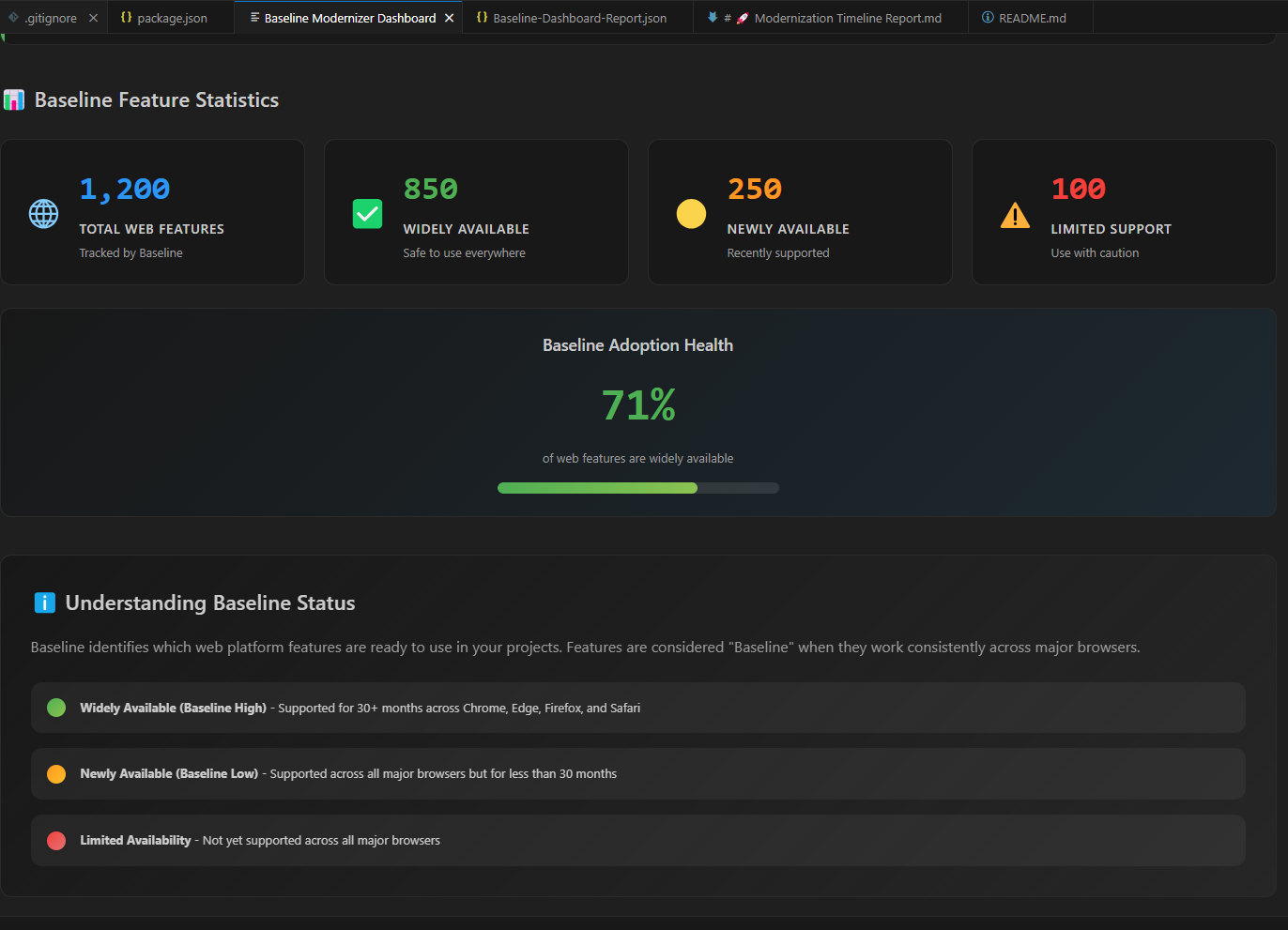
Baseline Modernizer offers an end-to-end modernization experience inside VS Code: 🔍 Scans JavaScript, TypeScript, HTML, and CSS to detect 15+ legacy patterns 📊 Interactive Dashboard with modernization metrics and progress visualization 🌐 Browser Compatibility Matrix powered by Baseline data 🧩 Smart Recommendations with modern alternatives and migration hints 🗂️ Categorized Reports (by feature, browser, or phase) 🧭 5-Phase Modernization Roadmap to track modernization milestones 📑 Report Generation for team reviews and documentation The tool transforms complex modernization into an interactive, guided journey.
🛠️ How We Built It
🧠 Core Logic: Custom analyzers using AST parsing for JS/TS and pattern matching for HTML/CSS 📚 Baseline Data Integration: Maps legacy APIs to modern equivalents and browser support levels 💻 VS Code Extension: Built with TypeScript, VS Code API, and Webview UI components 🎨 Dashboard UI: Interactive, animated webview using charts, counters, and filters 🔄 Report Engine: Exports modernization summaries (Baseline-Dashboard-Report.json) 🧮 Roadmap System: Five modernization phases dynamically updated based on scan results Everything is modular — the analyzer, UI, and report generator are independent yet synchronized.
⚔️ Challenges We Ran Into
🧩 Complex Parsing: Handling diverse codebases and detecting subtle legacy usages 🚀 Performance Tuning: Real-time scanning of large repositories required incremental caching 🖥️ Webview Synchronization: Keeping data and UI in sync across reloads was tricky 🧭 Mapping Difficulties: Some legacy APIs lack direct modern equivalents 📆 Compatibility Updates: Maintaining up-to-date browser data across versions Despite these, we achieved a smooth developer experience with minimal lag and accurate detections.
🏆 Accomplishments That We're Proud Of
🎯 A fully functional VS Code modernization assistant 📊 Visually rich interactive dashboard with real-time analytics 🧠 Smart detection logic that provides meaningful modernization insights 🗺️ A structured roadmap guiding developers phase by phase 🧾 Report generation that simplifies collaboration and stakeholder communication 🧱 Modular design that enables future scalability and customization
📚 What We Learned
🕵️ The importance of balancing detection precision with performance 🧩 How to structure VS Code extensions with responsive and dynamic dashboards 🔍 Designing heuristics that minimize false positives 🧠 Leveraging Baseline data effectively to bridge compatibility with modernization ⚡ Optimizing WebView rendering and event handling for a smooth user experience 🔮 What’s Next for Baseline Modernizer 🧱 Add more legacy detection patterns (CSS, DOM, obsolete browser APIs) ⚡ Implement auto-fix suggestions for safe modernization 🔁 Enable live watch mode for real-time updates as developers code 🧮 Integrate into CI/CD pipelines for modernization tracking 🧾 Support PDF/HTML report exports with visual summaries ⚙️ Allow custom rule definitions for project-specific modernization goals 🌍 Keep compatibility data auto-synced with Baseline’s latest releases 🧰 Add presets for frameworks like AngularJS, jQuery, and Backbone 💬 Introduce team collaboration features within the dashboard
Built With
- api
- baseline
- css3
- es6+
- extension
- html5
- javascript
- node.js
- typescript
- vscode


Log in or sign up for Devpost to join the conversation.