-
-
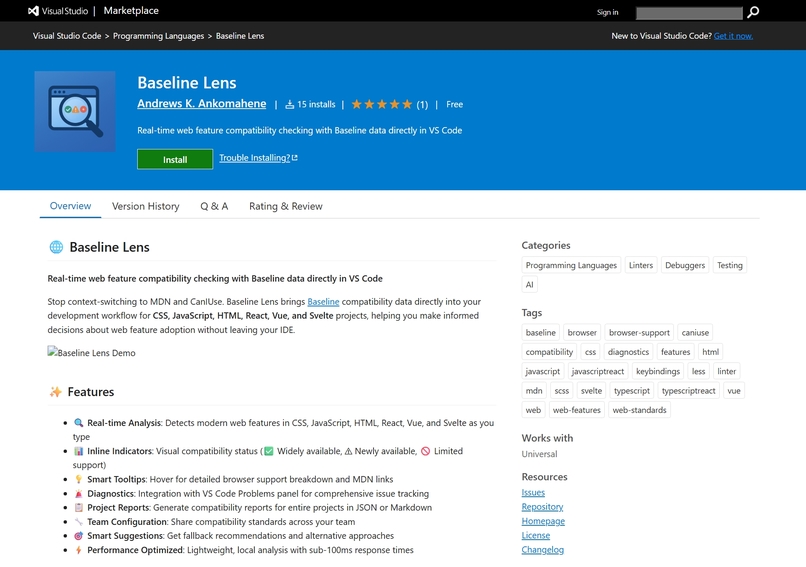
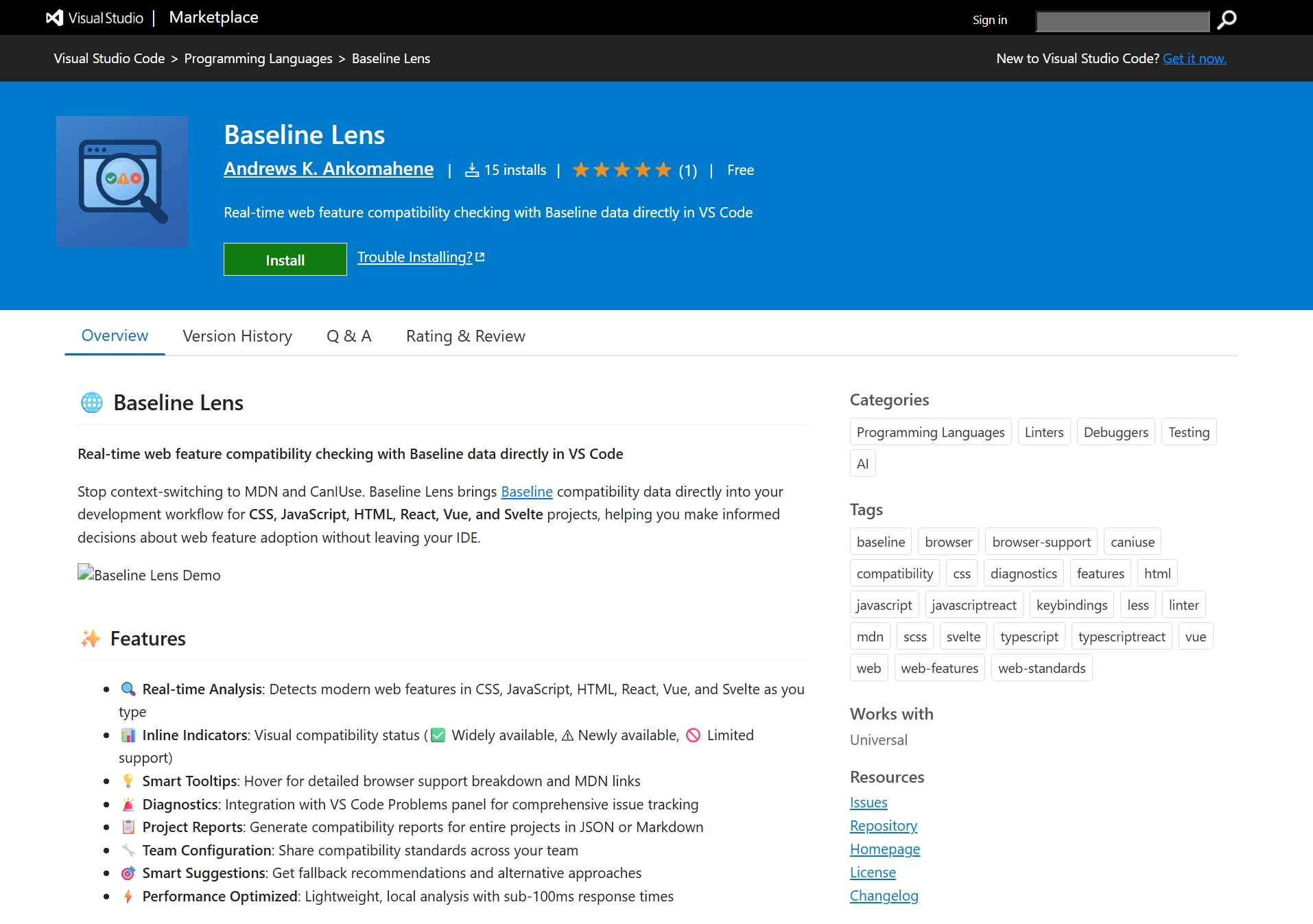
Baseline Lens Listing on VS Code
-
-
-
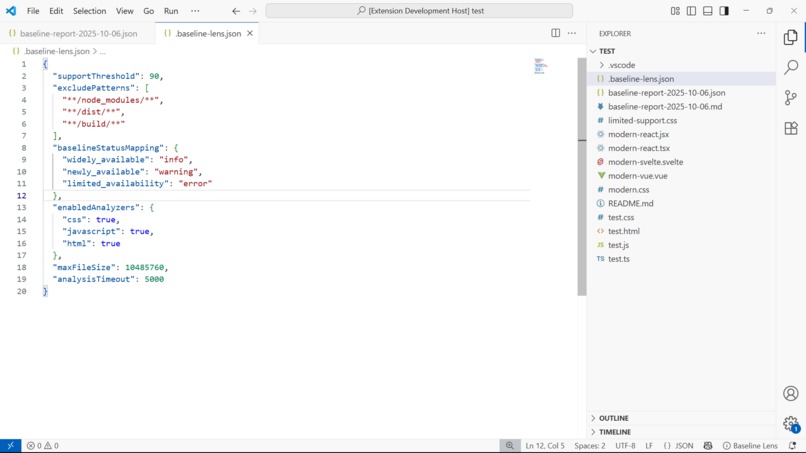
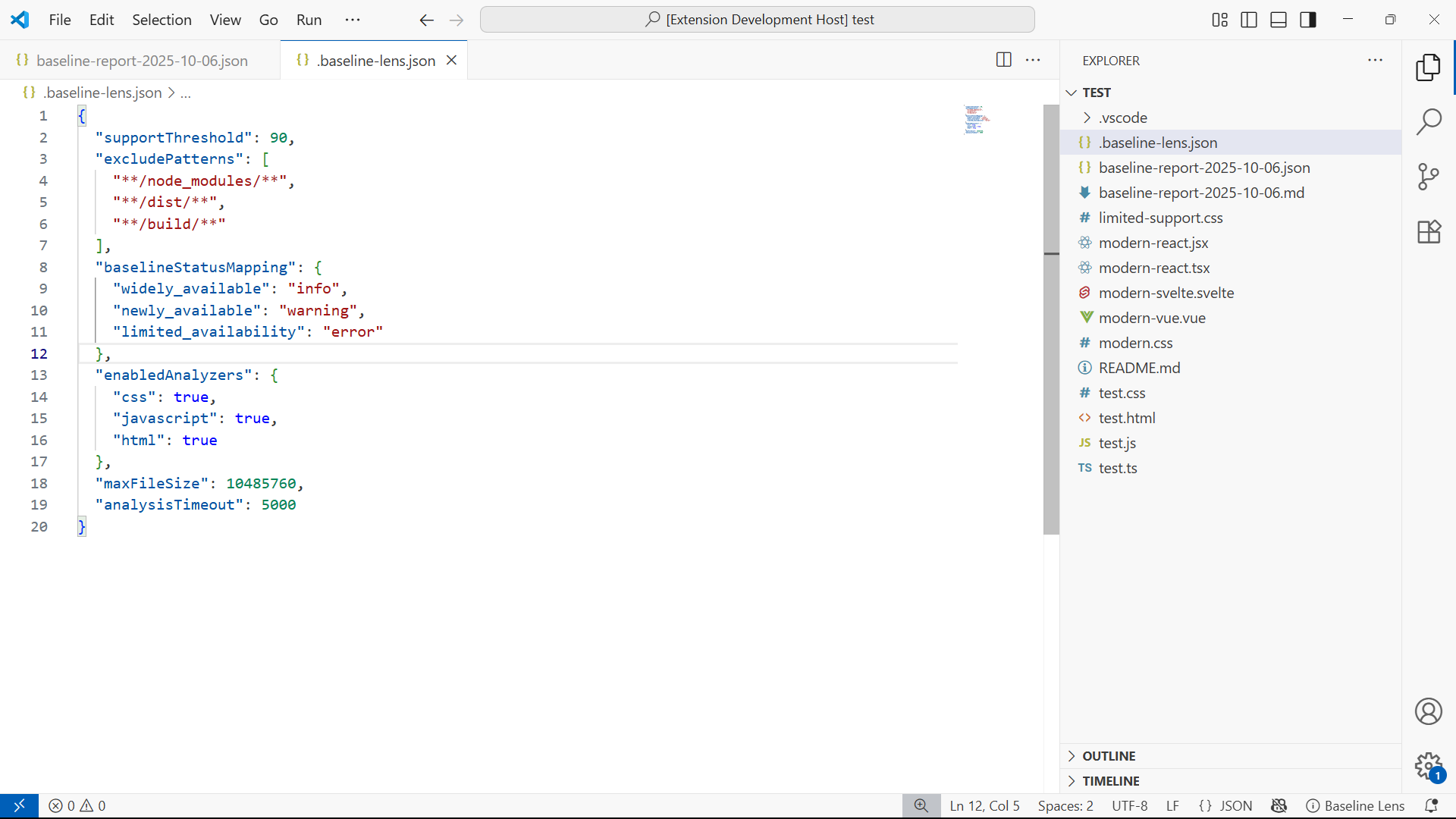
Baseline Lens Config
-
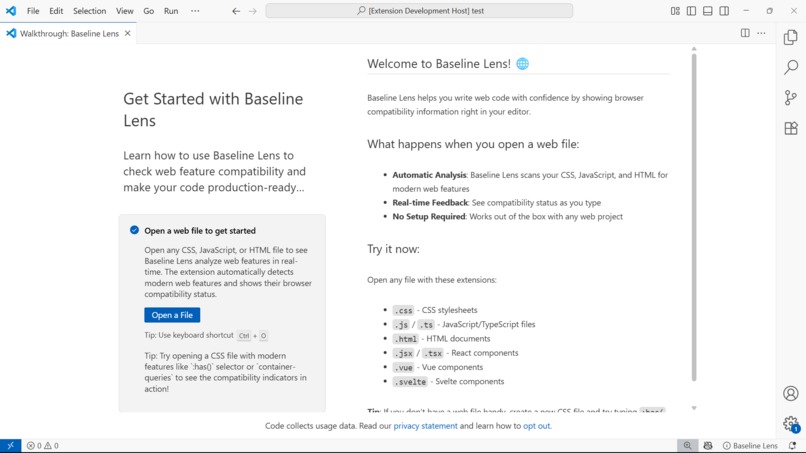
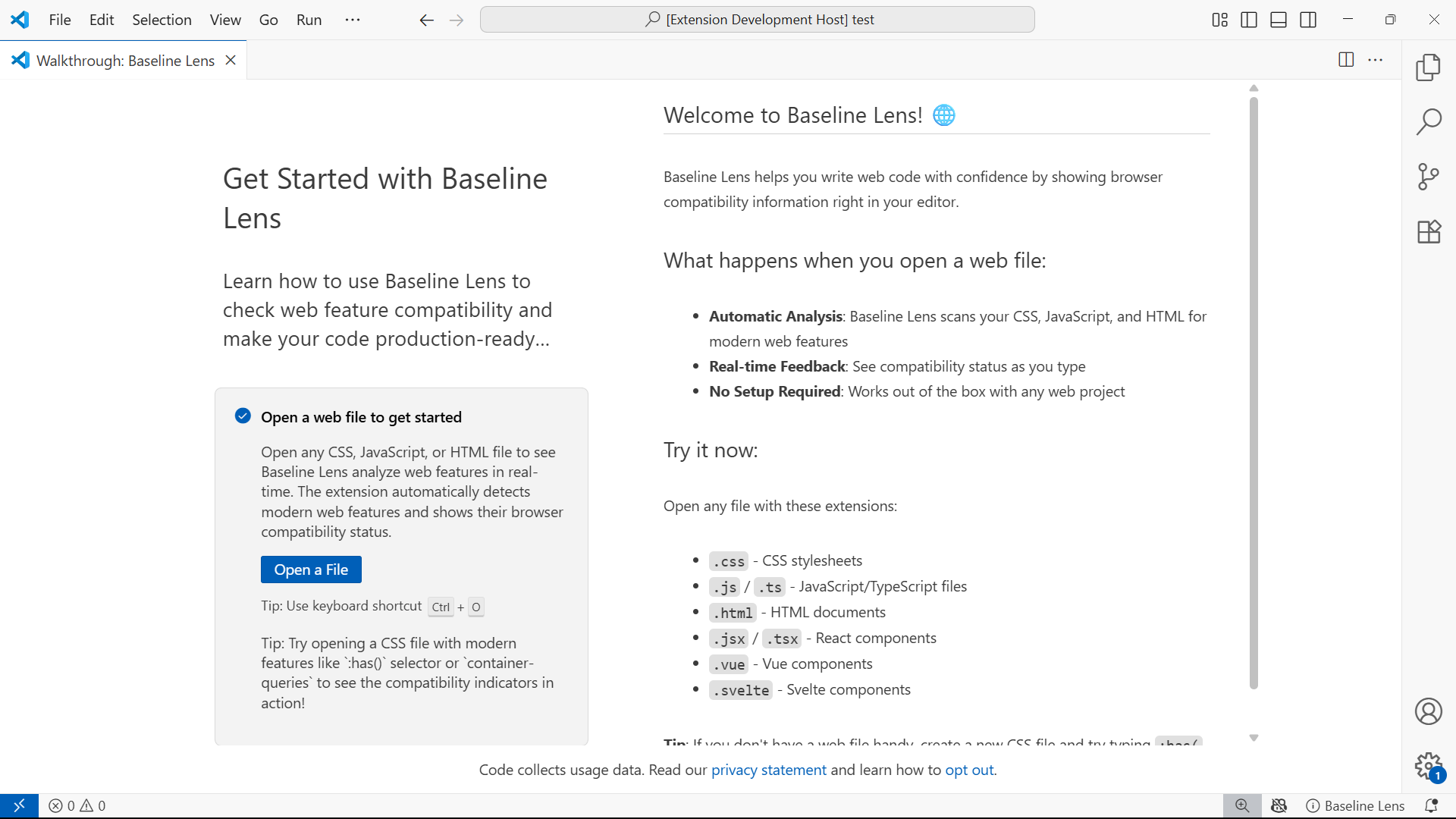
VS Code Walkthrough after installation
-
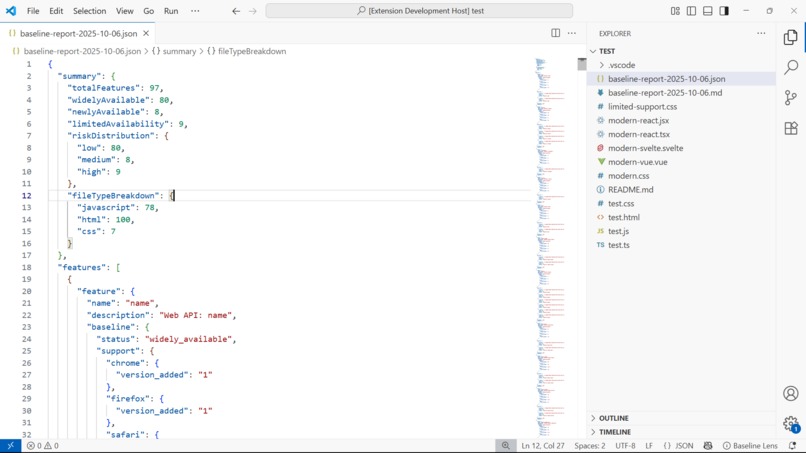
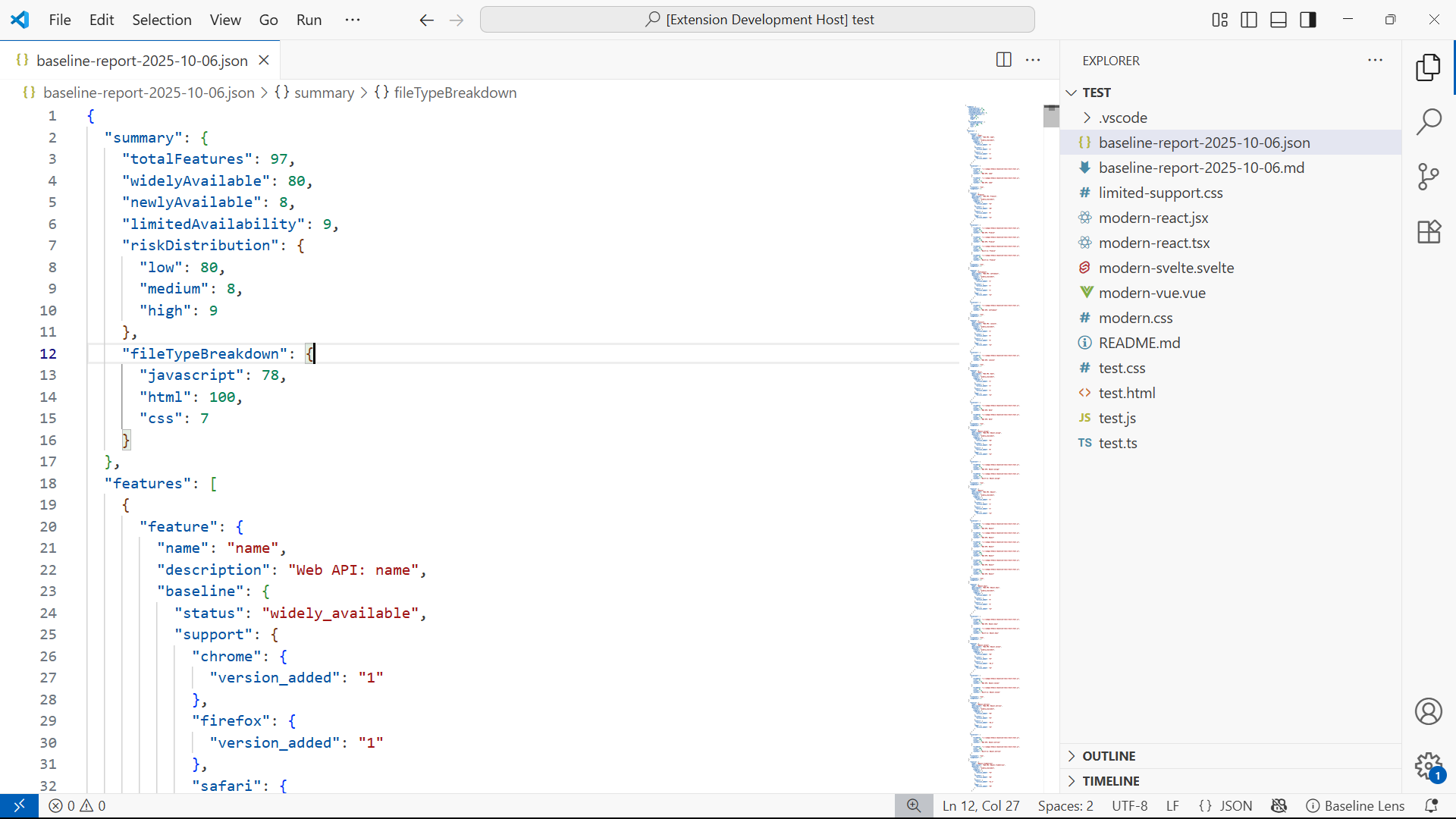
Compatibility Report in JSON - Super Detailed
-
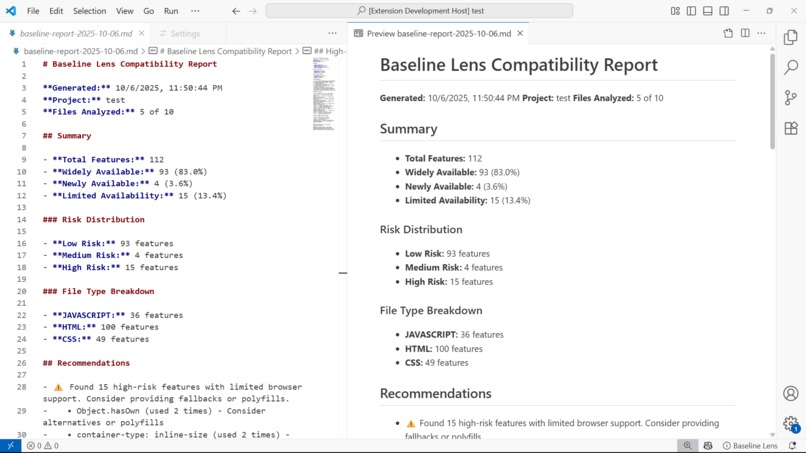
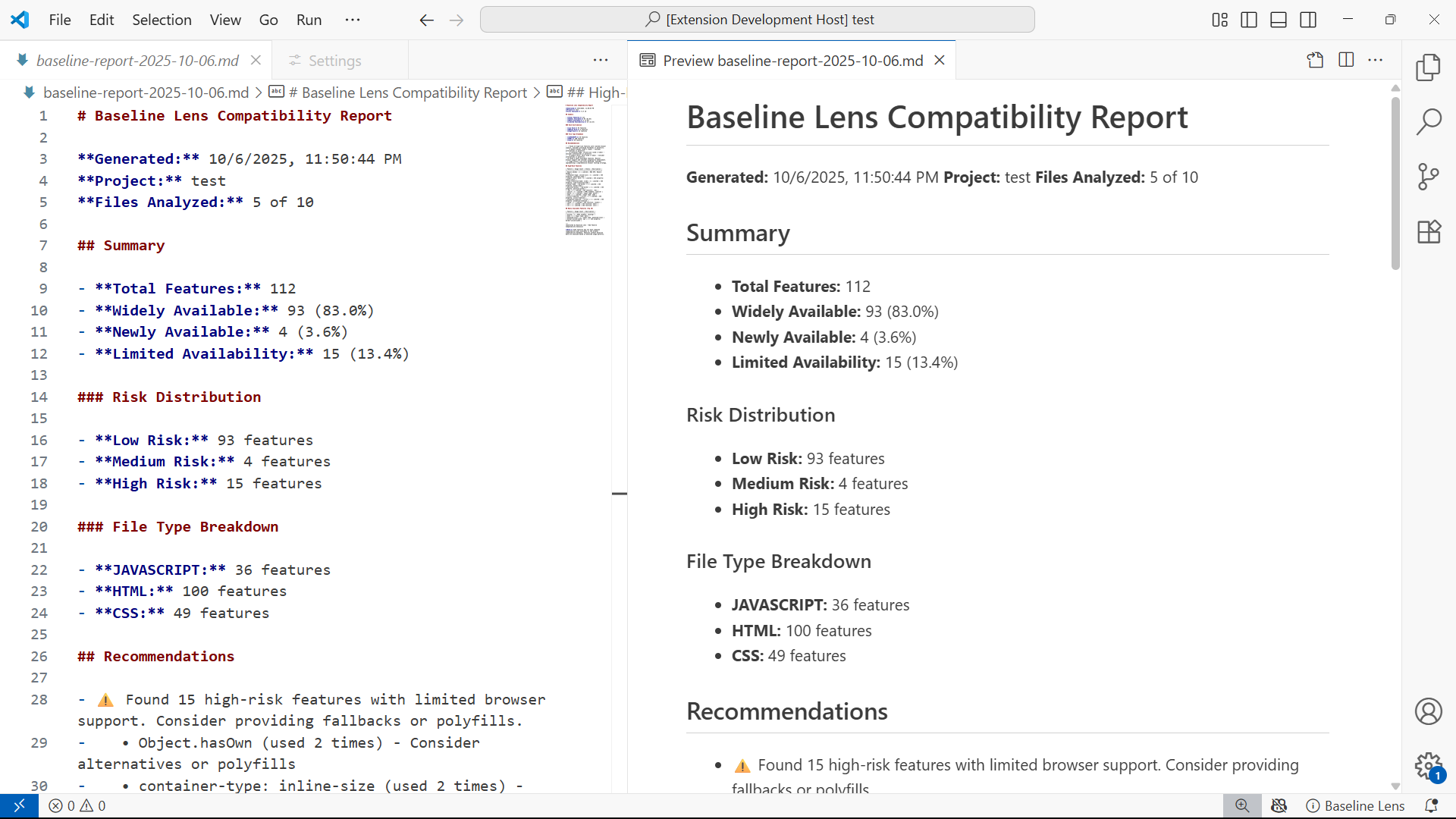
Compatibility Report in Markdown
-
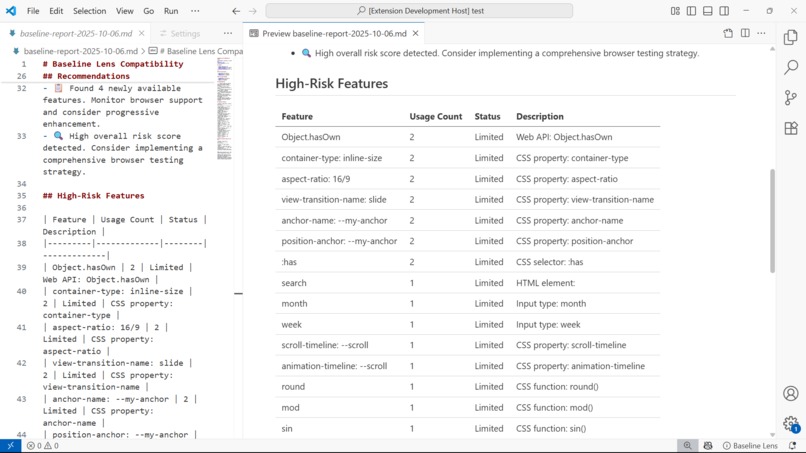
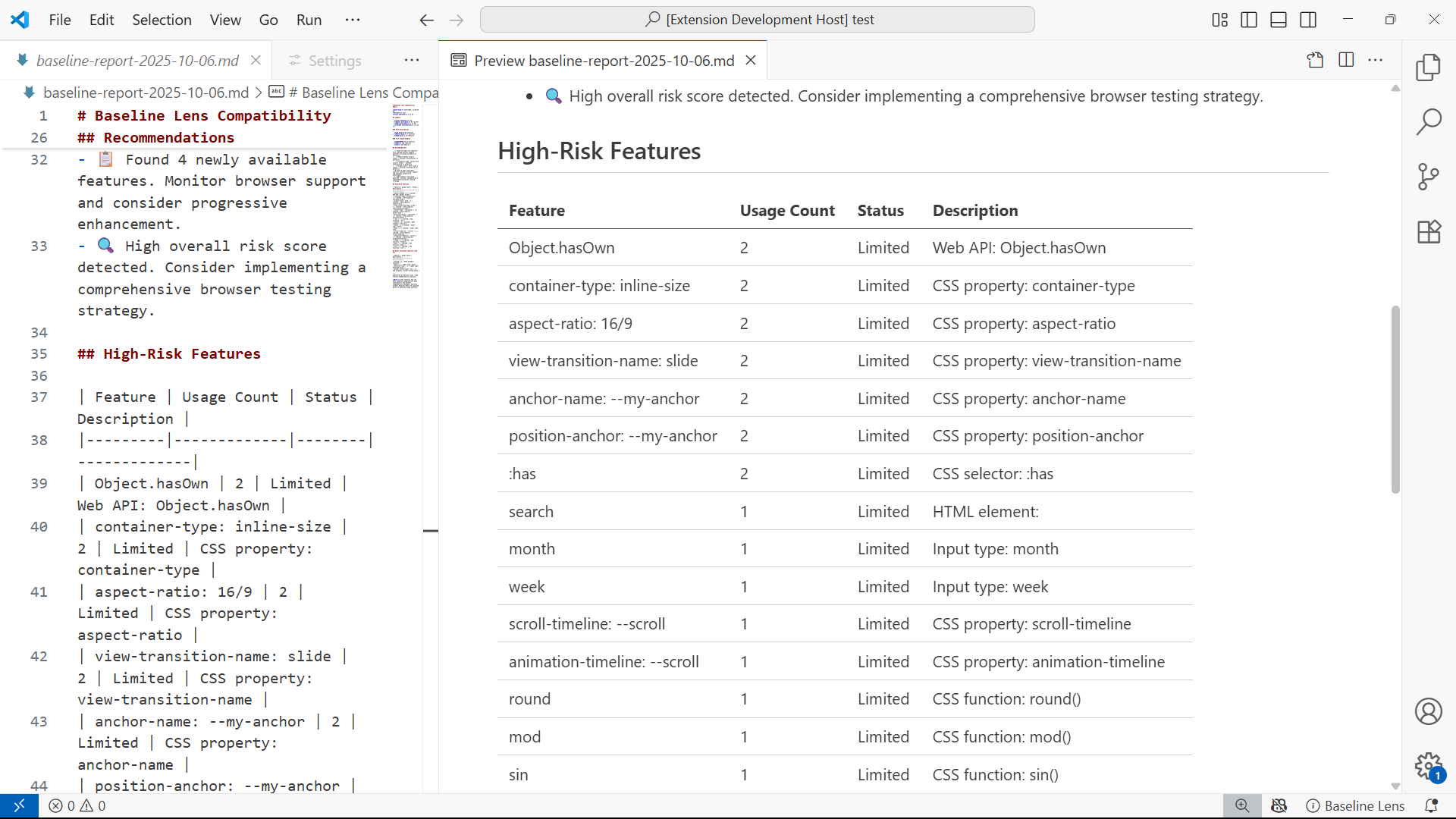
Compatibility Report in Markdown
-
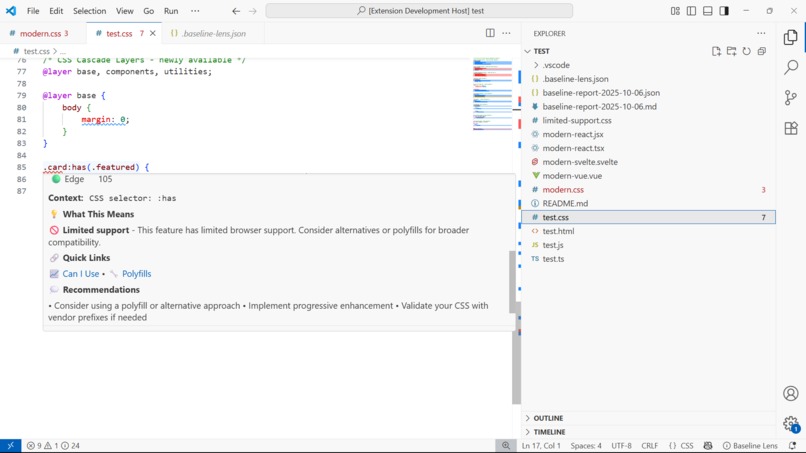
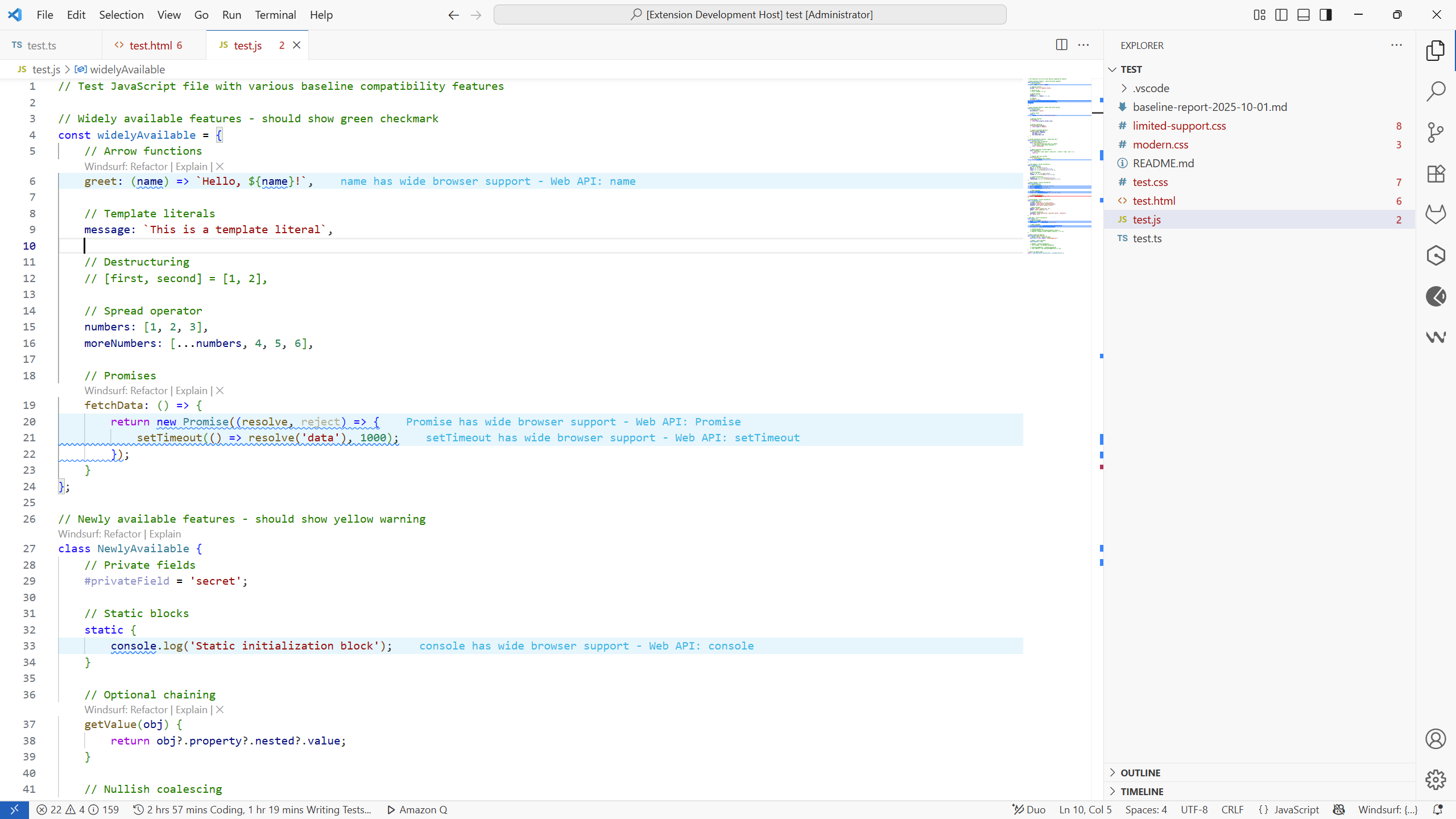
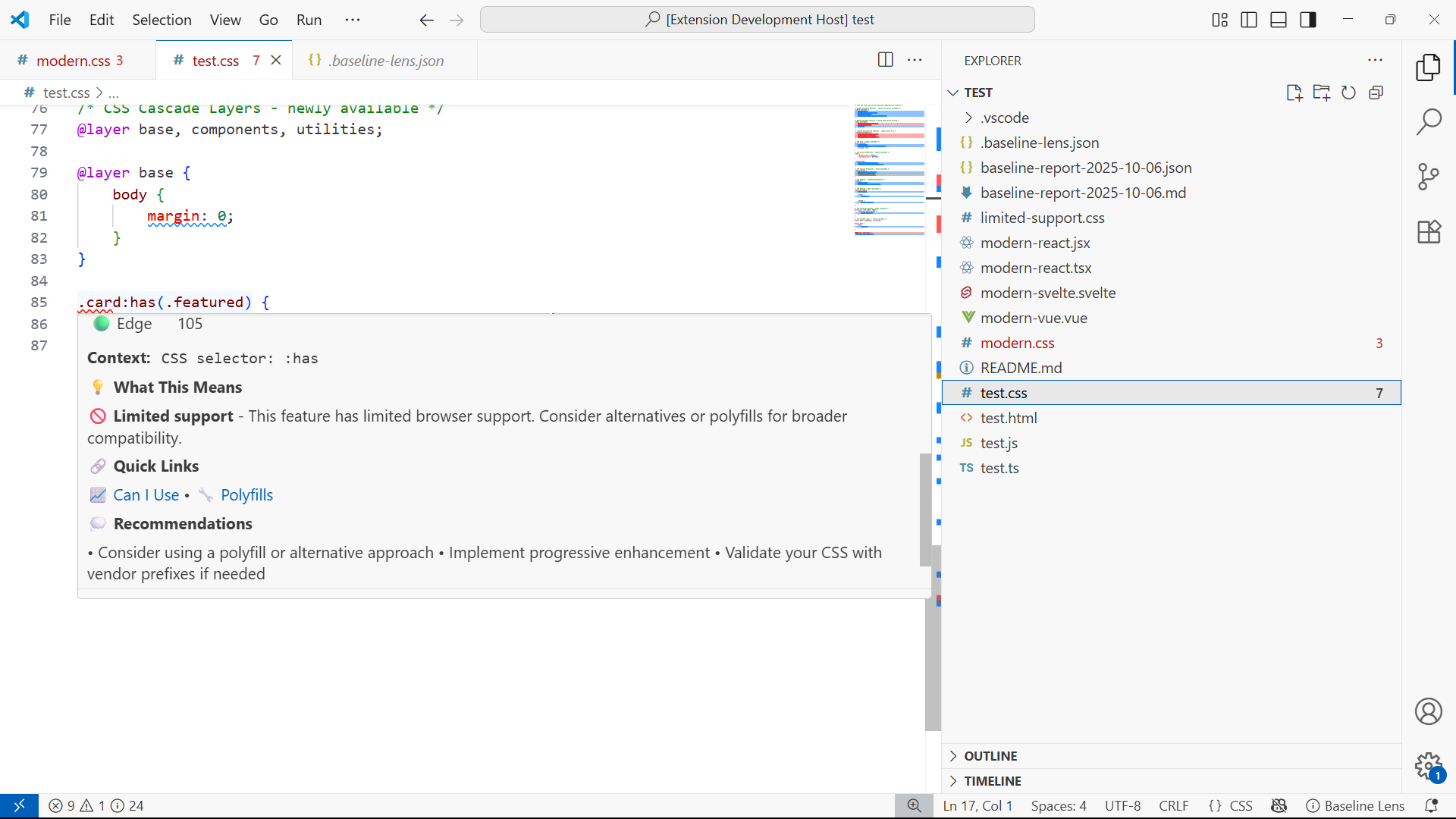
Hover card showing details of web feature
-
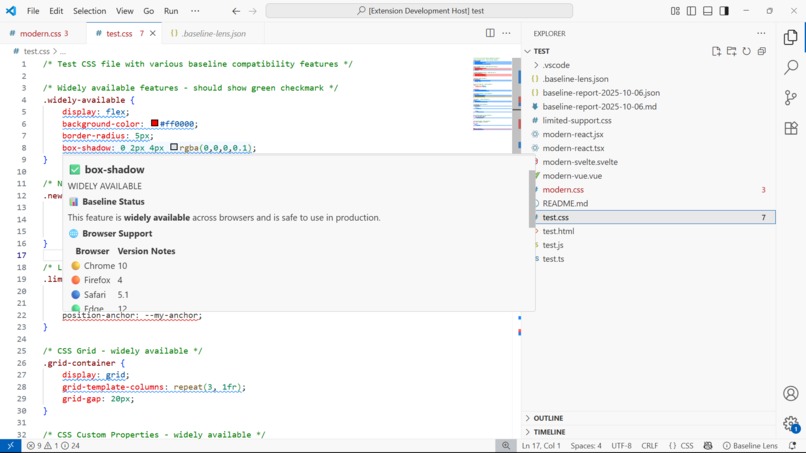
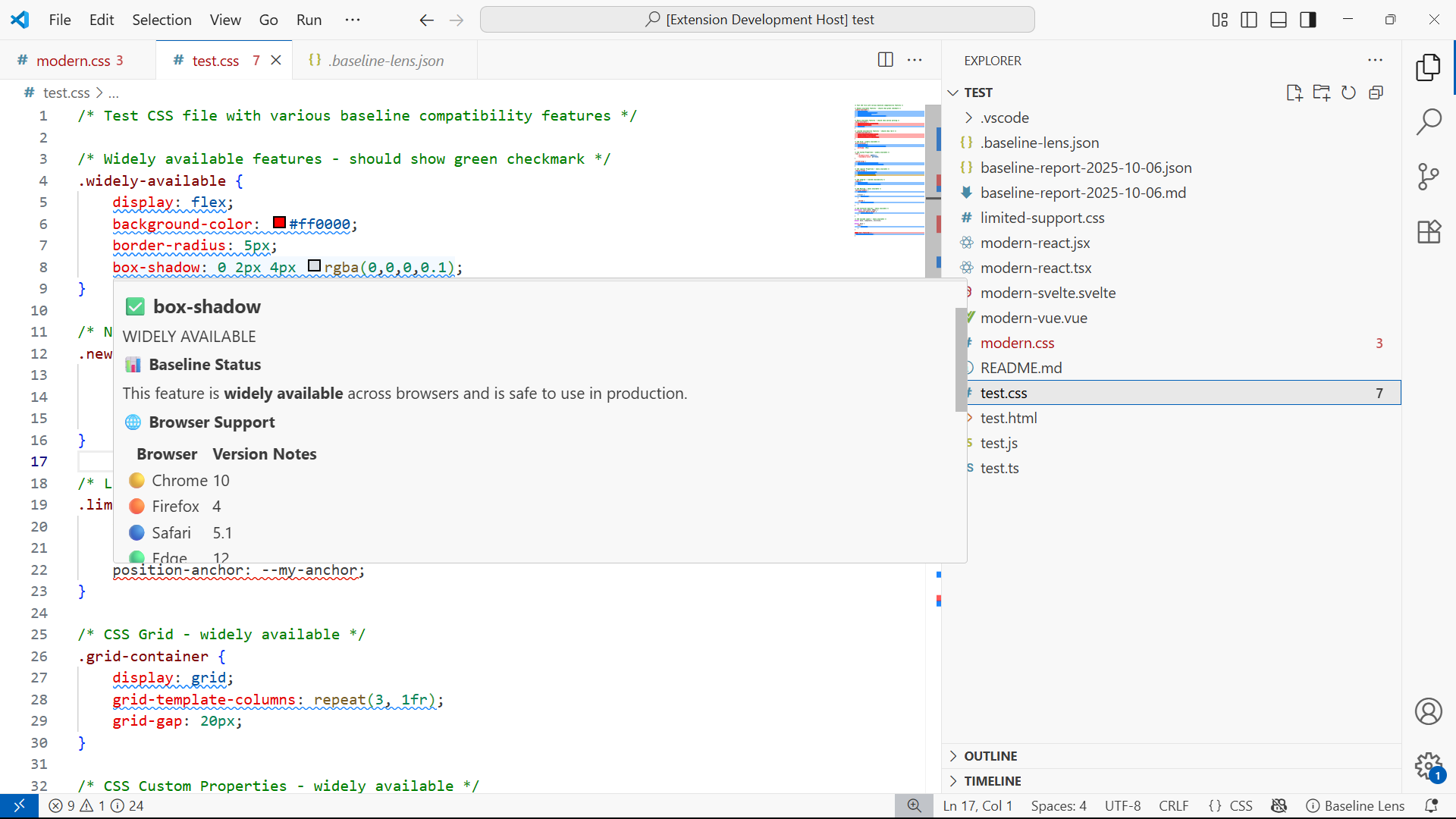
Hover card showing details of widely available web feature
-
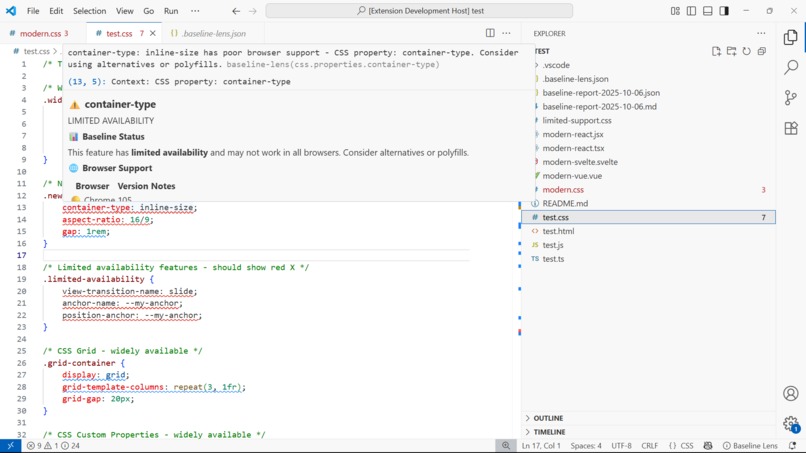
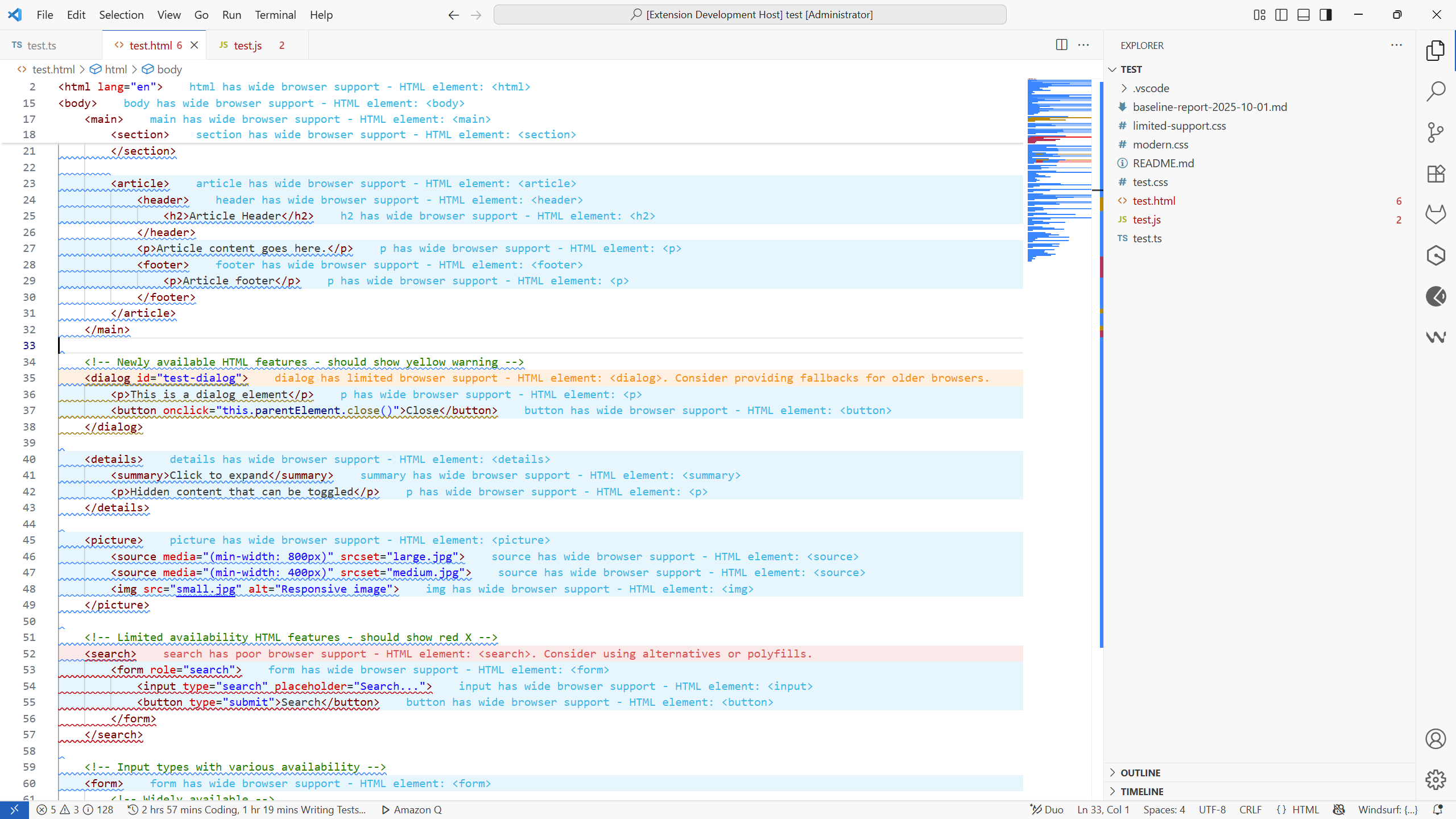
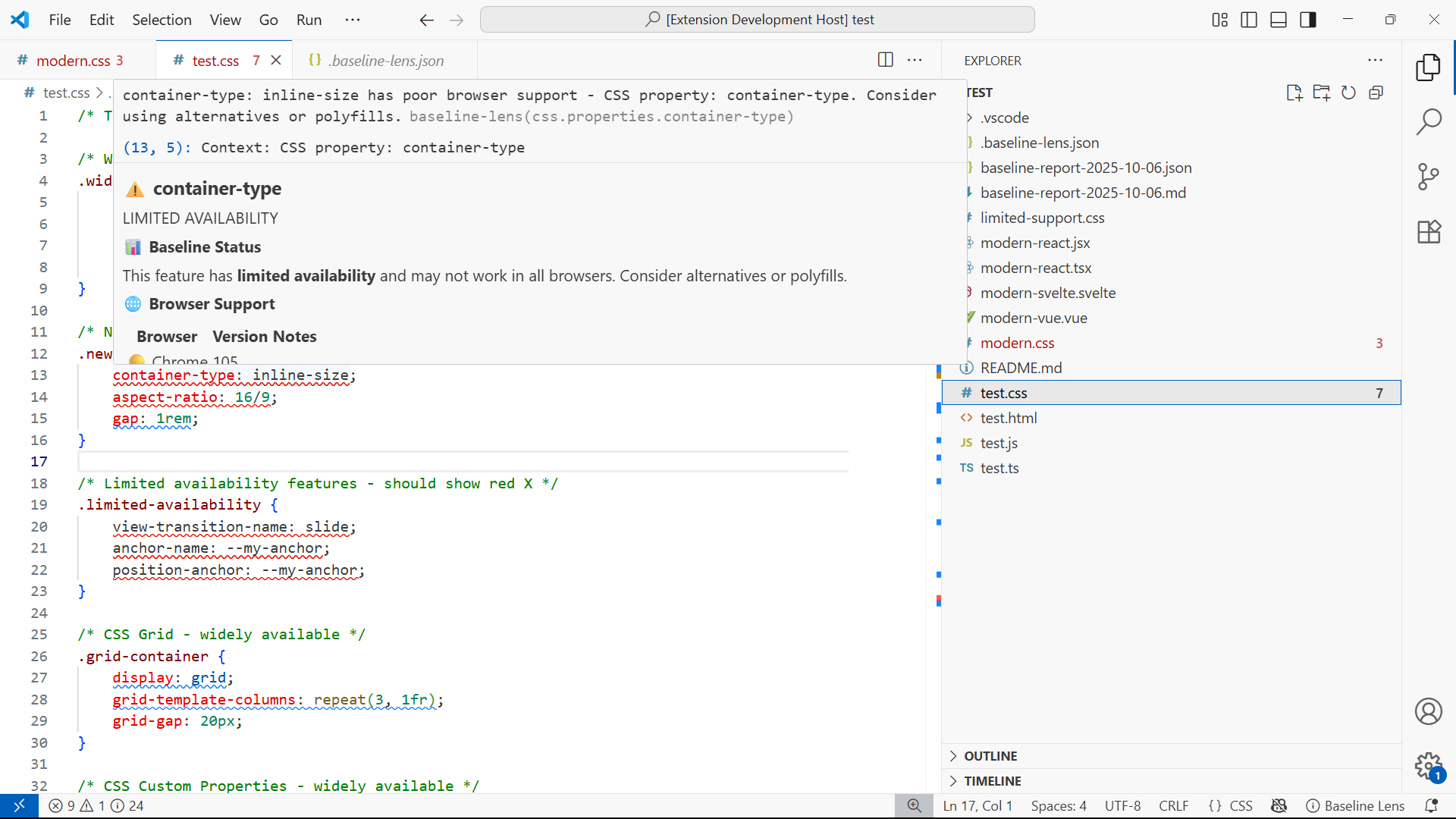
Hover card showing details of limited web feature
🧭 Inspiration
Every web developer — from beginner to expert — knows that heart-sinking feeling when something beautiful breaks in Safari or Mozilla. We’ve all been there: you finish a feature, test it in Chrome, ship it… then a user reports it’s misaligned, invisible, or crashing in another browser.
Even with tools like CanIUse and MDN, developers still spend hours context-switching, researching, and second-guessing whether a CSS property or JS API is truly safe to use. I built Baseline Lens to end that guesswork by bringing Baseline data directly into the development workflow, eliminating the research tax that slows down every web developer.
My inspiration came from two places:
- The new Baseline initiative — which defines which web features are universally supported.
- VS Code’s workflow — where real developers actually live and code every day.
When Google, Mozilla, and Microsoft launched Baseline in 2023 as the official web compatibility standard, we realized this was the missing piece — but it lived on web.dev while developers lived in VS Code. We asked: What if browser compatibility became something you see as you type, not something you research after you break something?
That simple idea became Baseline Lens — a real-time, intelligent browser compatibility companion inside your editor.
⚙️ What it does
Baseline Lens transforms browser compatibility from an afterthought into an instant feedback loop and transforms VS Code into a compatibility-aware editor that provides real-time feedback on web feature safety
As you code in VS Code — whether writing CSS, HTML, React, Vue or Svelte, Baseline Lens:
- Real-time Analysis: Detects and adapts to modern web features in CSS, JavaScript, HTML, React, Vue, and Svelte as you type
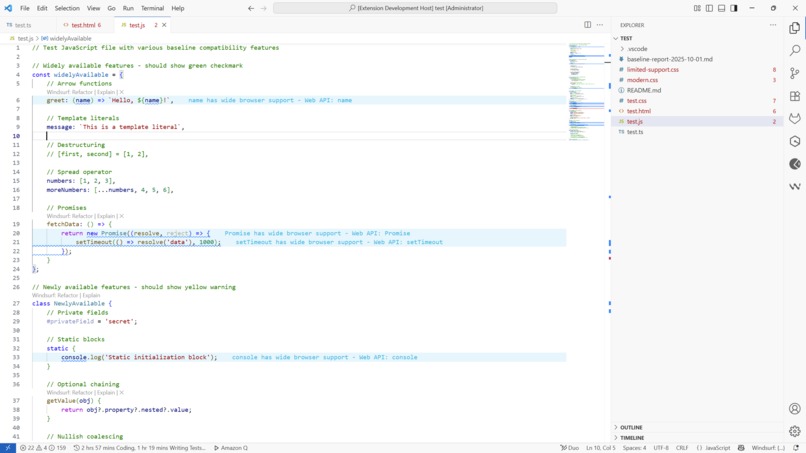
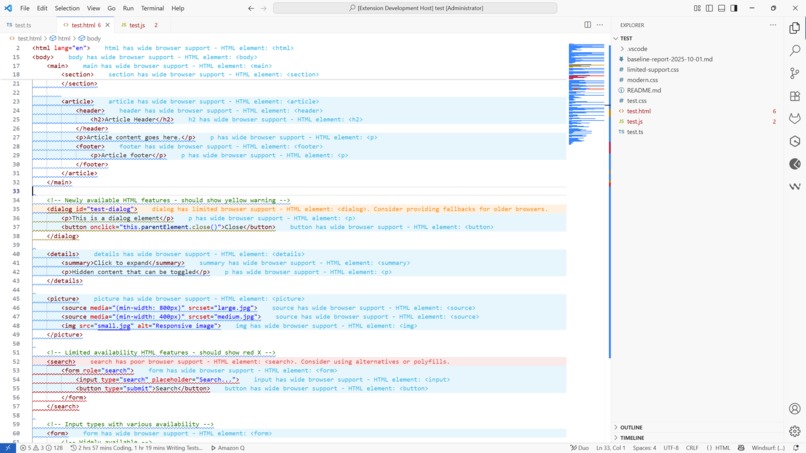
- Inline Indicators: Shows visual compatibility status (✅ Widely available, ⚠️ Newly available, 🚫 Limited support) directly in your code
- Smart Tooltips: Hover for detailed browser support breakdown, MDN links, and fallback suggestions
- Problems Integration: Compatibility issues appear alongside syntax errors in VS Code's Problems panel
- Project Reports: Generate comprehensive compatibility reports in JSON or Markdown formats
- Team Configuration: Share compatibility standards across teams with .baseline-lens.json files
- Educational Hints: Learn compatibility patterns naturally through contextual guidance
- Lets teams define and share compatibility policies with
.baseline-lens.json. - Exports project-wide compatibility reports for CI/CD integration.
It’s like having CanIUse, MDN, and an experienced senior dev merged into one, always watching your back as you code.
🏗️ How we built it
Baseline Lens is built as a TypeScript VS Code extension using the Extension API with a performance-first, local-analysis approach.
Core Components:
- Feature Detection Engine: Custom parsers for CSS, JavaScript, and HTML that identify web features using AST analysis
- Baseline Integration: Direct integration with the official web-features npm package for up-to-date compatibility data
- Real-time Analysis: Incremental parsing system that only re-analyzes changed code sections for sub-100ms response times
- Multi-language Support: Framework-aware analysis with different rules for React JSX, Vue templates, and vanilla code
- Caching System: Smart caching of feature detection results across VS Code sessions
Baseline Lens is built with:
- VS Code Extension API for deep IDE integration
- TypeScript (for core logic and VS Code API integration)
- Web.dev and Web Features package (for real compatibility insights)
- Language Server Protocol (LSP) for scalable real-time analysis
- Node.js backend workers for parsing and caching
- JSON schemas for sharable team configurations
I optimized performance with:
- Incremental parsing — analyzing only changed code blocks
- Smart caching — results persist across sessions
- Lazy activation — loads only when relevant web files are opened
- Local-first — zero network calls during development
The architecture was inspired by developer-centric tools like Error Lens, but extended with Baseline’s intelligence and multi-layer compatibility awareness.
🚧 Challenges we ran into
Building a truly real-time compatibility analyzer isn’t easy. Some of the toughest challenges were:
1. Performance at Scale: Initial prototypes were too slow for real-world use. Analyzing large CSS files took 2-3 seconds, making real-time feedback impossible. I solved this with incremental parsing, smart caching, and lazy evaluation techniques.
2. Accurate Feature Detection: Distinguishing between similar CSS properties (like gap in flexbox vs grid) or JavaScript APIs with overlapping names required building intelligent context-aware parsers that understand semantic meaning, not just syntax.
3. Framework Complexity: React JSX, Vue templates, and Svelte components each have unique syntax patterns. I had to build framework-specific analyzers while maintaining a unified compatibility model.
4. Baseline Data Integration: The web-features package structure required significant processing to make it usable for real-time analysis. I built a preprocessing layer that optimizes the data for instant lookups.
5. User Experience Balance: Providing helpful feedback without overwhelming developers required careful UX design. I iterated extensively on indicator placement, hover timing, and diagnostic severity levels.
6. Mapping complex Baseline data into clear, actionable developer feedback without overwhelming them. 7. Designing a minimal yet informative UX that integrates naturally with VS Code. 8. Creating an educational experience, not just warnings — helping devs understand the “why,” not just the “what.”
I also had to carefully design how teams could share policies (like “support Baseline 2023+ only”) without adding friction.
🏆 Accomplishments that I'm proud of
- Achieved sub-100ms inline analysis on large files, making compatibility checks feel instant.
- Designed a real-time UX that feels natural and unobtrusive.
- Successfully merged Baseline intelligence with framework awareness — a first of its kind, providing seamless analysis across vanilla web, React, Vue, and Svelte projects
- Zero Network Dependencies: Completely local analysis for privacy and speed
- Created an early companion CLI for CI/CD enforcement — Baseline Lens CLI.
- Received feedback from early testers saying: > “I stopped fearing modern CSS because now I know what’s safe.”
That quote alone reminded me why this matters — I'm not just improving tools; I'm improving developer confidence and creativity.
📚 What we learned
- Developer empathy > data: Tools succeed when they feel like companions, not judges.
- Performance is everything in developer tooling — even 100ms delays break flow. Users will abandon a tool that's slow, regardless of functionality. Investing heavily in performance optimization was crucial for adoption.
- Context is Everything: Raw compatibility data isn't enough — developers need contextual intelligence that explains why something is risky and what alternatives exist.
- Team Dynamics: Individual developer tools become team standards when they solve coordination problems. The shared configuration feature became unexpectedly popular because it eliminated team debates about browser support policies.
- The Power of Integration: Building native VS Code integration (Problems panel, hover providers, decorations) created a more seamless experience than standalone tools ever could.
- Education can be ambient: You can teach compatibility patterns naturally without opening docs.
- The Baseline initiative has massive potential to unify how the industry measures “safe to use” — but it needs developer-friendly integration.
We learned that the future of web development isn’t just more features — it’s more confidence in using them.
🚀 What’s next for Baseline Lens
We’re just getting started. Next, we’re building:
- AI-powered code refactoring — suggest compatibility-safe rewrites automatically.
- Visual dashboards for team-level compatibility tracking.
- Browser testing integration (e.g., Playwright / Puppeteer hooks).
- Multi-IDE Support: Expand beyond VS Code to WebStorm, Sublime Text, and Neovim.
- Deeper Baseline API sync for live updates as standards evolve.
Our long-term goal:
- Make web compatibility invisible.: When every developer can confidently use the newest web features knowing they’ll “just work,” the entire web evolves faster.
- Predictive Compatibility: Use machine learning to predict when features will become baseline-safe
- Cross-Platform Analysis: Extend beyond browsers to include Node.js, Electron, and mobile webview compatibility
- Industry Standards: Work with browser vendors to influence the evolution of web standards based on real usage data
Baseline Lens isn’t just a tool — it’s the bridge between innovation and reliability.
Built With
- acorn
- ast-analysis
- baseline
- baseline-data
- command-api
- configuration
- css-parser
- css3
- decoration-api
- diagnostics-api
- eslint
- file-system-api
- hover-provider-api
- html-parser
- javascript-parser
- json
- markdown
- node.js
- postcss
- typescript
- vs-code
- vs-code-extension-api
- web-features-npm-package
- workspace-api

Log in or sign up for Devpost to join the conversation.