-
-

Extension Icon
-
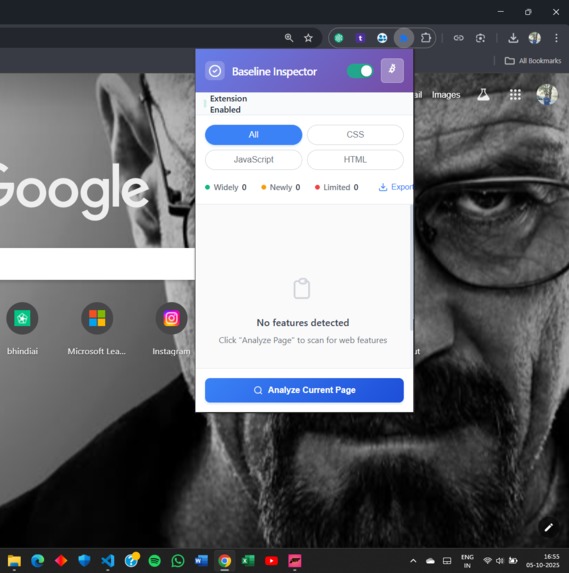
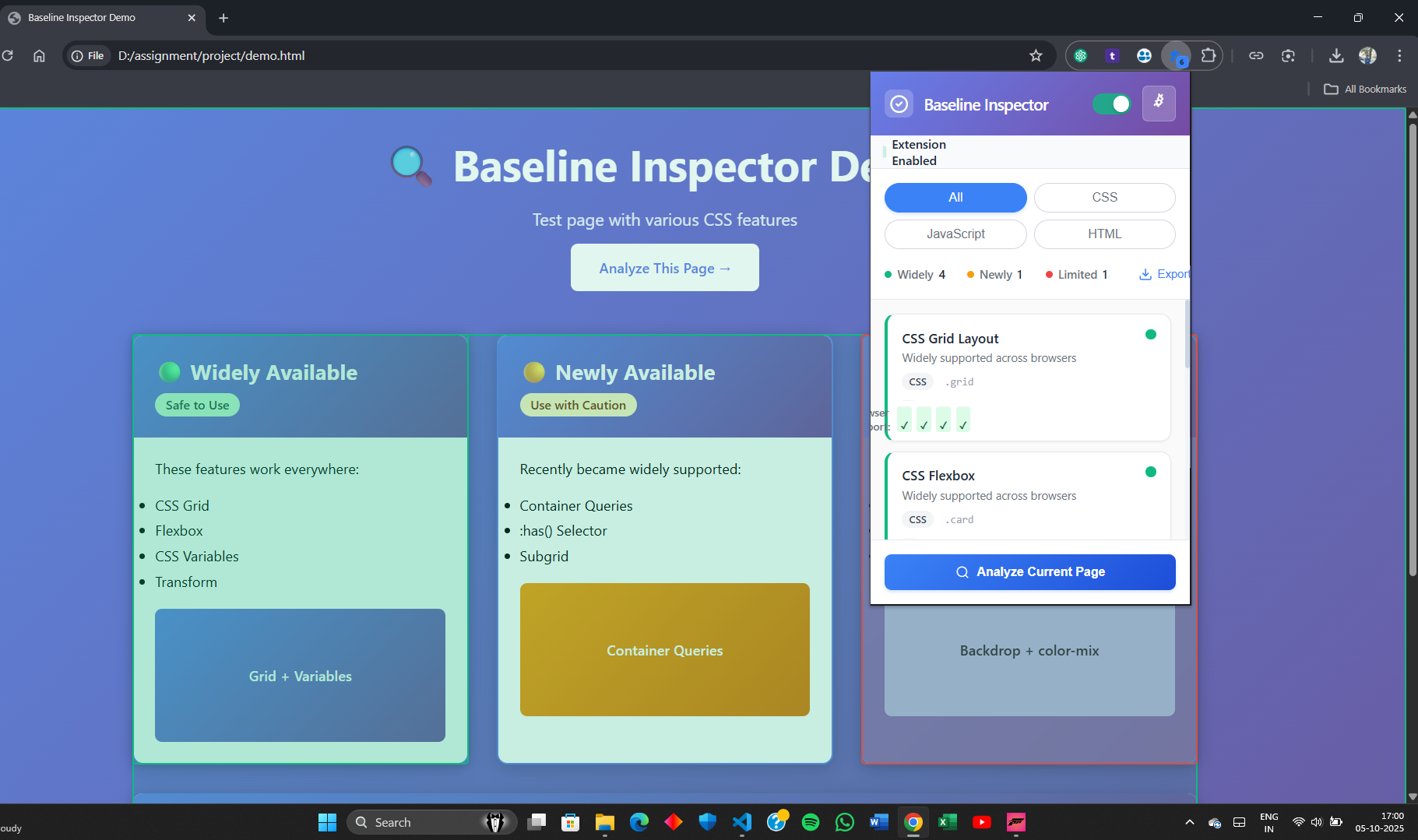
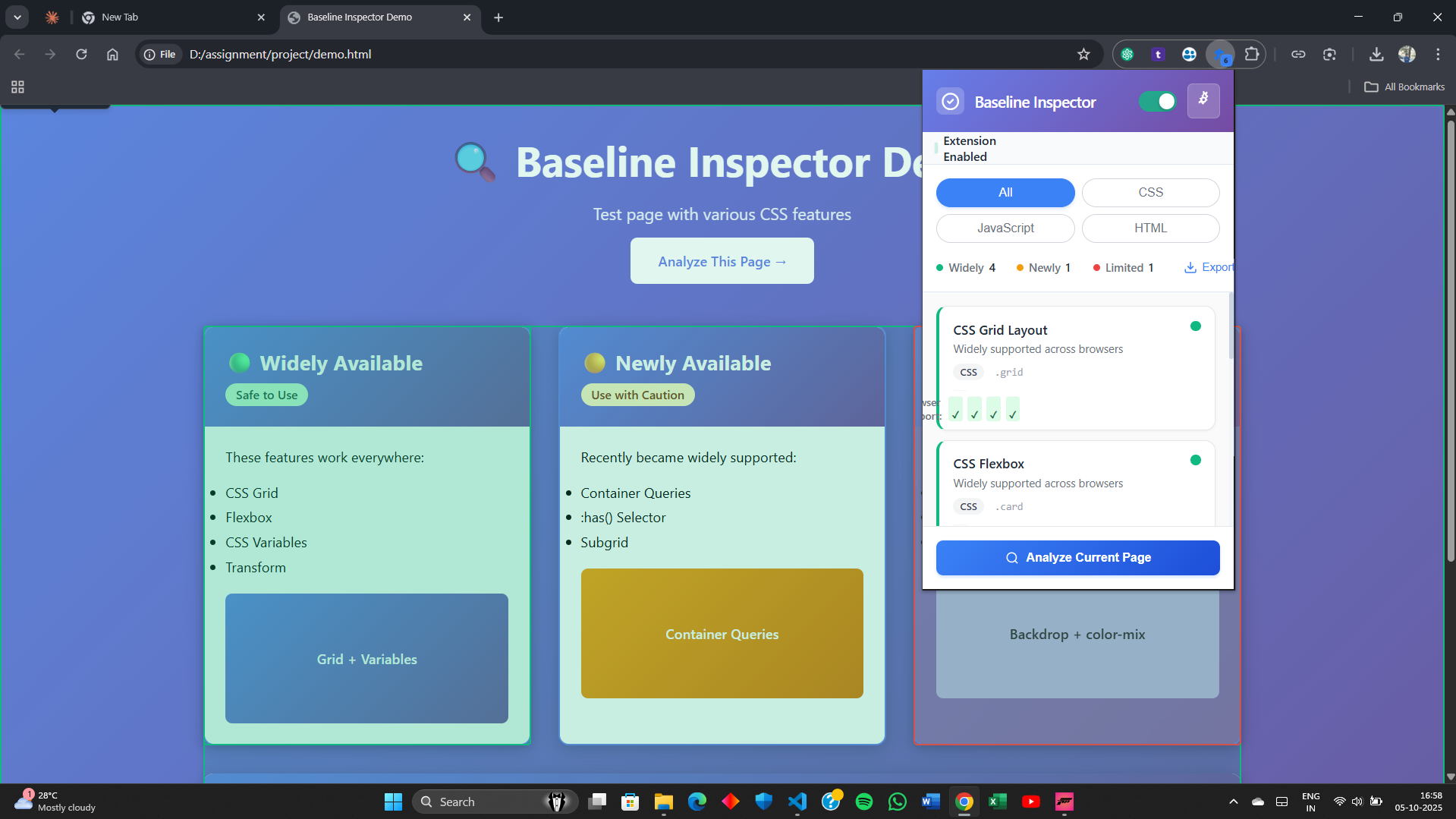
Popup UI — show “Analyze Current Page” button
-
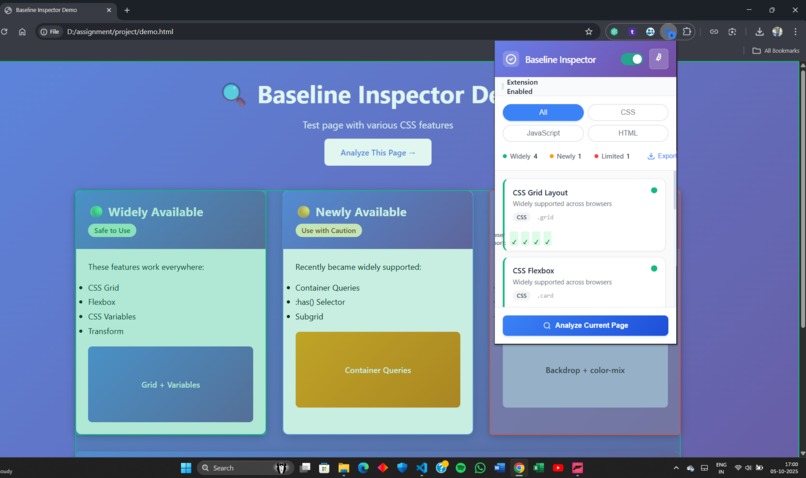
Statistics Dashboard or Export View
-
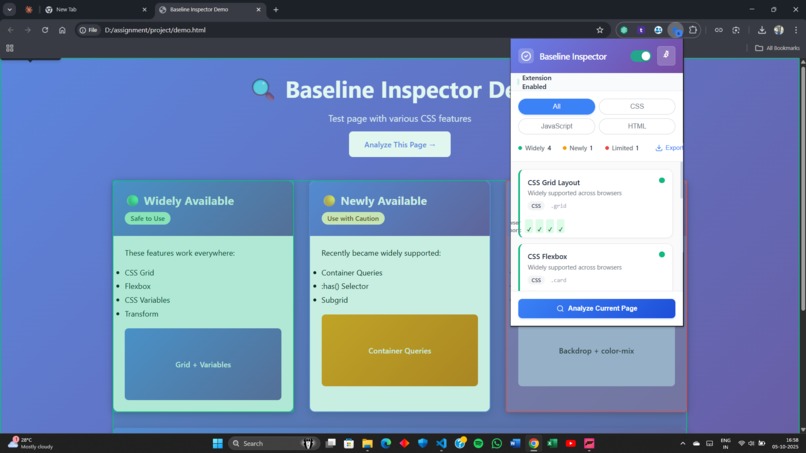
Overlay/Results Page — showing feature cards & categories

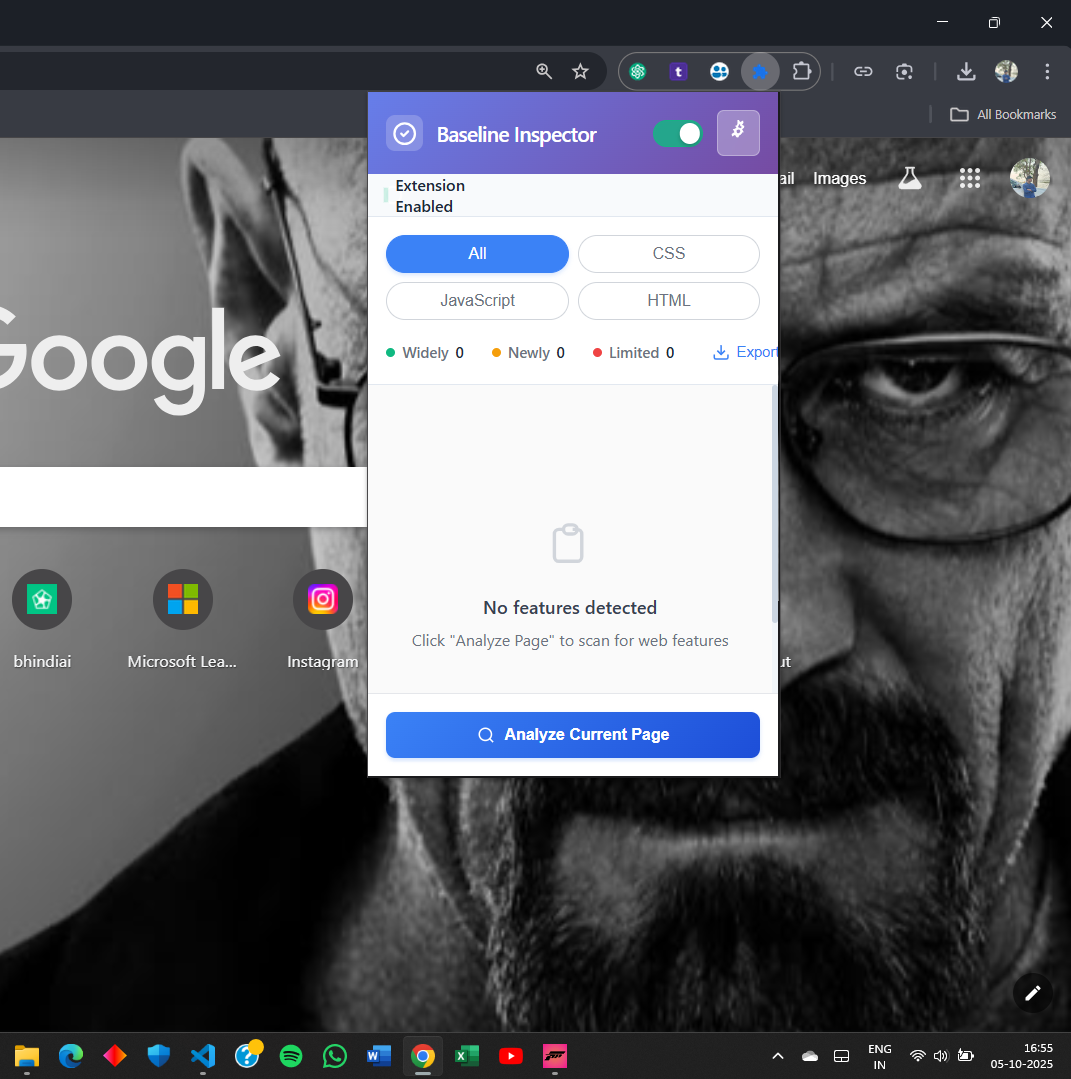
Inspiration
Web developers often struggle to ensure that modern web features like CSS Grid, :has(), or new JS APIs work consistently across browsers. Existing tools like Can I Use or DevTools require manual lookup and can’t give real-time compatibility insight. I wanted to create something that runs instantly within the browser — a one-click inspector that shows which features are widely available, newly available, or limited using Web Platform Baseline data.
What It Does
Baseline Inspector is a Chrome extension that analyzes any webpage’s CSS, HTML, and JavaScript in real time. It scans for features and classifies them into:
✅ Widely Available 🆕 Newly Available ⚠️ Limited Support
It then displays an interactive dashboard that helps developers understand browser compatibility without leaving their current page.
How I Built It
-Developed as a Chrome Extension (Manifest V3) using vanilla JavaScript, HTML, and CSS.
-The content script extracts CSS, HTML, and JS features dynamically.
-It references Web Platform Baseline standards to categorize support levels.
-Results are passed to the popup UI and displayed with filtering and export options.
-Each feature is visually tagged with browser support icons and grouped by feature type.
Challenges I Faced
-Accessing and parsing external stylesheets restricted by CORS in some websites.
-Handling large and dynamic DOMs efficiently without slowing down the browser.
-Expanding feature detection from CSS to HTML and JavaScript without false positives.
-Integrating clean UI while keeping the extension lightweight.
What I Learned
-Deep understanding of Web Platform Baseline and browser compatibility data.
-Learned how to design real-time DOM analyzers for extensions.
-Improved knowledge of Manifest V3, Chrome messaging APIs, and performance optimization.
-Experience in UX design for developer tools — balancing functionality and simplicity.
What's Next
🚀 Next Versions:
-Integrate MDN Browser Compatibility Data (BCD) via API for accurate detection.
-Add visual graphs and compatibility reports export (PDF/CSV).
-Publish to Chrome Web Store for public use.
-Build a web-based dashboard version for standalone analysis.
-Extend support to Firefox and Edge extensions.
💻 Built With
-Languages: JavaScript, HTML, CSS
-Browser Platform: Chrome Extension (Manifest V3)
-APIs: Chrome Runtime, DOM APIs, Fetch API
-Tools: VS Code, GitHub
-Data Reference: Web Platform Baseline, MDN Compatibility Docs
Built With
- chromeextensionv3
- chromeruntime
- css
- domapis
- fetchapi
- github
- html
- javascript
- vscode
- webplatfrombaseline

Log in or sign up for Devpost to join the conversation.