-
-
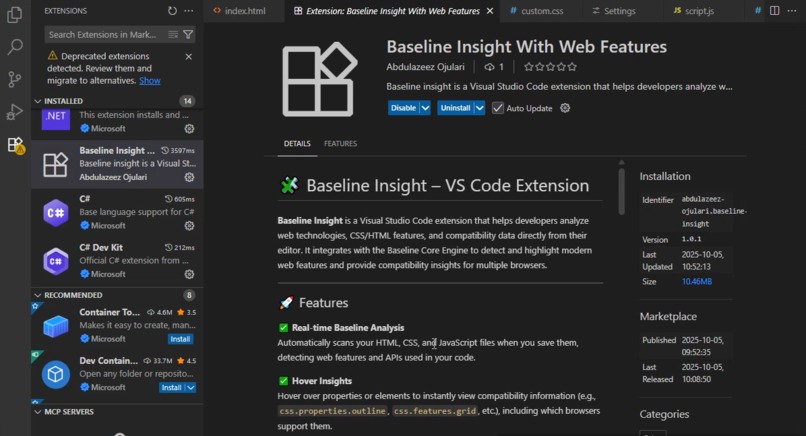
VS Code Extention
-
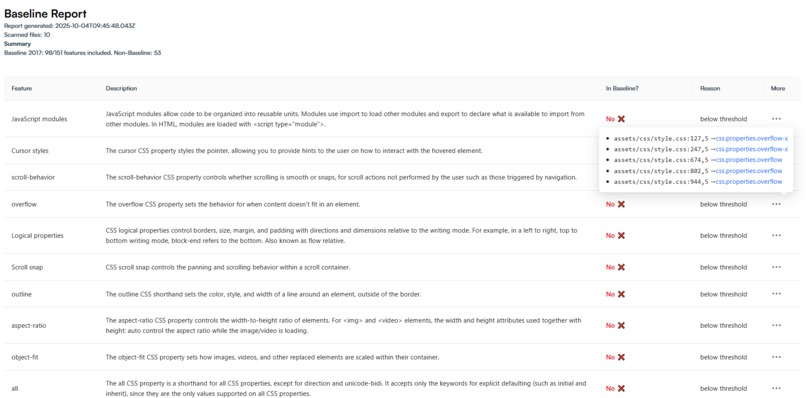
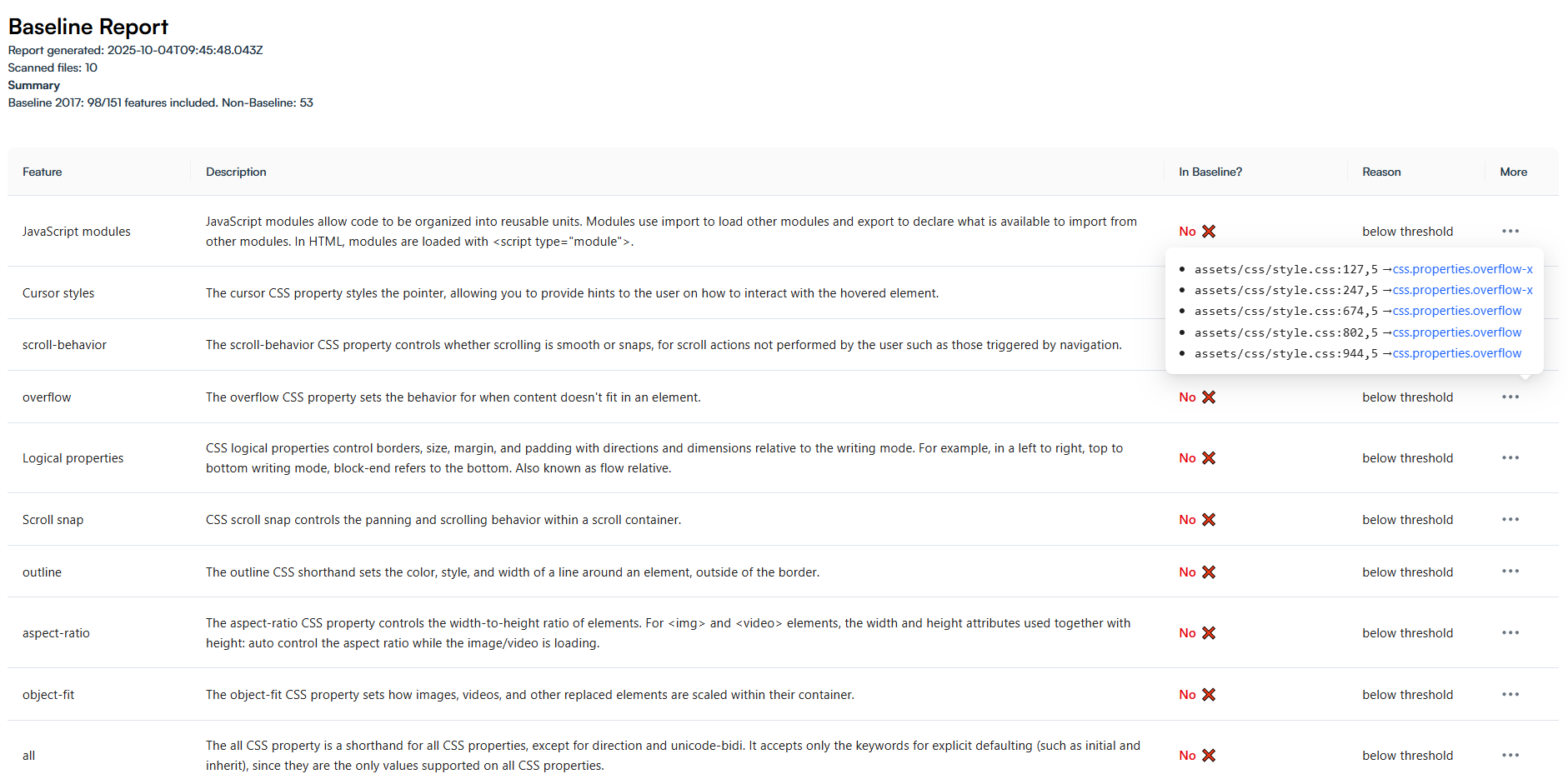
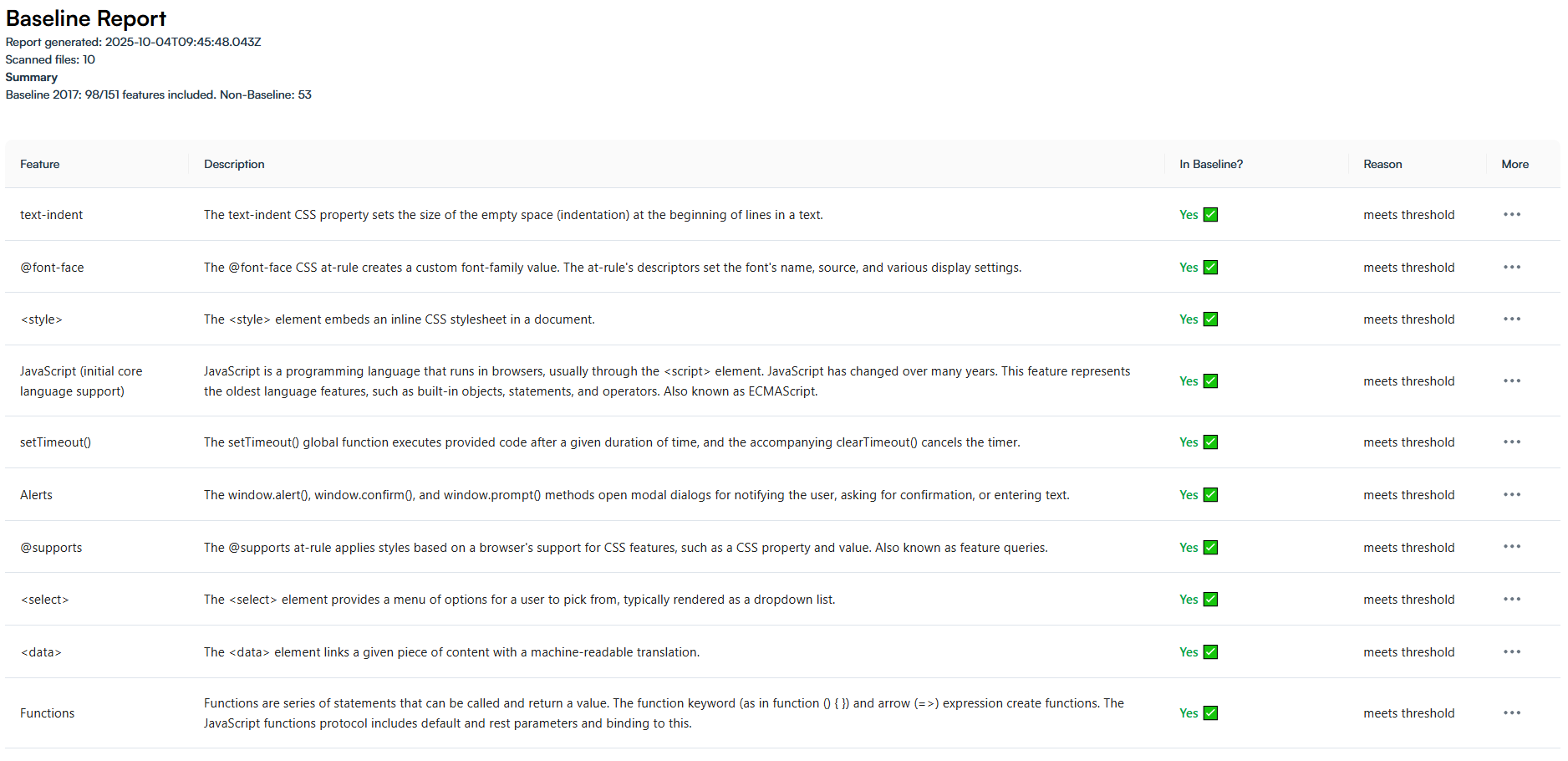
Report analysis on json file generated by @baseline-insight/analyzer-cli
-
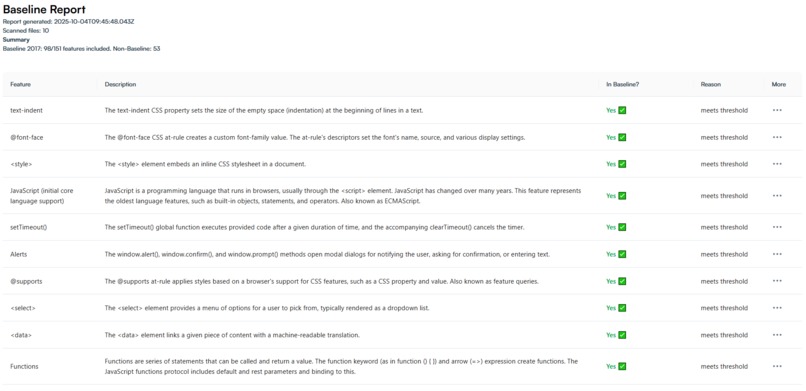
Report analysis on json file generated by @baseline-insight/analyzer-cli
-
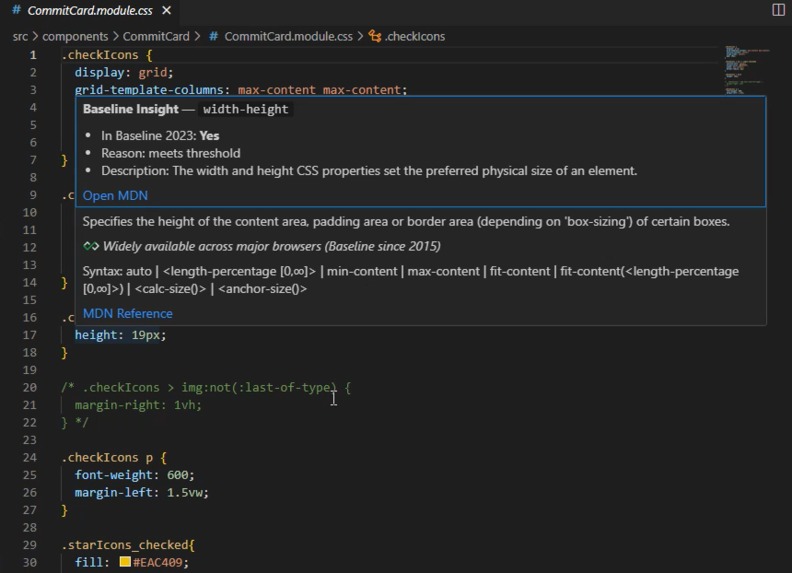
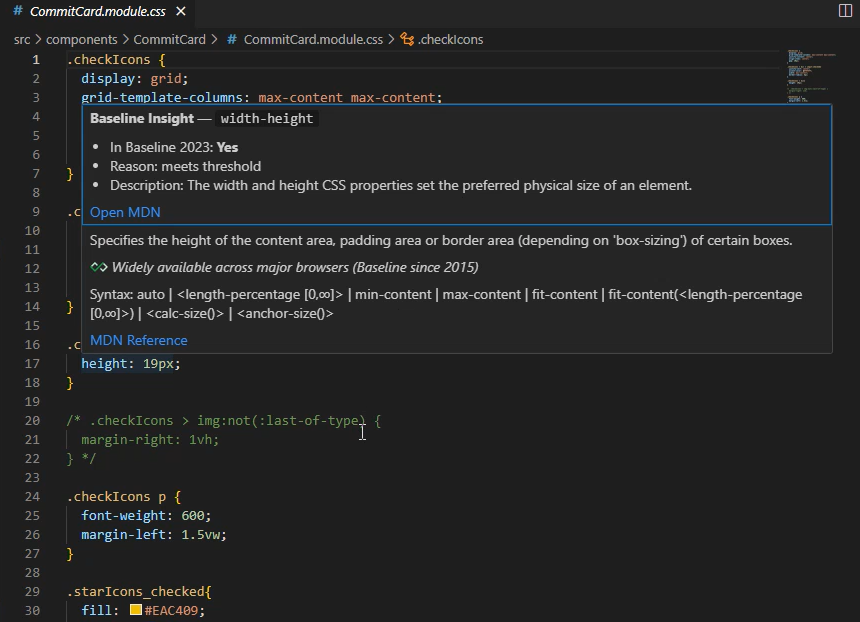
VS Code hover action css
-
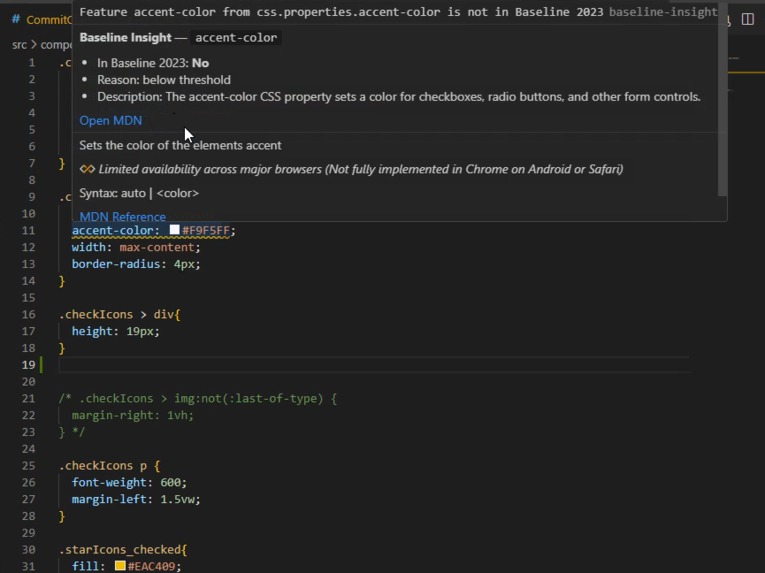
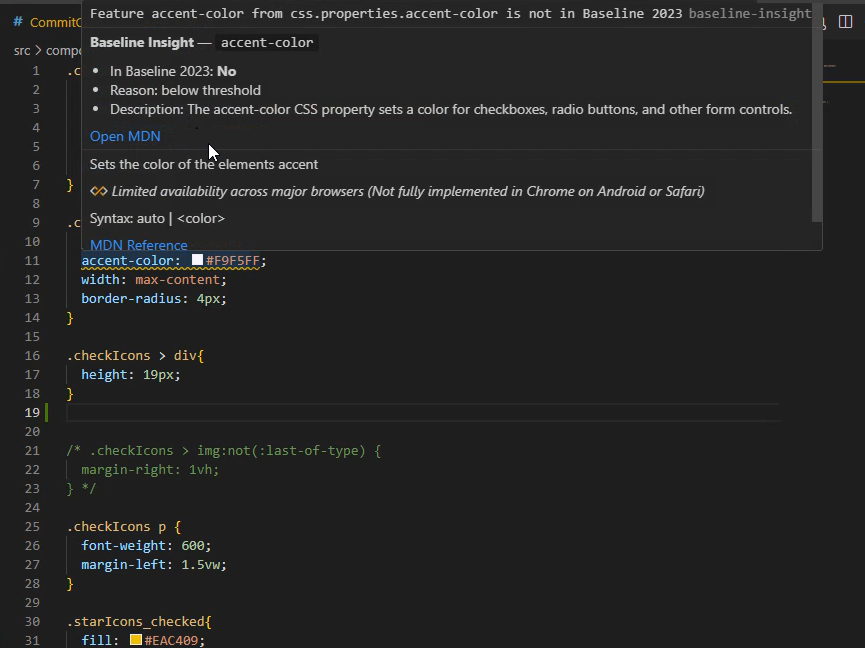
VS Code save file action
-
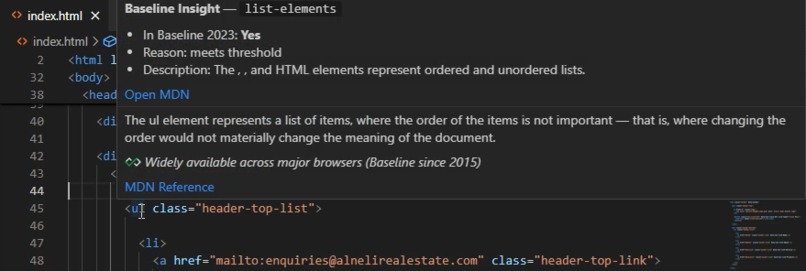
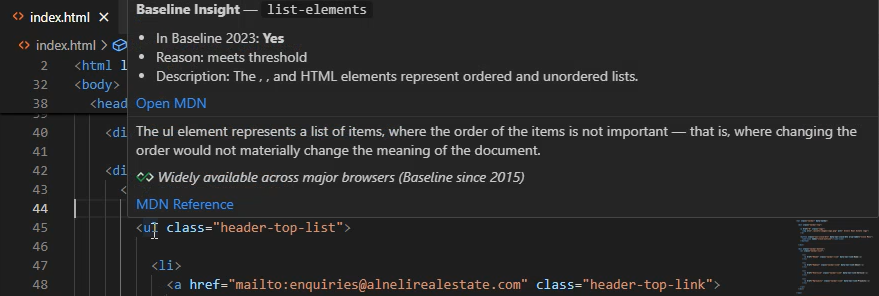
VS Code hover action html
Inspiration
As a developer I have used tools like sonarqube in teams that generates reports on code quality which leads to waiting till reports are being generated or pipeline breaking and also a longer time before pull request is approved. Also web developers often hesitate to use new features because they’re unsure whether browsers fully support them. We waste time jumping between MDN, “Can I use,” and articles, which slows innovation. Codeinger was inspired by that everyday frustration to make browser support data instantly accessible within your workflow.
What it does
Baseline Insight integrates Baseline web feature data directly into your tools:
- Core Engine — parses HTML, CSS, and JS to detect modern features and checks their Baseline support.
- Analyzer CLI — scans projects and generates detailed Baseline reports.
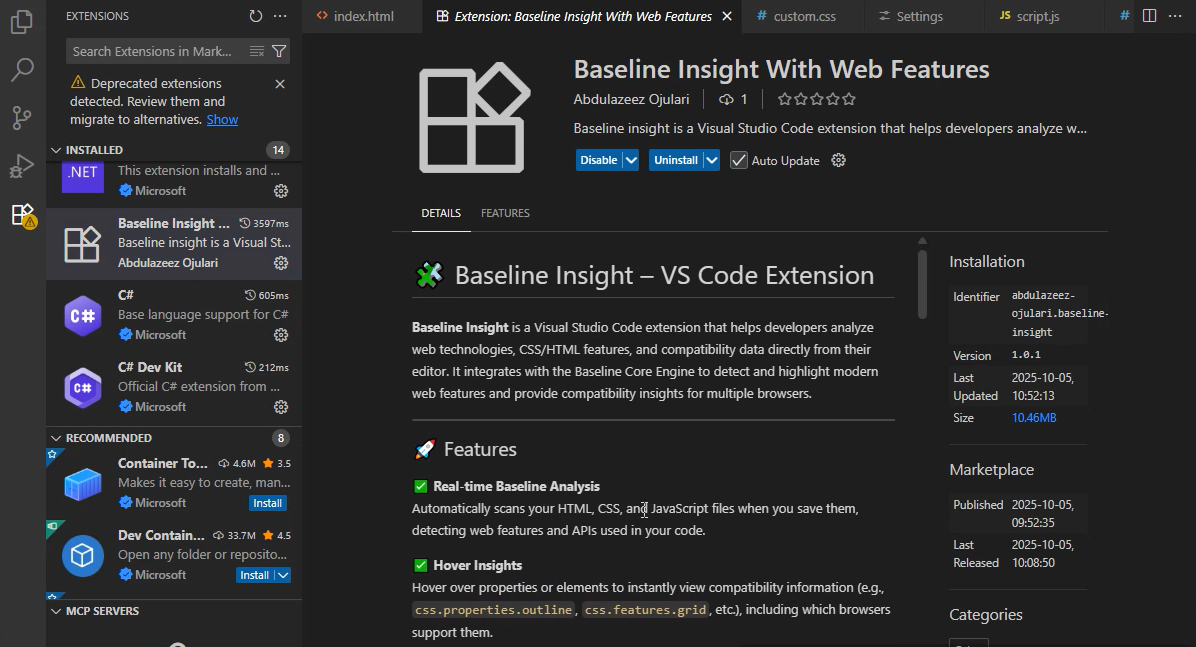
- VS Code Extension — shows instant hover insights and feature checks inside the editor.
- Dashboard — visualize project-wide compatibility analytics.
It tells you which features are safe to use for a given Baseline year and which may need polyfills or fallbacks — saving hours of research time.
How I built it
The project is structured as a monorepo with three core packages:
- core-engine — built with Node.js + TypeScript. It consumes the official web-features dataset and provides utilities like: findFeature(), getFeatureSupport(), isFeatureInBaseline() Cross-language feature parsing (HTML, CSS, JS).
- analyzer-cli — a command-line tool built using Commander.js, Fast-glob, and Tsup. It recursively scans source files and outputs a JSON report showing Baseline compatibility.
- vscode-extension — built with the VS Code API + TypeScript. It activates on file save or hover, showing baseline insights directly in the editor.
Each part communicates through the shared core-engine package, which acts as the logic backbone.
Challenges I ran into
- Mapping features from raw code (like Url.find() or document.querySelector()) to the official Baseline dataset required robust token parsing and AST analysis.
- Handling incomplete or partially written code inside VS Code while still providing meaningful results.
- Packaging multiple submodules (core-engine, cli, and vscode-extension) and maintaining consistent TypeScript builds across them.
- Publishing the VS Code extension with correct paths and ensuring hover activation worked seamlessly.
- Making the start and end position of the code correct to work with the vs code Diagnostic
What I learned
I learned how to integrate real-time data sources like Baseline into developer tooling, design resilient parsers, and create multi-platform tools that work locally and in CI environments. We also deepened our understanding of browser feature lifecycles, developer ergonomics, and cross-environment publishing (npm, VS Code Marketplace).
What's next for Codeinger
- Add CI/CD integration so projects can automatically fail builds when unsupported features are introduced.
- Extend support to React Native and Node.js APIs.
Built With
- babel
- fast-glob
- github
- node.js
- parse5
- postcss
- prettier
- tsup
- typescript
- vs
- vs-code-api
- vsce
- web-features


Log in or sign up for Devpost to join the conversation.