-
-
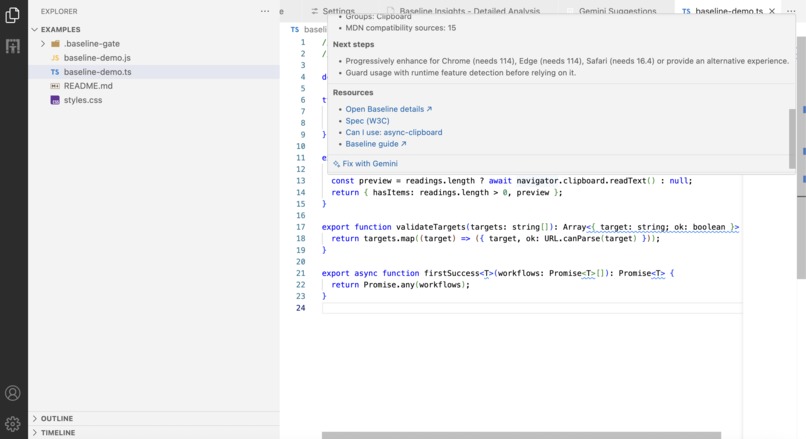
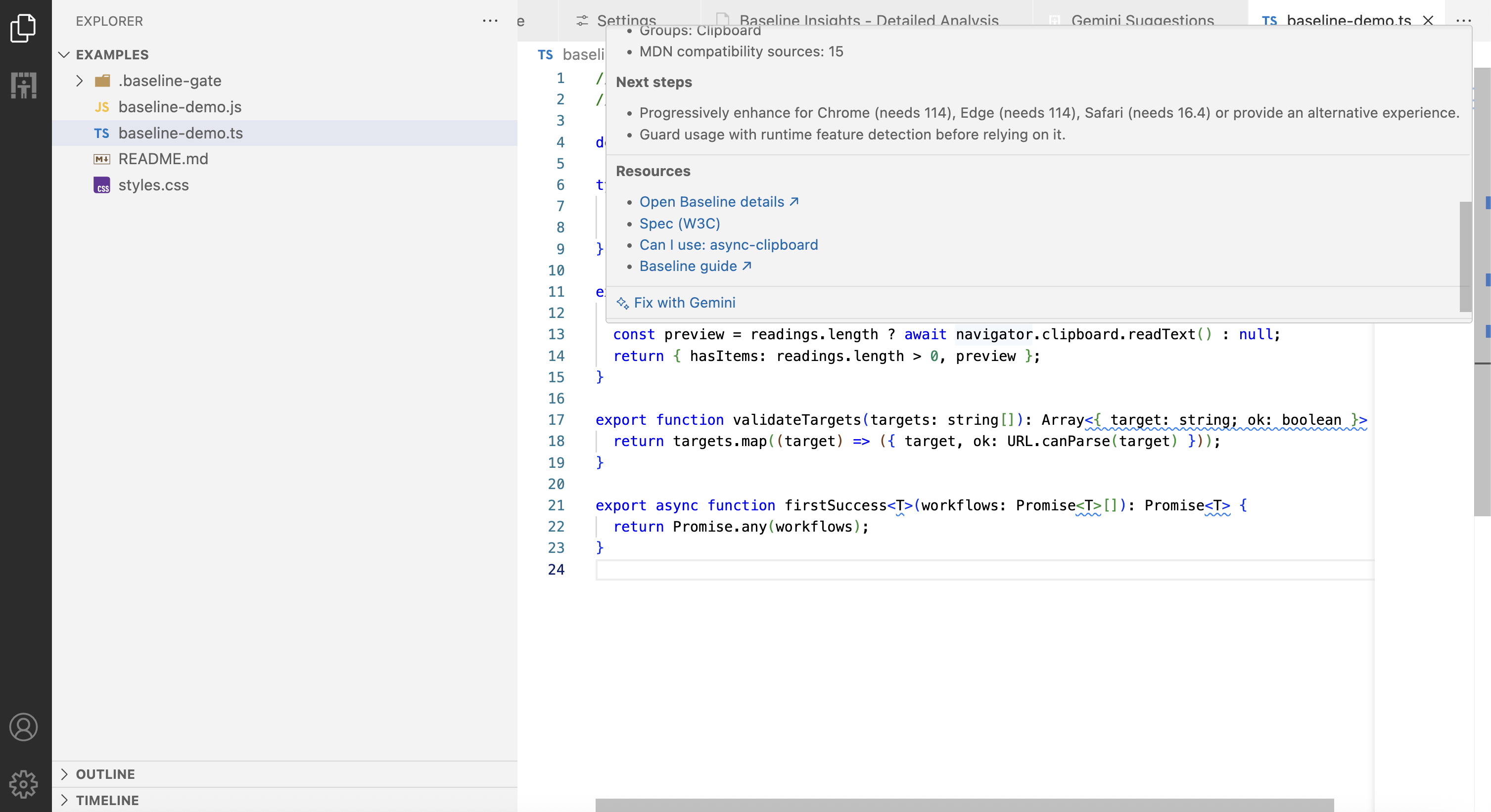
Fix with Gemini action
-
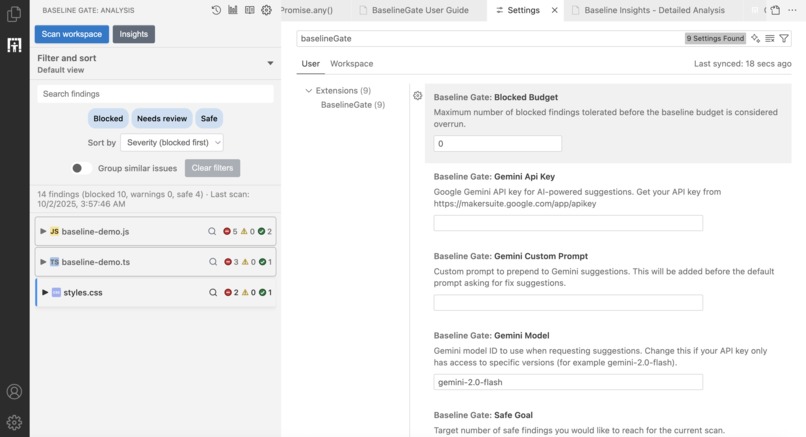
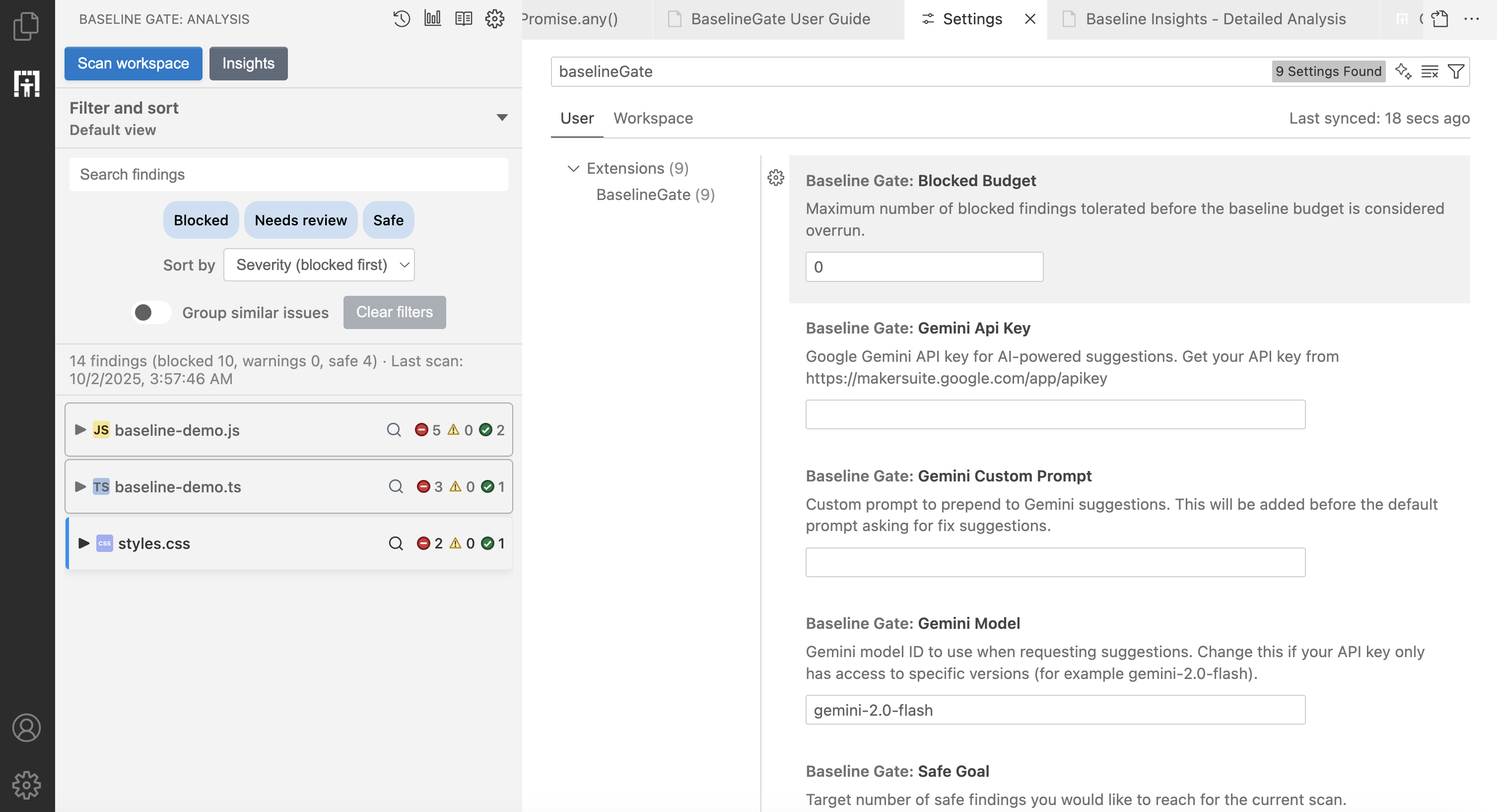
Settings
-
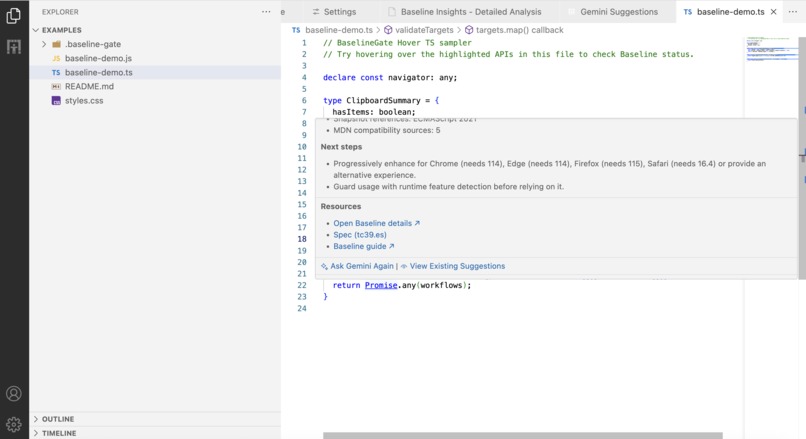
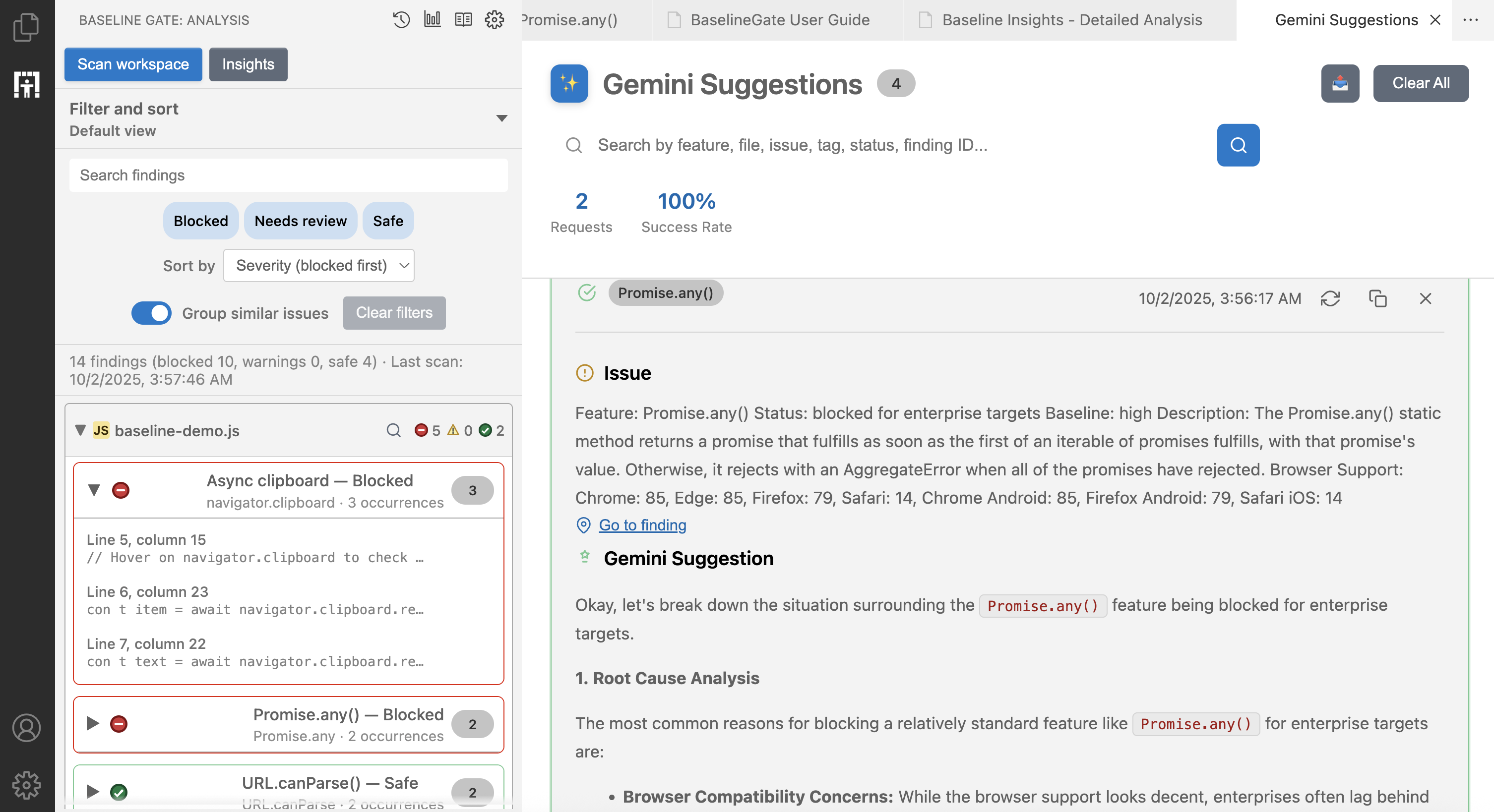
View Gemini Suggestions as a result of LLM prompt
-
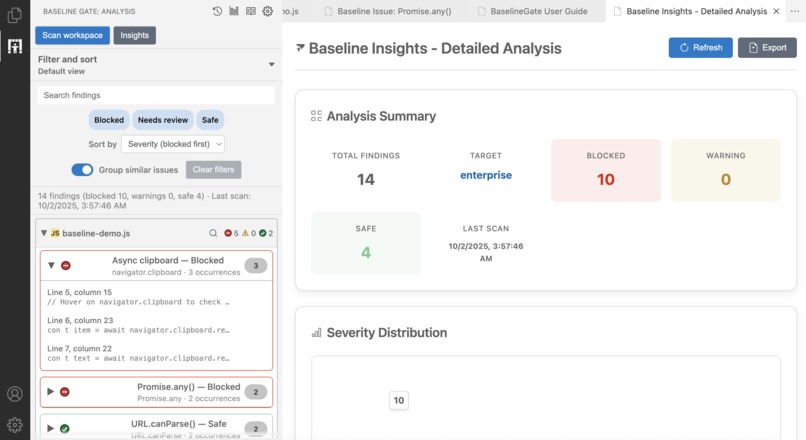
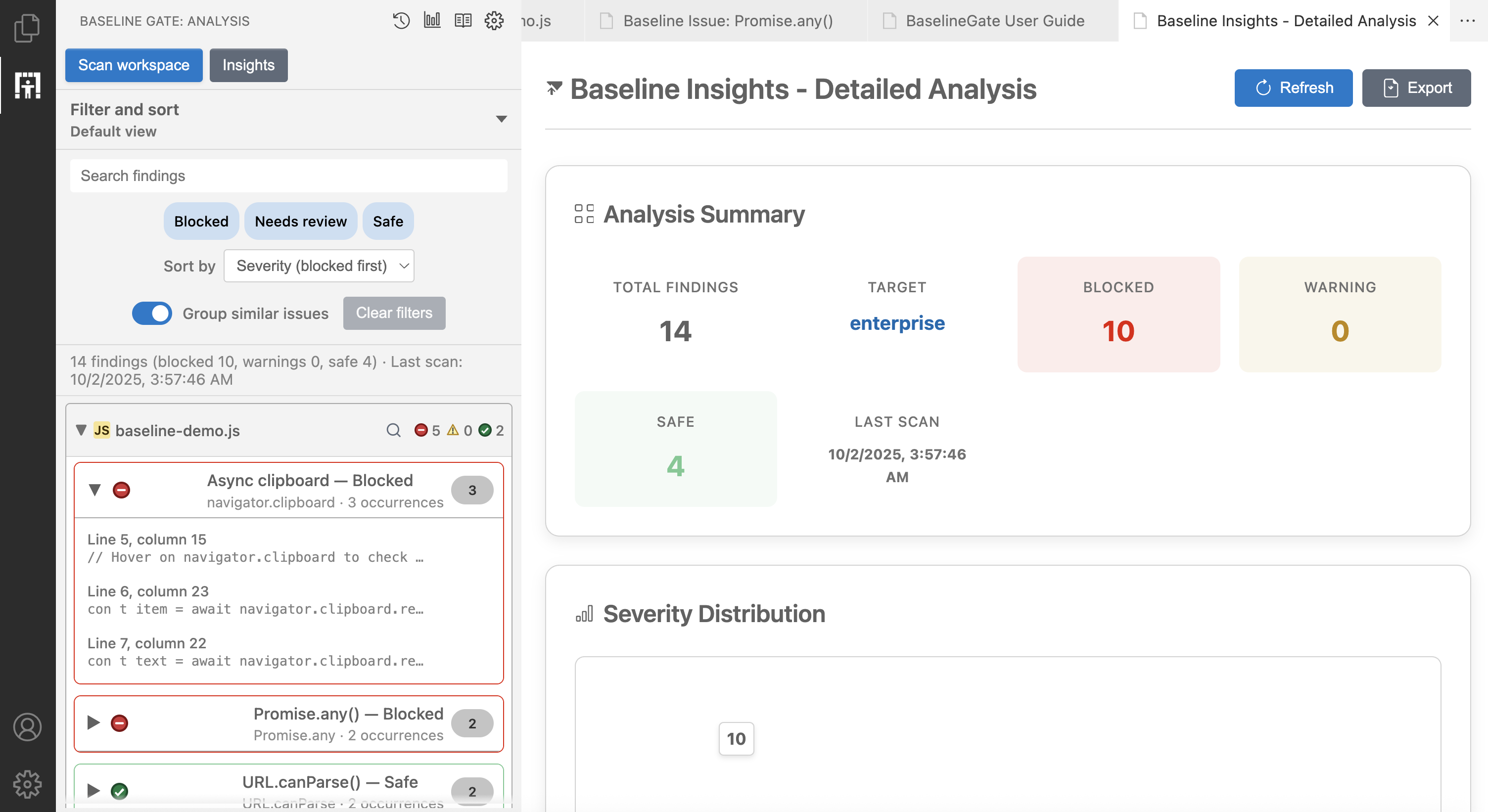
Baseline Insights - Detailed Analysis
-
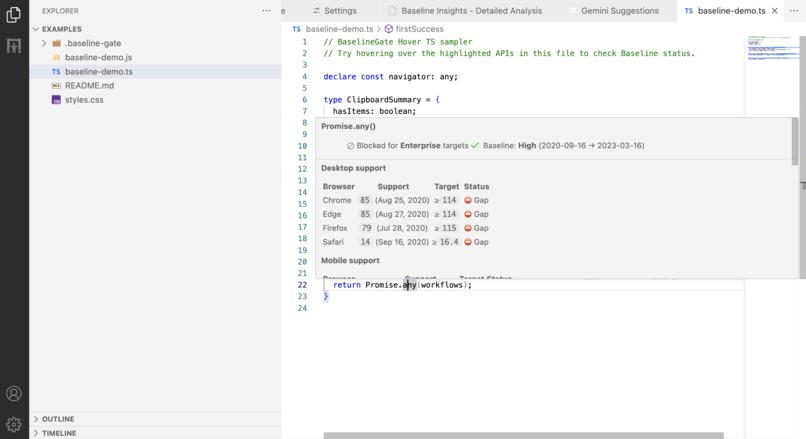
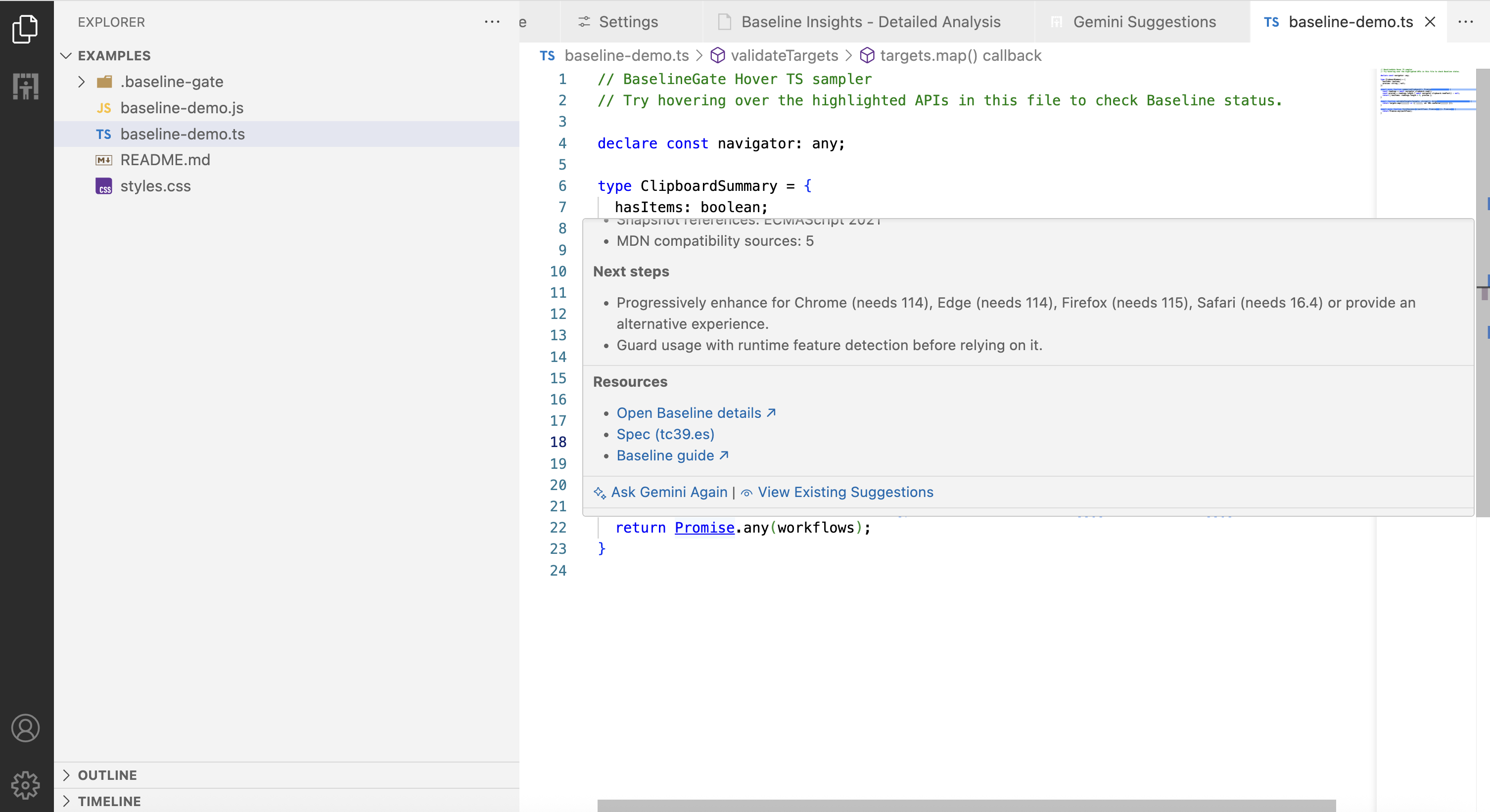
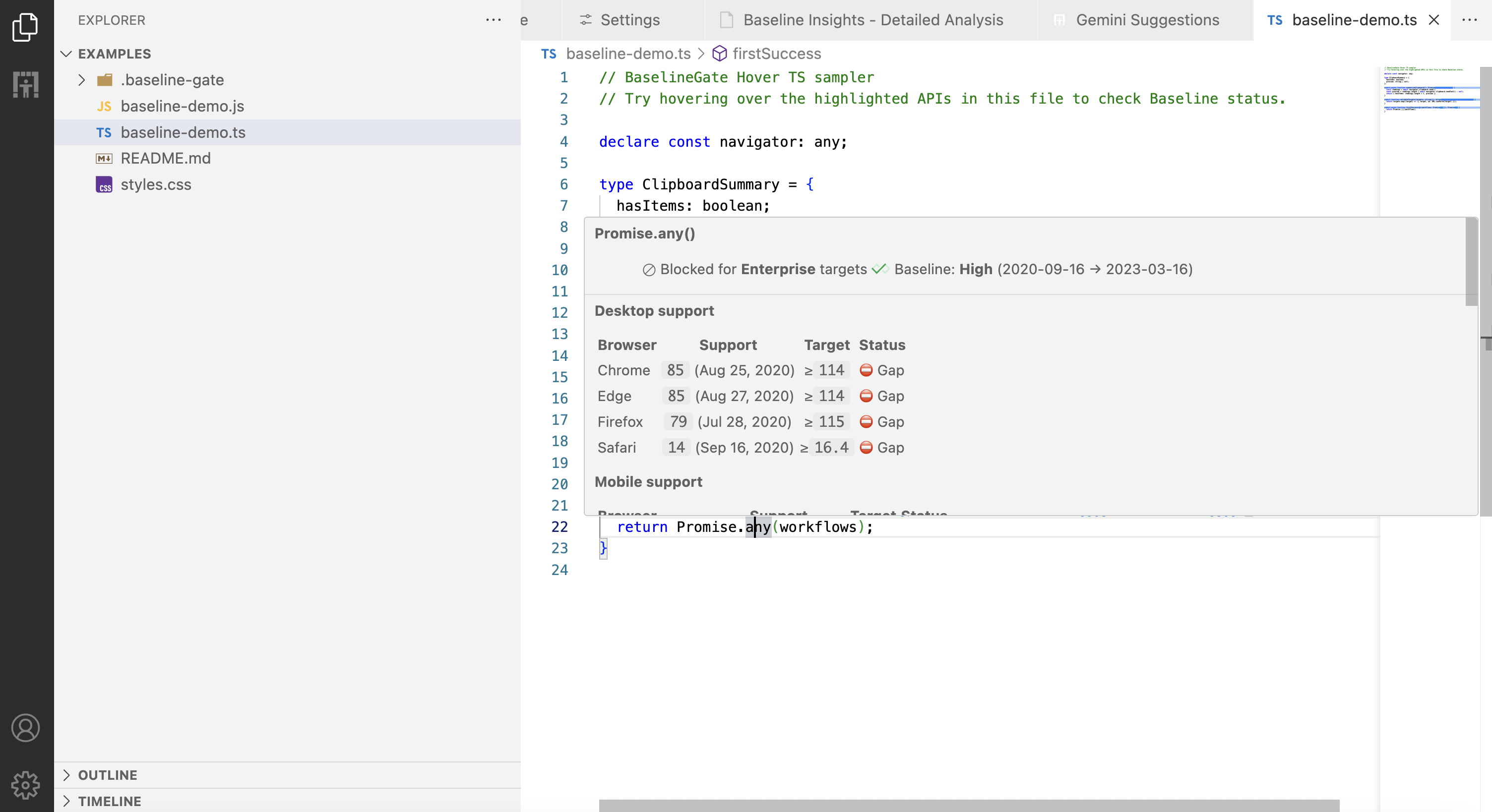
Hovering over a code and get insights
-
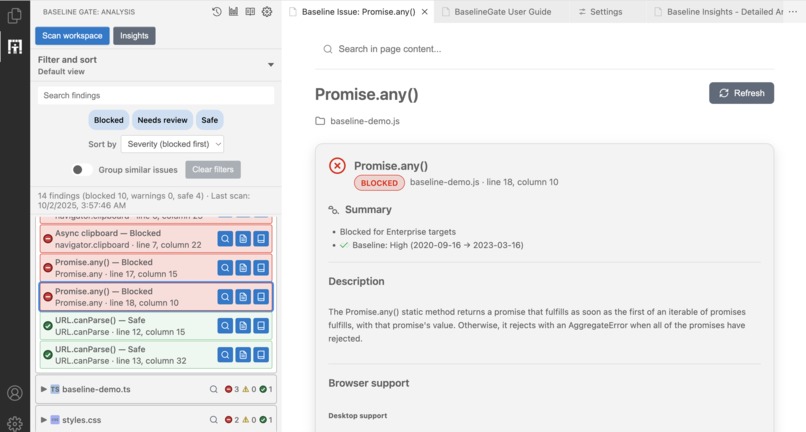
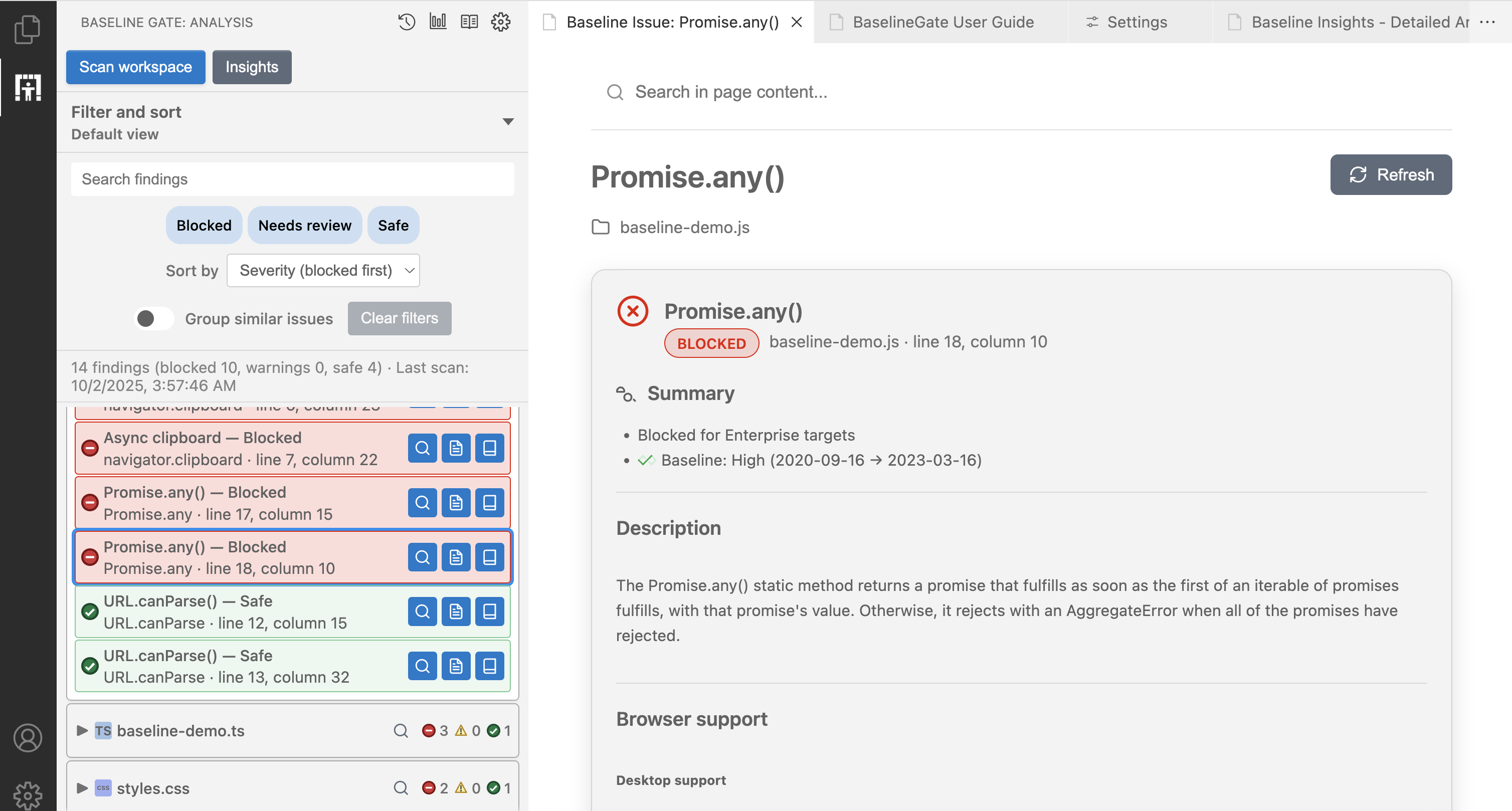
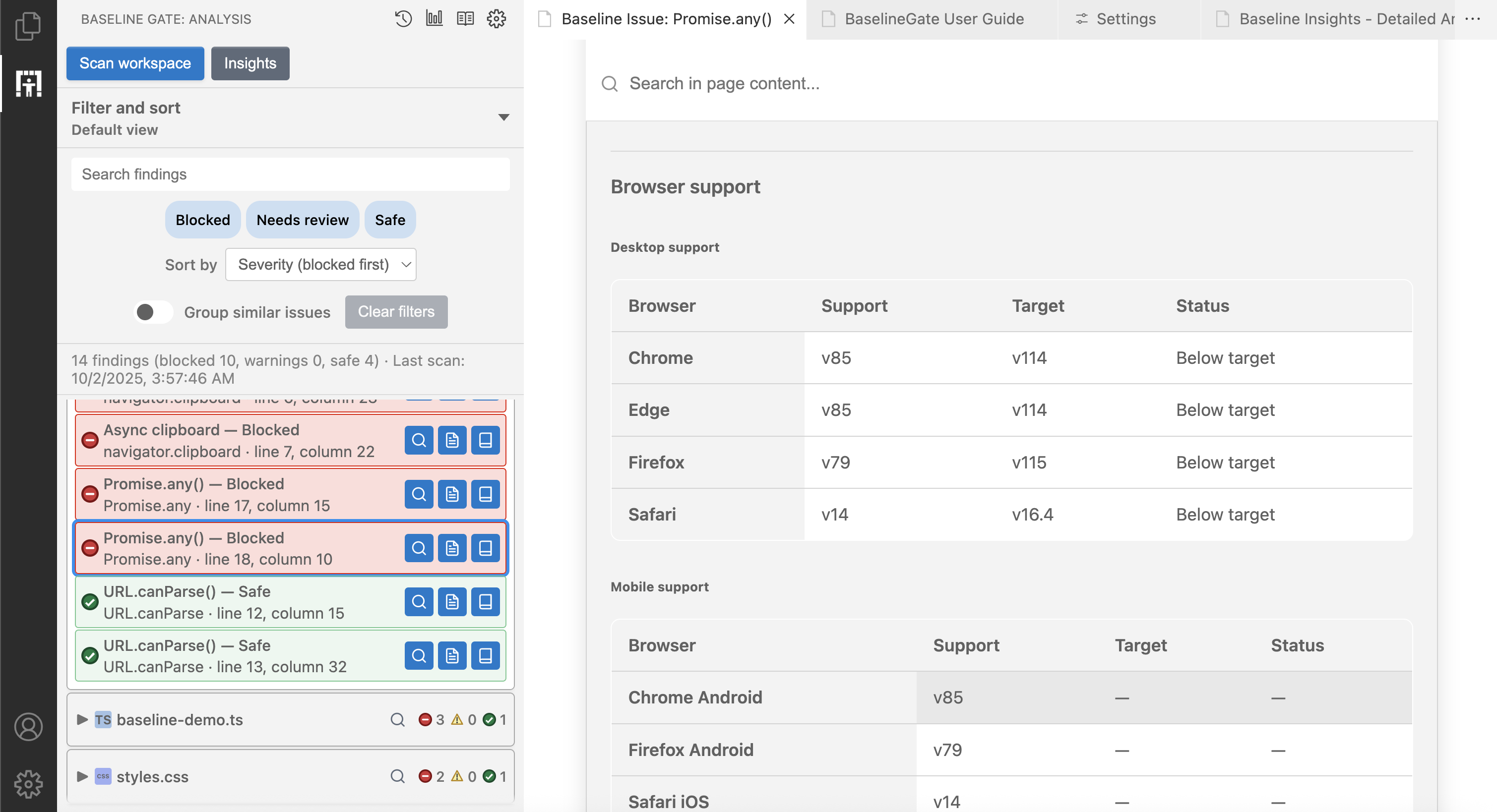
Detail View of Findings
-
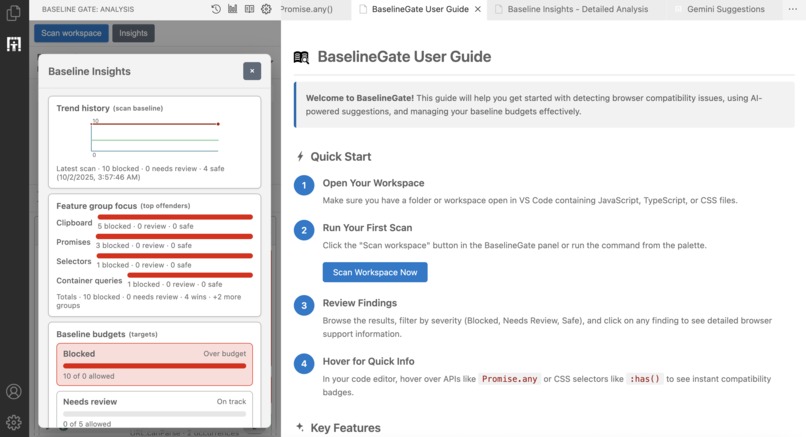
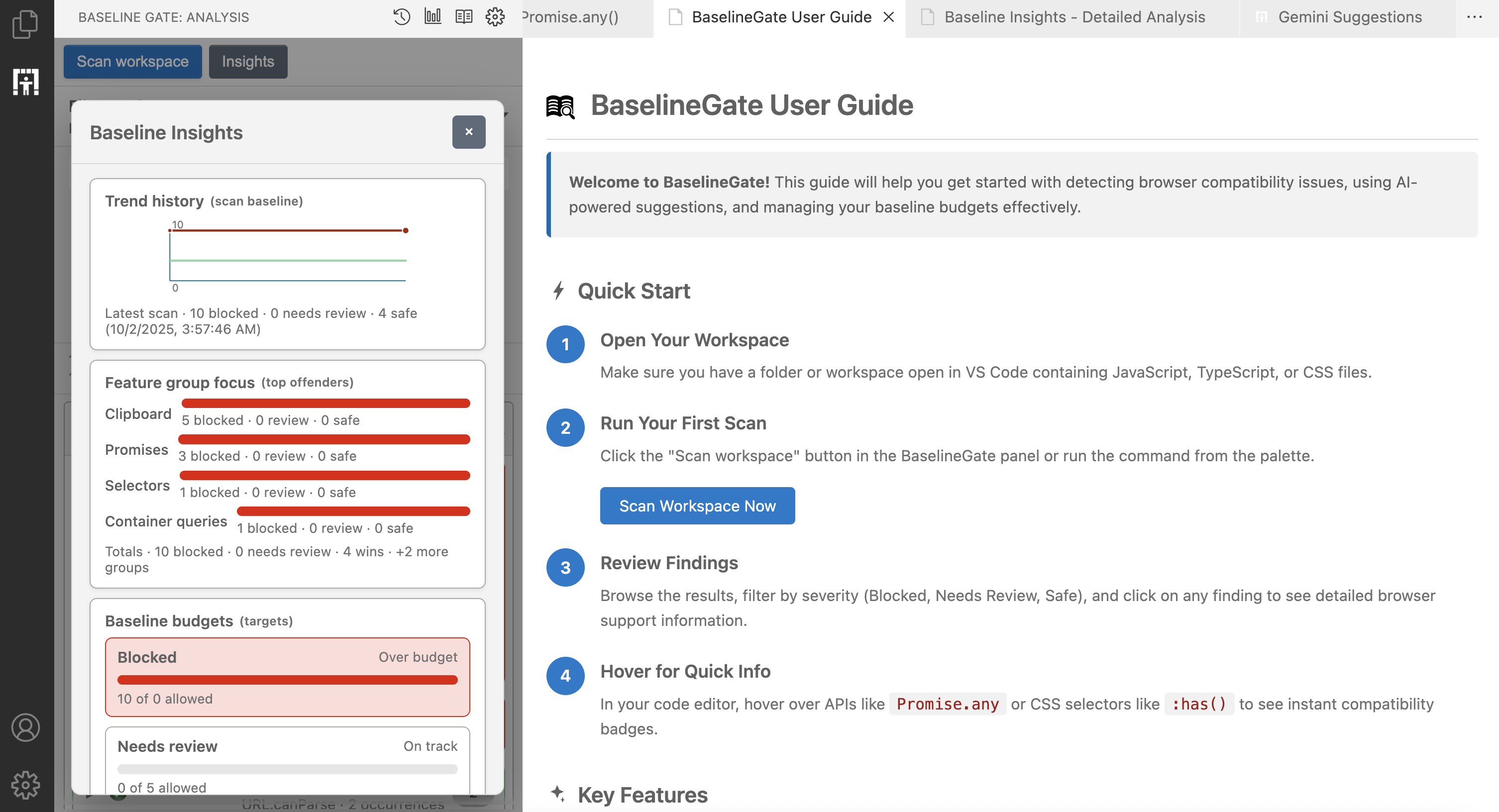
Baseline Insights & User Guidance
-
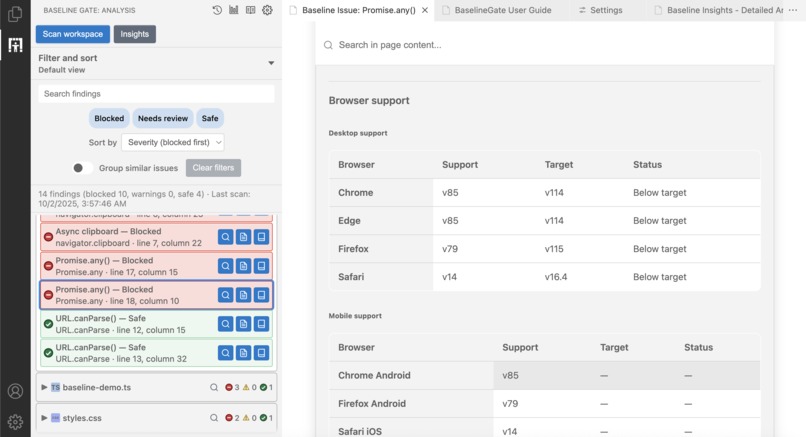
Browser Support for both desktop and mobile
-
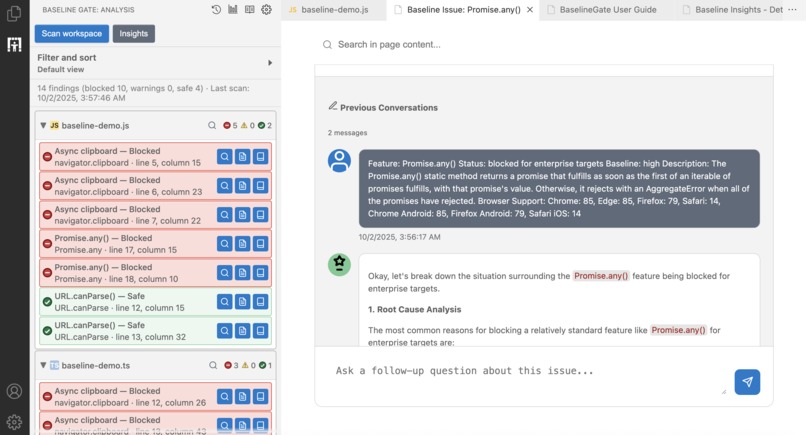
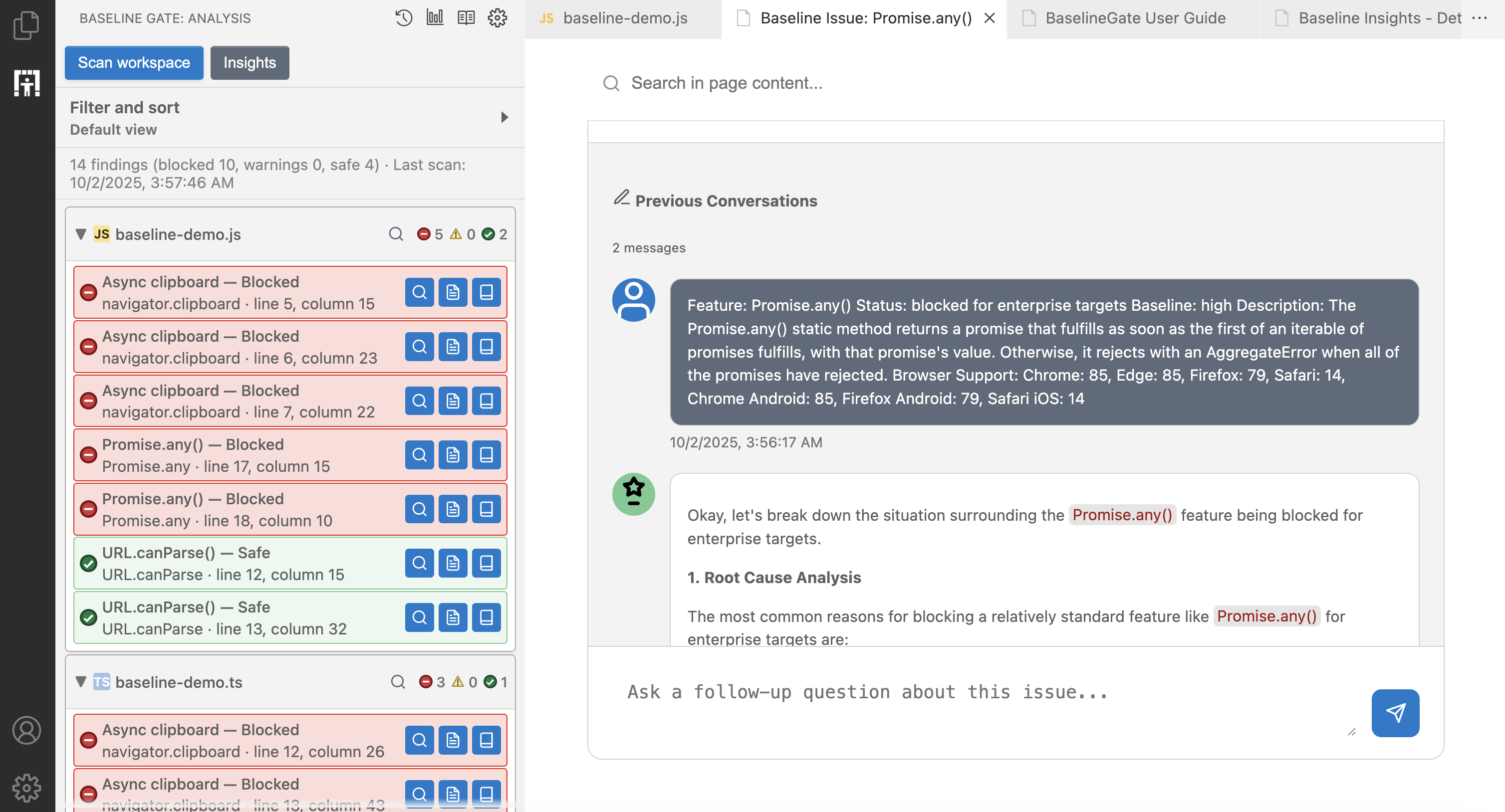
Scan view and previous conversations
-
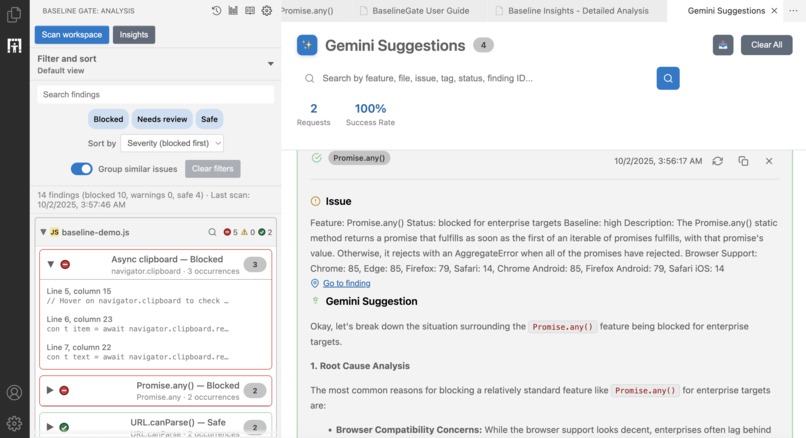
Gemini Suggestions History
Inspiration
Every web developer knows this pain: you’re in flow, reviewing code, and suddenly you hit a question:
“Is this CSS property safe for production?”
“Will this API work for enterprise users?”
That moment kills momentum. You alt-tab into MDN, skim web.dev, dig through release notes… and ten minutes later you’re back in the editor, already out of the zone.
BaselineGate was born to stop that. The Baseline initiative gave us the data, but it was scattered across docs. I wanted instant answers, right inside VSCode. Over time, the idea grew into something bigger: not just personal shortcuts, but team-level intelligence, trend tracking, and even AI-powered guidance.
What it does
BaselineGate is my real-time compatibility co-pilot in VSCode. It doesn’t just annotate code, it gives teams visibility and control over web compatibility at scale.
- Instant context: Detects APIs, CSS properties, and at-rules as you type and shows Baseline verdicts with browser matrices directly on hover.
- Workspace intelligence: Scans entire projects, groups issues by severity, and lets you search, sort, and filter findings in a sidebar built for speed.
- Team budgets and progress: Tracks blocked, warning, and safe features over time, visualised in an Insights overlay with history and top offenders.
- Deep analysis: A dashboard view with pivotable tables, severity badges, filters, and CSV/JSON export so leads can share reports without leaving VSCode.
- AI fixes: Gemini integration for contextual fixes, threaded discussions per finding, and a full-page console for debugging sessions, all tailored with custom prompts.
- Persistence and safety: Findings, filters, and conversations are stored in a
.baseline-gate/workspace folder with commands for reset, wipe, or export.
How I built it
I developed BaselineGate in four sprints, each raising the bar:
- Core Foundation – Integrated the web-features dataset, normalized quirks, and created scoring logic for modern vs enterprise browser targets.
- Developer Experience – Built hover providers, an analysis sidebar, quick filters, and an Insights overlay for one-glance health checks.
- AI Intelligence – Embedded Gemini with smart prompts, custom hooks, and persistent threaded history for richer AI guidance.
- Production Readiness – Added dashboards, data exports, reset workflows, automated tests, linting, bundling, and CI/CD pipelines for reliability.
Challenges I ran into
- Dataset drift: Upstream schema changes threatened accuracy, so I built schema guards, fallbacks, and defensive parsing.
- Performance: Scanning big repos without freezing the editor required incremental caching and diff-based updates.
- State sync: Keeping hovers, panels, and AI threads consistent meant designing a central contract and message bus.
- AI quality: Preventing generic answers required enriched prompts with metadata and severity context.
- Trust and safety: Reset, export, and destructive actions demanded confirmations and post-action feedback to build user confidence.
Accomplishments I’m proud of
- Delivered a seamless flow: from discovering issues to triaging and fixing them, all inside VSCode.
- Built dual analytics: a quick overlay for snapshots and a full dashboard for deep dives.
- Designed an AI integration that respects user context, supports overrides, and retains threaded history.
- Established a production-ready TypeScript codebase with testing, linting, and CI/CD, rare polish for a hackathon project.
What I learned
- How to craft responsive, theme-aware VSCode webviews that persist state and remain accessible.
- How to wrangle large compatibility datasets into real-time editor experiences without latency.
- How to align configuration (targets, budgets, toggles) with live UI signals for instant feedback.
- How to push prompt engineering beyond chat: structured context, guardrails, and safe resets.
What’s next
- Support multiple AI providers so teams can use their own LLMs or on-prem models.
- Team-wide features: shared budgets, synced dashboards, and compatibility reports.
- Historical baselines with regression alerts and automatic notifications in Slack or Teams.
- Ports to other IDEs, because compatibility shouldn’t be VSCode-only.
BaselineGate turns compatibility from a constant distraction into a real-time signal and a team-wide strategy tool.
It’s not just about catching browser issues, it’s about keeping developers in flow and giving teams confidence that what they ship will work everywhere.

Log in or sign up for Devpost to join the conversation.