-
-
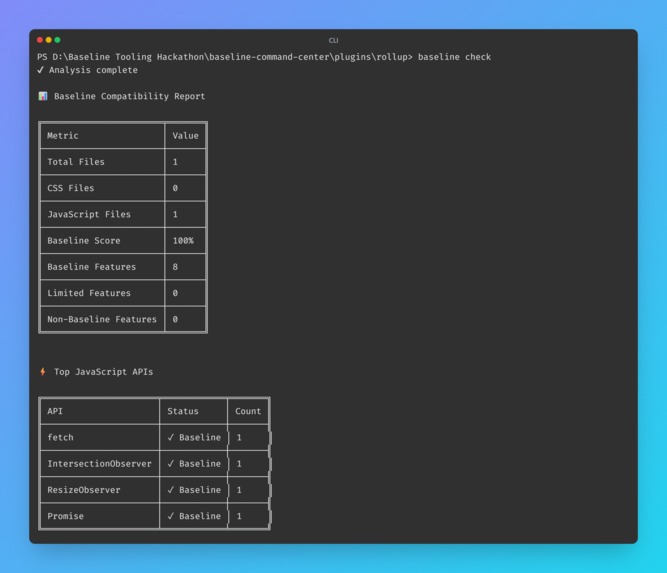
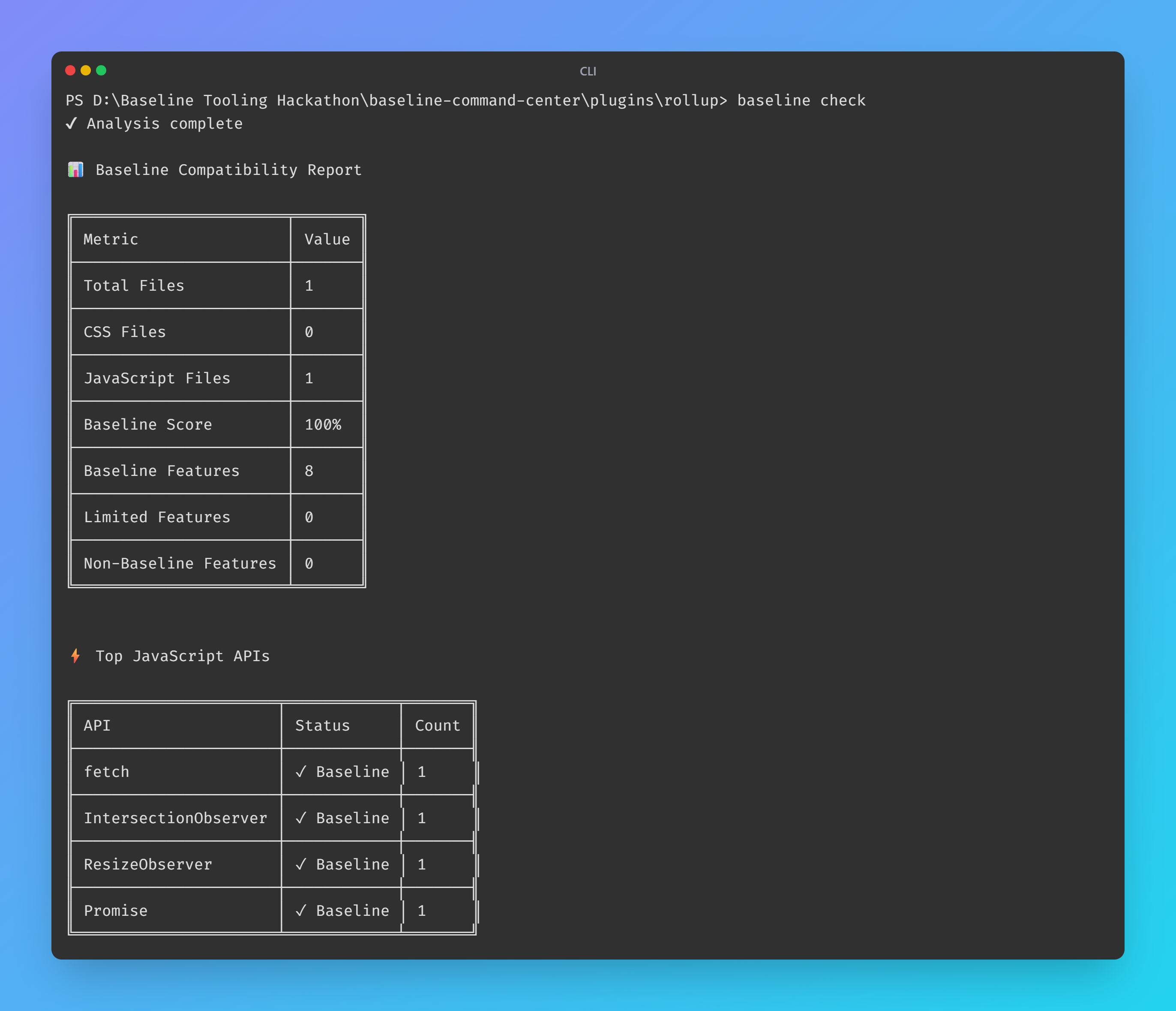
Our CLI tool in Action
-
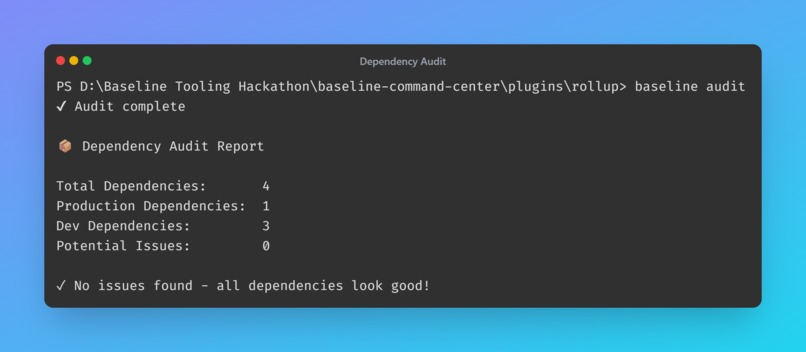
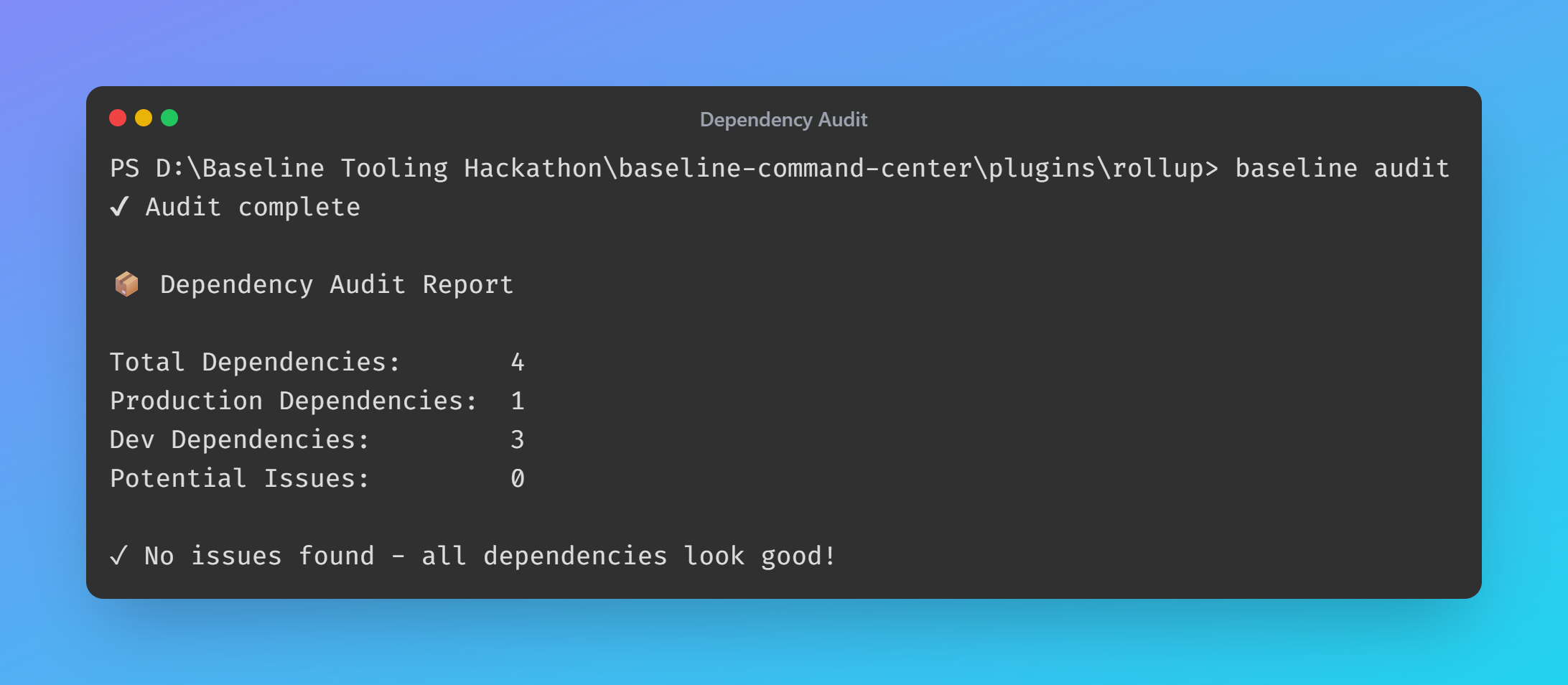
CLI tool auditing the dependency
-
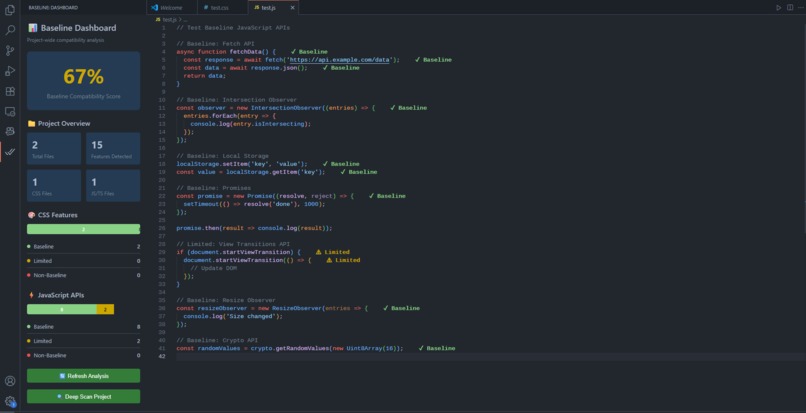
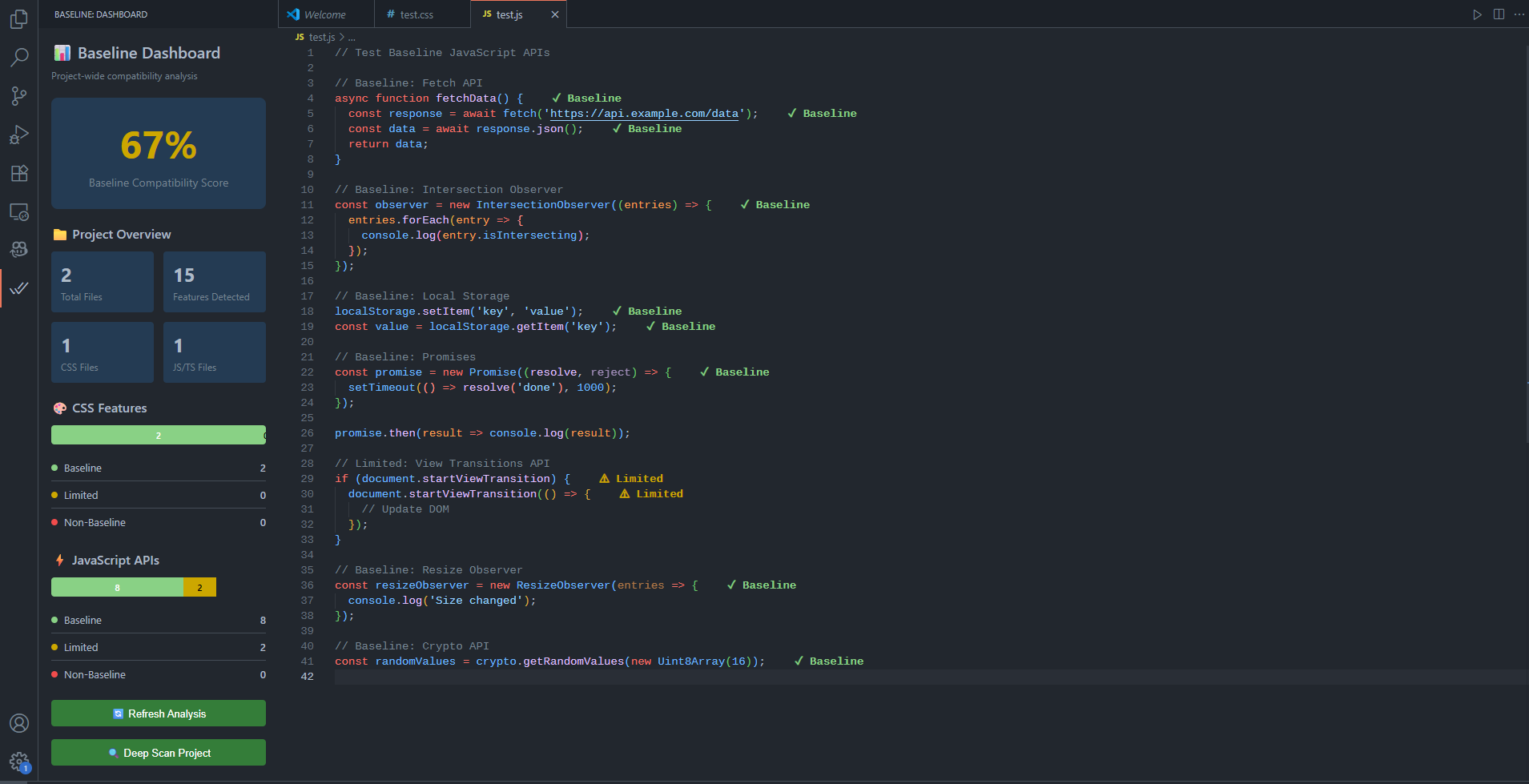
Dashboard and inline indicators of Baseline
-
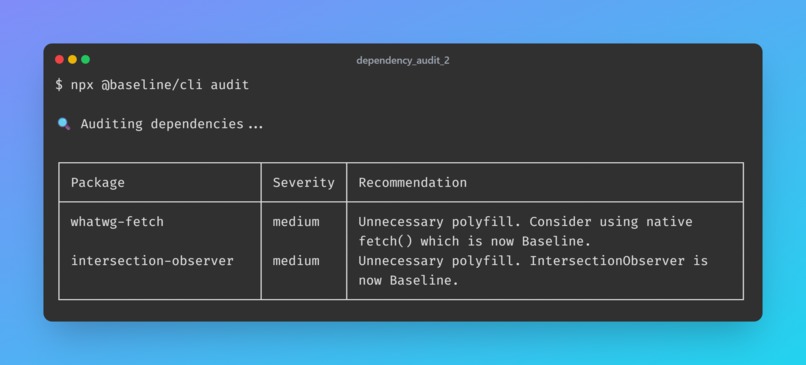
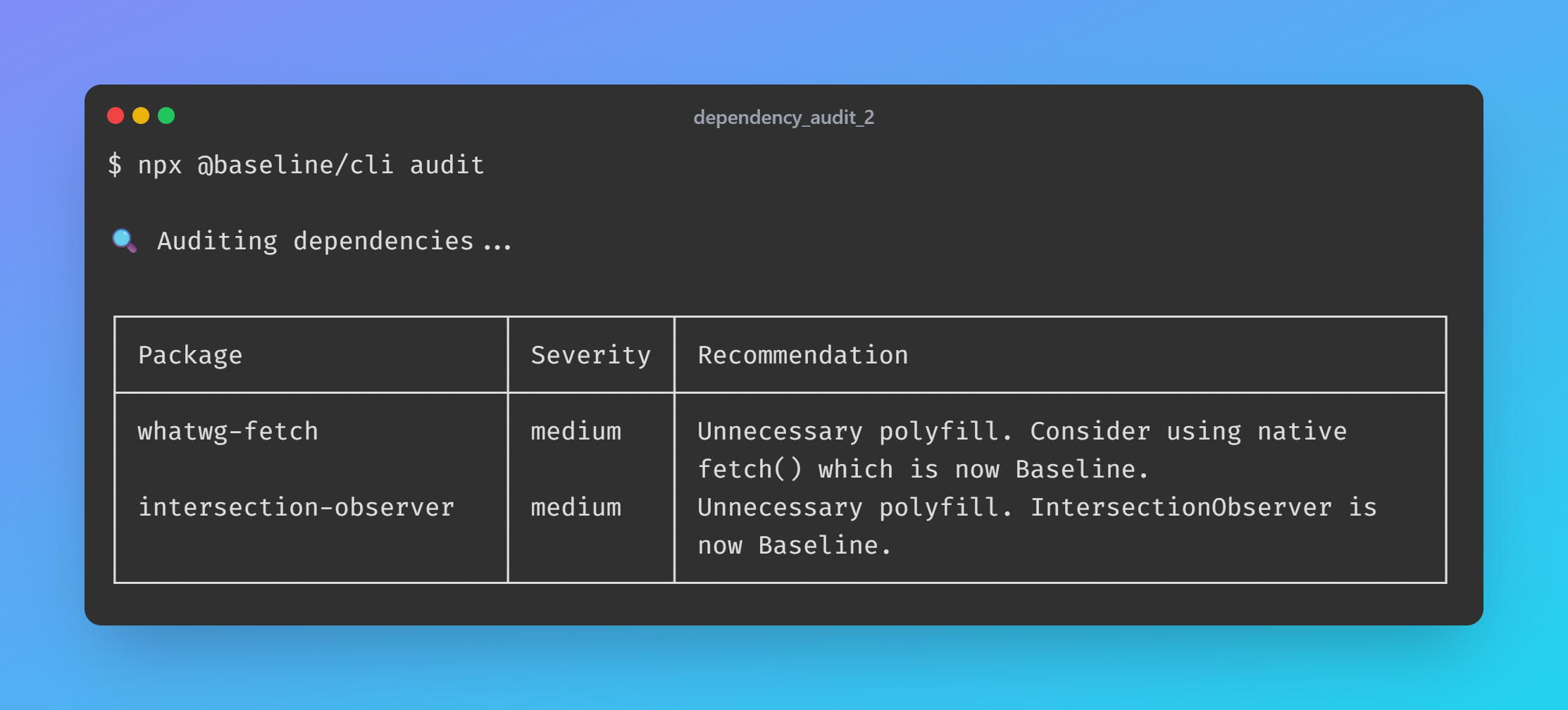
More dependency auditing
Inspiration
The project was inspired by the common developer frustration of constantly context-switching to check browser compatibility on sites like MDN or Can I Use. The "Baseline" initiative provides a clear standard for modern, widely-supported web features. We wanted to bring this compatibility awareness directly into the developer's workflow, making it effortless to build robust, future-proof applications without leaving the editor.
What it does
Baseline Command Center is an integrated toolkit that provides real-time web platform compatibility awareness. It consists of:
- A VS Code Extension: Offers instant feedback as you code. It highlights CSS properties and JavaScript APIs that aren't part of the Baseline feature set, provides rich hover tooltips with browser support data and code examples, and includes a project-wide analytics dashboard to visualize your overall compatibility score.
- A CLI Tool: The
@baseline/clipackage allows for project-wide analysis, ideal for CI/CD pipelines. It can generate reports, enforce compatibility thresholds, and includes a dependency auditor to check your package.json for outdated polyfills or libraries that could be replaced with native Baseline features. - Build Tool Plugins: We provide plugins for Webpack, Vite, and Rollup to integrate compatibility checks directly into your build process, ensuring that no non-compliant code makes it to production.
How we built it
The project is a TypeScript monorepo structured to share core logic across its different tools.
- Data Core: A central
BaselineDataProviderclass fetches, parses, and caches data from theweb-featuresnpm package. This provides a single source of truth for all compatibility information. - VS Code Extension: Built using the VS Code API, it leverages
postcssfor robust CSS parsing and a custom parser for JavaScript. It uses decorations for inline feedback and webviews for the dashboard. - CLI: The command-line interface is built with
commander.jsand useschalkfor formatted output. TheProjectAnalyzercontains the logic for scanning and evaluating files. - Plugins: The Webpack, Vite, and Rollup plugins hook into each bundler's respective build lifecycle to analyze assets and report findings, reusing the same core analysis logic.
Challenges we ran into
- Performance: Analyzing code in real-time without slowing down the editor was a major challenge. We implemented debouncing for analysis triggers and optimized the project-wide scan in the dashboard to analyze a subset of files initially to maintain UI responsiveness.
- Accurate JS Parsing: While
postcssmade CSS analysis straightforward, accurately detecting the myriad ways JavaScript APIs can be called (e.g.,fetch,window.fetch, destructured methods) required building a resilient and intelligent parser. - Unified Tooling: Creating a consistent experience and sharing logic between the VS Code extension, the CLI, and three different build tool plugins was complex. The monorepo structure was essential but introduced its own set of challenges with build configurations and dependency management.
Accomplishments that we're proud of
We are proud of creating a comprehensive, end-to-end solution that addresses web compatibility at every stage of development. The integration of a real-time linter, a project-wide dashboard, a powerful CLI, and build tool plugins into one cohesive toolkit is a significant achievement. We're particularly proud of the dependency auditor, which goes beyond code analysis to provide actionable insights about a project's dependencies, helping teams modernize their stack and reduce bloat.
What we learned
This project was a deep dive into the developer tooling ecosystem. We learned a great deal about the VS Code API, from creating webview panels to implementing custom decorations. We gained experience building a robust CLI with commander.js and navigating the different plugin systems for major bundlers like Webpack, Vite, and Rollup. Most importantly, we learned how to architect a multi-package monorepo to create a unified and maintainable toolset.
What's next for Baseline Command Center
- Automated Code Fixes: Implement "quick fix" actions to automatically apply polyfills or suggest modern alternatives for non-Baseline features.
- Deeper Dependency Analysis: Enhance the
DependencyAuditorto scan the code of node_modules to find the exact non-Baseline APIs being used by a dependency. - Historical Tracking: Add functionality to the dashboard to track the project's Baseline score over time, showing progress as the codebase is modernized.
- Expanded Language Support: Add support for more frameworks and languages, such as Vue single-file components and Svelte.
Built With
- eslint
- mocha
- node.js
- rollup
- typescript
- vite

Log in or sign up for Devpost to join the conversation.