-
-
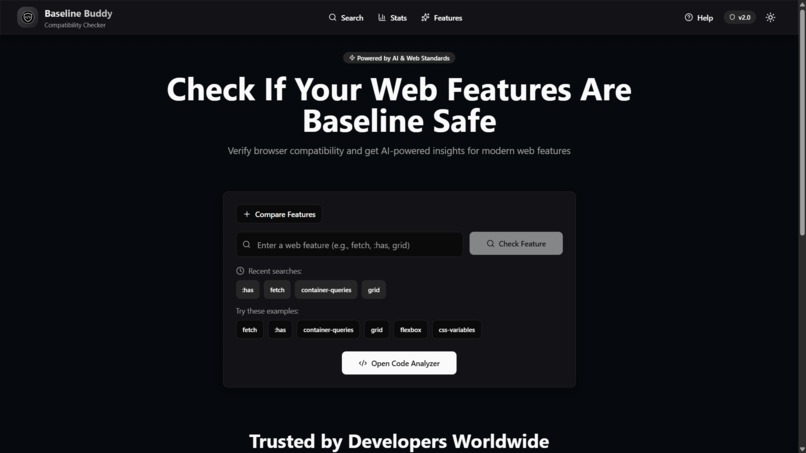
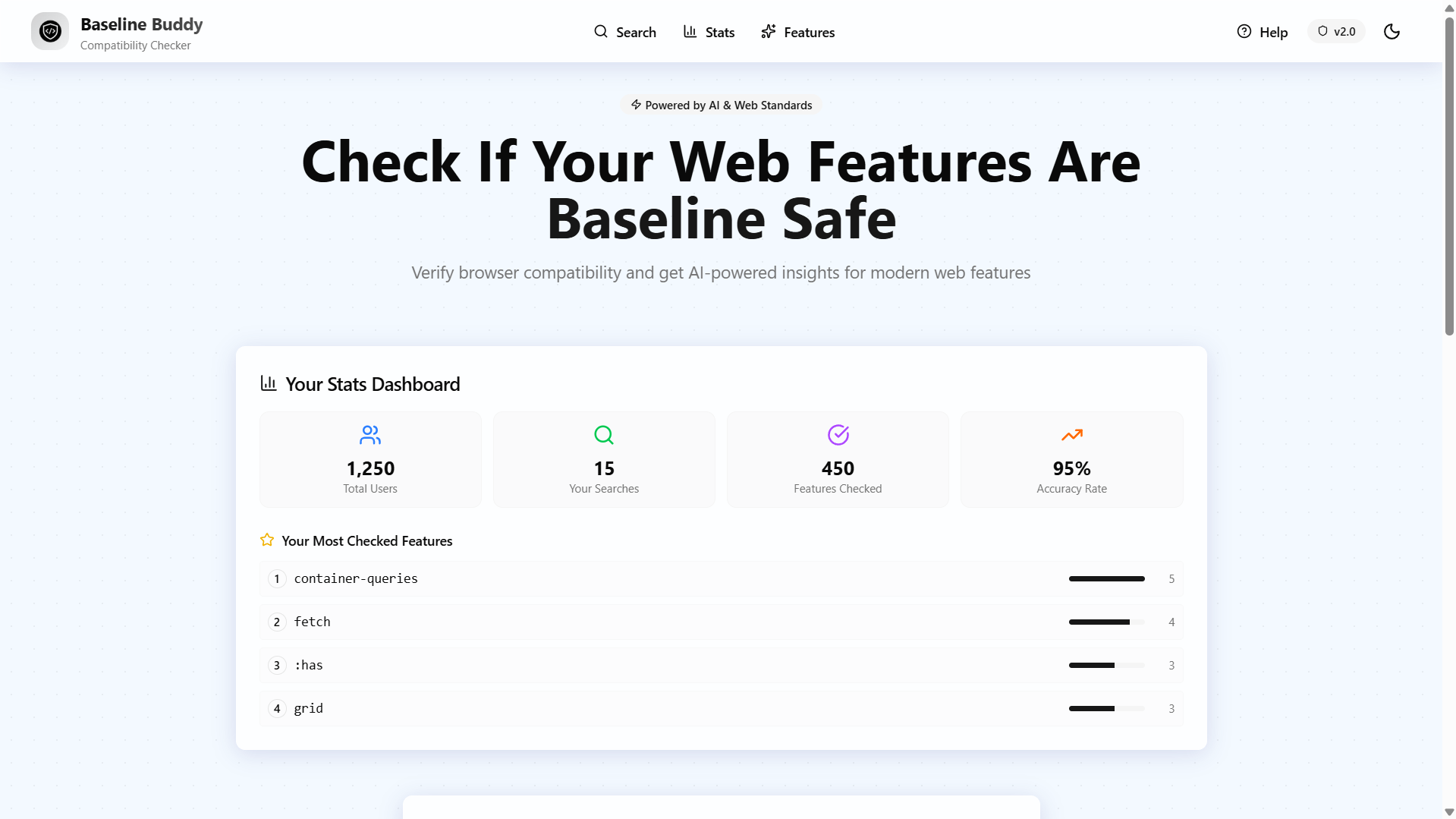
Landing Page
-
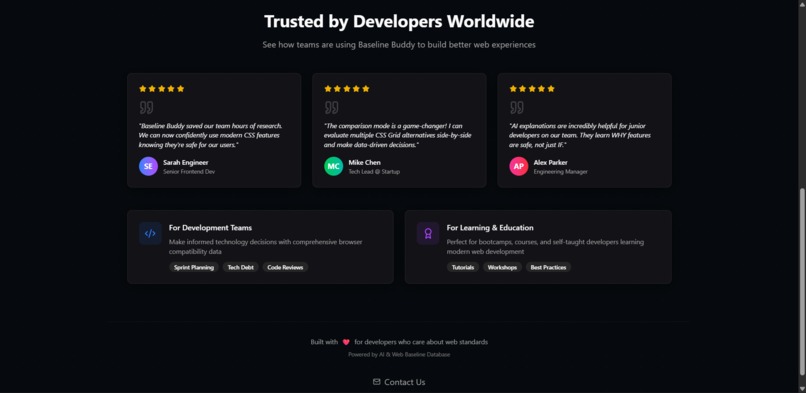
Features
-
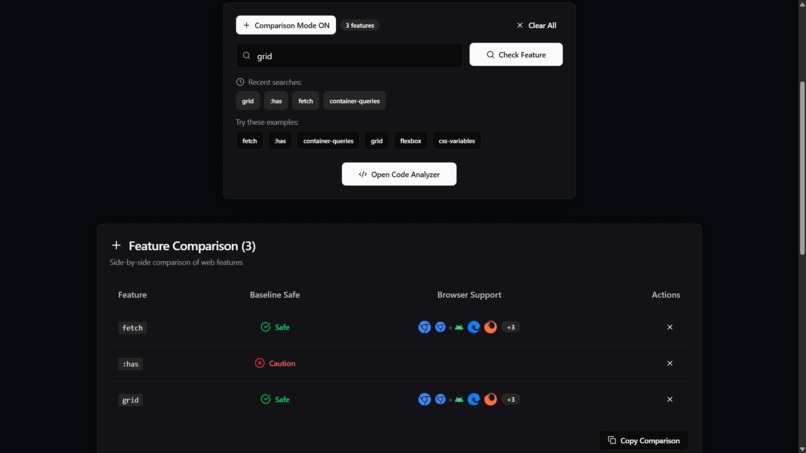
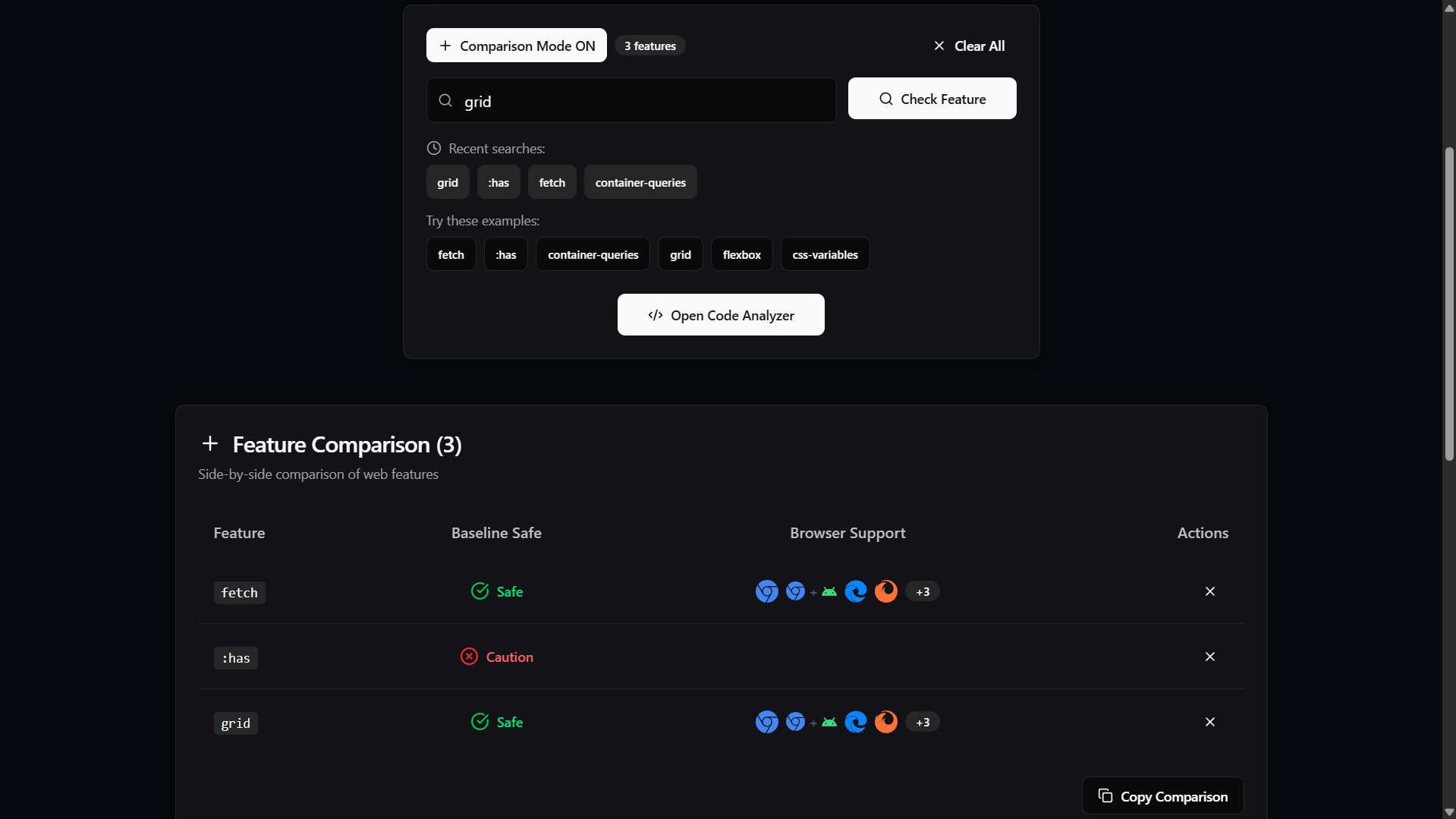
Comparison mode - checking multiple features at a time
-
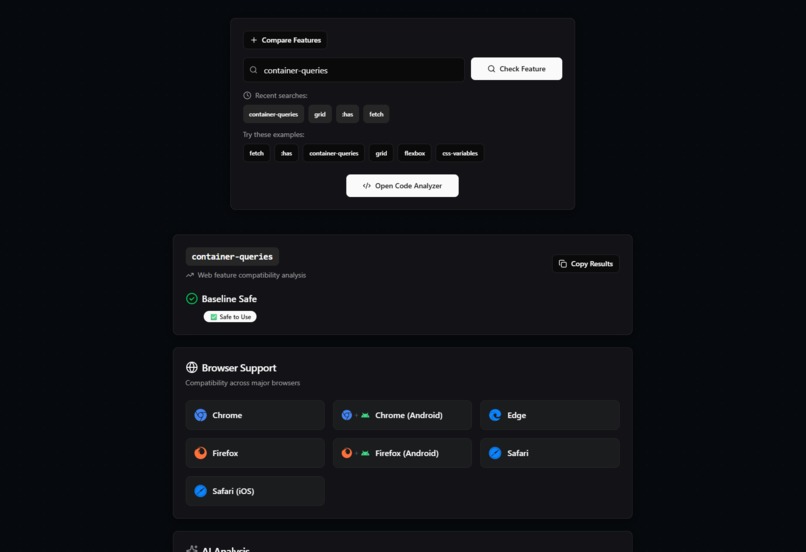
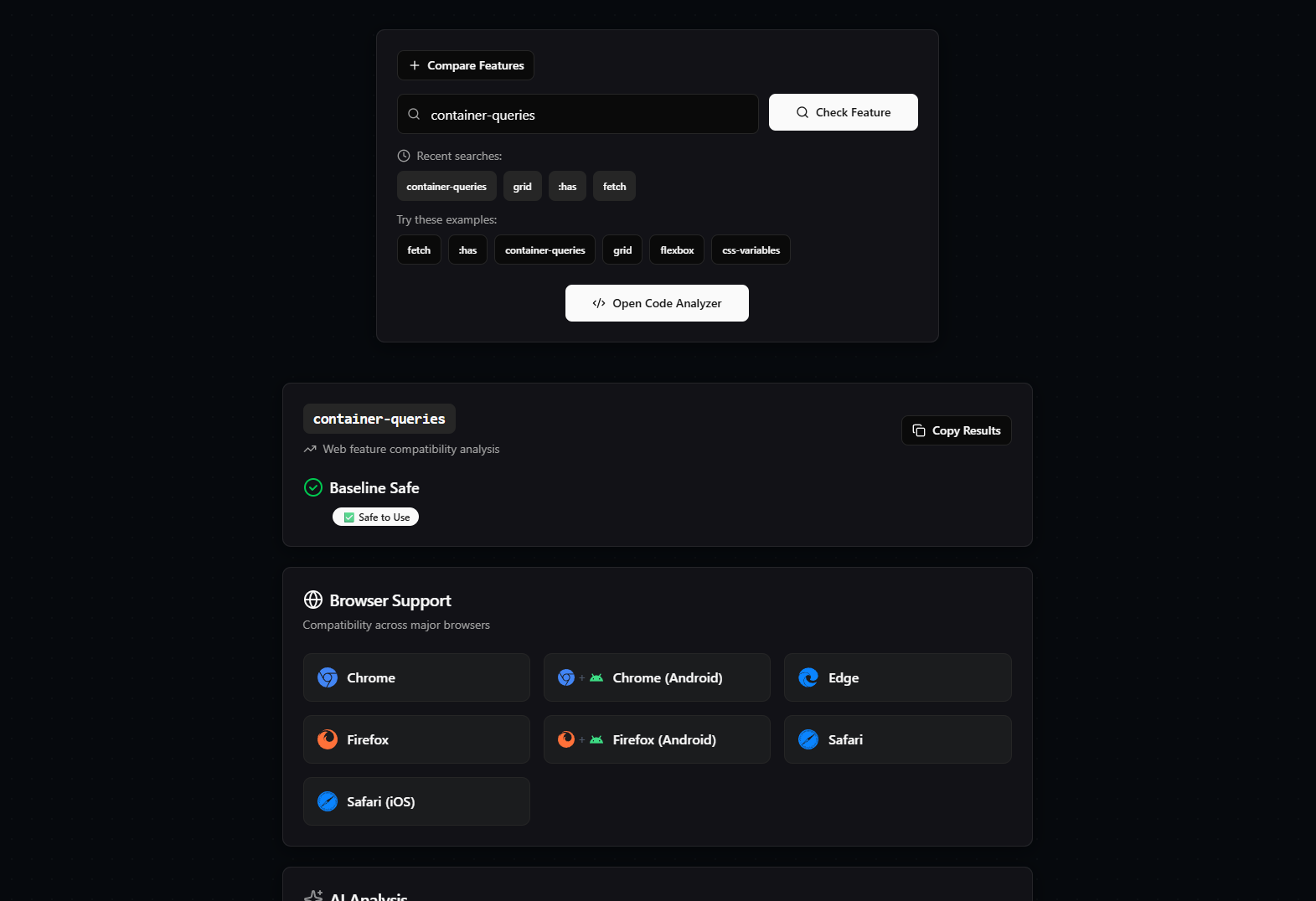
Full analysis of the feature part 1
-
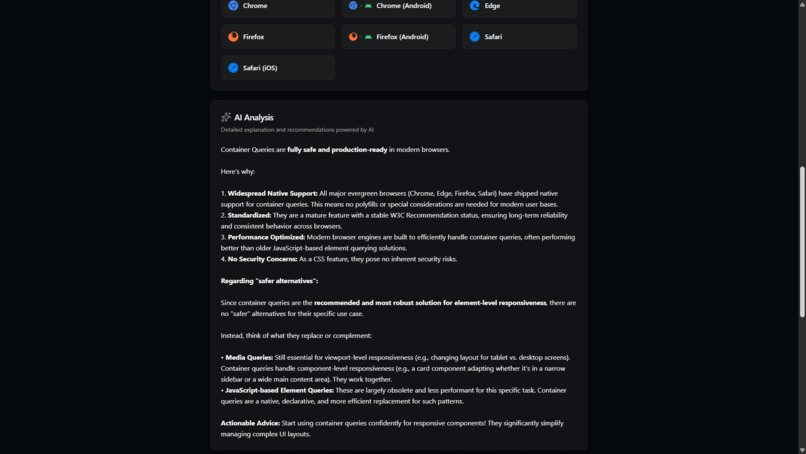
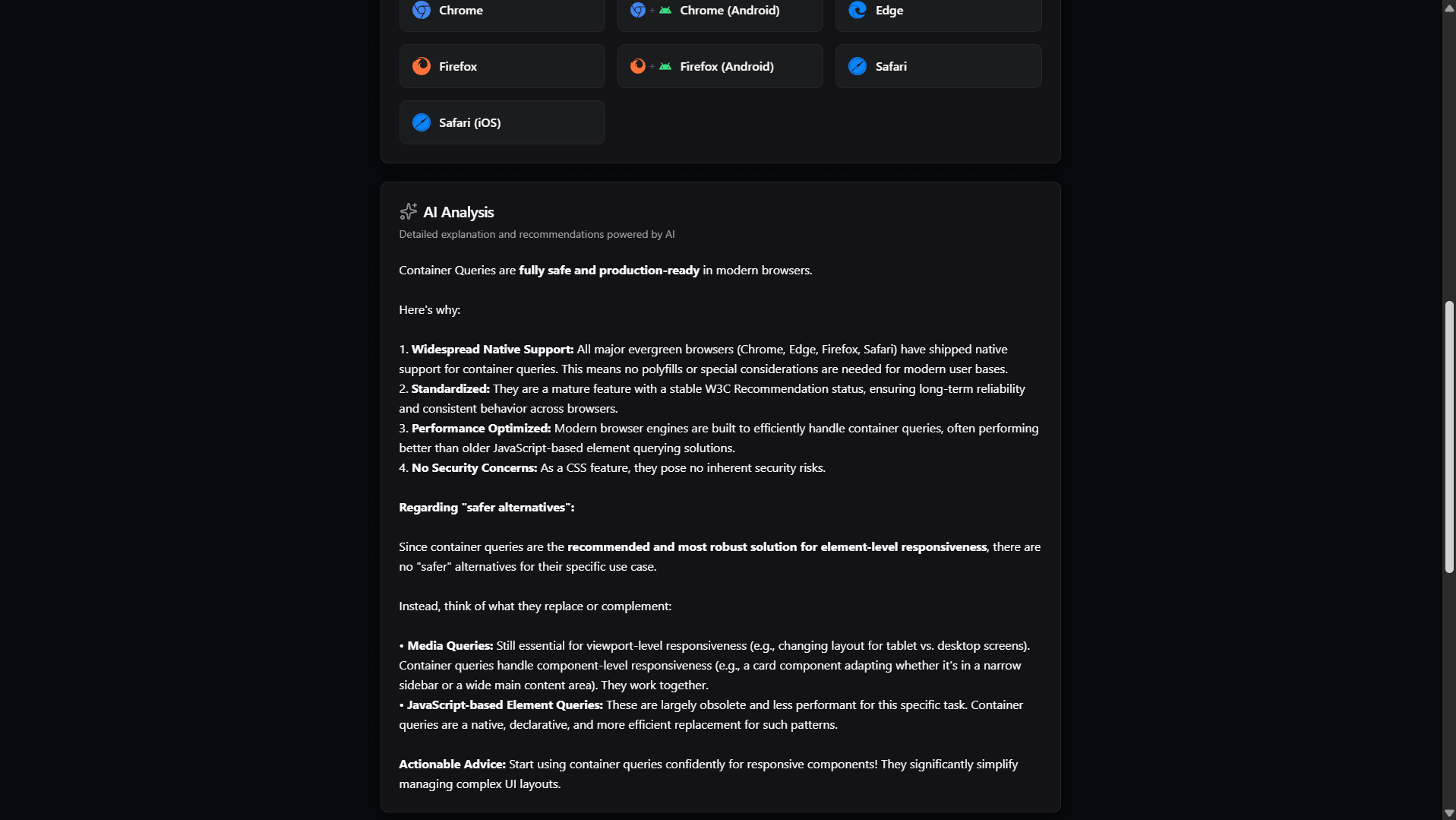
Full analysis of the feature part 2
-
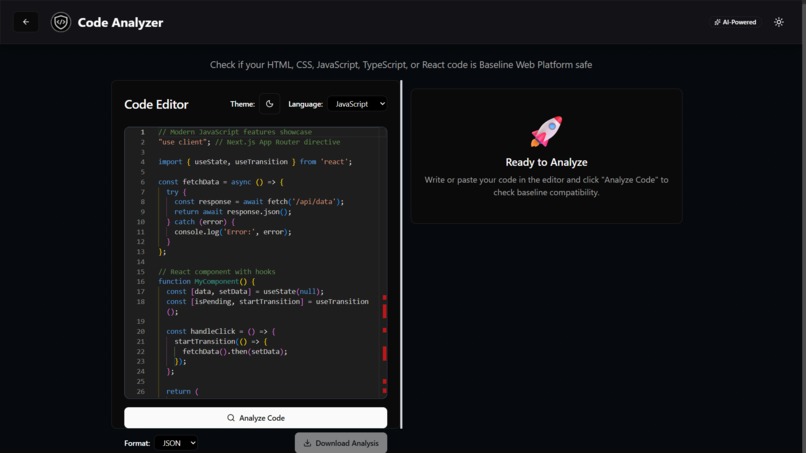
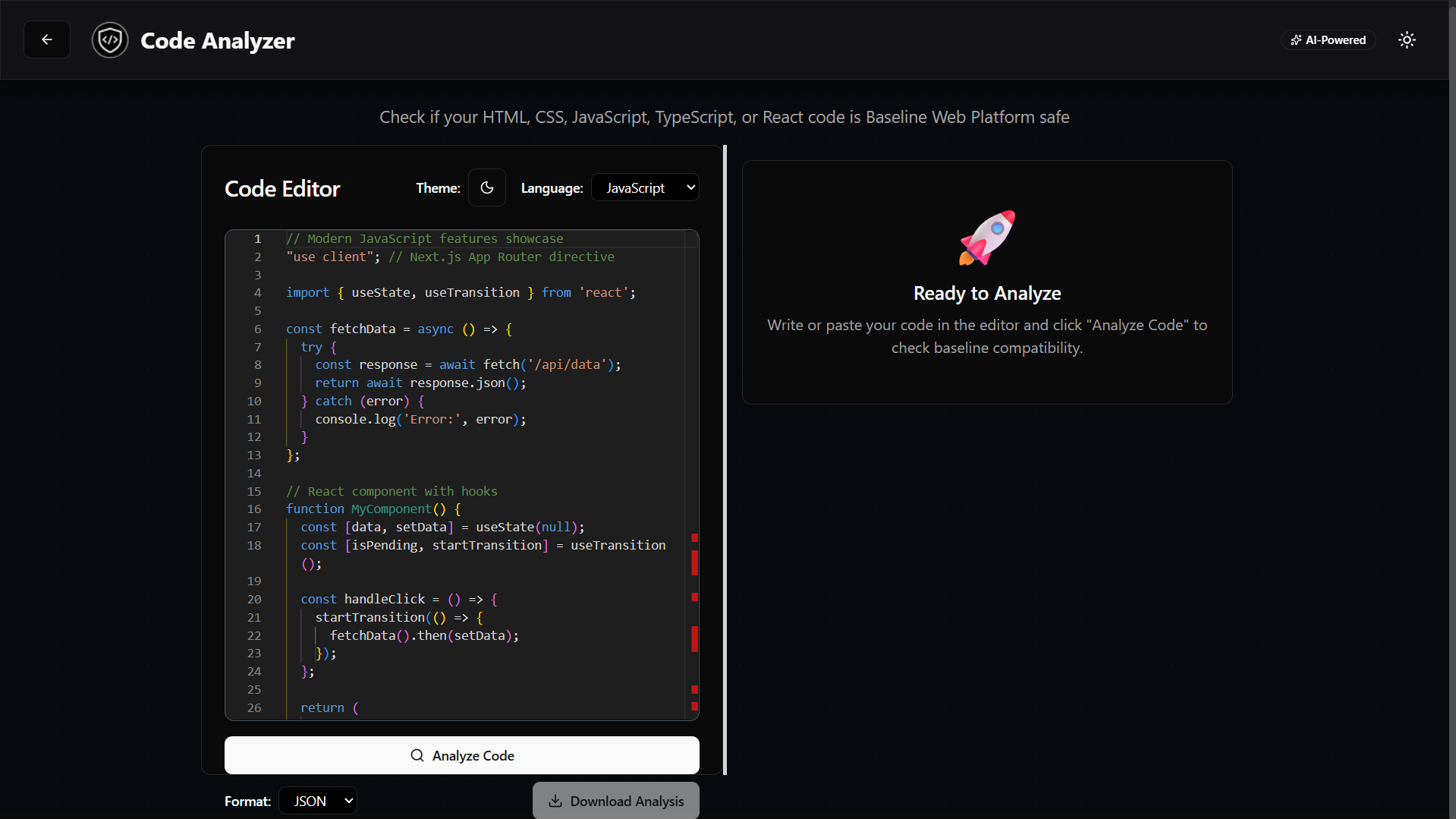
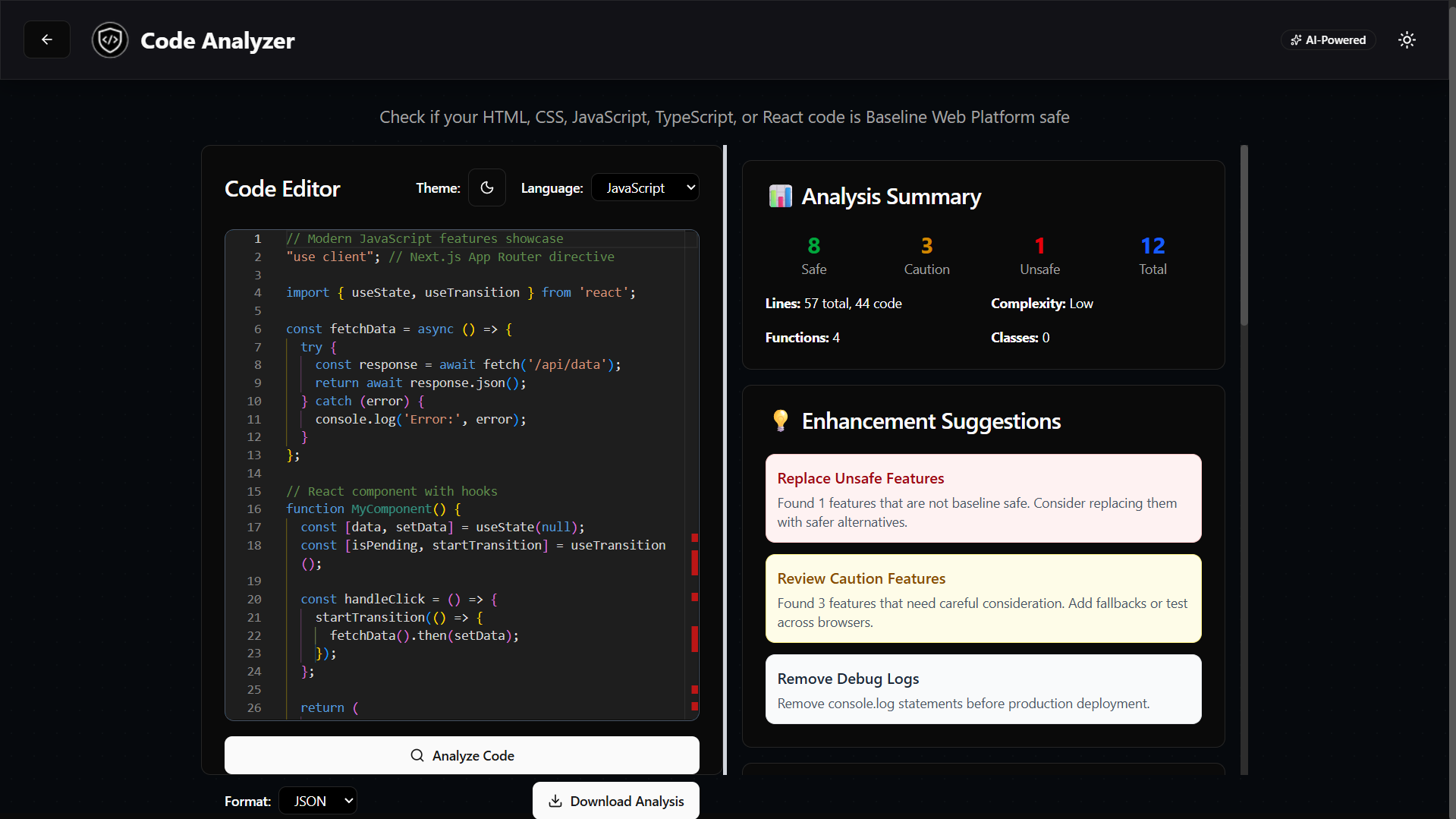
Code analyzer
-
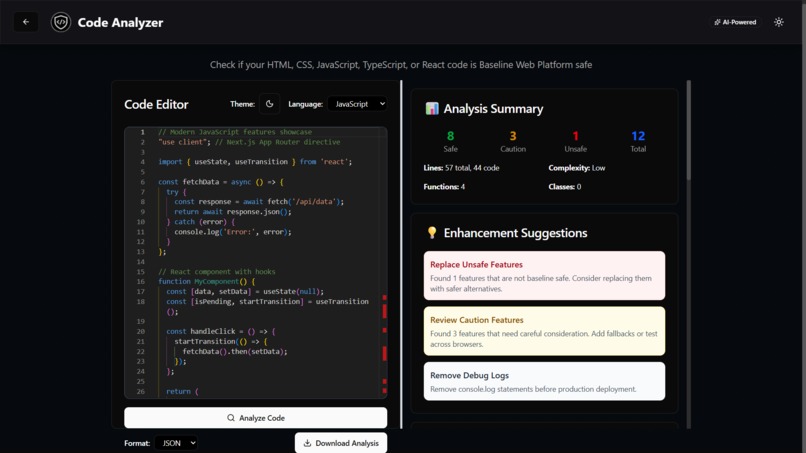
Code analyzer with summary and details along with the suggestions also
-
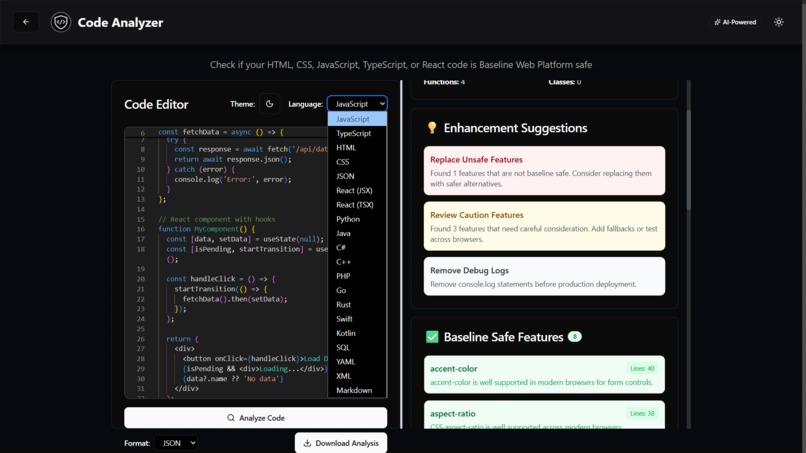
Multi language support
-
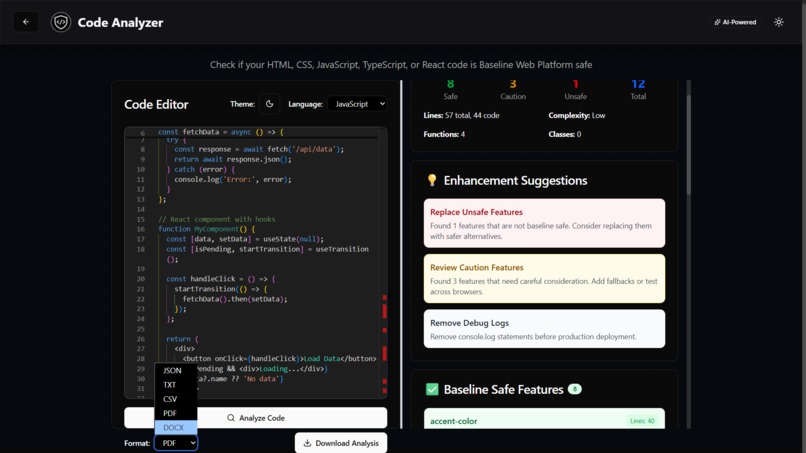
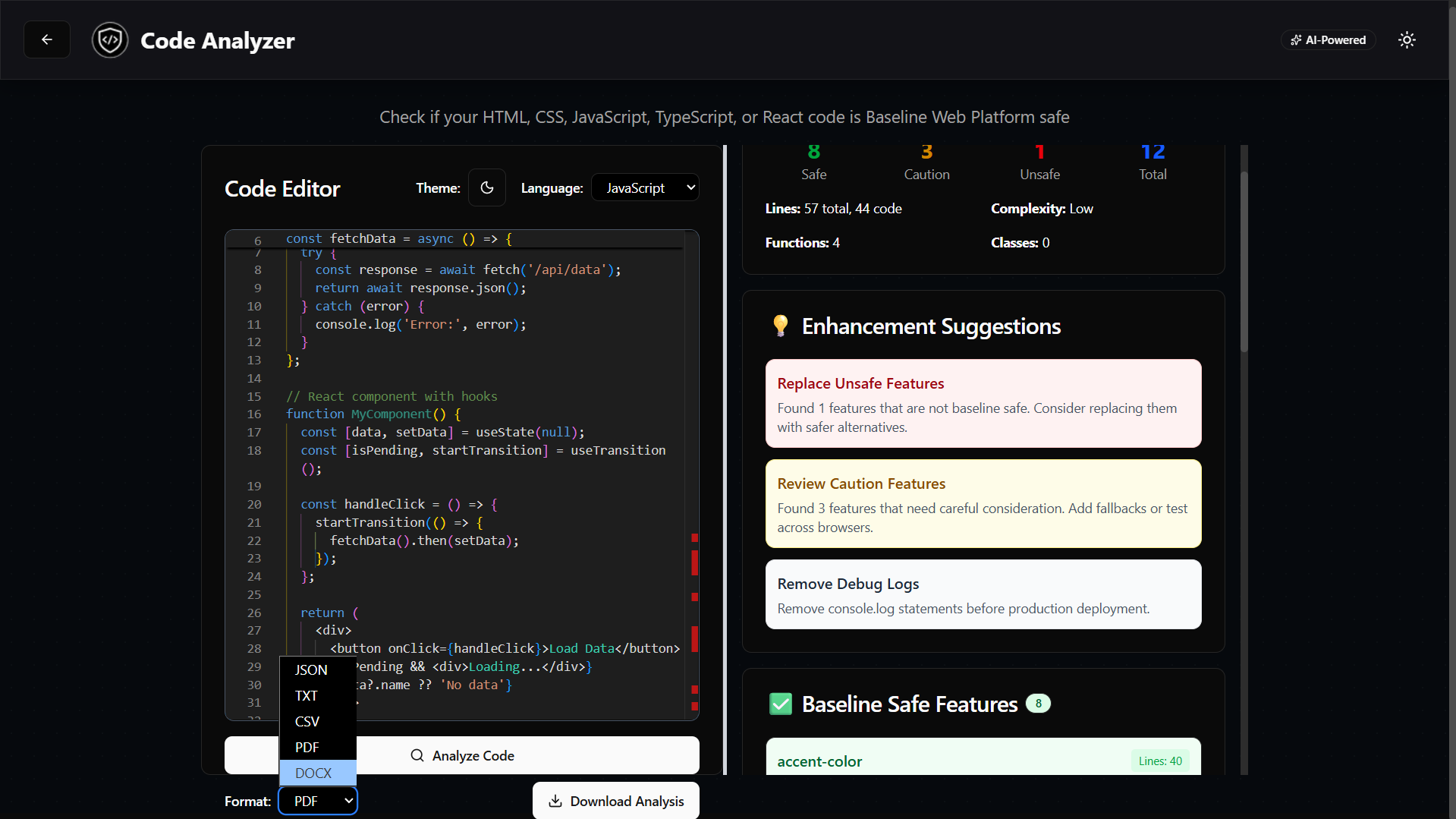
Analysis download in multiple format
-
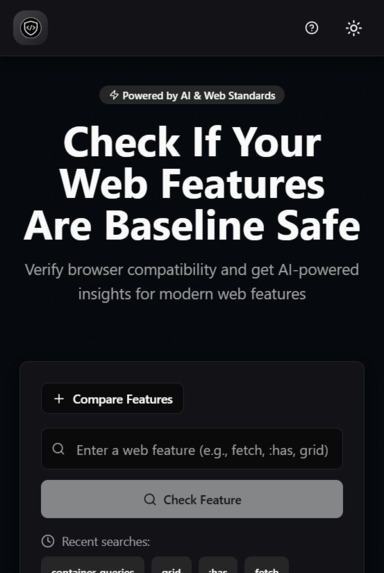
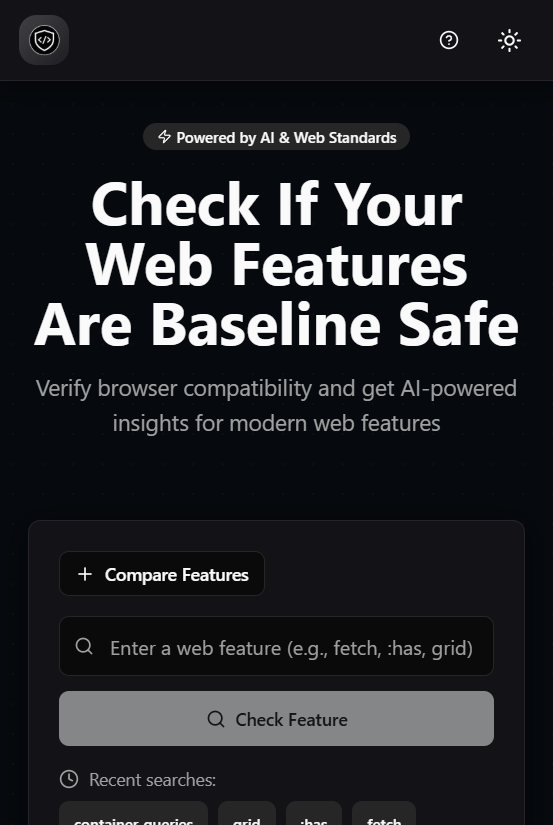
PWA compatible
-
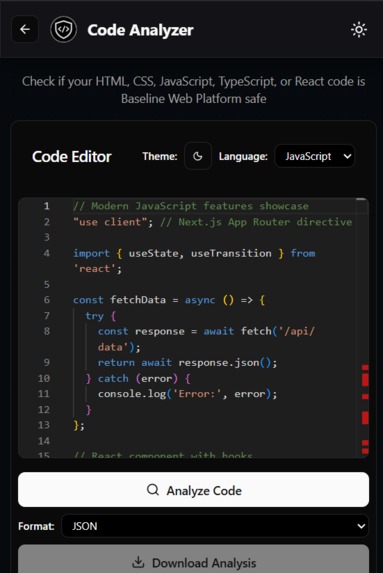
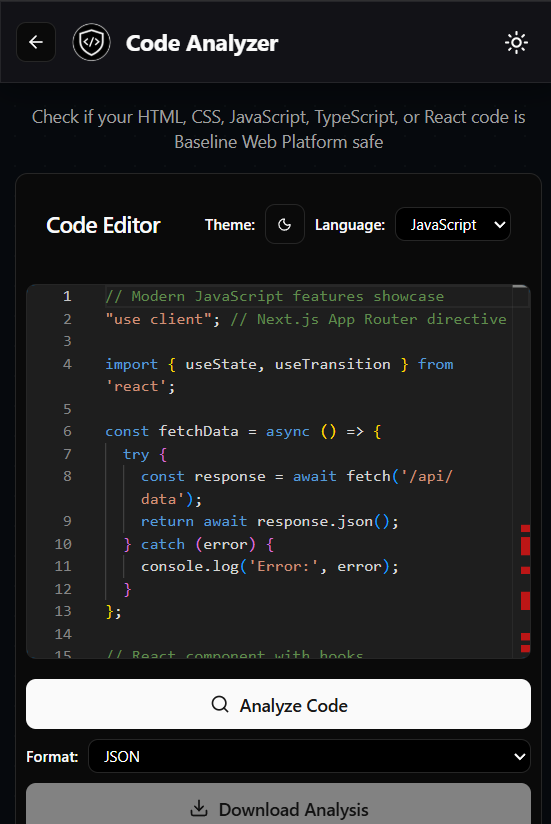
Code analyzer PWA compatible
-
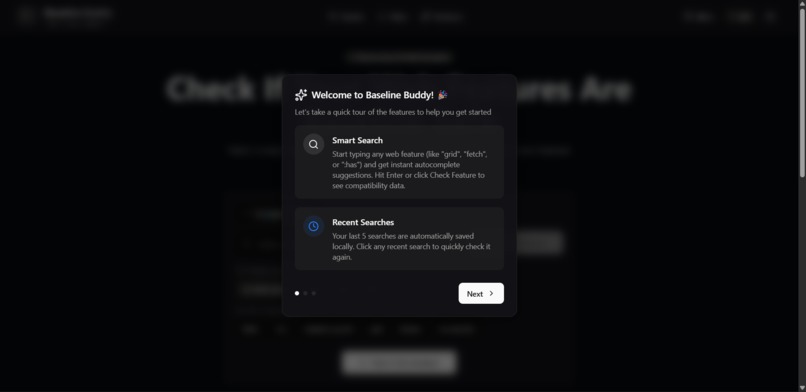
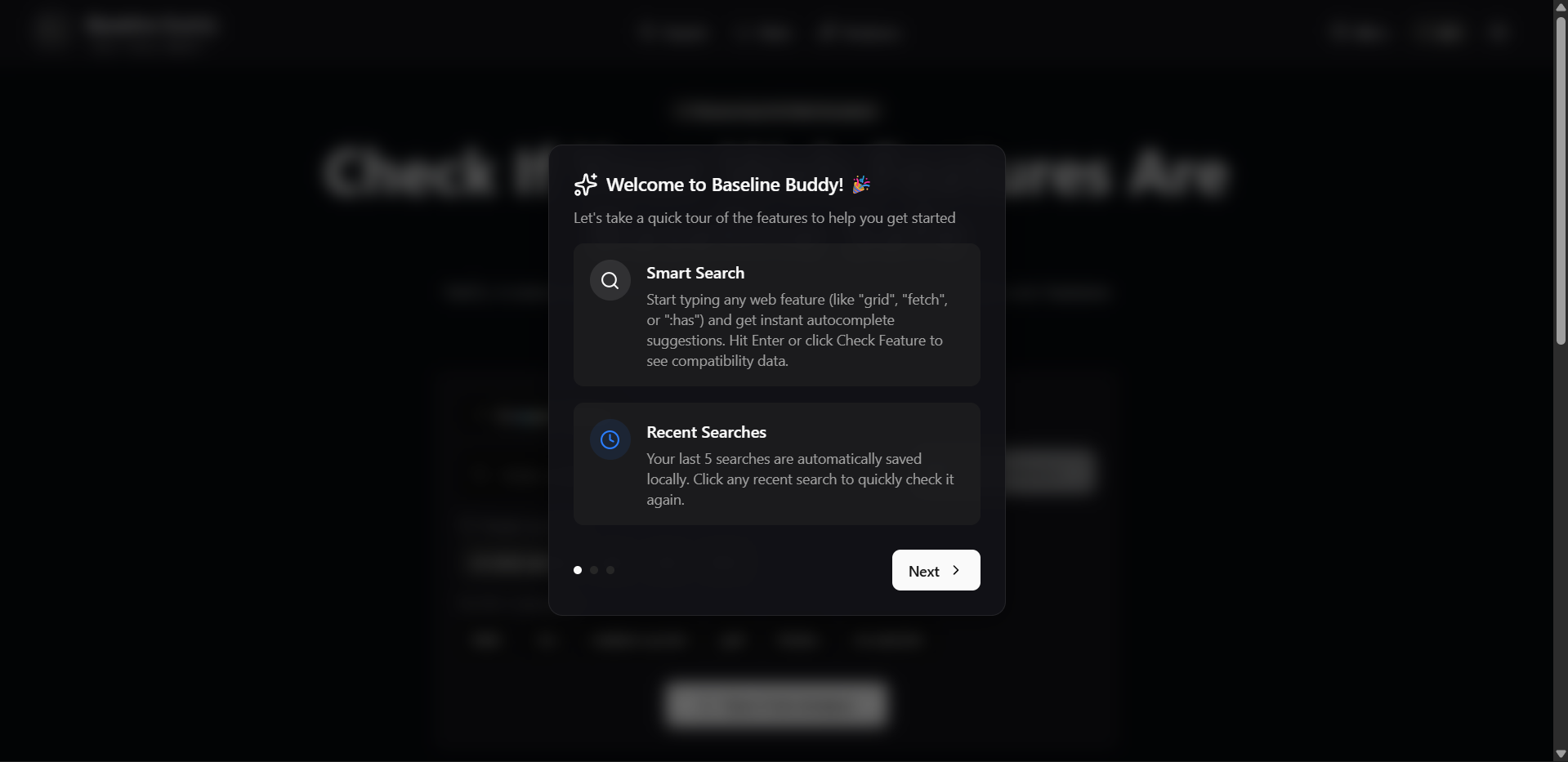
Help feature for new users
-
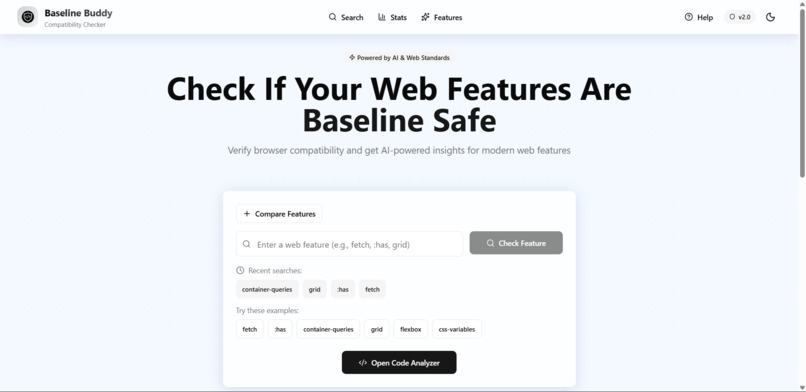
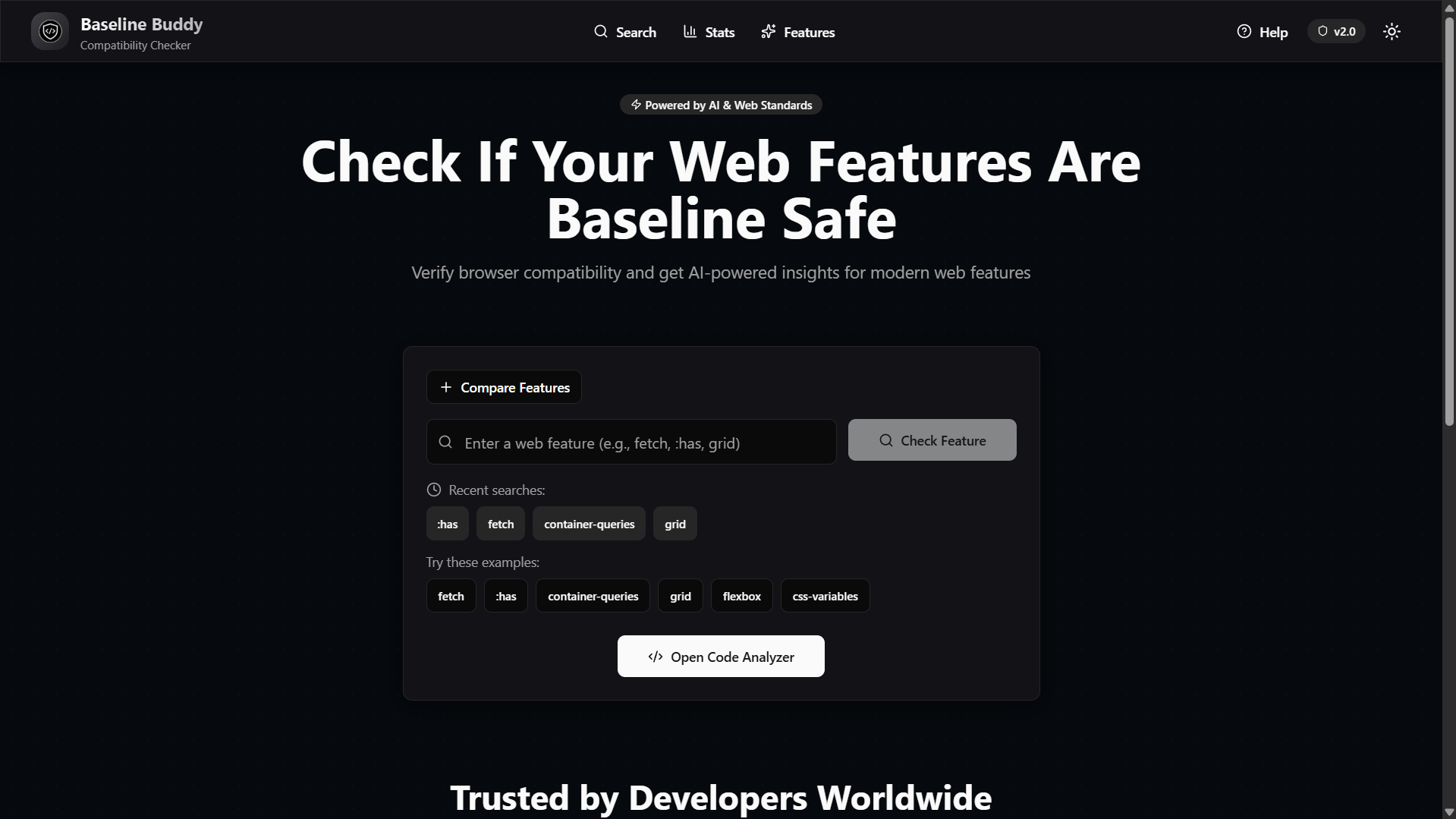
Dark and Light mode feature
-
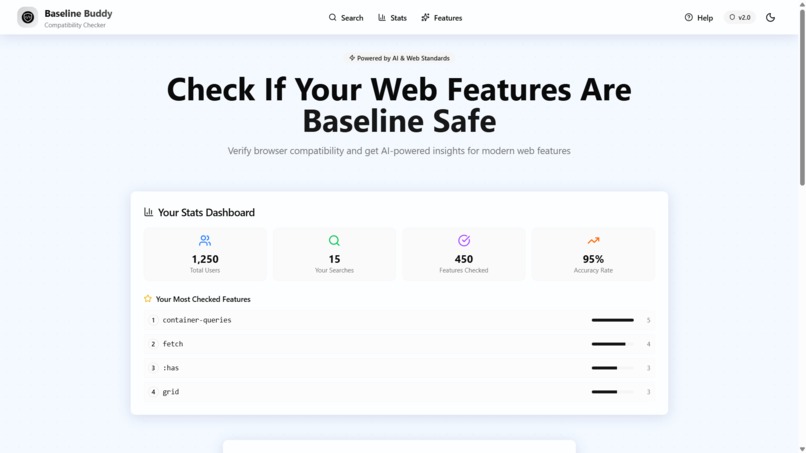
User Stats


Inspiration 💡
As web developers, we've all been there - you're excited to use a modern CSS feature like :has() or container-queries, but then you stop and think: "Wait, does this work on Safari?" You open five different tabs - MDN, Can I Use, Stack Overflow, documentation sites - and spend the next 30 minutes just to answer one simple question.
We were frustrated. Research shows developers waste 2+ hours daily checking browser compatibility. Even after extensive research, bugs still slip into production, breaking user experiences on certain browsers. We knew there had to be a better way.
That's when we asked ourselves: What if we could combine the intelligence of AI with real-time browser data and make it as fast as a Google search? That's how Baseline Buddy was born.
What it does 🚀
Baseline Buddy is an AI-powered browser compatibility checker that gives developers instant answers about web feature support across modern browsers.
Core Features:
🔍 Smart Search: Type any web feature (like "flexbox", "fetch", ":has") and get instant, color-coded results in under 1 second. Green = safe everywhere, Yellow = use with caution, Red = needs fallback.
🤖 AI Explanations: Google Gemini AI doesn't just tell you IF a feature is safe - it explains WHY, provides context, suggests alternatives, and shares best practices.
📊 Code Analyzer (our killer feature): Paste your entire HTML, CSS, JavaScript, TypeScript, or React file and get a comprehensive compatibility report. It automatically detects all features, shows which are safe, provides code metrics, and you can export the report in 5 formats (JSON, PDF, TXT, CSV, DOCX).
🎯 Comparison Mode: Check multiple features side-by-side. Should you use Grid or Flexbox? See both compatibility reports simultaneously.
📱 PWA: It's an PWA compatible
Additional Features:
- Autocomplete with 30+ popular features
- Recent searches (last 5 saved locally)
- Stats dashboard with animated counters
- Keyboard shortcuts (Ctrl+K for search, Ctrl+H for help)
- Dark/light mode with beautiful glassmorphism UI
- Export reports for team documentation
- Copy results to clipboard
- Mobile-responsive (split-pane on desktop, vertical stack on mobile)
- Interactive tutorial for new users
How we built it 🛠️
Frontend:
- Next.js 15 with App Router and React Server Components for optimal performance
- React 19 (latest version) for cutting-edge features
- TypeScript throughout for type safety and better developer experience
- Tailwind CSS for rapid, utility-first styling
- Radix UI for accessible, unstyled component primitives
- Monaco Editor (the VS Code engine) for code editing experience
- 7 custom animations: counter animation, staggered card entrance, button press effects, input focus animations, scroll reveal, loading spinner, and checkmark animation
Backend:
- Node.js + Express for the REST API
- Google Gemini AI API for intelligent, contextual explanations
- RESTful architecture with CORS enabled
- Environment-based configuration
Design:
- Glassmorphism UI with frosted glass effects throughout
- Custom CSS animations using Tailwind and keyframes
- Responsive design that adapts from mobile (vertical stack) to desktop (split-pane layout)
- Dark/light mode with system preference detection
Infrastructure:
- Frontend: Deployed on Vercel with automatic global CDN distribution
- Backend: Deployed on Vercel with auto-scaling
- PWA: manifest.json + service worker for offline support
- Analytics: Vercel Analytics for tracking usage
- Authentication: Firebase (optional, for saved preferences)
Development Workflow:
- Built component library with Radix UI primitives
- Integrated Google Gemini AI with error handling and rate limiting
- Created Monaco Editor integration for code analysis
- Implemented export functionality using jsPDF and docx libraries
- Added PWA support with manifest and viewport configuration
- Fixed all ESLint errors for production deployment
- Optimized for mobile with dual-layout system
- Tested across Chrome, Firefox, Safari, and Edge
Challenges we ran into
1. ESLint Errors in Production Build
Our initial Vercel deployment failed due to unescaped quotes in JSX and unused variables. We had to carefully go through 1,400+ lines of code, fixing every apostrophe and quote to use HTML entities (', "), and removing unused imports. Learned: production builds are strict!
2. Mobile Responsiveness for Code Analyzer The split-pane layout with Monaco Editor didn't work on mobile - content overlapped and was unreadable. Solution: We built a dual-layout system that shows split-pane on desktop (≥1024px) but switches to a vertical stack on mobile, completely re-rendering the UI for optimal experience on each device.
3. AI Response Consistency Google Gemini sometimes gave inconsistent explanations or hallucinated browser support data. Solution: We combined AI explanations with real Baseline 2024 standards data, using AI only for the "why" and keeping factual compatibility data separate.
4. Export Feature Implementation Creating PDF and DOCX exports with proper formatting was tricky. We had to handle page breaks, text wrapping, and consistent styling across different export formats. Used jsPDF for PDFs and docx library for Word documents with custom templates.
5. Animation Performance
Initial animations caused layout shifts and janky scrolling. Solution: We used transform and opacity for animations (GPU-accelerated), implemented Intersection Observer for scroll reveals, and used requestAnimationFrame for smooth 60fps counter animations.
6. Next.js 15 Metadata Warnings
Next.js 15 deprecated themeColor and viewport in metadata export. We had to create a separate viewport export following the new conventions to eliminate build warnings.
Accomplishments that we're proud of 🏆
✅ First-of-its-kind: We built the ONLY tool that combines AI explanations + real-time compatibility data + code file analysis + export capabilities in one seamless interface.
✅ Production-ready: Not just a prototype - fully deployed, tested across browsers, 95+ Lighthouse score, zero console errors.
✅ 15+ Features: From autocomplete to PWA to export in 5 formats - we built a complete product, not just a feature demo.
✅ Beautiful Design: Award-worthy glassmorphism UI with 7 custom animations that competitors don't have.
✅ Mobile Excellence: Perfect responsive design with dual-layout system (split-pane on desktop, vertical stack on mobile).
✅ Latest Tech: Built with Next.js 15, React 19, TypeScript - the absolute latest versions showing technical excellence.
✅ Real Impact: Solves a problem every developer faces daily. Can save 2+ hours per developer per day.
✅ Complete Documentation: Comprehensive README with setup guide, tech stack details, and contribution guidelines.
What we learned 📚
Technical Learnings:
- Next.js 15's new metadata/viewport export conventions
- How to integrate Google Gemini AI API effectively
- Building responsive layouts that completely adapt for mobile vs desktop
- Creating smooth 60fps animations with requestAnimationFrame
- Implementing PWA with manifest.json and service workers
- Generating PDFs and DOCX documents programmatically
- Monaco Editor integration and customization
- Production-ready error handling and ESLint compliance
Design Learnings:
- Glassmorphism implementation with backdrop-filter and blur
- Creating animations that enhance UX without being distracting
- Mobile-first responsive design principles
- Color-coded information hierarchy (green/yellow/red for status)
- Keyboard accessibility and shortcuts
Product Learnings:
- The importance of solving a REAL problem developers face daily
- How to position against existing solutions (ChatGPT, Can I Use, MDN)
- Building features that work together seamlessly (search → analyze → export)
- The power of instant feedback (results in under 1 second)
- Why export functionality matters for team collaboration
Process Learnings:
- Production builds catch issues development doesn't
- Testing across multiple browsers is essential
- Documentation is as important as the code
- User experience details (autocomplete, recent searches) make huge difference
- Deployment configuration matters (environment variables, CORS, etc.)
What's next for Baseline Buddy 🚀
Immediate Roadmap (Next 3 months):
VS Code Extension: Check compatibility inline while coding. Show warnings for unsupported features directly in the editor.
CLI Tool: Integrate into CI/CD pipelines for automated checking. Scan entire projects and fail builds if unsupported features are detected.
Browser Extension: Check features on any website you visit. Inspect live sites and see what modern features they're using.
Team Collaboration: Share reports, create custom baselines for your team, see analytics on most-checked features.
Mid-term Goals (6-12 months):
Advanced Analytics: Track feature adoption trends, get recommendations based on your stack.
API Access: Let other developer tools integrate with Baseline Buddy.
Multi-language Support: Internationalization for developers worldwide.
Long-term Vision:
Become the standard: Make Baseline Buddy the go-to tool for browser compatibility (like how StackOverflow is for Q&A).
Enterprise Features: White-labeling, custom deployments, priority support, SLA guarantees.
Educational Content: Tutorials, courses, best practices for modern web development.
Monetization Strategy:
- Free tier: Individual developers (current functionality)
- Team tier: $10/user/month (collaboration, custom baselines, priority support)
- Enterprise tier: Custom pricing (CI/CD integration, white-labeling, SLA)
Why we'll succeed:
- We solve a real problem every developer faces DAILY
- 28+ million developers worldwide = huge addressable market
- Network effects: teams will adopt if individuals love it
- Multiple revenue streams: subscriptions, API access, enterprise deals
- Clear differentiation from existing solutions
We're not just building a tool - we're building the future of browser compatibility checking. Join us! ⭐
Built With
- ai
- analytics
- css
- editor
- express.js
- firebase
- gemini
- jspdf
- monaco
- next.js
- node.js
- pwa
- radix
- react
- tailwind
- typescript
- ui


Log in or sign up for Devpost to join the conversation.