Inspiration
The daily frustration of constantly switching between coding and browser compatibility research inspired Baseline Buddy. As developers, we waste countless hours manually checking "Can I Use" or MDN for every web feature we want to implement. The Baseline initiative promised to solve this, but there wasn't a seamless way to access this information directly in our coding workflow.
What it does
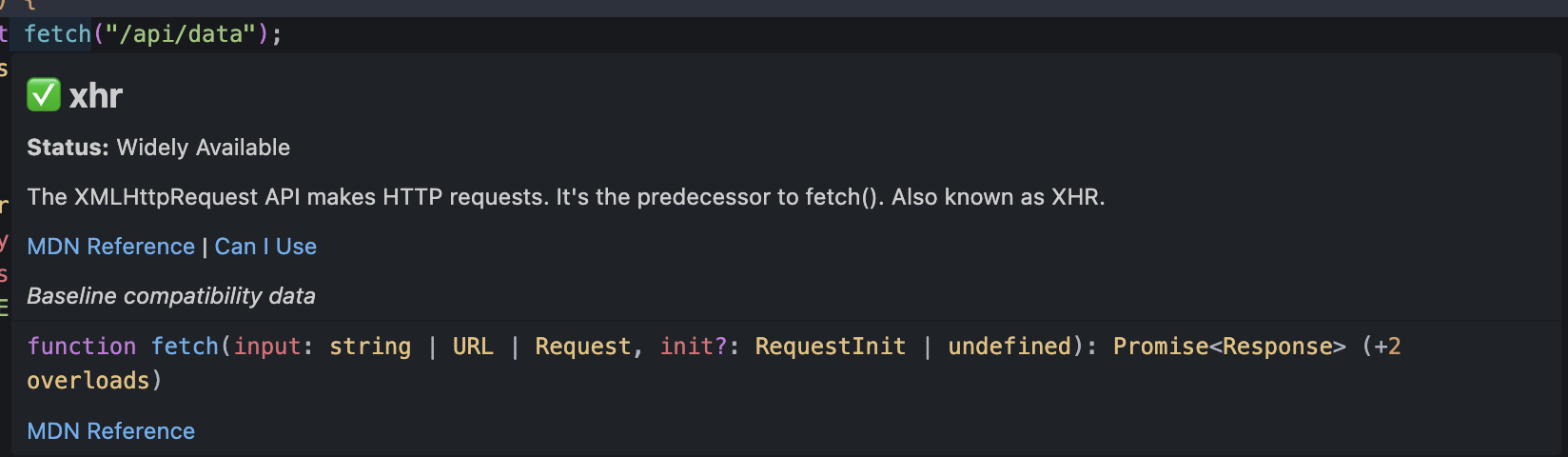
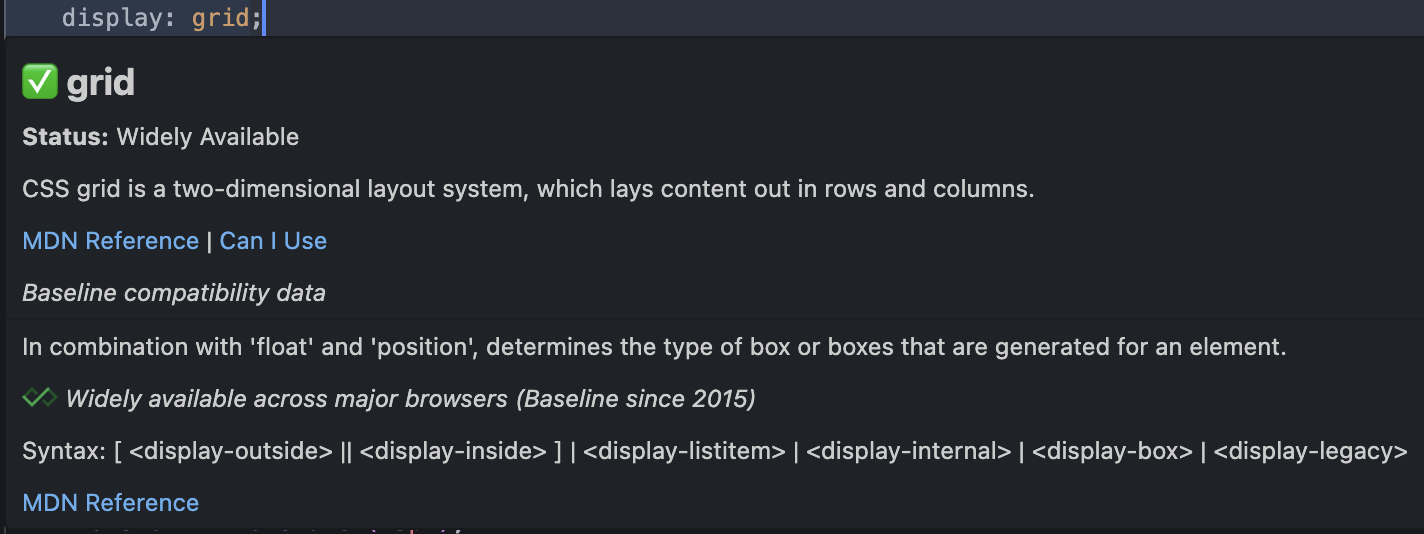
Baseline Buddy integrates real-time web feature compatibility information directly into VS Code. It shows Baseline status (Widely Available, Newly Available, or Limited Availability) through hover tooltips, visual decorations, and the Problems panel. The extension supports CSS properties, JavaScript APIs, HTML elements, and TypeScript features across your entire codebase.
How we built it
Built as a VS Code extension using TypeScript, leveraging the official
web-features package that powers MDN's Baseline data. The architecture
includes:
- FeatureDetector: Regex-based parsing to identify web features in code
- BaselineChecker: Query engine for the web-features dataset
- HoverProvider: Rich tooltip interface with compatibility details
- DecorationProvider: Visual indicators and syntax highlighting
- DiagnosticsProvider: Integration with VS Code's Problems panel
Challenges we ran into
- Feature Detection Accuracy: Crafting regex patterns that accurately identify web features without false positives across different coding styles
- Performance Optimization: Processing large files in real-time without impacting VS Code's responsiveness
- Data Mapping: Aligning our detected features with the exact identifiers used in the web-features dataset
- Multi-language Support: Handling CSS, JavaScript, TypeScript, and HTML with their unique syntactic patterns
Accomplishments that we're proud of
- Live Extension: Successfully published to VS Code Marketplace with 1000+ features supported
- Comprehensive Coverage: Supporting CSS Grid, Fetch API, modern HTML elements, and TypeScript features
- Real-time Feedback: Instant compatibility information without disrupting the coding flow
- Production Quality: Full test suite, proper error handling, and configurable settings
- Developer Experience: Intuitive hover tooltips with actionable browser support information
What we learned
- The intricacies of VS Code's extension API and how to build performant, non-intrusive developer tools
- Deep understanding of the web-features dataset structure and Baseline compatibility standards
- Importance of regex optimization when processing code in real-time
- How to balance feature richness with performance in editor extensions
- The value of comprehensive testing for developer tools that need to work reliably
What's next for Baseline Buddy
- Polyfill Suggestions: Automatic recommendations for unsupported features
- Project-wide Analysis: Compatibility reports for entire codebases
Framework Integration: Enhanced support for React, Vue, Angular patterns
Custom Baseline Targets: Configure compatibility for specific browser sets
Usage Analytics: Track which features developers use most to guide Baseline priorities
IDE Expansion: Bring the same experience to other popular editors
Built With
- eslint
- mocha-testing-framework
- node.js
- typescript
- vs-code-extension-api
- vscode
- web-features-package-(official-baseline-data)

Log in or sign up for Devpost to join the conversation.