-
-
charts
-
home
-
phone-dark
-
checkin
-
photos
-
summary
Inspiration
People spend hundreds on skincare with no way to know whether it works. Skin changes too slowly to notice in the mirror, and memory is a poor instrument. So people keep paying for products that do nothing, and give up on ones that were quietly working.
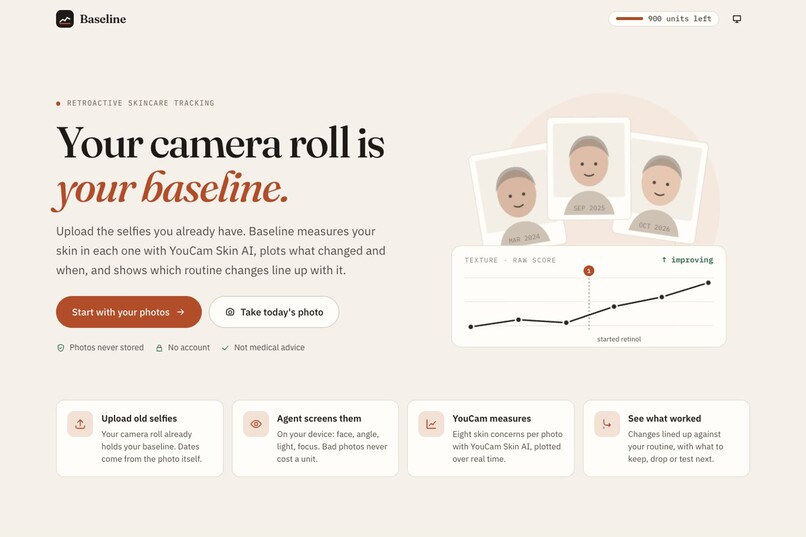
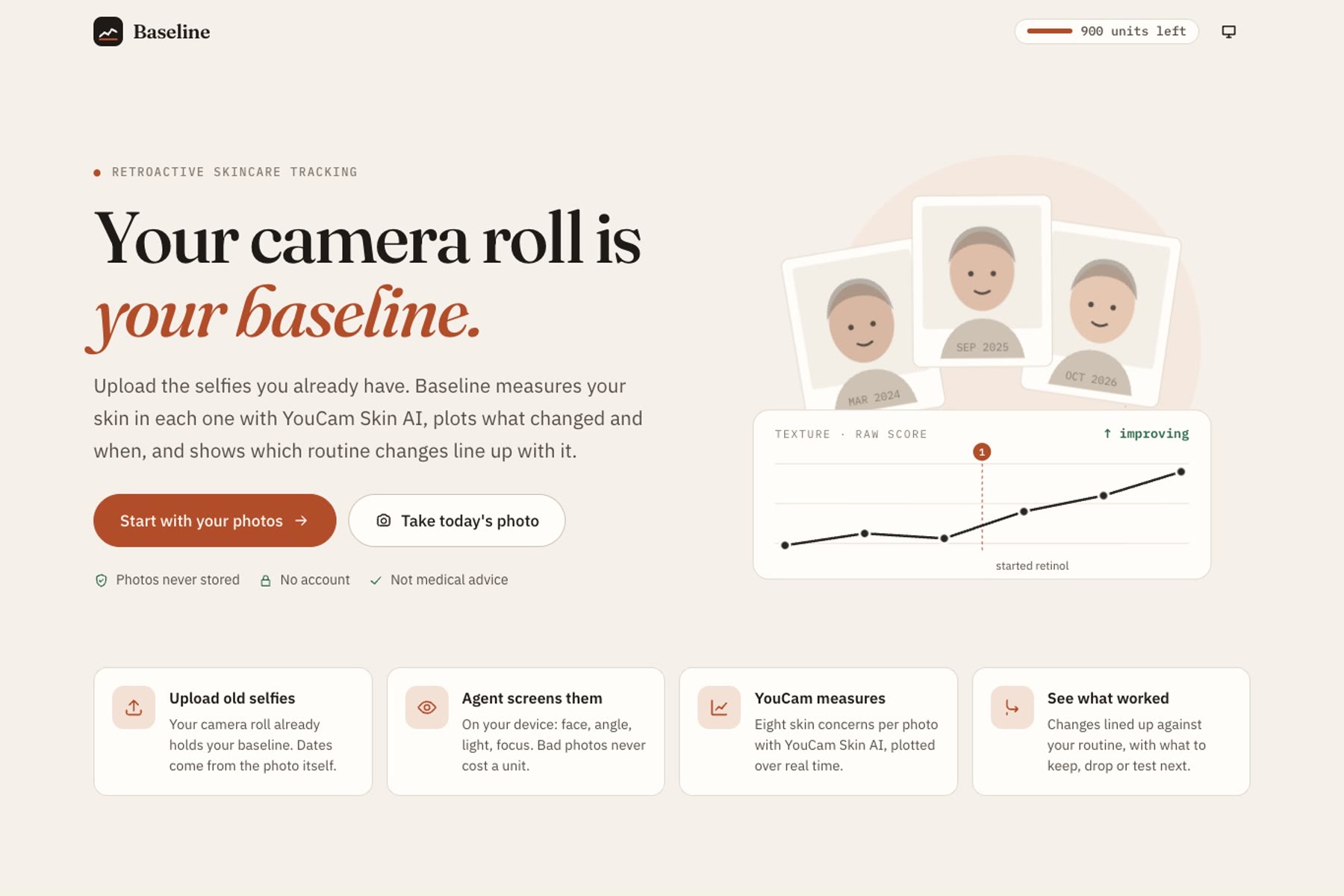
Answering "did it work?" needs a baseline measurement taken months ago, before the change. Nobody thinks to take one. But almost everyone already has one: hundreds of dated selfies sitting unused in their camera roll. Baseline turns that camera roll into the measurement nobody remembered to take.
What it does
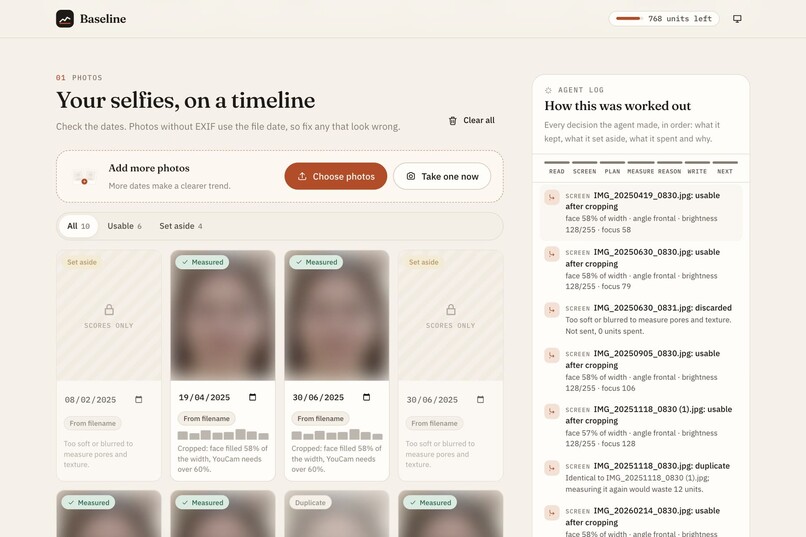
You upload selfies you already have. A minute later you can see, concern by concern, what measurably changed in your skin and when, and which of your routine changes line up with it.
- Answers from photos you already have. There's nothing to wait months for. Dates come from the photo's EXIF data, the camera-roll filename or the file date, and every date can be edited.
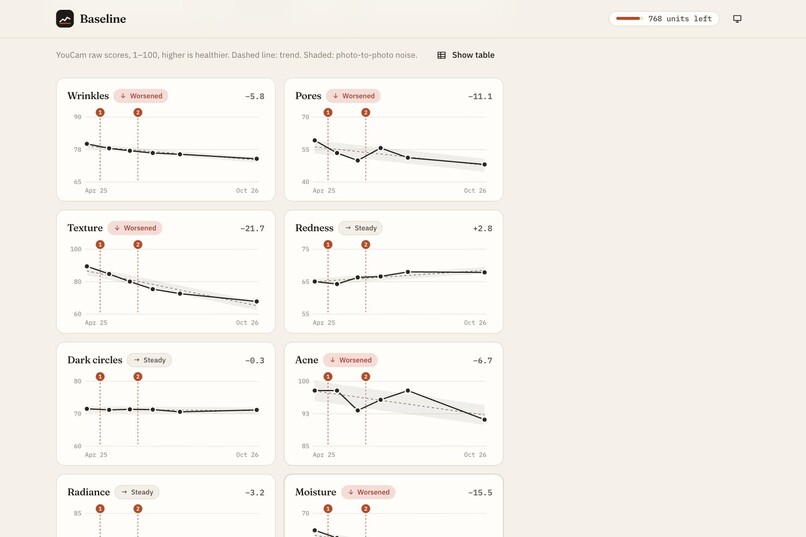
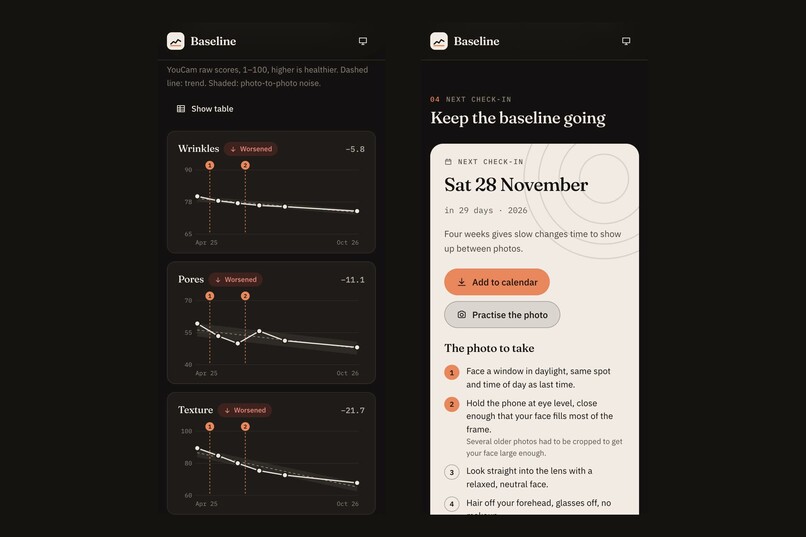
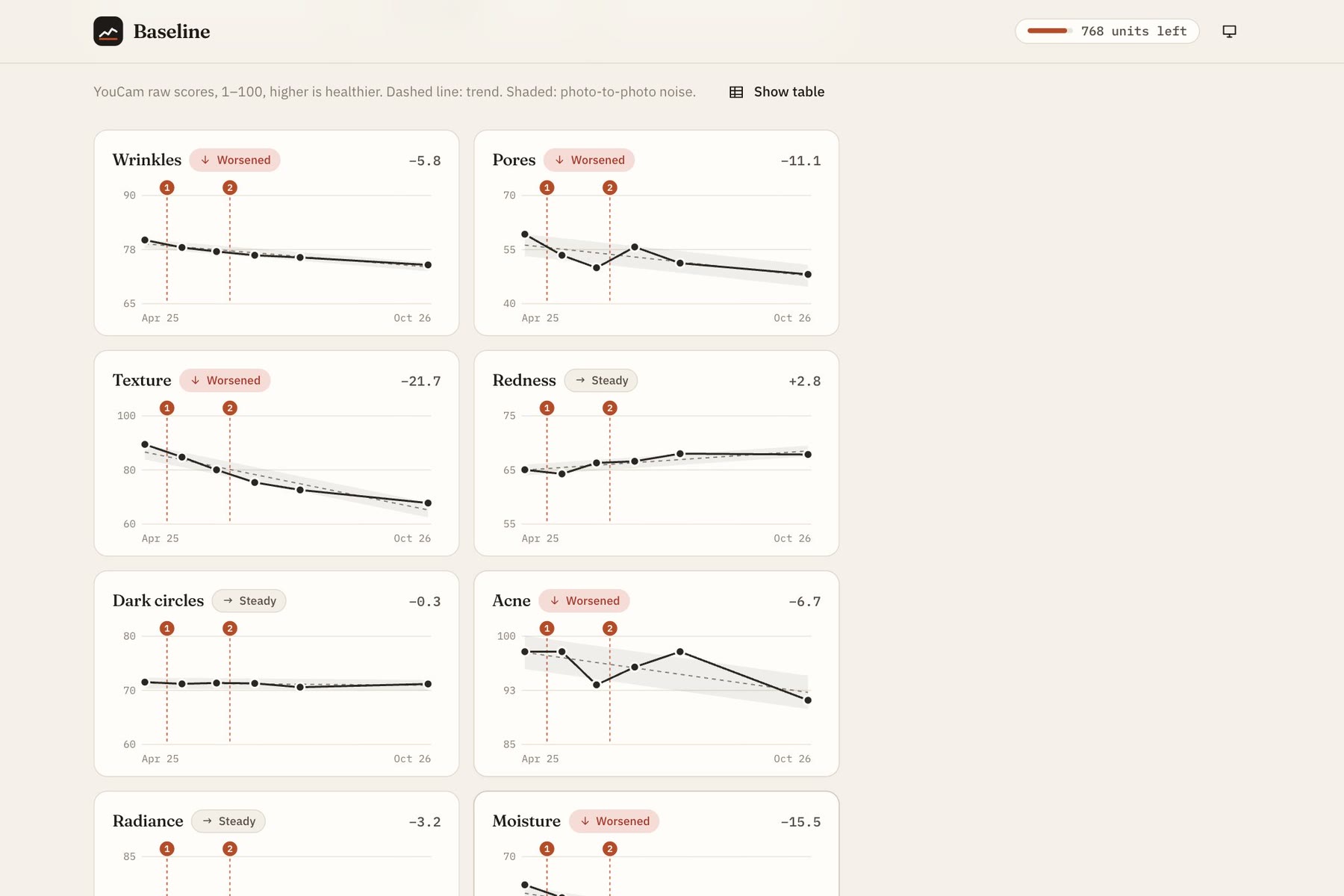
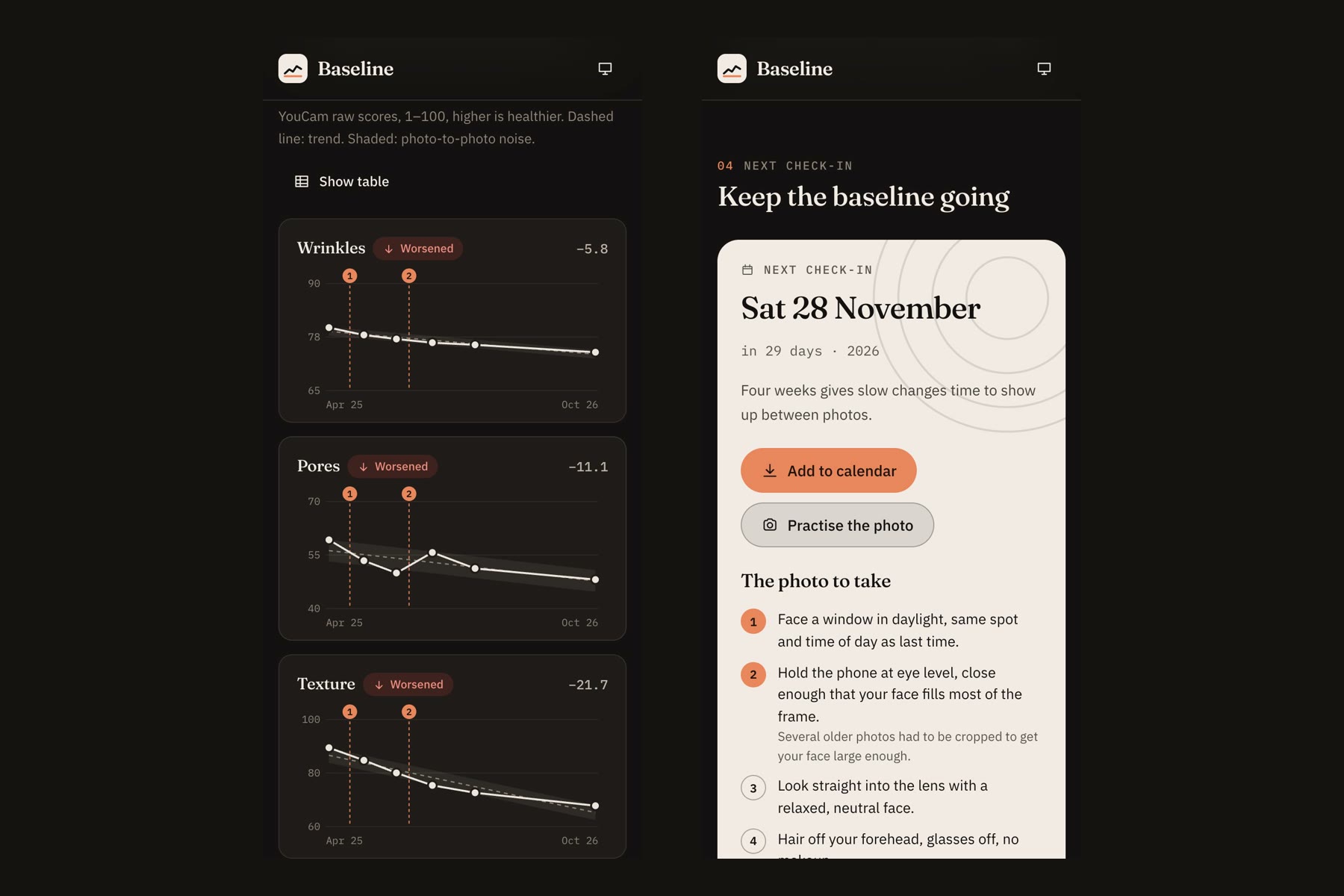
- Eight concerns, tracked over real time: wrinkles, pores, texture, redness, dark circles, acne, radiance and moisture. Each one gets a chart with a trend line and a band for normal photo-to-photo noise, so a small wobble isn't mistaken for real change.
- Links changes to your routine. You log what you started or stopped and roughly when. Baseline compares your skin before each change with your skin from four weeks after, when an effect could show. It says a change "lines up with" a result, never that it caused it.
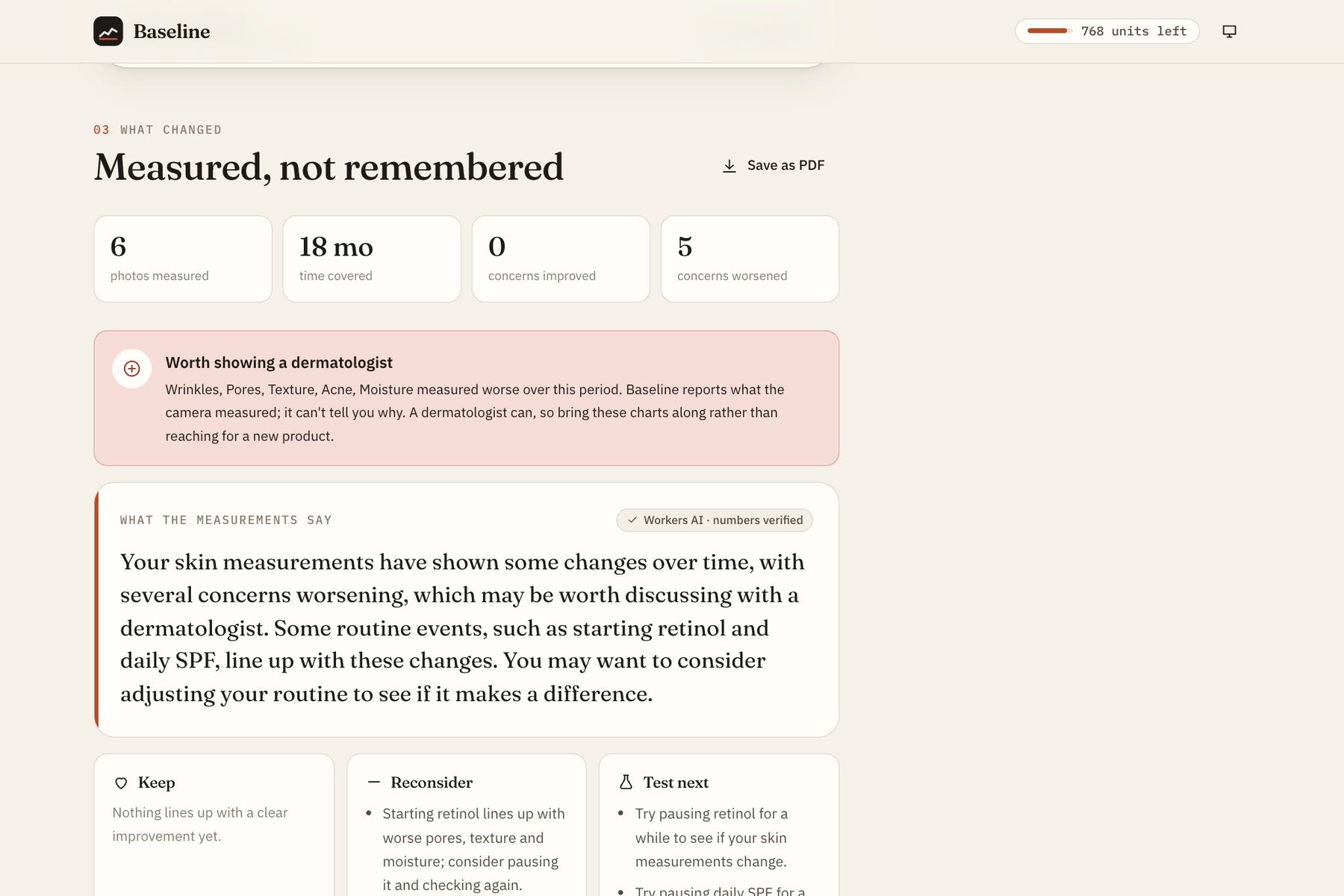
- Tells you what to keep, reconsider or test next, based only on what was measured.
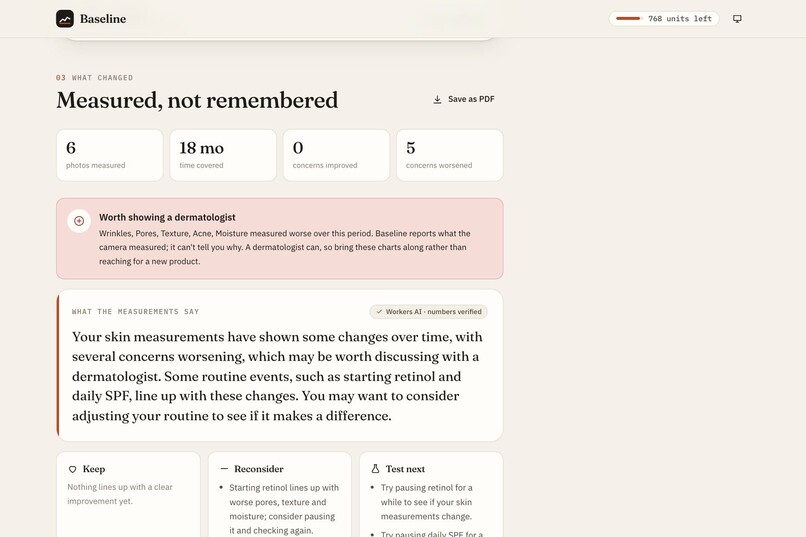
- Points to a dermatologist when something gets worse, never to a product. Baseline isn't medical advice, and it never recommends something to buy.
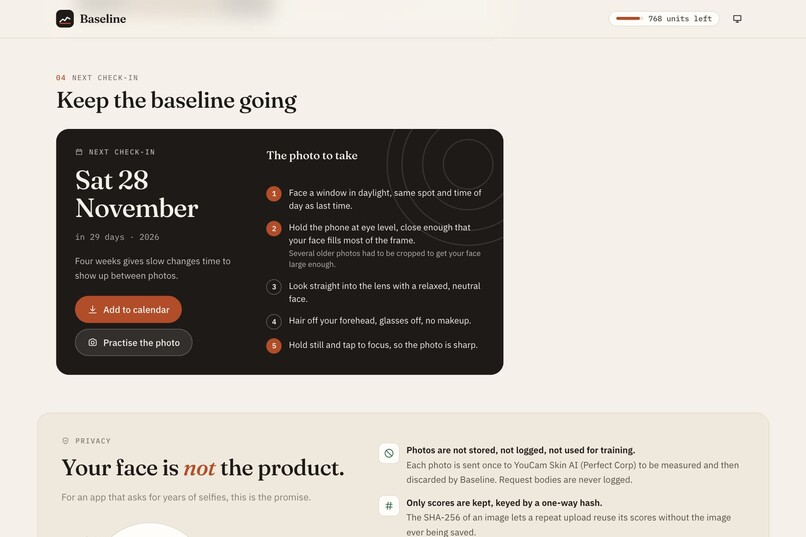
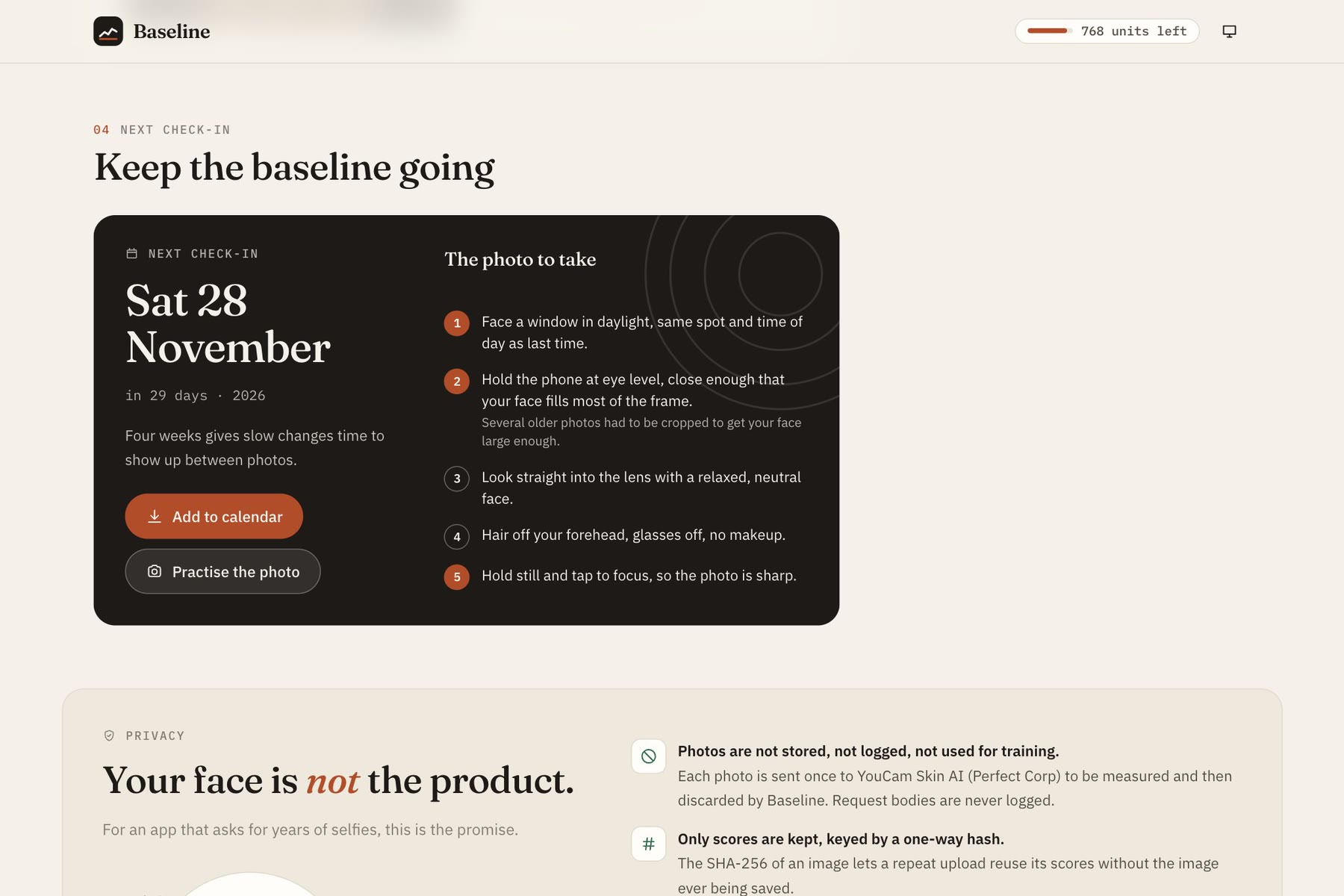
- Sets your next check-in and tells you how to take the photo so the next comparison is fair. The advice is tailored to what went wrong in your set, for example "several older photos had to be cropped, so hold the phone closer". You can add the date to your calendar, or practise the shot with a live camera guide that coaches framing, angle, tilt and light on your device.
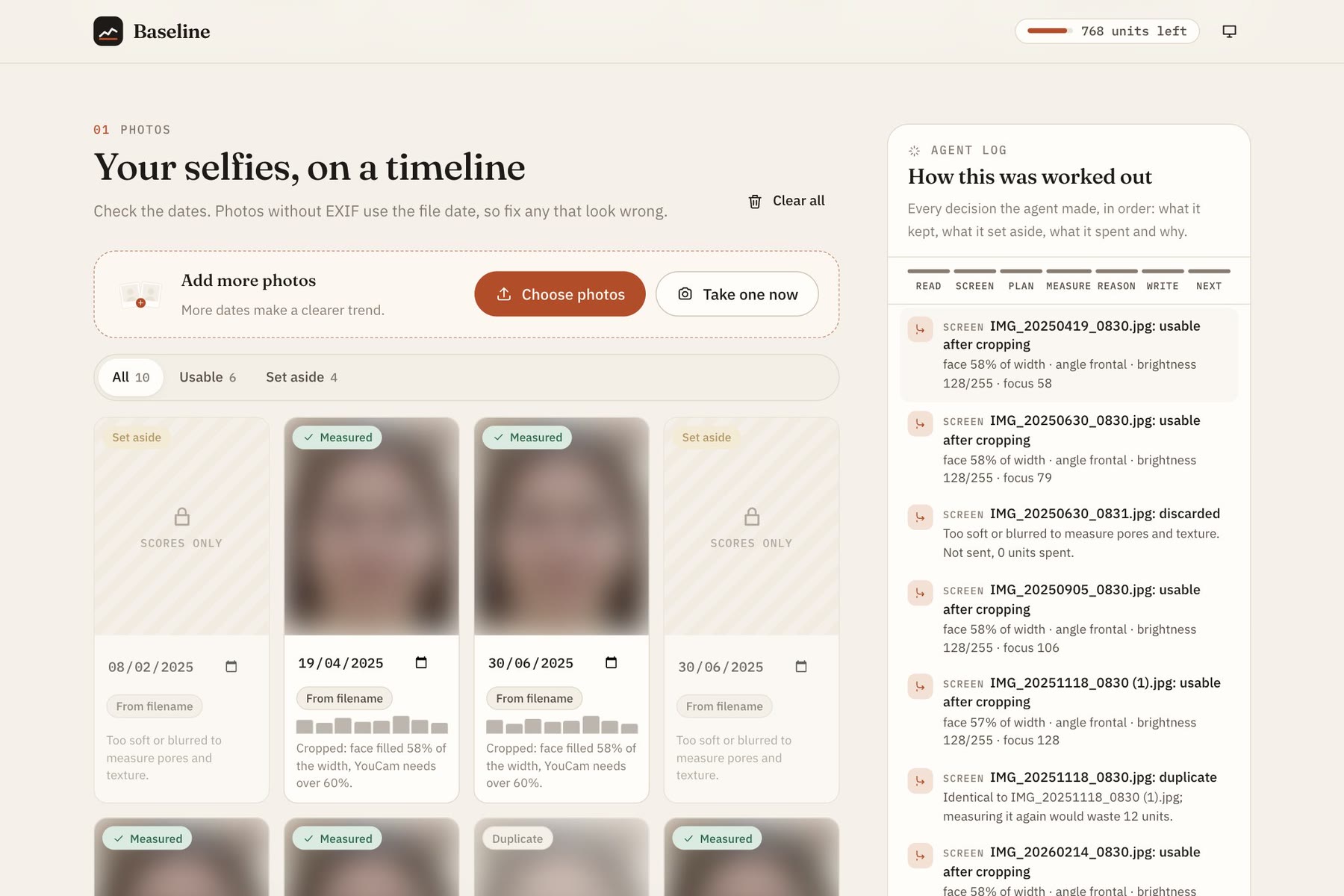
- Shows its working. A "How this was worked out" panel logs every step, every decision and every unit spent.
- Private by design. Photos are processed and discarded. Only scores are kept. There's no account, and location data is stripped before anything leaves your phone.
How I built it
Baseline is a React and TypeScript app served by a Cloudflare Worker. It's built around an agent loop with seven phases: read → screen → plan → measure → reason → write → schedule. Each phase logs its decisions to the panel.
Measuring: YouCam Skin AI, v2.0 skin analysis. The Worker proxies the S2S v2.0 flow:
- Request an upload URL from
/s2s/v2.0/file. - Upload the photo to it.
- Start a task on
/s2s/v2.0/task/skin-analysiswith eight concerns. - Poll the task until it finishes.
Baseline uses YouCam's raw scores rather than the display scores, and drops the mask image links it returns. Results are cached by the photo's SHA-256 hash, so a repeat upload costs nothing.
Screening on the device, before any units are spent. Every photo is checked in the browser, for free, before anything is sent:
- Face, angle and tilt: MediaPipe's BlazeFace model finds the face and estimates how far the head is turned and tilted.
- Light and focus: pixel statistics measure brightness, blown highlights and sharpness.
- Small faces are rescued by cropping to meet YouCam's rule that the face fills more than 60% of the width.
Photos that fail are set aside with a plain-language reason and are never uploaded. Photos are re-encoded in the browser first, which strips EXIF and GPS data.
The spend planner. Each photo costs 12 units, and the hackathon allowance is 1,000. Before measuring, the agent:
- reuses cached results;
- drops exact duplicates;
- keeps the clearest photo from each day;
- fits the queue to the shared budget by picking evenly spaced dates;
- orders the queue earliest and latest first, then fills the biggest gaps, so stopping early still leaves a readable trend.
It shows you the plan, the order and the cost, and waits for your approval. The shared spend and each visitor's daily count live in a Durable Object, so checking the budget and reserving units is one atomic step. Failed analyses are refunded.
Reasoning, done deterministically. For each concern the agent:
- Fits a least-squares trend and estimates the photo-to-photo noise. A change only counts when it clears that noise.
- Sets aside a photo when three or more concerns jump at once, because that usually means the lighting changed, not the skin.
- For each routine event, compares the average before it with the average from four weeks after.
- If anything measured worse, flags it for a dermatologist.
The write-up guard. Cloudflare Workers AI (Llama 3.3 70B) turns the findings into plain language, but it isn't trusted. The Worker checks its output before showing it:
- Every number must match a computed measurement or a number in the user's own routine labels.
- Every keep or drop suggestion must restate evidence the rule-based analysis produced.
If either check fails, the write-up is rejected and Baseline shows its rule-based report instead. The model explains findings; it never makes them.
About the demo data
The demo, the screenshots and the video don't show a real person. The photos are edited copies of one AI-generated face, with varied lighting, colour and focus and a date set in each filename. Every face is blurred on screen. I made that choice so that no real person's face, including mine, appears in anything public.
The measurements themselves are real: YouCam Skin AI scored every one of those photos. But the decline across five concerns comes from my edits, not from any real change in skin. The earliest copies were softened, and YouCam read the softness as smoother skin.
So the demo shouldn't be read as evidence that retinol or sunscreen did anything. What it does show is the guardrail working end to end. When measurements get worse, Baseline says so plainly, flags the routine changes that line up with it, and points the user to a dermatologist, never to a product.
Challenges I ran into
- The write-up guard caught a false positive on my own data. The first live run rejected a perfectly good summary because it mentioned "0.3", from "Started retinol 0.3%". The guard only allowed numbers from the measurements, but the user's own routine labels are legitimate sources too. I widened the allowed set to include them without loosening anything else.
- The model contradicted the evidence. One early write-up recommended keeping retinol when the data lined retinol up with worse scores. A number check alone can't catch that. I now pass the rule-based keep and drop evidence to the model with the facts, and reject any suggestion that doesn't restate it.
- The shared unit counter undercounted. Two analyses finishing at the same moment each read the same total from KV and wrote back total + 12, so one charge was lost. The counter read 60 when 72 units had been spent. KV has no atomic increment, so I moved the spend and visitor counts into a single Durable Object. It handles one request at a time, so checking the budget and reserving units can't be interleaved. I tested it with 30 simultaneous requests: every reservation and refund balanced exactly.
- Calibrating screening thresholds with no real photos. I couldn't use real people's faces to tune the brightness, focus, angle and tilt limits, so I tuned them on AI-generated faces and deliberately degraded copies. The thresholds work on that set, but they're a first calibration, not a validated one.
Accomplishments that I'm proud of
- An agent that spends money carefully. It screens for free, explains every discard, plans the spend, asks before spending, and orders the work so stopping early still gives a useful answer.
- A language model that's allowed to explain but not to invent, with checks enforced in code rather than in the prompt alone.
- A health-adjacent product that holds its line: no diagnosis, no product recommendations, and a dermatologist when things get worse.
- Real privacy: screening on the device, photos discarded, only scores kept by hash, location data stripped, no accounts.
- A finished product: light and dark themes, phone-first layout, keyboard access, illustrations drawn for the app, and loading states and errors written in plain language.
What I learned
- Most of the agent's value is in what it decides not to do. Skipping a blurred photo, a duplicate or a second shot from the same day saves more units, and gives cleaner data, than any clever analysis afterwards.
- Guardrails on a language model need to check meaning, not just format. A numbers check catches invented figures, but only checking against the evidence catches advice that contradicts it.
- Noise is the real enemy in longitudinal photo data. Lighting and focus move the scores more than months of skincare do, which is why the noise bands, outlier detection and photo coaching matter as much as the trend lines.
What's next
- A try-on preview, done carefully. YouCam's VTO APIs could preview a change, but only once it can be done without pointing users at products. Until then it stays out.
- Longer longitudinal data. Regular check-ins over a year or more would turn "lines up with" into stronger evidence, using repeated before-and-after comparisons across several routine changes.
- Calibration on real devices. Tune the screening thresholds and noise estimates on consented photos from many different phones, cameras and lighting conditions, then publish the thresholds.
Built with
- YouCam Skin AI API (S2S v2.0 skin analysis, 8 concerns, SD)
- Cloudflare Workers (API and static hosting), Workers KV (score cache), Durable Objects (atomic unit ledger)
- Cloudflare Workers AI, model
@cf/meta/llama-3.3-70b-instruct-fp8-fast(write-up only, output validated) - MediaPipe Tasks Vision, BlazeFace short-range face detector (on device)
- React 18, TypeScript, Vite, plain CSS, hand-drawn SVG charts and illustrations
- exifr (EXIF dates)
- Fraunces and IBM Plex Sans / Mono (Google Fonts)
- Demo video: Kokoro TTS (voice
af_heart) for narration, recorded in headless Chrome with Puppeteer and edited with ffmpeg. No music. - Test faces: AI-generated (StyleGAN), not real people.
Eligibility
This entry is eligible for the Women in Tech Special Award and the Rising Star Award (student). I'm currently enrolled in a Master of Engineering in Robotics at Stevens Institute of Technology.
Built With
- cloudflare-kv
- cloudflare-workers
- cloudflare-workers-ai
- css
- durable-objects
- exifr
- ffmpeg
- javascript
- kokoro-tts
- llama
- mediapipe
- perfect-corp
- puppeteer
- react
- svg
- typescript
- vite
- youcam-api
- youcam-skin-ai

Log in or sign up for Devpost to join the conversation.