-
-
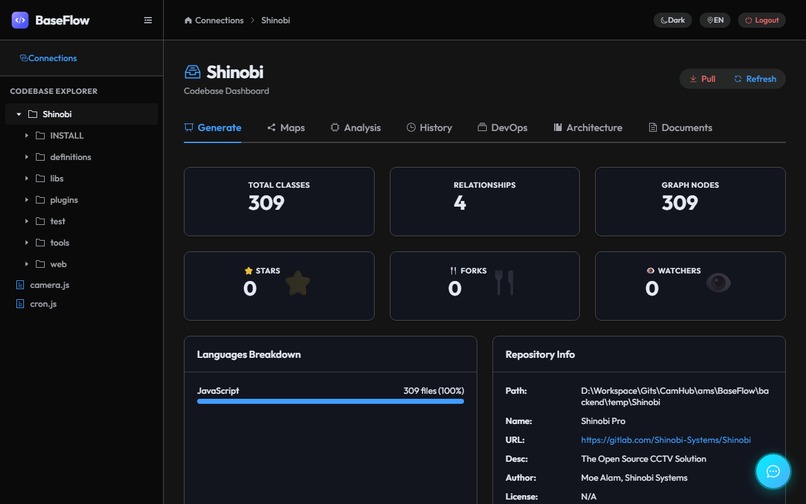
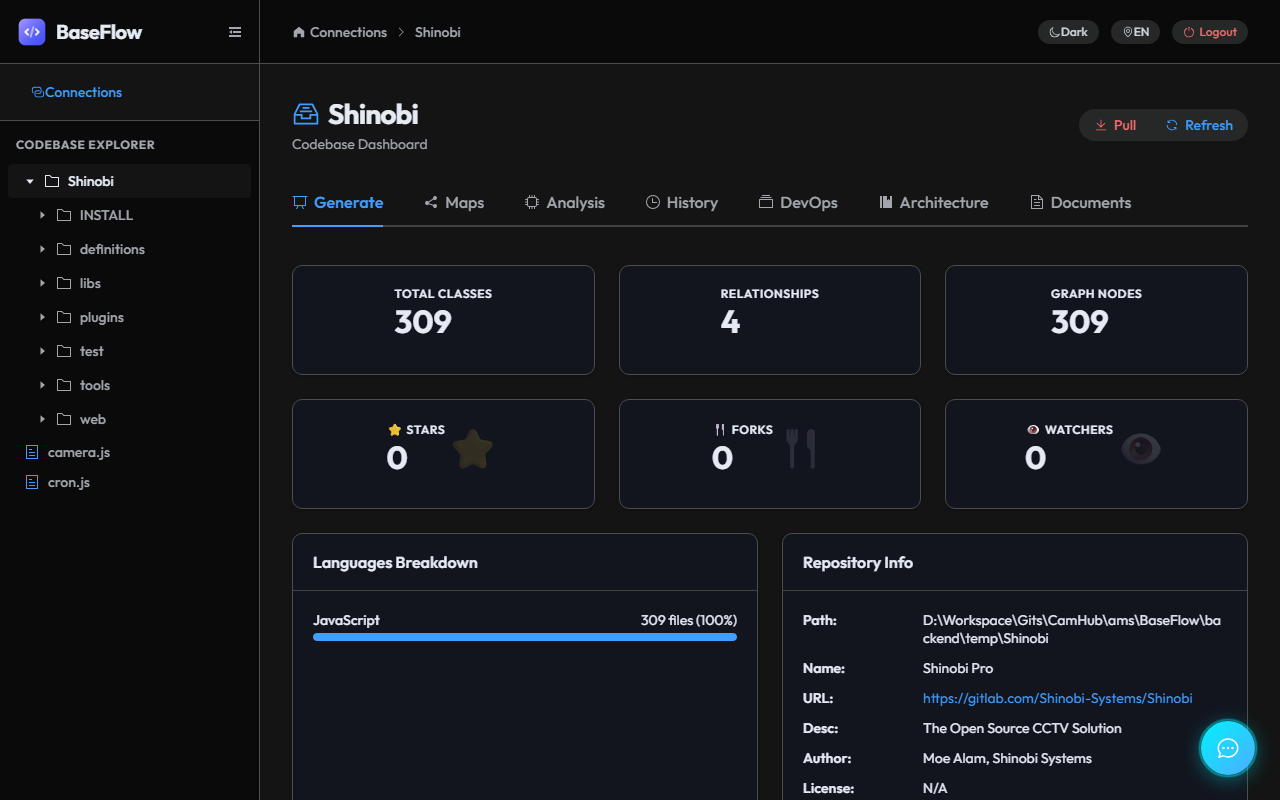
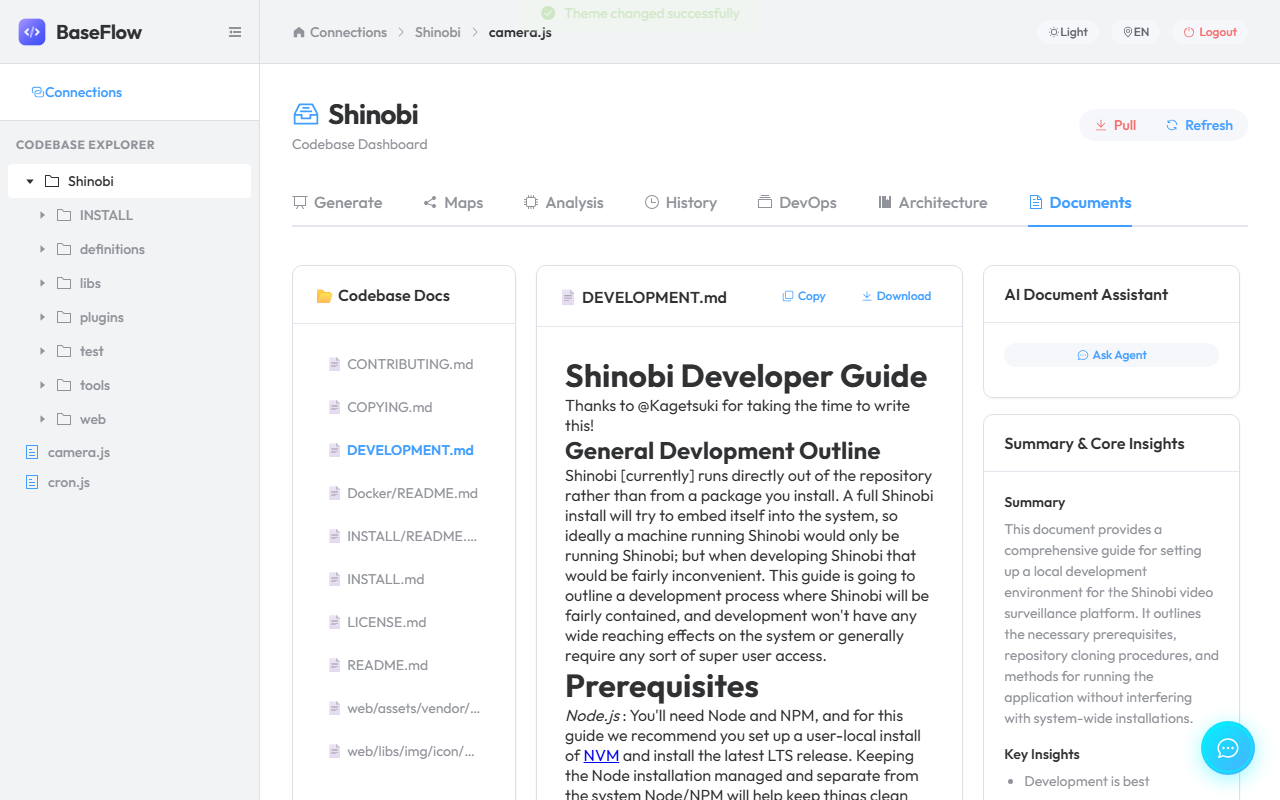
Dashboard
-
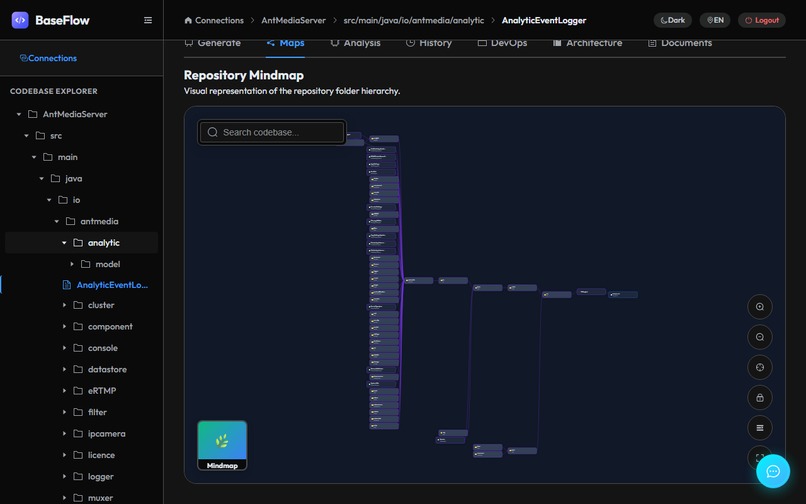
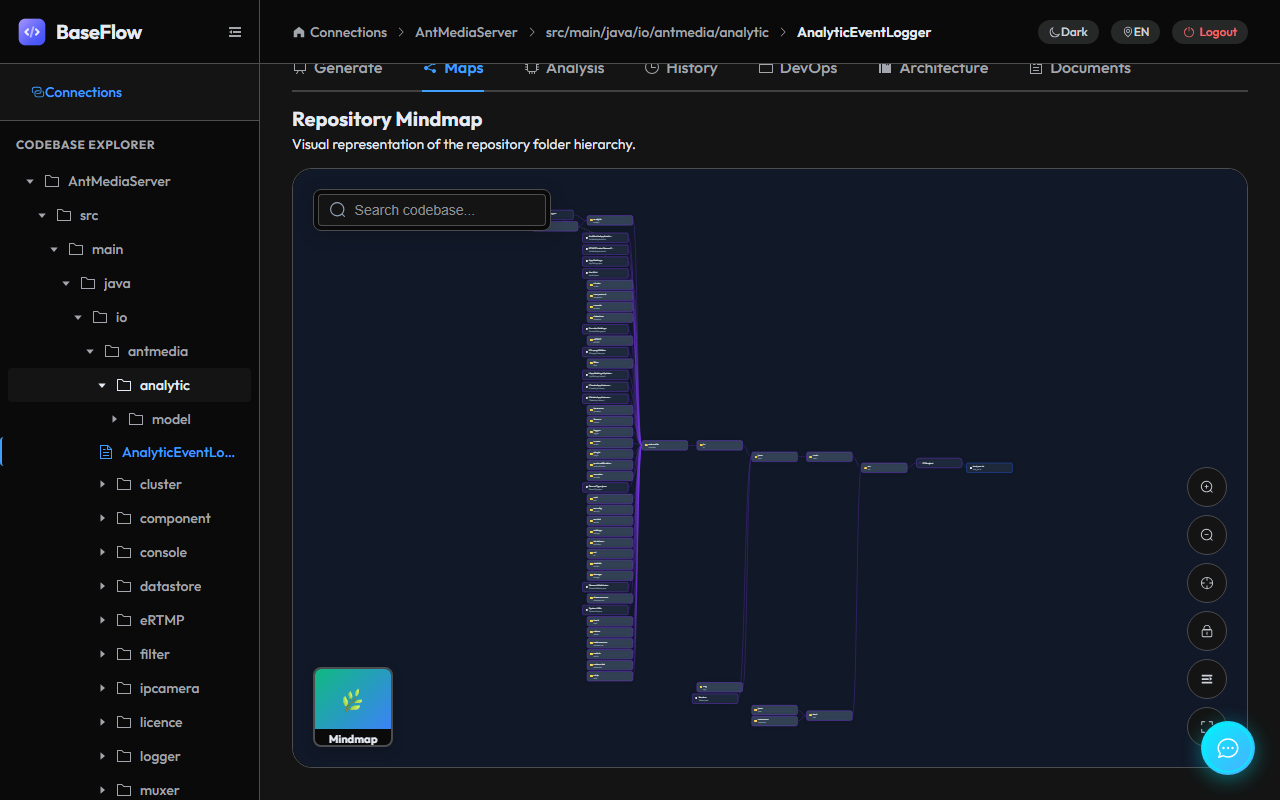
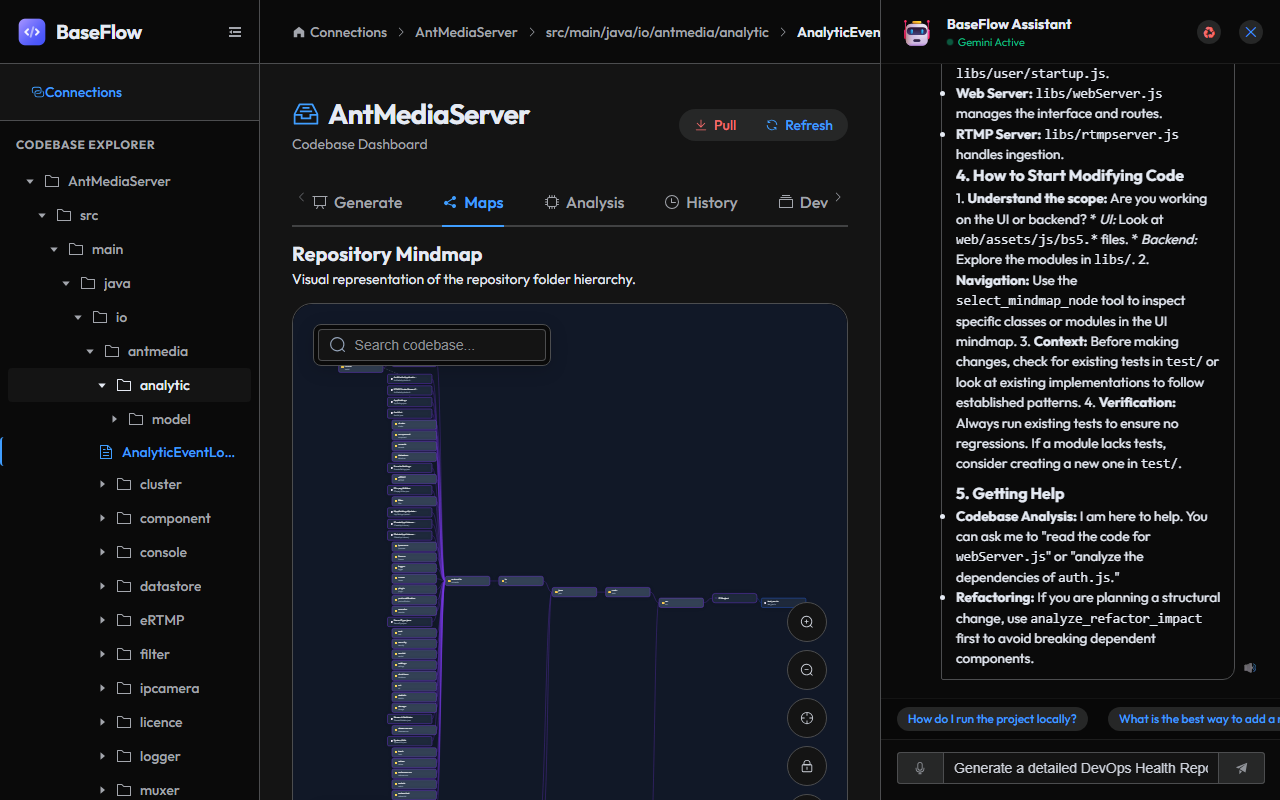
Mindmap
-
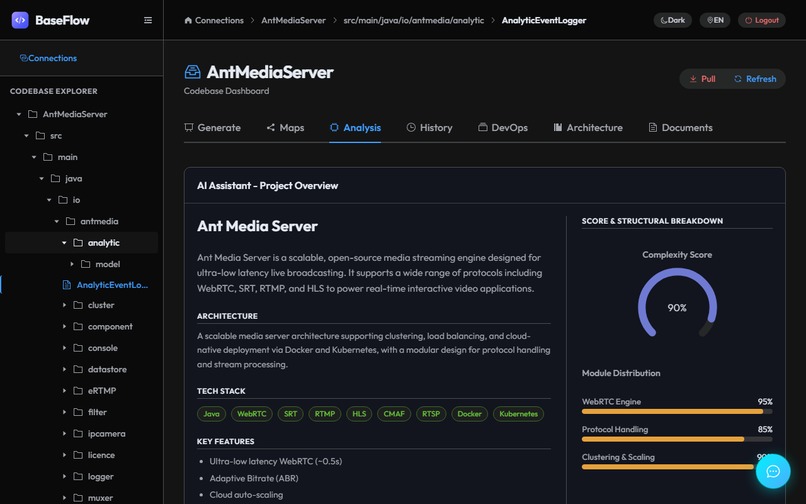
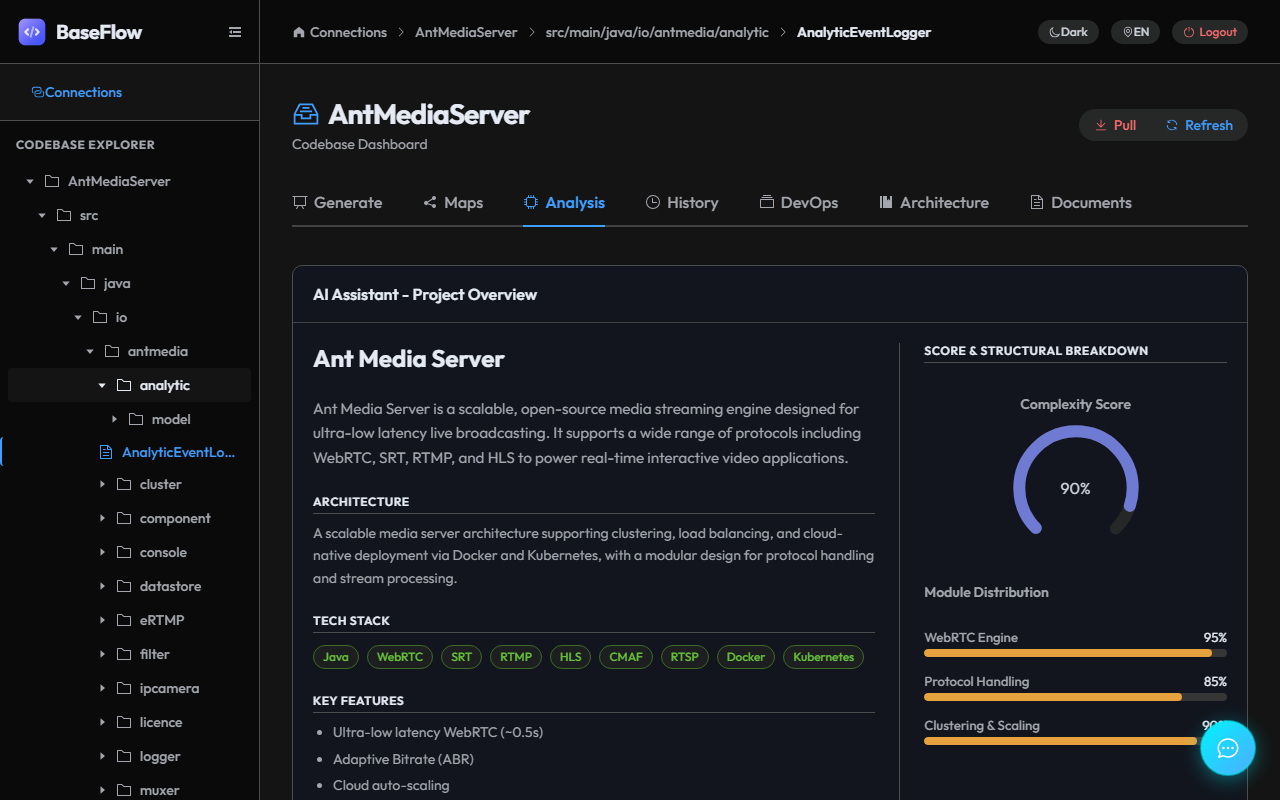
Codebase Analysis
-
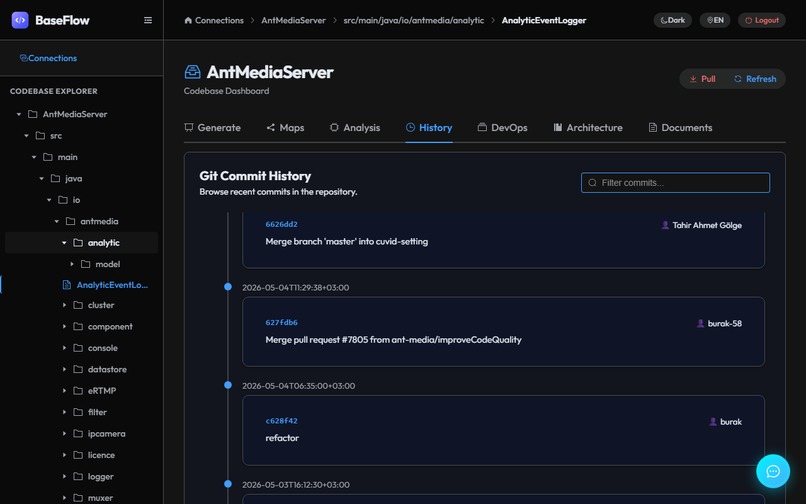
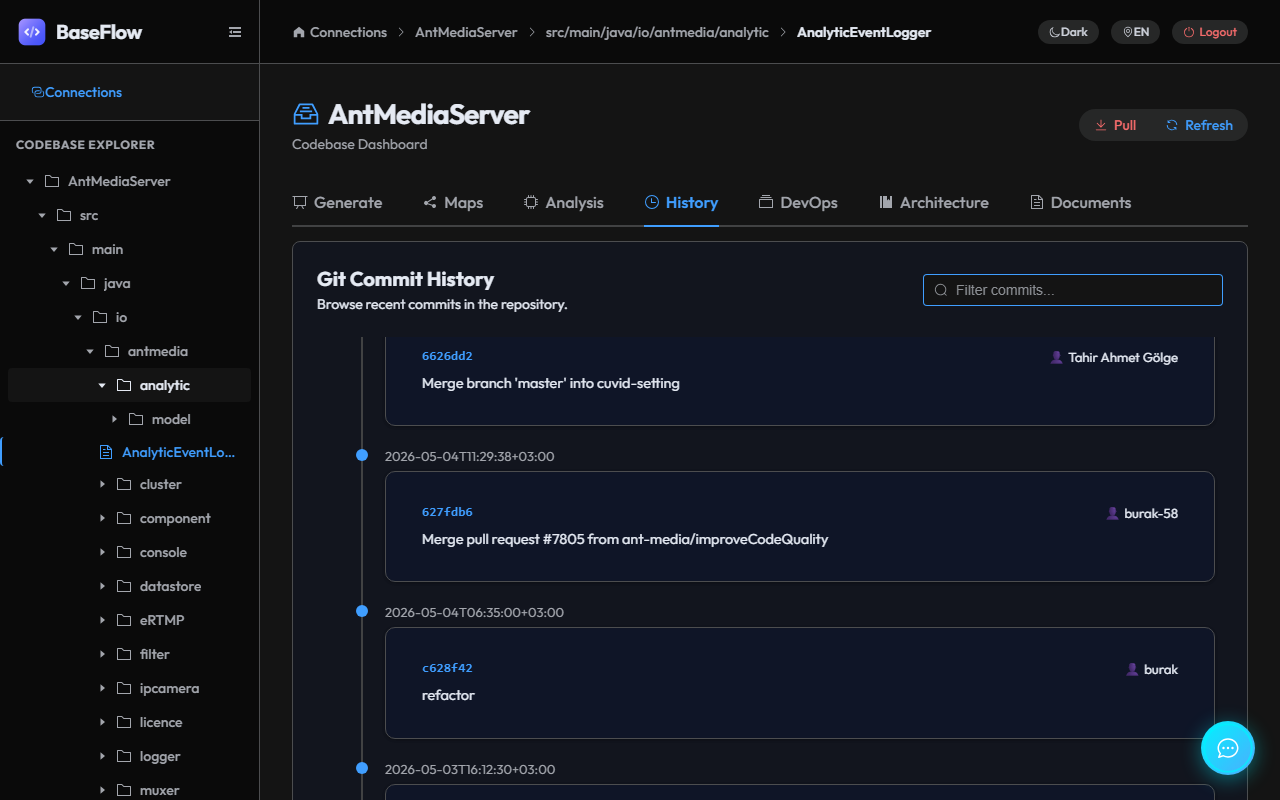
Commit History
-
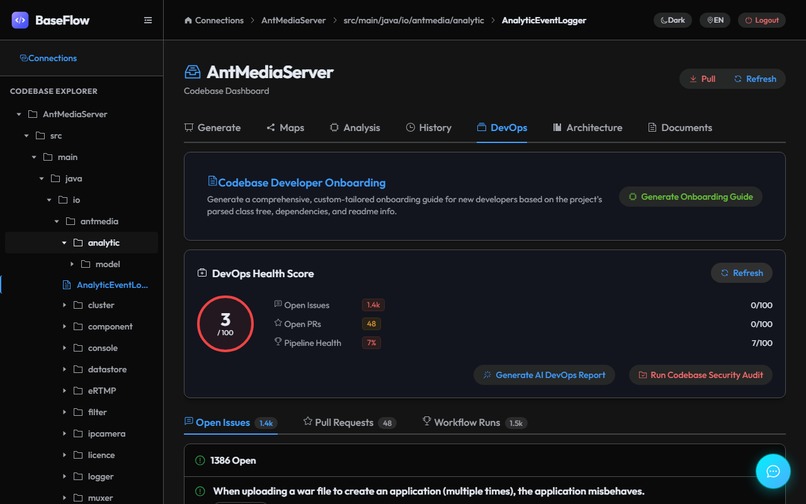
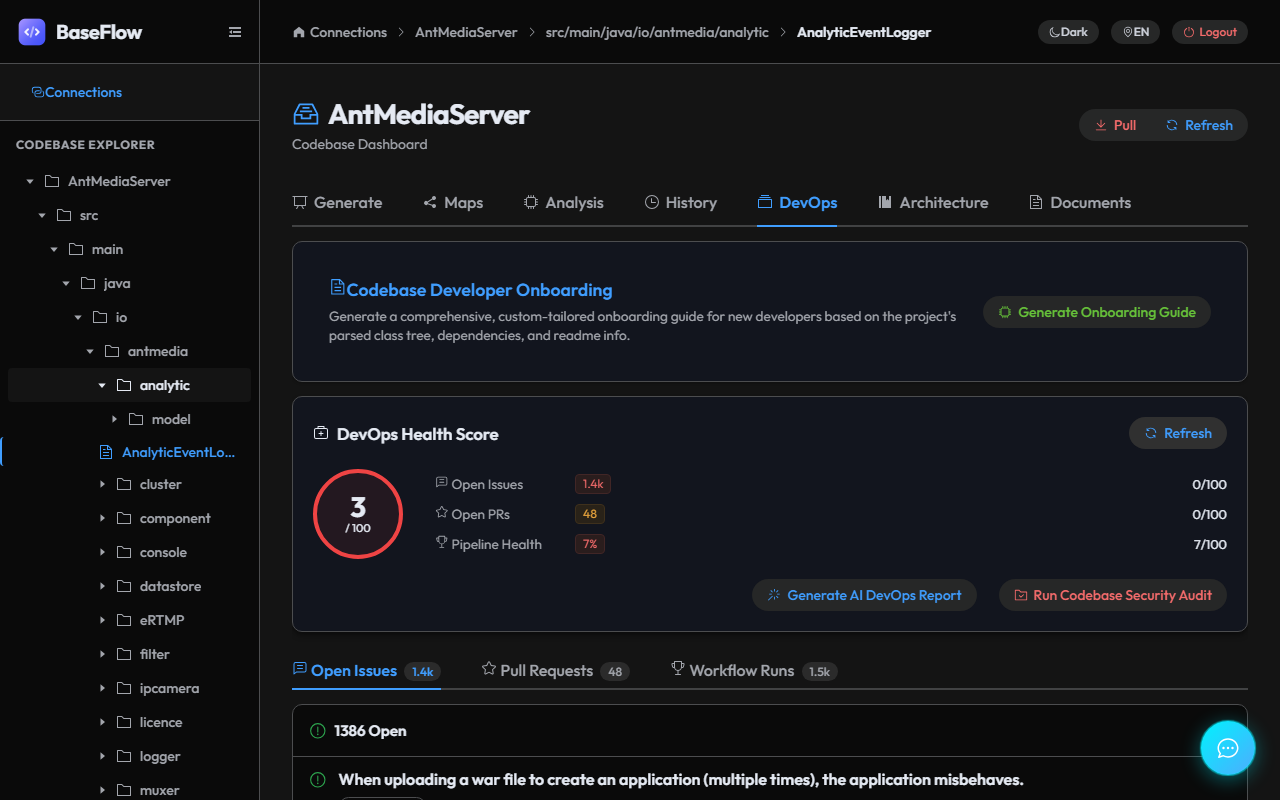
DevOps Overview
-
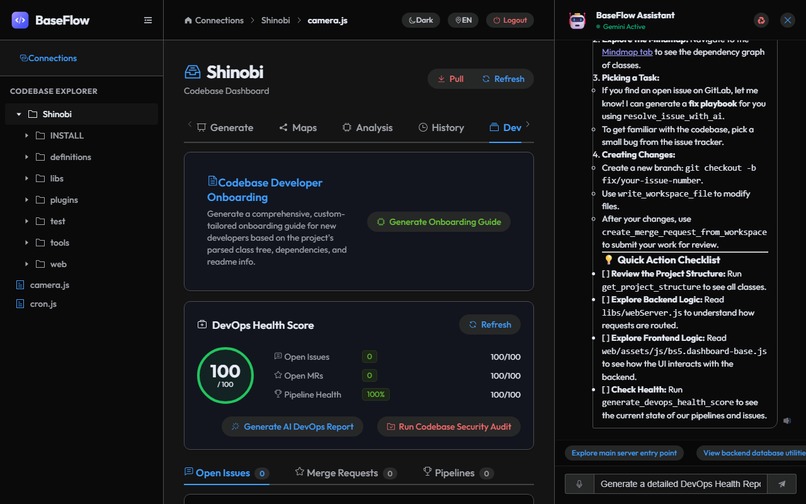
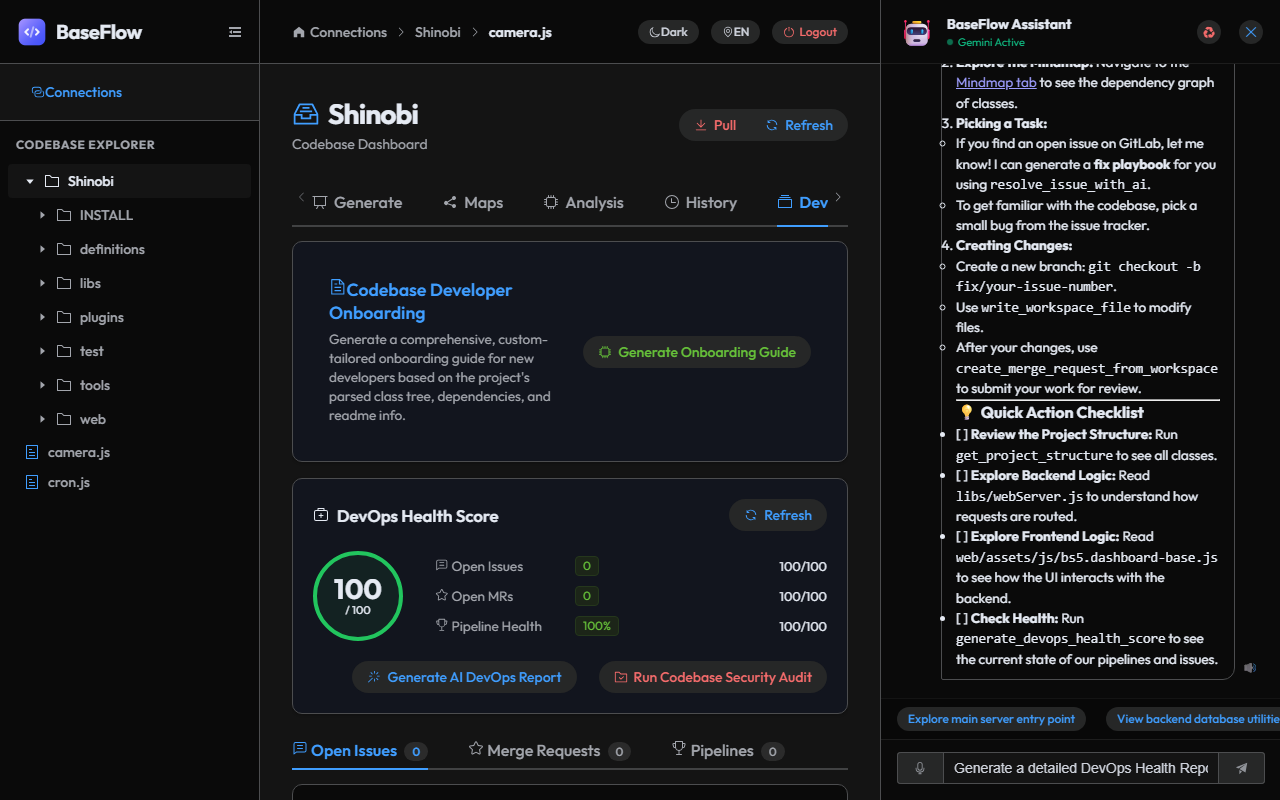
DevOps Assistant
-
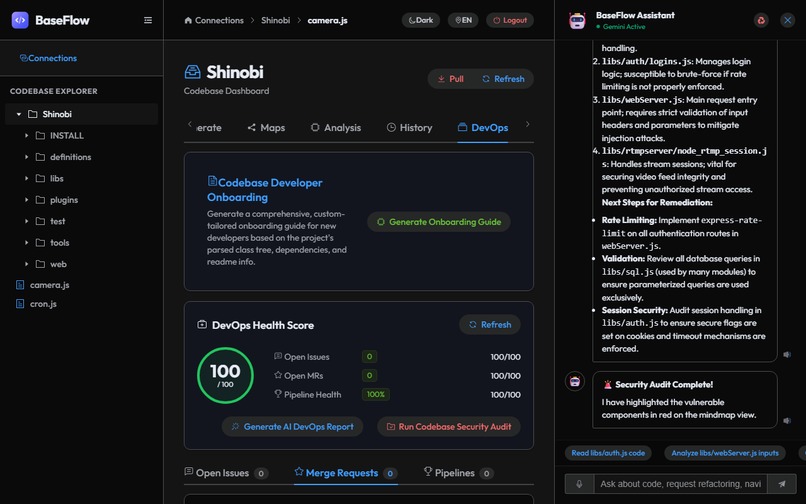
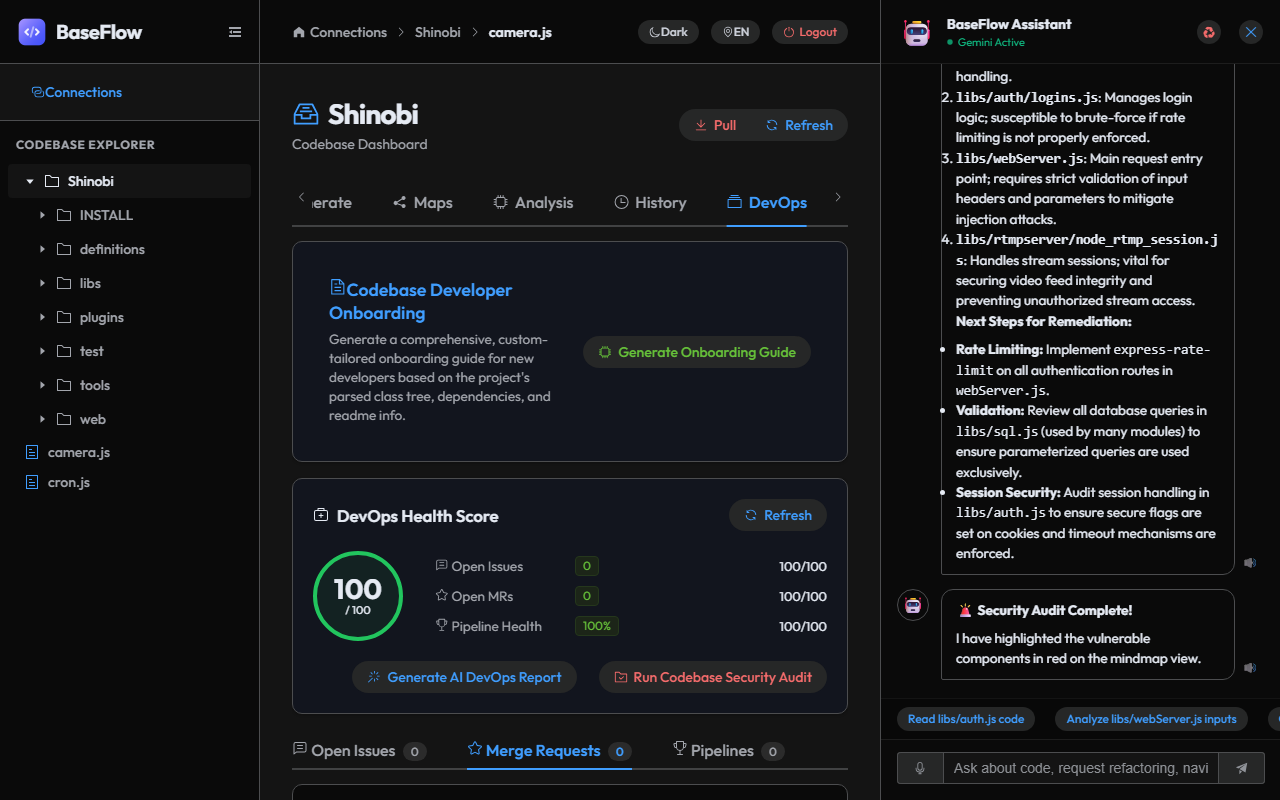
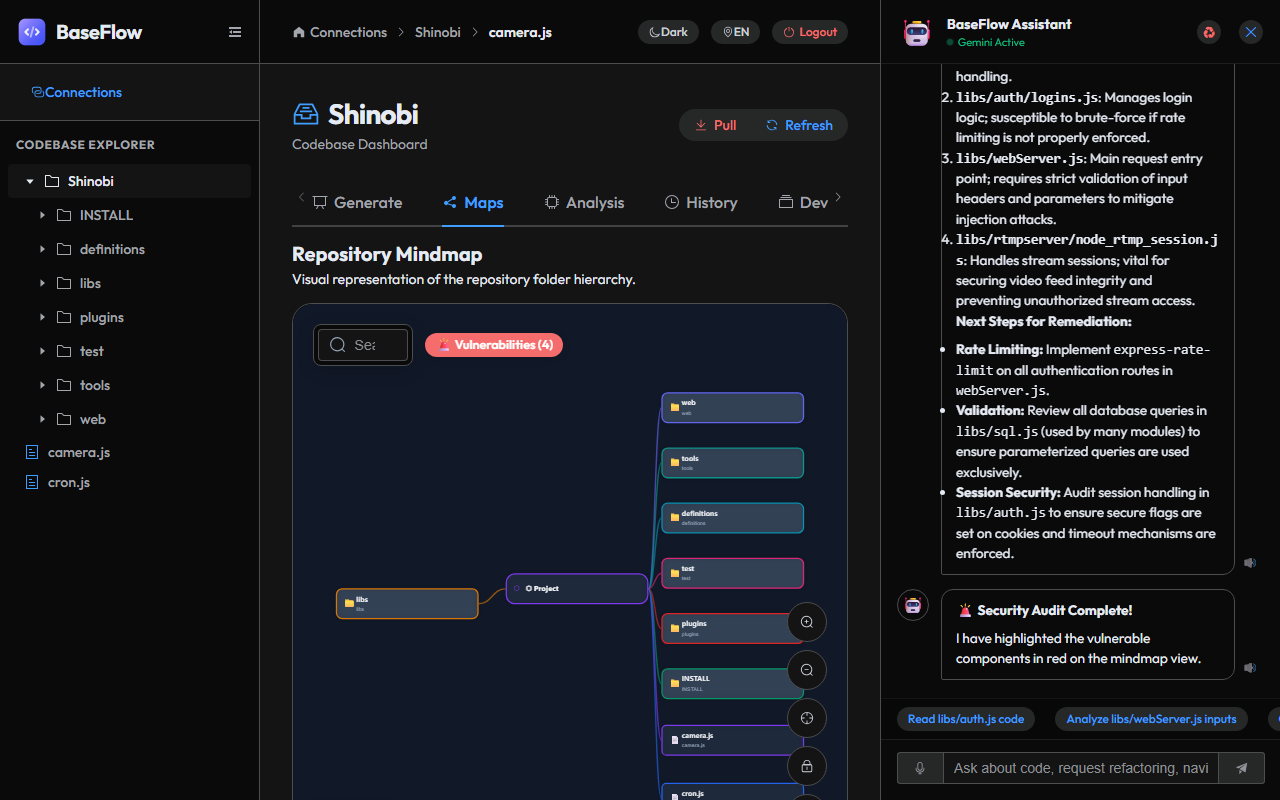
DevOps Security Audit
-
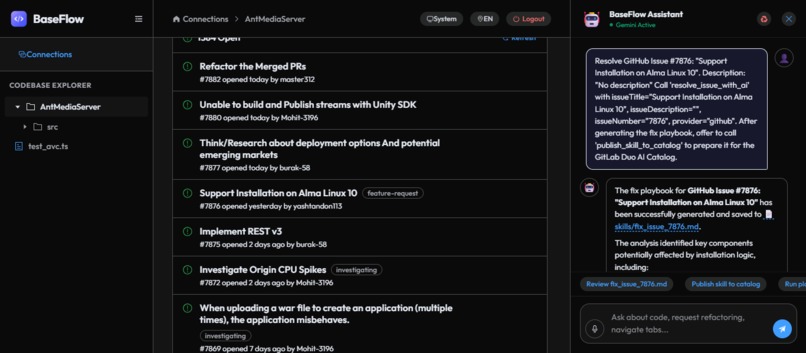
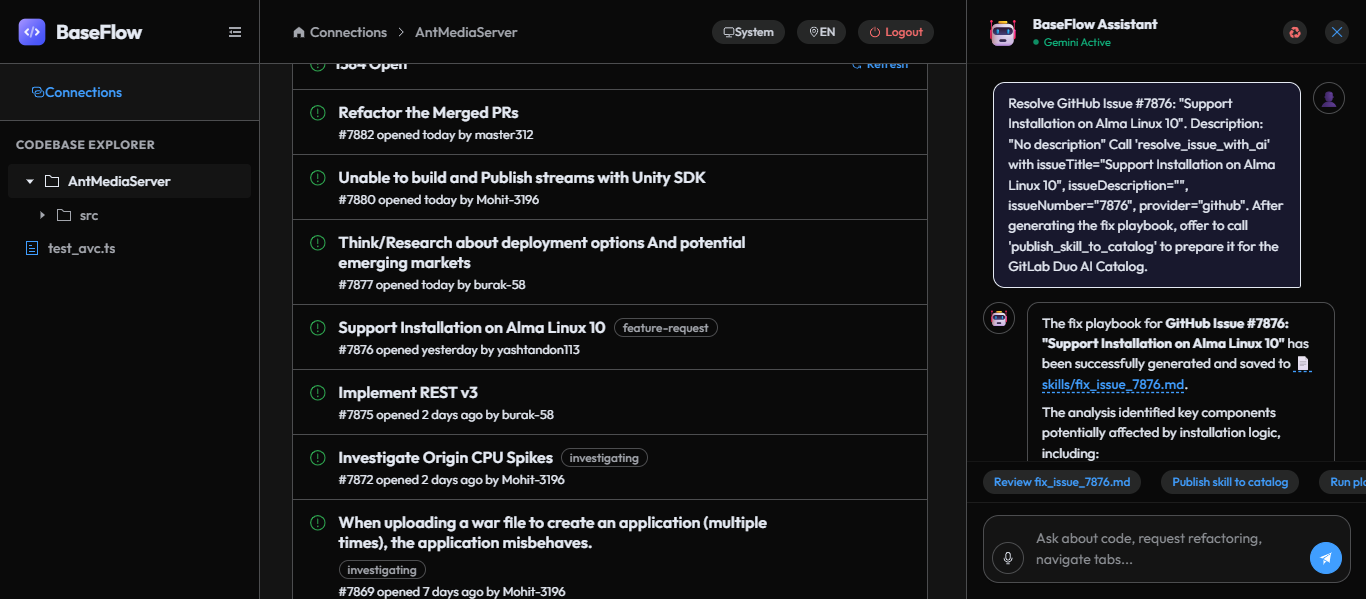
DevOps Playbook Create
-
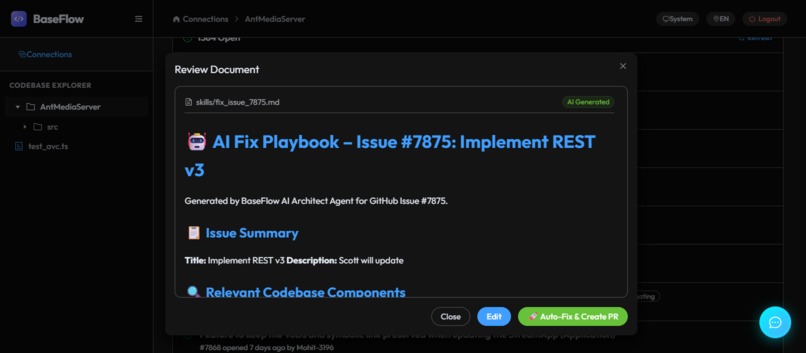
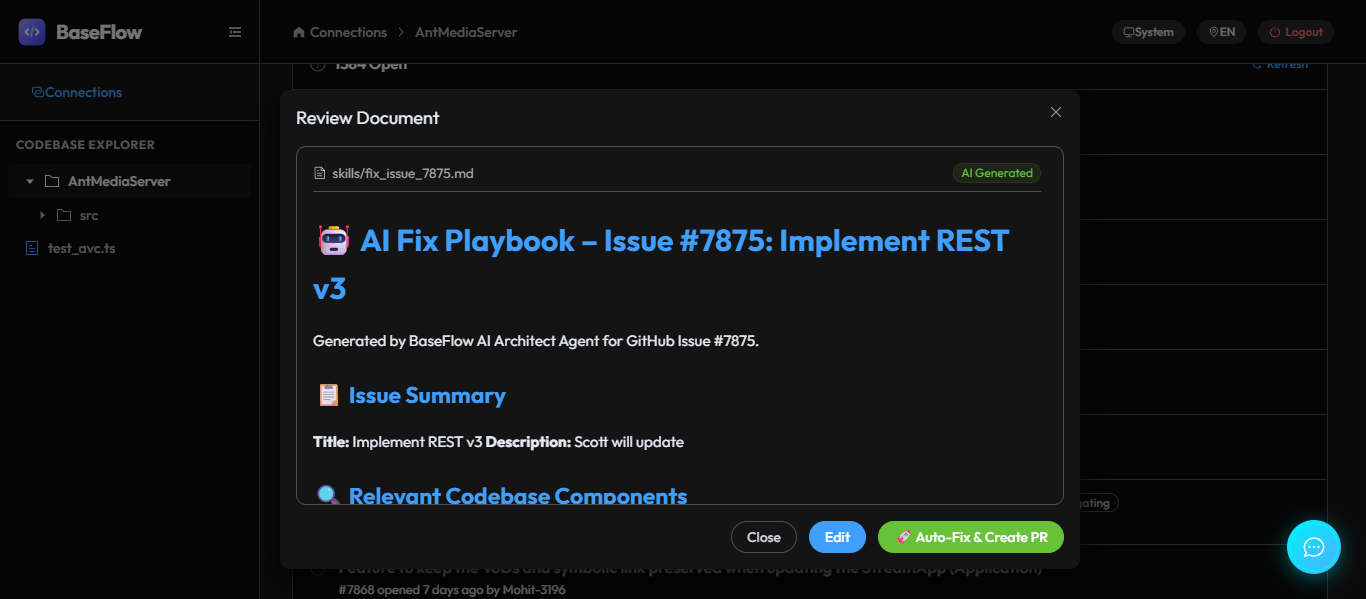
DevOps Playbook Review
-
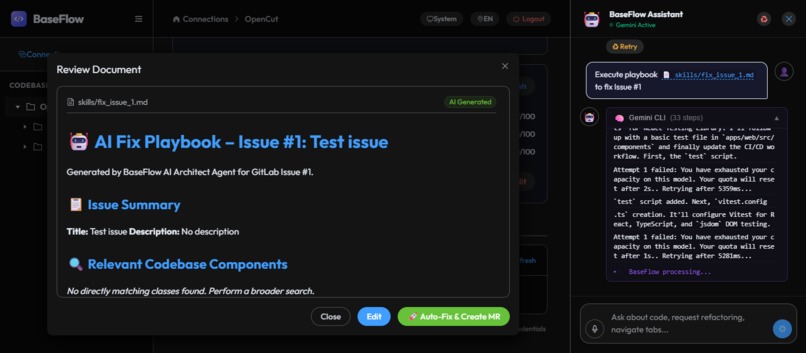
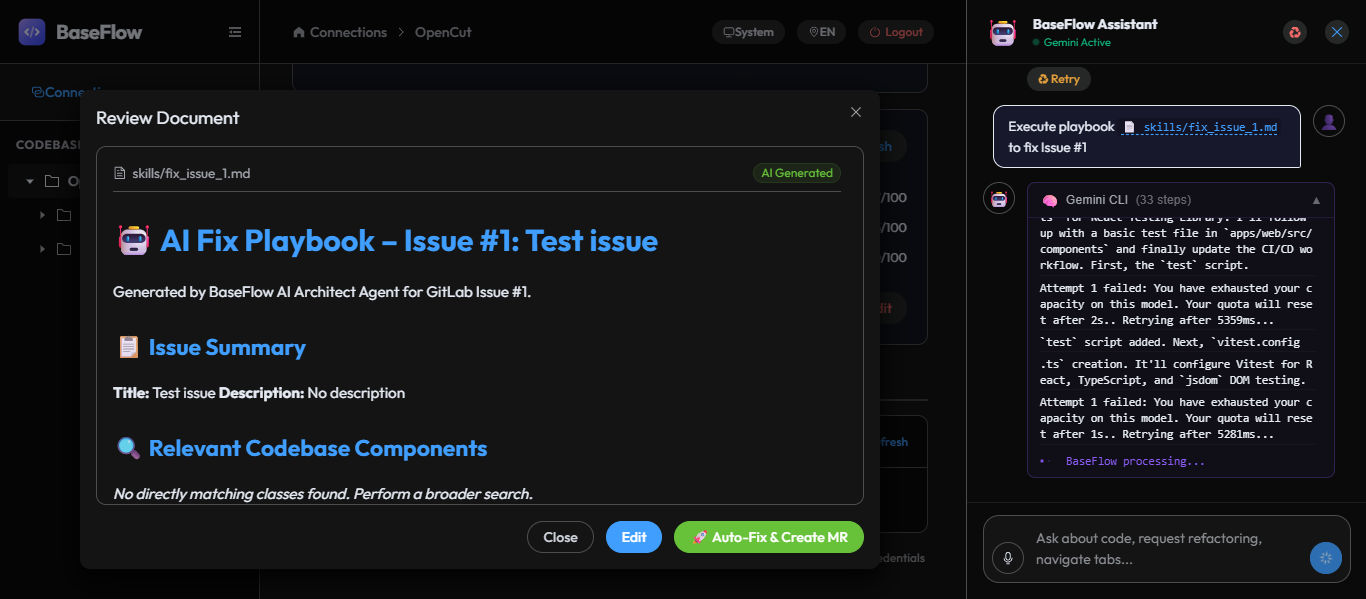
DevOps Auto Fix and Create MR/PR
-
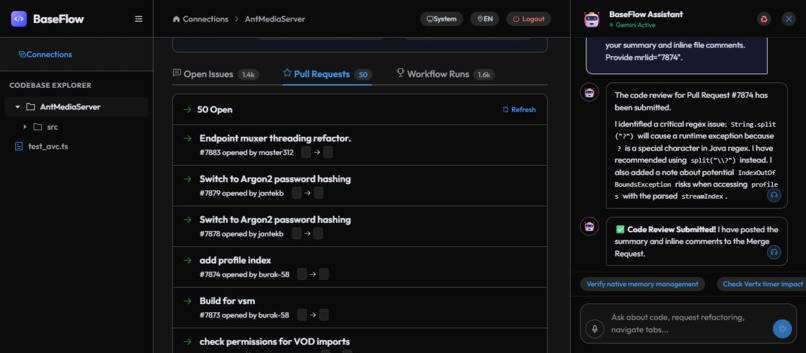
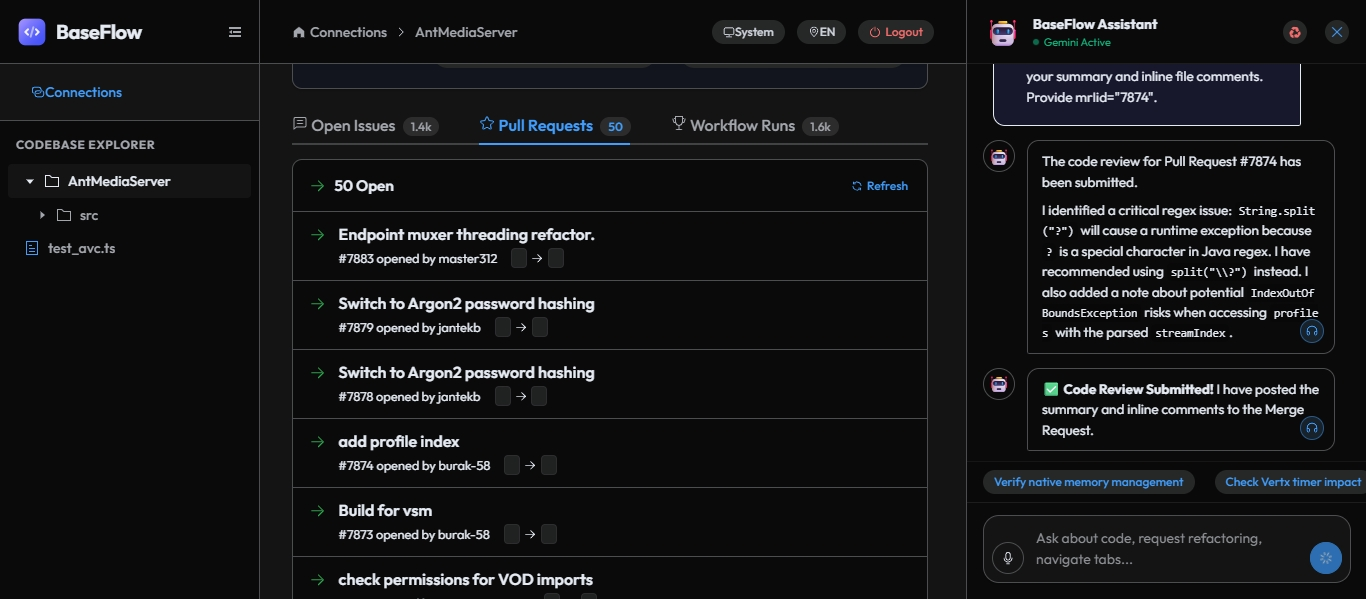
DevOps AI MR Review
-
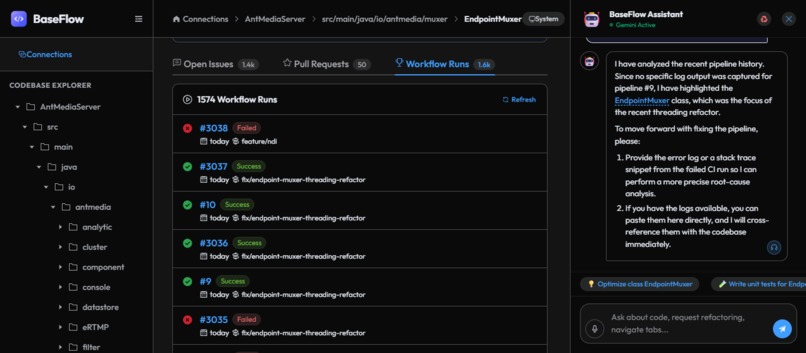
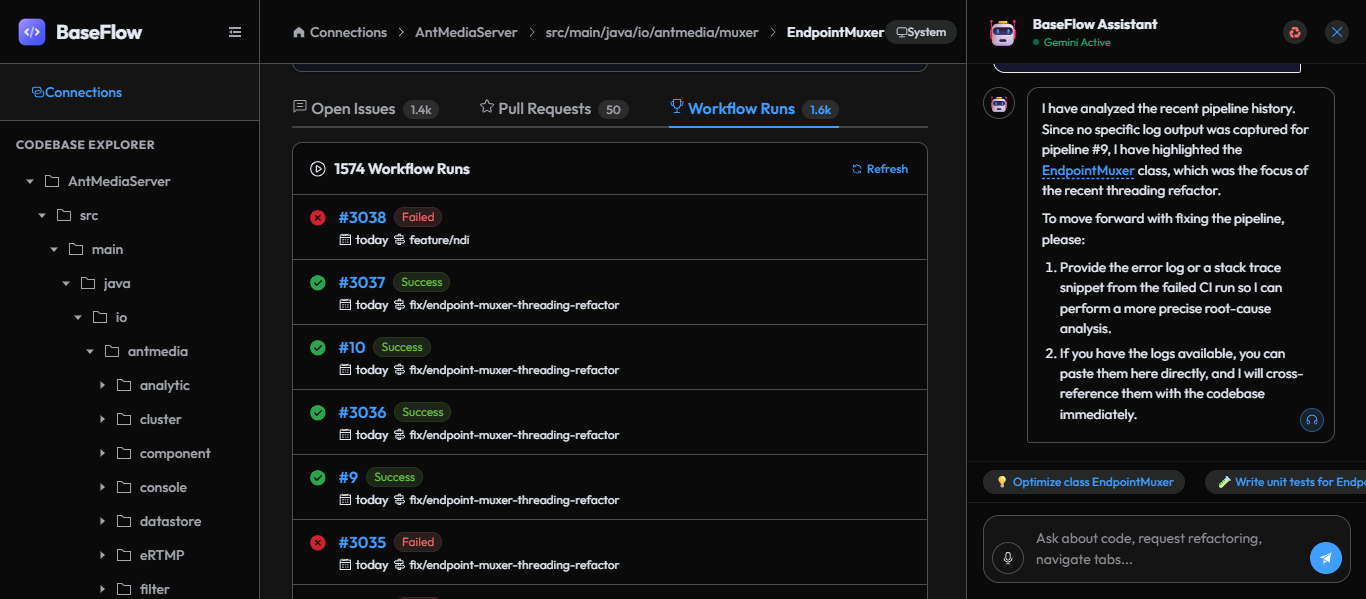
DevOps AI Workflow Analysis
-
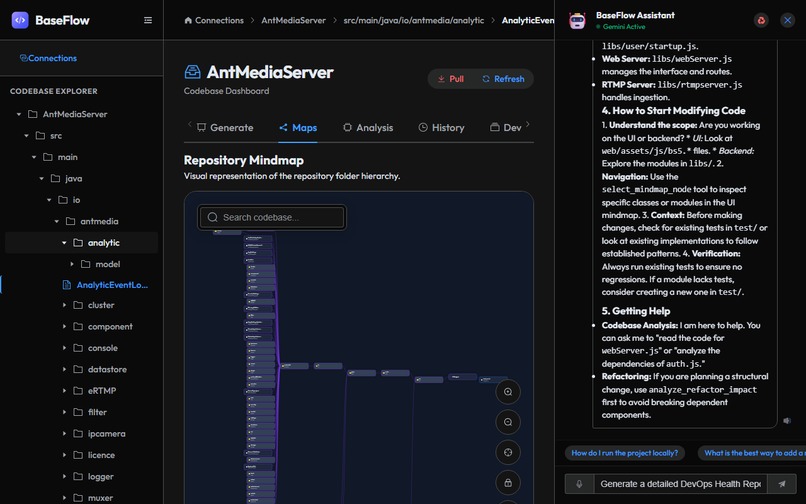
Code Assistant
-
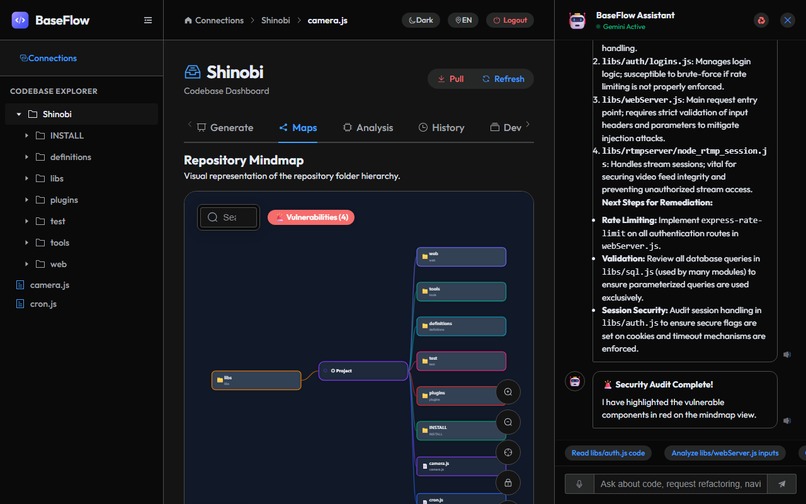
Code Security Audit
-
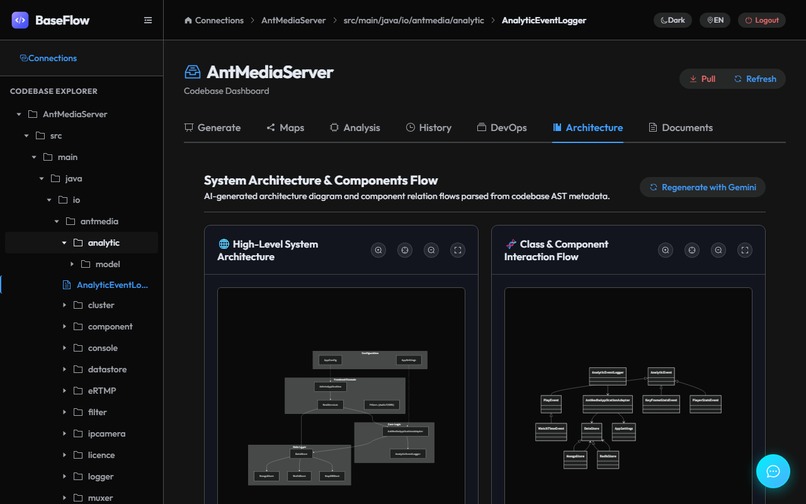
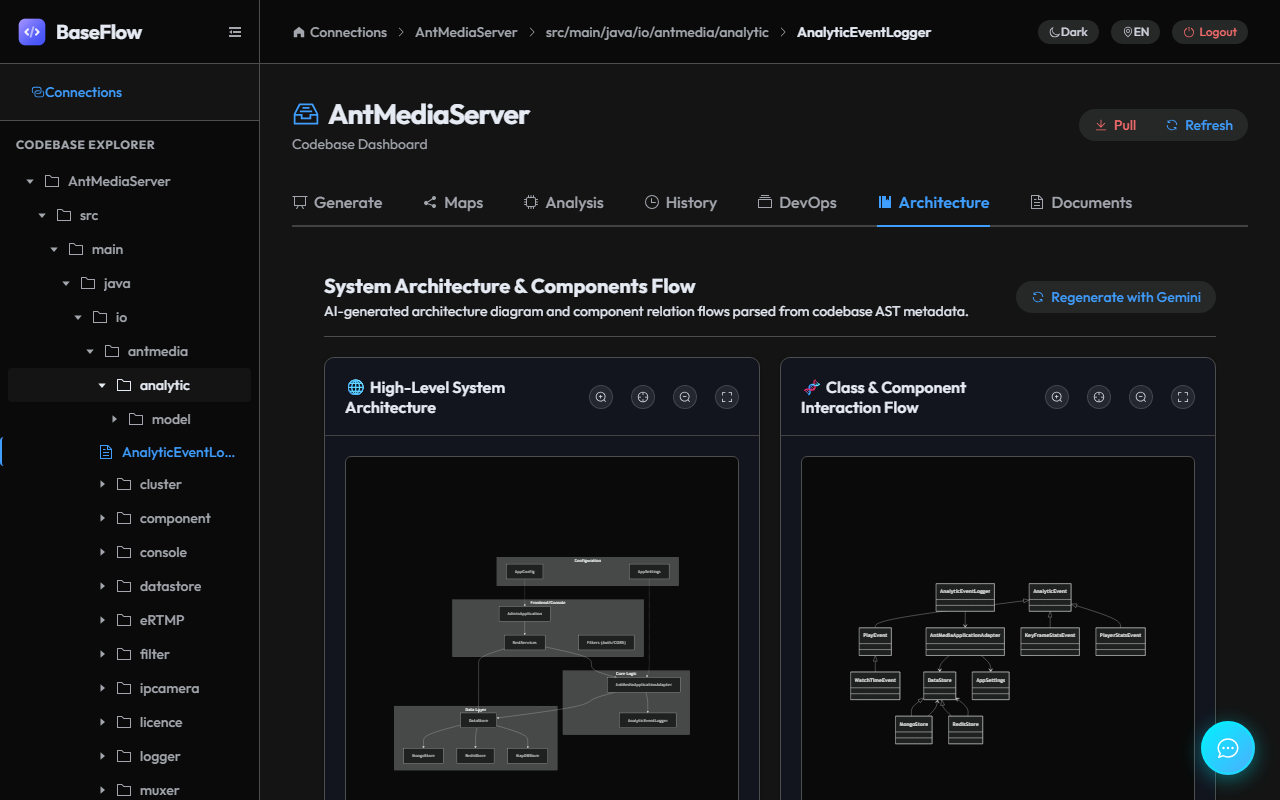
System Architecture Assistant
-
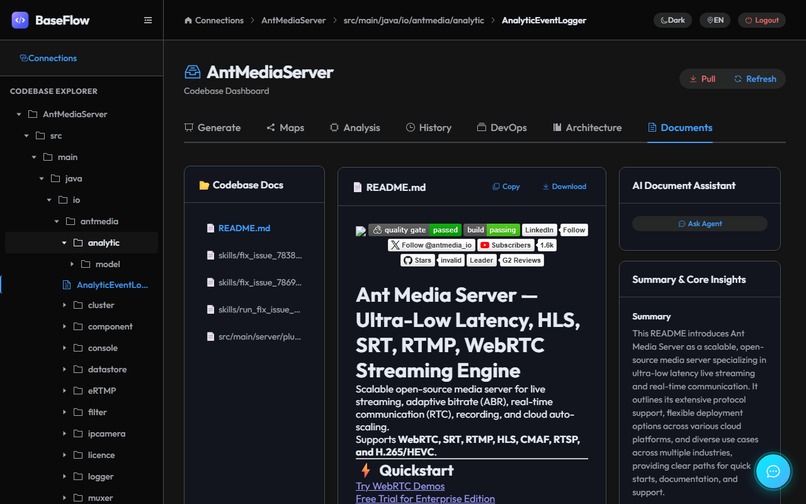
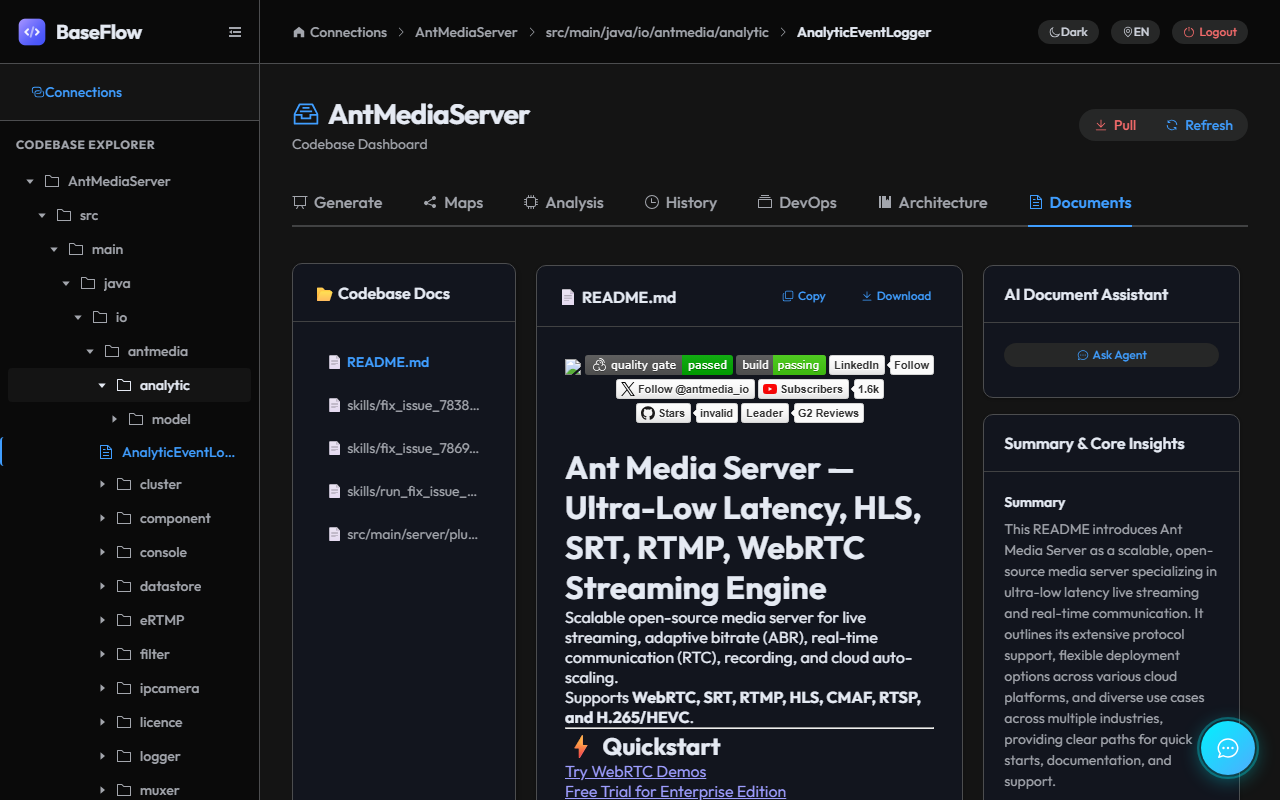
Document Review
-
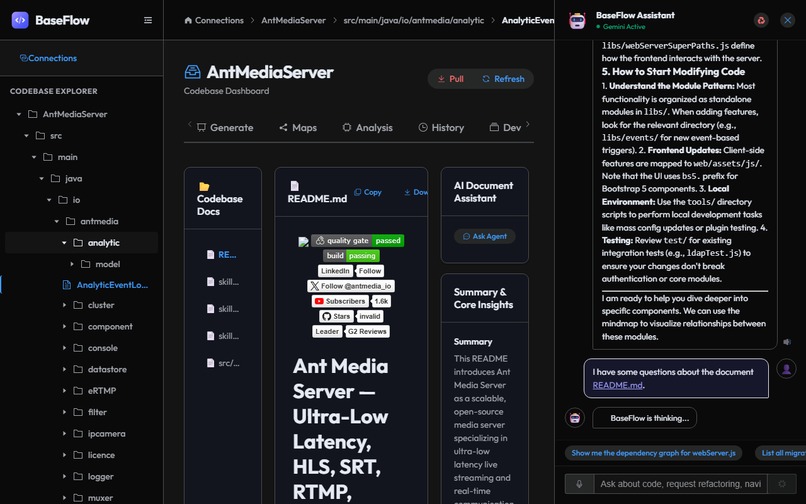
Document Assistant
-
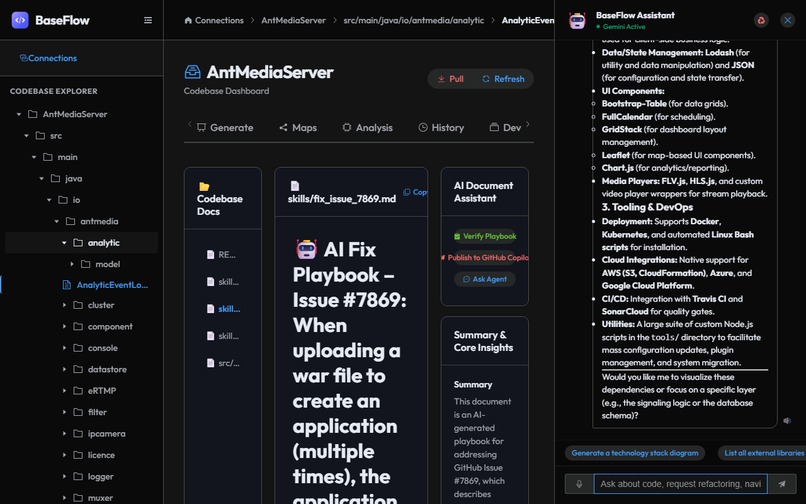
Issue/MR/PR Playbook Assistant
-
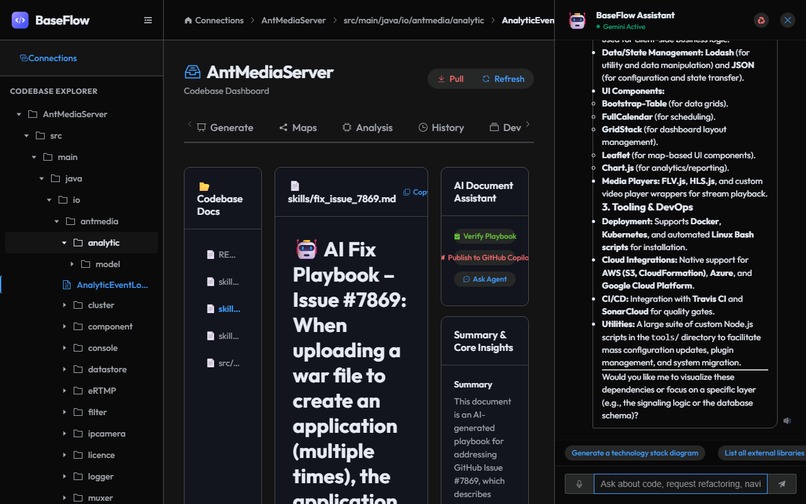
Playbook GitLab/GitHub Publish
-
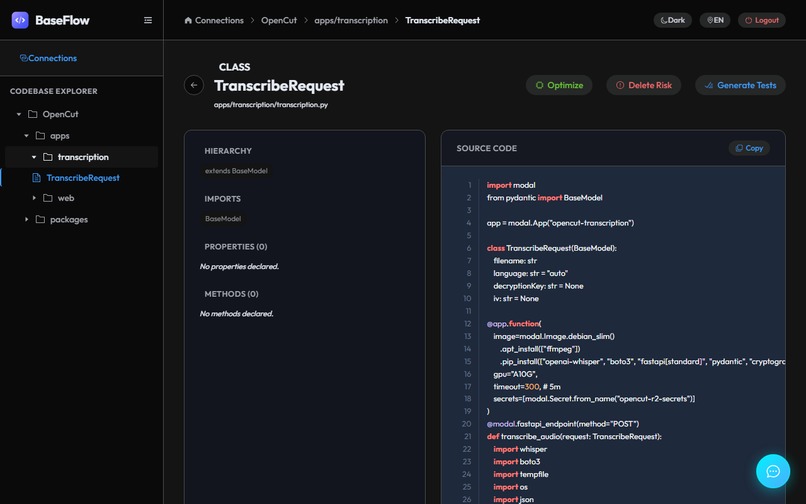
Code Review
-
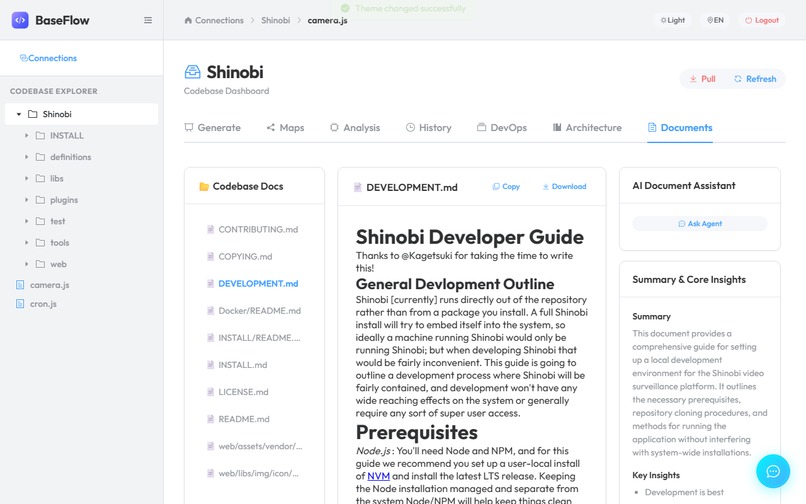
Light Mode
-
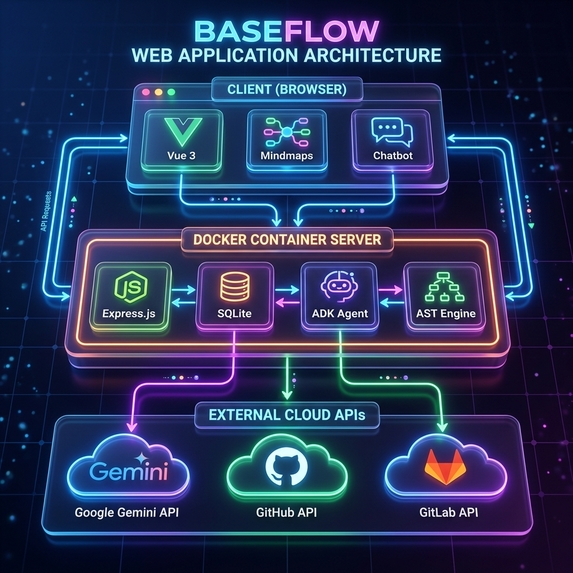
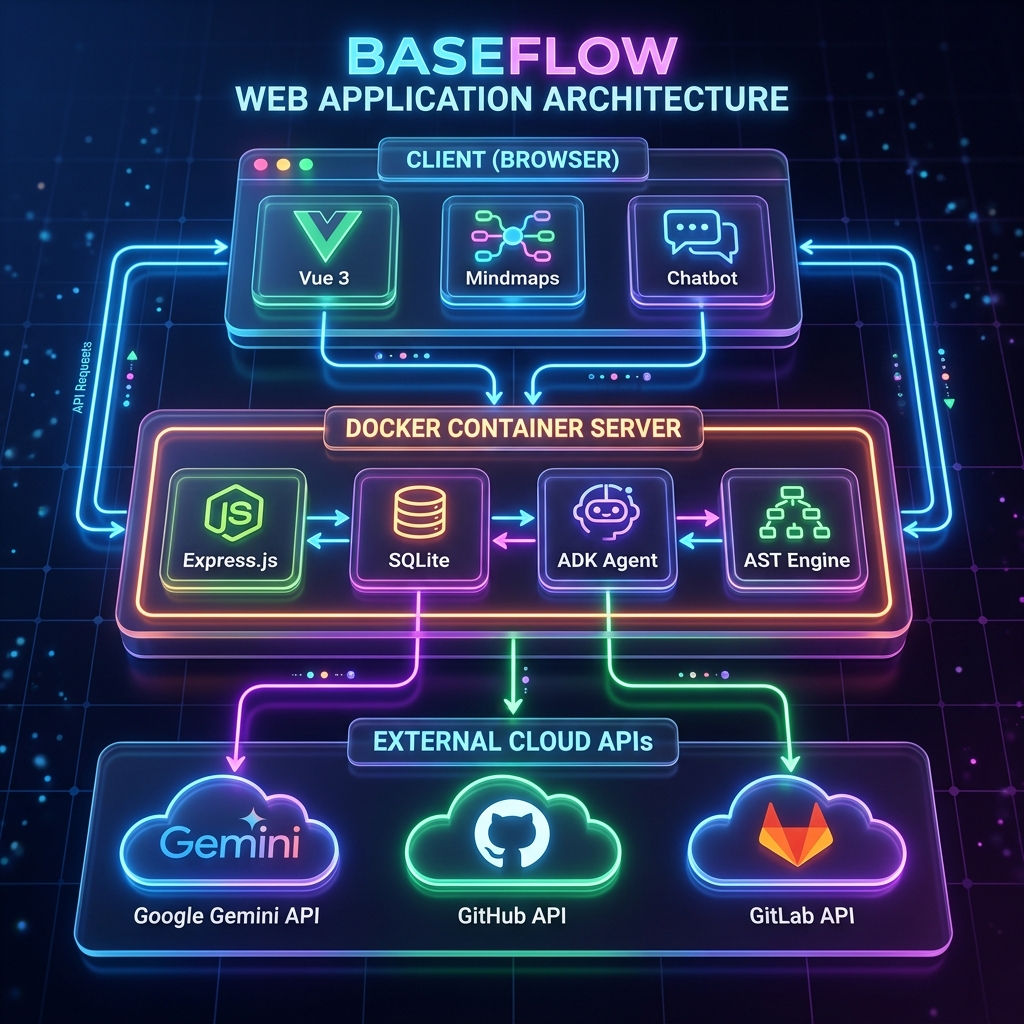
BaseFlow Architecture
-
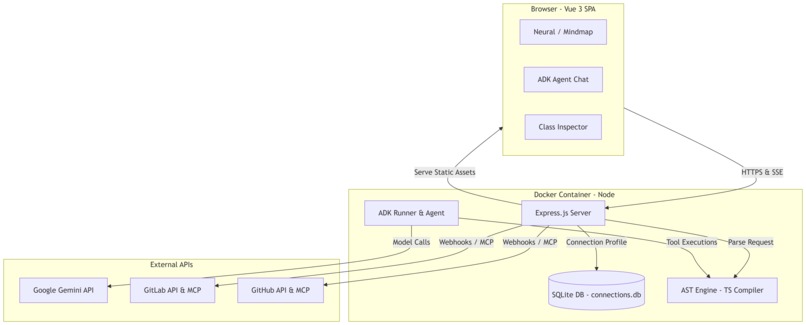
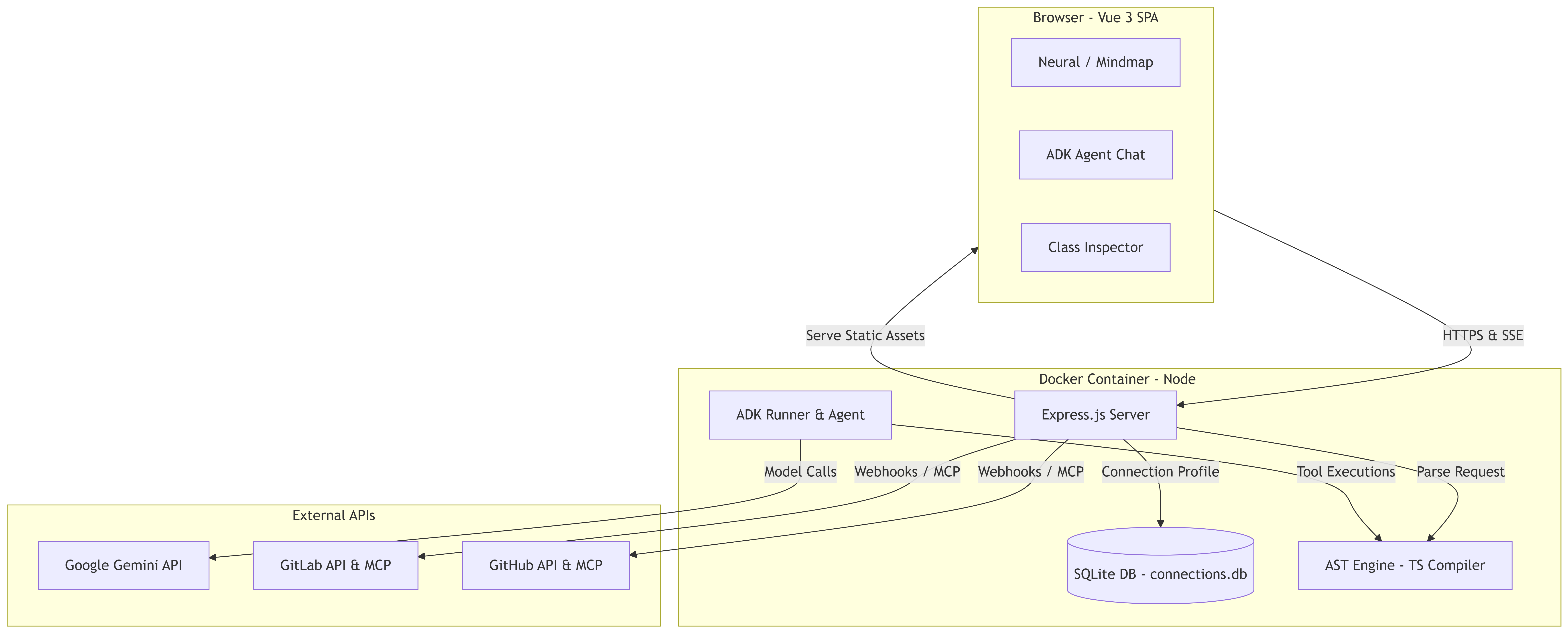
BaseFlow Architecture
-
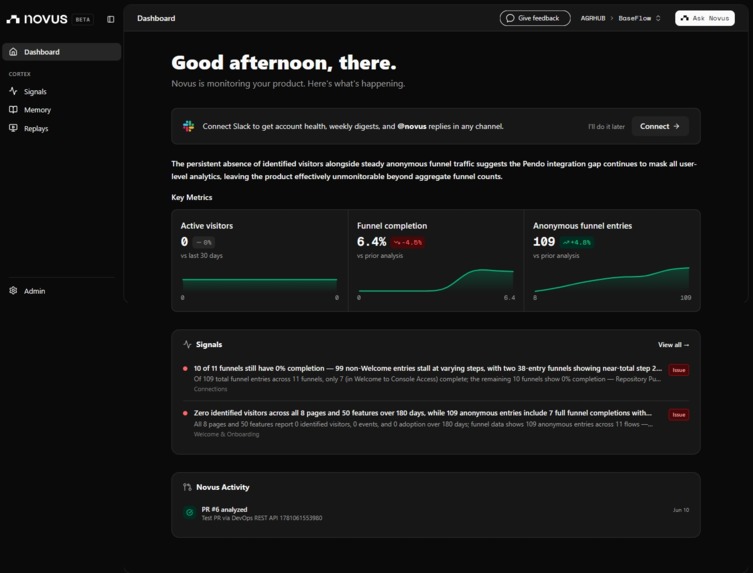
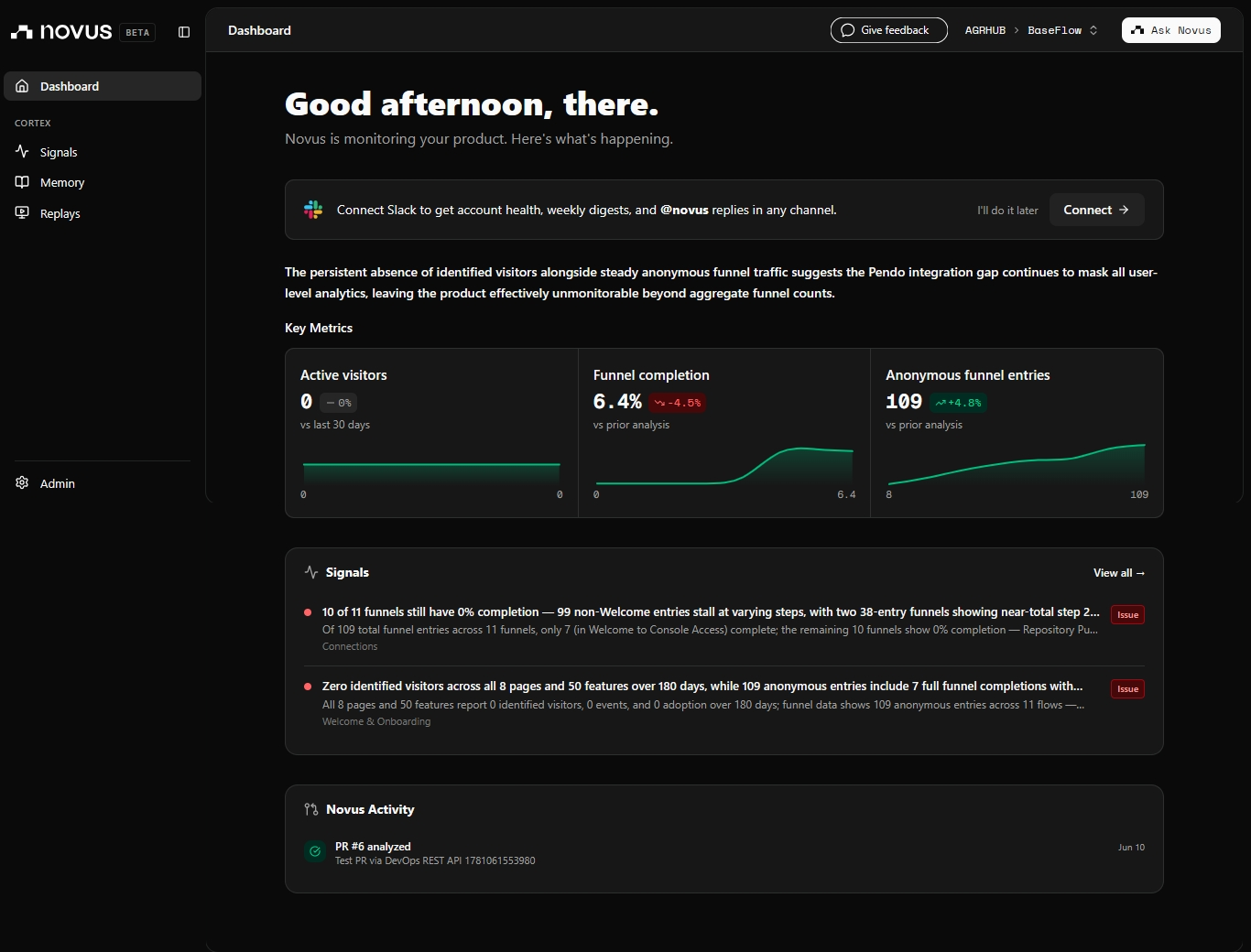
Pendo Dashboard
🌟 Inspiration
Every software team has the same problem: new developers take weeks to understand a codebase, and even senior developers struggle to know the full impact of a change before they make it.
We built BaseFlow because we believe AI agents should not just answer questions — they should actively navigate your development environment. When we discovered the GitLab Duo Agent Platform with its MCP server, AI Catalog, Custom Agents, and Custom Flows, we saw an opportunity to build an AI architect that could read your code, talk to your DevOps platform, and close the loop between understanding and action.
The hackathon was the perfect forcing function to take our codebase visualiser and evolve it into a true DevSecOps AI Command Centre.
🚀 What It Does
BaseFlow is a web application with six tightly integrated modules:
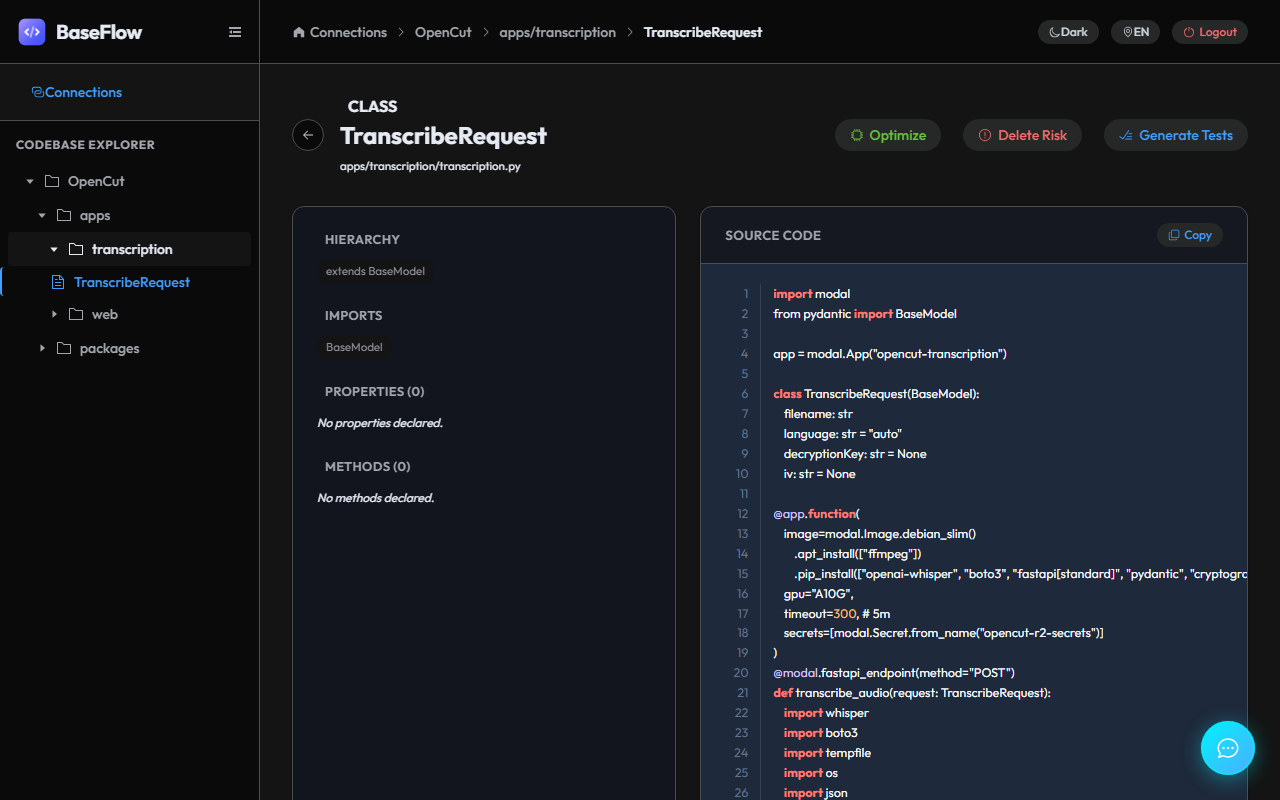
1. 🗺️ Codebase Mindmap
The AI agent parses your repository and renders all classes, files, and dependencies as an interactive force-directed graph. Click any node to see its full code, dependencies, and an AI-generated structural analysis.
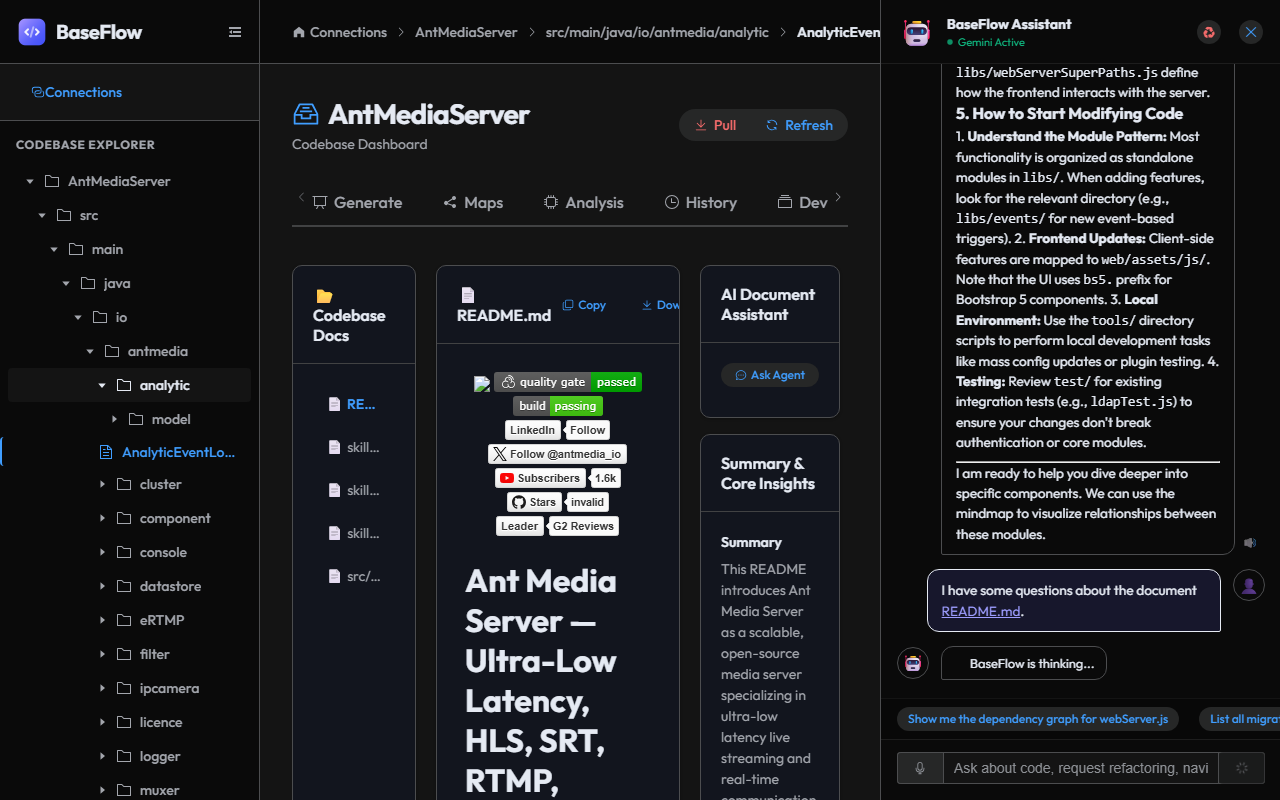
2. 🤖 AI Architect Chat
A persistent AI chat sidebar powered by Google ADK (LlmAgent) with Gemini 3. The agent has access to 11 local tools (project structure reader, class code reader, mindmap highlighter, etc.) and optionally the GitLab Duo MCP and GitHub MCP toolsets.
3. 📊 DevOps Health Score
An AI-computed score (0–100) combining open issues, MR/PR count, and CI/CD pipeline success rate. The agent uses the generate_devops_health_score tool to produce a narrative report with a colour-coded breakdown and actionable recommendations.
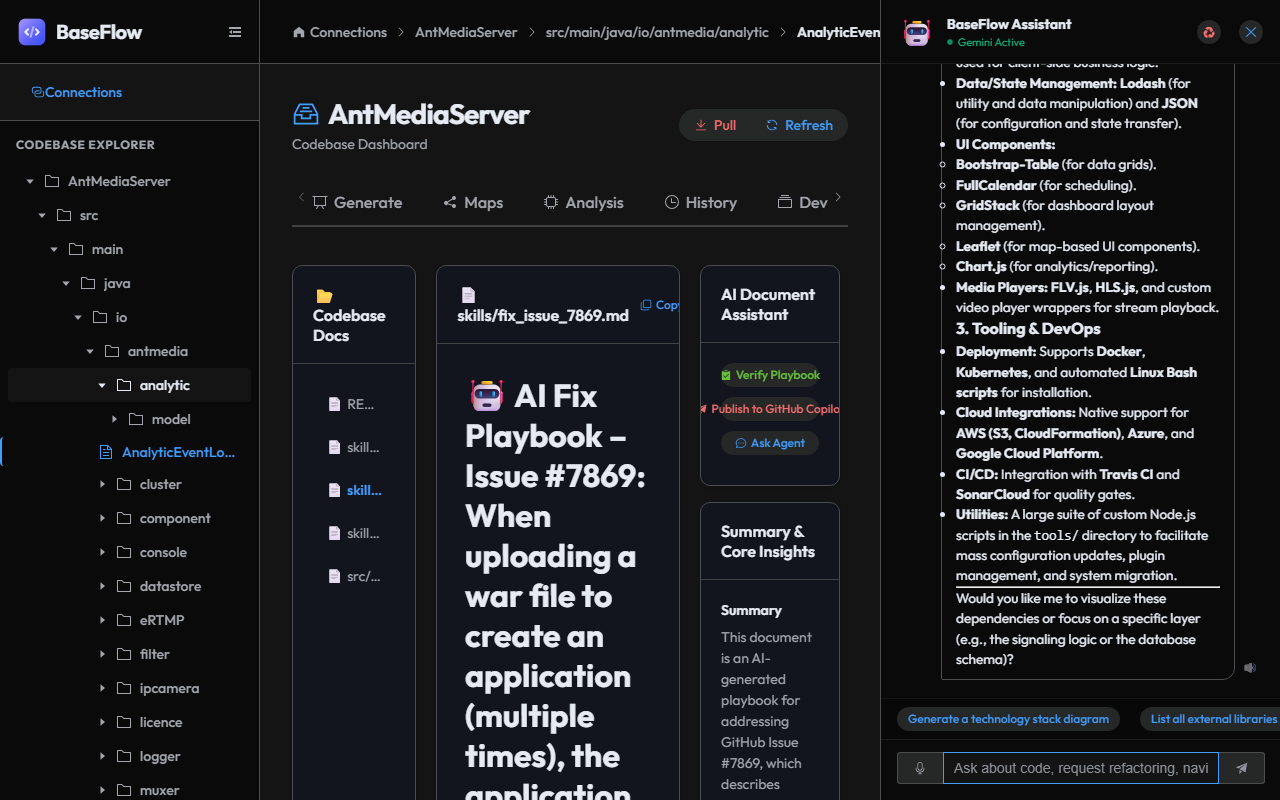
4. 🤖 AI Issue Resolver
Click any GitLab issue or GitHub issue → the AI agent automatically:
- Reads the issue via GitLab Duo MCP (
gitlab_get_issue) - Scans the codebase for relevant classes using keyword matching
- Generates a
skills/fix_issue_N.mdplaybook in the repository - Offers to publish the skill as a Custom Agent to the GitLab Duo AI Catalog
5. 🔍 CI/CD Watchdog
Failed pipeline? Click "Analyze Blocker" → the AI fetches the job log via gitlab_get_job_trace, cross-references the log with your codebase, highlights affected classes on the mindmap, and generates a root-cause analysis with fix steps.
6. 📤 GitLab Duo AI Catalog Publisher
Any generated skill file can be formatted and published as a Custom Agent system prompt to the GitLab Duo AI Catalog. The agent produces a complete configuration ready to paste into GitLab's custom agent settings.
🛠️ How We Built It
Architecture
BaseFlow runs as a unified containerized service hosting both backend API services and frontend assets.

Key Technologies
| Layer | Technology |
|---|---|
| AI Framework | Google ADK (@google/adk) |
| LLM | Gemini 3.1 Flash (via ADK) |
| MCP Client | mcp-remote (for GitLab Duo MCP HTTP endpoint) |
| GitLab MCP | Official GitLab Duo MCP at https://gitlab.com/api/v4/mcp |
| GitHub MCP | @modelcontextprotocol/server-github |
| Frontend | Vue 3, Element Plus, Vite, G6 Graph |
| Backend | Node.js, Express, TypeScript |
| Code Parsing | Custom AST parser for TypeScript, Python, Java, C#, Vue |
| Visualisation | VueFlow (force-directed graphs), Mermaid.js |
| Storage | SQLite (via better-sqlite3) |
GitLab Integration Details
BaseFlow connects to GitLab using the official Duo MCP endpoint:
npx mcp-remote https://gitlab.com/api/v4/mcp \
  --header "PRIVATE-TOKEN: <glpat-...>"
This gives the AI agent access to 15+ GitLab MCP tools including:
gitlab_list_issues,gitlab_get_issue— Issue readinggitlab_create_note— Posting AI-generated commentsgitlab_list_merge_requests— MR reviewgitlab_get_job_trace— CI/CD job log access (unique to GitLab MCP)gitlab_list_project_files,gitlab_get_file_contents— Code reading
The Skill Publisher integrates with the GitLab Duo AI Catalog by formatting agent system prompts compatible with GitLab's Custom Agents feature.
GitHub Integration Details
For GitHub repositories, BaseFlow uses @modelcontextprotocol/server-github via stdio transport, providing tools prefixed github_ for issues, PRs, and workflow run logs.
🏗️ Challenges We Faced
GitLab Duo MCP Auth: The official endpoint requires
PRIVATE-TOKENheader, not environment variables. Gettingmcp-remoteto forward this header correctly (and documenting the Default Duo Namespace prerequisite) took significant debugging.Streaming Tool Chains: Coordinating multi-step agentic actions (read issue → scan codebase → write file → offer catalog publishing) through Google ADK's
LlmAgentwhile keeping the frontend chat UX smooth required careful design of the pending actions queue.Cross-Platform Repository Parsing: Supporting TypeScript, Python, Java, C#, and Vue files in one unified AST parser without depending on language-specific toolchains was complex — especially handling edge cases in class inheritance detection.
Real-Time Mindmap Highlighting: Connecting backend tool actions (from the AI agent) to frontend mindmap node highlighting in real-time without WebSocket overhead required a polling-based pending actions mechanism.
🏅 Accomplishments We're Proud Of
- True end-to-end agentic action: From reading a GitLab issue to writing a fix playbook and publishing to the AI Catalog — zero manual steps.
- First-class GitLab Duo MCP support: Correctly using the official endpoint with PRIVATE-TOKEN auth, not a workaround.
- Dual platform coverage: Both GitLab Duo MCP and GitHub MCP work side-by-side in the same agent session.
- CI/CD Watchdog with log analysis: Uniquely uses
gitlab_get_job_traceto provide job-log-aware root cause analysis. - Beautiful, production-ready UI: Dark mode, glassmorphism, animated mindmap, responsive design.
📚 What We Learned
- The GitLab Duo Agent Platform (Custom Agents, AI Catalog, MCP Server) is a powerful but nuanced ecosystem — the Default Duo Namespace setting is a prerequisite that isn't prominently documented.
mcp-remoteis a powerful bridge for HTTP-based MCP servers, but requires explicit--headerflags rather than environment variables.- Google ADK's
FunctionToolpattern enables tight integration between AI reasoning and local application state.
🔮 What's Next
- GitLab Custom Flows: Implement multi-step automated workflows using the GitLab Duo Flows beta (e.g. "auto-fix and commit" flow triggered by an issue label).
- AI-Powered Code Review Comments: Post structured AI review comments directly on MR diffs via
gitlab_create_note. - Security Scanning Integration: Cross-reference SAST/DAST results from GitLab Security Dashboard with the codebase mindmap.
- GitHub Copilot Extensions API: Extend BaseFlow as a GitHub Copilot Extension for VS Code integration.
- Collaborative Agents: Multiple BaseFlow instances sharing skill files via a shared GitLab AI Catalog namespace.
🏗️ Try It Out
- Clone the repository:
git clone https://github.com/agrhub/baseflow - Follow the GitLab Duo Integration Guide
- Run:
npm run devin bothbackend/andfrontend/ - Open
http://localhost:5173
Prerequisites
- Node.js 18+
- A GitLab.com account with a Duo Trial (free, 30 days, no credit card)
- A GitLab Personal Access Token with
apiscope
Built With
- element-plus
- express.js
- g6-graph
- gemini-3
- github
- github-mcp
- gitlab
- gitlab-duo-mcp
- google-adk
- mcp-remote
- mermaid-js
- model-context-protocol
- node.js
- sqlite
- typescript
- vite
- vue-3
- vueflow

Log in or sign up for Devpost to join the conversation.