-
-
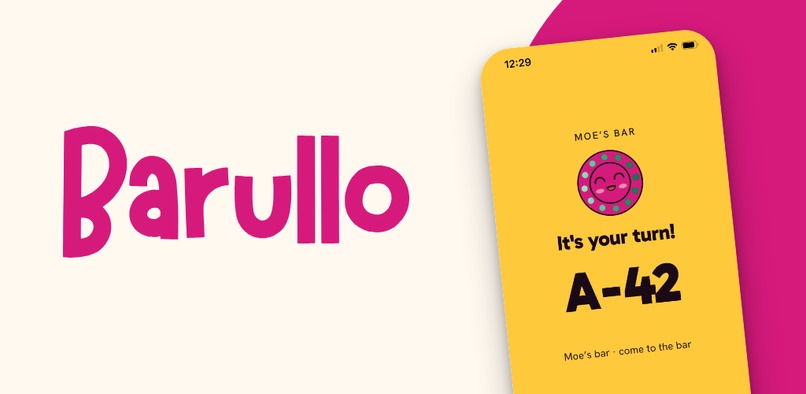
Barullo turns the phone your customers already carry into the restaurant pager.
-
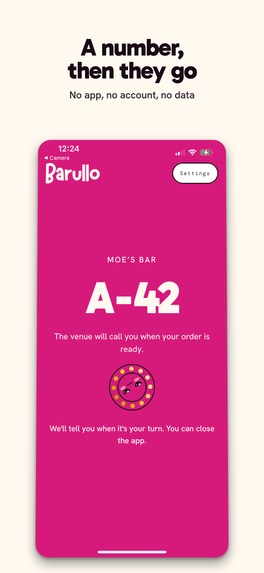
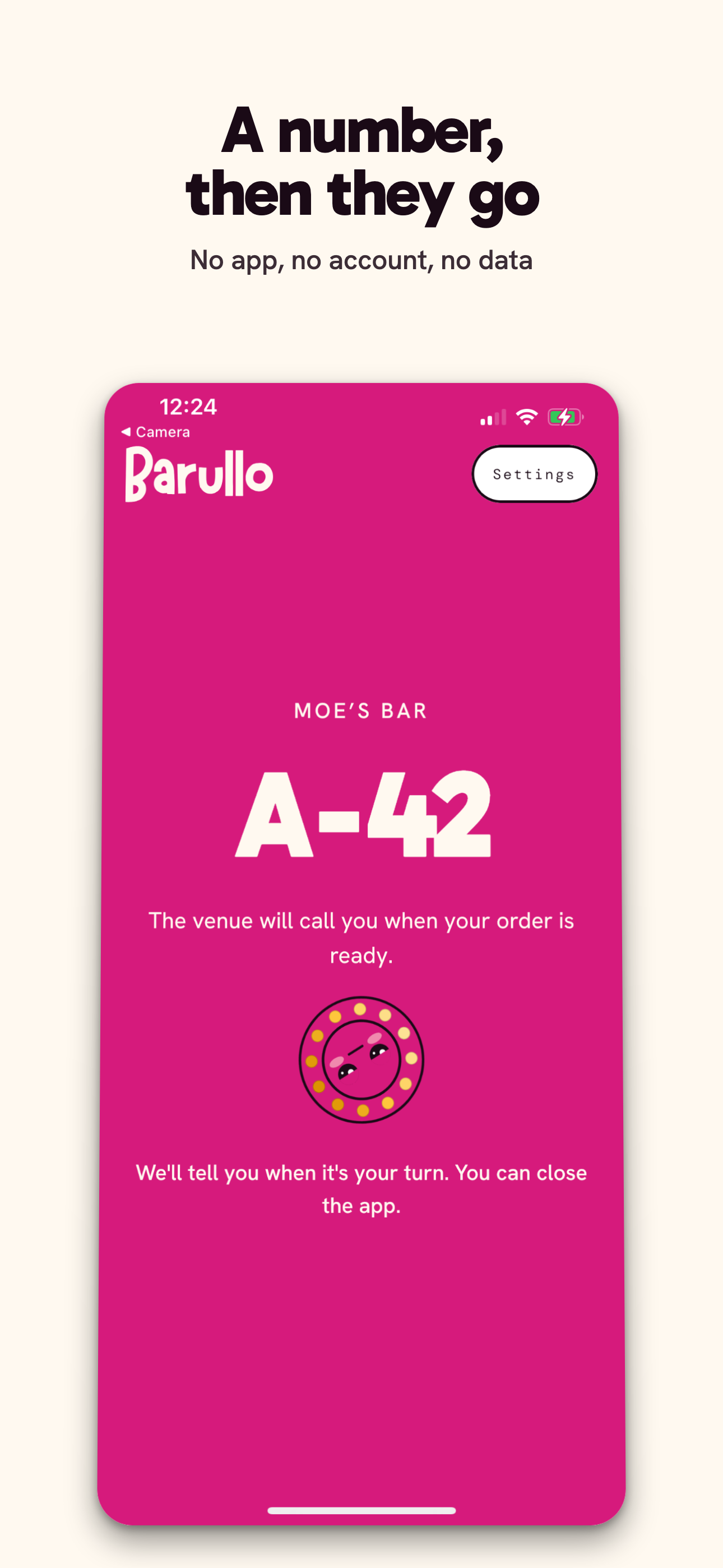
Scanning the QR opens a web page, not an app. Nothing is installed and nothing is asked: no account, no phone number, no name.
-
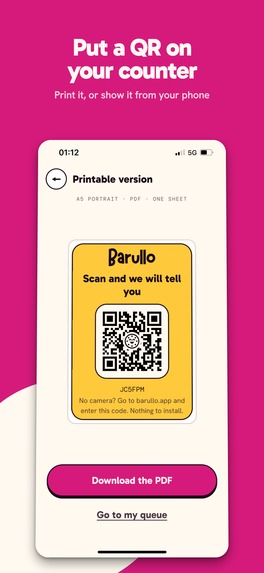
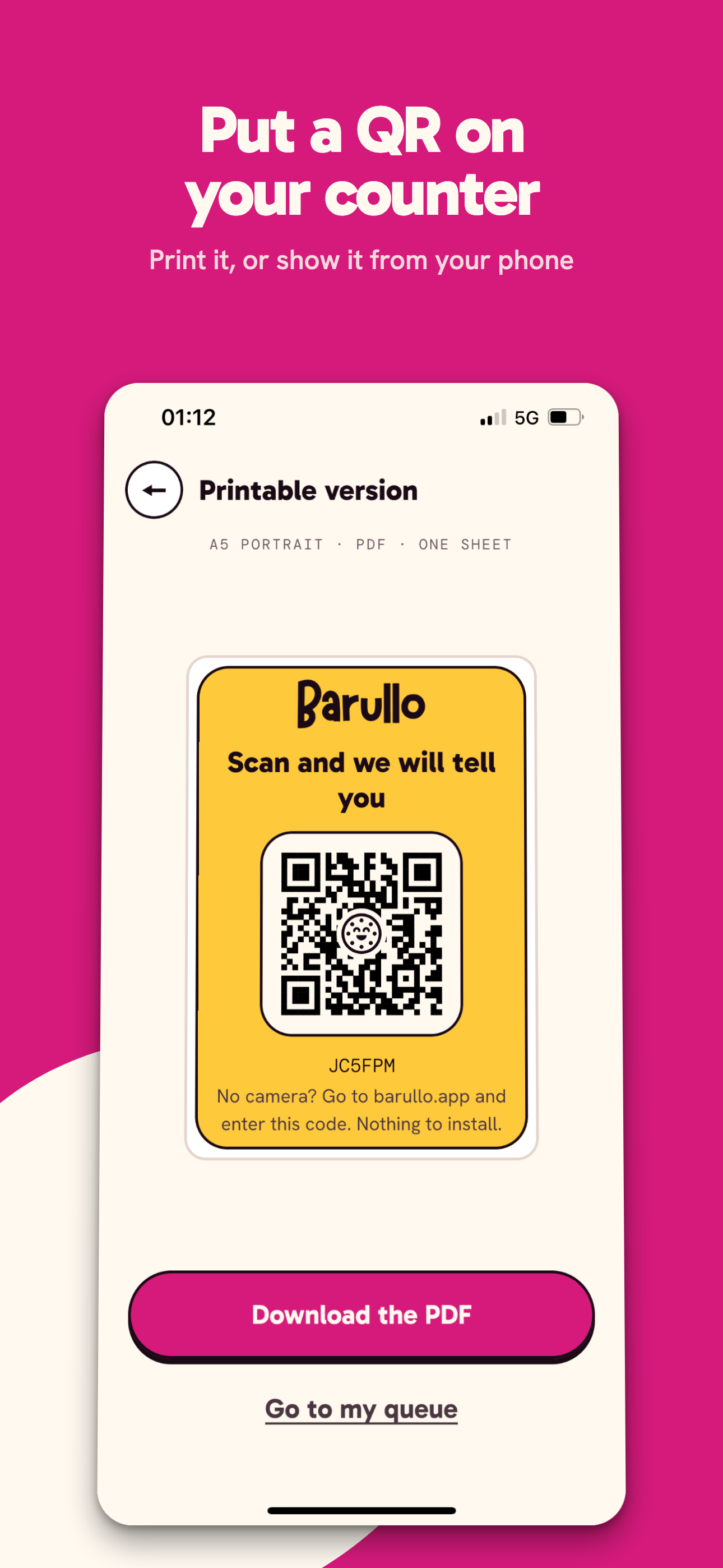
One A5 sheet on the counter, or the venue's own phone screen. That is the entire installation.
-
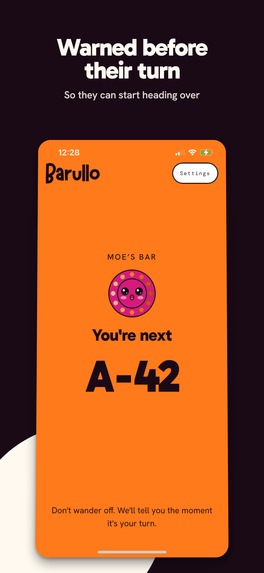
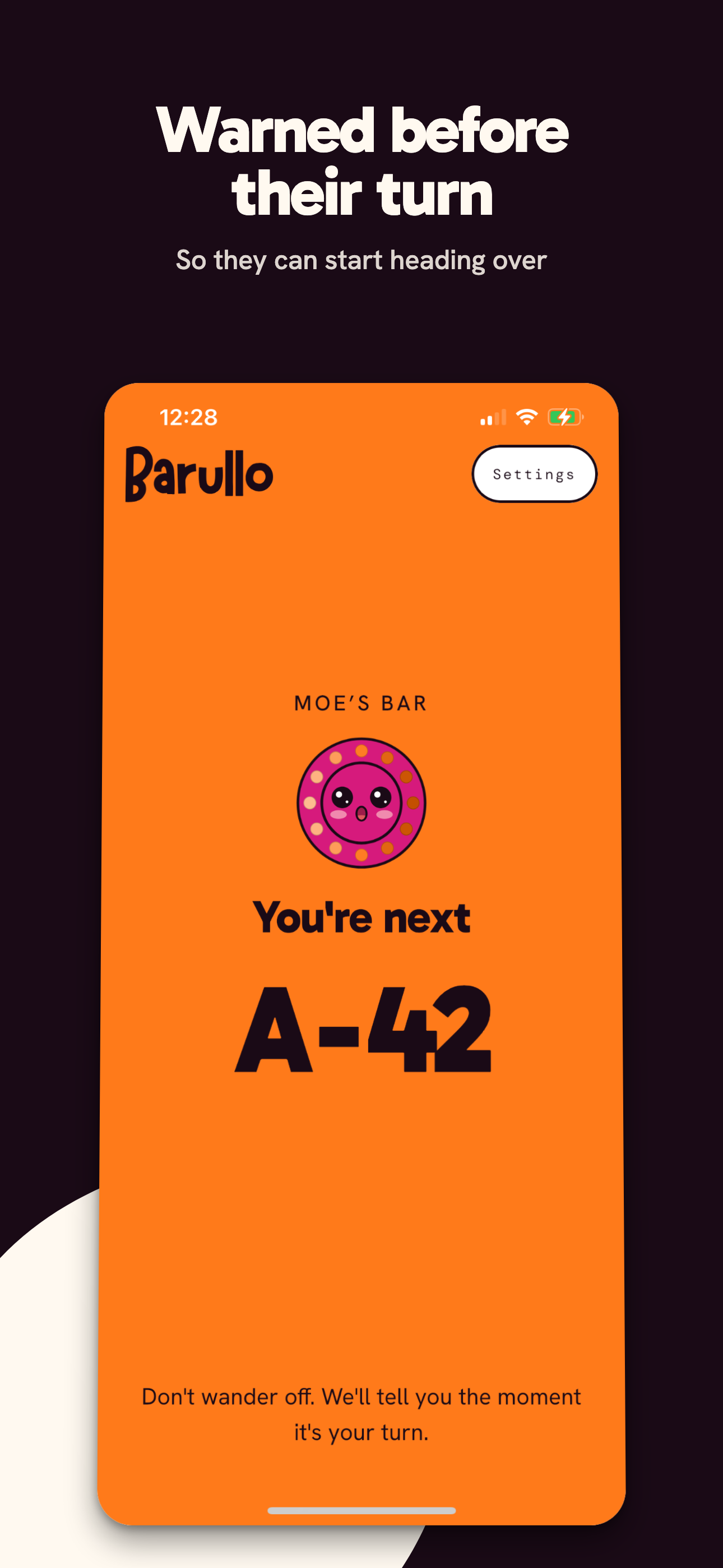
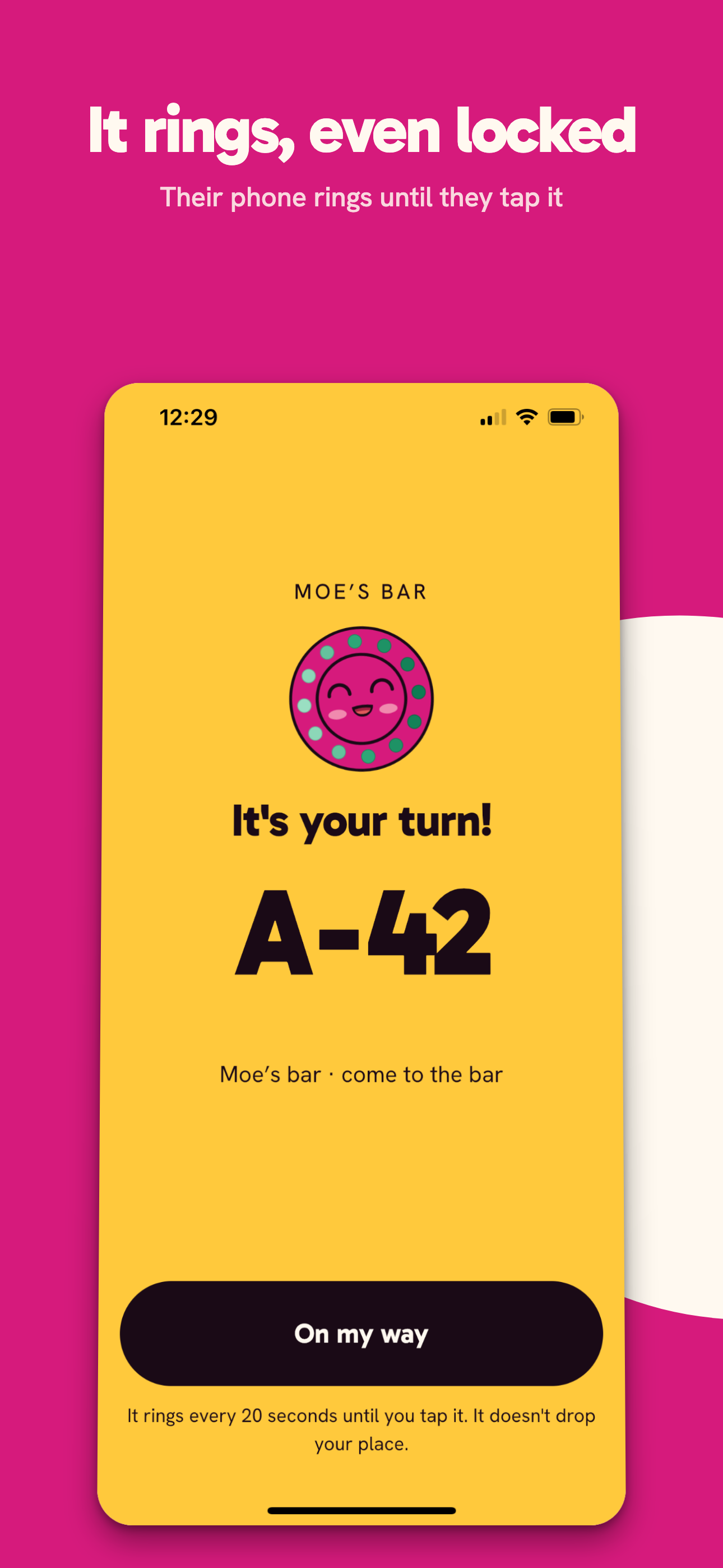
A heads-up before their turn, so somebody two streets away can start walking back.
-
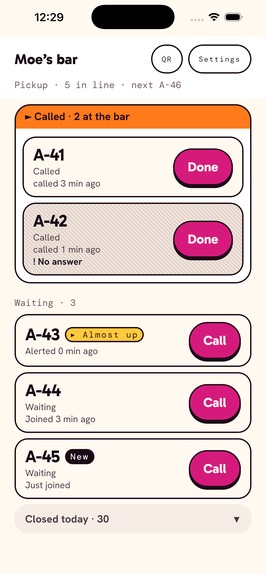
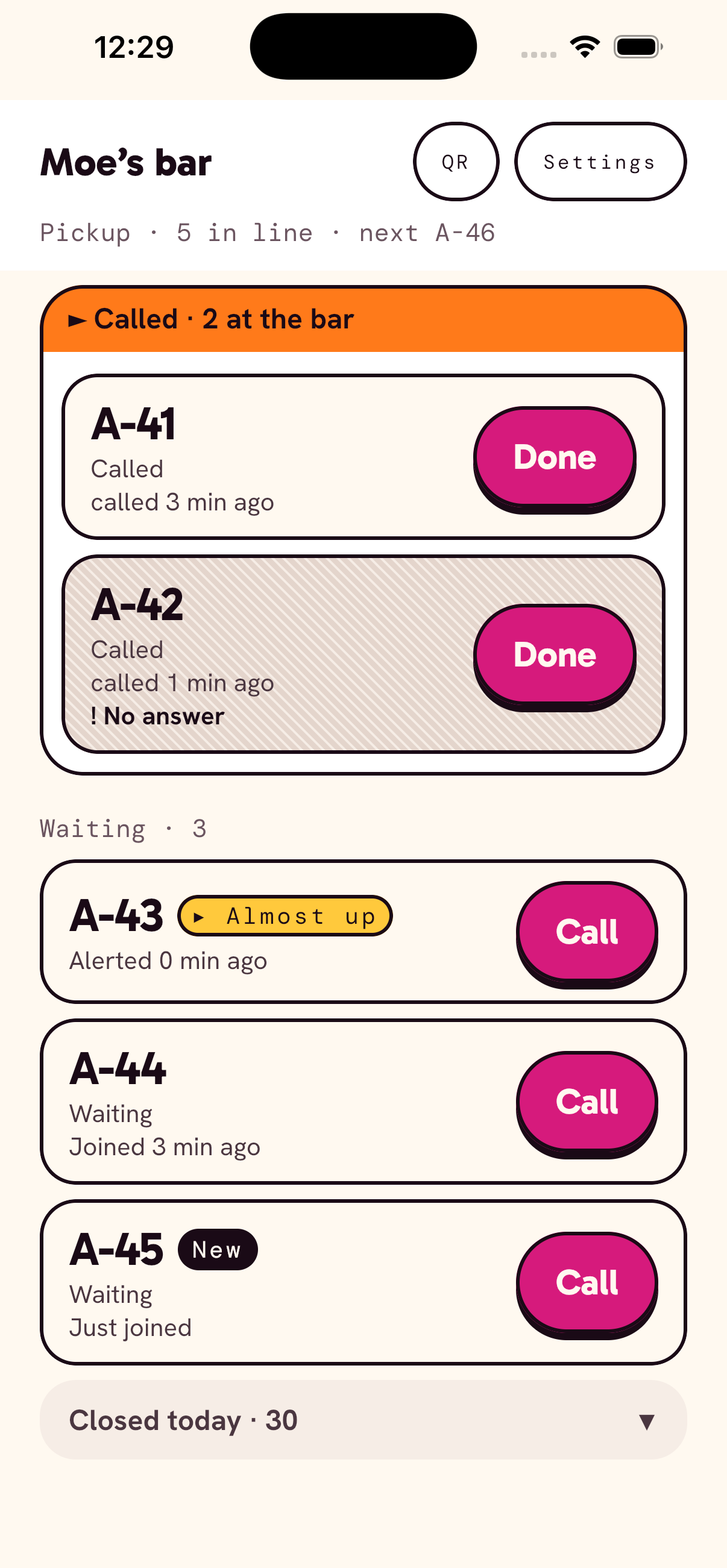
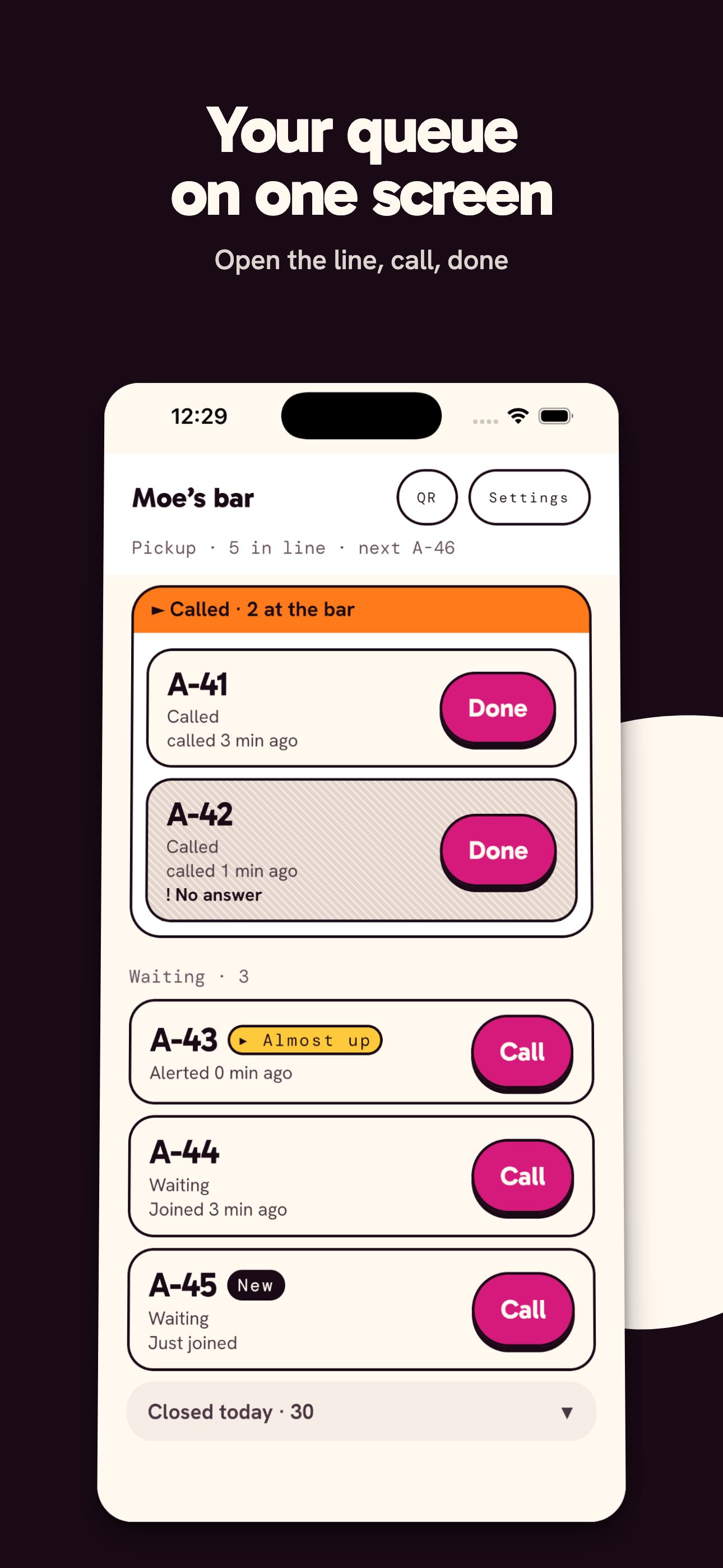
The venue's queue, straight from the phone.
-
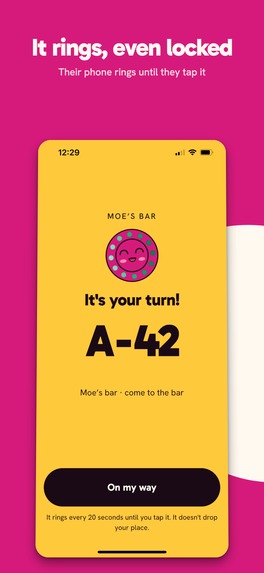
The alert rings and vibrates with the screen locked, and keeps ringing every 20 seconds until they tap it. Their place is never lost.
-
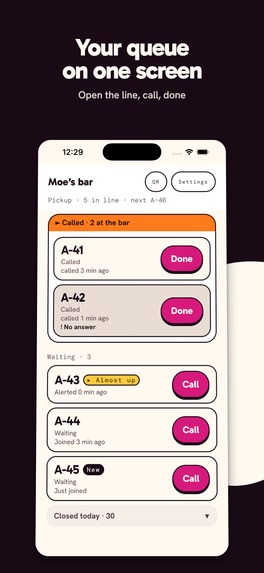
The whole line on one screen: who is waiting, who has been called, who never came back.
Inspiration
I was at the beach, waiting to have lunch at a chiringuito, and there was a long line of people standing in the sun waiting for a table to come free. Nobody was at the beach any more. They were all standing there watching the door, in case they missed their turn.
Every single one of them was holding a phone.
Small venues have two ways to run a queue today, and both of them tie the customer to the counter. Either they hand out plastic pagers, which cost money, get lost, walk out of the door and only work inside the venue; or they shout names, which means everyone has to stay within earshot. The one device that can reach a person anywhere was already in their pocket, and nobody was using it.
I am a software engineer who moved into product work, and I have been coming back to building lately. What I want to be is a product maker: the person who decides what the thing should be and then ships it. The Shipaton was the chance to find out whether I can still do both halves of that job, in public and against a deadline — and the excuse to finally try Kotlin, which I had wanted to do for a long time.
What it does
Barullo turns the phone your customers already carry into the restaurant pager.
The venue puts a QR code on the counter. A customer scans it with the phone camera, takes a number and walks away. When their turn comes, the venue taps their row and the customer's phone tells them, wherever they are.
For the venue it is an app for iOS and Android: the live queue on one screen, two queue types (an ordered line, or pickup for orders served as they become ready), closing times per day of the week, and a printable QR poster.
For the person waiting there is nothing to install, no account and no personal data. Scanning the QR opens a lightweight web page with their number and their position, live. If they want the alert to ring with the screen locked, they can install the app and use its waiting-side profile — an option, never a requirement.
And it is not only restaurants. Anywhere people take a number and wait has the same problem: a bakery, a clinic, a repair shop, a service desk. Calling names out loud fails hardest for exactly the people it should not fail — someone who does not hear well, someone who does not speak your language, someone who had to step outside with a child. A number on their own screen, in their own hands, does not depend on any of that.
How I built it
One Kotlin codebase covers all three surfaces: the iOS app, the Android app, and the web page the customer sees.
Shared domain. The turn, the queue, the venue, the state machine that moves a turn from waiting to called to served, the Supabase client and the auth boundary all live in one module that compiles for iOS, Android and JavaScript. The rules that decide what a turn means are the same objects on the phone and in the browser.
Shared UI across both apps. Every screen either app shows is Compose Multiplatform in common code: the live queue, the sign-up flow, settings, the QR poster, the waiting-side profile and the paywall. It ships to iOS as a static framework and to Android through a thin wrapper module that does nothing but host it. No screen is implemented twice.
Purchases. RevenueCat's Kotlin Multiplatform SDK. The paywall, its listener and the post-purchase server sync are written once in common code and run on both platforms, and both stores' subscriptions land on the same entitlement.
The web is a third Kotlin target, not a port. The page a customer gets after scanning the QR is Kotlin/JS driving the DOM directly: no JavaScript framework, and no Compose either. It has to open in about a second on a stranger's phone, so it carries no UI runtime at all. This is Kotlin Multiplatform without Compose Multiplatform, and that is the point: what crosses to the browser is the behaviour, not the widgets. The same 5,700-line domain module compiles to JavaScript, so a turn means the same thing in the browser as on the phone — it is the same code deciding. The page adds about 1,900 lines of its own.
The backend is Supabase. Every rule about who may see or change what is a row level security policy in SQL, enforced by the database on every query rather than by a check in application code that somebody can forget to call: a venue reaches its own queue and nobody else's because that is a condition on the row, not a branch in a client. Realtime pushes changes to every screen at once, so the venue's phone and the customer's browser update from the same event, and what must not run on a client runs as an Edge Function — the RevenueCat webhook, sending the alerts, the critical state changes.
Where the line ended up. Much lower than I expected. Only three things are written twice, and all three are genuinely different on each side: how a notification reaches a locked phone, how the camera opens a QR code, and how a link opens the app. Screens, navigation, networking, domain rules and purchases are one implementation each.
Challenges I ran into
Reaching someone who has walked away, without asking them to install anything, turned out to be the hardest part of the product. I measured every option on a real device, and most of them lost.
Web push on iOS is not usable here. Safari only allows it after the user adds the page to the home screen, and no button can trigger that step. It has to be explained, and a person waiting for a coffee will not do it.
An Apple Wallet pass looked promising — a pass can be updated from a server and shows a notification. I built one and found the ceiling: the notification appears, but it never rings and never vibrates. For someone who has walked away, a silent banner is not an alert.
SMS and phone calls were ruled out on purpose. They cost money per message and they ask for a phone number, and the whole point is that the person waiting gives me nothing.
So the page does everything a browser can really do, and nothing it only pretends to do. The first tap arms three things at once: a sound, a vibration, and a screen wake lock where the browser supports it, so the phone stays awake with the turn on it. No push is involved at all, and nothing is promised that would not arrive.
That limit is exactly why the app has a second profile. For people who use Barullo often, the same app the venue uses can be installed on the waiting side, and that one does get a real notification, with the phone locked and in a pocket. Installing it is a choice, and even then there is no account to create and nothing to fill in.
Accomplishments that I'm proud of
The first commit in this repository is dated 10 September. What shipped is a little over two weeks of work: one person, one Kotlin codebase, three surfaces, subscriptions, and a language I had never written before the first of those commits.
Built alone, but not in a vacuum: the testers ran it on their own phones for two weeks and told me what was wrong with it, and some of what they found is in the version that shipped.
The part I am most proud of is not visible from the outside: every acceptance criterion in the specification has an identifier, and the tests that verify it carry that identifier in their name. The specification is not documentation written afterwards. It is what the code is checked against — and that habit is the product half of the job showing up in the engineering half.
What I learned
Kotlin changed the plan for another project. I came in with a different app half-designed and one question I could not get past: I wanted it on iPhone and on Android, not only on the web, and I did not want to write it twice. By the end I had one codebase running as an iOS app, an Android app and a web page. The project I had set aside is no longer going to be a website: it can be both apps, from the same code, and that is a decision Kotlin Multiplatform made for me rather than one I argued myself into.
Taking more risks with design than I usually do. Left alone I design sober and restrained. This one had to be willing to sit on a counter and be trusted by a stranger in three seconds, without them reading anything, so I pushed further than I normally would — and I learned more from that than from any of the code.
Charging for it is part of building it, and it can be early. I expected monetisation to be the painful part you bolt on at the end. With the tooling in place it became a product question I could answer while building — what is free, what is paid, how long the trial lasts — instead of a project of its own.
A test purchase only proves what it proves. Store sandboxes run on their own clock and are deliberately kept out of production data, so a purchase can look perfect on the phone while the server never hears about it. Knowing exactly where that boundary sits is what tells you whether you have tested anything at all.
What's next for Barullo
The next thing is not a feature. Barullo has shipped. What it does not have yet is enough venues running it on a busy Saturday, so that is the work now: getting it onto real counters and watching what actually happens there. It is also my honest answer to what I build afterwards — the venues will decide that, not me at my desk. The number I am watching in the meantime is whether a venue pays for the second month, which is why there has been a price from day one rather than after some growth phase.
One thing I already know they will hit. On Android, a customer who does not install the app has to leave the page open to be alerted. I left web push out on purpose — one alert story told well beats two told badly, and the deadline had room for one — but the design is settled and it is the first thing I add back. Until it ships some Android customers will miss their turn, and it is the venue that pays for that.
And there is a bigger shape underneath. A venue is more than its queue. Today Barullo gives it a line and a QR code; the natural next step is a page of its own — who it is, where it is, when it opens, what it serves — with the waiting-side profile growing into the relationship between that venue and the people who keep coming back. The QR page stays frictionless forever and will never ask for an account: that part is the product and it does not change. Everything else grows on top of it, including a service of my own on the day one of these actually needs one.
Built With
- android
- compose-multiplatform
- ios
- kotlin
- kotlin-js
- kotlin-multiplatform
- postgresql
- qrcode-kotlin
- revenuecat
- supabase

Log in or sign up for Devpost to join the conversation.