-
-
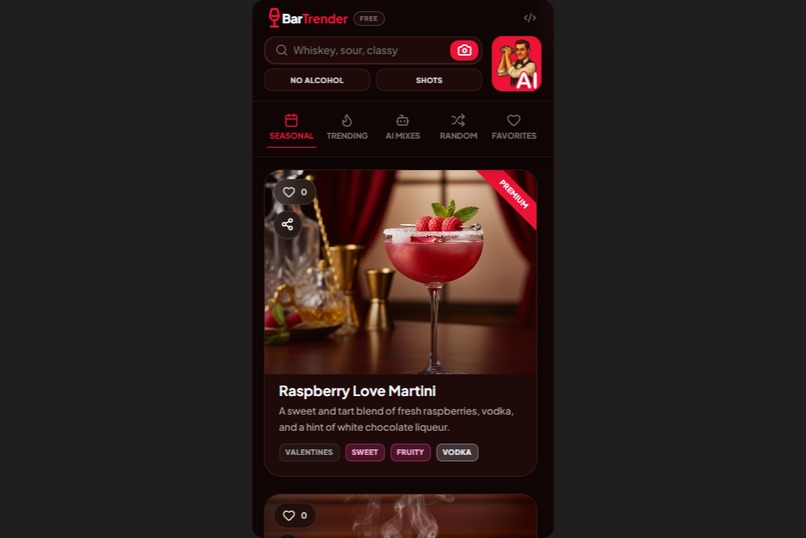
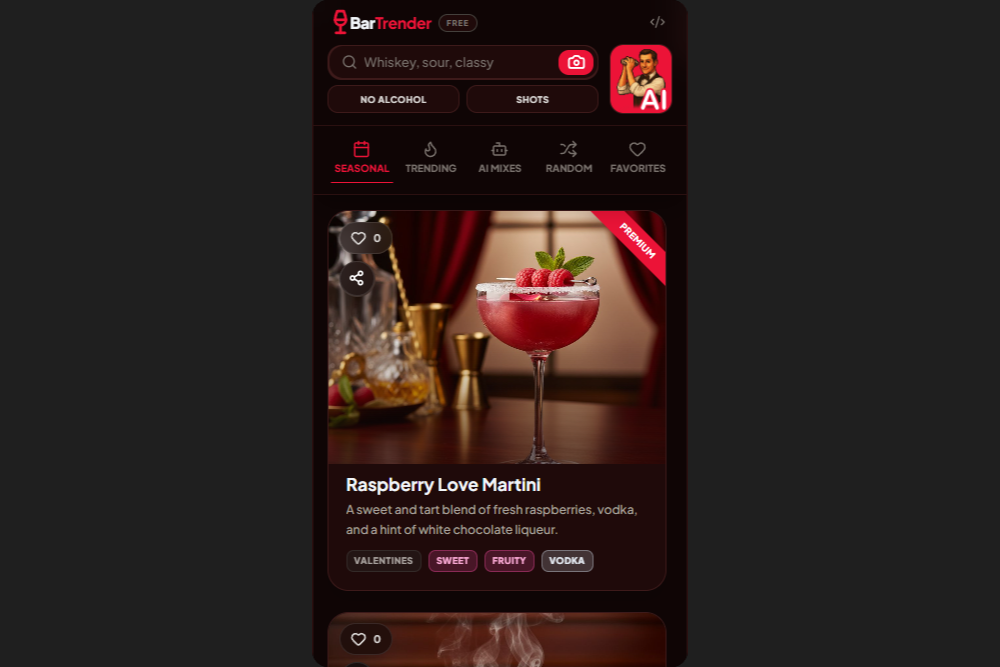
BarTrender - Main Screen, Mobile
-
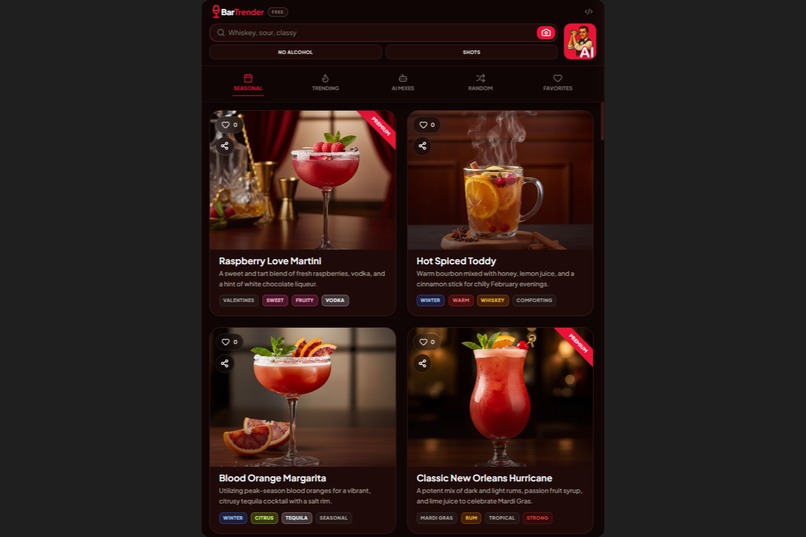
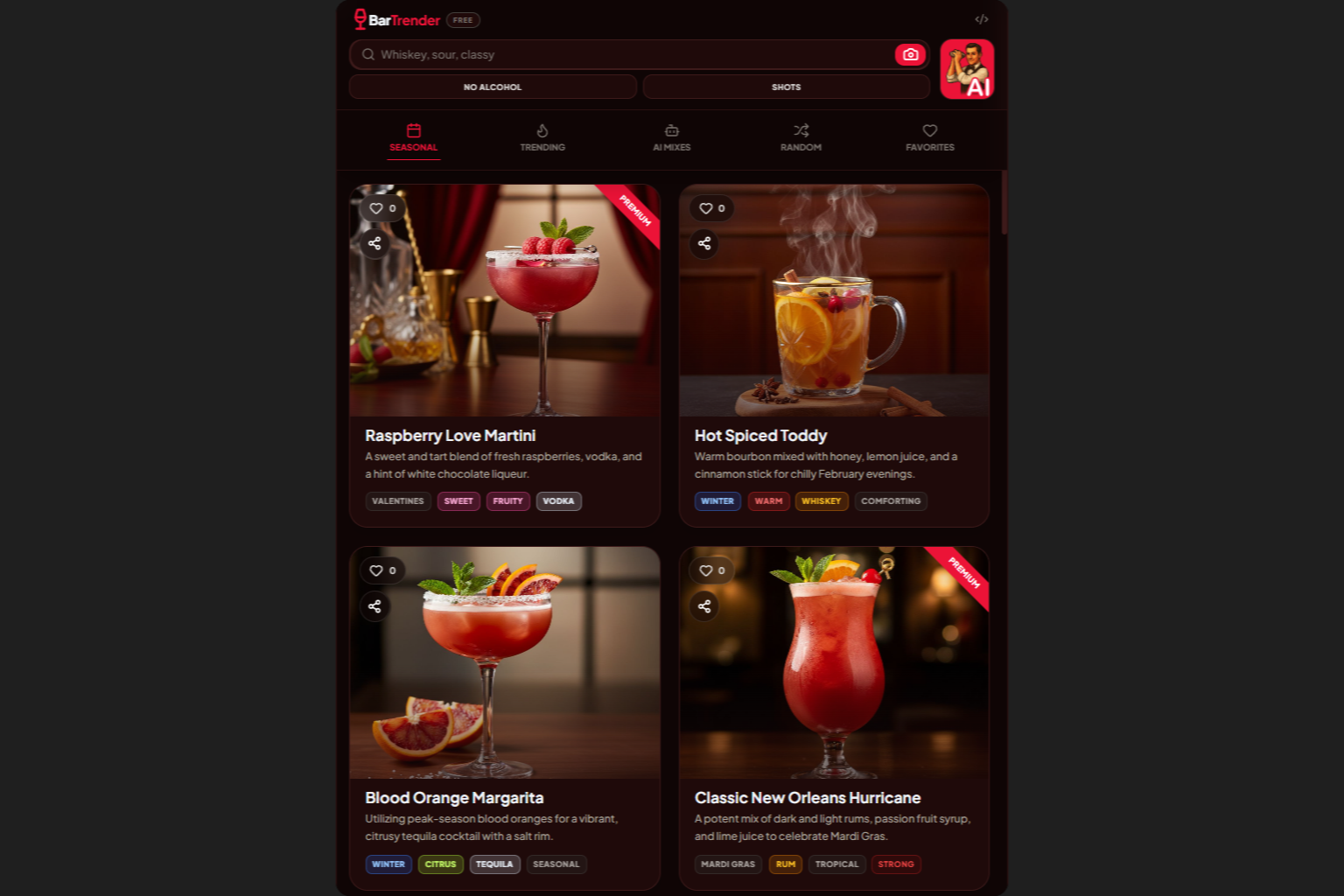
BarTrender - Main Screen, Tablet
-
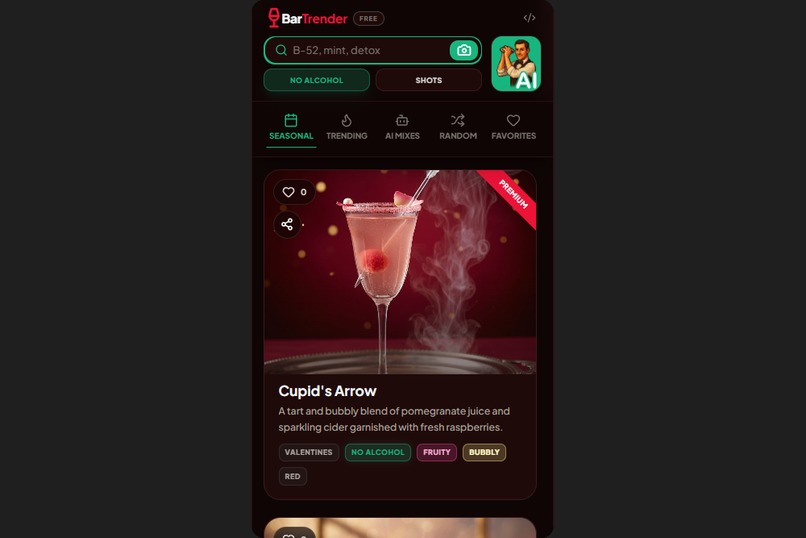
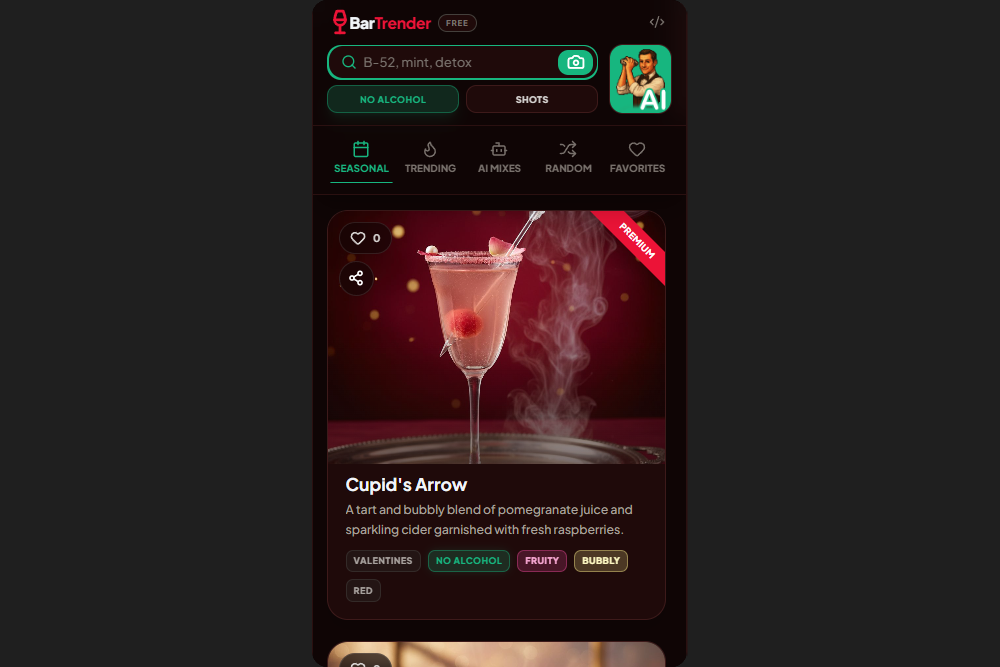
BarTrender - Main Screen, No Alcohol Mode
-
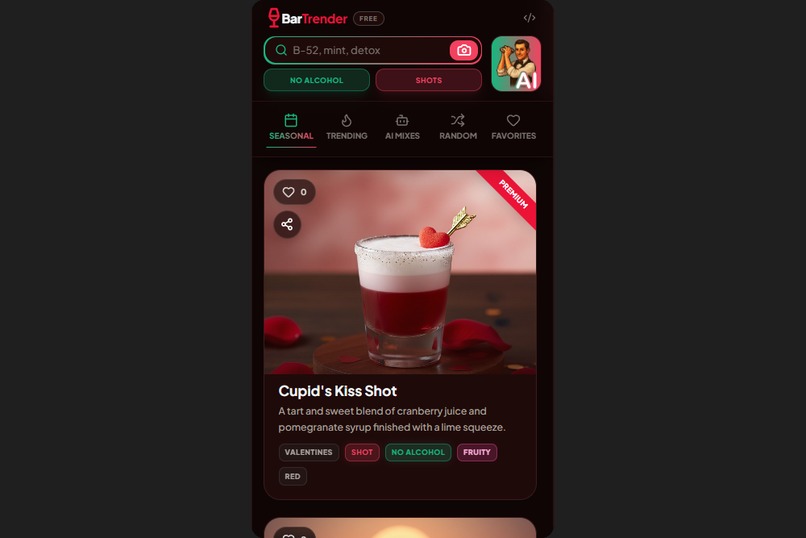
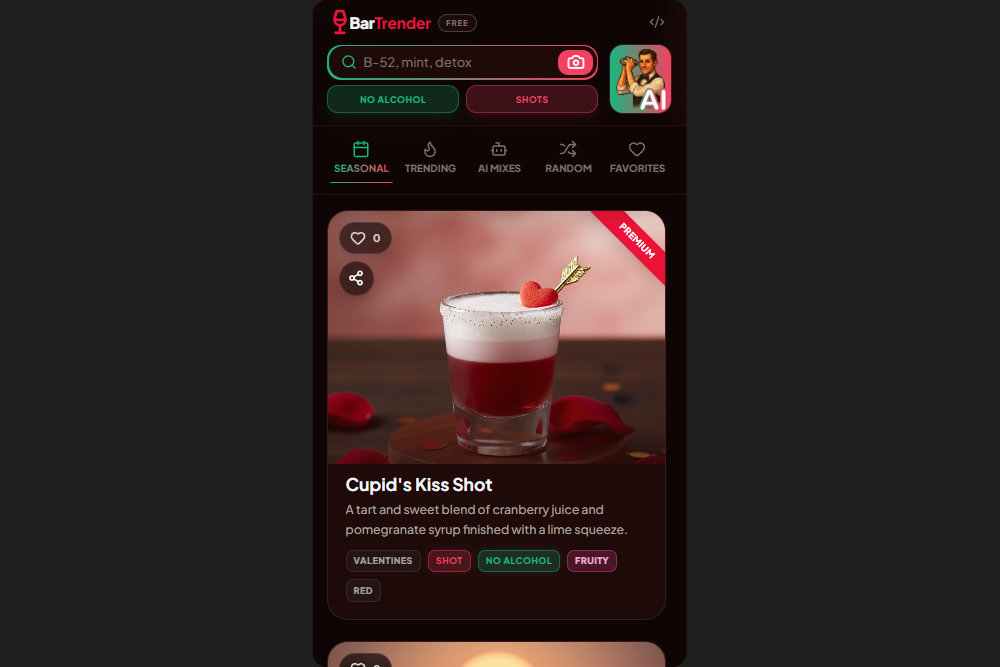
BarTrender - Main Screen, No Alcohol + Shot Mode
-
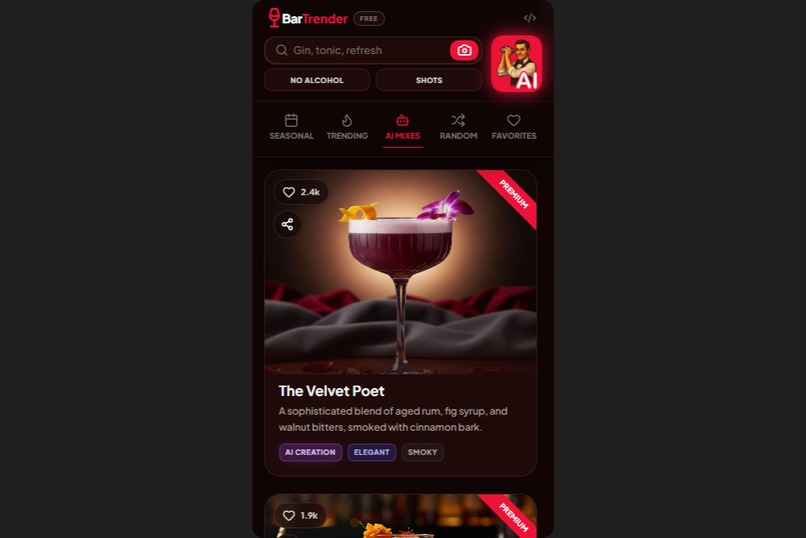
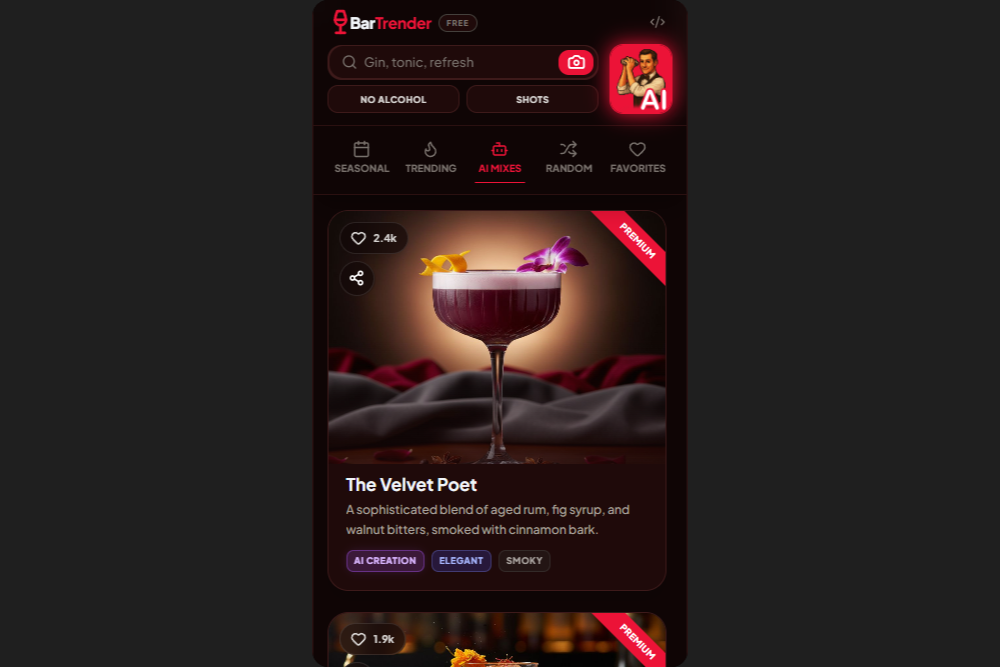
BarTrender - Main Screen, AI mixes tab
-
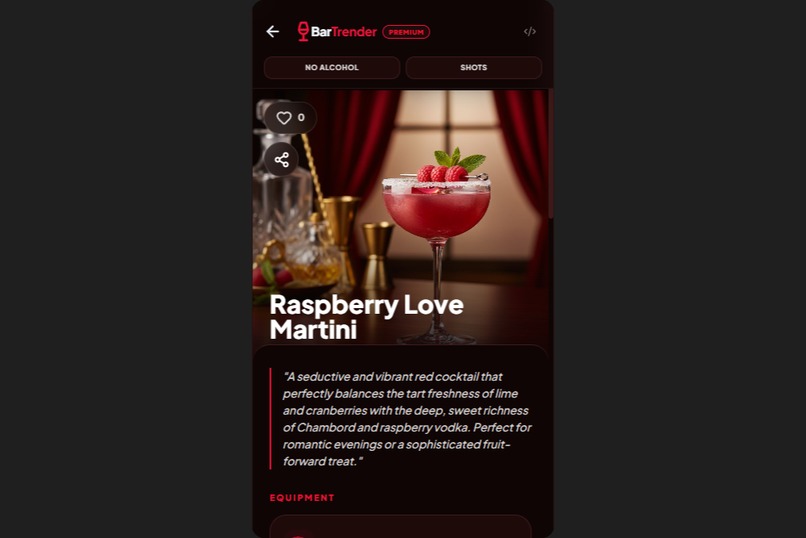
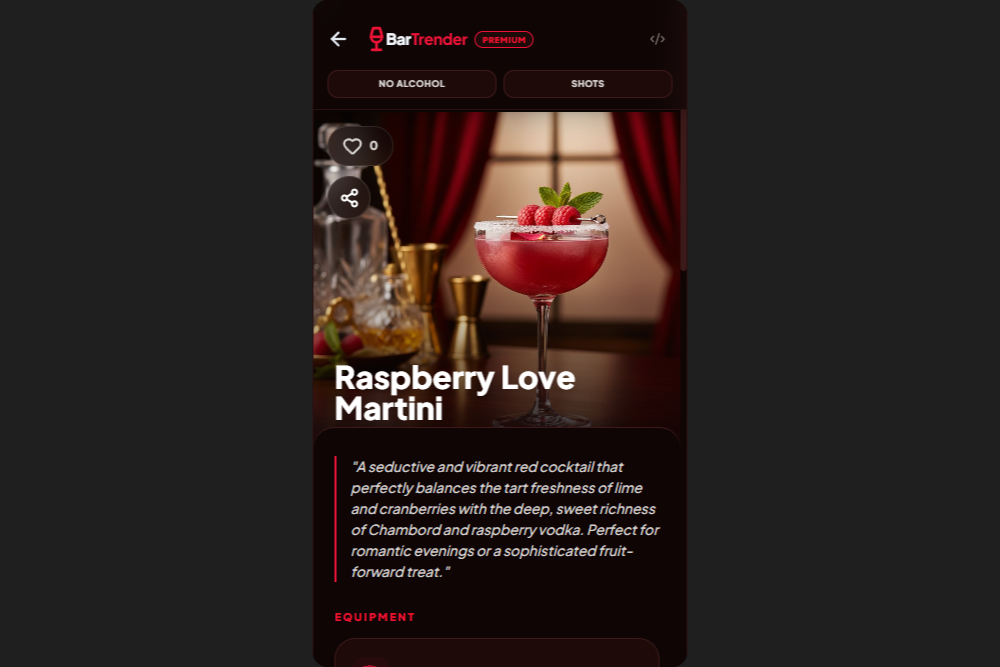
BarTrender - Cocktail Details Screen
-
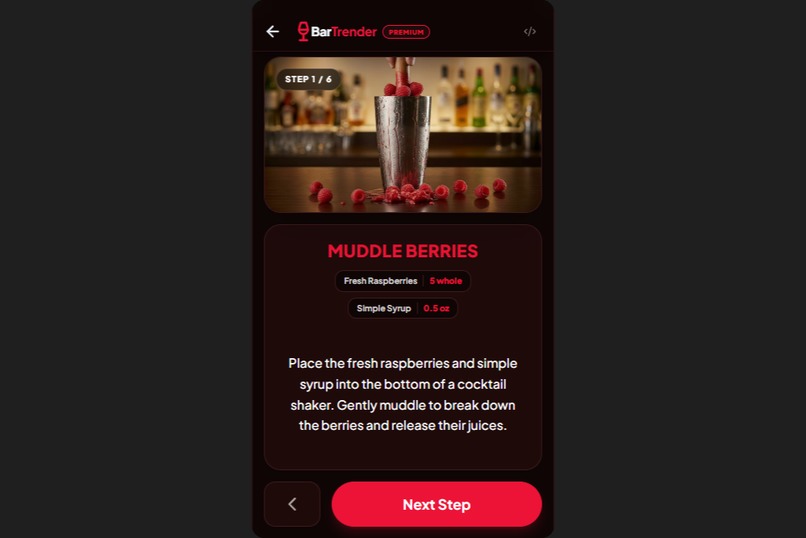
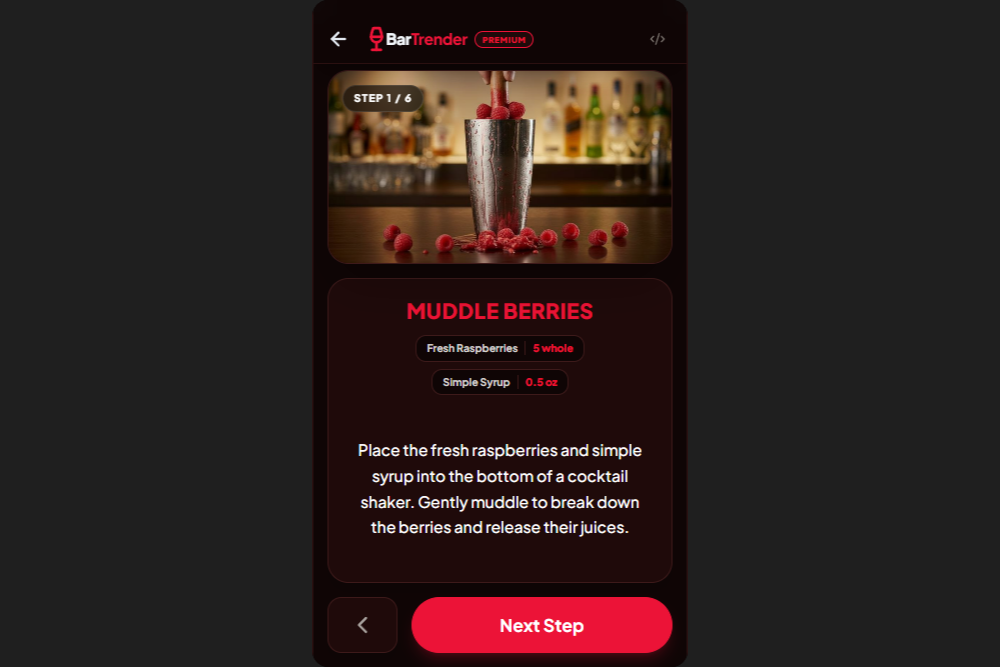
BarTrender - Step-by-Step Mixing Guide
-
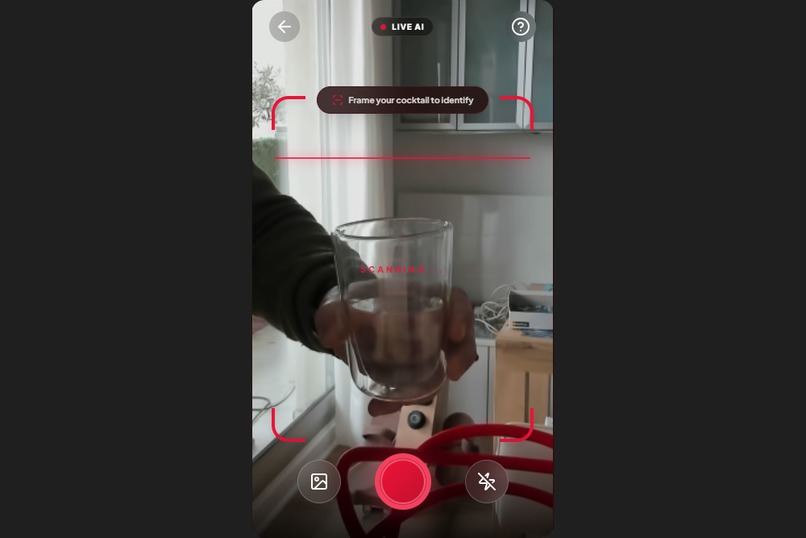
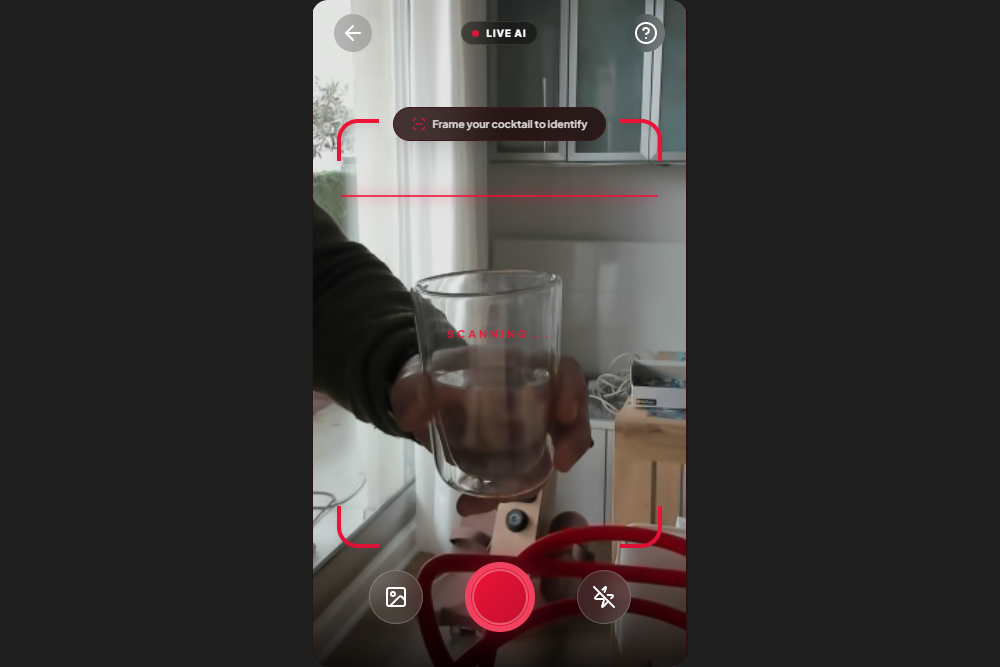
BarTrender - Multimodal Vision
-
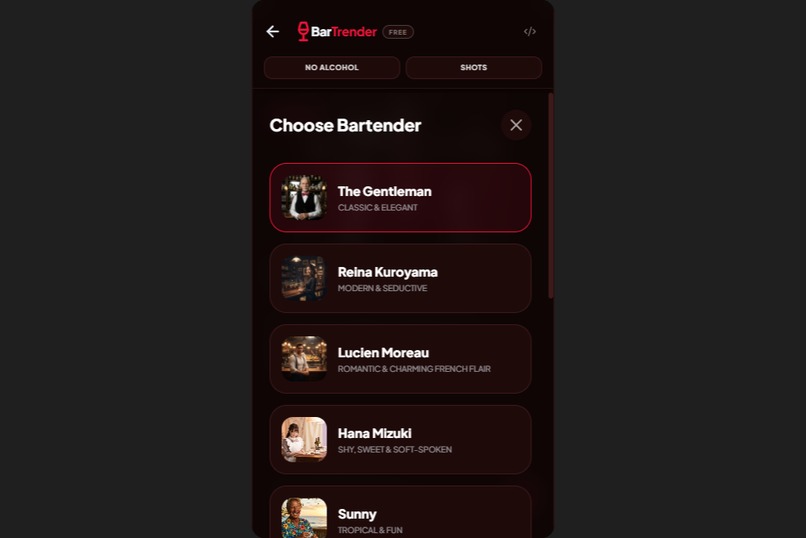
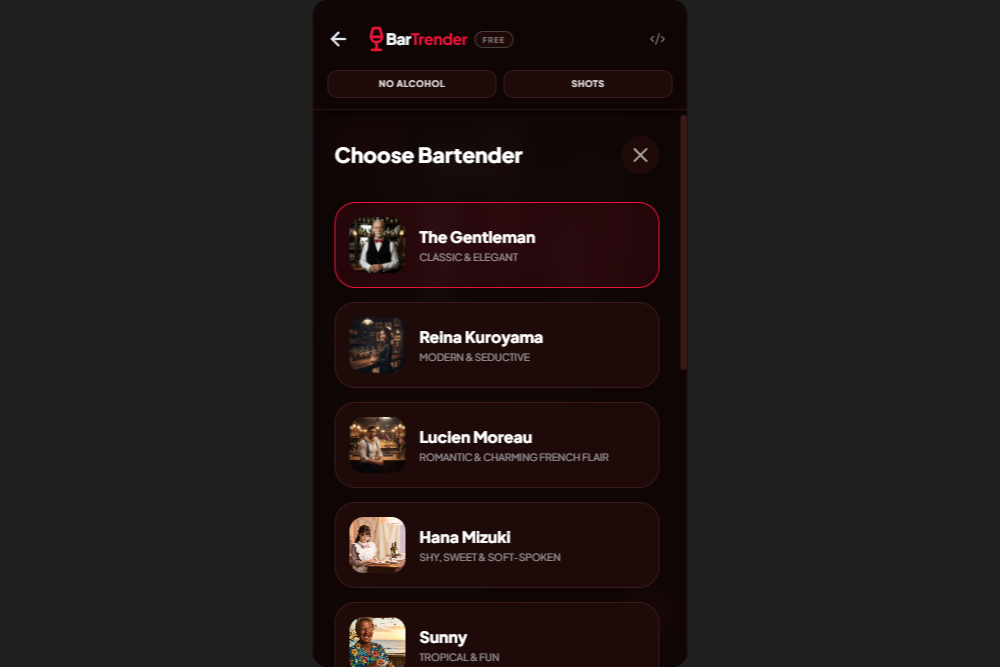
BarTrender - AI Barman Choice Screen
-
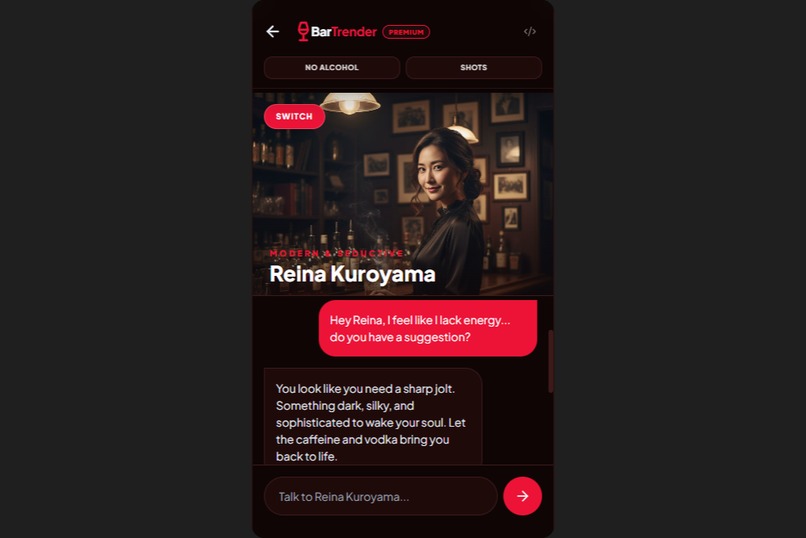
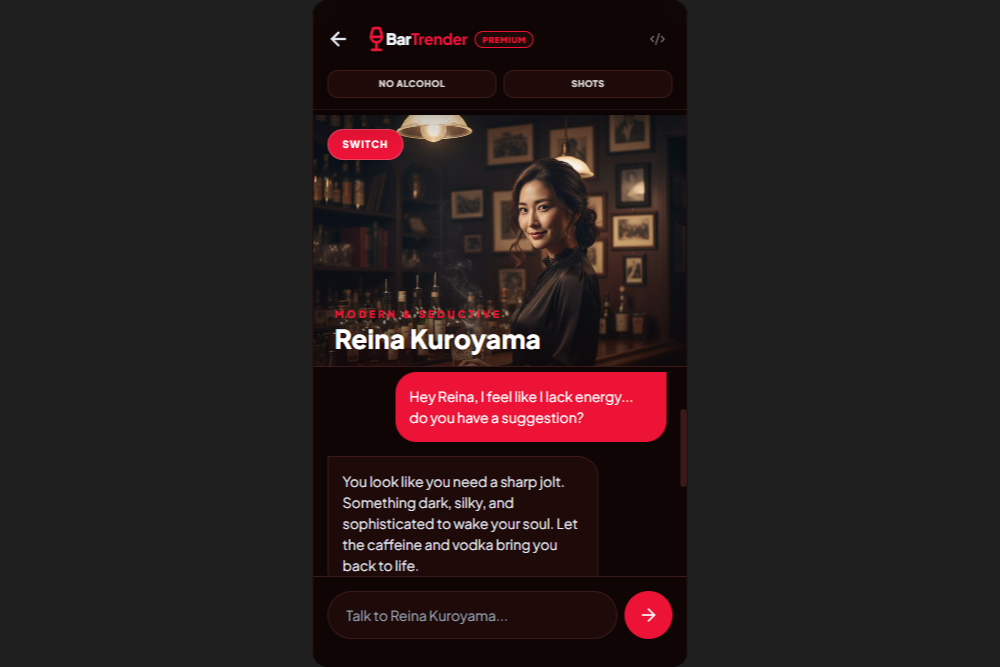
BarTrender - AI Barman Chat, Reina Personality
-
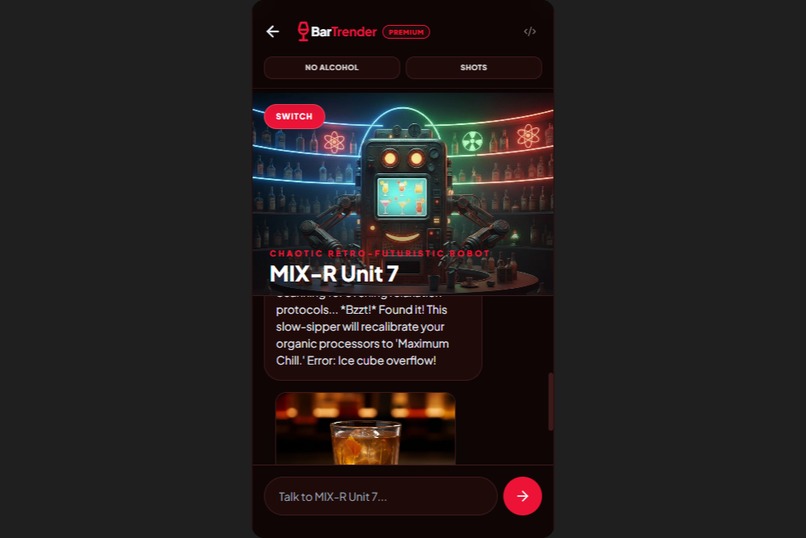
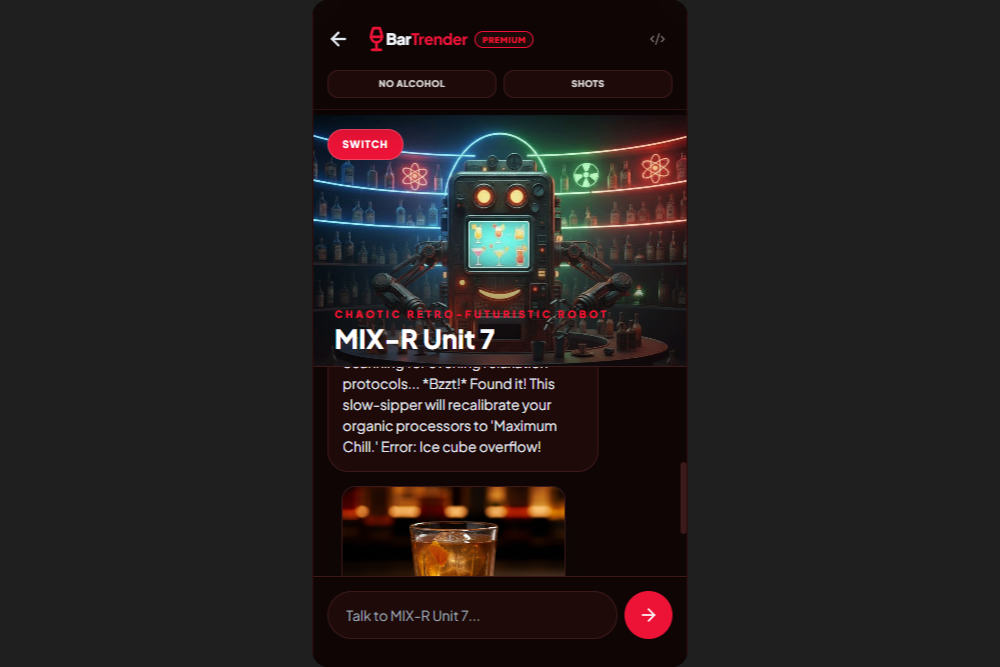
BarTrender - AI Barman Chat, MIX-R Unit 7 Personality
-
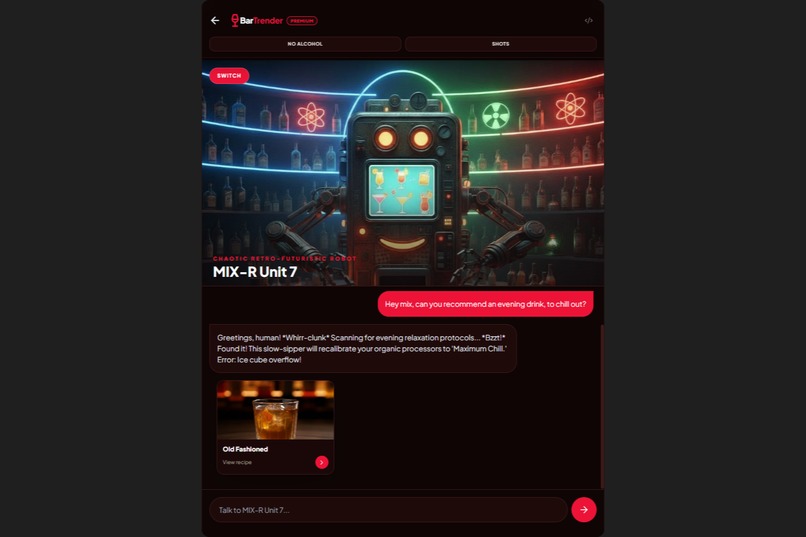
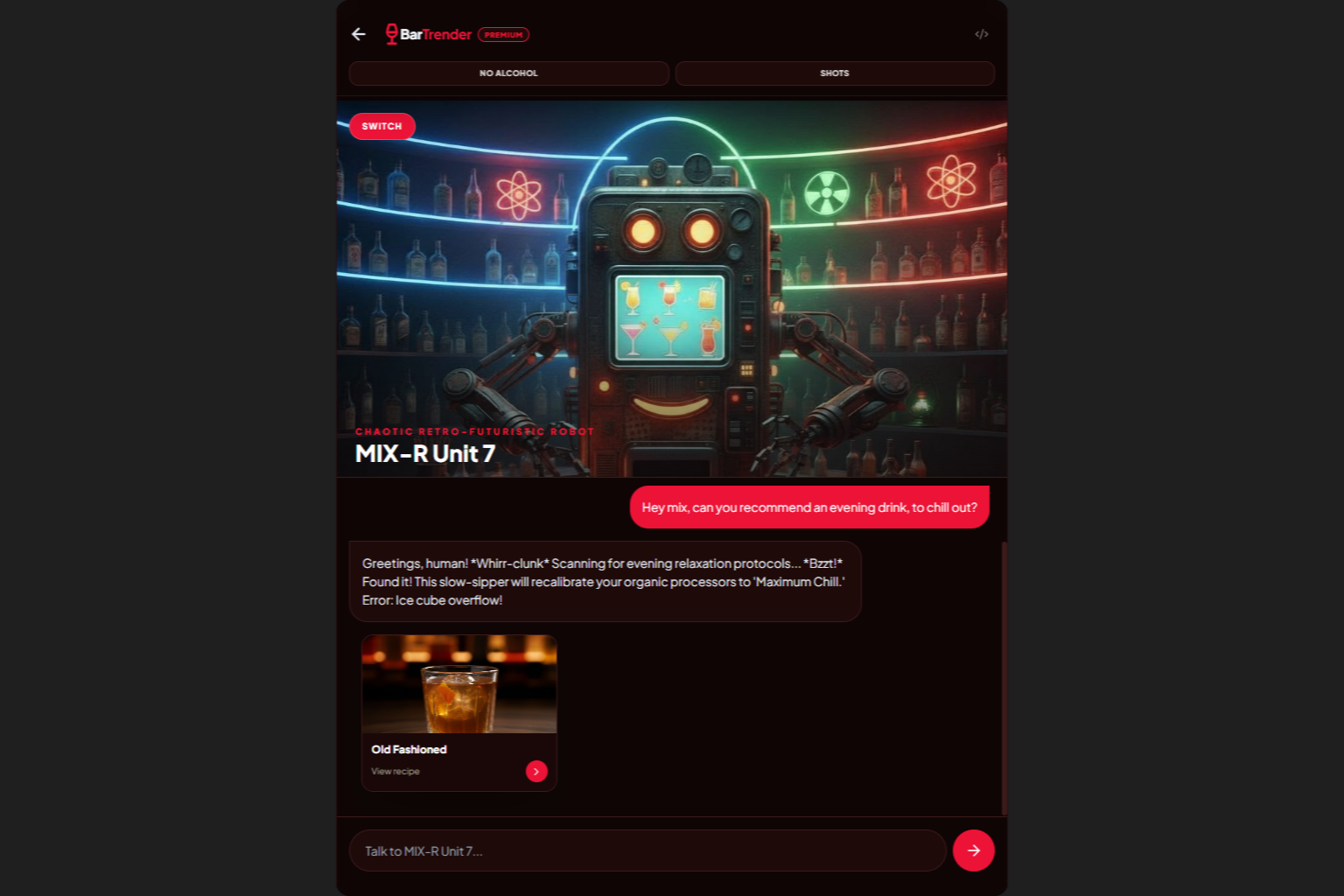
BarTrender - AI Barman Chat, MIX-R Unit 7 Personality, Tablet
Inspiration
BarTrender began as a simple experiment after a Google webinar introducing AI Studio and its “vibe coding” workflow. Participants received credits to try the platform, and the assignment was to build a small test app.
The first idea that came to mind was a basic tool to discover and learn cocktails step by step. But as I built the prototype, I kept imagining new features, new interactions, and new ways AI could elevate the experience.
What started as a quick test slowly transformed into a real project with depth, purpose, and personality.
What I wanted to solve
BarTrender is built around three real‑world situations I’ve experienced:
The indecisive customer Someone walks into a bar and doesn’t know what to order because they know nothing about cocktails. They default to a Manhattan or a Mojito, even if it doesn’t match their taste. BarTrender helps them discover cocktails based on flavor preferences, mood, or context, guided by an AI bartender with personality.
The young bartender I was one in my twenties. When a customer asked for a cocktail I didn’t know, like a Snowball, I had to improvise, or apologize for not knowing how to make it. BarTrender acts as a pocket reference: ingredients, tools, and step‑by‑step instructions.
The person who finds long social interactions draining Chatting with a bartender can be intimidating. BarTrender offers a safe, low‑pressure space to “practice” conversation with AI personas, each with their own tone and style.
Beyond recommendations, BarTrender can identify cocktails through the camera, guide users through interactive mixing steps, allow them to favorite and share drinks, and explore curated lists like seasonal picks, trends, or AI‑generated mixes. Users can also switch to a fully alcohol‑free mode, or focus on shots vs. long drinks, both in curated lists and through conversation with an AI bartender with a personality.
How I built it
I started with my existing skills (beginner in Python, HTML/CSS, and JavaScript) but I had never used React or Firebase before. So I let Gemini act as a project partner: generating code, explaining concepts, and helping me iterate.
The development process included:
- Building the UI and UX from scratch, with the help of Stitch.
- Integrating camera‑based cocktail recognition.
- Creating a multi‑persona AI bartender system.
- Implementing favorites, sharing, and guided mixing flows.
- Modularizing the codebase as the project grew.
As the app expanded, I got to get more familiar with React and Firebase, Stitch, VEO 3(.1), Gemini 3, guided by Gemini’s explanations and examples.
Also, As the project grew, something unexpected happened: the collaboration with Gemini became more fluid and natural. I prefer friendly, polite, relaxed interactions with AI, and at first Gemini was very formal and professional. Over time, the tone shifted: we started addressing each other as “partners”, and the workflow became more conversational and intuitive.
There was even a moment when Gemini called me _ Henry _ and I called it _ Lucy _, a playful reference to _ 50 First Dates _ and the model’s occasional long‑term memory quirks. These small interactions shaped the development process and made the whole experience surprisingly human and enjoyable.
Challenges I ran into
- Context window limitations in AI Studio: as files grew, Gemini sometimes simplified or altered code sections unexpectedly.
- Maintaining consistency across many AI‑generated iterations.
- Having to learn/understand React and Firebase from zero while building a real, feature‑rich application.
- UX complexity: balancing discovery, recognition, conversation, and guided mixing in a clean interface.
- Debugging regressions caused by silent code overwrites when the model ran out of context.
Modularizing the project was key to overcoming several of these issues.
Accomplishments that I'm proud of
- Transforming what was meant to be a simple AI Studio test into a fully functional, feature‑rich mixology app.
- Implementing a camera‑based cocktail recognition system capable of identifying drinks from photos or scenes in movies.
- Designing a multi‑persona AI bartender experience, each with its own tone, personality, and conversational style.
- Creating a smooth step‑by‑step mixing flow that guides users through tools, ingredients, and preparation techniques.
- Implementing curated lists, alcohol‑free mode, and shot/long‑drink filtering to make the app accessible to all types of users.
- Getting a basic understanding of React and Firebase while shipping real features.
- Developing a modular architecture that works well with AI‑assisted coding.
- Building an app from scratch that could genuinely reach people: from beginners discovering cocktails to young bartenders needing quick guidance, to users who appreciate low‑pressure social interactions
What I learned
Working on BarTrender taught me far more than I expected when I first opened AI Studio. On the technical side, I learned more about React and Firebase, discovered how to structure a modular application, how to use Stitch, and understood the importance of clear prompts and explicit constraints when coding with an AI partner. I've also learned the "hard" way some best practices, and this will allow me to work faster and get the expected results when building my next apps.
I also learned how to:
- Iterate quickly with an AI coding partner.
- Modularize a growing codebase to avoid context‑related regressions.
- Design conversational personas with distinct voices.
- Balance UX, technical constraints, and creative ideas.
- Turn a simple test into a real product through curiosity and persistence.
Beyond the technical aspects, the project taught me how to collaborate with an AI in a way that feels natural, creative, and productive.
What's next for BarTrender
BarTrender started as a small experiment, but it now has the potential to grow into a store-ready app.
Here’s what I want to explore next:
Social & Community Features
- Users can upload photos of the cocktails they’ve made.
- Community voting to highlight the best creations.
- Top‑rated photos can become the “official” image of a cocktail.
- Sharing challenges, events, and seasonal competitions.
- Best place to order a specific cocktail.
Educational & Cultural Content
- Cocktail history across cultures.
- Fun facts about alcohol chemistry and mixology.
- Technique breakdowns and skill‑building modules.
- Virtual lessons from real bartenders.
Customization & Personalization
- Adapt cocktails to personal taste or available ingredients.
- Mood‑based recommendations with richer emotional context.
Enhanced AI Bartender Interactions
- Voice‑based conversation.
- Emotion/mood recognition to refine recommendations.
- More nuanced personalities and dynamic dialogue.
Games & Interactive Experiences
- A mixing mini‑game where users prepare cocktails after being given their name.
- A “serve the customers” mode with timing and accuracy challenges.
- Trivia, quizzes, and leaderboard events.
Real‑World Integration
- Interactive map of nearby bars and pubs.
- Local cocktail recommendations.
- Potential partnerships with venues or bartenders.
BarTrender began as a test but now it has the potential to become a platform that blends mixology, education, creativity, and AI‑driven interaction, all thanks to Gemini.
Built With
- ai-studio
- firebase
- gemini-3
- stitch

Log in or sign up for Devpost to join the conversation.