-
-
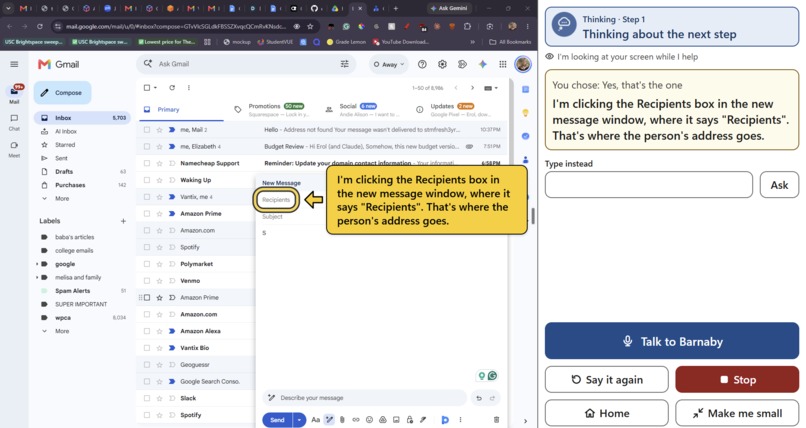
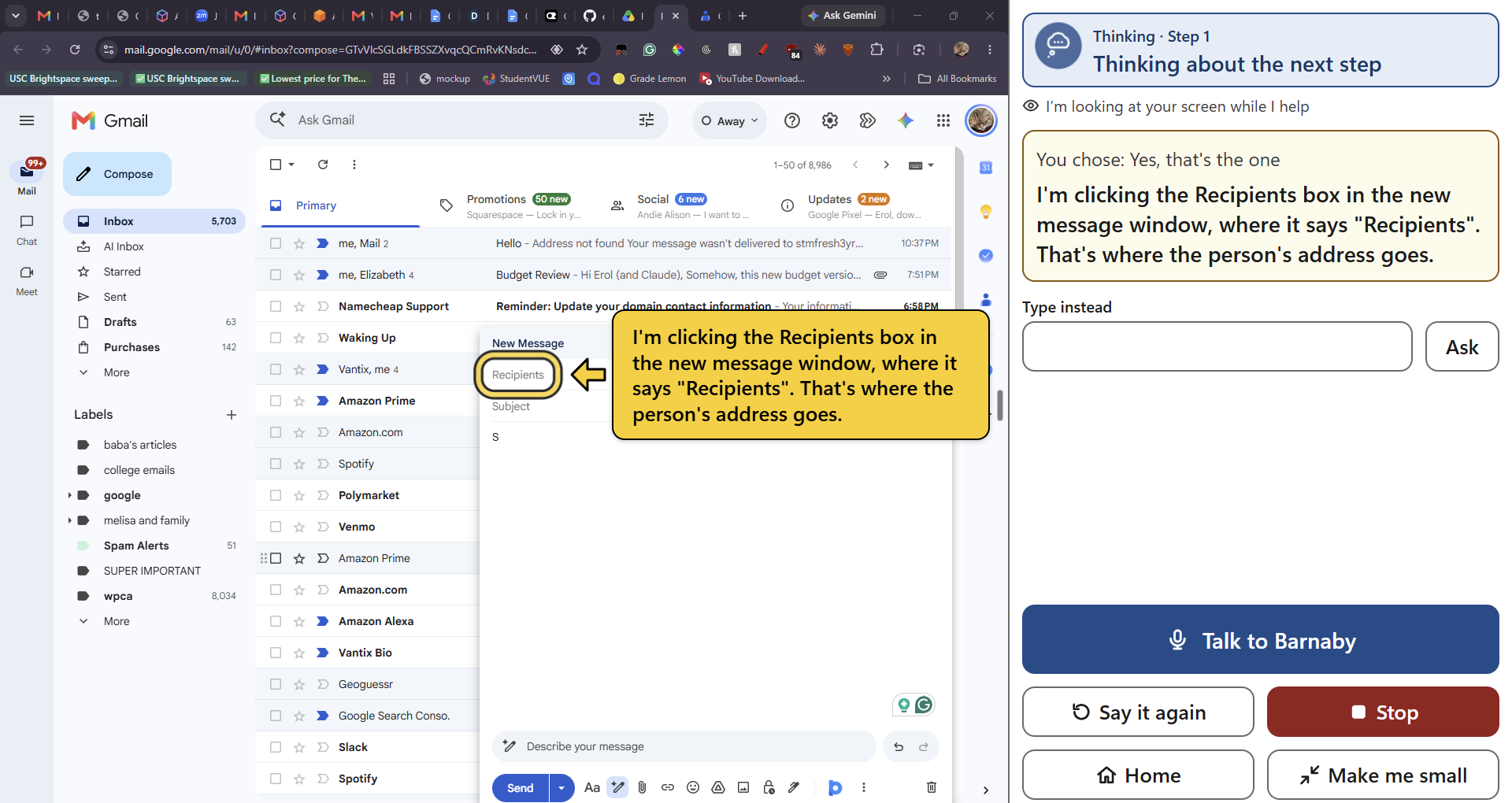
Barnaby mid-action, helping a user send an email.
-
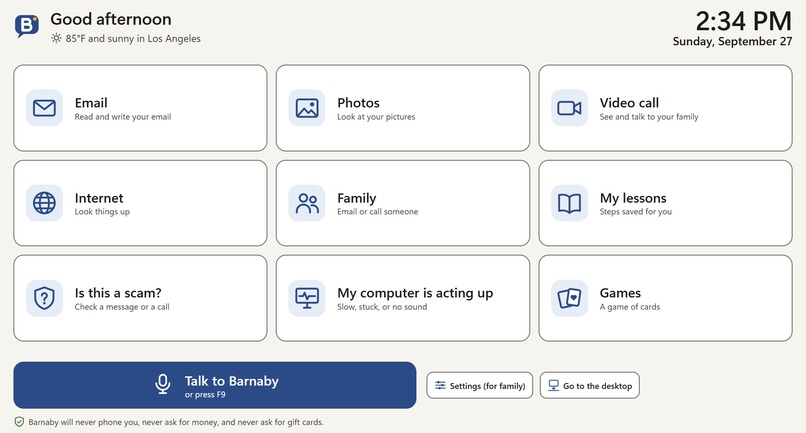
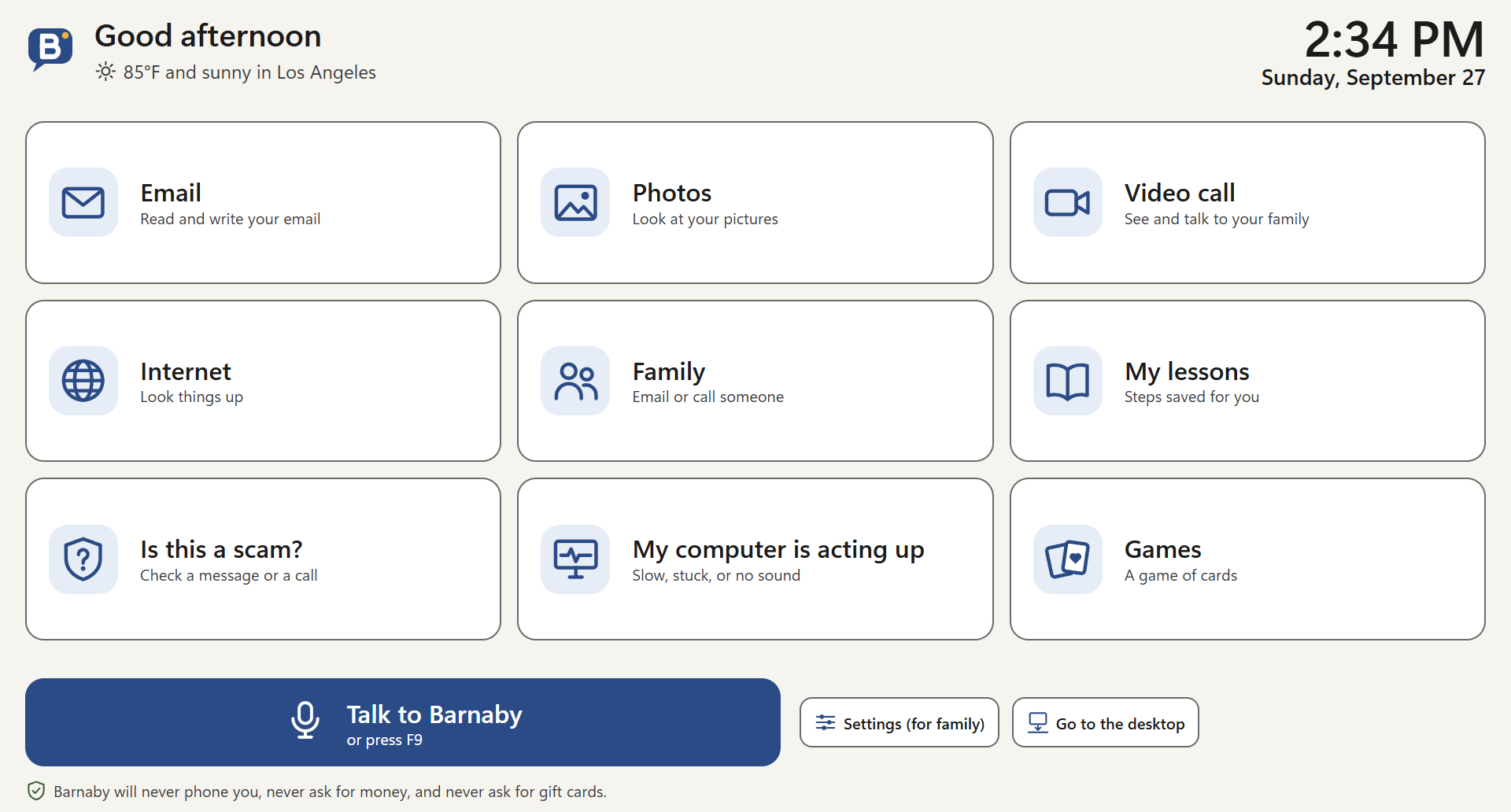
Simple, friendly main launcher with all the essentials
-
Barnaby main widget, always present in the bottom right
Inspiration
Both founder and co-founder have experiences with their grandparents being phished and scammed out of thousands of dollars. Even when they both explained to them how to navigate the technology a plethora of times, they never seem to get it. And they are far from alone: people 60 and over lost $7.75 billion to fraud in 2025 (FBI). To add on, the aging population is only growing in America, and with the acceleration of technology the learning curve gets steeper and steeper. Preexisting stigma against technology and AI in adults and the older generation makes them reluctant to learn, creating a positive feedback loop for the gap to grow wider.
What it does
Barnaby is a patient helper for older adults on the Windows computer they already own. You tell it what you want ("Email my photos to Anne Marie," "My computer is so slow," "Is this message real?"). Barnaby then looks at the screen, does the fiddly clicks and typing, and explains each step in plain words. It can also teach the person to do a step themselves by highlighting where to click.
The person stays in charge. They type their own passwords, pick their own photos, and review anything before it's sent, unless they asked Barnaby to send it. Scam Shield watches the screen for fake virus pop-ups, requests for gift cards or crypto, and remote-access tools. When it spots one, it shows a calm warning and can alert a trusted family member. Every finished task is saved as a large-print lesson the person can replay, so they need less help over time.
How we built it
Barnaby is an Electron desktop app. A native C# helper does the Windows work: it reads the screen through Windows UI Automation, takes screenshots with password and card fields blacked out, and clicks and types. It also tells a real mouse click apart from a click injected by remote-control software.
Each AI model has one job:
- The main model is DeepSeek V4.1 Flash, an open-weights model that can read images. It works out the steps and runs through zero-data-retention providers only.
- Everyday decisions go to Jev, a lightweight decision model. Jev routes each request, decides whether an action can happen automatically, needs approval, or must be refused, and flags scams. That work costs about fifty times less per decision than a step by the main model.
- Listening and speaking use Gemini Flash-Lite to turn speech into text and Microsoft MAI-Voice-2 to speak. If the natural voice fails, Barnaby falls back to the built-in Windows voice.
For privacy, screenshots are never stored, and the logs record only events and lengths.
Challenges we ran into
Most of our challenges came from testing with our two users, where we learned that what feels acceptable to a developer can be a dealbreaker for an older user.
Silence was too long and awkward: When Barnaby paused to think, users couldn't tell whether it had heard them, so they repeated themselves or gave up. We're making it respond faster and acknowledge the user immediately, then show a large animated thinking indicator that clearly says "please wait."
Voice was critical in user retention: Our first text-to-speech voice was flat and robotic, which made Barnaby feel boring. We're working toward a better, more enthusiastic voice and an adjustable speaking speed, since many users need it slower.
It was just doing too much: Early versions confirmed every step, repeated the task back, and even showed raw commands and asked permission to run background lookups. For our audience, every extra question is a chance to get confused. We're rewriting Barnaby's instructions so it acts as the "director of operations": it asks for the minimum, runs lookups quietly, and simply gets the task done.
Safety vs. autonomy: Doing things automatically conflicts with protecting users from mistakes. We settled on a rule: routine steps happen on their own, but outgoing messages are shown for review before sending, unless the user explicitly says to send in the same request.
Clarity on the screen: Our first transcript used italic quotes to show what the user said, which was too subtle for older eyes, so we're making the conversation easier to follow.
Accomplishments that we're proud of
We are proud of the capabilities of the tool and its accessibility to not just one user. Barnaby isn't tied to one company's apps: it works with whatever programs and websites a person already uses on their Windows PC. In one weekend we built a working app with an installer and 143 automated tests, and two seniors are using it now.
What we learned
Designing for older adults means removing steps, not adding features. Speed, a warm voice, and never leaving someone wondering what's happening matter as much as the AI does. Being safe and being easy to use have to be designed together.
What's next for Barnaby
- Hear from the people who would pay: interview our users' adult children, who would be the paying customers, and grow to a 10-household beta.
- Finish the current changes: saved contacts, choosing a family supervisor during setup, and faster computer use.
- Prepare to launch: code-sign the installer, add billing, and pilot Barnaby in senior-living communities.
- Bring the live browser demo back online, so anyone can try Barnaby without installing it.
- Try a new main model: test a US-built open-weights model hosted on American servers, possibly faster, at the same quality.


Log in or sign up for Devpost to join the conversation.