
What inspired me
I started with some ASO research targeting keywords like "barcode generator." I was also looking for app ideas that would work well completely offline, and barcode generation was a perfect fit.
What it does
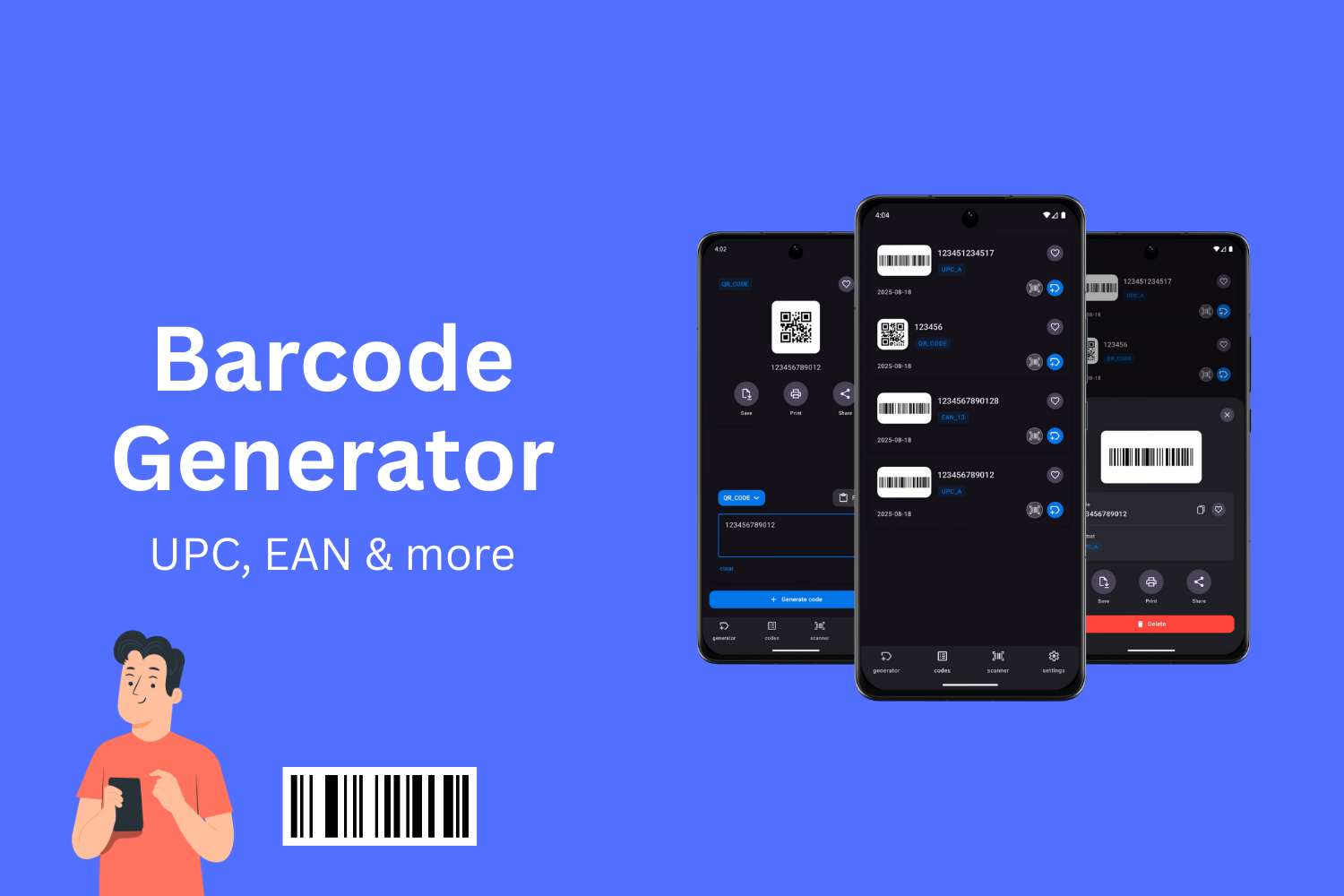
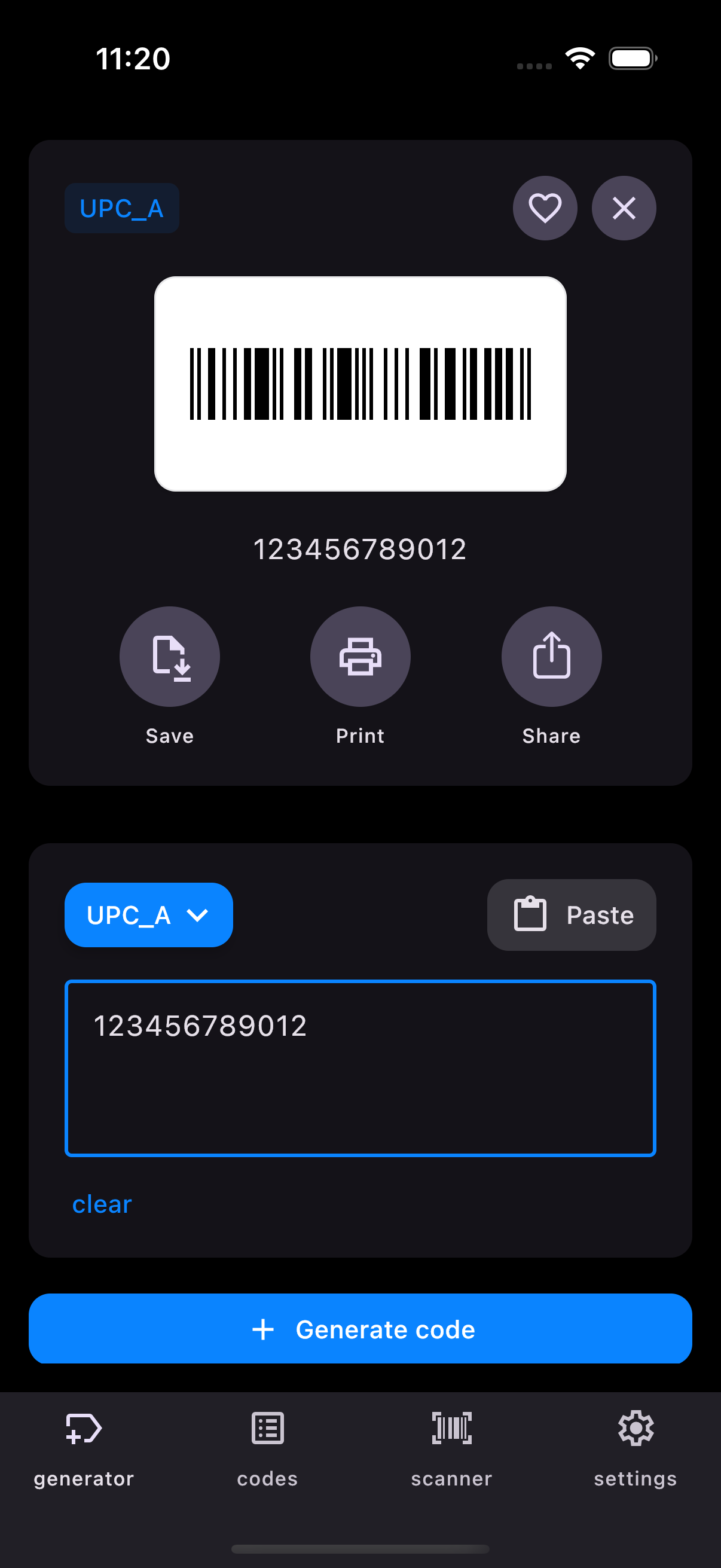
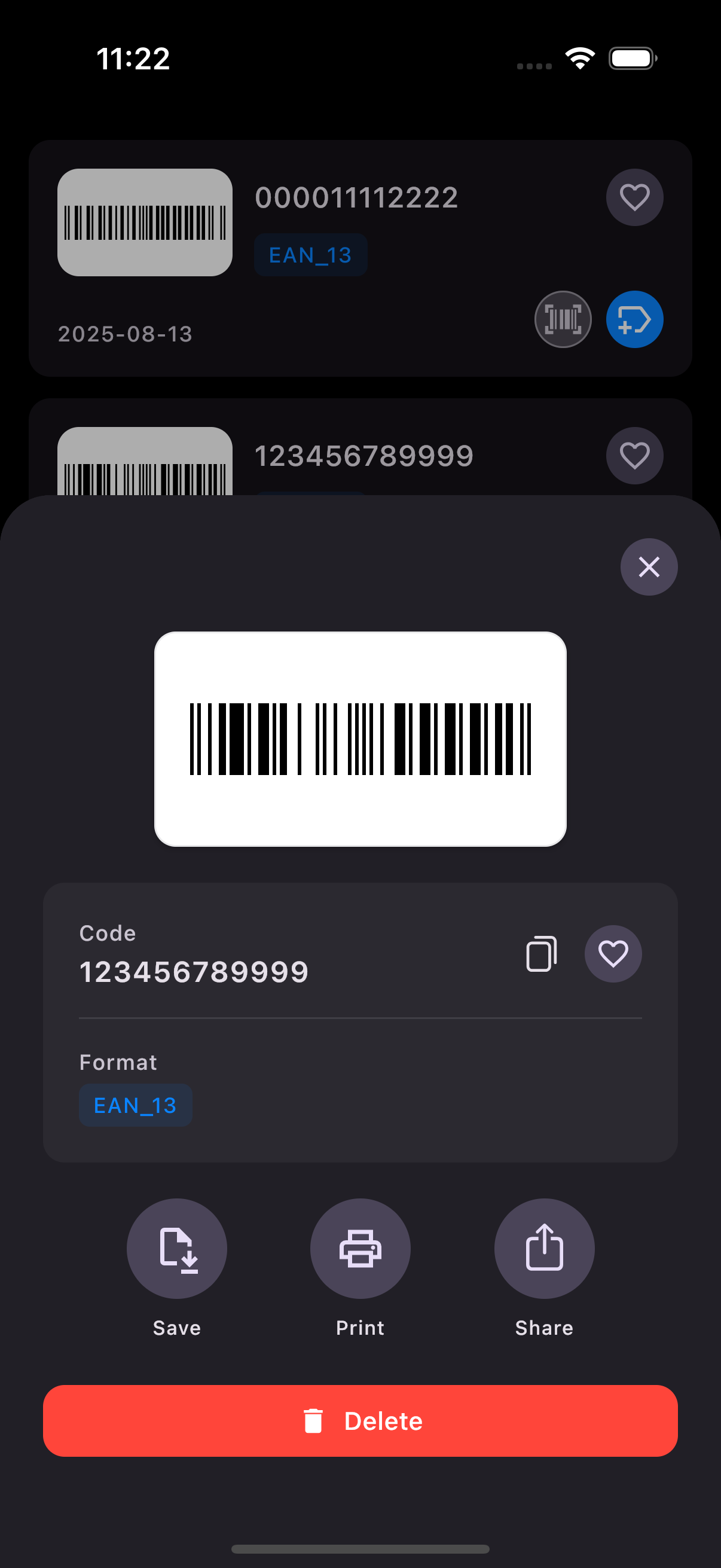
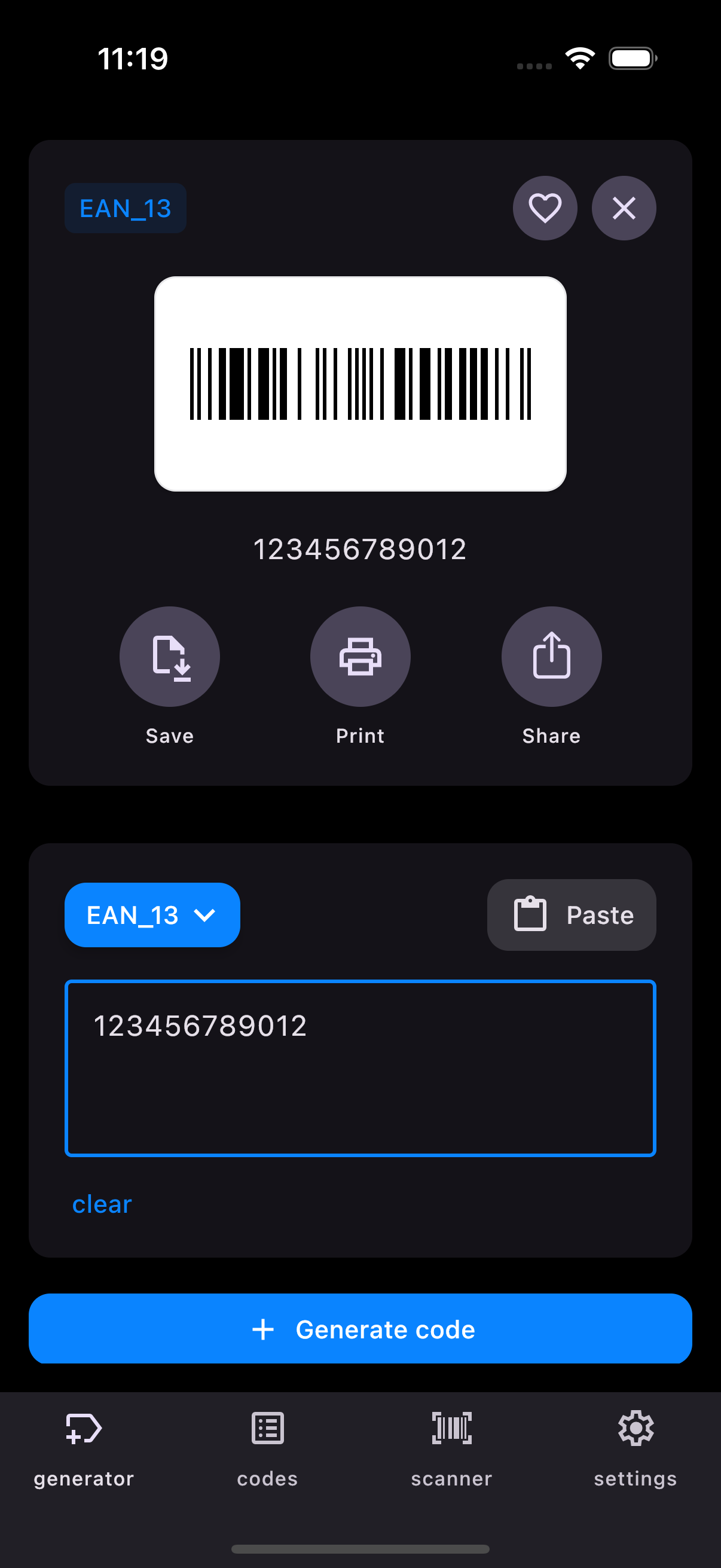
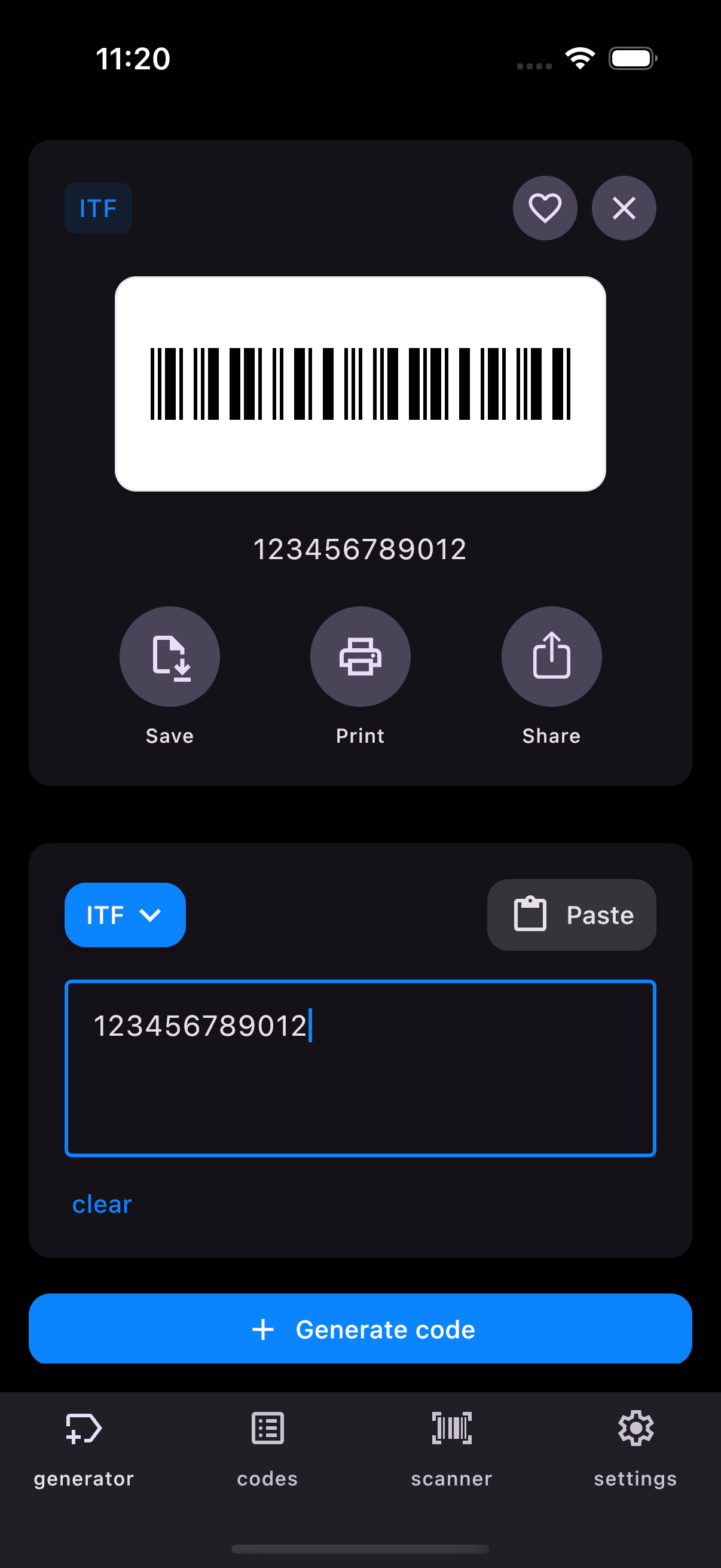
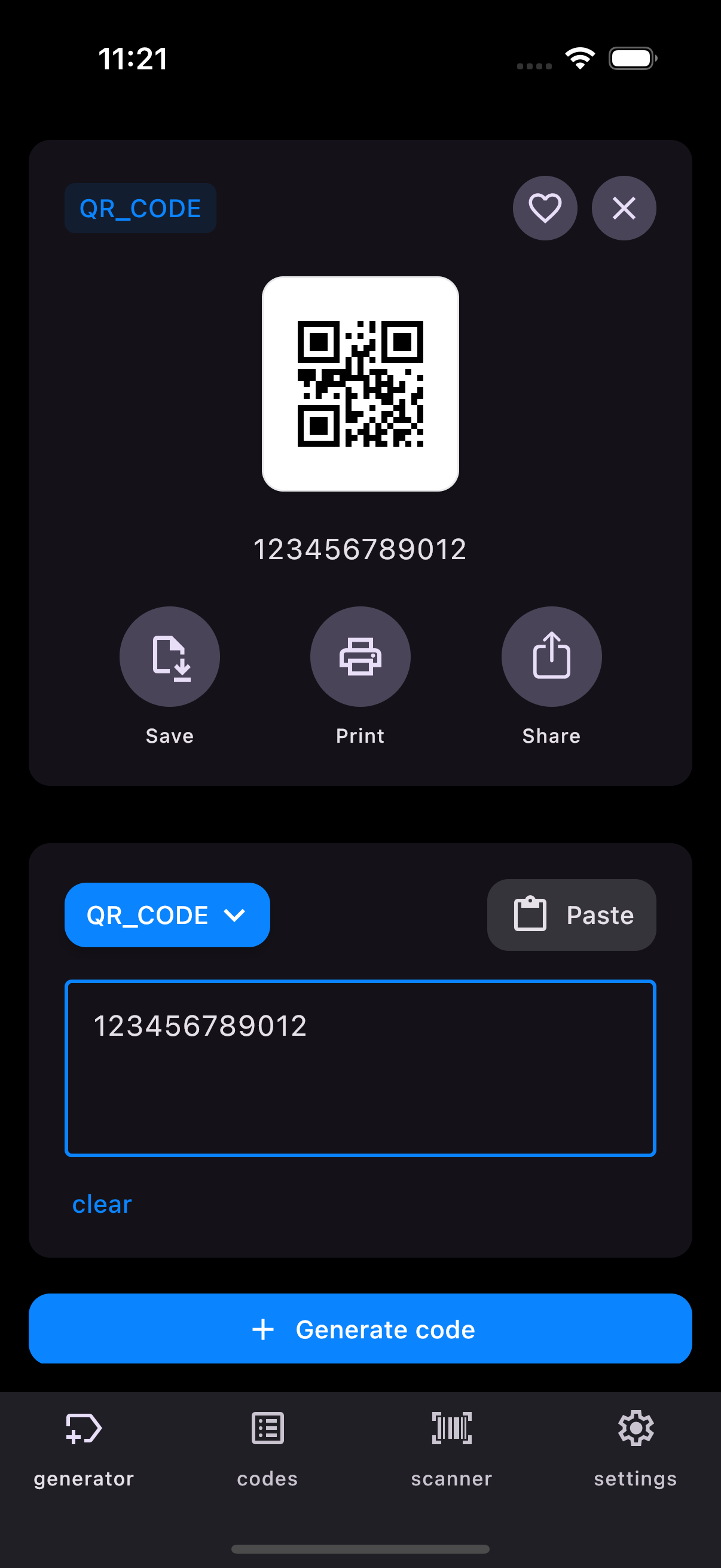
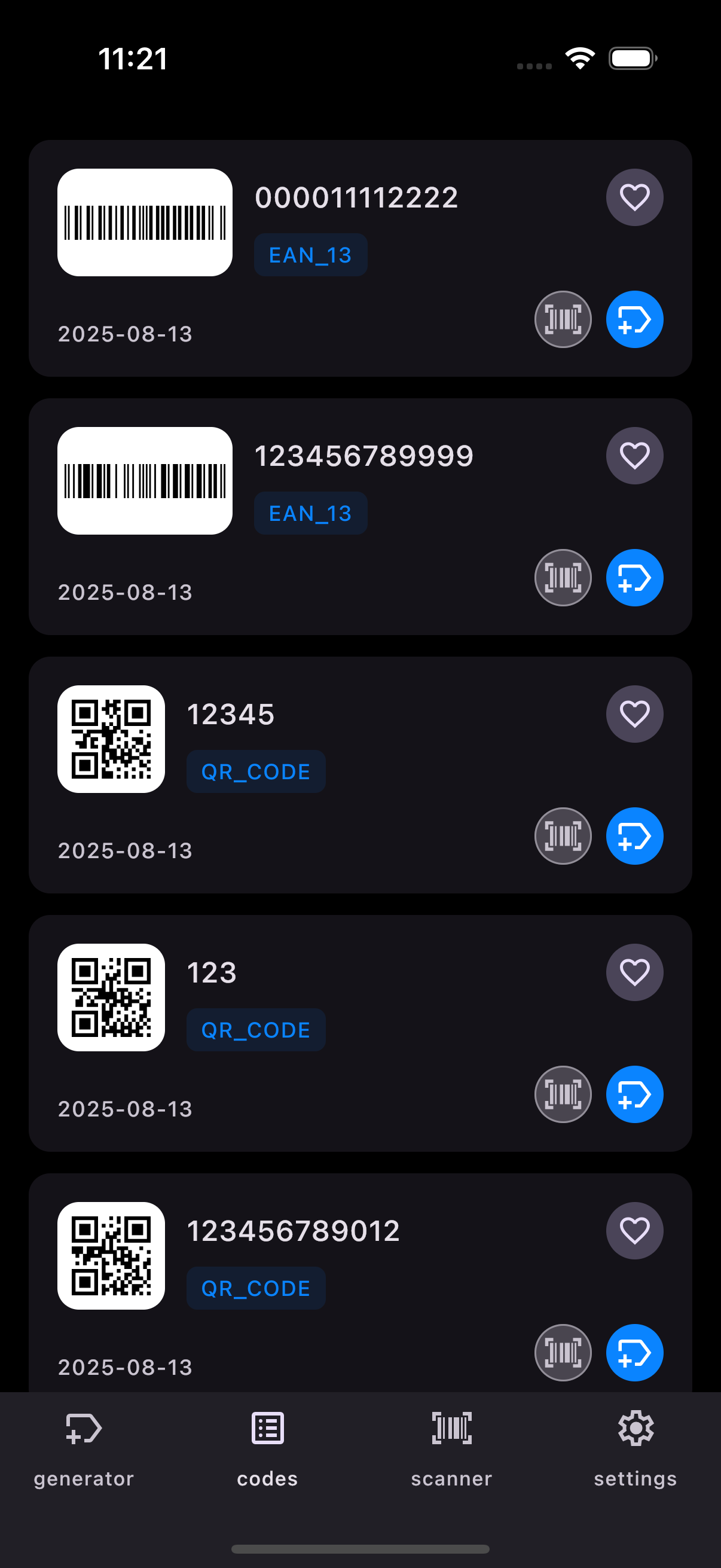
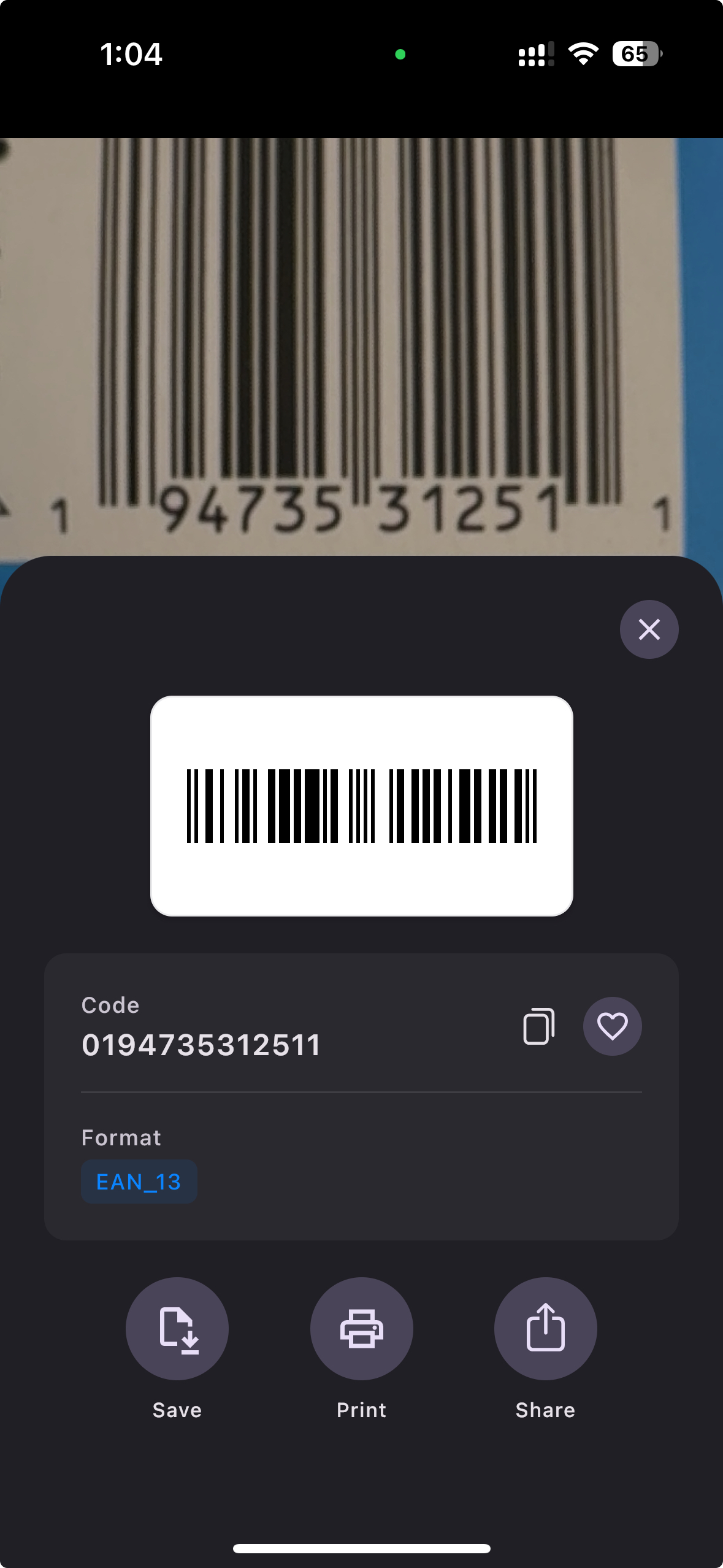
The app lets users generate and scan barcodes and QR codes, keeping track of all generated and scanned codes. Users can share and print their codes, choosing the size and quantity when printing. Everything works fully locally on the device.
How I built it
Main Libraries Used
- Kotlin Multiplatform - shared code across platforms
- Compose Multiplatform - UI framework
- Koin - dependency injection
- Qrose - barcode and QR code generation
- Room - data storage
App Architecture
For the DI framework, I used Koin with three modules:
- Database Module - contains Room database interfaces
- Platform Module - contains all platform-specific class implementations
- App Module - contains all other class implementations
The platform module is defined as an expected function:
expect fun platformModule(): Module
This is the platform module implementation on iOS:
@OptIn(ExperimentalNativeApi::class)
actual fun platformModule() = module {
    single { createOsDataStore() }
    single<AnalyticsRepository> { if (Platform.isDebugBinary) FakeAnalyticsRepositoryImpl() else AnalyticsRepositoryImpl() }
    single<AppReviewRequester> { AppReviewRequesterImpl() }
    single<ImagesDataStore> { ImagesDataStoreImpl(get()) }
    single<SharingService> { SharingServiceImpl() }
    single<FirstAppOpenTracker> { FirstAppOpenTrackerImpl(get(), get()) }
    single<PurchasesService> { PurchasesServiceImpl(get()) }
    single<AppDatabase> { getRoomDatabase(getDatabaseBuilder()) }
    single<PrintService> { PrintServiceImpl() }
}
For interacting with native frameworks, I used Kotlin throughout. On Android, I simply used the Android APIs, while on iOS I used Kotlin's Objective-C bindings.
Here's an example of my printing service interface:
interface PrintService {
    fun printCode(
        barcodeImage: ByteArray,
        config: PrintConfiguration,
        onComplete: (Boolean) -> Unit
    )
}
And here are the platform-specific implementations (feel free to skip the details - I just wanted to show you a complete example of how I handle platform-specific features 🙂):
iOS implementation:
class PrintServiceImpl : PrintService {
    private val layoutCalculator = PageLayoutCalculator()

    override fun printCode(
        barcodeImage: ByteArray,
        config: PrintConfiguration,
        onComplete: (Boolean) -> Unit
    ) {
        val layout = layoutCalculator.calculateLayout(config)

        val printController = UIPrintInteractionController.sharedPrintController()

        val printInfo = UIPrintInfo.printInfo()
        printInfo.outputType = UIPrintInfoOutputType.UIPrintInfoOutputGeneral
        printInfo.jobName = "Barcodes Print - ${config.numberOfCodes} codes"
        printInfo.duplex = UIPrintInfoDuplex.UIPrintInfoDuplexNone

        printController.printInfo = printInfo
        printController.printPageRenderer = CustomBarcodePageRenderer(
            barcodeImages = List(size = config.numberOfCodes) { barcodeImage },
            config = config,
            layout = layout,
            layoutCalculator = layoutCalculator
        )

        val rootViewController = UIApplication.sharedApplication.keyWindow?.rootViewController

        rootViewController?.let { viewController ->
            printController.presentAnimated(
                animated = true
            ) { _, success, error ->
                onComplete(success)
            }
        } ?: onComplete(false)
    }
}

class CustomBarcodePageRenderer(
    private val barcodeImages: List<ByteArray>,
    private val config: PrintConfiguration,
    private val layout: PageLayout,
    private val layoutCalculator: PageLayoutCalculator
) : UIPrintPageRenderer() {

    override fun numberOfPages(): Long = layout.totalPages.toLong()

    override fun drawPageAtIndex(pageIndex: Long, inRect: CValue<CGRect>) {
        drawBarcodeGrid(pageIndex.toInt(), inRect.useContents { this })
    }

    private fun drawBarcodeGrid(pageIndex: Int, rect: CGRect) {
        val positions = layoutCalculator.calculateBarcodePositions(
            pageIndex = pageIndex,
            layout = layout,
            totalCodes = config.numberOfCodes,
            convertToPoints = true
        )

        val startIndex = pageIndex * layout.codesPerPage

        positions.forEachIndexed { index, position ->
            val imageIndex = startIndex + index
            if (imageIndex < barcodeImages.size && imageIndex < config.numberOfCodes) {
                val nsData = barcodeImages[imageIndex].toNSData()
                val barcodeImage = UIImage.imageWithData(nsData)

                barcodeImage?.let {
                    val drawRect = CGRectMake(
                        x = position.x,
                        y = position.y,
                        width = position.width,
                        height = position.height
                    )
                    it.drawInRect(drawRect)
                }
            }
        }
    }
}
Android implementation:
class PrintServiceImpl(
    private val activityProvider: ActivityProvider
) : PrintService {
    private val layoutCalculator = PageLayoutCalculator()

    override fun printCode(
        barcodeImage: ByteArray,
        config: PrintConfiguration,
        onComplete: (Boolean) -> Unit
    ) {
        try {
            val layout = layoutCalculator.calculateLayout(config)

            val printManager = activityProvider.currentActivity!!.getSystemService(Context.PRINT_SERVICE) as PrintManager
            val documentAdapter = BarcodeDocumentAdapter(
                barcodeImages = List(size = config.numberOfCodes) { barcodeImage },
                config = config,
                layout = layout,
                layoutCalculator = layoutCalculator
            )

            printManager.print("Barcodes", documentAdapter, null)
            onComplete(true)
        } catch (e: Exception) {
            onComplete(false)
        }
    }
}

class BarcodeDocumentAdapter(
    private val barcodeImages: List<ByteArray>,
    private val config: PrintConfiguration,
    private val layout: PageLayout,
    private val layoutCalculator: PageLayoutCalculator
) : PrintDocumentAdapter() {

    override fun onLayout(
        oldAttributes: PrintAttributes?,
        newAttributes: PrintAttributes,
        cancellationSignal: android.os.CancellationSignal?,
        callback: LayoutResultCallback,
        extras: Bundle?
    ) {
        if (cancellationSignal?.isCanceled == true) {
            callback.onLayoutCancelled()
            return
        }

        val info = PrintDocumentInfo.Builder("barcodes.pdf")
            .setContentType(PrintDocumentInfo.CONTENT_TYPE_DOCUMENT)
            .setPageCount(layout.totalPages)
            .build()

        callback.onLayoutFinished(info, true)
    }

    override fun onWrite(
        pages: Array<out PageRange>,
        destination: ParcelFileDescriptor,
        cancellationSignal: android.os.CancellationSignal?,
        callback: WriteResultCallback
    ) {
        if (cancellationSignal?.isCanceled == true) {
            callback.onWriteCancelled()
            return
        }

        try {
            val pdfDocument = PdfDocument()

            // A4 size in points (72 DPI)
            val pageWidth =
                (PageLayoutCalculator.A4_PAGE_WIDTH_MM * PageLayoutCalculator.MM_TO_POINTS).toInt()
            val pageHeight =
                (PageLayoutCalculator.A4_PAGE_HEIGHT_MM * PageLayoutCalculator.MM_TO_POINTS).toInt()

            for (pageIndex in 0 until layout.totalPages) {
                val pageInfo =
                    PdfDocument.PageInfo.Builder(pageWidth, pageHeight, pageIndex + 1).create()
                val page = pdfDocument.startPage(pageInfo)

                drawBarcodeGrid(page.canvas, pageIndex)

                pdfDocument.finishPage(page)
            }

            val outputStream = FileOutputStream(destination.fileDescriptor)
            pdfDocument.writeTo(outputStream)
            pdfDocument.close()
            outputStream.close()

            callback.onWriteFinished(arrayOf(PageRange.ALL_PAGES))
        } catch (e: Exception) {
            callback.onWriteFailed(e.message)
        }
    }

    private fun drawBarcodeGrid(canvas: Canvas, pageIndex: Int) {
        val positions = layoutCalculator.calculateBarcodePositions(
            pageIndex = pageIndex,
            layout = layout,
            totalCodes = config.numberOfCodes,
            convertToPoints = true
        )

        val startIndex = pageIndex * layout.codesPerPage

        positions.forEachIndexed { index, position ->
            val imageIndex = startIndex + index
            if (imageIndex < barcodeImages.size && imageIndex < config.numberOfCodes) {
                val bitmap = BitmapFactory.decodeByteArray(
                    barcodeImages[imageIndex],
                    0,
                    barcodeImages[imageIndex].size
                )

                bitmap?.let {
                    val destRect = RectF(
                        position.x.toFloat(),
                        position.y.toFloat(),
                        (position.x + position.width).toFloat(),
                        (position.y + position.height).toFloat()
                    )
                    canvas.drawBitmap(it, null, destRect, null)
                }
            }
        }
    }
}
RevenueCat KMP implementation
On both Android and iOS, I have the same class implementing this interface:
interface PurchasesService {
    fun observeEntitlementState(): Flow<EntitlementState>
    suspend fun checkIfFreeNonConsumableProductExist(): Boolean
    suspend fun buyFreeNonConsumableProduct()
    fun observeIsTrialAvailable(): Flow<Boolean>
}
I also defined these entitlement states:
enum class EntitlementType {
    IAP, SUBSCRIPTION
}

sealed interface EntitlementState {
    data class HasAccess(val type: EntitlementType) : EntitlementState
    data object NoAccess : EntitlementState
    data object NotInitialized : EntitlementState

    fun hasAccess() = this is HasAccess
}
Desktop target
Since there's no hot reload functionality to speed up development on iOS and Android, I used Desktop Hot Reload (https://www.jetbrains.com/help/kotlin-multiplatform-dev/compose-hot-reload.html). To make this work, I added a "desktop" target to my project.
Because the RevenueCat KMP library doesn't support desktop, I created a separate mobileShared source set in Gradle containing dependencies shared between iOS and Android platforms. It depends on the common source set that contains dependencies shared across all platforms.
val mobileShared by creating {
    dependsOn(commonMain.get())
    dependencies {
        implementation(libs.purchases.core)
        implementation(libs.purchases.ui)
        implementation(libs.kotlinx.coroutines.core)
    }
}
On desktop, I also implemented a FakePurchasesService class as a dummy implementation of the PurchasesService interface:
class FakePurchasesServiceImpl : PurchasesService {
    private val tag = "PurchasesServiceImpl"
    private val entitlementState =
        MutableStateFlow<EntitlementState>(EntitlementState.NoAccess)

    override fun observeEntitlementState(): Flow<EntitlementState> {
        return entitlementState
    }

    override suspend fun checkIfFreeNonConsumableProductExist(): Boolean = false

    override suspend fun buyFreeNonConsumableProduct() {}

    override fun observeIsTrialAvailable(): Flow<Boolean> = flowOf(true)
}
What allows me to move fast
I currently have 15 mobile apps live on the App Store and 12 on the Google Play Store. All but one use Kotlin Multiplatform, Compose Multiplatform, and the RevenueCat KMP library, which means I can reuse the base code across all of them.
I also use Claude AI to speed up my development process. It's especially useful when I need to write code that interacts with native iOS APIs (like the printing service).
What are the next steps for this app
I'm focusing on ASO to drive downloads. Unfortunately, this app doesn't rank high in search results and currently doesn't bring in many downloads. I plan to leave it as-is in the stores (it doesn't require a backend, which makes it easy to maintain) and track whether it gains traction. If it doesn't catch on, I won't make any improvements and will shift my focus to creating new apps or improving my more successful ones.
What I learned
I was a bit worried that implementing a printing feature would be challenging, but it turned out that with AI, it's actually trivial to implement on both platforms.
Accomplishments that I'm proud of
Everything works really fast locally on the device. I'm also really happy with how the printing feature turned out.
What are the issues in the app
The scanner on iOS doesn't focus when the camera is close to the object. It works properly when positioned at least 20 cm (8 inches) away.
Shoutout to Alex Zhirkevich for the amazing library
Styled QR & Barcode generation library for Compose Multiplatform: https://github.com/alexzhirkevich/qrose

Log in or sign up for Devpost to join the conversation.