-
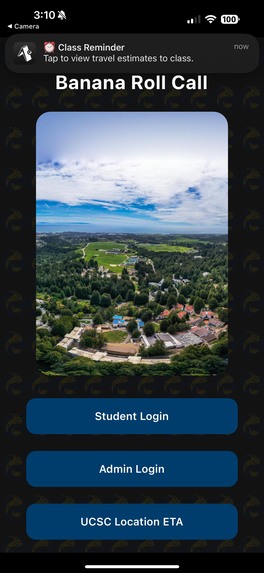
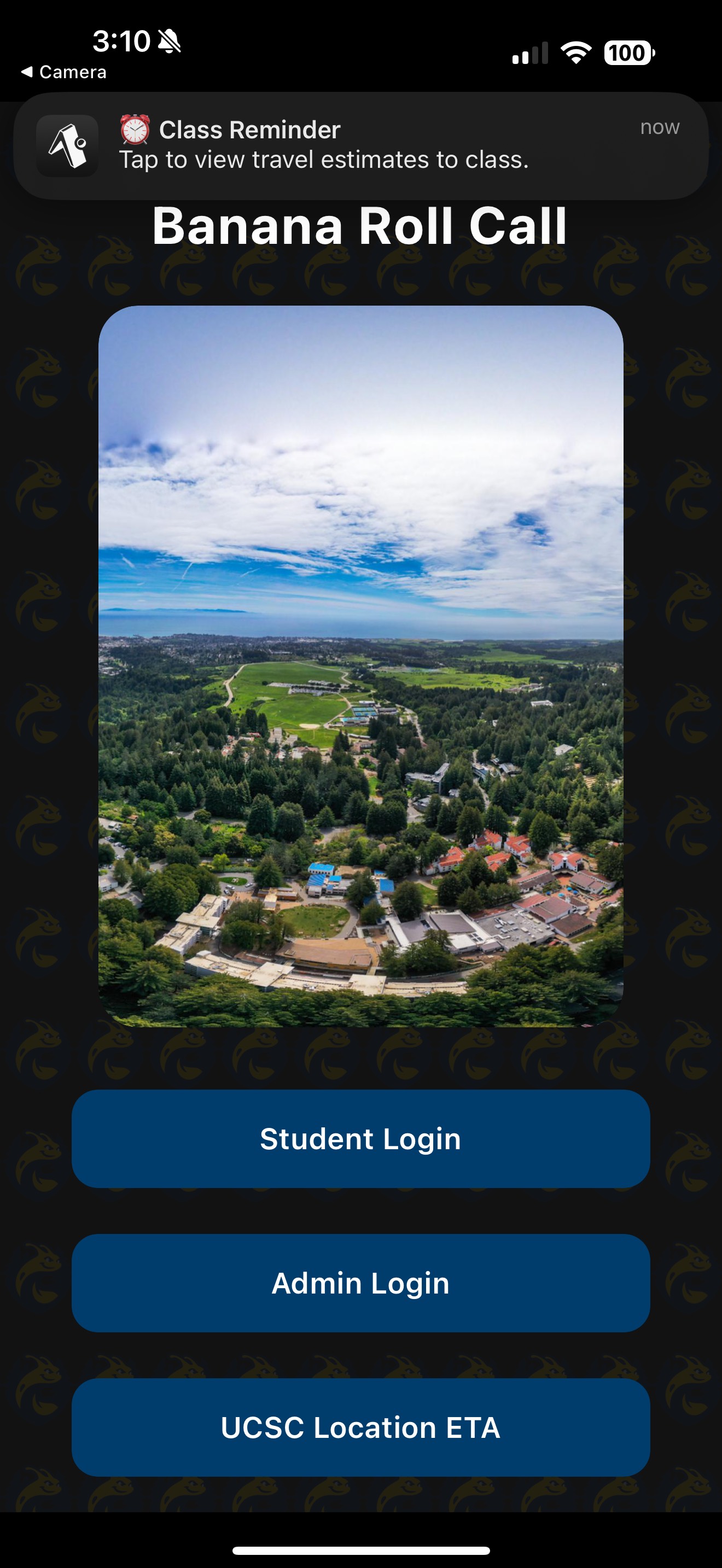
The home screen of the application, with a reminder at the top of the screen
-
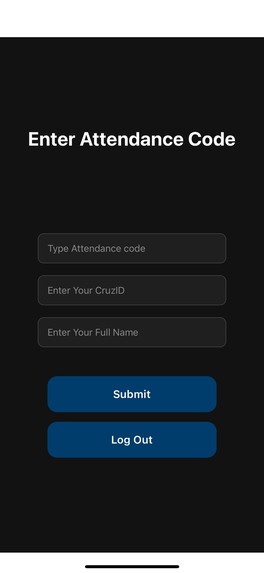
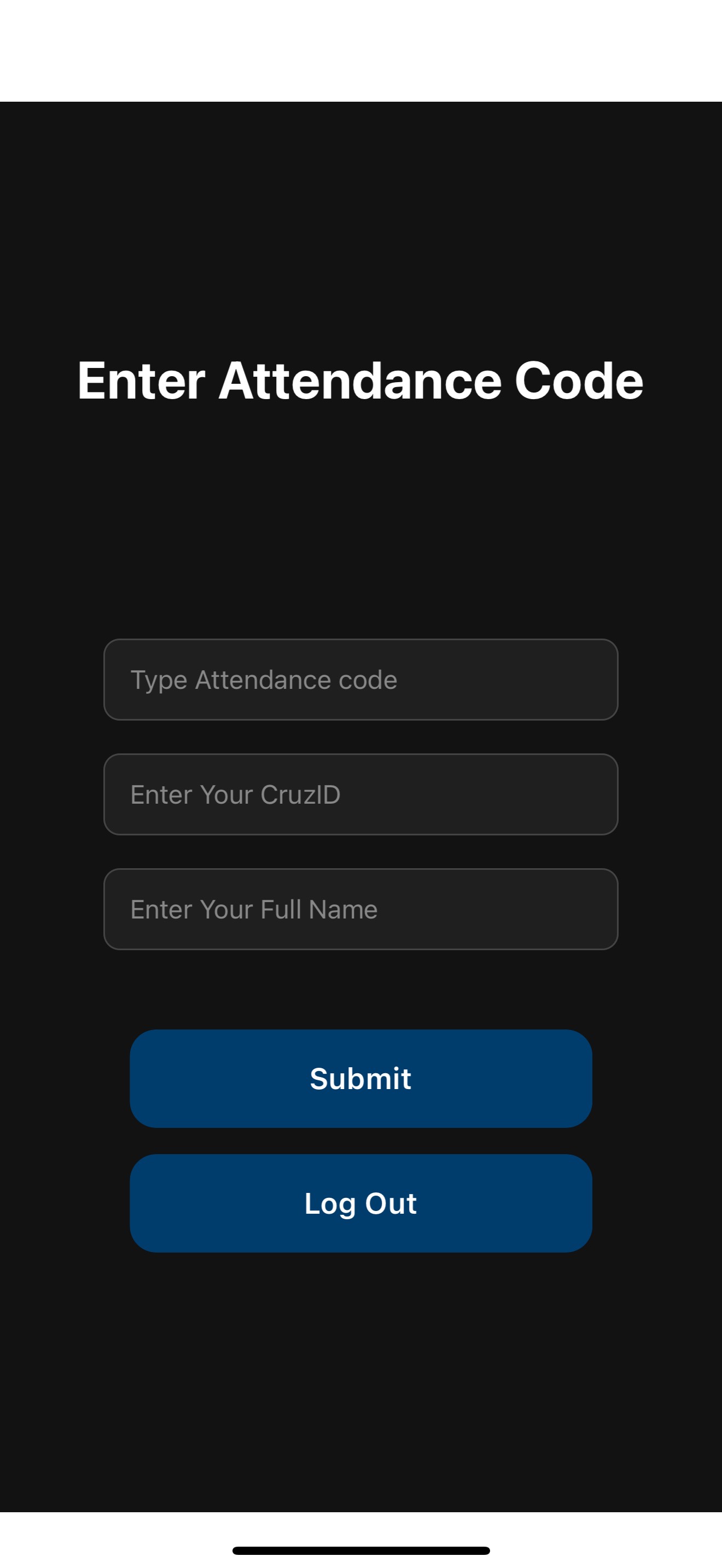
The student section where they input the attendance code, CruzID, and name
-
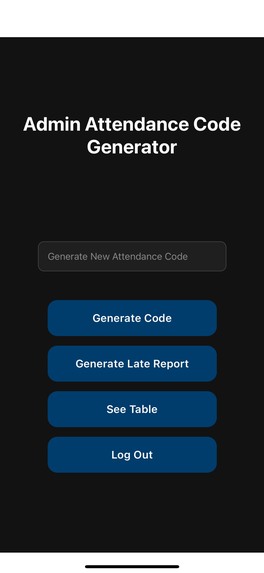
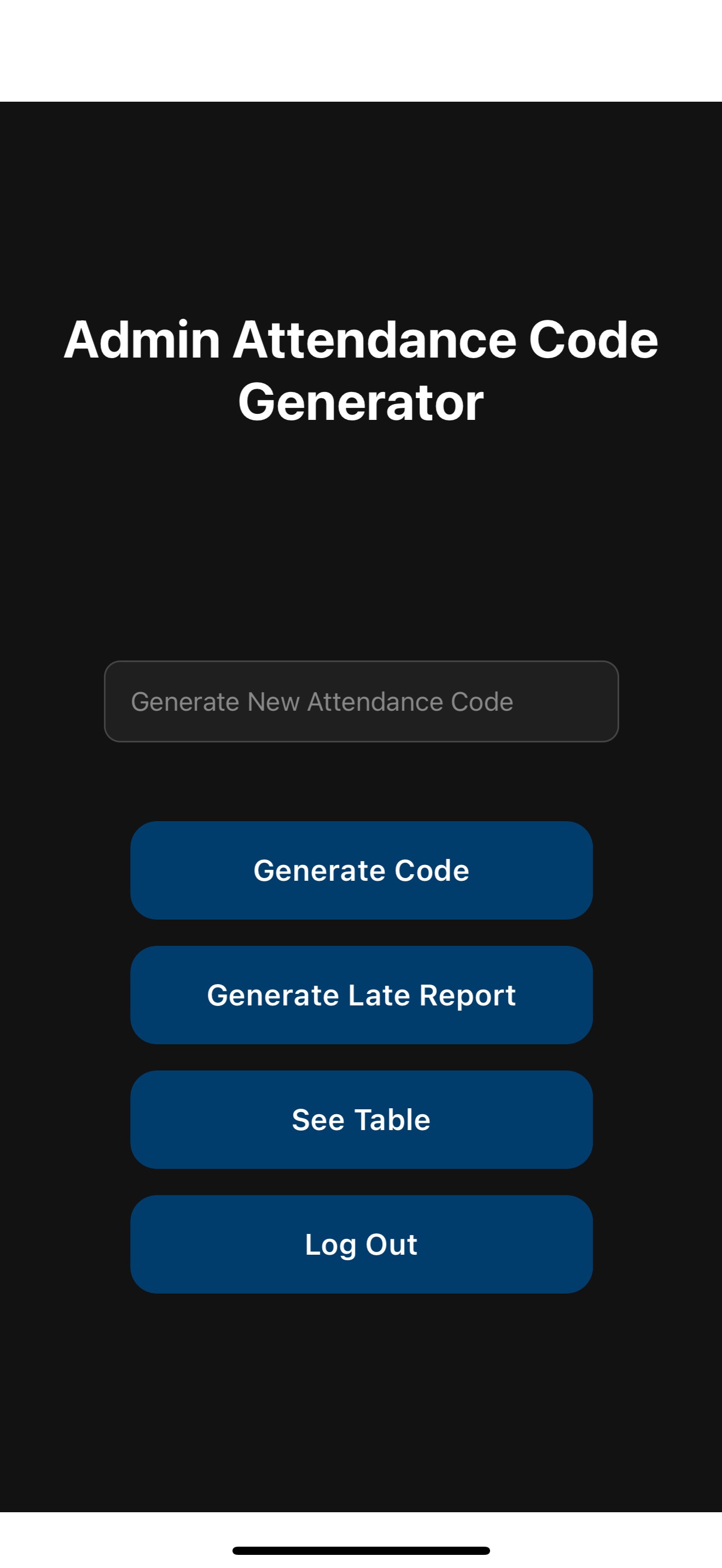
The admin section where they generate the attendance code and check each student's status
-
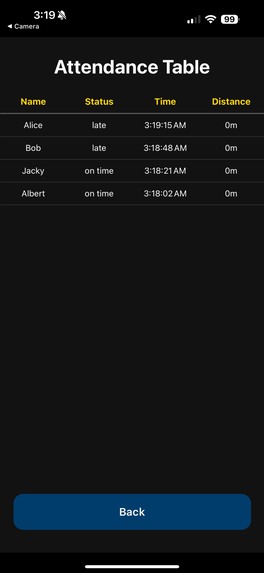
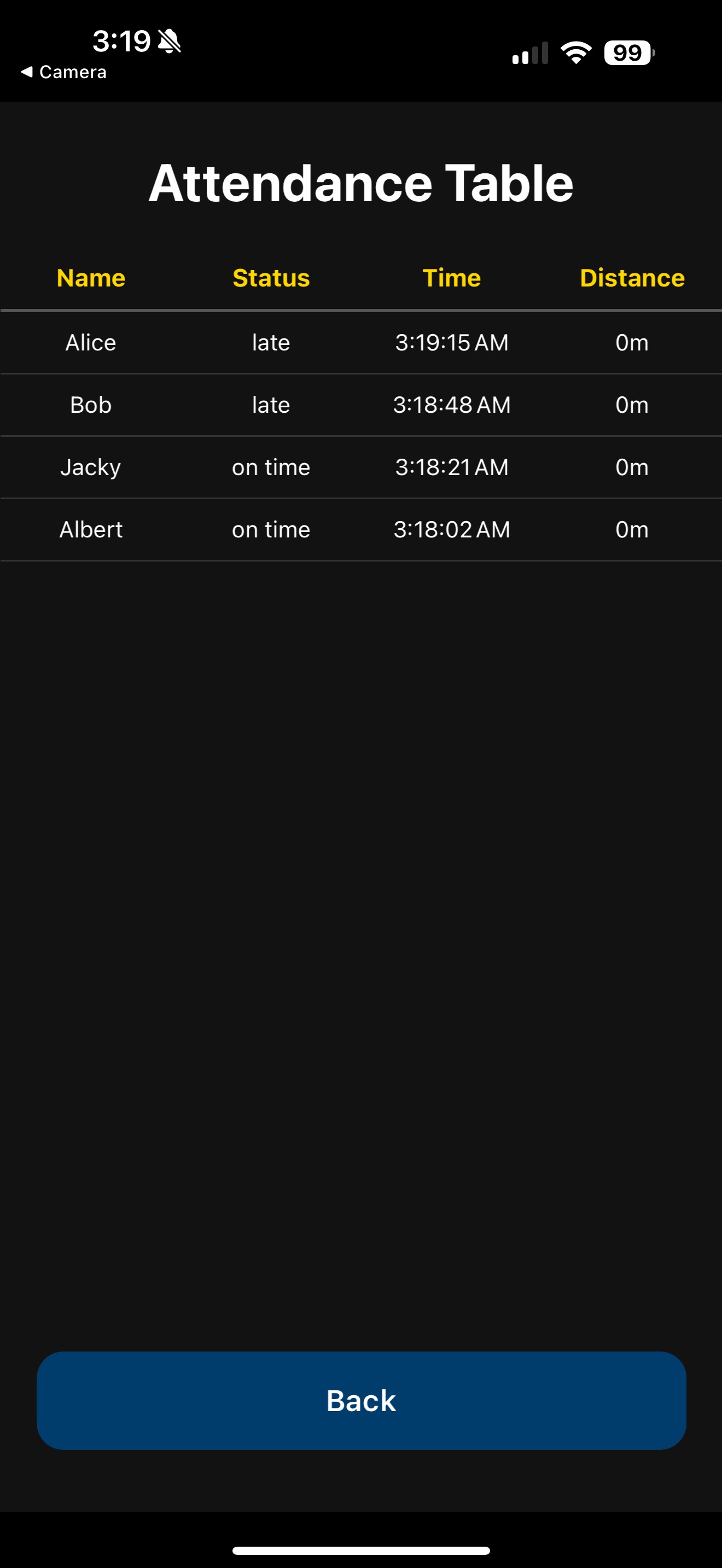
The table in the admin section that shows each student's status
-
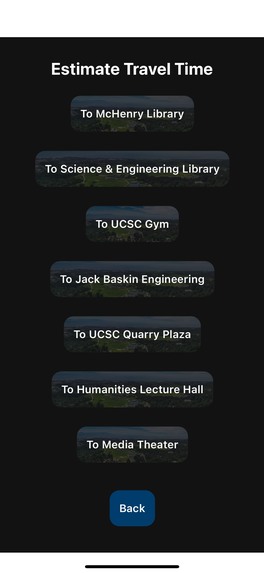
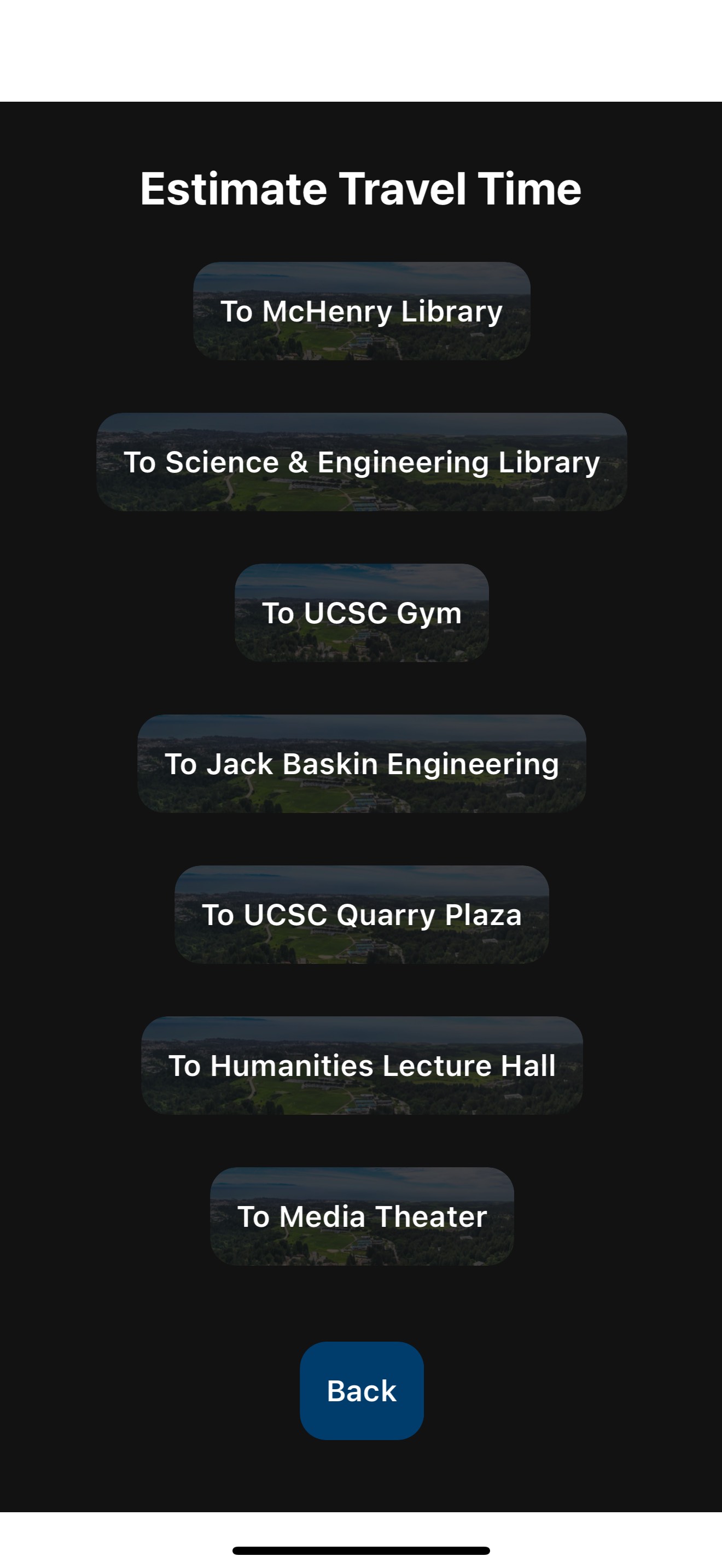
The estimated destination section
-
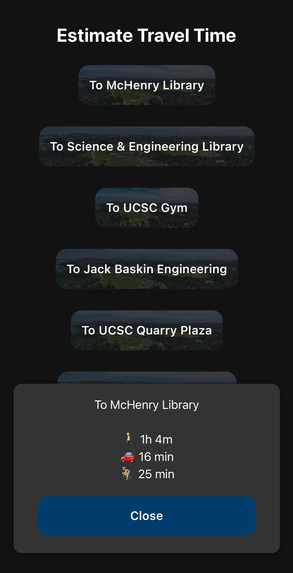
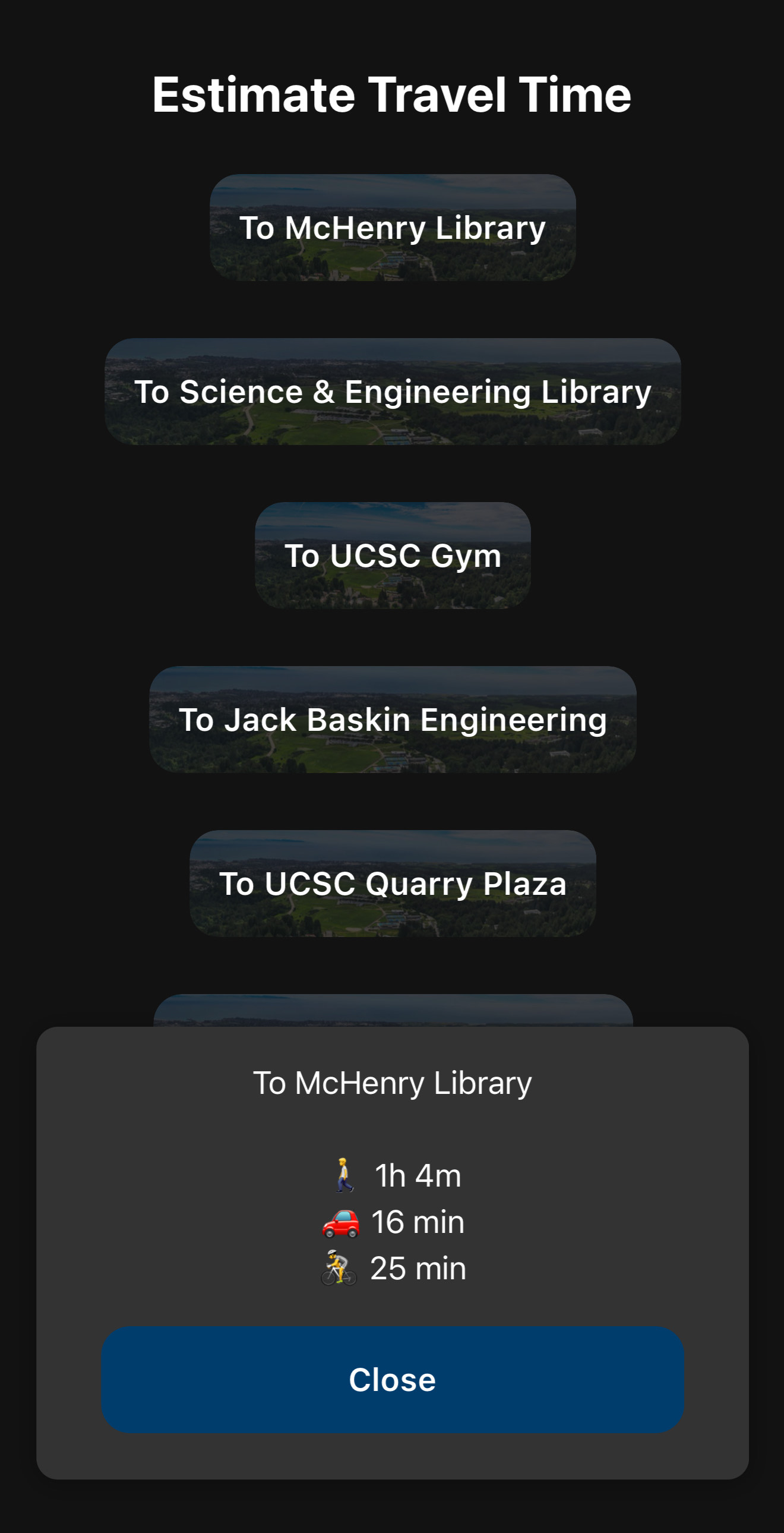
Pressing on the button of each location pops up a tab of the estimated time to get to the destination by walking, driving, and biking.
Inspiration
Many students either skip class or leave class early, which inhibits their learning potential. In addition, many students ask other students for the attendance quiz answers so as not to get marked down for attendance. This inspired us to create this application that enforces students' attendance in lectures to encourage them to attend lectures.
What it does
Our application has two different systems to ensure students are present in their lectures. Firstly, there is an attendance code that the professor can create so that the students can input it to check in. In addition, the moment the professor generates a code, the professor's location will be utilized for the next step. To prevent students from sending code to other students who are not present at the lecture hall, we integrated a location system that checks whether students are no more than a specific distance away from the professor's location. If the student is too far away or they input the wrong code, they will not be stored in a database that stores the status of the students. If they are present or late, they will be stored in that database. This database can be seen on the application so the professor can monitor who is present, late, or absent. In addition to the attendance feature, we also have a section that provides the estimated time to get to a UCSC location given the student's current location. The estimated times are only given for walking, driving, and biking. Last but not least, this app can send a notification to a student to warn whether the have to leave their current location to get to their class.
How we built it
For the front end, we decided to use TypeScript, React Native incorporated with Expo, and for the back end, we decided to use Python, specifically Flask.
To develop the front end, we decided to use Expo, a sandbox to test native Android and iOS apps. We decided to create an iOS application because we all have iPhones. The frontend is split into three sections: the admin, the student, and the estimated destination section. In the admin section, professors or teacher assistants are only allowed to access this section since this section is where we generate an attendance code. For the student section, the students input the attendance code, their CruzID, and their full name to show they are present. In both of those sections, we used a library, expo-location, that allows us to get location in coordinates (longitude and latitude) so that way we can calculate the distance between them. Finally, the estimated destination section contains many different locations such as lecture halls, facilities, and libraries. To find the estimate of the time it takes from the person's location, we used a software called Mapbox and utilized their API calls to find the ETA given the person's coordinates and the destination's coordinates. Lastly, we used expo-notifications to create a notification to let students know when to leave their current location to their class so that they can be on time.
The backend is built with Python, SQLite, and Flask. The SQLite database uses a relational design to efficiently store all valid student sign-ins and class session data. It includes tables such as check_in, user, student_roster, and class_session. Students who enter an incorrect attendance code or are too far from the classroom are not recorded, while those who are late are still saved with a "late" status. Each lecture’s and student’s data can be filtered for various use cases, and new students can be imported into the database via a CSV file. Stored data can also be exported as a CSV or viewed directly within the app. Flask powers a web server that listens for HTTP requests (e.g., GET and POST), allowing the front end to retrieve data and trigger backend functions. The system uses APScheduler and Python's datetime to schedule reminders, such as saving the next upcoming class and sending students notifications ahead of time. To ensure consistency, all time-related operations are handled with timezone support from pytz.
Challenges we ran into
In the front end, a big obstacle we encountered was utilizing Google Sign In, their authentication system. However, Google's security only allows high-level domains containing "https://" and Expo Go only supports "ex://". We tried to find other ways, but it seems that we needed to be an Apple App developer in order to solve the Google authentication problem. Therefore, we decided to include the CruzID and full name since we could not find a different way to check whether the student was present. Another issue we faced was addressing privacy concerns from our original idea, which involved tracking the user's location to send time-sensitive notifications about when to leave for class. Now, the app stores upcoming class times and sends a notification two hours before the class begins. The notification then encourages users to check their estimated travel time using their preferred mode of transportation through our app.
Accomplishments that we're proud of
From this project, we are proud that we were able to set up a working demo within the first night of working. With our efficient time management, we were able to add much more functionalities and gimmicks compared to our last hackathon
What we learned
We learned that we should search if the software we are planning to use is compatible with each other before starting our project.
What's next for Banana Roll Call
We see a lot of potential in this project. The next step is to implement proximity verification by using Bluetooth to detect other students. This would further help counter tools like VPNs that are misused in the educational space. We also want to find a way to encourage students to stay in class by potentially adding a game similar to Kahoot into our app.

Log in or sign up for Devpost to join the conversation.