-
-
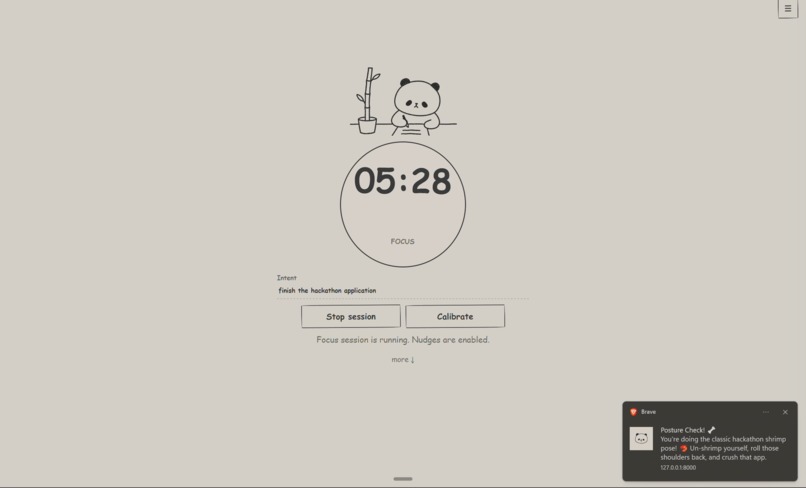
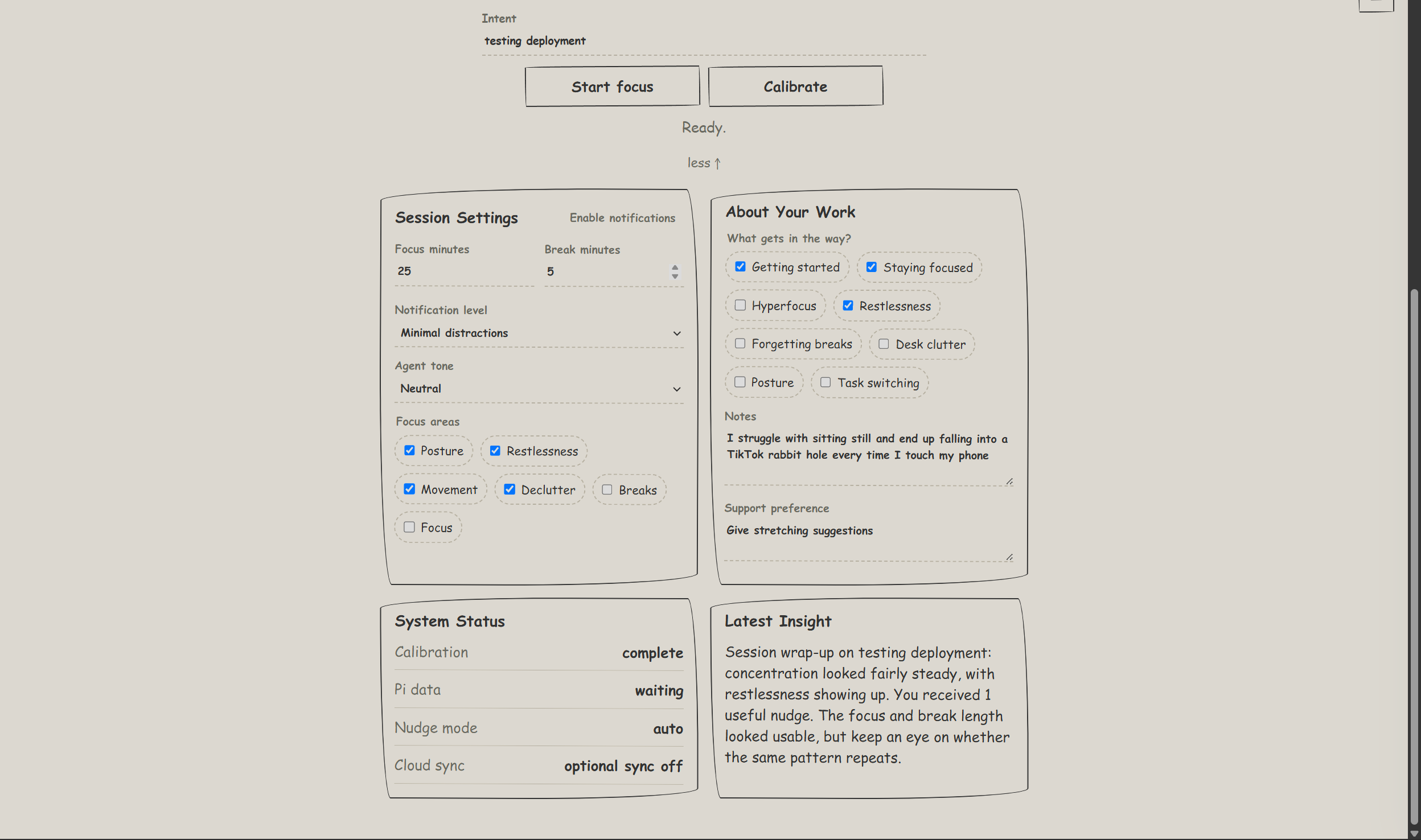
Simple distraction-free pomodoro timer with custom notifications
-
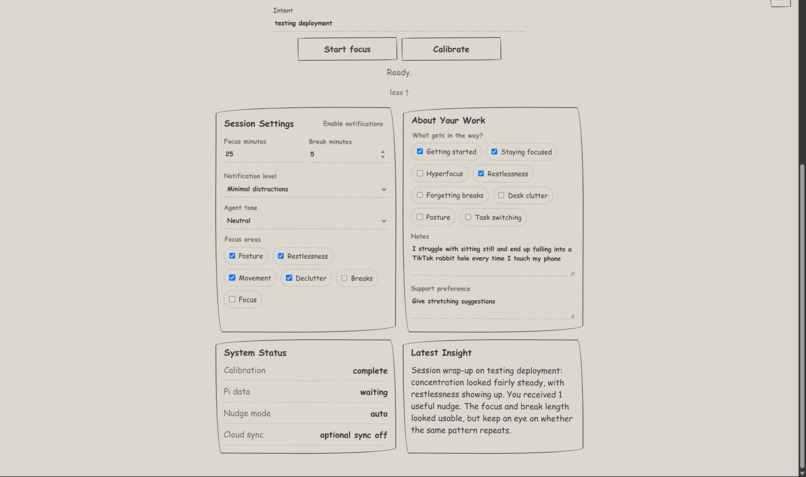
Personalize your experience
-
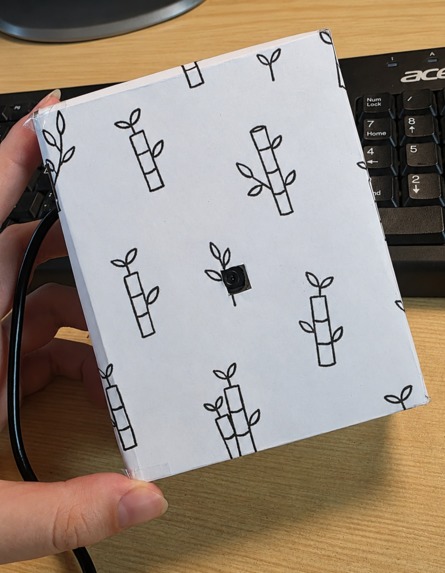
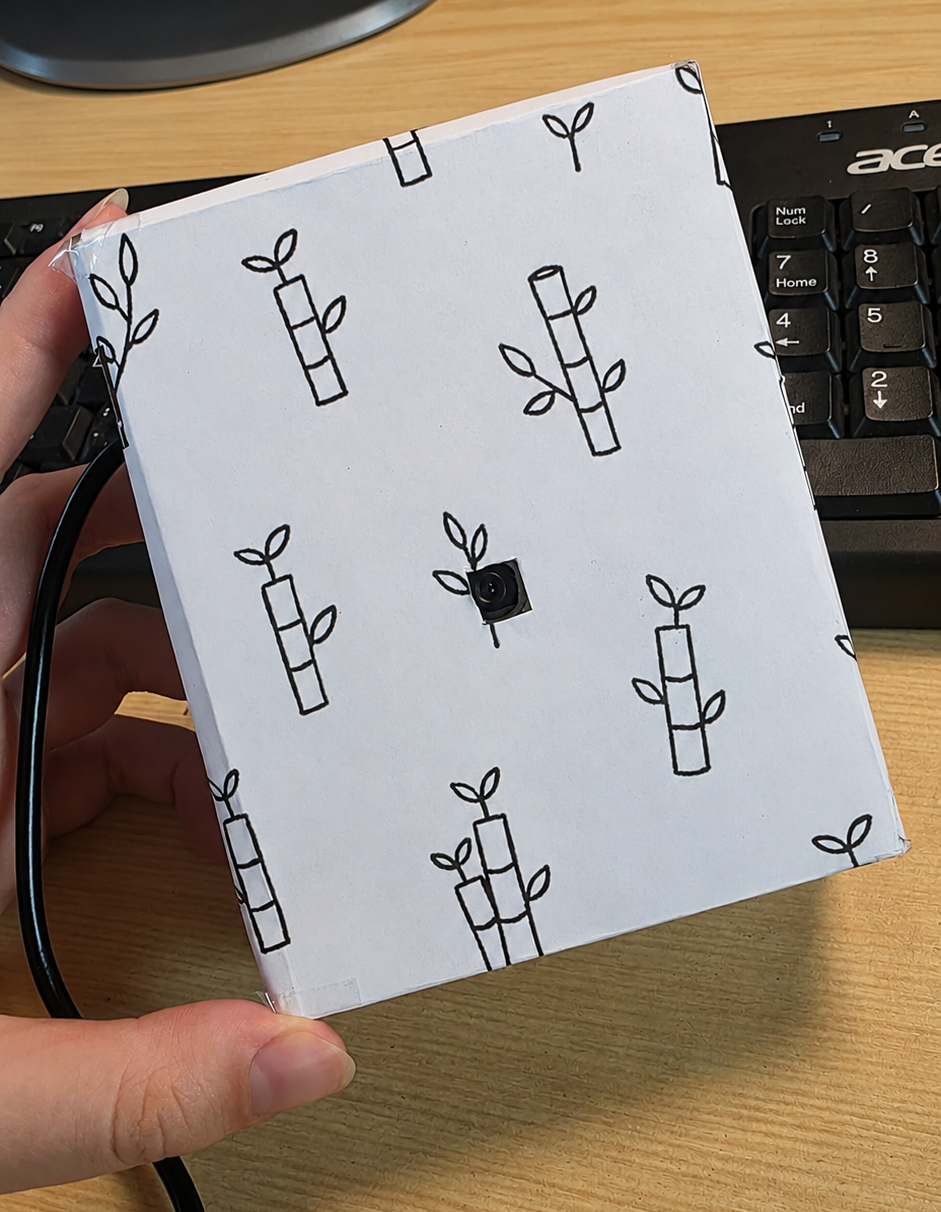
Device prototype: rasberrry pi + camera
-
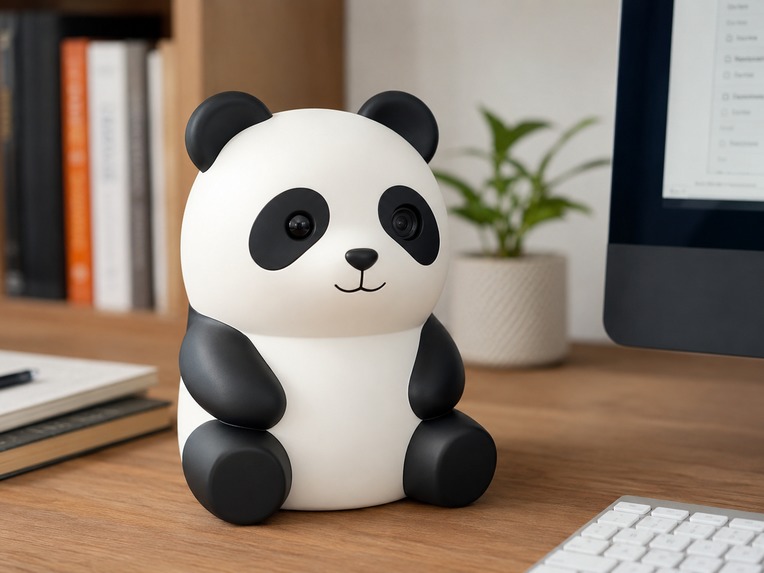
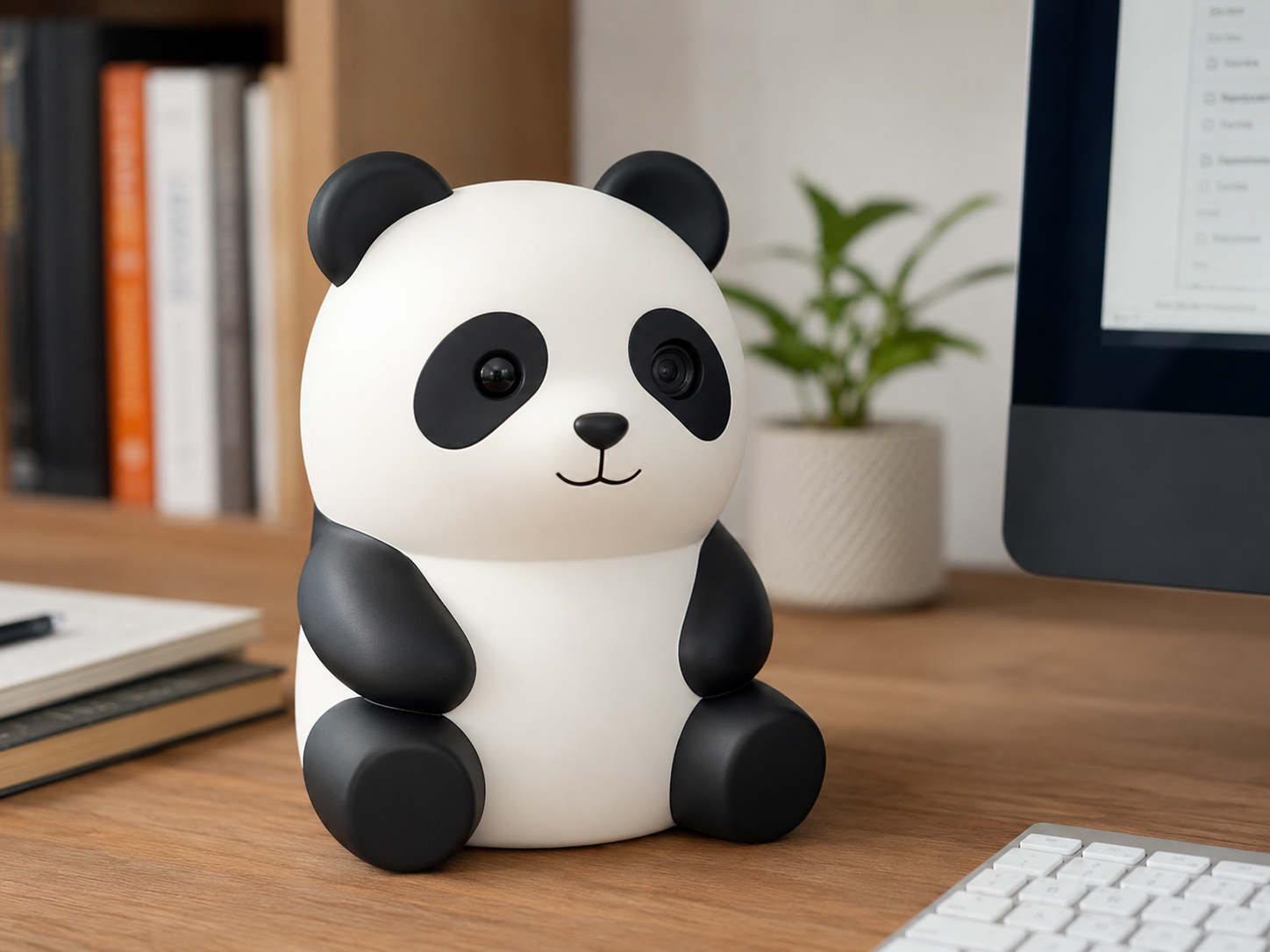
What the device could look like (AI generated image)
-
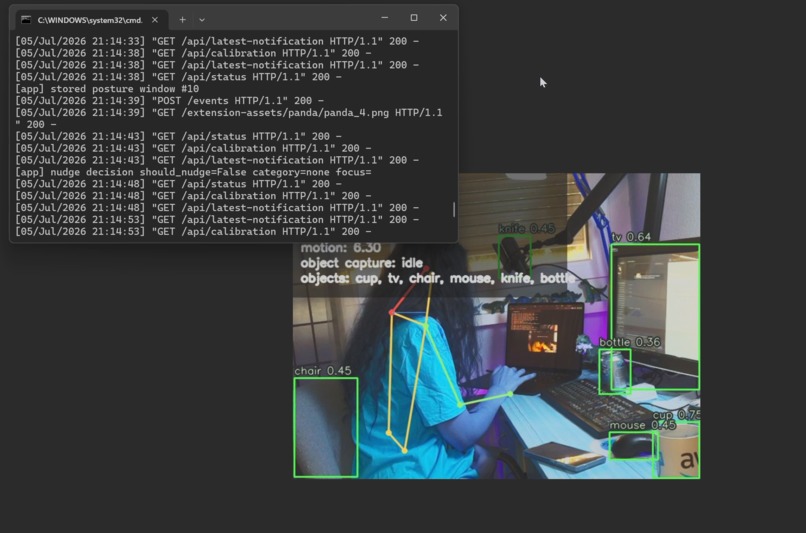
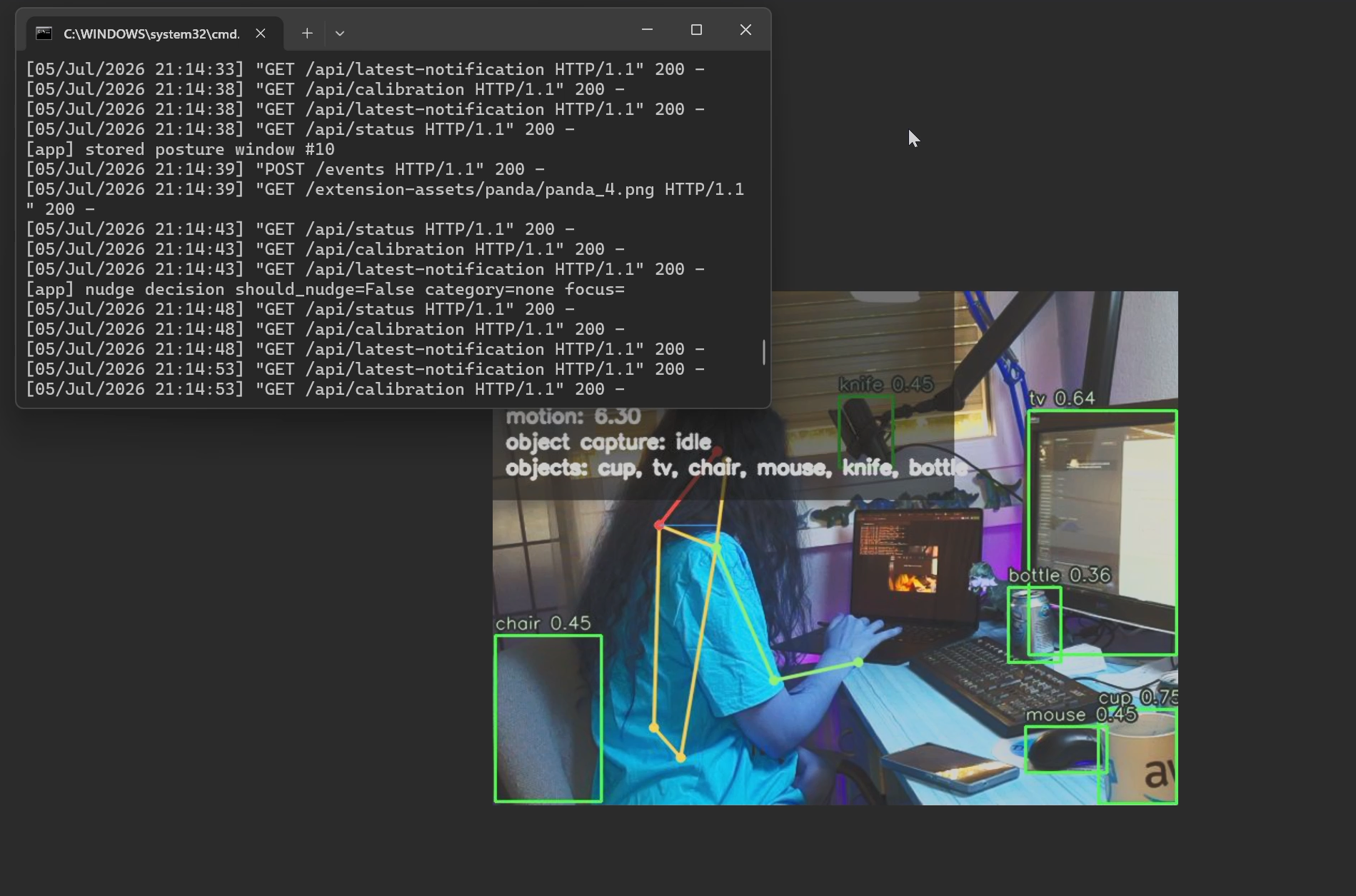
Object detection
-
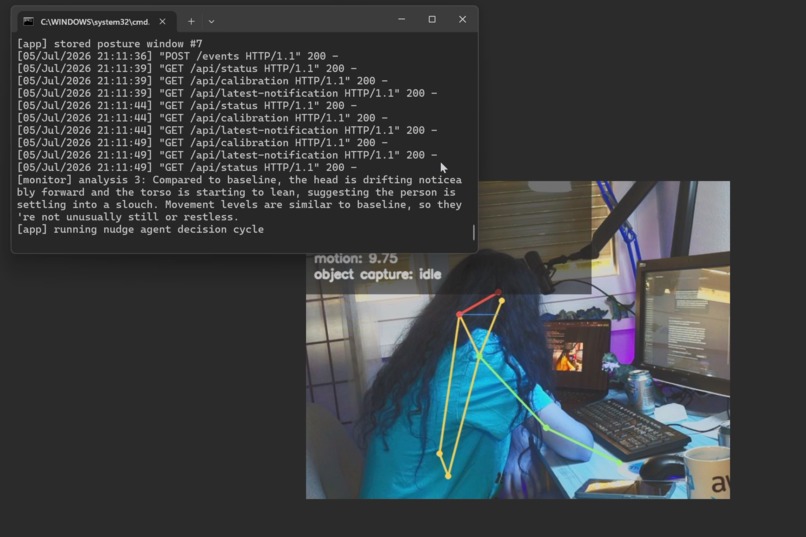
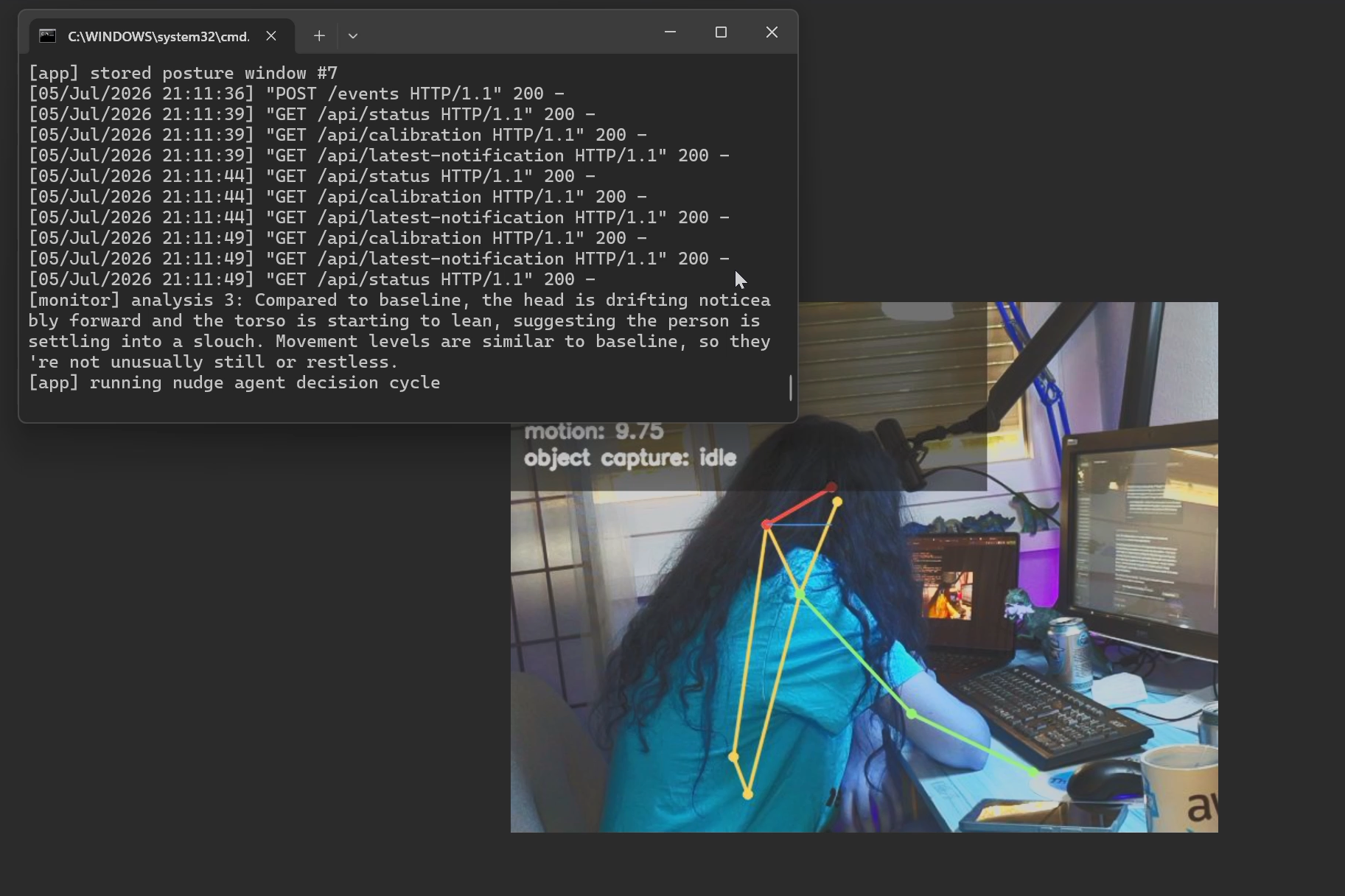
Intermediate pose analysis logs
-
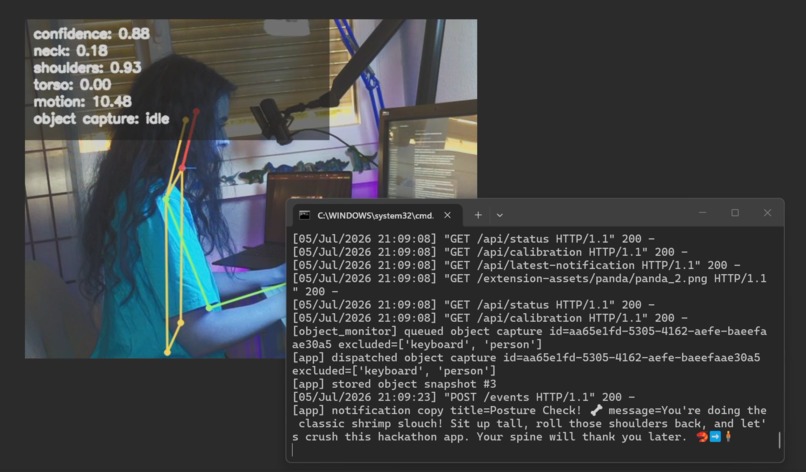
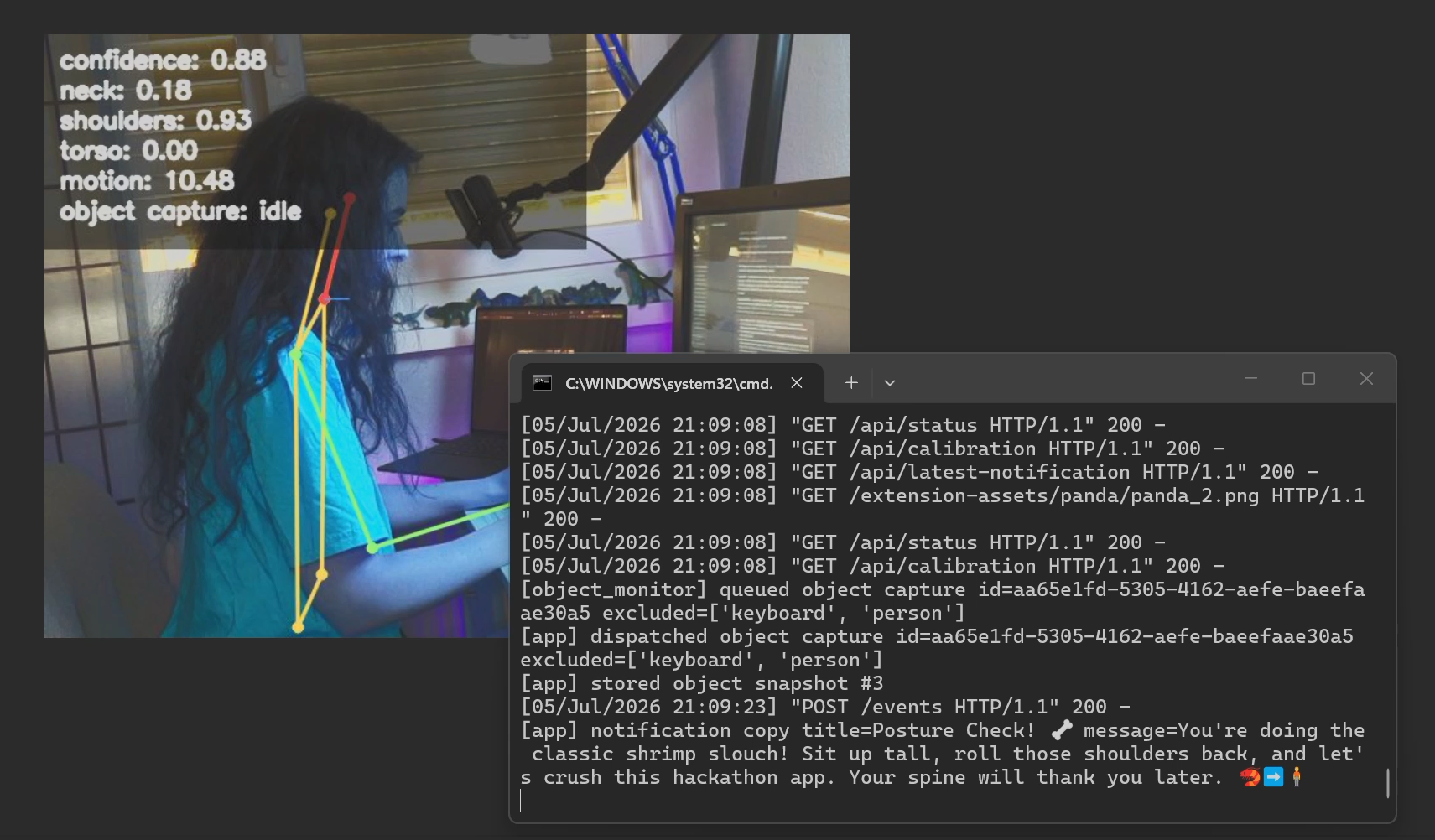
Final notification is generated and I straightened my posture!
-

Help the panda
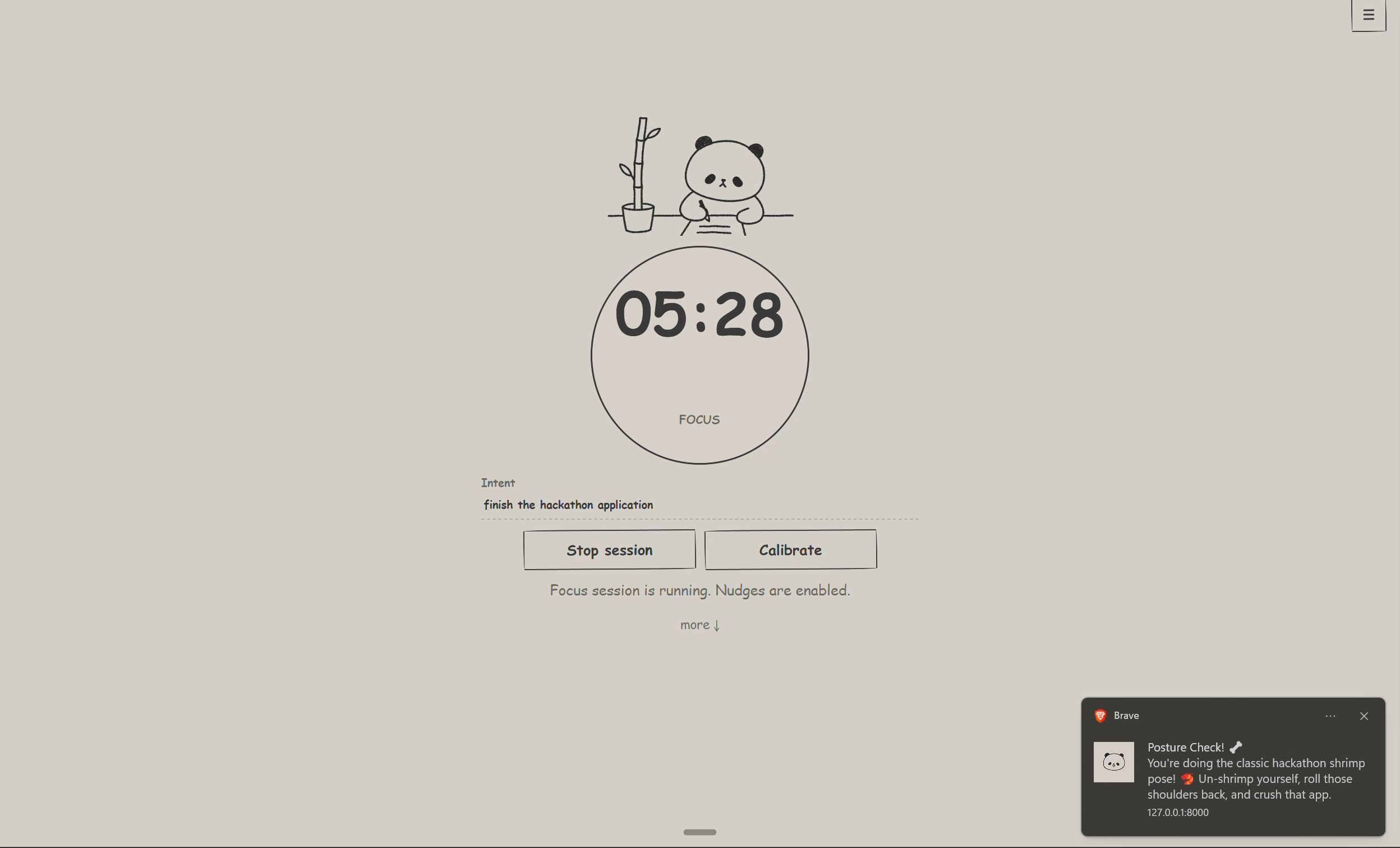

Bamboo Focus
Inspiration
I'm a software engineer, I work from home, but... I physically cannot sit still. 😅 (Could be something to do with my ADHD lol) I love remote life, but without office accountability my posture collapses into a question mark, my phone migrates into my hand by itself, and my desk becomes a graveyard of empty mate cans and coffee mugs I should've put away hours ago. What I wanted was a coach, not a big-brother surveillance rig, but a sports coach. Someone who is aware of my ADHD, watches how I work without judgement and occasionally goes "hey, spine check" or "that mug has been empty for an hour, it's decoration now" and gives me tips on how to improve to be more productive.
AI video agents would be perfect for this, except for two tiny problems:
(1) I don't want gigabytes of raw footage of me in my finest home-office attire uploaded to the cloud every day and
(2) I don't want the API bill that comes with streaming HD video to a language model.
So the question became: can a coach see everything while the cloud sees nothing? Turns out, yes!

What it does
Bamboo Focus is a privacy-first, ultra-low-cost focus coach for people whose brains have too many tabs open. A camera watches you work, but all the actual seeing happens on the device. It runs pose detection and object detection locally and ships only numbers to the backend. It runs pose detection and object detection locally and ships only numbers to the backend: a few hundred bytes of JSON per event instead of megabytes per second of video. Your face never leaves your desk and the bandwidth bill barely notices you exist.
From your side, it's very simple. You open the Pomodoro app, tell it what you're working on and what you struggle with (e.g. "I hyperfocus and forget to move," "I have terrible posture", whatever your personal flavor of chaos is) pick how you want to be spoken to and hit start. A little panda starts growing bamboo while you work. 🐼🎍

Behind the scenes there are multiple agents.
The first one is a simple observer. Qwen receives your posture datapoints and is asked to analyze them in a couple of sentences. There is no judgement yet, just descriptions like "user's head has moved forward", "back is straight", etc.
The second one is an object analyzer and it runs in parallel. During the calibration period it takes in object descriptions and figures out whether they are distracting or not. For example, when the mediapipe model detects "person", "laptop" or any background decoration like flower pots or posters, the object analysis agent classifies them as "whitelisted" and tells medipipe to exclude them on the next run. This way we focus only on what's out of the ordinary.
Then there is the most intelligent agent who works as your coach. This agent has access to the outputs of the previous two, but can also call a lot of different tools to get the full picture. It can access the baseline, the raw datapoints from both your posture and the objects on your desk, information about your intent and overall history. Its main purpose is to not disturb you and figure out if a nudge is necessary or not. For example, if you specifically stated that you struggle with hyperfocus, it watches out if you've been sitting still for the past 40 minutes and only then decides that a nudge is necessary. It is highly personalized to the user and optimizes for not disturbing you, but being the most helpful possible.
Lastly, there is the copywriter. If the coach decided to nudge you, the copywriter prepares an appropriate message. This depends on the tone that you set and speaks to you as a comedian or a drill sergeant depending on your mood.
At the end, you get an honest debrief, including whether that 25-minute timer you insist on is actually working for you. Also there's a panda, and your bamboo grows while you focus!
How we built it
The edge is a Raspberry Pi running MediaPipe pose landmarks and a TFLite object detector locally, posting compact JSON events to the backend with a bearer token. Perceive via edge sensors, reason via cloud, act locally — that's the whole design in one sentence!
The backend is a modular, dependency-free Python service (standard library only, no frameworks, no database) with cleanly separated modules: an orchestrator, a posture-analysis loop, an object-capture scheduler, the nudge decision agent, the copywriter, and the calibration flow. It stores events in flat JSON files, serves the PWA, and runs identically on localhost and on a cloud server.
The reasoning runs on two Qwen tiers via Alibaba Cloud's DashScope API: qwen3.7-max for the heavier judgement calls (posture analysis, calibration, nudge decisions) and qwen3.7-plus for the lighter copywriter/summary calls, so the expensive reasoning only runs where it earns its keep. Both are configurable per-role via env vars if you want to swap models in or out (I benchmarked several before landing here, more on that below). A separate copywriter call turns decisions into notifications in your chosen tone. For the demo deployment, the whole thing runs on an Alibaba Cloud ECS instance behind nginx with Basic Auth, installed by a script and kept alive by systemd.
The system is built to fail politely. Every layer has a conservative default: if Qwen returns something malformed, the decision defaults to "don't nudge"; nudge cooldowns are persisted to disk so a restart can't turn the coach into a spammer; and every edge→backend call is authenticated. And because Wi-Fi doesn't always work (or if you want to put your devices on airplane mode to avoid extra distractions) there's graceful degradation: a deterministic local fallback keeps the entire nudging loop alive with zero network calls, and auto mode tries Qwen first and silently drops to local rules on any API failure. Edge-cloud orchestration under bandwidth and latency constraints isn't a bullet point here; it's the reason the JSON events are small enough to read by hand.
On top of that edge loop there's now a small agent-platform layer: a privacy ledger that states exactly what leaves the device, a per-decision explainability trace, a compact cross-session memory the coach reads as a prior (never as proof on its own), and a local BM25 history RAG so the coach can pull up specific past examples instead of vague vibes (all backed by the same derived-only JSON, still zero raw video). All of it is also exposed over a read-only MCP server, so any MCP-aware agent client can plug into the exact same local tools without me writing a bespoke integration for each one.
Full architecture diagrams (static and animated), a README with the complete data-flow chart, and the step-by-step ECS deployment runbook are all in the repo.
Why this fits EdgeAgent
- Perceives via edge sensors: pose landmarks and object detection run locally on the Pi/laptop (MediaPipe + a TFLite object detector). Only derived JSON (posture window summaries, whitelisted object labels) ever leaves the device.
- Reasons via cloud APIs: the backend periodically sends posture summaries and calibration data to Qwen (Alibaba Cloud DashScope) for observational judgement, object-policy classification, nudge decisions, and notification copywriting.
- Acts locally: nudges/notifications are delivered through the local Pomodoro PWA, not routed back through the cloud.
- Graceful degradation:
--nudge-mode local(seelocal_fallback.py) runs deterministic rule-based nudging with zero network/model calls, so the loop keeps working offline or on a weak connection.automode tries Qwen first and falls back to local rules on failure.- Privacy-aware: camera frames never leave the edge device. Only structured posture/object events cross the network, and every edge→backend call is bearer-token authenticated.
- Source-grounded recall: a local BM25 history RAG lets the coach retrieve specific past sessions and decisions instead of relying on vague memory.
For judging purposes, you can try it out without a raspberry pi by using your laptop and webcam as the required "edge device". The web app gives you the exact script to do so. To access the app here are the credentials for http://47.236.149.160/app/
Username: hackathon Password: PandasLoveBamboo!
Challenges we ran into
Teaching an AI not to talk was the big one. Early versions were a smoke alarm with every micro-slouch triggered a heartfelt notification, which is the fastest way to make a user rip a camera off their desk and get even more distracted. Fixing that meant cooldowns, a conservative default decision, and prompting the agent until "stay quiet" became its favorite answer. Deciding on what should be an input and what should be an optional tool was also a bit of a challenge because I wanted to strike the balance between Qwen being independent enough, but also not to make things up.
I've worked with Qwen before, specifically Qwen-Omni-Realtime, where the entire purpose was to give in live video, so this was a new take on a similar kind of workflow.
Accomplishments that we're proud of
I now use the tool myself and it really helps me concentrate, which is really cool! It's one thing to create something just for the sake of a hackathon, but this is something that I now use on a daily basis!
I work with sensitive health data for a freelance gig I'm working on, so this was also a great way to expand that reasoning and I'm glad that the privacy line held: not a single frame of video crosses the network anywhere, ever, and the payloads are small enough to audit by hand. That same numbers-only architecture generalizes well beyond productivity (physio compliance, ergonomics, elderly monitoring) anywhere a camera would help but a video feed is a dealbreaker.
The project is also MIT-licensed and open source, and the webcam mode means anyone with a laptop can run it, no Raspberry Pi, no hardware barrier, just a script the hosted app hands you.
What we learned
The hardest part of an agent that interrupts humans isn't the intelligence, it's the restraint i.e. "when to say nothing" is a real design problem and it deserves more engineering hours than the actual nudging. Edge-plus-cloud is a legitimately great architecture: let local models do the watching and reserve the expensive reasoning for compact facts. The privacy story and the invoice both improve dramatically. I went for qwen3.7-max on the heavy-reasoning roles after trying out multiple different models, and qwen3.7-plus on the cheaper copy/summary path.
What's next for Bamboo Focus
Firstly, more bamboo for the panda. The panda has been very patient!
But in all seriousness I would like to take this prototype from just something that runs on my raspberry pi and make it into an actual figurine. This way it would be portable and would look super cute on your desk. 🐼
Built With
- ai
- python
- qwen


Log in or sign up for Devpost to join the conversation.