-
-
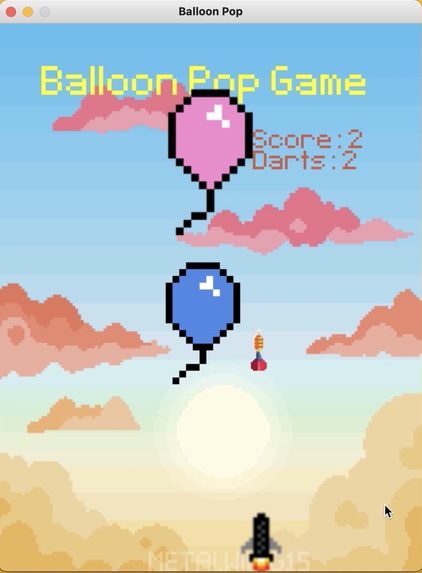
Sci-fi background with a mix of throwing darts with aims
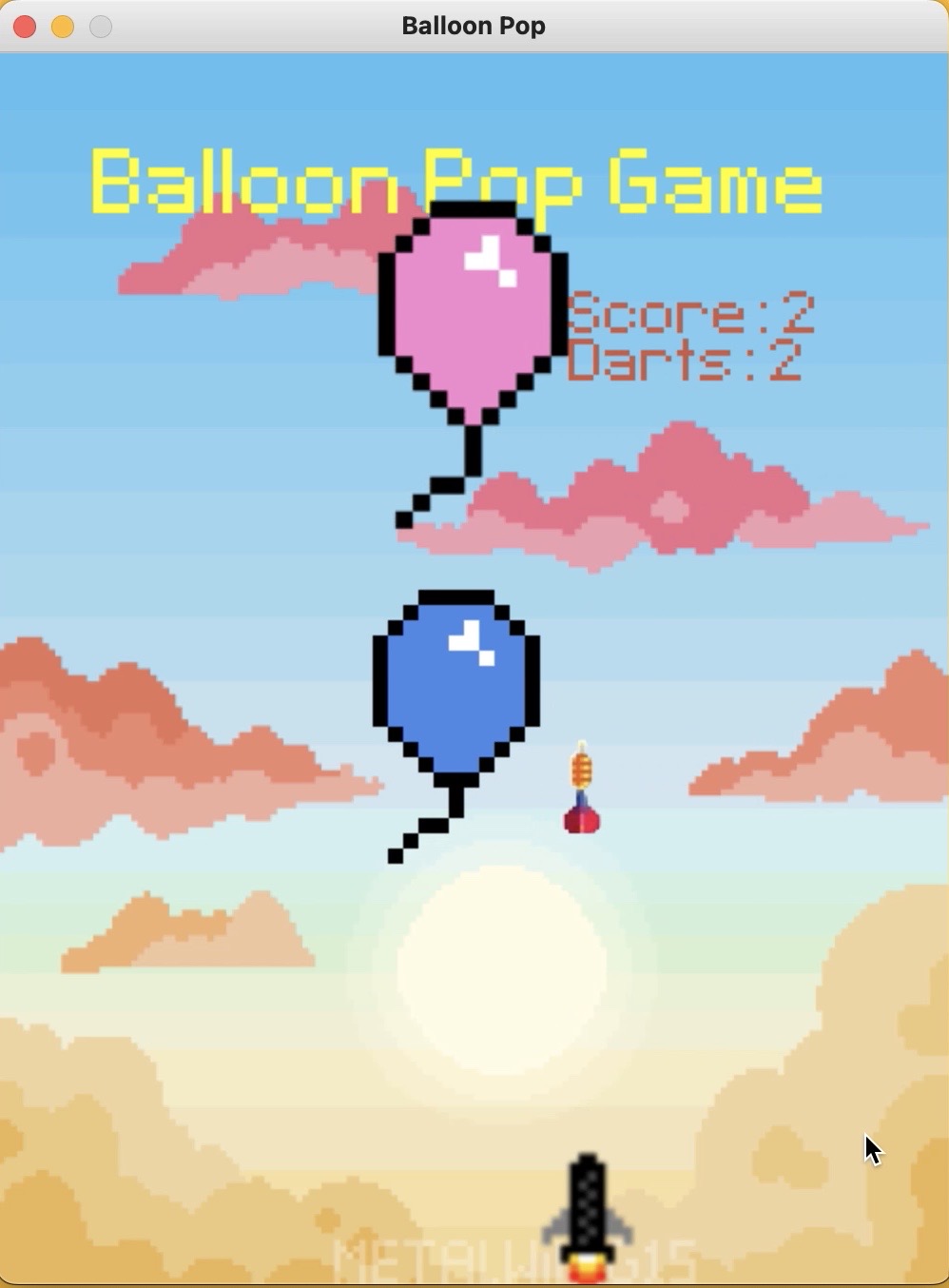
Balloon-Pop-Game
Balloon pop game created using PyGames library in Python for Global Gaming Hack Week project.
Description
Inspiration
I created the balloon pop game that and the inspiration for this was a gender reveal for a friend. One of the most important occasions in someone’s life, this balloon pop game allows the user use a rocket that shoots a dart that will essentially just pop the balloon. From the start, I was able to choose a background then create balloon objects, move them across the screen and the object of the game is to have the player shoot the darts and hit the balloons. Then the balloons will pop and the score will be incremented. The player will be allowed 5 darts and the has to pop the 4 balloons in the time allotted. Let’s look at a quick demo of how this is played.
What Was Learned
What was learned was that we there are quite a few different ways to have a user interact with screen. A lot of logic goes into how the user should input and interact with the screen. Other items that were learned is how to create an animation and using that to animate objects on the screen moving them from right to left. There were more balloons that can be added, however, here we have just kept four. Another complex coding portion of the development process is quite a few different reasons such as the: x and y coordinates. The x and y coordinates are one of the hardest things to coordinate.
Challenges
Quite a few challenges were tackled here: such as learning a new language such as PyGames. One of the other things was to add a random position to the balloons to start at different points each time. For example, whenever the user starts the game the darts are released from the dart gun. Another challenge that was seen while creating the game was that moving the rocket object. There was quite a bit of logic to figure out in order to move the rocket to the left and the right. For example, KEYPRESS UP and KEYPRESS DOWN logic was used for the pressing the left and right arrow button keys. Another challenge was the scoring. It was one of the final challenges involved with creation of the “Balloon Pop Game”. The balloon and dart position was checked in order to see if there was scoring that was involved.
Accomplishments
We are most proud of the fact that the in the prod we were able to demo different features such as the balloons moving from left to right. This required a loop to be in place that when the balloons moved off the screen, they would go back and come back the other way. Another items that was a joy to work on was the figuring out the keyboard inputs. They keyboard inputs were KEYPRESS left and KEYPRESS right. They were all a really great accomplishment to learn. There was quite a bit of logic in place such as setting up True and False values to get it to work. Finally figuring out and lining up the darts with the arrows. It was quite a challenge to figure out how to get the dart to line up and start at the same position as the rocket. The rocket was the USER character and on SPACE it would throw the dart. Also a clock was added for a 60 second loop to help the user race to finish the game.
How to Run
In order to run, follow these simple steps:
- First install PyGames using pip install.
- Install other libraries that are needed such as import randow.
- Once installed, you can use an ide like PyCharm.
- You can just click on "Run" or the green arrow button to play.
Prod Demo
YouTube Link: https://www.youtube.com/watch?v=kyelDOiL-9M
Next Steps / Additional Features
Additional Features to Add:
- Clock to allow the user to race against to play the game
- More darts for the user to have more chances to play
- Fix bugs with the balloons in random positions
- Produce more clean code for next developers to make additions
Built With
- cloud
- pygames

Log in or sign up for Devpost to join the conversation.