
Inspiration
In the wake of the pandemic, now more than ever professionals and students alike are blurring the lines between work and home. By this point we've all had a moment where we've struggled to get into a working mindset when we're only a few feet from our bedrooms or found ourselves unable to switch off and relax even when dinner is on the table. When you're working from home, it can be hard to separate your work time from your private time.
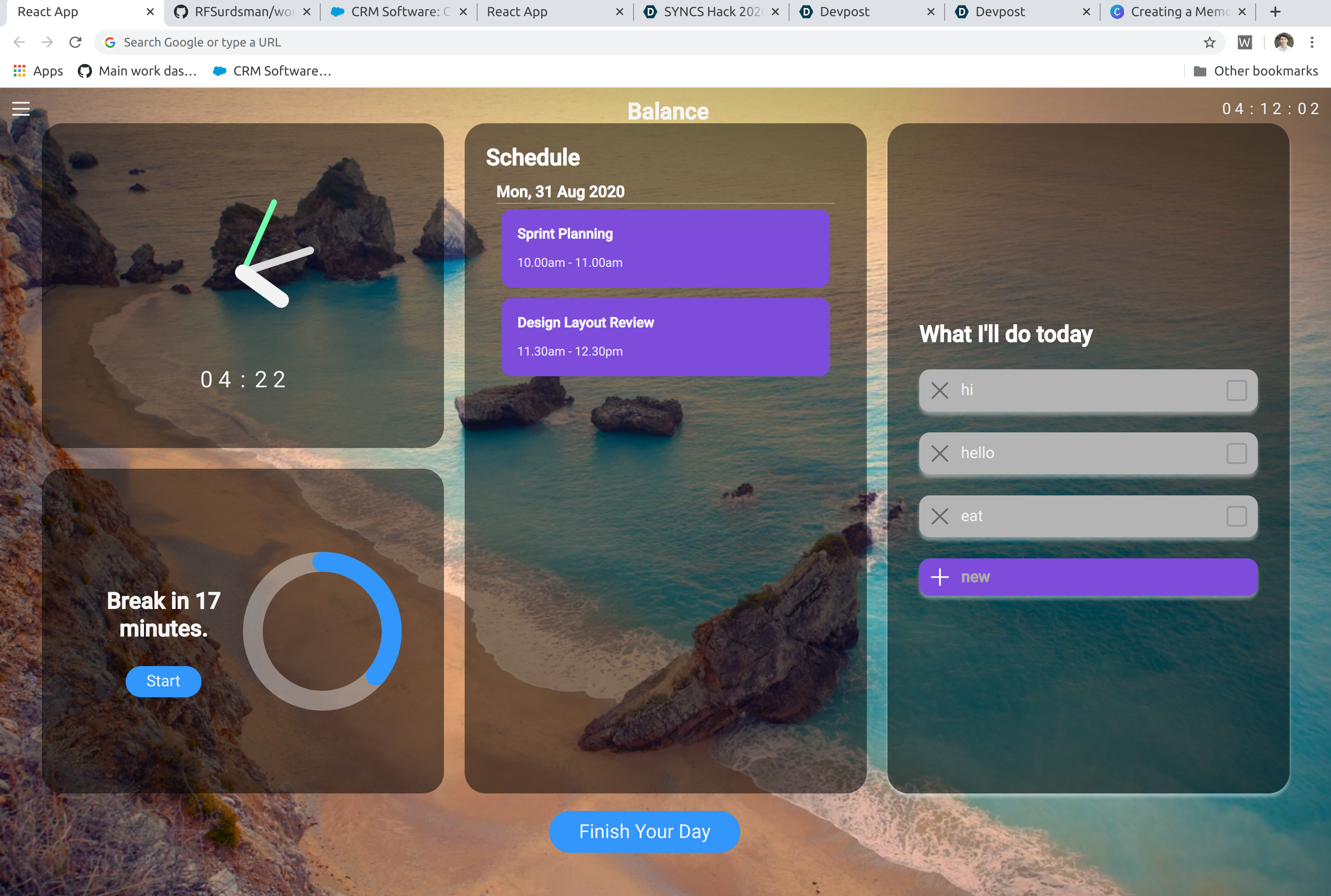
Balance does the heavy lifting of context switching for you, letting you set hard boundaries between your work life and home life.
What it does
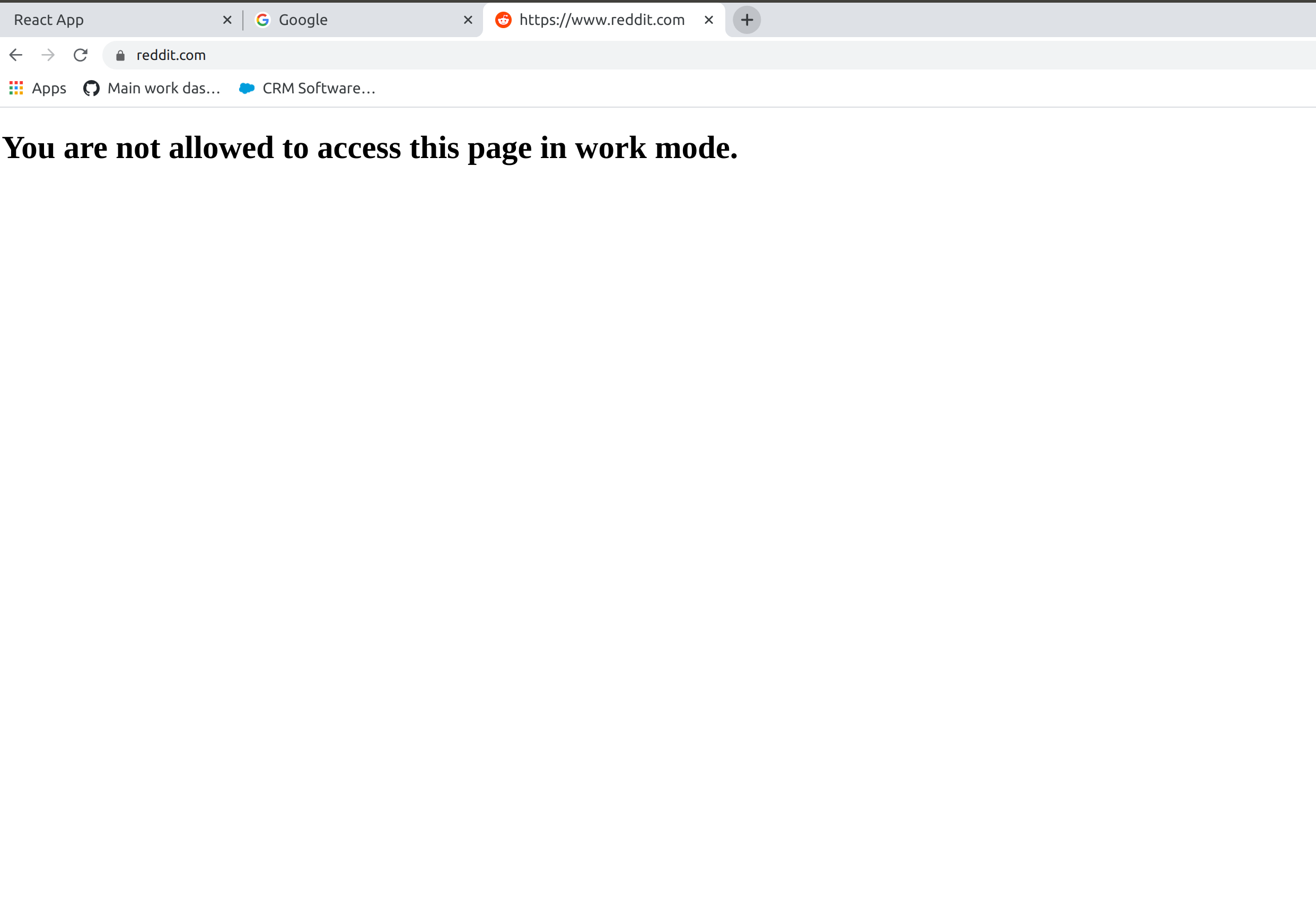
- Full chrome context switch from home mode to work mode (and back!) - including windows, bookmarks, blocked websites and newtab override.
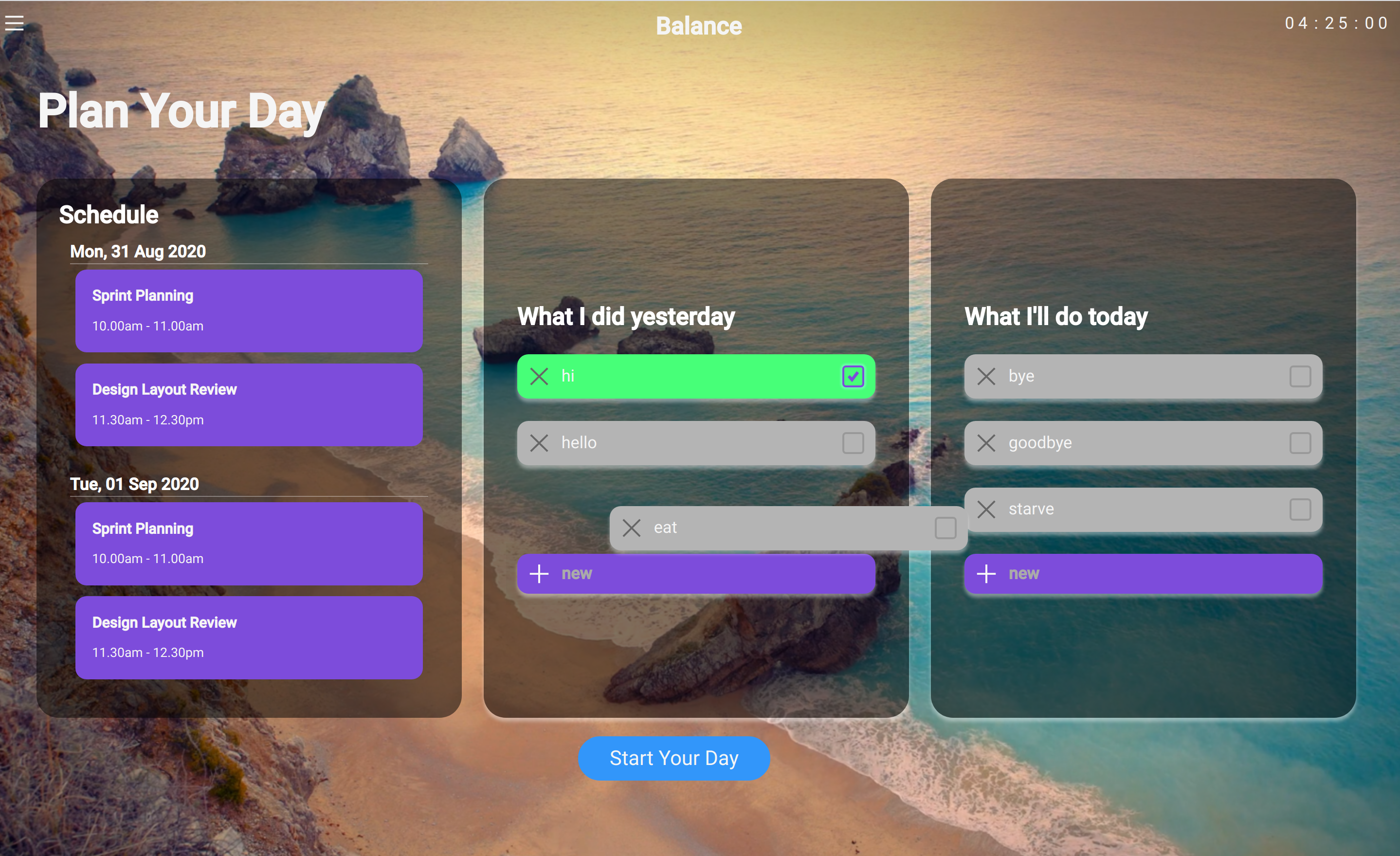
- Gentle introduction to the work day with easy access to your schedule and to-do list to plan your day in a drag and drop format.
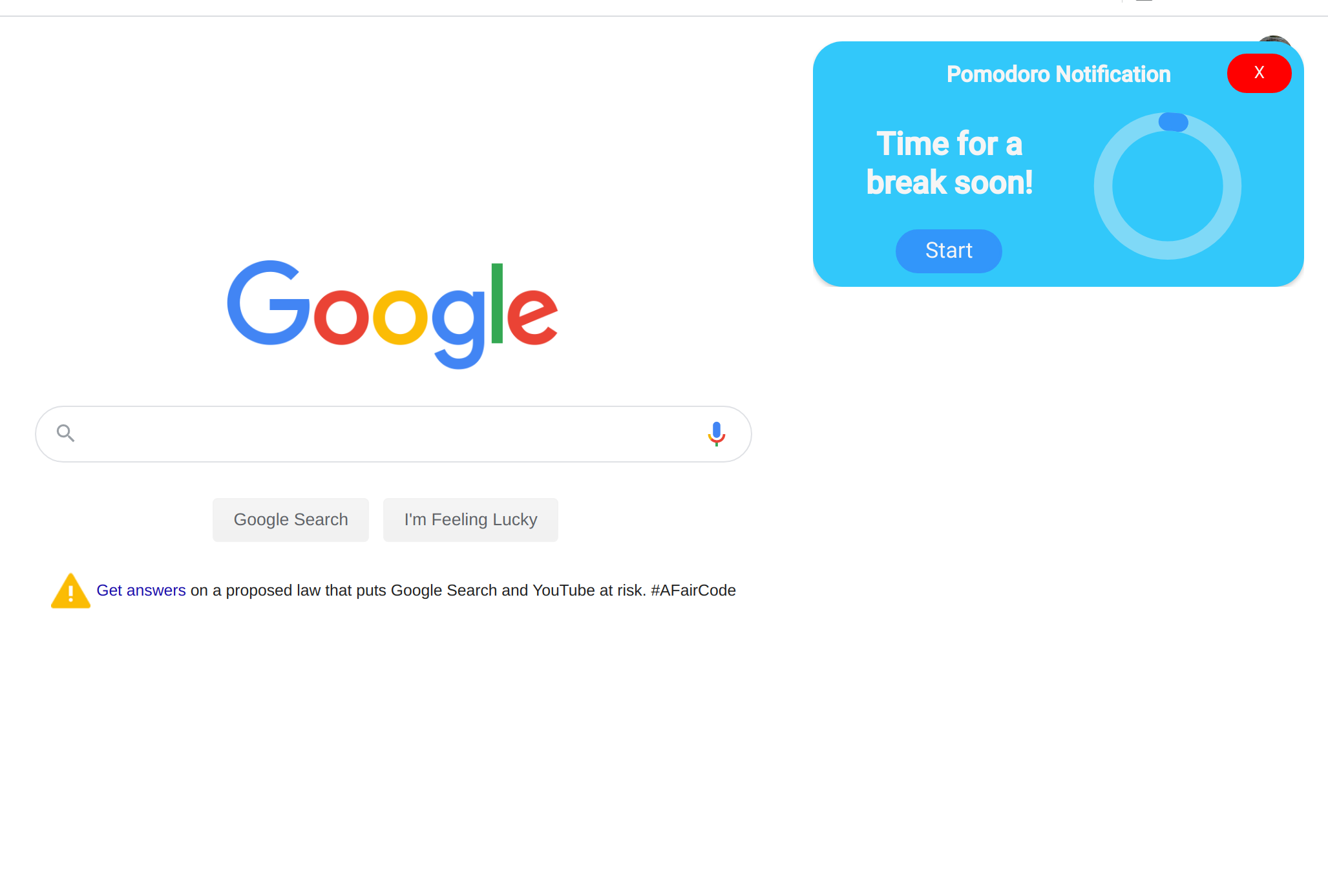
- Timer and notification system to help you make the most of your work day with an integrated Pomodoro system.
How we built it
- React with TypeScript
- Google Chrome Extension API
- Atlassian's react-beautiful-dnd
- Webpack
Challenges we ran into
- Utilising the Google Chrome Extension API, particularly the more finnicky usages such as the bookmarks and tab context toggles. We were using features that existing extensions did not make use of.
- Implementing drag and drop to build a reactive todo system from the ground up. Enabled complicated cross-list drag and drop functionality.
Accomplishments that we're proud of
- Elegant, clean and simple UI.
- Smooth, reactive drag and drop.
- In depth use of Chrome Extension API.
What we learned
- Building browser extensions.
- Working collaboratively with complicated technology.
What's next for Balance - The Work From Home Browser Assistant
Expand on the feature set to make a more complete and robust system to benefit your work and home life e.g. in depth calendar integration, customisation for the timer and notification system, etc. Integrate more health and wellbeing functionalities such as meditation into the future.


Log in or sign up for Devpost to join the conversation.