-
-
App Icon
-
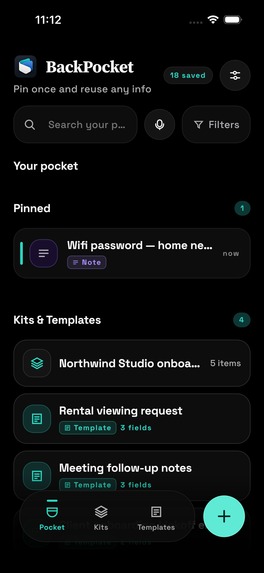
Home Screen
-
-
-
-
-
-
-
Inspiration
The trigger was a small, repeated annoyance: opening a 12-page insurance PDF just to copy one policy number into a form. The same thing happens with member IDs, IBANs, addresses, shipping sizes and the email reply you've typed forty times. You already have all of it. It's just buried in screenshots, notes and files.
Existing tools (clipboard managers, snippet expanders, note apps) all expect you to go into them to get the thing. But you don't reuse something inside a vault app. You reuse it inside Mail, a browser form or a chat. So we asked one question: what if the vault lived where you type?
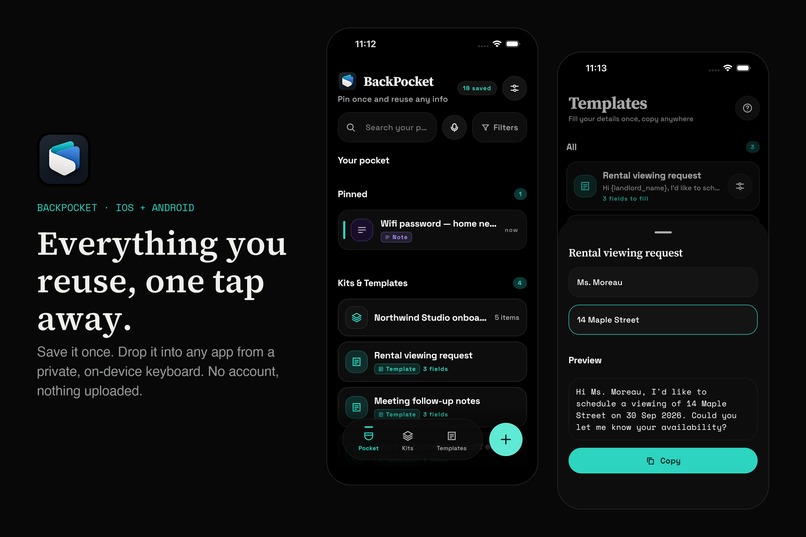
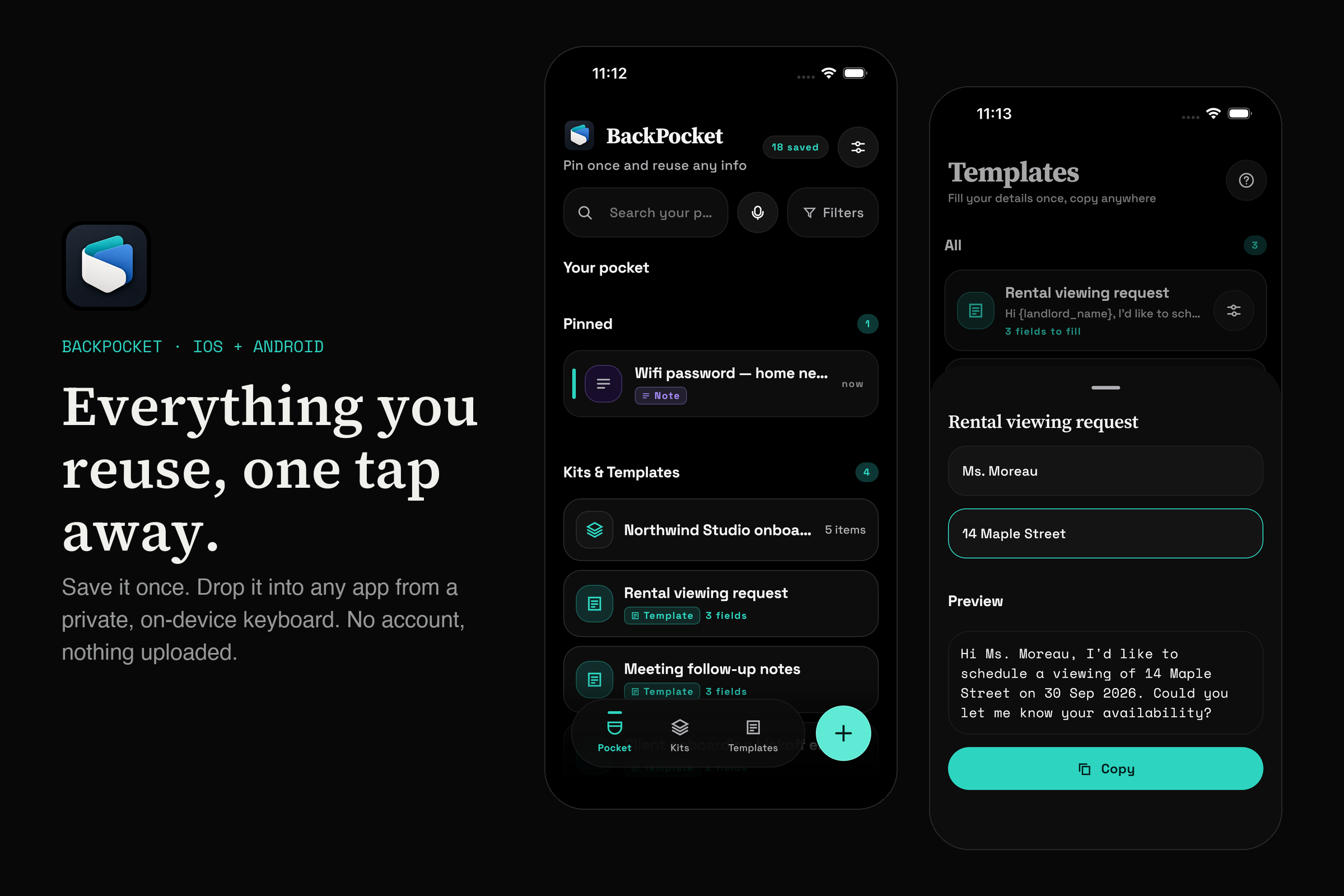
That became BackPocket: save anything once, and it's one tap away from any text field through its own keyboard. It's private by construction, with no account and nothing uploaded.
What it does
- Save from anywhere: share sheet, text selection ("Pocket It"), a Quick Settings tile, paste, or voice.
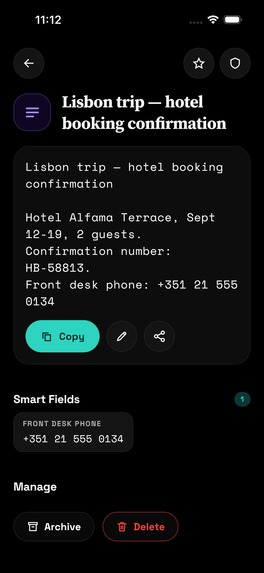
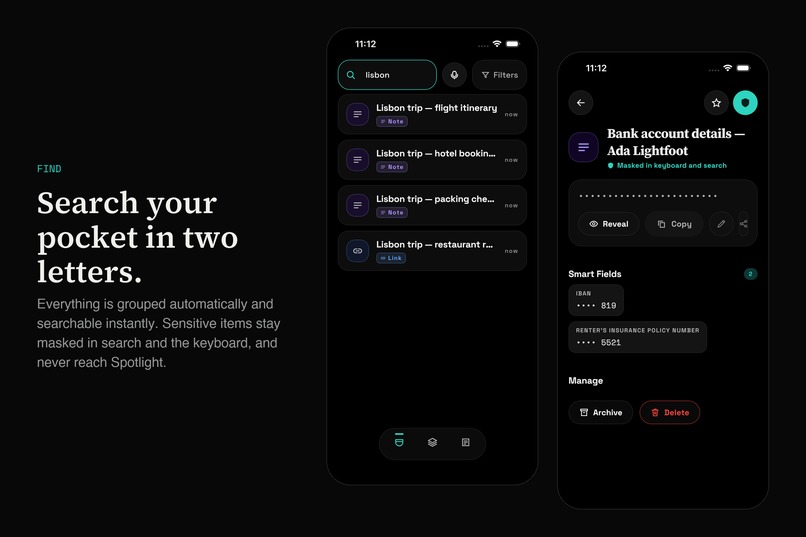
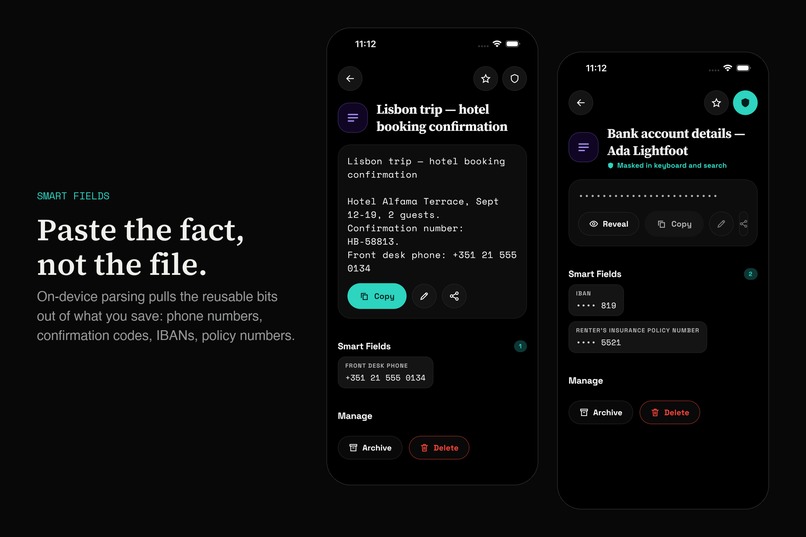
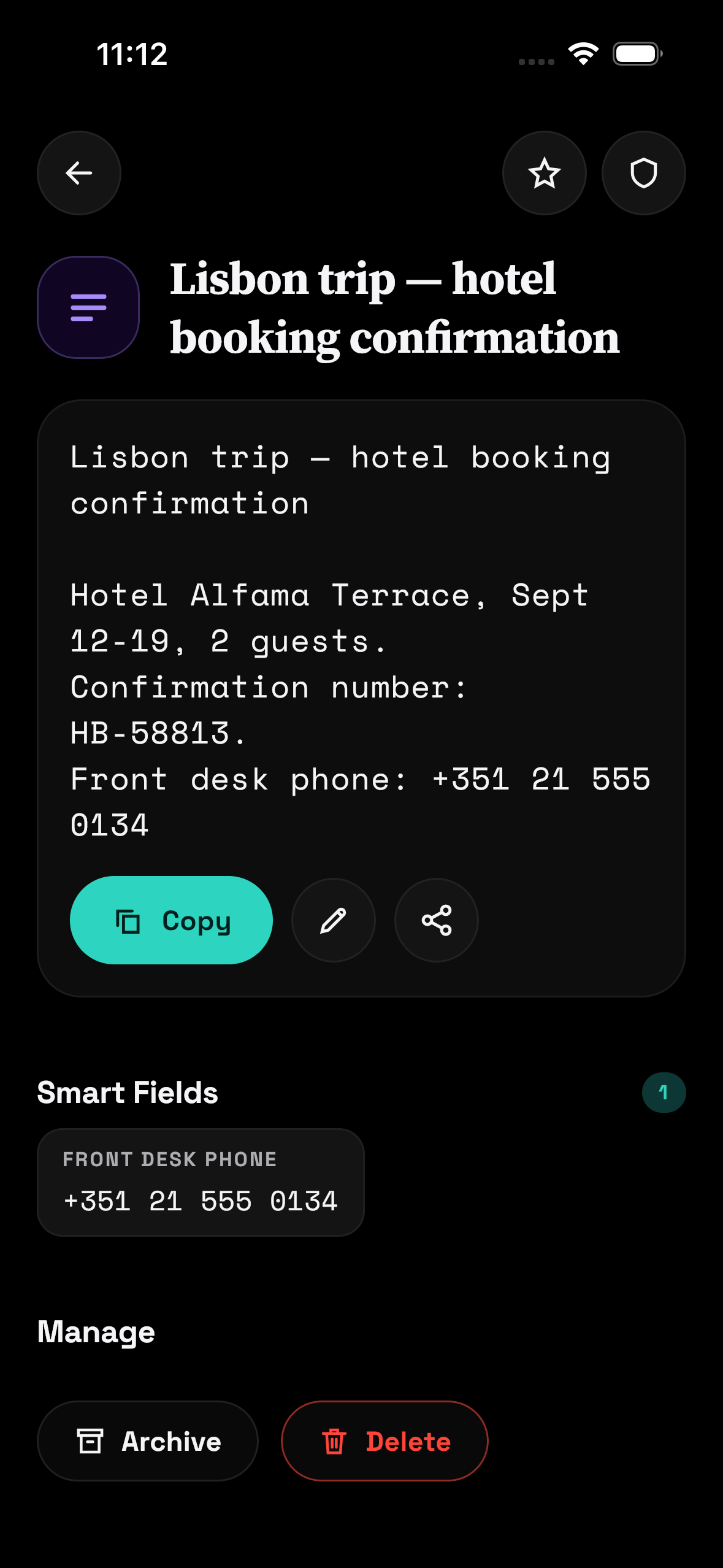
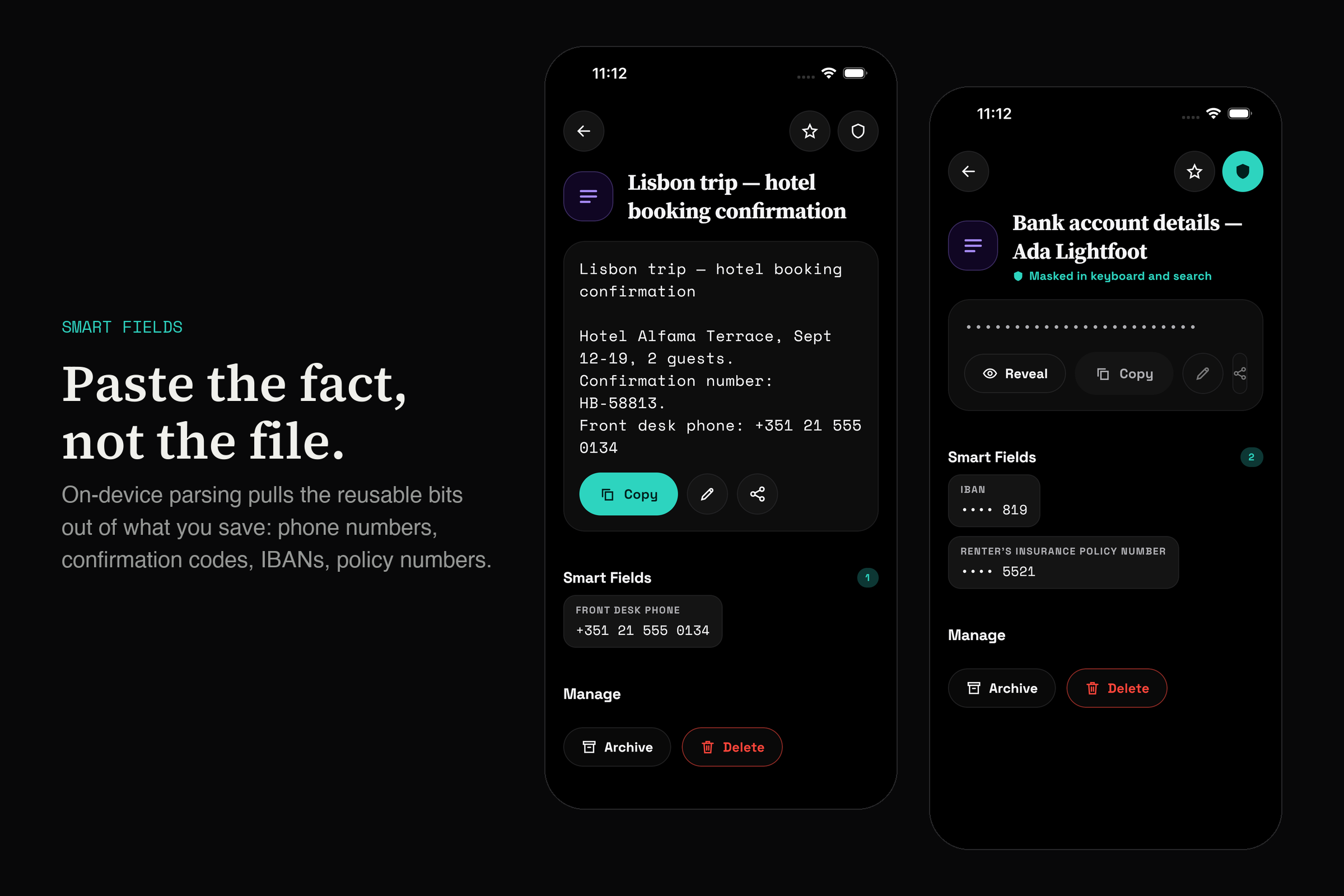
- Smart Fields: on-device OCR and deterministic parsers pull the reusable atoms out of documents (policy numbers, codes, dates, links, addresses), so you paste the fact, not the file.
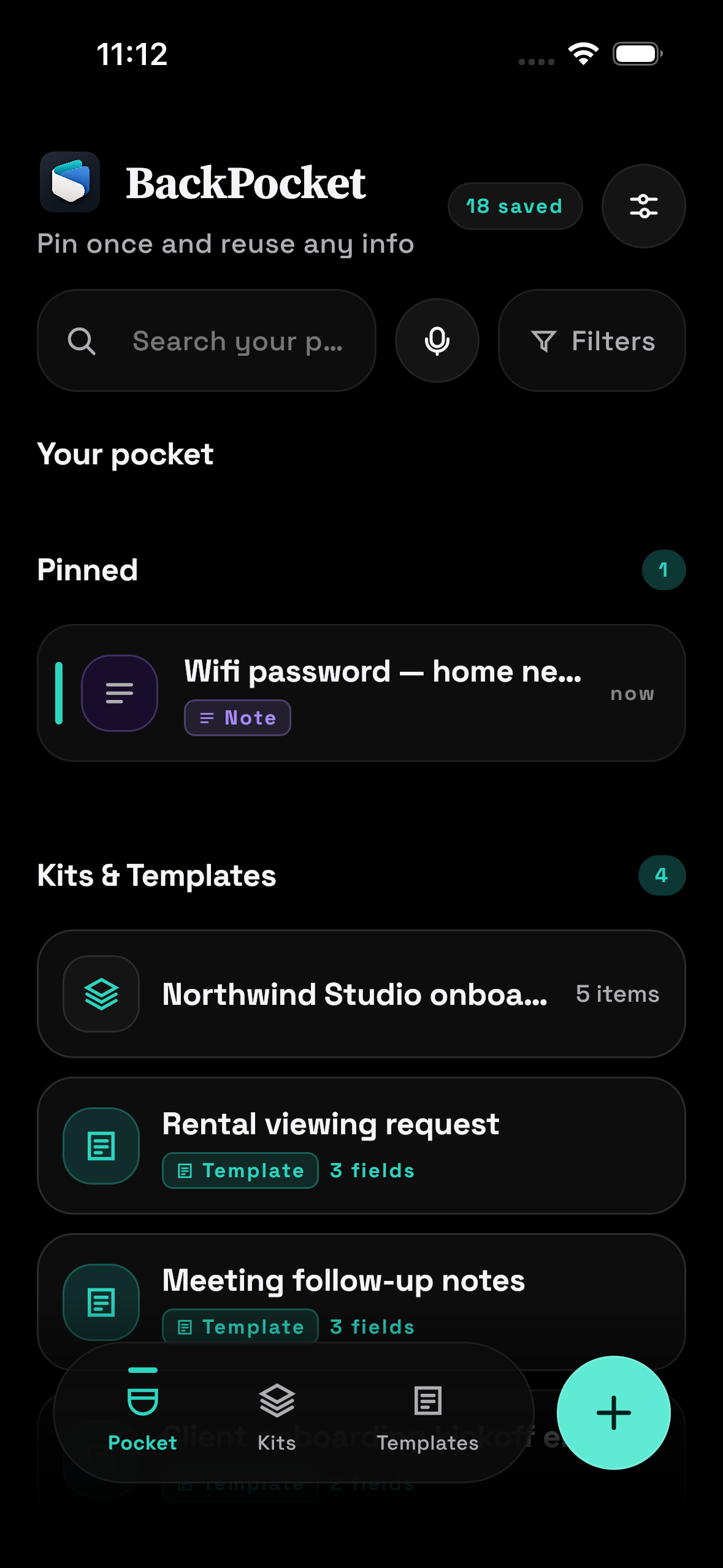
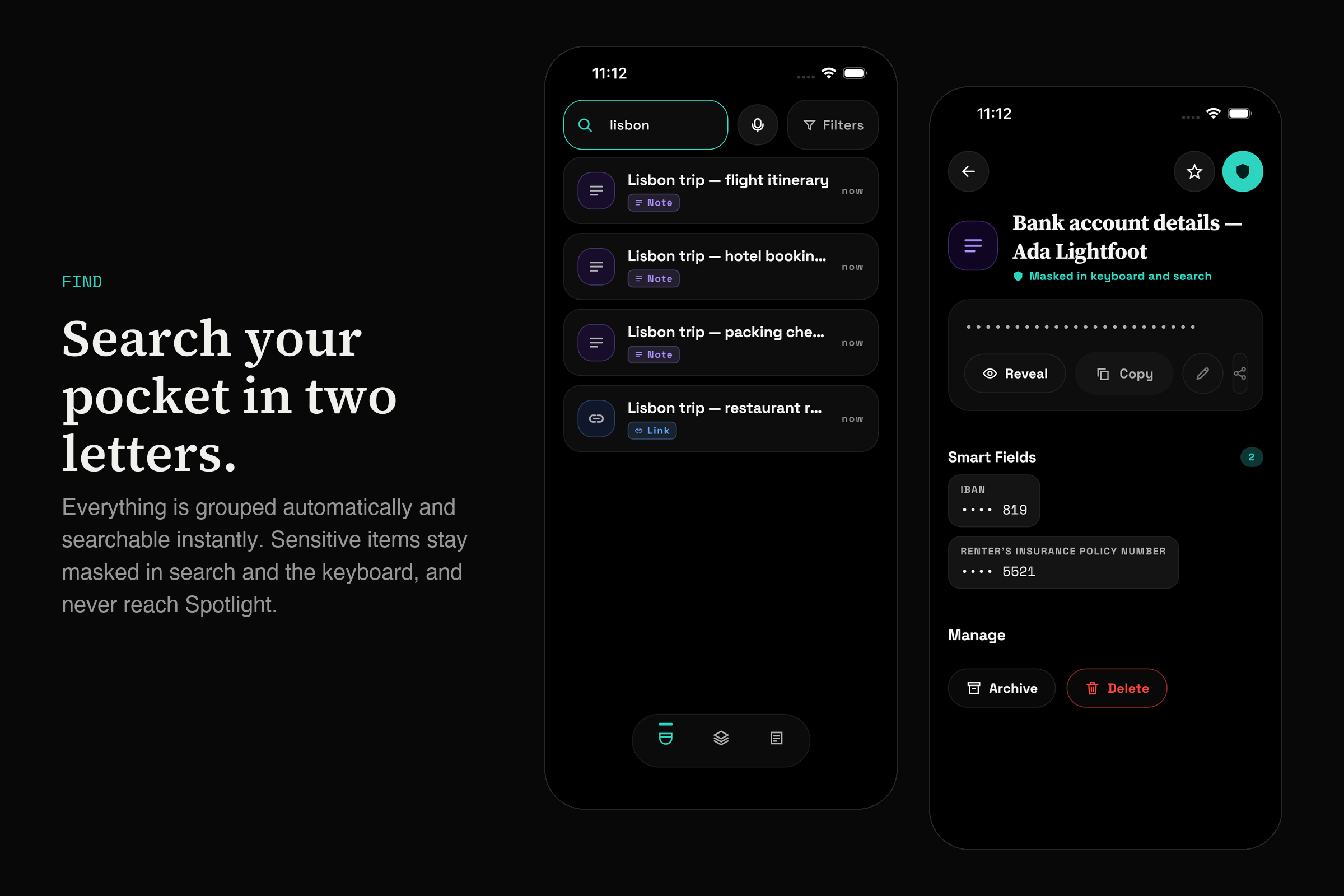
- The BackPocket keyboard: your pinned and recent items as tap-to-insert chips, with search, in any app.
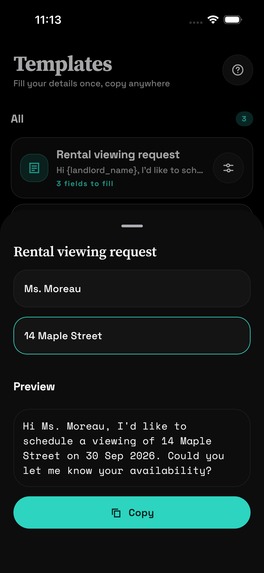
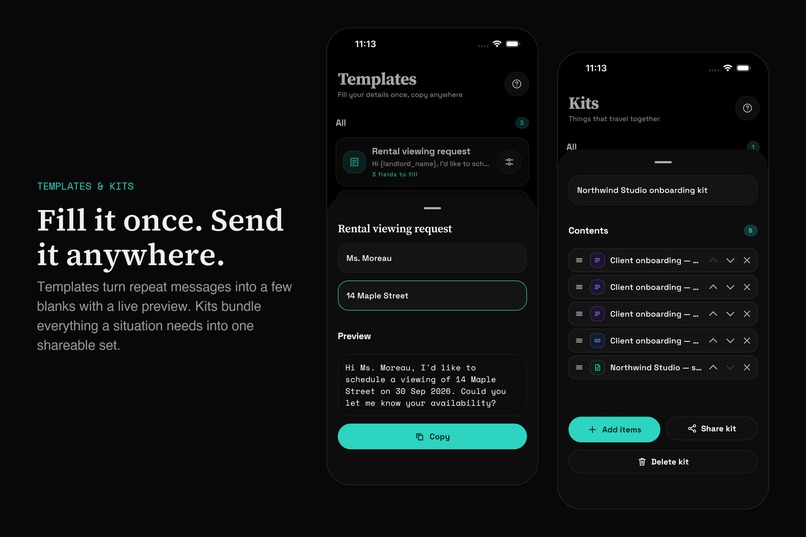
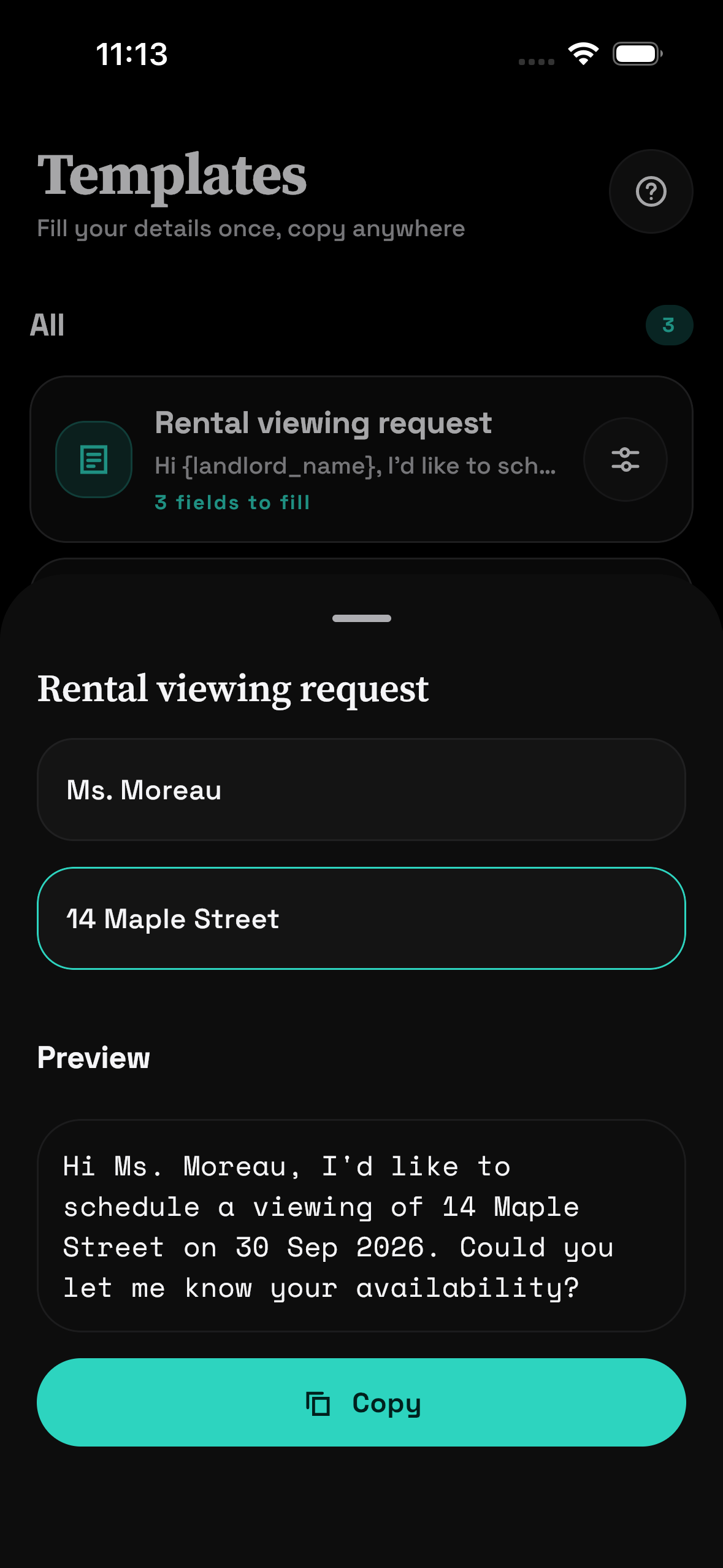
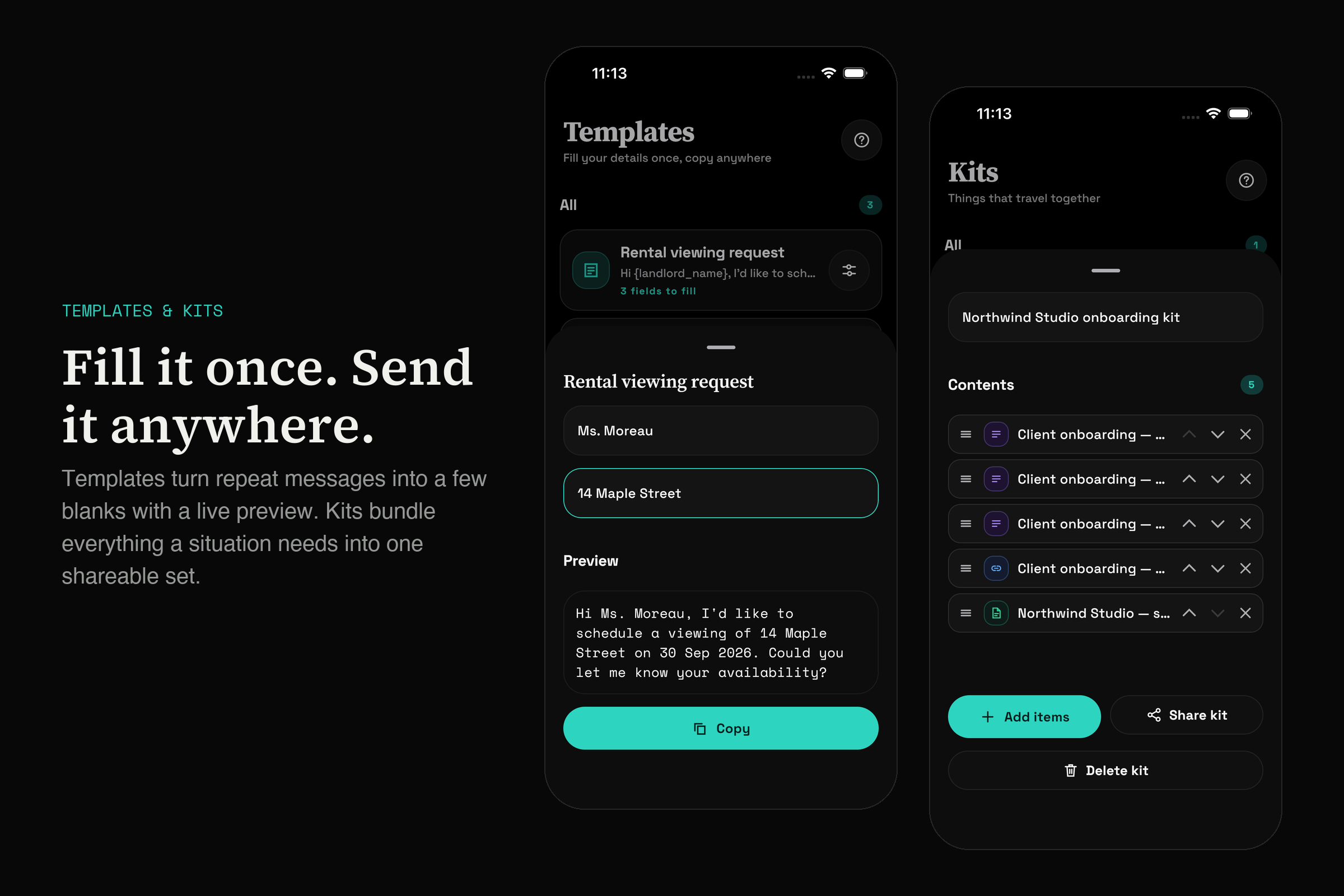
- Templates & Kits: fill-in templates for repeat messages, and Kits that bundle a scenario ("new client") into one set.
- Widgets, Shortcuts / App Intents and deep links on both platforms.
- Sensitive values are encrypted at rest, revealed only behind biometrics, and hidden from the app switcher.
How we built it
BackPocket is Kotlin Multiplatform + Compose Multiplatform, with one shared codebase for Android and iOS:
shared/: all logic, including storage, extraction, clustering, the free-tier limit policy, monetization and growth events.composeApp/: shared Compose UI, built on our own design language, Vault Noir. It uses a near-black canvas and a single lime accent that only ever marks what's live. Depth comes from 1px hairlines rather than shadows, and every icon is a hand-drawn vector.- Native where it has to be: the iOS keyboard, share extension and WidgetKit widget are SwiftUI; the Android keyboard is an
InputMethodService.
Extensions never open the live database. The app writes a sanitized snapshot into a shared container, and the keyboard, widget and Shortcuts read only that. Keyboard taps queue a usage ping that the app drains on next launch. So the keyboard needs no network and no Full Access, and that's a guarantee the architecture enforces, not just a promise.
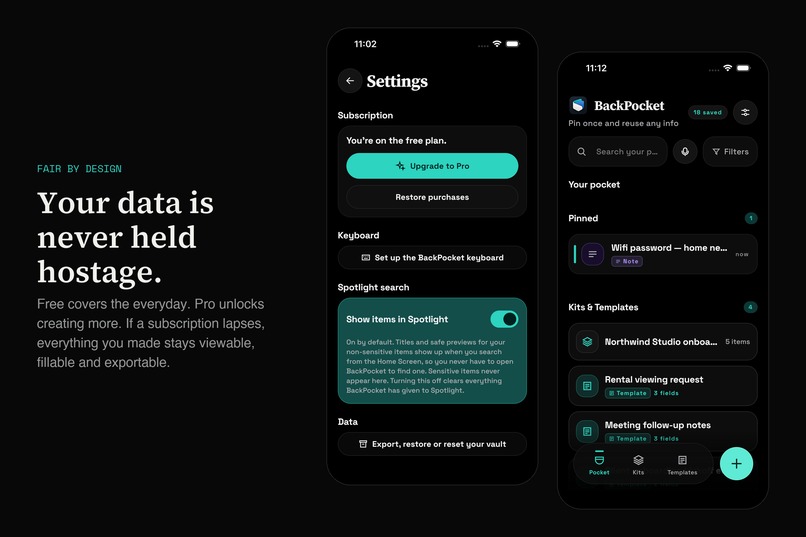
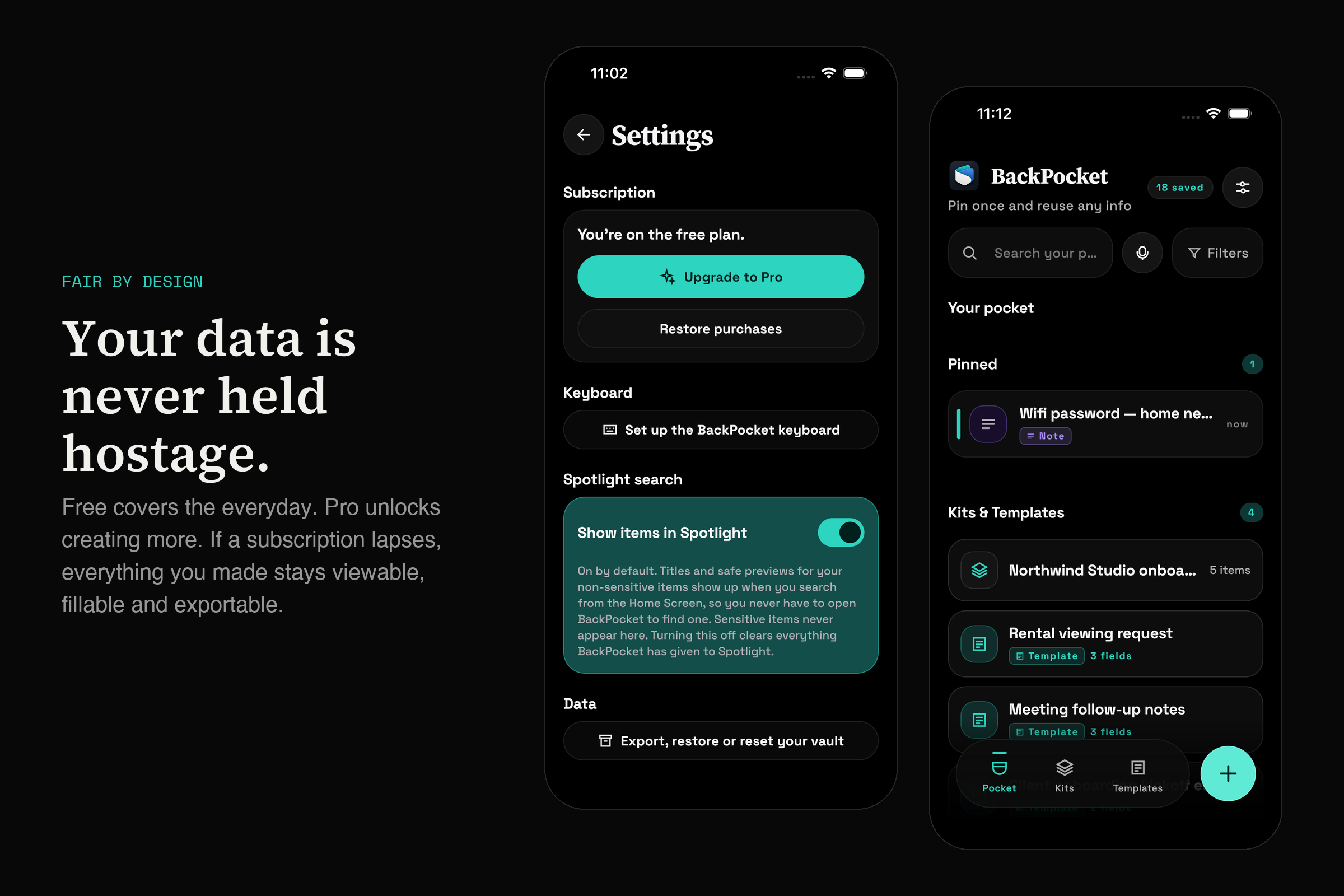
Monetization runs on RevenueCat: a single pro entitlement, a remotely configured paywall and six named placements. The free tier is generous (25 items, 5 OCR documents, 1 kit), and Pro unlocks more capacity plus templates. One rule we held firm on: only creation is gated. If a subscription lapses, everything you already made stays viewable, fillable, exportable and deletable. A lapsed subscription should never hold your own data hostage. We also added an explicit "unknown" entitlement state, so a paying subscriber never sees a paywall flash during cold start.
Challenges we ran into
- Keyboards are the hardest surface on mobile. On iOS, Xcode's debug builds split an extension into a shim plus a separate dylib. The keyboard then silently never rendered, even though the build reported success. Even a correct build isn't activated on install, so the keyboard was invisible in Settings and in the globe picker at once. Android resets the selected keyboard on every reinstall. Each of these looked like a code bug and wasn't.
- Bleeding-edge toolchain. AGP 9 no longer allows an Android application module to also be a KMP module, which forced a thin Android host app. Compose resources also stopped reaching the Android APK. Fonts fell back silently and images crashed at launch with no obvious stack trace, so we wrote our own copy task.
- Platform differences that tests don't catch. A regex that passed every JVM test crashed on-device because Android uses a stricter ICU engine. An SVG loaded fine on iOS and threw on Android.
- Store review is part of the build. An App Store rejection over in-app purchases turned out to be an unsigned Paid Apps Agreement, not code. Google Play required a 14-day closed test with real testers before granting production access. We automated both stores' release pipelines from the command line to keep iterating quickly.
What we learned
- Privacy is a design decision, not a policy page. A snapshot-only keyboard with no network is easier to trust and easier to review than any promise.
- Measure the right thing. We never mark the keyboard as "set up" because the user came back from Settings. Only a real insertion counts. A purchase cancellation is tracked separately from a failure. Honest metrics change what you build.
- Kotlin Multiplatform really does pay off. Nearly everything except the OS-level extensions is written once. The expensive part isn't the shared code; it's the edges where each platform does something different.
- Ship early. Store review, tester gates and agreements took more calendar time than any feature did.


Log in or sign up for Devpost to join the conversation.