Inspiration
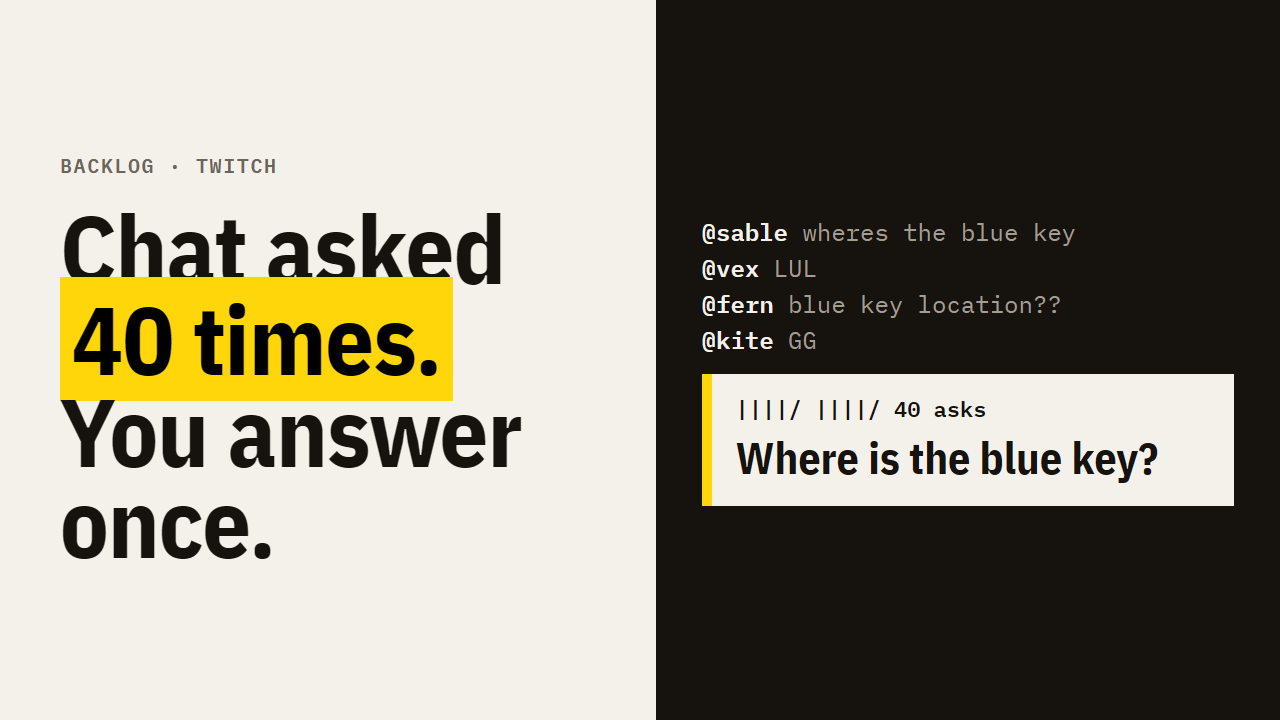
When a stream gets busy, chat moves faster than anyone can read. Real questions ("what keyboard is that?", "where is the blue key?") scroll away in seconds, get asked again and again, and the viewer who asked once never hears back. Streamers either ignore chat or answer the same thing ten times. I wanted a queue that keeps every question, without ever putting words in the streamer's mouth.
What it does
- Reads chat live through Twitch EventSub (
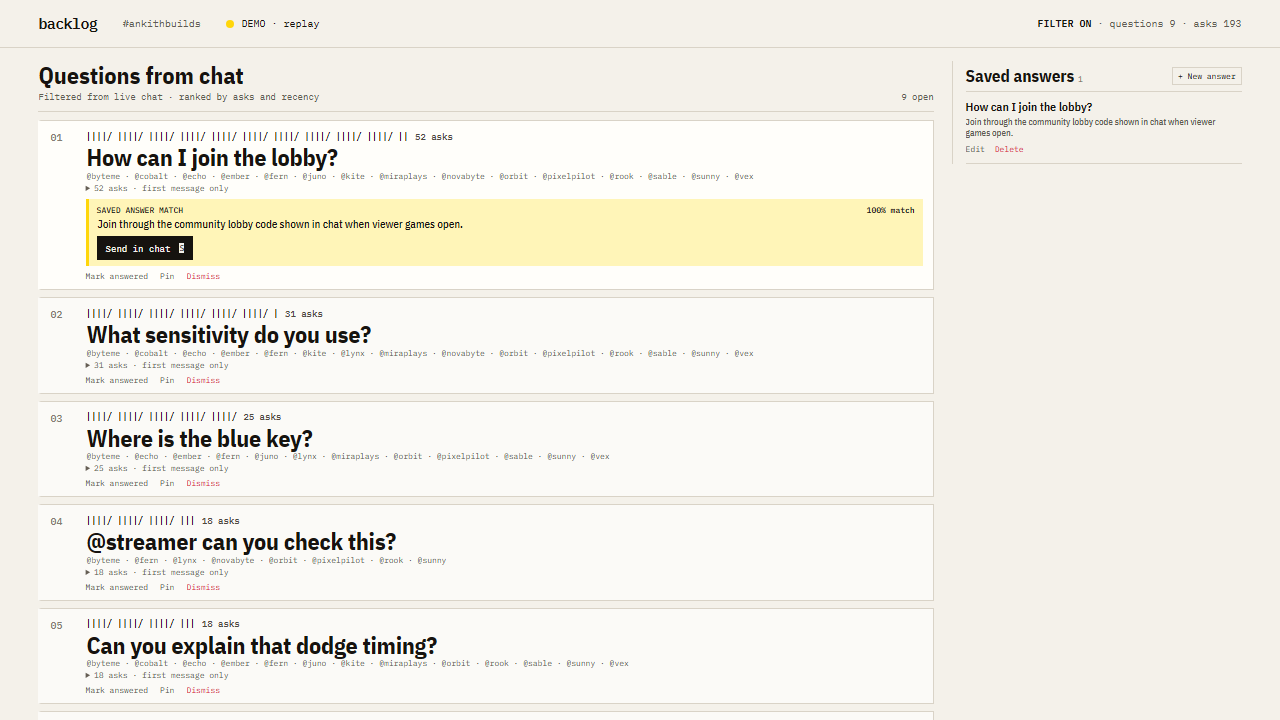
channel.chat.message). - Filters emotes, banter, commands and spam with a cheap prefilter, then a strict JSON-schema model call keeps only genuine questions.
- Merges repeats: different wordings of the same question ("what keyboard do you use?", "which keyboard is that bro", "keyboard name pls?") stack on one ticket, by topic key and by embedding similarity. You can open a ticket to see every wording and who asked.
- Ranks tickets by asks and recency (five-minute half-life), with pin and dismiss, and J/K/A/D/P/S keyboard shortcuts.
- Shows a live filter counter: chat seen, questions kept, messages ignored.
- Suggests saved answers: when a ticket matches an answer the streamer saved, it shows the answer and a Send button. Click Send and the bot account replies in chat, then mentions the viewers who asked.
- OBS overlay (
/overlay) shows the top three questions on stream, so viewers know they were heard. - Chat commands:
!qtells a viewer where their question is in the queue;!qclear(mods/broadcaster) clears it.
What it will never do: write an answer or send on its own. The bot only posts text the streamer saved, picked by ID, after the streamer clicks Send, at most one message every 10 seconds.
How I built it
Node.js + TypeScript, Fastify (REST + WebSocket), SQLite (better-sqlite3), React for the control room and overlay, Twitch EventSub WebSocket + Helix Send Chat Message API, Twitch Device Code Grant for login (separate streamer and bot accounts, rotating refresh tokens stored locally), and the OpenAI API for classification and embeddings, behind a per-minute call guard.
How I used Codex
I built Backlog with Codex in small, tested steps, one feature per step:
- scaffold, env, licence · 2. EventSub chat source + replay source · 3. question prefilter · 4. strict-schema classification + repeat merging (4b: semantic merge with embeddings + OpenAI call guard) · 5. SQLite queue, REST, WebSocket · 6. control room + OBS overlay · 7. saved answers + bot sender · 8.
!q/!qclear· 9. anonymised chat recording, labelling CLI and eval command · 10. shortcuts, empty states, status · 11. device-code Twitch login · 12.pnpm doctorsetup checklist · 13. live-test fixes · 14. "ticket rail" redesign.
Every step ended with lint, TypeScript and tests green before a plain commit; the full log is in docs/BUILD-LOG.md. The first live test on my own channel failed twice: empty .env values were read as set (so the chat listener never started), and the model rejected temperature: 0. I gave Codex the errors and it fixed both causes with tests (step 13). After that, one small polish commit (showing merged wordings and the live filter counter) was made outside Codex.
Challenges
- Making "is this the same question?" reliable across wordings without merging different questions: topic keys from the model plus an embedding fallback at a high similarity threshold.
- Keeping the bot safe: no generated text ever reaches chat; only saved answers, by ID, rate-limited.
- Twitch auth for two accounts (streamer reads, bot writes) from a local CLI with no callback server: Device Code Grant.
Accomplishments
It works end to end on a real channel: real chat in, repeats merged, saved answer matched, Send clicked, bot replies in Twitch chat about a second later.
What I learned
The hard part of a chat tool is not the model call; it is deciding what the tool must never do. "Only your saved words, only when you click Send" made every other design choice easier.
What's next
Run the labelled evaluation on real public chat (the recorder and labelling CLI are built; results are not in yet), per-game answer sets, and a Twitch Extension panel version of the overlay.
Built With
- codex
- fastify
- node.js
- obs
- openai
- react
- sqlite
- twitch
- twitch-eventsub
- typescript
- websocket


Log in or sign up for Devpost to join the conversation.