-
-

Before mac
-
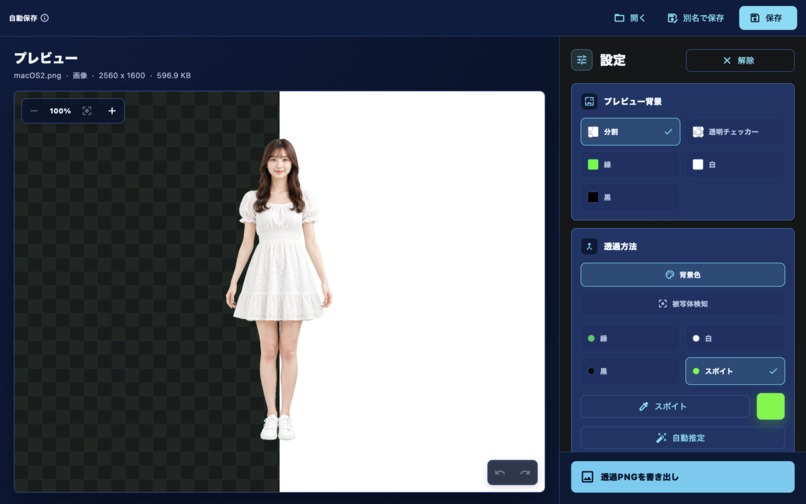
After mac
-

Before iPhone
-
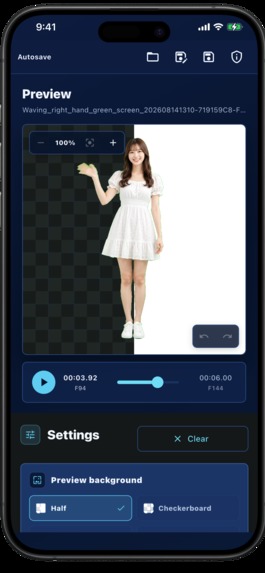
After iPhone


Inspiration
I originally needed a simple way to remove the background from a video I was creating.
While exploring different approaches, I came across a post on social media showing how a video background removal tool could be built independently. That made me think: why not build the tool I wanted to use myself?
I wanted something simple and practical that I could use on iOS without a complicated editing workflow. That idea became Background Remover Video Photo.
As I turned that simple idea into a real product, I encountered challenges beyond background removal itself — from handling large media files efficiently to making Premium access work smoothly across Apple devices.
What it does
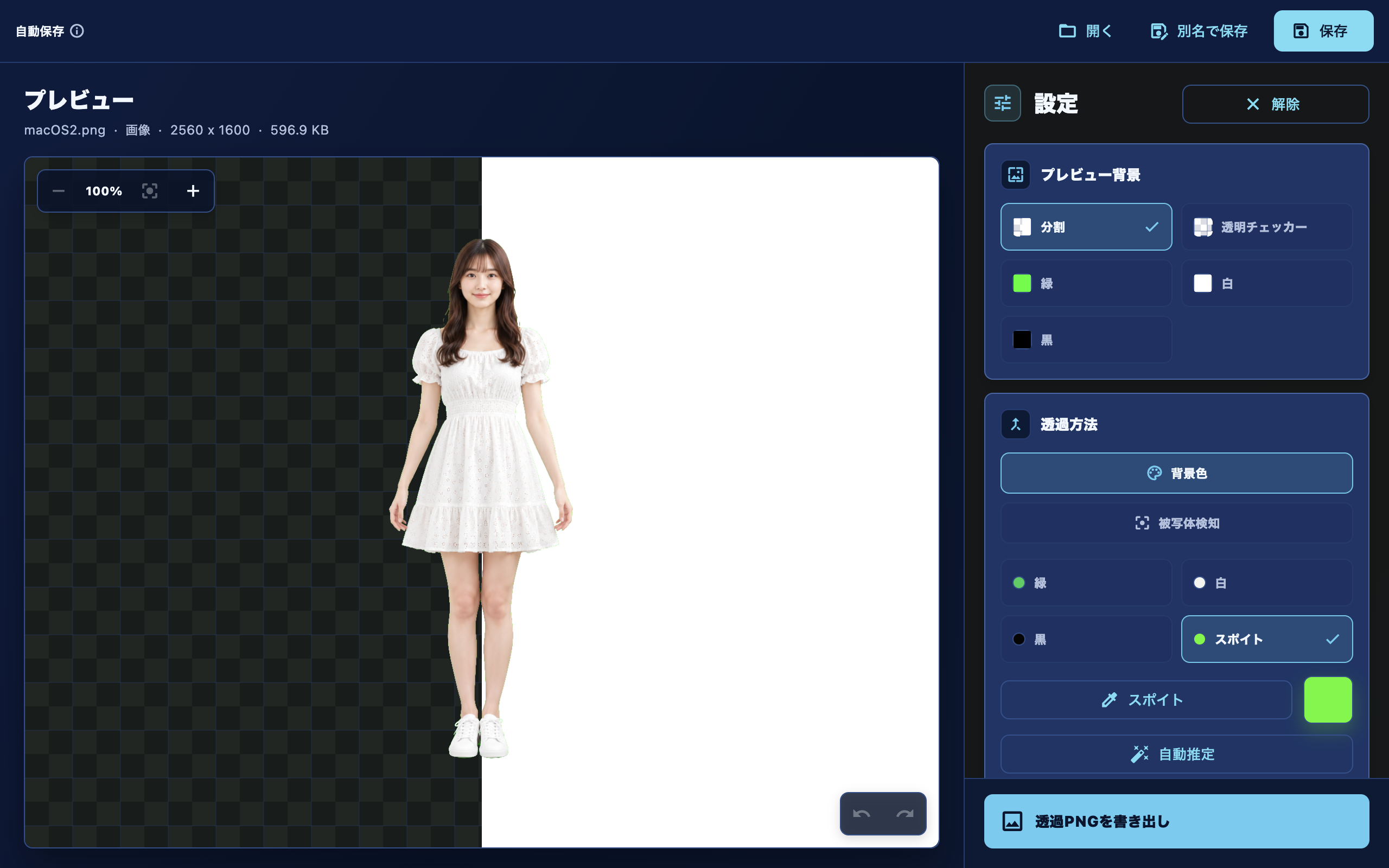
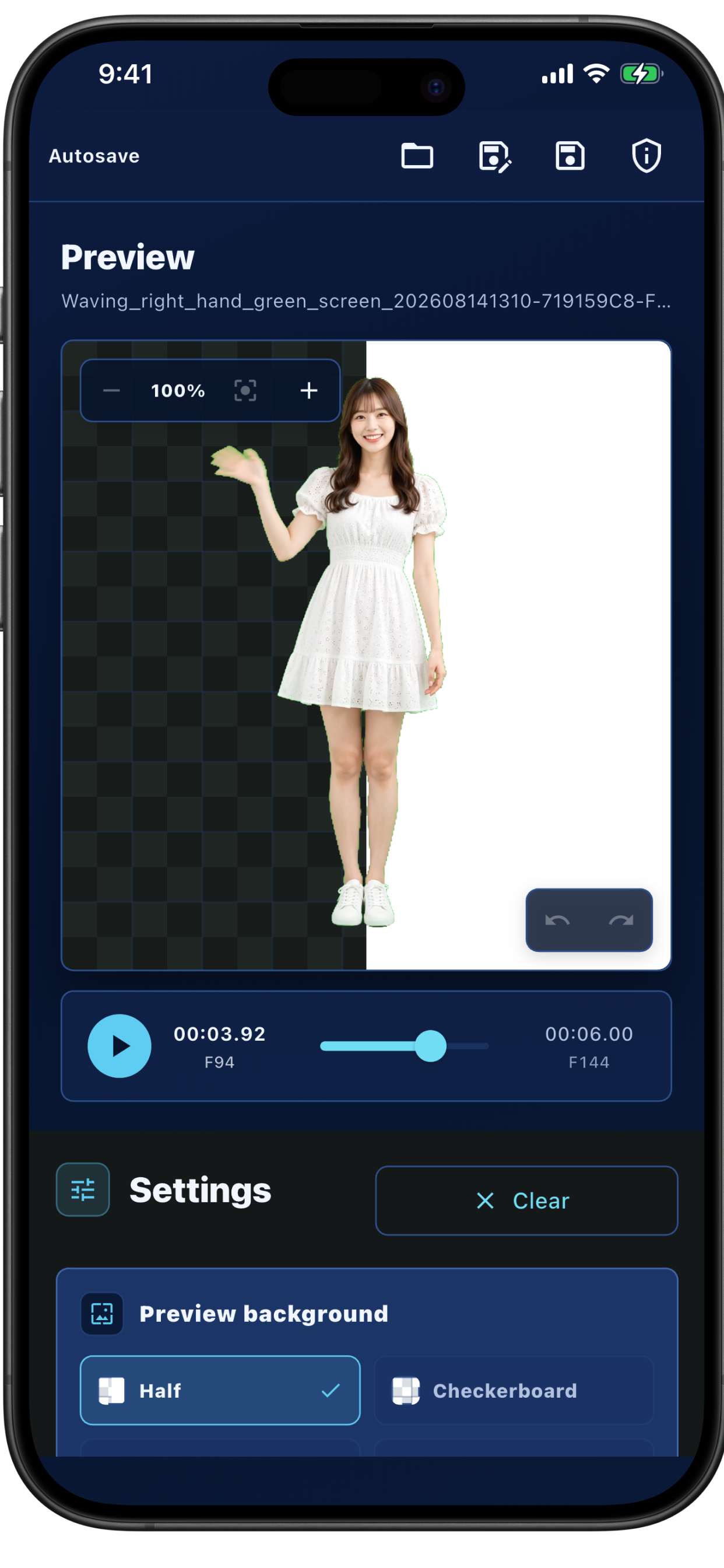
Background Remover Video Photo removes backgrounds from photos and videos and exports the results with transparency.
The workflow is intentionally simple: choose a photo or video, remove the background, and export the result.
The app is designed for video creation, social media content, design assets, and other creative projects.
It supports iOS and macOS, with Premium access designed to work across supported Apple devices.
How we built it
I built Background Remover Video Photo with Flutter for iOS and macOS.
The core background-removal workflow was only the beginning. Turning it into an app I would actually want to use meant solving several practical problems around storage, cross-platform purchases, and reliable Premium access.
Keeping large media out of app storage
Photos — and especially videos — can consume significant storage space.
A straightforward approach would be to copy every source file into the app's own storage so that it remains available when a user returns to a project. But that would duplicate potentially large media files.
Instead, I designed the workflow so users can return to their work without copying the original media into the app's storage. This avoids unnecessary duplication while still supporting project continuity.
One purchase across Apple devices
I also wanted a user who purchased Premium on one Apple device to be able to use it on another supported device.
To achieve this, I added support for Apple's Universal Purchase, enabling one purchase across iPhone, iPad, and Mac.
For monetization, I integrated RevenueCat and connected both the monthly subscription and lifetime purchase to the same Premium entitlement.
The app checks the entitlement state rather than tying its editing logic directly to individual product IDs. This keeps Premium access consistent regardless of which purchase option the user chooses.
Premium without a manual restore
The next challenge was what happens when a user purchases Premium on one device and then opens the app on another.
I wanted users to access Premium without having to manually select "Restore Purchases" just because they switched devices.
To make this more resilient, the app checks both RevenueCat entitlements and verified StoreKit purchases.
RevenueCat's CustomerInfo is checked for the Premium entitlement, while a native StoreKit bridge checks Apple's verified current entitlements. If either source confirms a valid Premium purchase, Premium access can be granted.
These checks run when the app launches, returns to the foreground, and after a purchase. If verification is still in progress or temporarily fails, the app uses a loading or retry state rather than immediately sending an existing customer back to the paywall.
On macOS, I also created a native bridge between Flutter and SwiftUI to present the RevenueCat paywall and return purchase, restore, and dismissal results to Flutter. This allows iOS and macOS to use the same entitlement-based access model.
Challenges we ran into
What looked like a simple background-removal app introduced several challenges as it became a real product.
The first was storage. Copying source media into the app would make project persistence easier, but large videos could consume substantial additional space. I needed a way to let users return to their work without keeping another copy of the original media inside the app.
The second was cross-device purchasing. Premium needed to work across iPhone, iPad, and Mac through Apple's Universal Purchase rather than requiring separate purchases.
The third was reliable Premium access on another device. A user should not have to think about purchase synchronization or manually restore a purchase simply because they moved from one device to another.
Solving these problems required combining Flutter with Apple platform APIs, RevenueCat, StoreKit, and native Swift/SwiftUI bridges while keeping all of that complexity out of the user's way.
Accomplishments that we're proud of
I am proud that a tool I originally wanted for my own video workflow became a complete application for iOS and macOS.
What started as a simple idea — remove the background from a photo or video — grew into solving the less visible problems that make an app practical to use.
The app avoids keeping unnecessary copies of large source media, supports Universal Purchase across Apple devices, and combines RevenueCat and StoreKit to provide a more resilient Premium experience.
Behind the scenes, the project brings together Flutter, native Apple frameworks, StoreKit, RevenueCat, Swift, SwiftUI, and Universal Purchase, while keeping the user-facing workflow simple.
What we learned
One of the most valuable things I learned was that an iOS application does not necessarily need to copy the original media into its own application storage in order to let users work with it and return to their project later.
That changed the way I thought about media and file management on Apple platforms. Instead of making project persistence easy by simply duplicating large files, I could design around the original media and reduce unnecessary storage usage.
I also learned more about the different roles of RevenueCat, StoreKit, and Universal Purchase.
RevenueCat provides a convenient layer for purchase flows, customer information, and entitlement management. StoreKit can verify purchases available to the user's Apple Account, while Universal Purchase provides Apple's mechanism for sharing purchases across supported versions of the app.
Rather than treating these systems as interchangeable, I learned how their different strengths can work together to create a more resilient cross-device purchase experience.
Most importantly, this project taught me that building a simple tool is not just about implementing its core feature. Storage, purchases, platform differences, and the details surrounding that feature are what turn a simple idea into a product people can actually use.
What's next for Background Remover Video Photo
Going forward, I plan to actively incorporate user feedback to make Background Remover Video Photo easier and more intuitive to use.
Rather than adding features simply for the sake of having more features, I want to learn how people actually use the app, understand where they encounter friction, and continuously improve the experience based on their needs.
My goal is to keep evolving the app into a simple, practical, and reliable tool for anyone who needs to remove backgrounds from photos and videos.

Log in or sign up for Devpost to join the conversation.