-
-
babyguide-AI-landing-page
-
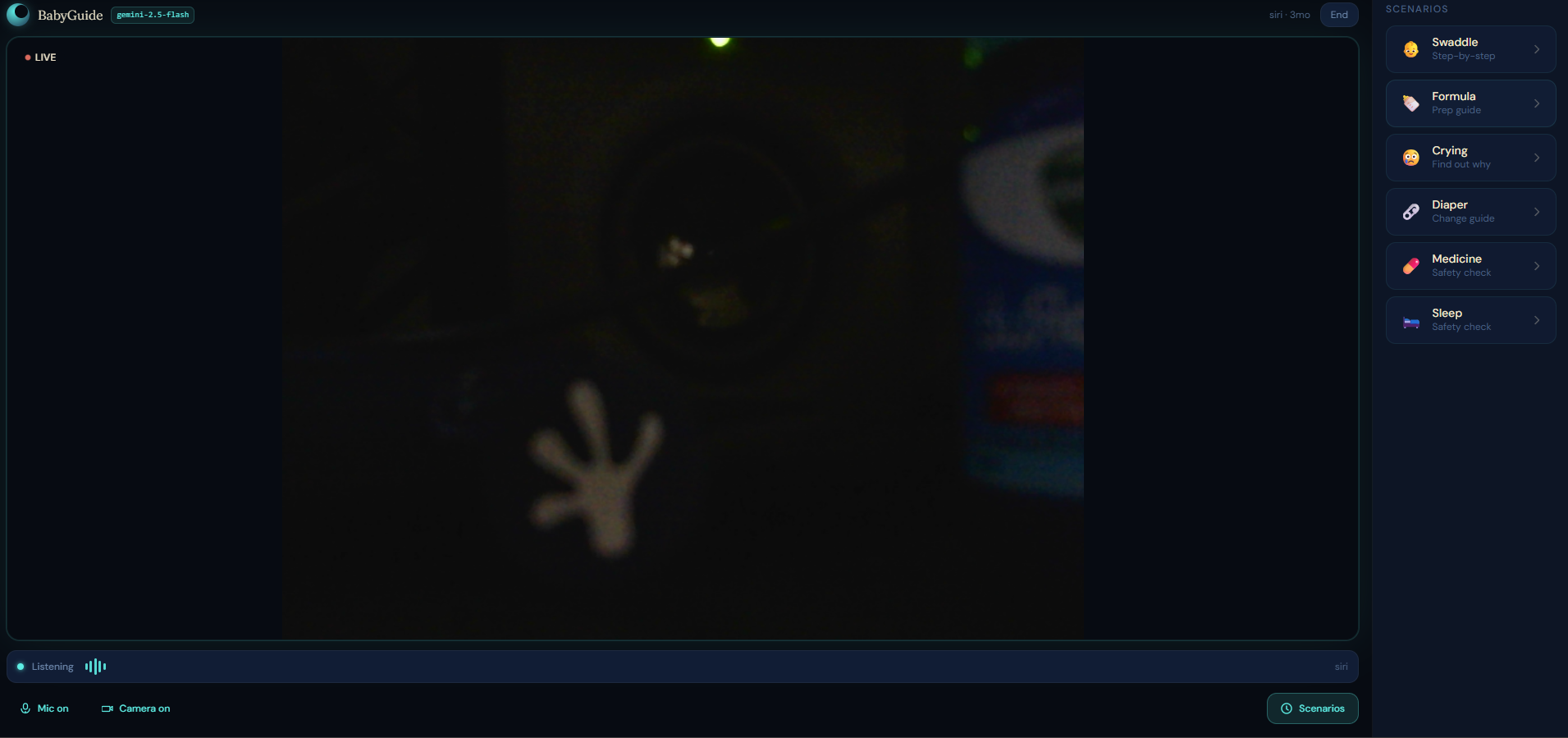
Main-session-screen
-
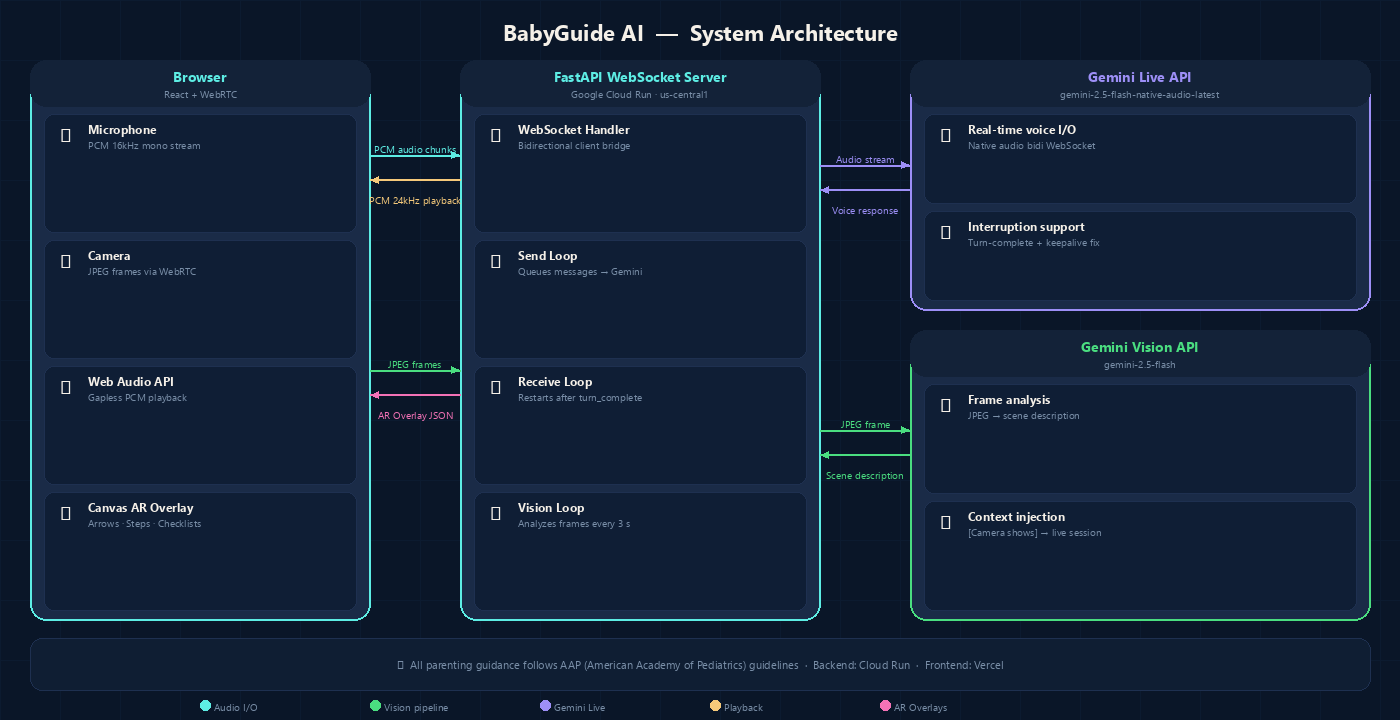
babyguide-architecture
Inspiration
My cousin had a baby six months ago. I watched her spend the first week Googling everything at 3am — "is this cry normal," "how tight should the swaddle be," "can I use this cream on a newborn." Every answer sent her to another page, another forum, another conflicting opinion. She was exhausted and the information she needed was scattered everywhere.
That stuck with me. The problem isn't that the information doesn't exist. It's that at 3am with a screaming baby in your arms, you can't read. You need someone to just tell you — and ideally, someone who can see what you're looking at.
That's the gap BabyGuide AI tries to fill.
What I Built
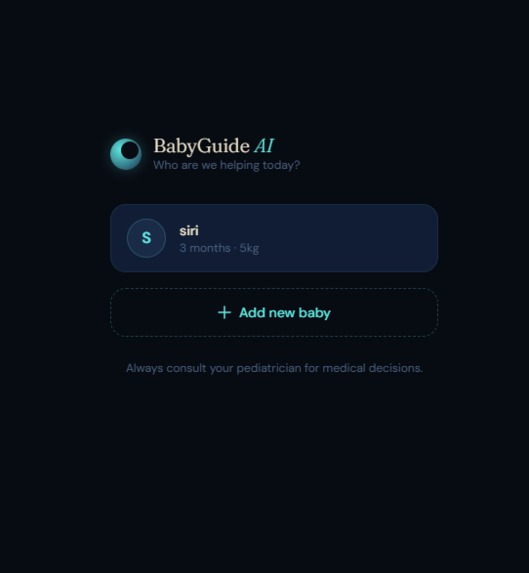
A live voice assistant for new parents that can see what you're pointing your camera at.
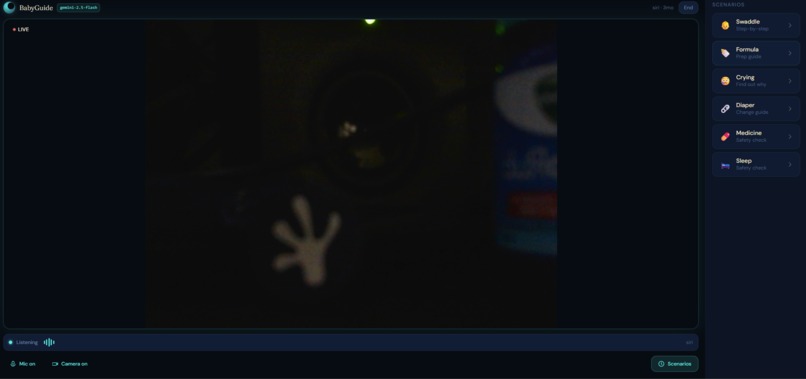
You talk to it. It talks back. Point the camera at your baby and ask if the swaddle looks right. Hold up a medicine bottle and ask if it's safe for a three-month-old. It watches through your camera and answers based on what it actually sees — not a generic response.
- Guidance follows AAP (American Academy of Pediatrics) guidelines
- AR overlays render arrows, checklists, and step indicators directly on the camera feed
- Fully interruptible — cut in mid-sentence and it adapts
How I Built It
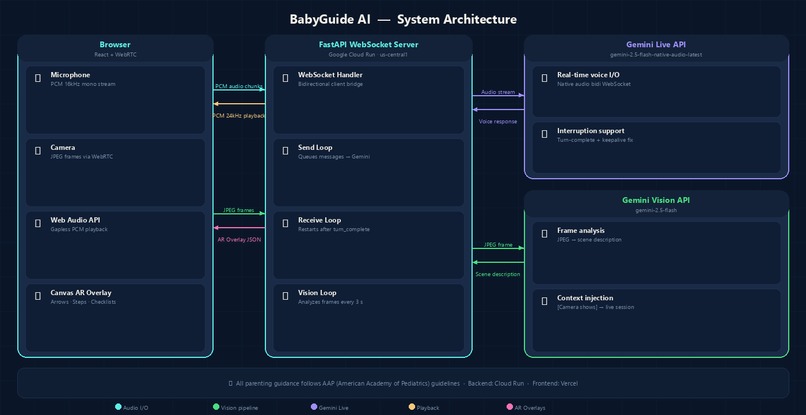
The backend is FastAPI running on Google Cloud Run, with a WebSocket endpoint handling the bidirectional stream between the browser and Gemini.
For voice, I used the Gemini Live API (gemini-2.5-flash-native-audio-latest) — real-time audio in and audio out. The browser captures PCM audio at 16kHz, streams it to the backend, and Gemini's voice comes back as audio chunks that the Web Audio API plays gaplessly.
Vision was trickier. The native audio Live model is audio-only — it can't process image frames directly. So I built a hybrid pipeline:
- Frontend captures JPEG frames via WebRTC and sends them over the WebSocket
- A background loop on the backend analyzes the latest frame every 3 seconds using
gemini-2.5-flash - The description is injected as
[Camera shows]context text into the live session - The voice model reads it and responds as if it saw the frame directly
The frontend is React + TypeScript with WebRTC for camera and mic capture. Canvas renders AR overlays on top of the video feed in real time.
Challenges
Keeping the session alive. The session.receive() method in the SDK stops iterating after each turn_complete message — which makes sense for turn-based use, but in a live session it means the WebSocket receive loop exits after every AI response. With nothing reading from the socket, keepalive pings go unanswered and the connection drops with a 1011 error. The fix was wrapping session.receive() in an outer while loop so it restarts immediately after each turn.
Gapless audio playback. The browser's decodeAudioData doesn't handle raw PCM, so every chunk needs a WAV header prepended before decoding. The bigger issue was that decodeAudioData is async — if multiple chunks arrive quickly, they all decode simultaneously and schedule on top of each other, causing crackling. The fix was a sequential processing queue: chunks decode one at a time, each scheduled to start exactly where the previous one ended.
Vision injection loop. Early on, the model hallucinated things it couldn't see because the system prompt told it to "watch the camera feed." Changing the prompt to honestly describe the [Camera shows] injection mechanism fixed that. Then the vision loop was injecting context on every cycle, causing the model to repeat itself. Adding word-overlap deduplication and a 20-second cooldown after each injection cleaned it up.
Mobile viewport. 100vh on mobile doesn't account for the browser's address bar and navigation controls, so the bottom controls were getting cut off on real devices. Switching to 100dvh (dynamic viewport height) fixed it.
What I Learned
The Gemini Live API is genuinely impressive for voice — low latency, natural-sounding, interruption handling works out of the box. The audio-only limitation on the native model is real, but a hybrid vision pipeline is a workable solution for now.
The gap between "works in a test script" and "works inside a FastAPI server with concurrent WebSocket connections" is wider than expected. Several bugs only showed up under real conditions — asyncio task scheduling, WebSocket lifecycle management, audio buffer timing.
The hardest part of building something for anxious, sleep-deprived people is making sure it doesn't make things worse. Every wrong answer, every hallucination, every 5-second delay is a failure for someone who genuinely needed help.
Built With
- audio
- canvas
- cloud
- css
- fastapi
- framer
- gemini
- live
- motion
- python
- react
- run
- tailwind
- typescript
- vercel
- vite
- web
- webrtc
- websockets

Log in or sign up for Devpost to join the conversation.