-
-
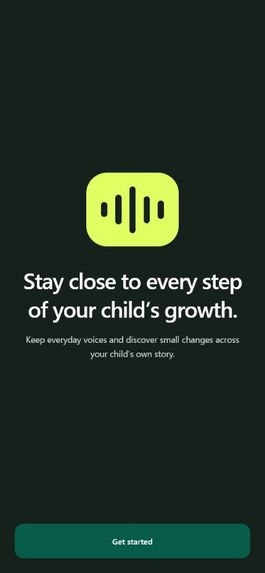
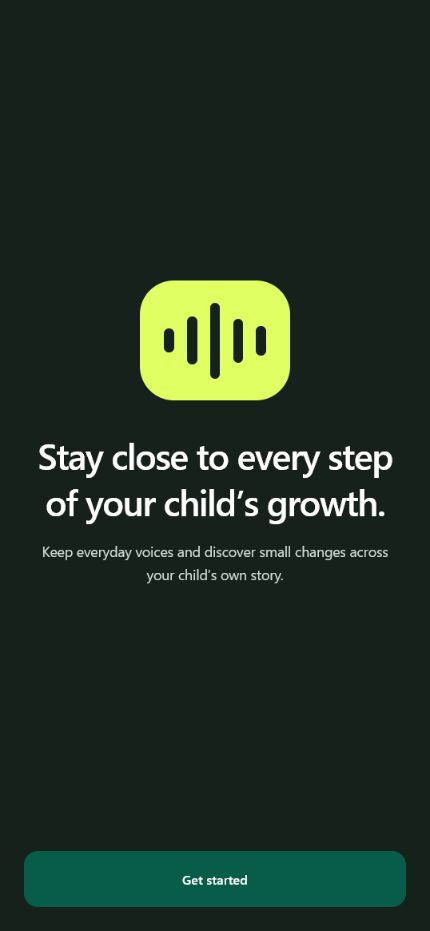
Welcome screen introducing Baby Voice Recorder and its focus on preserving everyday voices to follow a child’s growth.
-
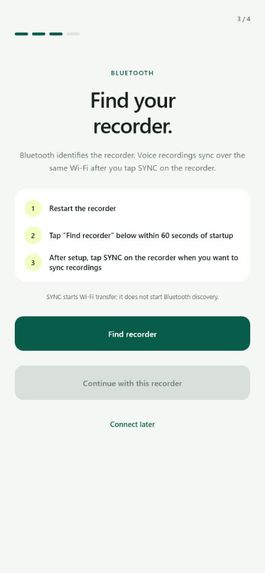
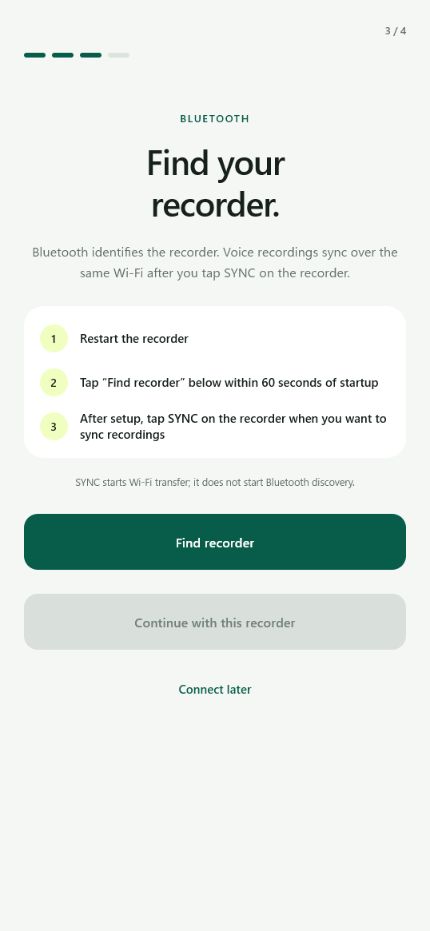
Bluetooth setup screen guiding parents to find, connect, and sync the dedicated recorder.
-
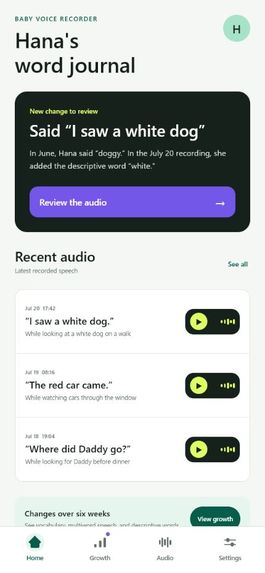
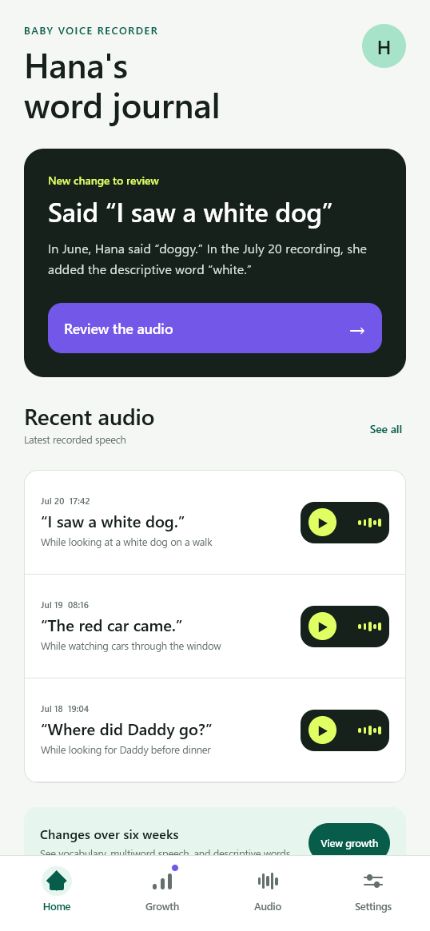
Home dashboard highlighting a new speech milestone and recent audio clips from the child’s word journal.
-
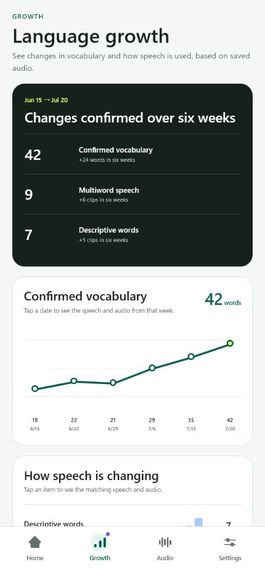
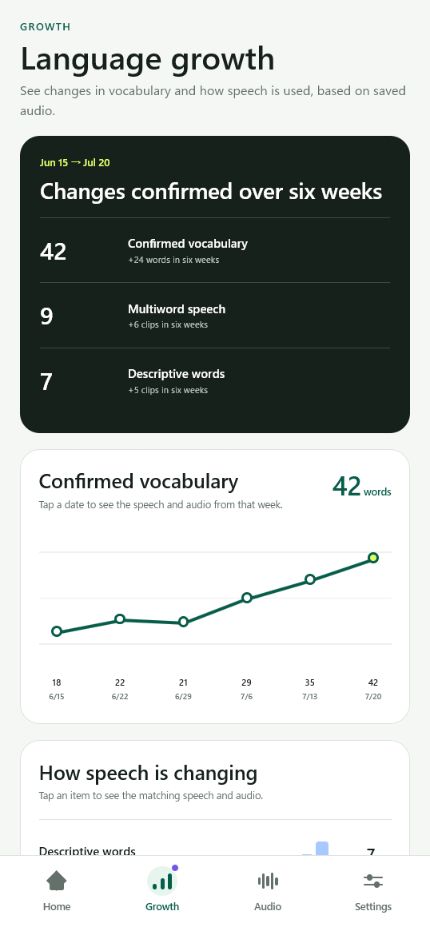
Growth dashboard visualizing six weeks of vocabulary, multiword speech, and descriptive-word development.
-
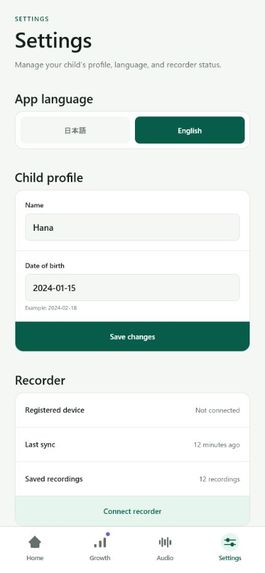
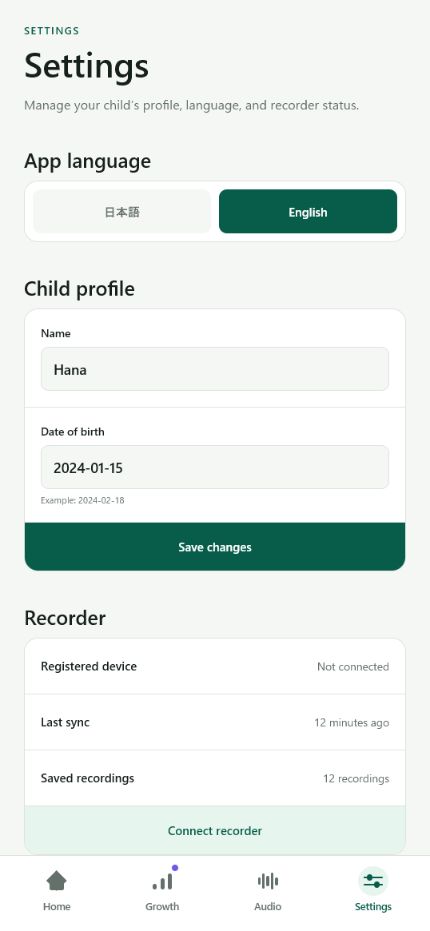
Settings screen for choosing the app language, editing the child’s profile, and managing recorder connectivity.
-
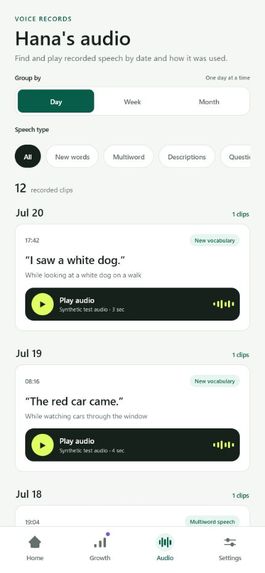
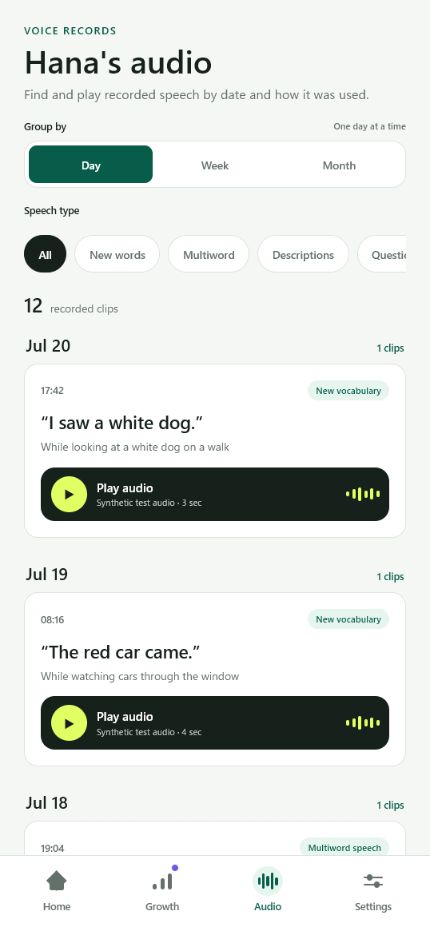
Audio library for browsing, filtering, and playing recorded speech clips by date and speech type.
Inspiration
A friend's baby used to call blueberries "buru-buru," and within a few weeks started saying "blueberry" correctly. It was a normal step in learning to talk, but the earlier way of saying it was never recorded, so it's gone. This is common: babies change quickly, parents can't predict which moment will matter later, and even recorded clips get lost among thousands of photos and videos. I wanted a simple way to keep not just a first word, but the small changes that lead up to it.
What it does
Baby Voice Recorder is a voice journal for early childhood that captures only the child's voice. A small device detects speech and records short segments automatically, so a parent doesn't need to pick up a phone. The audio is synced, transcribed, and organized in an app, where parents can follow first words like "mama" and "dada" and see how their child's language changes over time.
For this hackathon, the app is interactive and runs on seeded sample data. It shows audio playback, transcripts, parent review, and growth visualization. A separate hardware prototype can record and sync audio, but the physical device is not part of this submission.
Parents can replay clips, edit transcripts, confirm who was speaking, and save moments they want to keep. Rather than a single vocabulary score, the app tracks several types of growth: new words, longer phrases, questions, conversational turns, and bilingual use. These are shown as observations, not grades or diagnoses; a moment that isn't captured does not mean a child can't do it.
How I built it
I started by talking to parents. A Reddit post reached about 78,000 views and 95 comments, and I interviewed three families in person. Parents consistently described specific moments—a funny pronunciation, a word used in a new way, a first question—rather than totals. One parent noted that their baby becomes shy when a phone appears, which showed that trying to record a moment can end it.
Based on this and a reviewed research pass across early sounds, vocabulary, grammar, conversation, and Japanese and bilingual development, I chose a multi-axis growth model instead of fixed age targets or one score.
The flow has four steps:
- The device detects a voice and records a short segment.
- The audio syncs and is transcribed.
- The parent listens, fixes errors, and confirms the speaker and meaning.
- Confirmed moments appear in a timeline, an audio dictionary, and a growth map.
The app is built with SwiftUI, and Supabase handles authenticated storage and structured data. Because infant speech is uncertain, each milestone starts as a candidate, becomes a confirmed observation after parent review, and is reinforced if it appears again later.
Challenges I ran into
The main challenge was identifying the speaker. A home recording can include the baby, parents, siblings, the TV, overlapping voices, crying, and babbling, and a wrong label could count an adult's sentence as the child's milestone.
Transcription was also difficult. When a baby says "buru-buru," the system has to decide whether to keep the sound as-is, interpret it as "blueberry," or mark it uncertain. Automatic correction risks removing the detail worth saving.
For both reasons, parent review is a built-in step rather than a fallback: the system suggests, and the parent confirms, edits, or deletes.
Hardware was a separate challenge. I'm new to hardware and built the prototype from off-the-shelf boards and parts, which made clear that a child device has to handle comfort, heat, battery safety, attachment, and choking risk, not just audio quality.
Accomplishments that I'm proud of
The clearest signal was that parents who saw the concept said they would use it. I built an interactive iOS app, a voice-triggered hardware prototype, a parent correction flow, and a reviewed multi-axis language model, and designed it to handle bilingual families without treating mixed-language speech as an error. Throughout, the goal was to preserve the recording itself, not only the transcript.
What I learned
Language growth is broader than vocabulary size. A child might be combining words, asking questions, expressing feelings, taking turns, or using a known word in a new context, and a single number doesn't capture that. I also found that for uncertain data like infant speech, giving parents control works better than having a model decide on its own, because parents know the context. The app's role is to make review fast and keep the record accurate.
What's next for Baby Voice Recorder
Two areas are next. On hardware, I want a safe, comfortable device and will test how and where it should be worn, including a non-wearable option placed nearby. On software, I'll test with real infant and toddler audio to improve child-vs-adult identification and transcription of babbling and early words. I also plan to test whether parents prefer a memory album, a growth journal, or both, and to add optional next steps such as a book, song, or conversation to try.
Built With
- android
- arduino
- bluetooth
- codex
- expo.io
- gpt-5.6
- m5stack
- reactnative
- supabase
- typescript
- whisper


Log in or sign up for Devpost to join the conversation.